

Crashes, No Sound, or Screen Glitches?
Random freezes, missing sound and display glitches usually trace back to one bad driver. Find and replace yours safely.Free scan · under a minutePC Slower Than It Used to Be?
A free scan shows the junk files, broken settings and background clutter dragging Windows down - then fixes them in one click.Free scan · Windows 10 & 11iTechGuides is reader-supported. When you buy through links on our site, we may earn an affiliate commission. As an Amazon Associate I earn from qualifying purchases. Learn more
Dell Inspiron 11 3162: At First Glance
Dell laptops are one of the most popular laptop options in the market. This is because they come with a variety of specs and features.
In this review, we will discuss the Dell Inspiron 11 3162 which is one of Dell’s affordable yet efficient offerings. Despite being an affordable option, the Dell Inspiron 11 3162 comes with quite a number of pros which we will talk about in the subsequent sections.
However, in addition to the pros of this laptop, it also has its fair share of cons. Therefore, to find out the areas where this laptop excels and where not so much, come with me as I analyze this Dell laptop.
Quick wins for a faster PC:
Repair Windows errors before they cause bigger problemsFix Now →Scan for outdated or missing drivers - takes under a minuteDriver Scan →Clear out junk files and repair common Windows errorsFree Scan →Dell Inspiron 11 3162 Design, Dimension, and Weight
To start with, the chassis of the Dell Inspiron 11 3162 is entirely made of plastic. However, it is very appealing to the eyes thanks to its eye-catching color options.
Popular on Amazon

- for Dell Inspiron 11 (3162 3168 3169 3179 3180) 3185 2-in-1
- Alt P/N's: Rocket DC CABLE GDV3X , 450.07604.2001 , 450.07604.0001
- Premium Durable Construction;Made with reinforced flexible cable and sturdy connector housing to withstand daily plugging and unplugging. Long-lasting design resists fraying, bending damage, and wear for extended service life.
- Easy Installation & Perfect Fit:Pre-assembled power jack with cable, no soldering required for most repairs. Form-fitted connector and proper cable length align seamlessly with the laptop chassis, saving repair time and effort.
- Quality Assurance & Package:Each power jack is inspected before shipping. Package includes 1 x DC Power Jack with Cable (as pictured). Ideal for DIY repair, replacement of damaged, loose, or non-working charging ports.
Speaking of the color options, you can get this laptop in a blue tint that Dell calls “Bali Blue”. It is also available in “Alpine White” and “Tango Red”.
Another feature that makes the Inspiron 11 3162 attractive is the glossy reflective finish of its lid. In addition to its glossiness, the lid also has a ‘Dell’ logo inscribed on its center.
Also, the laptop has an explicit white pattern imprinted at the rear sides of the lid which gives it an exceptional look.
Recommended Free Tools
Having talked about the design features you will find on the lid, let’s proceed to open the lid. On opening the Inspiron 11 3162’s lid, you will find an 11.6-inch display with an HD (1366 x 768) resolution.
Unfortunately, the quality of the pictures on this display is poor. This is not surprising as HD display resolution is the least you will find in most laptops these days.
Furthermore, this Inspiron 11 3162 delivers 196 nits of maximum brightness which is below the category average of 291 nits. Hence, this display is not suitable for use in bright sunlight.
However, you will have no trouble using this laptop in a shaded environment and cloudy conditions.
Another aspect where this display failed to impress me is that it is not touch-enabled. To worsen the situation, the Inspiron 11 3162’s display is surrounded by thick black bezels on all its sides.
On a bright note, the upper bezel has a 720p HD resolution webcam at its center. On the bottom, the bezel has the “Dell” logo on its center.
Moving on, this laptop features a chiclet keyboard type with well-spaced keys. Thankfully, the keys are convenient for typing.
Meanwhile, you will also find the touchpad just below the keyboard.
Do these 3 things before closing this tab:
1Fix the driver behind crashes, sound loss and screen glitches2Repair Windows errors before they cause bigger problems3Scan for outdated or missing drivers - takes under a minuteImpressively, this touchpad surface is slightly roughened to make the fingers make more accurate touches without slipping. The touchpad also has integrated click buttons which work well.
Furthermore, just above the keyboard, are two stereo speakers situated at the two ends. Notably, the two speakers can deliver excellent sounds but they lack bass.
Another feature at the top of the keyboard is the power button which is located at the top-right corner.
For the port options, this laptop features one USB 3.0 port, one HDMI port, a MicroSD card slot, and a power-in port on the left side. Meanwhile, on the right side of the laptop, you will find one USB 2.0 port, a headset jack, and a cable lock slot.
The Tool Desk
Outbyte Driver Updater FREEFix the driver behind crashes, sound loss and screen glitchesFind Drivers →Outbyte PC Repair FREEClear out junk files and repair common Windows errorsFree Scan →Having described all the design features of this laptop, let’s proceed to the dimensions and weight. In that regard, the Dell Inspiron 11 3162 measures 292 x 196 x 18.4 mm (W x D x H).
Also, this laptop weighs only 1180 g which makes it lightweight.
Comparatively, the Inspiron 11 3162 weighs lighter than one of its closest competitors – the Acer Chromebook R 11 which weighs 1250 g. Due to the portability of Inspiron 11 3162, it is perfect for travelers to slip it into their bags.
Also popular on Amazon
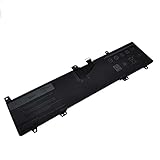
- Battery type : Li-ion Battery;Voltage:7.6V Capacity:32WH
- Replace Part Numbers: 0JV6J 8NWF3 PGYK5 0PGYK5
- Compatible with: Dell Inspiron 11 (3162), Inspiron 11 (3164), Inspiron 11 (3168)
- High recycle life,high energy density and long life battery
- 12Months warranty , 30Days money retum guarantee , 24 x 7 email support
In summary, the Dell Inspiron 11 3162 is surprisingly sturdy despite its plastic build. It is also very portable and lightweight.
Hence, I will rate the Dell Inspiron 11 3162 a seven out of ten in this review section.
Dell Inspiron 11 3162: Processor (CPU) Performance
For the processor, the Dell Inspiron 11 3162 offers multiple processor configurations. You can get this laptop with an Intel Pentium Core N3700 processor as the highest configuration.
The Intel Pentium Core N3700 is a 4-core processor with a cache memory of 2 MB. The processor also has a base and maximum frequency of 1.60 GHz and 2.40 GHz respectively.
Other than the Intel Pentium Core N3700 processor, you can also get this laptop with less powerful processors. One of such processors is the Intel Celeron N3050.
It is important to inform you that my review is based on Inspiron 11 3162 with Intel Celeron N3050.
Before I proceed to the other aspects of this section, let me quickly share the specs of the Intel Celeron N3050.
This Intel low-end processor has a base frequency of 1.60 GHz and a maximum frequency of 2.16 GHz. It also has a cache memory of 2 MB.
Meanwhile, as I already hinted above, this processor is not a powerful one. Hence, it won’t be able to run high demanding apps like Adobe Photoshop.
Free tools Windows power users keep installed
One-click scans. No signup required.
However, this processor is powerful enough for performing basic tasks such as word processing and web browsing.
At this point, I will provide you with this laptop’s processor performance in the Cinebench R10 test to verify its performance.
Cinebench R10 is a benchmark test that measures the processor performance of a computer by utilizing its processor cores. Hence, the Cinebench test produces two results – the single-core and multi-core.
For better understanding, a single-core score is arrived at when only one processor core is used. On the other hand, a multi-core score is arrived at when all the processor cores are used.
Meanwhile, you should be aware that in this test, a high score indicates better processor performance. That said, the Dell Inspiron 11 had a single-core score of 1,099 points and a multi-core score of 2,064 points.
However, this score is less than that of the Acer Aspire ES1-131 which uses the same Intel Celeron N3050 processor. Specifically, the Acer Aspire ES1-131 scored 1,131 points in the single-core test and 2,147 points in the multi-core test.
Finally, the Inspiron 11 3162 processor is not suitable for performing heavy multitasking or handling demanding apps. However, it should be able to perform basic office and internet tasks.
Therefore, in this processor review section, I will be rating the Dell Inspiron 11 3162 a seven out of ten.
Dell Inspiron 11 3162: Memory (RAM) Performance
To begin with, RAM is temporary computer storage that allows stored data to be received and read in an instant.
Also popular on Amazon
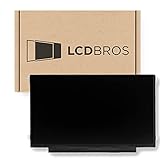
- Some models have very similar naming but are totally different. Match your model exactly to ensure compatibility. Works with Dell INSPIRON 11 3162.
- Video Connector Pins: 30 (must match your current screen or won't work)
- Max Resolution: HD (1366x768)
- Screen Size And Finish: 11.6" Screen Matte
- Lifetime Warranty
Basically, an increased RAM size means the processor accesses the information in the storage drives very quickly. Also, the larger the RAM size, the greater the multi-tasking ability of a computer without slowing down the computer’s speed.
Having said that, the Dell Inspiron 11 3162 comes with a standard 2 GB DDR3L 1600 MHz memory. Meanwhile, there is only one memory slot on this laptop.
However, 2 GB is not the maximum memory capacity supported by the Dell Inspiron 11 3162. As a matter of fact, you can increase the RAM size to 4 GB.
What’s actually slowing this PC down?
Pick the symptom - the matching free tool is one click away.
As you have probably guessed, with 4 GB of RAM your computer will be more proficient at multitasking than with 2 GB of RAM. However, even with the 4 GB of RAM, your computer will not be suitable for heavy multitasking.
Nevertheless, in this review, we will consider the performance of an Inspiron 11 3162 with 2 GB of memory. Speaking of performance, this laptop is able to perform only light multitasking like opening 5 web pages simultaneously.
To further prove this laptop’s performance, I will now discuss its result in the PCMark 8 benchmark test. For clarity, the PCMark 8 is a system benchmark test for Windows PCs that measures its overall performance.
Similar to the benchmark test we discussed in the previous section, a higher score means better performance.
Free tools Windows power users keep installed
One-click scans. No signup required.
In the PCMark 8 test, the Dell Inspiron 11 3162 scored 1632 points. Comparatively, this score is a bit higher than that of the Acer Aspire One Cloudbook 11 which had 1602 points.
Finally, this Dell Inspiron 11 3162 can only be used to perform basic computing tasks. Hence, I will rate it a seven out of ten in this memory review section.
Dell Inspiron 11 3162 Storage Options and Performance
For storage, the Dell Inspiron 11 3162 offers different options, you can purchase this laptop either with an eMMC or HDD, or SSD storage.
The eMMC storage supports a maximum storage capacity of 32 GB. Meanwhile, the HDD storage supports a maximum capacity of 500 GB.
Do these 3 things before closing this tab:
1Scan for outdated or missing drivers - takes under a minute2Clear out junk files and repair common Windows errors3Fix the driver behind crashes, sound loss and screen glitchesOn the other hand, the SSD storage option supports a maximum capacity of 128 GB.
For a better understanding, I will further explain each of this laptop’s storage options. To begin with, the eMMC (embedded Multi-Media Controller) is an internal storage memory card standard format used for smartphones, tablets, and budget laptops.
The eMMC is always soldered to a computer’s motherboard, so replacement and upgrading aren’t possible with this storage type. Impressively, an eMMC storage offers fast read and write speeds compared to HDD storage.
However, eMMCs usually come with limited storage spaces between 32GB and 64GB. However, most of the systems with an eMMC come with an SDcard port for storage expansion.
On the other hand, the HDD (hard disk drive) is an electromechanical data storage device that stores and retrieves digital data using magnetic storage. As a result of this, an HDD makes a lot of noise when in use.
On a brighter note, HDDs offer a larger storage capacity than the other storage types. However, it offers the slowest read and write speeds.
The SSD (Solid State Drive) on the other hand is a storage drive built on NAND flash memory chips and a flash controller. It offers the fastest boot-up time, read, and write speeds.
Also popular on Amazon

- Battery type: Li-ion; Voltage: 7.6V; Capacity: 32Wh; Cells: 4-cell
- Compatible Models: Fit for Dell Inspiron 11 (3162), Fit for Dell Inspiron 11 (3164), Fit for Dell Inspiron 11 (3168)
- Replace Part Numbers: 0JV6J 8NWF3 PGYK5 0PGYK5 P25T003 P25T002 P25T P24T001 P24T
- 100% New from Manufacturer. Up to 500 recharge cycles over the life of the battery. The actual operation time will depend on how much electricity is required by the device and how you use it
- For first use, please discharge the battery to 5%(not to 0%) and then charge to 95%, and cycle 3-4 times.
However, SSD storage is the most expensive among the rest of the storage types.
That said, for the purpose of this review, we will consider a Dell Inspiron 11 3162 with 32 GB eMMC storage. As said earlier, this storage type offers limited storage capacity and as a result, it can’t be used to store large files.
Nevertheless, there’s an SDcard option for this laptop. Therefore, if you need more storage spaces, an SDcard is an alternative for that.
At this point, let us discuss the transfer speed of my test model in a file duplication test. From this test, it took the Dell Inspiron 11 3162 one minute to duplicate 4.97GB of multimedia files at a speed of 84.82 MBps.
This speed is significantly faster than that of the Lenovo Ideapad 110S which duplicated the same file at 73.75 MBps. You should be aware that the Lenovo Ideapad 110S also uses a 32GB eMMC storage drive.
Furthermore, I will present the Dell Inspiron 11 3162 CrystalDiskMark benchmark test result to further verify its performance. Briefly, the CrystalDiskMark benchmark test measures a computer’s storage performance by calculating its read and write speeds.
For a better understanding, read speed is the time it takes a computer to open a file saved in its storage. Write speed, on the other hand, measures how long it takes a computer to save data to its storage.
Similar to every other benchmark discussed in this review, a high read and write speed in this test means better performance.
From the CrystalDiskMark test, the Dell Inspiron 11 3162 registered a read and write speed of 158.4 MB/s and 20.58 MB/s respectively. In comparison, the Inspiron 11 3162 result falls below that of its closest rival, the Lenovo IdeaPad 110S.
The Tool Desk
Outbyte Driver Updater FREEFix the driver behind crashes, sound loss and screen glitchesFind Drivers →Outbyte PC Repair FREERepair Windows errors before they cause bigger problemsFix Now →Specifically, the Lenovo IdeaPad 110s registered a read and write speed of 179 MB/s and 39.94 MB/s respectively.
Before I conclude this section, I will like to mention that if you purchased the Dell Inspiron 11 3162 with its SSD storage option, you’re likely to get a better storage performance. Also, as I said earlier, with the SSD option, you get 128 GB of storage.
Considering all I have said in this section, I will rate the Dell Inspiron 11 3162 a seven out of ten for its eMMC storage performance.
Independent reader supportYour contribution helps us test, update, and keep practical guides available for everyone.Dell Inspiron 11 3162: Graphics Card Performance
For the graphics card, the Dell Inspiron 11 3162 uses integrated Intel HD graphics. This graphics card has a base frequency of 400MHz and a boost frequency of 700MHz.
Outdated Drivers Are Slowing You Down
One free scan finds every outdated or missing driver and matches the right update for your exact hardware.Free scan · exact hardware matchWindows Errors? Fix Them Before They Spread
Repair common Windows errors and clear accumulated junk for a smoother, more stable PC - no reinstall needed.Free scan · no reinstallFor better understanding, I will like to explain what integrated graphics mean. An integrated GPU is one that is incorporated into the processor.
Ideally, laptops with integrated graphics aren’t suitable for playing intensive games and high graphics demanding programs. However, integrated graphics consumes less power and also generate less heat which results in prolonged battery life of the computer.
To verify the performance of this GPU, we will discuss the Dell Inspiron 11 3162 results in a 3DMark test. Briefly, 3DMark is a test that evaluates the 3D rendering ability of a graphics card.
Once again, a higher result in this test denotes better graphics performance. That said, in the 3DMark test, this laptop scored 436 Points.
Comparatively, this score is only one point lower than that of the Acer Aspire One Cloudbook 11 which uses the same GPU. Specifically, the Acer Aspire One Cloudbook 11 scored 437 points in the same 3DMark test.
Also popular on Amazon

- Compatible with Dell Inspiron 11 3162 3164 3168 3169 3179 3180 3185 series.
- This top quality repair part is used to replace damaged worn out/faulty/Broken DC jack on your laptop.
- Connector type: 5-Wire 6-Pin, Plug In.
- Alternate Part Numbers: GDV3X, 0GDV3X, 450.07604.0001, 450.07604.2001.
- Overall Length Approx. 4.1 cm / 1.7 inch.
Therefore, based on the benchmark test result I will rate the Dell Inspiron 11 3162 an eight out of ten in this graphics review section.
Dell Inspiron 11 3162: Battery life and Performance
The Dell Inspiron 11 3162 comes with a 2-cell, 32 Whr battery. To clarify, a 32 Whr battery means that the battery is capable of delivering 32 Watts of power per hour.
For the battery life, the manufacturer did not specify how long the battery can last. Regardless, I will be providing you with a battery rundown test result to understand how well the laptop performed in this respect.
What’s actually slowing this PC down?
Pick the symptom - the matching free tool is one click away.
The rundown test involved browsing the internet on a Chrome browser with 20 tabs running simultaneously over a Wi-Fi connection. Impressively, the battery lasted for 8 hours and 40 minutes.
In comparison, the Aspire One Cloudbook 11 lasted 7 hours 30 minutes in the same test.
To sum up this section, the Dell Inspiron 11 3162 has a decent battery performance judging from the test result. Therefore, I will be rating the battery performance of this laptop a nine out of ten in this section.
Frequently Asked Questions
From a battery test that involved browsing through 20 Chrome tabs over WiFi, the Dell Inspiron 11 3162 battery lasted 8 hours 40 minutes.
Recommended Free Tools
No, the Dell Inspiron 11 3162 has an integrated graphics card. The implication is that this laptop is not suitable for handling graphics-demanding tasks.
If you’re curious, some examples of graphics-demanding tasks are high-end gaming and video editing.
The Dell Inspiron 11 3162 has only one memory slot.
No, the Dell Inspiron 11 3162 is a lightweight laptop only weighing 1180 g.
No, the Dell Inspiron 11 3162 isn’t a touchscreen.
Quick wins for a faster PC:
Clear out junk files and repair common Windows errorsFree Scan →Fix the driver behind crashes, sound loss and screen glitchesFind Drivers →Repair Windows errors before they cause bigger problemsFix Now →Conclusion
The Dell Inspiron 11 3162 is a pretty nice laptop to carry out basic computing tasks. Its shiny Bali Blue chassis is quite adorable to behold, and this extends to the other colors as well.
Furthermore, the laptop weighs only 1180 g which makes it easy to carry around and fits perfectly in a bag. Also, Dell Inspiron 11 3162 battery life is quite good and will last you through a significant amount of a day’s work.
However, its eMMC storage capacity of just 32 GB is limited and not suitable for storing large files. Notwithstanding, there is an SSD option that offers 128 GB and the HDD storage configuration offers up to 500 GB of storage space.
Finally, I will recommend this Dell Inspiron 11 3162 for users that want a relatively portable laptop for basic computing tasks.
I hope you found this Dell Inspiron 11 3162 review helpful. If you found the review helpful, we would love to hear from you.
Kindly spare two minutes to share your thoughts with our community using the comments form below.
Alternatively, simply respond to the “Was this page helpful” question below and provide us with your feedback.
Finally, for more laptop reviews, visit our Gaming Laptops Reviews page. You may also find our Laptop Specs page very helpful.
Quick wins for a faster PC:
Scan for outdated or missing drivers - takes under a minuteDriver Scan →Clear out junk files and repair common Windows errorsFree Scan →Quick Recap
Product prices and availability are accurate as of the date/time indicated and are subject to change. Any price and availability information displayed on Amazon at the time of purchase will apply.


