
iTechGuides is reader-supported. When you buy through links on our site, we may earn an affiliate commission. As an Amazon Associate I earn from qualifying purchases. Learn more
For most casual players, a console is the better value when the priorities are a lower entry price, quick setup and comfortable TV or sofa gaming. A gaming PC becomes the better value when it will also replace a work computer, when free online multiplayer and frequent PC discounts matter, or when you want upgrade headroom and higher frame-rate limits.
The right answer depends less on a theoretical hardware winner than on your game library, online habits, display, tolerance for setup and whether the machine has to do jobs beyond gaming.
The short answer
| Priority | Better fit | Reason |
|---|---|---|
| Lowest initial gaming cost | Console | HP’s 2026 guide estimates consoles at $400–$500 versus $800–$2,500 or more for gaming PCs. Those are broad guide estimates, not guaranteed transaction prices. |
| Simple setup and sofa gaming | Console | Fixed hardware, a single operating environment and direct TV connection reduce configuration work. |
| Free platform multiplayer | Gaming PC | PC multiplayer is generally free of a platform subscription; applicable console multiplayer usually requires PlayStation Plus or Xbox Game Pass. |
| Largest game library | Gaming PC | HP reports more than 50,000 PC titles across Steam, Epic and GOG, with extensive support for older games. |
| Highest performance ceiling | Gaming PC | You can replace the graphics card, processor, memory and storage instead of replacing the whole system. |
| Living-room convenience | Console | Controllers, suspend/resume features and TV-focused interfaces are designed for low-friction play. |
| One device for work and gaming | Gaming PC | It can handle general productivity or creative software as well as games. |
| Specific exclusive games | Depends on the game | Existing libraries and launch exclusives can outweigh hardware-price differences. |
If you play a handful of games on a TV and already own the TV, start with a console calculation. If you also need a capable computer, play many older or discounted titles, or expect to upgrade over several years, calculate the PC’s value as a general-purpose machine rather than as a game box alone.
What “value” should mean for a casual player
Value is not simply the lowest sticker price. Separate the decision into four costs: the hardware, the accessories and display you do not already own, recurring online access, and the games you will actually buy. Then add convenience and the value of non-gaming work.
Popular on Amazon

- BEST VALUE IN GAMING — Experience next-gen speed and performance in the smallest XBOX ever. The XBOX Series S delivers powerful all-digital gameplay in a sleek, compact design.
- UP TO 120 FPS GAMEPLAY — Enjoy smooth, responsive gaming with frame rates up to 120 FPS, powered by XBOX Velocity Architecture, a custom NVMe SSD, and DirectX Raytracing for a heightened level of realism.
- 1TB CUSTOM SSD AND XBOX VELOCITY ARCHITECTURE — Reduce load times dramatically with the custom 1TB NVMe SSD and XBOX Velocity Architecture, enabling lightning-fast performance and seamless world streaming.
- QUICK RESUME — Seamlessly switch between multiple games and resume exactly where you left off. No more waiting through title screens and loading bars.
- FOUR GENERATIONS OF DIGITAL GAMES — Play thousands of digital games from XBOX Series X|S, XBOX One, XBOX 360, and Original XBOX with backward compatibility. Many titles are enhanced for better visuals and performance. Smart Delivery ensures you always get the best version for your console.
Hardware value
A console gives you a known specification for a fixed price. A PC’s price varies with the graphics card, processor, memory, storage, case, power supply and operating-system configuration. A cheaper PC may meet a game’s minimum requirements but leave little headroom for newer releases; a better-balanced system costs more at the start.
Usage value
A console is highly efficient if it is used primarily for games. A PC can justify its higher purchase cost if it replaces an existing laptop or desktop for school, office work, editing or other demanding software. Do not assign the PC the full cost of a separate work computer if you would have bought that computer anyway; compare the incremental gaming cost honestly.
Time and friction
Console setup is usually a matter of connecting power and HDMI, updating the system, signing in and pairing a controller. PC ownership can involve driver updates, graphics settings, launchers, controller configuration and troubleshooting. That flexibility is useful to some players and an ongoing cost in time to others.
Do these 3 things before closing this tab:
1Fix the driver behind crashes, sound loss and screen glitches2Clear out junk files and repair common Windows errors3Scan for outdated or missing drivers - takes under a minuteUpfront prices in 2026
Several current price anchors illustrate why the answer cannot rely on an old “console always costs $400” rule.
| Product or category | Published price or range | Qualification |
|---|---|---|
| Xbox Series S 1TB | $599.99 | Price listed on Microsoft’s store page cited for this comparison; recheck the live listing because Microsoft announced later 2026 increases and marketplace prices can change. |
| PlayStation 5 | $649.99 | U.S. recommended retail price effective April 2, 2026, according to Sony Interactive Entertainment. |
| PlayStation 5 Digital Edition | $599.99 | U.S. recommended retail price effective April 2, 2026. |
| PlayStation 5 Pro | $899.99 | U.S. recommended retail price effective April 2, 2026. |
| Gaming PC | $800–$2,500+ | HP’s 2026 comparison estimate for initial hardware; actual systems vary substantially. |
| Console category | $400–$500 | HP’s 2026 comparison estimate, not a universal transaction price. |
Microsoft announced that, beginning August 1, 2026, Xbox prices would rise by $100 for 512GB models and $150 for 1TB models. The announcement does not make every retailer’s current price identical, so check the exact capacity, region and seller before treating a listed price as a permanent baseline. The Xbox Series S line is disc-free, targets 1440p output, and is offered with 512GB or 1TB of SSD storage; storage can be expanded.
The practical lesson is to compare the specific models you would buy today. A nominally inexpensive console can approach the price of a basic PC, while a high-end console such as the PlayStation 5 Pro sits close to entry-level gaming-PC territory without gaining PC upgradeability.
Five-year ownership cost
HP estimates five-year ownership at $1,260–$2,250 for a console and $1,400–$3,900 for a gaming PC. Its assumptions include hardware, peripherals, online subscriptions, upgrades and ten games. These are scenario ranges, not a prediction of your personal spending.
The Tool Desk
Outbyte Driver Updater FREEScan for outdated or missing drivers - takes under a minuteDriver Scan →Outbyte PC Repair FREEClear out junk files and repair common Windows errorsFree Scan →| Cost driver | Console effect | PC effect |
|---|---|---|
| Initial hardware | Usually lower, with a narrow set of fixed specifications. | Usually higher, with a wide performance range. |
| Online multiplayer | Applicable games generally require PlayStation Plus or Xbox Game Pass, creating a recurring cost. | Generally no platform multiplayer subscription is required. |
| Games | Prices depend on the platform store, sales and whether you buy digital or disc editions. | Multiple storefronts and frequent discounts can reduce the cost of a large library. |
| Upgrades | Major performance upgrades normally mean replacing the console. | Memory, storage, graphics and processor upgrades can extend the system’s useful life. |
| Peripherals | Often starts with one controller and a TV you already own. | May require a monitor, keyboard, mouse, controller, headset and other accessories. |
| Work or creative use | Limited compared with a general-purpose computer. | Can offset its cost by replacing another computer. |
The console range is especially favorable for a buyer who owns a TV and plays a modest number of games. The PC range becomes more attractive when you buy many games during sales, avoid a console multiplayer subscription, or use the computer for work. A PC can also become more expensive if you continually chase top-tier graphics cards, add a high-refresh monitor and replace components before you need to.
Online multiplayer and subscriptions
Subscription math is one of the clearest differences for a casual player. On consoles, applicable online multiplayer generally requires the platform’s paid service: PlayStation Plus on PlayStation or Xbox Game Pass on Xbox. The exact plan and game eligibility vary, so check the service requirement for the games you actually play.
Also popular on Amazon

- What's in the box: Xbox Series S 512GB console, 1 Xbox Wireless Controller, High Speed HDMI cable.
- CPU: 8X Cores @ 3.6 GHz (3.4 GHz w/SMT) Custom Zen 2 CPU; GPU: 4 TFLOPS, 20 CUs @1.565 GHz Custom RDNA 2 GPU; SOC Die Size: 197.05 mm2.
- Memory: 10GB GDDR6 128 bit-wide bus; Memory Bandwidth: 8GB @ 224 GB/s, 2GB @ 56 GB/s.; Internal Storage: 512GB Custom NVME SSD
- Gaming Resolution: 1440p; Performance Target: Up to 120 FP.
- HDMI Features: Auto Low Latency Mode, HDMI Variable Refresh Rate, AMD FreeSync.
On PC, multiplayer is generally available without a platform-wide online fee. You may still choose a game-specific subscription, downloadable content or a publisher service, but there is no general console-style multiplayer charge for ordinary PC play.
When the subscription matters
- If you mostly play single-player games, the console subscription may add little value and should not be counted unless you want its other benefits.
- If you play online every week for several years, include the recurring fee in your five-year comparison rather than comparing hardware alone.
- If your friends are concentrated on one platform, moving to a theoretically cheaper platform may not be valuable if you would lose access to the group you play with.
Game libraries, prices and exclusives
Choose the games first. A less expensive system that cannot play your preferred titles is poor value.
PC library breadth
HP reports more than 50,000 PC titles across Steam, Epic and GOG, including extensive older-game support. Multiple storefronts create competition and frequent sales, although maintaining several launchers can add management overhead. PC also offers a long tail of independent games, strategy titles, simulations and older releases that may not be available on current consoles.
Console ecosystems
Xbox integrates PC access through Game Pass and Play Anywhere for supported titles, which can reduce the need to buy a game twice when you use both Xbox and Windows PC. Xbox Series X also supports thousands of games across four generations and Smart Delivery for supported titles, allowing the console to provide continuity across compatible releases.
Nintendo exclusives remain Switch-only, and some PlayStation games remain console-exclusive at launch. Availability changes over time, so distinguish a launch window from permanent exclusivity when you plan a purchase. Your existing digital library, physical discs and friends list can be worth more than a small difference in hardware price.
How to audit your library
- Write down the five games you will actually play in the next year, not every game you might someday try.
- Mark each game’s supported platforms, multiplayer requirement and whether you already own it.
- Identify any exclusive or cross-buy feature that would force a platform choice.
- Estimate the cost of the remaining games using the storefront you would really use, including likely sales rather than an assumed universal discount.
Performance: fixed targets versus a higher ceiling
Consoles trade configurability for predictable targets. Xbox Series X specifications list native 4K output, up to 120 frames per second, a 1TB SSD, an optional 2TB model and a UHD Blu-ray drive on the disc model. Series S is positioned below Series X, uses a disc-free design and targets 1440p output. Actual resolution and frame rate depend on the game and its display modes; “up to 120 FPS” is a capability, not a guarantee for every title.
A gaming PC can exceed console performance when equipped with faster graphics and processors, and it can drive high-refresh monitors or ultrawide displays. It also lets you choose between image quality, frame rate and effects settings. That ceiling matters most to players who notice latency, play competitive games or plan to keep upgrading. For a casual player on a 60Hz television, the benefit may be less visible than the price difference.
Match hardware to the display
- A 4K television can make the stronger console or PC graphics hardware more worthwhile.
- A 60Hz screen limits the visible benefit of frame rates above 60 FPS, even when the hardware can render more.
- A 120Hz-capable display is needed to see the practical benefit of supported 120-FPS modes.
- Storage capacity affects convenience: large modern games can fill a small SSD quickly, making the 1TB option or expandable storage relevant.
Upgradeability and useful life
Console hardware is fixed. You can expand storage on supported systems, but a major graphics or processor improvement requires a new console. The advantage is consistency: developers target a known specification, and you do not need to decide whether a new graphics card is compatible with your power supply, case or motherboard.
HP characterizes gaming PCs as upgradeable in the graphics card, RAM, storage and CPU. Upgrades can spread spending over time, solve a specific bottleneck and extend the machine’s useful life. They also require compatibility checks and can expose secondary limits: a new graphics card may need more power or physical space, while a new processor may require a motherboard or firmware change.
Also popular on Amazon
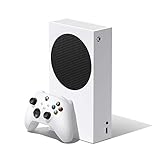
- Access your favorite entertainment through apps like YouTube, Netflix, and more
- Enjoy over 100 games right out of the box with a 1 month Xbox Game Pass trial
- Watch 4K Blu-ray movies and stream 4K video on Netflix, Amazon, Hulu, Microsoft Movies & TV, and more
- Play with friends and family near and farsitting together on the sofa or around the world on Xbox Live, the fastest, most reliable gaming network
- Xbox One games and accessories work together
Upgrade questions to ask before buying a PC
- Does the case have room for a longer graphics card and additional drives?
- Does the power supply have adequate capacity and the required connectors?
- Are memory slots and storage connections available for expansion?
- Is the processor on a platform with a credible upgrade path, or is the system effectively fixed?
Setup, maintenance and living-room use
A console is designed around a TV, controller and a simple interface. Initial setup usually involves connecting HDMI and power, installing updates, signing in, pairing the controller and downloading games. Disc models add the option of buying or borrowing physical games; disc-free models require digital purchases and downloads.
What’s actually slowing this PC down?
Pick the symptom - the matching free tool is one click away.
PC setup is more open-ended. You choose a monitor or TV, keyboard and mouse, controller, audio equipment and game stores. You may need to install drivers, adjust graphics settings and resolve occasional compatibility issues. That effort is worthwhile if you enjoy tuning a system or need desktop software, but it is not free convenience.
Choose the console when
- You want to sit down and play without choosing parts or tuning settings.
- Your main display is a living-room TV and you prefer a controller.
- You play a small set of games that run well on the platform.
- You do not need the device to replace a work computer.
Choose the PC when
- You already use a monitor, keyboard and mouse for work.
- You want mods, older games, broad storefront choice or adjustable settings.
- You expect to upgrade one component instead of replacing the whole machine.
- You want one system for gaming, productivity and creative applications.
Is the Xbox Series S 1TB good enough for casual players?
It is a sensible budget-oriented candidate when you want an Xbox ecosystem, a disc-free console and more internal storage than the 512GB model. Microsoft describes Series S as 1440p hardware with 512GB or 1TB SSD options, expandable storage and a lower price position than Series X. The 1TB model listed at $599.99 on Microsoft’s store page gives a concrete starting point, but verify the current regional price because Microsoft announced Xbox increases effective August 1, 2026.
Series S fits casual use when your TV does not require native 4K output, you are comfortable buying games digitally and you value straightforward setup. Consider Series X or another platform instead if you need a disc drive, native 4K capability, the strongest console performance or access to a specific exclusive library. Storage expansion is available, but its cost should be included if you regularly keep many large games installed.
Independent reader supportYour contribution helps us test, update, and keep practical guides available for everyone.Decision paths for common casual-player situations
You already own a good TV and play three or four games
Start with the console total: hardware, one controller if needed, the online service only if your games require it, and your expected game purchases. This scenario usually favors the console because you are not buying a display or paying for unused performance.
Crashes, No Sound, or Screen Glitches?
Random freezes, missing sound and display glitches usually trace back to one bad driver. Find and replace yours safely.Free scan · under a minuteWindows Errors? Fix Them Before They Spread
Repair common Windows errors and clear accumulated junk for a smoother, more stable PC - no reinstall needed.Free scan · no reinstallYou need a computer for work anyway
Compare the cost of a capable general-purpose computer with and without gaming performance. A gaming PC may be better value because it combines two devices, even if its gaming-only price is higher than a console.
You play online several nights a week
Add five years of the applicable console multiplayer subscription to the console side. Compare that total with a PC’s hardware and any accessories. The result depends on game prices and whether you already own PC peripherals.
You care about one exclusive franchise
Buy the platform that supports the game and the people you play with. A cheaper alternative that cannot run the title is not a saving.
You want to upgrade gradually
Choose a PC only after confirming that its case, power supply, motherboard and storage layout support the upgrades you expect. Otherwise, the advertised upgrade path may be narrower than it appears.
Also popular on Amazon

- Build-in 1TB Capacity USB 3.0 External Hard Drive
- Pre-formatted on Game Console, Plug & Play, Easy Installation, Plug-n-Play, Ultra Slim & Lightweight
- Expand your game console capacity instantly!
- Compatible with XBOX One X, S, Orginal 1st Generation Game Console
Buying checklists
Console checklist
- Confirm the exact model, storage capacity and whether it has a disc drive.
- Check the current price in your country and the effective date of any announced increase.
- Confirm TV resolution, refresh rate and available HDMI inputs.
- Price the required online multiplayer subscription for the games you play.
- Check storage expansion options and the cost of keeping additional games installed.
- Verify that your must-play titles and friends’ multiplayer platform are supported.
Gaming-PC checklist
- Set a total budget that includes the display, operating system if applicable, keyboard, mouse, controller and headset.
- Prioritize a balanced graphics card and processor rather than a headline specification that leaves weak supporting parts.
- Check memory, SSD capacity, power supply, cooling and case clearance.
- Confirm the games’ recommended requirements and the resolution and frame rate you expect.
- Count the value of free platform multiplayer and discounted storefronts without assuming every game is cheaper.
- Decide whether the PC will replace another computer; include that legitimate shared use in your value calculation.
Pitfalls that make either choice poor value
Comparing a bare console with a complete PC
A console comparison can assume an existing TV, while a PC quote may include a monitor and input devices. Use the equipment you already own on both sides, then add only what each option requires.
Ignoring recurring online costs
A console can look cheaper until several years of multiplayer subscriptions are added. Conversely, paying for a subscription you never use makes the console calculation unnecessarily pessimistic.
Buying for specifications you cannot see
High frame-rate and 4K capabilities matter only when your games and display use them. Match the hardware to your screen and playing habits.
Assuming every PC game is inexpensive
PC storefront competition can produce frequent discounts, but new releases, downloadable content and preferred editions still cost money. Budget for the games you will actually buy.
Quick wins for a faster PC:
Repair Windows errors before they cause bigger problemsFix Now →Fix the driver behind crashes, sound loss and screen glitchesFind Drivers →Clear out junk files and repair common Windows errorsFree Scan →Overlooking digital-only restrictions
A disc-free console requires digital purchases and downloads. If you borrow, resell or buy used discs, choose a model with a drive or account for the loss of that flexibility.
Treating a published price as permanent
Prices change by region, retailer, promotion and date. The 2026 Xbox announcement and the April 2, 2026 PlayStation price changes are reminders to verify the live listing before purchase.
Verdict
Buy a console if your casual gaming is TV-based, your game list is narrow, and you value the lowest-friction experience. The hardware normally costs less at purchase, and the Xbox Series S 1TB is a concrete budget-oriented option when its current price and digital-only design suit you.
Buy a gaming PC if it will also be your work computer, if free PC multiplayer and frequent sales materially reduce your spending, or if upgradeability and a higher performance ceiling are priorities. In every case, let your must-play games, existing library and five-year subscription costs decide the final value rather than the hardware sticker alone.
Recommended Free Tools

