
The Tool Desk
Outbyte PC Repair FREERepair Windows errors before they cause bigger problemsFix Now →Outbyte Driver Updater FREEScan for outdated or missing drivers - takes under a minuteDriver Scan →iTechGuides is reader-supported. When you buy through links on our site, we may earn an affiliate commission. As an Amazon Associate I earn from qualifying purchases. Learn more
Connecting SPDIF to optical is possible, but coaxial S/PDIF and optical/TOSLINK use different physical signals. To connect a coaxial digital output to an optical input, use a powered, active coax-to-optical S/PDIF converter—not a passive RCA-to-TOSLINK cable. Set the source to PCM first, then test surround formats.
S/PDIF describes the digital-audio interface, while coaxial and optical describe two ways to transport that signal. The distinction explains why a coaxial RCA jack cannot connect directly to a TOSLINK port, even though both may carry the same basic digital-audio format.
Key takeaways
- Coaxial S/PDIF to optical/TOSLINK requires an active converter with a coaxial input, optical output, and external power.
- A DAC is only appropriate when the destination needs analog RCA, 3.5-mm, or headphone audio; a DAC does not normally convert coaxial S/PDIF into optical.
- PCM stereo is the safest first test, while Dolby Digital and DTS 5.1 require support from the source, converter, and receiving device.
- Optical S/PDIF is not limited to stereo, but it generally cannot carry lossless Dolby TrueHD, DTS-HD Master Audio, multichannel PCM, or lossless object-based Atmos and DTS:X.
- A TV may output stereo, mute audio, or reject Dolby Digital Plus over optical, making HDMI ARC/eARC the better connection for higher-bandwidth formats.
What does connecting SPDIF to optical actually mean?
Connecting SPDIF to optical usually means converting coaxial S/PDIF into optical S/PDIF, also called TOSLINK. S/PDIF is the digital-audio signaling interface; coaxial and optical identify the physical transmission method.
Coaxial S/PDIF sends an electrical digital signal through a 75-ohm coaxial connection, usually using an RCA-style plug. Optical S/PDIF sends light through a fiber-optic TOSLINK cable. The two interfaces can carry related digital audio, but their electrical and optical interfaces are not passively interchangeable.
Popular on Amazon

- Optical digital audio cable: Perfect for equipment with a TOSLINK interface (OPT In / OPT Out or S/PDIF In / S/PDIF Out). TOSLINK connector to TOSLINK connector (F05 connector)
- Versatile: Ideal for transmitting crystal-clear digital audio from your TV, video game console (PS3/PS4/Xbox One), DVD/Blu-ray player, or TV streaming box to a soundbar, amplifier/amp, stereo/Hi-Fi system, D/A converter, and more
- High-End: This metal-free fiber optic audio cable, featuring a fully flexible PVC jacket, is entirely immune to electrical interference. Each cable undergoes multi-stage testing during manufacturing to ensure maximum product quality and durability
- 24K gold-plated connectors: Corrosion resistant gold plating keeps connectors clean. And because these cables are fiber optic, they provide 100 % signal transmission with 0 % loss
- No risk: 36 months manufacturer warranty
For a coaxial source and optical destination, the signal path is:
Source digital coaxial output
        ↓
Powered coax-to-optical S/PDIF converter
        ↓
Destination optical/TOSLINK input
A suitable converter regenerates the incoming S/PDIF stream in the other physical format. For example, StarTech describes a converter that supports coaxial-to-Toslink and Toslink-to-coaxial conversion. The converter changes the transport interface; it does not normally decode surround sound, create analog audio, or upgrade the audio format.
Do you need a converter, a DAC, or an HDMI extractor?
You need a digital-to-digital S/PDIF converter when both devices remain digital but use different connector types. You need a DAC when the receiving equipment accepts analog audio, and you need an HDMI extractor when the audio originates in an HDMI signal.
Recommended Free Tools
| Device | Input | Output | Use it when | What it does not do |
|---|---|---|---|---|
| Coax-to-optical converter | Coaxial S/PDIF | Optical S/PDIF | A coaxial digital source must feed an optical input | It does not normally convert digital audio to analog or transcode unsupported codecs |
| Optical-to-coax converter | Optical S/PDIF | Coaxial S/PDIF | An optical source must feed a coaxial input | It does not normally decode Dolby or DTS |
| Bidirectional S/PDIF converter | Coaxial or optical S/PDIF | Optical or coaxial S/PDIF | The direction may change or one device should support both arrangements | Both directions may require a switch or input selector |
| DAC | Optical or coaxial S/PDIF | Analog RCA, 3.5-mm, or headphone output | The destination has analog speakers, an amplifier, or headphones | It is not the normal solution for coaxial digital output to optical digital input |
| HDMI audio extractor | HDMI | Optical, coaxial, analog, or HDMI audio | An HDMI source must feed older audio equipment | Supported formats depend on the exact extractor |
| ARC/eARC converter | HDMI ARC/eARC | Optical and/or coaxial S/PDIF | A TV’s ARC/eARC audio must feed legacy digital audio equipment | Basic models may not support lossless Atmos, DTS:X, or HDMI-CEC volume control |
A Pulse-Eight Dolby DAC accepts optical or coaxial digital input and outputs analog left/right audio. That specification illustrates the important distinction: a DAC converts digital audio into analog; it is not simply a coax-to-optical adapter.
How can you identify the correct ports?
Identify the labels and connector shape before buying a cable or converter. Connector color alone is not reliable.
| Port | Typical appearance | Common labels | Signal type |
|---|---|---|---|
| Digital coaxial S/PDIF | Single RCA-style jack, often orange | Digital Out, Coaxial Out, Coax Out, S/PDIF | Electrical digital audio |
| Optical/TOSLINK | Small square port, sometimes covered by a flap or dust plug | Optical, Digital Optical, TOSLINK, S/PDIF | Optical digital audio |
| Analog RCA | Usually a red and white pair | Audio Out, Right, Left, R, L | Analog audio |
| Composite video | Usually a yellow RCA jack | Video, Composite | Analog video |
| HDMI | Wide, flat, keyed connector | HDMI, ARC, eARC | Digital audio and video |
A red or white RCA jack is not automatically a digital coaxial port. A digital coaxial connection is normally a single jack labeled for digital audio. An optical port may emit a faint red light when its output is active, but the absence of visible light does not by itself prove that the source or cable is defective.
Remove protective caps from both ends of a TOSLINK cable before inserting it. The optical plug is keyed and should slide into place without force. Use a proper 75-ohm digital coaxial cable where possible; a short ordinary RCA cable may work, but a dedicated digital coaxial cable is the technically appropriate choice.
Free tools Windows power users keep installed
One-click scans. No signup required.
How do you connect coaxial S/PDIF to optical?
To connect a coaxial S/PDIF source to an optical destination, connect the source to the converter’s coaxial input, connect the converter’s optical output to the receiver’s optical input, power the converter, and select PCM for the first test.
Equipment checklist
- Source device with a digital coaxial output
- Destination device with an optical/TOSLINK input
- Active coax-to-optical S/PDIF converter
- 75-ohm digital coaxial cable
- TOSLINK optical cable
- The converter’s correct USB or DC power supply
Connection steps
- Mute or turn off the source and receiving equipment.
- Connect the source’s Digital Coaxial Out to the converter’s Coaxial In.
- Connect the converter’s Optical Out to the soundbar, receiver, DAC, or amplifier’s Optical In.
- Connect the converter to its required power supply. Active converters commonly use USB 5 V or a dedicated DC adapter, but voltage and polarity are not standardized.
- Set the converter to Coaxial, COAX, or the equivalent input mode if the converter has a selector.
- Select the corresponding optical input on the destination device.
- Set the source to PCM or stereo PCM for the first test.
- Play audio and confirm that the destination reports an incoming digital signal.
- After PCM works, test Dolby Digital or DTS only if the source, converter, and destination all support the same format.
Some bidirectional converters can output optical and coaxial audio simultaneously. StarTech’s listed converter documents simultaneous optical and coaxial output, but the exact behavior depends on the model and its manual.
Also popular on Amazon
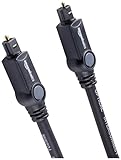
- Please REMOVE the end protective caps before using the cable.
- IN THE BOX: 6-foot digital optical audio Toslink cable.
- CLEAR AUDIO: Multi-channel, fiber-optic digital audio output; corrosion resistant gold-plated connectors and buffer tubing for optimal signal transfer.
- DURABLE: Lightweight, flexible cable with a rugged PVC exterior and removable rubber tips that protect the cable when not plugged in; remove before using.
- CONNECTS DEVICES: Quickly connects a sound bar, CD player, Blu-Ray player, game console, or other device to an audio system or TV.
How do you connect optical to coaxial?
For the reverse direction, connect the optical source to the converter’s optical input and connect the converter’s coaxial output to the receiver’s digital coaxial input.
Source optical/TOSLINK output
        ↓
Powered optical-to-coaxial S/PDIF converter
        ↓
Destination digital coaxial input- Connect the source’s optical output to the converter’s Optical In.
- Connect the converter’s Coaxial Out to the destination’s digital coaxial input.
- Power the converter.
- Select optical input on the converter if the unit has an input switch.
- Select the corresponding coaxial input on the receiver or amplifier.
- Start with PCM at the source, then test supported compressed surround formats.
Do not assume that a box with both optical and coaxial sockets works in both directions. Confirm the input/output labels, the direction listed in the manual, and how the input selector operates.
Which audio settings should you use?
Use PCM first because PCM is usually the most broadly compatible test signal. A PCM test separates basic cabling and input-selection problems from codec-compatibility problems.
Typical menu paths include Settings → Sound → Digital Audio Output → PCM, Settings → Display & Sound → Audio Output → Digital Audio Out → PCM, or Audio Format → PCM. Menu names vary by manufacturer, model, region, operating system, and firmware. Sony recommends PCM in optical and ARC troubleshooting guidance.
After PCM stereo works, use Bitstream, Pass-through, Auto, Dolby Digital, or DTS only when the entire signal chain supports the selected format. Pass-through does not upgrade audio; pass-through attempts to send the existing encoded stream onward.
Also verify that the source is configured to use an external audio system rather than the built-in television speakers. The receiver may need an input assignment before its optical or coaxial socket produces sound.
Crashes, No Sound, or Screen Glitches?
Random freezes, missing sound and display glitches usually trace back to one bad driver. Find and replace yours safely.Free scan · under a minutePC Slower Than It Used to Be?
A free scan shows the junk files, broken settings and background clutter dragging Windows down - then fixes them in one click.Free scan · Windows 10 & 11What audio formats can S/PDIF carry?
S/PDIF commonly carries two-channel PCM and, on compatible equipment, compressed Dolby Digital or DTS surround. Format support is model-specific, so a converter advertised as “digital audio compatible” is not automatically a 5.1-capable converter.
| Format or capability | Practical S/PDIF guidance | What must be verified |
|---|---|---|
| PCM/LPCM stereo | Usually the safest compatibility test | Source output mode, converter support, and destination input |
| Dolby Digital/AC-3 | Can provide compressed 5.1 on compatible systems | Source, converter, receiver, and TV output support |
| DTS 5.1 | May pass through some converters and receivers | Exact converter and destination specifications |
| 96 or 192 kHz PCM | Some products advertise these sample rates | Supported sample rate, bit depth, and channel count |
| Dolby Digital Plus | May be rejected, muted, or reduced by a TV’s optical output | TV output behavior and receiving-device compatibility |
| Dolby TrueHD, DTS-HD Master Audio, multichannel PCM | Generally requires HDMI-class bandwidth rather than basic S/PDIF | Use HDMI, ARC, or eARC equipment where required |
| Lossless Atmos or DTS:X | Generally not suitable for a basic optical/coaxial S/PDIF path | Use compatible HDMI/eARC equipment |
Calrad lists PCM/LPCM, Dolby-related formats, DTS, and 44.1, 48, 96, and 192 kHz support for a specific converter model. A separate model-specific specification from Pulse-Eight lists up to 24-bit/192 kHz for its Dolby DAC. Those specifications cannot be generalized to every converter.
A 192-kHz label describes a sampling-rate capability; it does not prove support for Dolby Digital Plus, Dolby Atmos, DTS-HD, multichannel PCM, or any other surround codec. Likewise, optical is not limited to stereo: optical S/PDIF can carry compressed Dolby Digital or DTS 5.1 when every component supports the format and the source actually sends it.
Also popular on Amazon
- Optical digital audio cable: Perfect for equipment with a TOSLINK interface (OPT In / OPT Out or S/PDIF In / S/PDIF Out). TOSLINK connector to TOSLINK connector (F05 connector)
- Versatile: Ideal for transmitting crystal-clear digital audio from your TV, video game console (PS3/PS4/Xbox One), DVD/Blu-ray player, or TV streaming box to a soundbar, amplifier/amp, stereo/Hi-Fi system, D/A converter, and more
- High-End: This metal-free fiber optic audio cable, featuring a fully flexible PVC jacket, is entirely immune to electrical interference. Each cable undergoes multi-stage testing during manufacturing to ensure maximum product quality and durability
- 24K gold-plated connectors: Corrosion resistant gold plating keeps connectors clean. And because these cables are fiber optic, they provide 100 % signal transmission with 0 % loss
- No risk: 36 months manufacturer warranty
Why can a TV cause optical-audio problems?
A TV may not pass the same audio format from its HDMI inputs or streaming apps to its optical output. A TV can downmix, transcode, limit, or mute audio at the optical output, even when the original source supports a more advanced format.
What’s actually slowing this PC down?
Pick the symptom - the matching free tool is one click away.
A common problem chain looks like this:
Streaming app → TV → optical output → older receiverThe streaming service may deliver Dolby Digital Plus, while the TV’s optical output or older receiver supports only PCM, Dolby Digital, or DTS. The result can be silence, stereo fallback, or a receiver that never displays a surround format.
Sony documents cases in which Dolby Digital Plus is not output through optical and recommends HDMI ARC/eARC for Dolby Digital Plus playback. On applicable models, changing the TV’s Dolby Digital Plus output setting to Dolby Digital may make an optical connection usable.
For a TV-based setup, try these options in order:
- Set the TV’s digital audio output to PCM for reliable stereo.
- If available, set Dolby Digital Plus output to Dolby Digital for optical use.
- Connect the source directly to a compatible receiver instead of routing audio through the TV.
- Use HDMI ARC or eARC when the TV and receiver support it.
- Use an HDMI audio extractor that explicitly supports the required input and output format.
How should you choose a converter?
Choose the converter by direction, codec support, power requirements, and the actual output your destination needs. Connector names alone are not enough.
1. Confirm the direction
- For a coaxial source and optical destination, require coaxial input → optical output.
- For an optical source and coaxial destination, require optical input → coaxial output.
- Choose bidirectional operation only when the manual confirms both directions and explains the selector or switching method.
2. Check exact format claims
Look for explicit support for PCM 2.0, 24-bit PCM, 96 or 192 kHz, Dolby Digital/AC-3, DTS, and 5.1 channels. Avoid relying only on phrases such as “digital audio,” “lossless,” or “high resolution.”
3. Distinguish pass-through from decoding
A basic coax-to-optical converter normally passes or regenerates an S/PDIF stream. A decoder interprets Dolby or DTS and may produce analog audio. A DAC converts digital audio to analog. An HDMI extractor removes audio from HDMI. These are different jobs.
4. Verify power
Active converters require power. Products may use USB 5 V, 5 V DC, 6 V DC, or another supply. Calrad lists a 6 V DC, 250 mA adapter for one specific model; another converter may use USB power. Use only a supply with the correct voltage, polarity, current rating, and connector.
5. Check switching and extra features
Some units use a physical toggle, a push button, or automatic detection. Some provide both optical and coaxial outputs at once. Extra outputs do not guarantee codec conversion, volume control, or surround decoding.
6. Treat availability and price as temporary
Product availability, pricing, warranty terms, and replacement models change. The StarTech SPDIFCOAXTOS page currently identifies the listed product as discontinued, so it should not be treated as a default current recommendation without checking stock or a replacement. The retrieved OREI DA41 listing showed a sale-price signal but also indicated unavailable status; verify current availability before purchase.
Quick wins for a faster PC:
Clear out junk files and repair common Windows errorsFree Scan →Fix the driver behind crashes, sound loss and screen glitchesFind Drivers →Repair Windows errors before they cause bigger problemsFix Now →Also popular on Amazon

- Optical digital audio cable: Perfect for equipment with a TOSLINK interface (OPT In / OPT Out or S/PDIF In / S/PDIF Out). TOSLINK connector to TOSLINK connector (F05 connector)
- Versatile: Ideal for transmitting crystal-clear digital audio from your TV, video game console (PS3/PS4/Xbox One), DVD/Blu-ray player, or TV streaming box to a soundbar, amplifier/amp, stereo/Hi-Fi system, D/A converter, and more
- High-End: This metal-free fiber optic audio cable, featuring a fully flexible PVC jacket, is entirely immune to electrical interference. Each cable undergoes multi-stage testing during manufacturing to ensure maximum product quality and durability
- 24K gold-plated connectors: Corrosion resistant gold plating keeps connectors clean. And because these cables are fiber optic, they provide 100 % signal transmission with 0 % loss
- No risk: 36 months manufacturer warranty
How do you troubleshoot no sound?
No sound usually results from incorrect input selection, missing converter power, an unsupported source format, disabled TV output, or a loose or defective cable. Troubleshoot the signal path from source to destination in order.
- Confirm the source is connected to the converter’s input, not its output.
- Confirm that the converter is powered and showing its power indicator, if fitted.
- Set the converter’s selector to the physical input in use.
- Set the soundbar, receiver, or amplifier to the correct optical or coaxial input.
- Remove the protective caps from the TOSLINK cable and reseat both ends.
- Set the source or TV digital output to PCM.
- Set the TV speaker output to an external audio system where that option exists.
- Power-cycle the source, converter, and destination.
- Try a different optical cable and a short, known-good digital coaxial cable.
- Test the source directly with another compatible device to isolate the converter.
Why does stereo work but 5.1 fail?
When stereo PCM works but 5.1 fails, the physical connection is probably functional and the problem is more likely format support or source configuration.
- The source may be set to PCM stereo.
- The television may output only stereo through optical.
- The converter may pass PCM but not Dolby Digital or DTS.
- The receiver may not decode the selected compressed format.
- The source may be sending Dolby Digital Plus instead of Dolby Digital.
- The program or disc may contain only a stereo soundtrack.
Confirm that the content has a 5.1 soundtrack, select Bitstream or Dolby Digital where appropriate, and check the format specification for every device. Test with a known Dolby Digital 5.1 source. If lossless or object-based audio is required, use a direct HDMI connection or compatible HDMI ARC/eARC equipment.
Do these 3 things before closing this tab:
1Clear out junk files and repair common Windows errors2Scan for outdated or missing drivers - takes under a minute3Repair Windows errors before they cause bigger problemsWhat causes crackling, intermittent audio, or signal dropouts?
Crackling and dropouts usually indicate an unstable digital link, unsuitable power, a damaged cable, excessive optical bending, an unsupported sample rate, or a defective converter.
- Replace the optical cable and avoid tight bends.
- Use a shorter cable where practical.
- Use a proper 75-ohm digital coaxial cable.
- Confirm that the converter has the correct power supply.
- Set the source to 48-kHz PCM if the source offers a selectable sample rate.
- Reboot the complete signal chain.
- Remove unnecessary splitters, extenders, or adapters.
- Test another converter if the source and destination work separately.
How can you fix audio delay or lip-sync problems?
Audio delay may come from buffering and processing in the TV, soundbar, receiver, or source rather than from the S/PDIF format conversion itself.
- Try PCM, which may reduce processing but can change multichannel audio to stereo.
- Disable unnecessary surround or audio-processing modes.
- Adjust the TV or receiver’s audio-delay control.
- Bypass the TV by connecting the source directly to the receiver.
- Try HDMI ARC/eARC if compatible devices are available.
- Avoid using HDMI ARC and optical simultaneously unless the equipment manual specifically supports that arrangement.
Sony documents troubleshooting paths in which disabling eARC or selecting PCM can improve some audio-delay problems, although PCM can change the delivered audio format.
Independent reader supportYour contribution helps us test, update, and keep practical guides available for everyone.Can optical reduce hum and ground-loop noise?
Optical connections provide galvanic isolation because the signal crosses as light rather than through a shared electrical conductor. Optical isolation can help with ground-loop noise in some installations, but optical does not inherently sound better than coaxial when both carry the same supported digital stream.
If the destination ultimately feeds powered speakers or analog equipment, an electrical coaxial path can sometimes expose ground-potential differences. Use a purpose-built ground-loop solution only where appropriate. Do not place an analog isolator in a digital optical path; an analog isolator does not perform digital optical conversion.
Also popular on Amazon
- Optical digital audio cable: Perfect for equipment with a TOSLINK interface (OPT In / OPT Out or S/PDIF In / S/PDIF Out). TOSLINK connector to TOSLINK connector (F05 connector)
- Versatile: Ideal for transmitting crystal-clear digital audio from your TV, video game console (PS3/PS4/Xbox One), DVD/Blu-ray player, or TV streaming box to a soundbar, amplifier/amp, stereo/Hi-Fi system, D/A converter, and more
- High-End: This metal-free fiber optic audio cable, featuring a fully flexible PVC jacket, is entirely immune to electrical interference. Each cable undergoes multi-stage testing during manufacturing to ensure maximum product quality and durability
- 24K gold-plated connectors: Corrosion resistant gold plating keeps connectors clean. And because these cables are fiber optic, they provide 100 % signal transmission with 0 % loss
- No risk: 36 months manufacturer warranty
Which connection is best: optical, coaxial, ARC, or eARC?
The best connection is the one that supports the required format with the fewest unnecessary components.
| Connection | Best use | Strengths | Important limits |
|---|---|---|---|
| Direct optical-to-optical | Both devices have compatible optical ports | Simple, electrically isolated, no converter | Limited to optical S/PDIF formats |
| Direct coaxial-to-coaxial | Both devices have digital coaxial ports | Simple and requires no optical conversion | Electrical connection can be more susceptible to grounding differences |
| Coaxial-to-optical converter | Digital ports are different but the required format is S/PDIF-compatible | Solves the physical-interface mismatch | Requires power and normally does not transcode unsupported formats |
| HDMI ARC | TV and soundbar or receiver both support ARC | One HDMI cable can carry TV audio and may enable device control | Capabilities depend on device implementation and supported formats |
| HDMI eARC | Higher-bandwidth or lossless formats are required | Better suited to multichannel PCM, Dolby TrueHD, DTS-HD Master Audio, and compatible lossless Atmos | Requires compatible TV, receiver or soundbar, source, and HDMI connection |
| HDMI ARC/eARC extractor | A modern TV must feed legacy optical or coaxial equipment | Can extract digital audio from ARC/eARC | Many models are limited to PCM 2.0, Dolby 5.1, and DTS 5.1; CEC volume control may be absent |
Sony notes that ARC can remove the need for a separate optical audio cable when both devices support ARC. For example, the OREI DA41 is listed as an ARC/eARC-to-optical/coaxial converter with PCM 2.0, Dolby 5.1, and DTS 5.1 support; its specifications do not make it a lossless Atmos or DTS:X solution.
Buying checklist for an SPDIF-to-optical converter
- Direction: Confirm the exact wording “coaxial input, optical output” for the required setup.
- Active conversion: The device must have power; a passive cable is not enough.
- Codec support: Check PCM, Dolby Digital/AC-3, DTS, and 5.1 support separately.
- Sampling rate: Treat 96 or 192 kHz as a sample-rate claim, not proof of advanced surround support.
- Power: Verify USB or DC voltage, polarity, current, and connector type.
- Switching: Confirm whether the converter is one-way, bidirectional, or automatically switching.
- TV compatibility: Check whether the TV passes Dolby Digital, Dolby Digital Plus, or only PCM through optical.
- Control features: Do not expect HDMI-CEC volume control from a basic S/PDIF converter.
- Return policy: A model can meet the connector requirement but still fail because the source outputs an unsupported format.
- Availability: Confirm current stock and price at publication or purchase time.
Common misconceptions to avoid
- “SPDIF and optical are different audio formats.” S/PDIF is the digital interface family; optical and coaxial identify physical transport methods.
- “An RCA-to-TOSLINK cable is enough.” A cable cannot convert an electrical signal into light. An active converter is normally required.
- “Optical supports only stereo.” Optical S/PDIF can carry compressed Dolby Digital and DTS 5.1 on compatible equipment.
- “Optical always sounds better than coaxial.” Neither transport is universally higher fidelity when both carry the same supported digital stream.
- “Any converter supports Dolby Atmos.” Basic converters commonly support PCM stereo and possibly legacy Dolby Digital or DTS 5.1, not every Atmos form.
- “192 kHz means every surround format will work.” Sampling-rate support and codec support are separate specifications.
- “A converter will fix an incompatible TV output.” A basic interface converter cannot usually turn Dolby Digital Plus into Dolby Digital because it normally does not decode or transcode the stream.
Frequently Asked Questions
Is optical the same as S/PDIF?
Optical audio is one physical implementation of S/PDIF. S/PDIF can also travel electrically through a coaxial connection, so optical S/PDIF and coaxial S/PDIF use different media while carrying related digital-audio signals.
Can an RCA cable connect coaxial S/PDIF to optical?
No. A passive RCA-to-TOSLINK cable cannot convert an electrical coaxial signal into an optical signal. Use a powered active coax-to-optical converter.
Do you need a DAC for coaxial S/PDIF to optical?
No. A DAC is needed when the destination accepts analog audio. Coaxial S/PDIF to optical requires a digital-to-digital converter.
Can a coax-to-optical converter carry Dolby Digital 5.1?
A coax-to-optical converter can carry Dolby Digital 5.1 only when the specific converter passes that format and the source and receiving device also support it. PCM stereo is the safest initial test.
Why does PCM work when Bitstream does not?
PCM works more often because it is broadly supported, while Bitstream may contain Dolby Digital Plus, DTS variants, or another codec that the converter, TV, or receiver cannot pass or decode.
The Bottom Line
For coaxial S/PDIF to optical, buy an active converter labeled with coaxial input and optical output, power it correctly, and begin with PCM. Test Dolby Digital or DTS only after confirming codec support across the entire chain. If the system needs Dolby Digital Plus, lossless surround, multichannel PCM, Atmos, or DTS:X, HDMI ARC/eARC is usually a more suitable path than basic optical conversion.

