
Recommended Free Tools
iTechGuides is reader-supported. When you buy through links on our site, we may earn an affiliate commission. As an Amazon Associate I earn from qualifying purchases. Learn more
Canon DP3D is better for a quick, simple model from one compatible Canon EOS R capture. Photogrammetry software is the better choice when you need complete all-around geometry, multiple cameras, measurements, georeferencing, batch processing, or technical control. The two approaches solve different problems: DP3D estimates depth from Dual Pixel data recorded in a single photograph, while photogrammetry reconstructs surfaces by matching features across many overlapping photographs.
What Canon DP3D and photogrammetry actually do
Canon DP3D: one capture with Dual Pixel depth data
Canon describes Dual Pixel 3D (DP3D) as a Windows converter that uses depth and phase-detection information captured through Dual Pixel CMOS AF. You take one compatible image, then convert it on a computer into a 3D file or video. DP3D can export OBJ, GLB, or MP4, and it can retain the full image background or isolate the main subject.
This is not a conventional multi-image reconstruction pipeline. The converter has only the geometry evidence visible in that one frame. It can estimate depth for visible surfaces, but it cannot see the rear, underside, or other areas hidden by the subject itself.
Do these 3 things before closing this tab:
1Fix the driver behind crashes, sound loss and screen glitches2Clear out junk files and repair common Windows errors3Scan for outdated or missing drivers - takes under a minutePhotogrammetry: reconstruction from overlapping photographs
Photogrammetry software analyzes a series of photographs taken from different viewpoints. Matching landmarks between overlapping images lets the software triangulate surface points, build a dense point cloud, generate a mesh, and apply textures. Apple describes Object Capture as matching landmarks in many well-lit photographs; Autodesk describes the same general process as measuring surface points from a photo series to create textured, high-resolution models.
#1 Best Overall
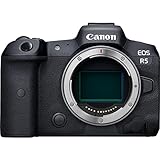
- High Image Quality: Canon EOS R5 8K digital camera features a stacked, back-side illuminated 45-megapixel full-frame CMOS sensor for phenomenal low-light performance, image clarity and level of detail
- Powerful Image Processor: DIGIC X image processor with an ISO range of 100-51200; expandable to 102400x; powers 8K capture, enhances detail, reduces noise and more with high speed and efficiency
- High-Speed Shooting: High-speed continuous shooting of up to 12 fps with mechanical shutter and up to 20 fps using electronic (silent) shutter — a large step-up in our EOS R-series line of mirrorless cameras
- Superb Autofocus: Dual pixel CMOS AF with 1,053 AF points; covers approximately 100% area; subject tracking of people, animals and vehicles using deep learning technology; features Eye Control AF capability to enable photographers to select focus points simply by looking at them
- High-Resolution Video Capture: 8K RAW, 4K up to 120fps Internal Recording in all Formats, with Auto Focus — stellar 8K camera for video recording
Packages such as Agisoft Metashape add a wider production toolset: photogrammetric triangulation, dense-cloud generation and editing, mesh and texture creation, panorama stitching, measurements, georeferencing, ground-control points, multiple sensor types, batch processing, Python automation, and GPU acceleration. Feature availability and operating-system support depend on the edition; Metashape supports Windows, macOS, and Linux in its documented comparison.
At-a-glance decision
| What you need | Better fit | Why |
|---|---|---|
| One quick model from a supported Canon camera | DP3D | Single-shot depth data and a short conversion workflow. |
| A complete view, including sides hidden in one frame | Photogrammetry software | Multiple overlapping viewpoints capture more of the surface. |
| Mixed cameras or non-Canon photographs | Photogrammetry software | It works from ordinary image sets and can use varied sensors. |
| Measurements, scale, georeferencing, or survey-style output | Photogrammetry software | These are documented capabilities in full photogrammetry packages. |
| A simple product or food visual for a website, presentation, or social post | DP3D | OBJ, GLB, and MP4 output are convenient for visual use. |
| Reflective, thin, deformable, or heavily occluded subjects | Usually photogrammetry | Several views provide more evidence, although texture, reflections, and subject movement can still prevent a clean reconstruction. |
What you need for Canon DP3D
Supported camera and lens
Canon lists these compatible cameras: EOS R5, EOS R5 Mark II, EOS R6 Mark II, EOS R6 Mark III, EOS R7, EOS R8, EOS R8 Mark II, and EOS R10. A supported RF lens is also required. Owning a different Canon camera, or a compatible body with an unsupported lens, does not establish DP3D compatibility.
Computer requirement
The converter requires a 64-bit installation of Windows 11 version 24H2 or later. This is a hard software prerequisite, not merely a recommended specification. DP3D is therefore a poor fit if your available computer is a Mac, Linux system, or an older Windows installation that cannot be updated.
Accepted image data
Canon’s guidance says DP3D accepts Dual Pixel RAW (DPRAW) files or JPEGs that contain distance data. The useful depth information must be present in the captured file; an arbitrary JPEG from an unrelated camera cannot be treated as an equivalent input.
How to make a DP3D model
- Confirm compatibility. Check that the camera is one of Canon’s listed EOS R models, the lens is a supported RF lens, and the computer runs 64-bit Windows 11 24H2 or later.
- Prepare the subject. Use a matte subject with a relatively simple, solid, contrasting background. Reduce reflections and avoid objects with narrow parts or extensive hidden areas.
- Set the exposure within Canon’s guidance. Use an aperture of f/5.6 or wider and ISO 1600 or lower when possible. Canon warns that apertures greater than f/8 and ISO values greater than 3200 cannot generate models.
- Choose the distance. Canon recommends placing the subject about five to ten times the lens’s focal length away. For example, a 50 mm focal length implies roughly 250–500 mm of subject distance.
- Capture the source image. Record DPRAW or a JPEG with distance data while keeping the subject and camera stable. Include the entire area you want represented; anything outside the view or behind an occlusion will not be recovered later.
- Transfer the file to Windows. Copy the original capture without stripping the depth or distance metadata.
- Convert in DP3D. Choose whether to keep the full image background or isolate the main subject, then export OBJ or GLB for 3D use, or MP4 for a video presentation.
- Inspect hidden areas. Rotate the result and check the rear, underside, thin features, and reflective regions. Stretching or implausible geometry in these areas is a limitation of single-view evidence, not something a different export format will repair.
DP3D capture conditions that determine the result
Exposure and aperture limits
Canon’s f/5.6-or-wider and ISO-1600-or-lower values are recommendations for obtaining usable data. The documented failure limits are more severe: apertures greater than f/8 and ISO values greater than 3200 cannot generate models. Treat these as capture constraints rather than accuracy guarantees; staying within them does not promise that every subject will reconstruct well.
Rank #2
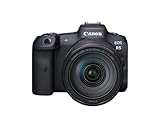
- High Image Quality featuring a New 45 Megapixel Full-frame CMOS Sensor.
- DIGIC X Image Processor with an ISO range of 100-51200; Expandable to 1024001.
- High-Speed Continuous Shooting of up to 12 fps with Mechanical Shutter and up to 20 fps Electronic (Silent) Shutter.
- Dual Pixel CMOS AF covering Approx. 100% Area with 1,053 AF Areas.
- Subject tracking of People and Animals2 using Deep Learning Technology.
Surface appearance
Matte surfaces are easier because they present stable visual information. Strong reflections can move or duplicate highlights between the depth cues and make the inferred surface unreliable. A solid, contrasting background helps the subject boundary separate from the scene.
Shape and occlusion
DP3D struggles with slender shapes, pronounced bokeh, many blind spots, and significant reflections. A thin handle, wire, branch, or narrow edge may be missing or distorted. A deep recess or rear face hidden from the camera is simply unobserved. Canon specifically warns that unseen regions can appear stretched or distorted.
Free tools Windows power users keep installed
One-click scans. No signup required.
How a photogrammetry workflow differs
Capture a controlled image set
Photogrammetry starts with many photographs rather than one. Walk around a stationary subject or move the camera along a planned path so adjacent images share substantial visual overlap. Keep focus, exposure, and lighting as consistent as practical, and prevent the subject from moving between frames. Texture and distinct landmarks give the software features to match; blank, transparent, glossy, or repetitive surfaces remain difficult.
Create and align a project
Import the photographs, create a project, and run image alignment. The software identifies common landmarks and estimates camera positions. Remove unusable frames, masks, or background regions when they introduce false matches.
Build dense geometry and a mesh
After alignment, generate a dense point cloud, edit obvious noise, and create a polygon mesh. Apply the photographs as textures, then inspect holes, warped regions, and seams. The exact names of commands vary by product, but the sequence—alignment, dense cloud, mesh, texture—is the standard reconstruction path described by full photogrammetry tools.
Rank #3

- Canon USA Authorized. Items Include: Canon EOS R5 Mirrorless Camera | 45MP Full Frame Sensor 8K Video | In-Body Image Stabilization and Dual Pixel AF, Canon RF 75-300mm F4-5.6 Lens, 64GB UHS-II SDXC Memory Card, Canon EOS 200ES Shoulder Bag
- 45MP Full Frame Sensor: The EOS R5 delivers extraordinary detail and resolution with its 45MP CMOS sensor, ideal for large prints, commercial work, and professional applications. Its wide dynamic range and low-light performance make it versatile for all genres of photography.
- 8K and 4K Video Capabilities: Record cinematic 8K video up to 30p or high-quality 4K up to 120p for slow motion. The EOS R5 gives filmmakers professional-grade tools in a compact body, bridging the gap between high-resolution photography and advanced cinematography.
- Dual Pixel CMOS AF with IBIS: Featuring advanced autofocus with subject tracking and 5-axis in-body image stabilization, the R5 ensures sharp, stable results for both stills and video. Whether shooting handheld or with long lenses, it delivers consistently reliable performance.
- Includes RF 75-300mm f/4-5.6 Lens: Bundled with Canon’s RF 75-300mm f/4-5.6 lens, this kit provides a broad telephoto zoom range for capturing distant subjects, making it a versatile choice for wildlife, sports, and outdoor photography.
Set scale and location when required
A model made from photographs has no reliable real-world scale unless you provide known distances, scale bars, survey coordinates, or ground-control points. Metashape documents measurements, georeferencing, and ground-control-point workflows for this purpose. These functions matter for inspection, mapping, architecture, archaeology, and other work where a visually plausible mesh is not enough.
Automate and export
For repeated jobs, photogrammetry software can batch-process projects, use GPU acceleration, and expose scripting or Python automation where supported. It can export common point-cloud, mesh, and texture formats, but the available formats and automation features depend on the selected product and edition.
Which approach handles difficult subjects better?
Objects with hidden sides
Photogrammetry is the clear choice when the rear, underside, or interior must be represented. Multiple viewpoints can expose those surfaces. DP3D cannot infer a genuinely unseen face from a single image, so a blind spot may become a stretched bridge or an empty-looking area.
Reflective or transparent objects
Neither method is automatic for mirrors, polished metal, glass, or transparent plastic. DP3D lists strong reflections as a difficult condition. Photogrammetry may benefit from additional angles, but reflections can still produce inconsistent landmarks, and transparent surfaces may reveal the background instead of a stable object boundary. Change the lighting or use a removable matte treatment only when it is safe for the subject.
Thin and deformable subjects
DP3D specifically identifies slender forms as problematic. Photogrammetry can capture more evidence of a thin feature, but the feature must remain still and show enough texture in several images. Leaves, fabric, hair, and flexible cables can move between shots and create double surfaces or noise.
Rank #4

- Canon USA Authorized. Items Include: Canon EOS R5 Mirrorless Camera with 24-105mm f/4 Lens | Ultimate Hybrid Power for Creators Who Do It All, 64GB UHS-II SDXC Memory Card, Canon EOS 200ES Shoulder Bag
- 8K Video + 45MP Stills: A Creative Powerhouse: Push your creative limits with ultra-high-resolution 45MP stills and cinematic 8K video capture. Whether you’re filming documentaries or shooting editorial portraits, the EOS R5 delivers pro-level results across every frame.
- Blazing Fast Autofocus with Eye Detection: Canon’s Dual Pixel CMOS AF II system covers nearly 100% of the frame with lightning-fast tracking. Human or animal, still or in motion—your subject stays razor-sharp with intelligent Eye AF that just gets it right.
- Versatile 24–105mm f/4 L Lens Included: The bundled RF 24-105mm f/4L IS USM lens offers crisp wide-angle to short-telephoto coverage, perfect for travel, lifestyle, and run-and-gun content. It’s a reliable all-in-one companion for both stills and video.
- Built Like a Tank, Designed to Inspire: Magnesium alloy build with weather sealing ensures durability on every shoot. The articulating touchscreen, intuitive controls, and a high-resolution EVF create a seamless user experience that makes high-end performance feel effortless.
Textureless or repetitive surfaces
Photogrammetry needs matchable detail. A plain white object, repeating pattern, or smooth curved surface can align poorly even with many photographs. Add safe, temporary visual texture, improve directional lighting, or use coded targets when the workflow permits. DP3D may be simpler for a single matte object, but it still depends on a clear boundary and suitable depth cues.
Accuracy, completeness, and speed: the real trade-off
DP3D minimizes capture effort: one compatible exposure followed by conversion. That convenience is valuable for quick visual assets, previews, and simple presentation models. Its trade-off is limited coverage and less control over scale, camera network, and hidden geometry.
Photogrammetry takes more preparation and processing. You must capture, organize, align, clean, mesh, texture, and often scale the project. In return, the image set records multiple viewpoints and supports a broader technical workflow. It is the stronger foundation when the output will be measured, georeferenced, edited extensively, or regenerated from different cameras.
Do not interpret either workflow as a guaranteed accuracy specification. Canon’s aperture, ISO, and distance figures are capture guidance, not a measured error rate. Apple, Autodesk, and photogrammetry software documentation explain the reconstruction process but do not establish one universal accuracy number for every subject, lens, lighting setup, or computer.
The Tool Desk
Outbyte Driver Updater FREEScan for outdated or missing drivers - takes under a minuteDriver Scan →Outbyte PC Repair FREEClear out junk files and repair common Windows errorsFree Scan →Common DP3D problems and fixes
“The converter will not generate a model.”
- Verify that the source is DPRAW or a JPEG containing distance data.
- Check that the camera, RF lens, and Windows 11 24H2-or-later requirement are satisfied.
- Review the capture settings. Canon says apertures greater than f/8 and ISO values greater than 3200 cannot generate models.
“The sides are stretched or missing.”
That is expected when the side was hidden or outside the single frame. Re-capture with the needed surface visible, or switch to a multi-view photogrammetry workflow.
Best Value

- Bundle Includes: 1 x Canon EOS R5 Mirrorless Digital Camera with 24-105mm f/4L Lens, 1 x SanDisk SecureDigital 64GB Extreme PRO Memory Card, 1 x Camera Bag, 1 x Corel Photo Software With PhotoMirage, AfterShot, Painter Essentials, PaintShop Pro, and Video Studio, 1 x LPE6 Battery, 1 x Rapid Charger For LPE6, 1 x Memory Card Reader, 1 x Deluxe Cleaning Set, 1 x 12 Inch Flexible Tripod, 1 x Memory Card Wallet
- For the professional image-maker who needs resolution, speed, and video capabilities, there is the Canon EOS R5. Setting a new standard for versatility, this full-frame mirrorless camera features a newly developed 45MP CMOS sensor, which offers 8K raw video recording, 12 fps continuous shooting with a mechanical shutter, and is the first EOS camera to feature 5-axis sensor-shift image stabilization.
- Beyond just resolution, the sensor also pairs with the refined DIGIC X image processor to usher in a new generation of Dual Pixel CMOS AF for quick, smooth, and intelligent focusing performance using 1053 selectable points that cover the entire field of view. This focusing system has also been updated to make use of Deep Learning technology for improved subject tracking as well as precise eye, face, and head-detection for both people and animals.
- An especially high-resolution 0.5" 5.76m-dot electronic viewfinder provides a realistic 120 fps refresh rate while the 3.2" rear touchscreen LCD monitor sports a vari-angle design to accommodate vlogging needs as well as benefit working from high and low angles. A top status LCD makes for an intuitive workflow and the camera also incorporates dual memory card slots one CFexpress Type B, one SD UHS-II along with Bluetooth and Wi-Fi wireless connectivity.
- Key Features: 45MP Full-Frame CMOS Sensor - DIGIC X Image Processor - 8K30 Raw and 4K120 10-Bit Internal Video - Sensor-Shift 5-Axis Image Stabilization - 12 fps Mech. Shutter, 20 fps E. Shutter - Dual Pixel CMOS AF II with 1053 Points - 5.76m-Dot OLED EVF - 3.2" Vari-Angle Touchscreen LCD - Subject Tracking with Deep Learning - RF 24-105mm f/4L IS USM Lens
“The subject boundary is messy.”
Use a solid contrasting background, reduce bokeh, improve separation from nearby objects, and avoid reflective edges. Isolating the subject in software cannot restore depth information that was not captured.
“Thin parts disappear.”
Canon lists slender shapes as difficult. Increase the visible thickness where the design allows, improve contrast, and inspect whether a multi-view capture can expose the feature from several angles.
Common photogrammetry problems and fixes
“Images will not align.”
- Increase overlap between neighboring frames.
- Remove blurred, duplicated, or severely underexposed photographs.
- Ensure the subject did not move and that the camera settings did not change dramatically.
- Add visible texture or targets to blank areas when appropriate.
“The mesh has holes.”
Capture additional angles aimed at the missing region. Holes often indicate insufficient overlap or an occluded surface, not a texture-export problem.
Crashes, No Sound, or Screen Glitches?
Random freezes, missing sound and display glitches usually trace back to one bad driver. Find and replace yours safely.Free scan · under a minuteWindows Errors? Fix Them Before They Spread
Repair common Windows errors and clear accumulated junk for a smoother, more stable PC - no reinstall needed.Free scan · no reinstall“The model is the wrong size or location.”
Set scale with known distances and use georeferencing or ground-control points when geographic coordinates are required. A visually detailed model is not automatically dimensionally correct.
“The texture is warped.”
Check camera alignment, remove images with glare or motion, and rebuild the dense cloud or texture after cleaning outliers. Consistent lighting and a stationary subject improve the source data.
Choose with this checklist
- Choose DP3D when you have a listed EOS R camera, supported RF lens, Windows 11 24H2 or later, and a mostly matte subject that can be represented from one viewpoint.
- Choose photogrammetry software when the subject needs full 360-degree coverage, you have photographs from several cameras, or you need measurements, scale, georeferencing, batch jobs, or automation.
- Choose photogrammetry with extra preparation for reflective, transparent, thin, deformable, or heavily occluded subjects; neither method removes the need for controlled capture.
- Use DP3D for a fast visual asset, then move to photogrammetry when the model becomes an engineering, survey, archival, or measurement deliverable.
Verdict
Canon DP3D is the better tool for speed and simplicity: one supported EOS R capture can become an OBJ, GLB, or MP4 without planning a complete image set. Photogrammetry software is better for completeness and control because overlapping photographs can expose more of the subject and support dense reconstruction, measurements, georeferencing, varied sensors, and automation. The deciding question is not which technology is universally superior; it is whether your deliverable is a quick single-view visual or a controllable model of the whole subject.
Quick Recap
Product prices and availability are accurate as of the date/time indicated and are subject to change. Any price and availability information displayed on Amazon at the time of purchase will apply.
What’s actually slowing this PC down?
Pick the symptom - the matching free tool is one click away.

