
iTechGuides is reader-supported. When you buy through links on our site, we may earn an affiliate commission. As an Amazon Associate I earn from qualifying purchases. Learn more
Yes, you can play Pokémon X and Y on PC through Nintendo 3DS emulation, but there is no official Windows, macOS, or Linux release. As of August 16, 2026, Azahar is the relevant actively developed option. You need a compatible 64-bit computer, decrypted game files from your own lawful backup, and realistic expectations about touchscreen controls and online features.
Pokémon X and Pokémon Y were released for Nintendo 3DS, so PC play means running the original 3DS software through an emulator rather than installing a native computer version. For most readers, Azahar is the practical starting point; older Citra-first guides may now be outdated.

Key takeaways
- Pokémon X and Y are generally playable in Azahar, although compatibility can vary by computer, graphics driver, renderer, and input device.
- Azahar supports Windows, macOS, and modern 64-bit Linux, with listed minimums including Windows 10 64-bit or macOS 13.4 Ventura, 2 GB of RAM, SSE4.2, and OpenGL 4.3 or Vulkan 1.1 graphics support.
- Azahar cannot use encrypted game files; the documented dumping workflow requires a Nintendo 3DS to dump and decrypt a game you legally obtained.
- OpenGL is the safest renderer to try first because Azahar’s compatibility-list methodology is based on OpenGL rather than Vulkan.
- Single-player is the safest expectation; current official trading, battling, Pokémon Bank, and other 3DS online functionality should not be assumed to work in emulation.
Can We Play Pokémon X and Y on PC?
Yes, you can play Pokémon X and Y on PC, but only through Nintendo 3DS emulation because Nintendo has not released an official Windows, macOS, or Linux version. The current practical option covered here is Azahar, an open-source, Citra-derived 3DS emulator with desktop builds for Windows, macOS, and Linux.
| Question | Answer |
|---|---|
| Is there a native PC version? | No. Pokémon X and Y remain Nintendo 3DS games. |
| Can the games run on a PC? | Yes, through a compatible 3DS emulator such as Azahar. |
| Can Azahar load any downloaded ROM? | No. Azahar requires supported decrypted files; encrypted files are not supported according to its dumping documentation. |
| Is a 3DS needed? | A 3DS is required for Azahar’s documented process of dumping and decrypting personal game and system files. |
| Is online play guaranteed? | No. Treat single-player as the reliable baseline and verify each multiplayer or online feature separately. |
Which emulator should you use for Pokémon X and Y?
Azahar is the current actively developed Citra-derived option relevant to this guide’s August 16, 2026 date. Azahar was created from the merger of the former Lime3DS project with a Citra fork, and its official project provides desktop packages and compatibility information. That description does not mean Azahar is Nintendo-endorsed, and it does not make Azahar an official Pokémon PC port.
Popular on Amazon

- Features: 3D Depth Slider, Wi-Fi Capability, Nintendo 3DS Sound, Mii Maker, 3D Camera, Front & Rear Camera, Touch Screen
- Includes: AC Power Adapter, Stylus
- Wired Connectivity: Wireless
- Model Compatibility: Nintendo 3DS
Citra is the historical emulator many older Pokémon X/Y guides recommend. Those guides may still contain useful general concepts, but readers should not treat archived Citra downloads or old installation instructions as the preferred current source. Start with the official Azahar project rather than an unofficial “preconfigured” bundle.
Azahar’s official FAQ directs users toward the compatibility tracker because compatibility reports can become outdated as emulator versions, drivers, and hardware change. A compatibility rating is evidence about a tested configuration, not a guarantee for every PC.
What do you need to play Pokémon X or Y on PC?
You need four things: a supported computer, Azahar, the necessary 3DS system files, and a compatible decrypted backup of Pokémon X or Pokémon Y that you obtained through a lawful personal-dumping process.
Free tools Windows power users keep installed
One-click scans. No signup required.
PC requirements
Azahar lists the following desktop requirements in its official repository:
| Component | Listed requirement | Practical meaning |
|---|---|---|
| Windows | Windows 10 64-bit | Windows on ARM is not supported according to the listed CPU platform requirements. |
| macOS | macOS 13.4 Ventura or newer | Azahar provides universal macOS builds. |
| Linux | Modern 64-bit Linux distribution | Packages include options such as Flatpak and AppImage. |
| CPU | x86-64 or ARM64; x86-64 requires SSE4.2 | Single-core performance matters more than simply counting CPU cores. |
| CPU performance | Single-core PassMark score above 1,800 | Meeting the number is a baseline, not a promise of perfect frame pacing. |
| Memory | 2 GB minimum; 4 GB recommended | Extra memory helps the operating system and other applications remain responsive. |
| Graphics | OpenGL 4.3 or Vulkan 1.1 | Driver quality and renderer behavior can affect stability. |
These requirements come from Azahar’s official installation and requirements information. Most reasonably modern Windows gaming PCs and laptops should be within the baseline, but an old or low-power computer may still show uneven performance. A processor with strong single-thread performance is often more useful for emulation than a processor advertised mainly by its number of cores.
Which game files does Azahar support?
Azahar’s dumping documentation lists support for decrypted cartridge CCI files such as .cci and .3ds, decrypted installable CIA files such as .cia, decrypted CXI/NCCH files such as .cxi, and homebrew .3dsx files. Encrypted game files are not supported.
The important distinction is decrypted personal backup, not “ROM download.” Owning a physical cartridge does not automatically make every method of copying, decrypting, or downloading a replacement file lawful in every country. Do not use ROM sites, pre-decrypted downloads, or unofficial one-click emulator packages as substitutes for your own documented backup process.
Azahar’s game-dumping documentation explains the file requirement while deliberately avoiding a universal dumping tutorial because copyright and anti-circumvention rules differ by jurisdiction.
Do you need a Nintendo 3DS?
Yes, you need access to a Nintendo 3DS for Azahar’s documented process of dumping and decrypting your own game and required system files. A PC alone cannot create the necessary decrypted game files from nothing.
The distinction is easy to miss:
- To run the game: you need a PC, Azahar, appropriate system files, and a supported decrypted game backup.
- To create that backup from original hardware: Azahar’s documented workflow requires a 3DS.
That requirement changes the value calculation. If you already own a suitable 3DS and a copy of Pokémon X or Y, PC emulation can be convenient. If you would need to buy a 3DS solely to create the backup, original-hardware play may be simpler.
How do you set up Pokémon X or Y in Azahar?
The safe, high-level setup path is straightforward, but the game-dumping stage must be completed using your own hardware and a process lawful where you live.
Also popular on Amazon
- Download Azahar from the official Azahar repository or its linked official releases, selecting the build for Windows, macOS, or Linux.
- Install or extract Azahar, then start it once so it can create its user-data and configuration folders.
- Use the project’s documented, lawful process to obtain the required 3DS system files and to dump and decrypt your own copy of Pokémon X or Pokémon Y with a 3DS.
- In Azahar, configure the directory containing the supported game file or files.
- Configure keyboard or controller bindings, including a practical method for touching the lower 3DS screen.
- Start with default graphics settings and OpenGL.
- Launch the base game before adding enhancements or separately dumped updates.
- Back up the emulator’s save data and user-data directory before changing settings or importing files.
Do not begin by installing an unofficial “complete Pokémon X/Y PC package.” Such bundles can contain encrypted or corrupt files, modified emulator settings, malware, or copyrighted game copies. A clean official emulator installation makes troubleshooting much easier.
Does Pokémon X and Y work well in Azahar?
Current evidence supports describing Pokémon X and Y as generally playable, not universally perfect. A 2026 Azahar compatibility report rated the relevant Pokémon X/Y report “Great (1)” and described the games as working fine. The Pokémon X/Y compatibility report is useful evidence, but it represents reported testing rather than a guarantee for every operating system and graphics driver.
Azahar’s compatibility-list repository explains that its scale runs from 0 to 5, with lower numbers indicating better compatibility, and uses 99 for untested games. The repository also states that its official compatibility-list methodology is based on OpenGL rather than Vulkan. Compatibility reports can age as emulator versions and drivers change.
In practical terms, the single-player campaign is a reasonable target on a suitable PC. You may still encounter a renderer-specific crash, an input bug, uneven frame pacing, or a touchscreen mapping that needs adjustment.
Should you use OpenGL or Vulkan?
Start with OpenGL, then test Vulkan only if OpenGL performs poorly or your particular hardware is known to work better with Vulkan. OpenGL is the more defensible first choice because the official compatibility-list methodology is based on OpenGL, while Vulkan behavior has been reported as less predictable for some configurations.
A 2026 Pokémon Y issue report documented a crash under Vulkan during a particular action on one Android configuration; changing renderers stopped the crash but was slower on that device. The report does not prove that Vulkan is bad on desktop PCs. It does show why “Vulkan is always faster and better” is too broad a recommendation.
Use this testing order:
- Start with OpenGL and default resolution.
- Confirm that the base game launches and runs before enabling enhancements.
- Update the graphics driver if you see crashes, corruption, or unusual slowdowns.
- Try Vulkan if OpenGL has a problem, changing only one setting at a time.
- If Vulkan causes a crash, return to OpenGL and report the exact emulator version, operating system, GPU, renderer, and location of the failure.
Are keyboard and controller controls practical?
Yes, but a controller is usually more natural for movement, menus, and battles, while the lower-screen touchscreen needs a mouse or a dedicated button mapping. Pokémon X and Y use a main display, a touchscreen, face buttons, a control pad, and shoulder controls, so a keyboard-only layout can feel crowded.
Useful approaches include mapping the lower screen to mouse input, assigning a controller button to activate touch input, or using a controller with a touchpad when the operating system and emulator recognize it. Keep a keyboard shortcut available for menus or situations where touch input becomes awkward. No single mapping is comfortable for every player.
The Tool Desk
Outbyte PC Repair FREERepair Windows errors before they cause bigger problemsFix Now →Outbyte Driver Updater FREEScan for outdated or missing drivers - takes under a minuteDriver Scan →A 2026 Pokémon Y Windows input report described intermittent behavior in which button combinations acted as though an extra shoulder button were being pressed. Opening and closing the emulator configuration screen reportedly cleared the problem temporarily. If this happens, check for duplicate bindings, disconnect other input devices, rebind the shoulder buttons, test another controller backend, and restart Azahar if the input state appears stuck.
What should you do if Pokémon X or Y does not work?
The game does not appear in Azahar
Check that the game directory is configured correctly and that the file is a supported decrypted format. An encrypted file, an incomplete dump, a corrupt file, or an unsupported extension can all prevent detection. Recheck the dump from original hardware rather than downloading a replacement from an unofficial site.
Azahar crashes at startup
Update the graphics driver, confirm that the CPU supports SSE4.2 when applicable, try OpenGL, disable enhancements, and reset the emulator configuration. A PC below the listed requirements or a corrupt configuration can also cause startup failures.
Also popular on Amazon
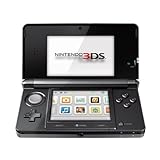
- Item Package Dimension- 8.49999999133L x 6.099999993778W x 2.399999997552H inches
- Item Package Weight - 0.9499999992033387 Pounds
- Item Package Quantity - 1
- Product Type - VIDEO GAME CONSOLE
Pokémon Y crashes during a particular action
Switch from Vulkan to OpenGL, disable graphics enhancements, update Azahar and the graphics driver, and test a clean configuration. If the crash remains, record the exact emulator version, operating system, renderer, GPU, and save location before reporting it.
PC Slower Than It Used to Be?
A free scan shows the junk files, broken settings and background clutter dragging Windows down - then fixes them in one click.Free scan · Windows 10 & 11Crashes, No Sound, or Screen Glitches?
Random freezes, missing sound and display glitches usually trace back to one bad driver. Find and replace yours safely.Free scan · under a minutePerformance is slow or uneven
Lower internal resolution, disable texture enhancements and post-processing, close background applications, and use a performance-oriented power profile when playing on a laptop. Do not assume that a more powerful graphics card alone will solve an emulation problem; CPU single-core performance and driver behavior also matter.
The touchscreen is difficult to use
Map the lower screen to the mouse, assign touch activation to a controller button, or use a touch-capable pointing device. A touchscreen mapping is a usability choice, not a sign that the game itself is incompatible.
Can you use save files from a 3DS?
A save created in Azahar is not automatically interchangeable with every physical 3DS save format. Moving saves between an emulator and original hardware can require separate save-management tools, compatible hardware or software, and additional legal considerations.
Before experimenting, back up the entire Azahar user-data directory and make a separate copy of the save. Do not assume that copying a file from an SD card directly into an emulator will work. A complete current save-transfer procedure is outside this guide because the required workflow depends on the source hardware, file format, and tools.
Recommended Free Tools
Are updates or downloadable content required?
No update is required to establish whether the base copy of Pokémon X or Pokémon Y launches. A game update is separate from the base game and should not be treated as a substitute for it.
Nintendo’s support index includes a support entry for updating Pokémon X and Pokémon Y, and Nintendo identifies the titles as 3DS software with system and SD-card interactions. If you need an update in emulation, use separately dumped files and system data obtained through a lawful process; do not download update files from unofficial sources. Confirm that the base game works first, then troubleshoot updates as a separate step.
See Nintendo’s 3DS game-support index for the official update-related support listing.
Can you trade, battle, or use Pokémon Bank?
Do not assume that modern Azahar emulation reproduces official Pokémon X/Y online services. The safest expectation is the single-player campaign; trading, battling, Pokémon Bank, transfers, and other network-dependent features require separate, current verification and may be unavailable, unreliable, or dependent on unofficial infrastructure.
Do these 3 things before closing this tab:
1Clear out junk files and repair common Windows errors2Scan for outdated or missing drivers - takes under a minute3Repair Windows errors before they cause bigger problemsLocal multiplayer or emulator-supported networking is a separate question from Nintendo’s original 3DS online services. Nintendo documentation confirms that Pokémon X and Y are 3DS software and documents related system features, but the supplied official material does not establish that every online feature currently works through Azahar. The Pokémon Bank manual is evidence that the games were part of the original 3DS ecosystem, not a guarantee of present-day emulated service access.
Independent reader supportYour contribution helps us test, update, and keep practical guides available for everyone.Is playing Pokémon X and Y on PC legal?
Emulator software is a separate legal question from the game files used with it. An emulator is not automatically illegal merely because it reproduces a console, while copyright law, anti-circumvention rules, licensing terms, and personal-backup exceptions differ by country.
Also popular on Amazon

- This Certified Refurbished product is tested and certified to look and work like new. The refurbishing process includes functionality testing, basic cleaning, inspection, and repackaging. The resulting product includes all relevant accessories, comes
- 3D Entertainment Without Glasses- Nintendo 3DS games have incredible graphics, and you can turn down the 3D effect to any level, or turn it off completely at any time with the build-in 3D depth slider to play games in crisp, clear 2D
- Two Screens- A widescreen display on the top screen shows 800x240 pixel resolution, allocating 400*pixles for each eye to create the 3D effect. The bottom LCD touch screen operates at a resolution of 320*240
- 3D Photos, Plus More- Nintendo 3DS comes built-in with the ability to take photos in 3D. Capture eye popping images of your friends and family, have fun with filters like the Merge lens, or even use the system's AR technology and included AR Cards
Azahar describes support for personal game backups legally obtained from the user’s own console and leaves detailed dumping procedures to users because laws vary by jurisdiction. Downloading someone else’s copyrighted game dump should not be presented as a legitimate requirement, even if the reader owns a cartridge. This article is general information, not legal advice.
The practical rule is simple: use the official emulator source, create or use game and system files through a process lawful where you live, and avoid ROM sites and preconfigured downloads.
What’s actually slowing this PC down?
Pick the symptom - the matching free tool is one click away.
PC emulation or an original 3DS: which is better?
PC emulation is better for a larger display, adjustable resolution, controller flexibility, save-state convenience, recording, and streaming. Original 3DS hardware is better for the least technical setup, reliable touchscreen behavior, original hardware compatibility, and features that emulation may not reproduce.
| Priority | Better choice | Why |
|---|---|---|
| Easiest setup | Original 3DS | Insert the game and use the hardware designed for it. |
| Larger screen and enhancements | PC | Azahar can provide adjustable display options and computer-based recording tools. |
| Official hardware behavior | Original 3DS | The game runs on its original touchscreen, controls, and system environment. |
| Save states and emulator convenience | PC | Emulator-side features can make experimentation and recovery easier. |
| Minimal legal and technical uncertainty | Original copy on original hardware | No emulator configuration or personal dumping workflow is required for ordinary play. |
| Custom controls | PC | Keyboard and controller bindings can be changed, although touchscreen mapping requires care. |
| Reliable touchscreen interaction | Original 3DS | The physical lower screen behaves as the game originally expects. |
Final verdict
Yes, Pokémon X and Y can be played on PC. Azahar is the current practical starting point, and current compatibility evidence supports good general single-player playability on suitable hardware. The setup is not a native PC release: you need access to a 3DS for the documented dumping process, your own appropriately decrypted game files, and patience with renderer, input, and touchscreen issues.
Choose PC emulation if you value a larger screen, flexible controls, recording, and emulator conveniences. Choose original 3DS hardware if you want the simplest and most faithful experience or need online and system features that emulation may not reliably reproduce.
Frequently Asked Questions
Can Pokémon X and Y run on a low-end PC?
Pokémon X and Y may run on a modest modern PC if the computer meets Azahar’s listed baseline, including 64-bit support, SSE4.2 on x86-64, compatible OpenGL or Vulkan graphics, and at least 2 GB of RAM. Meeting the minimum does not guarantee smooth performance on every configuration.
Quick wins for a faster PC:
Scan for outdated or missing drivers - takes under a minuteDriver Scan →Clear out junk files and repair common Windows errorsFree Scan →Can Azahar open an encrypted Pokémon X or Y file?
No. Azahar’s dumping documentation says that encrypted game files are not supported. The game must be decrypted through a compatible personal-dumping workflow before Azahar can use it.
Can I play Pokémon X or Y on PC without owning a 3DS?
You can run an already compatible game backup without keeping a 3DS connected, but Azahar’s documented process requires a 3DS to dump and decrypt the game and required system files. Downloading someone else’s game copy is not a legitimate substitute and may violate copyright or anti-circumvention law.
Is Citra still the best choice for Pokémon X and Y?
Azahar is the current actively developed Citra-derived option covered by this guide as of August 16, 2026. Citra is historically important, but readers should prefer current official Azahar sources over archived Citra-first guides.
The Bottom Line
Bottom line: Pokémon X and Y are playable on PC through Azahar, but the experience depends on your hardware and setup. Use a lawful decrypted personal backup, start with OpenGL, back up your saves, and treat official online features as unconfirmed rather than guaranteed.
Free tools Windows power users keep installed
One-click scans. No signup required.

