
Recommended Free Tools
iTechGuides is reader-supported. When you buy through links on our site, we may earn an affiliate commission. As an Amazon Associate I earn from qualifying purchases. Learn more
For most permanent desks, the Dell Pro 24 Plus Touch USB-C Hub Monitor P2424HT is the best touch screen monitor overall. It combines a practical 23.8-inch 1920×1200 display, 10-point multitouch, USB-C connectivity and an articulating stand. If you need a portable screen, the Lenovo ThinkVision M14t Gen 2 is the better fit; the ViewSonic TD1656-2K offers more workspace, while the ASUS ZenScreen Touch MB16AMTR is the most flexible option when battery power and HDMI matter.
There is no single best touchscreen monitor for every buyer. A permanent office display, pen-enabled annotation surface, travel monitor, battery-powered second screen and kiosk/POS display have very different requirements. This guide compares the strongest options by use case, then explains the cables, operating-system support and power requirements that determine whether touch actually works.
Research note: The recommendations below are based on current manufacturer specifications and recent third-party review coverage where available. No independent physical testing was performed for this guide, so specifications such as brightness, resolution and touch-point count should not be treated as a substitute for hands-on responsiveness testing.
Quick comparison: the best touchscreen monitors
If you are shopping for a touch screen monitor, start with the table below. The right choice depends more on the intended setup than on touch support alone.
Popular on Amazon
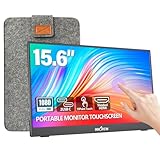
- [10-Point Touchscreen Portable Monitor]: Portable screen compatible with Windows and MacOS systems. You can get touch function for your laptop by connecting via single full-featured Type-C interface. 𝐍𝐎𝐓𝐄: For Type-C 3.1 DP ALT-MODE or Thunderbolt 3/4 ports, please use the included USB-C to USB-C cable for power, video and touch. For devices without these ports, please use HDMI+power cable+USB-A to USB-C cable(If not connected, there is no touch functionality)
- [Get a Monitor Protective Sleeve]: The case is tailor-made for your portable laptop monitor, lightweight and durable, easy to carry, a perfect companion for your travel or daily commute, and can be easily put into your backpack. Adopts scratch-resistant and durable material, effectively reducing screen wear and tear and enhancing protection. Built-in 90° adjustable stand, multiple suitable viewing angles can be selected. Monitor arm can be used for more space-saving installation
- [FHD IPS Portable Display]: 15.6 inch 1080P portable screen for laptop adopts a real reliable IPS screen with a viewing angle of 178°. Compared with 1000:1 of other monitors, the contrast ratio is upgraded to 1200:1, combined with HDR technology, providing richer and more vivid colors and images. With low blue light and flicker-free functions, it ensures that you will not be tired when watching for a long time
- [Diverse and Durable Ports]: 2 full-function Type-C ports and 1 standard HDMI port, plug-in and unplug tested thousands of times, with wide compatibility and durability. Suitable for laptops, phones, tablets, PS, Xbox or Nintendo Switch. Brightness and volume can be quickly adjusted by upgraded 4-button or touch. NOTE: Some devices cannot support touch due to system protection. For example, PS3/4/5, Switch, X-box, Steam-Deck, Fire TV stick/cube and iPhone, iPad(It's NOT the monitor's problem)
- [NOTE]: ① If the display brightness or volume is low, please use a 15W or higher power adapter. (Adapter not included in the accessories). ②Provide a 30-day return policy and 18-month warranty (excluding external force damage). ③If you have any concerns, please let us know (shown on the back of the monitor)
| Monitor | Best for | Key specifications | Main compromise |
|---|---|---|---|
| Dell P2424HT | Permanent office and home-office use | 23.8-inch, 1920×1200, 10-point touch, USB-C, articulating stand | Productivity-focused rather than high-resolution creative or gaming display |
| Lenovo ThinkVision M14t Gen 2 | Travel, document signing and pen input | 14-inch 16:10 IPS, 2240×1400, 300 nits, 100% sRGB, 10-point touch, up to 4,096 pressure levels, bundled pen | Small for a permanent workstation and dependent on USB-C video and power behavior |
| ViewSonic TD1656-2K | Portable multitasking and portrait work | 16-inch 16:10 IPS, 2560×1600, 330 nits typical, 99% sRGB, 10-point touch, dual USB-C | macOS touch requires ViewSonic vTouch software |
| ASUS ZenScreen Touch MB16AMTR | Battery-powered travel use and varied inputs | 15.6-inch FHD IPS, 10-point touch, 7,800mAh battery, mini-HDMI, two USB-C ports, speakers | 1920×1080 resolution, 60Hz refresh rate and 250-nit typical brightness |
| iiyama ProLite T2452MSC-W2AG | Interactive presentations, POS and kiosk-style installations | 24-inch IPS, 1920×1080, up to 120Hz, 10-point PCAP touch, HDMI, DisplayPort, USB 3.2 hub and speakers | Less portable, and regional availability may vary |
Our top touchscreen monitor picks
Best overall desktop touchscreen: Dell Pro 24 Plus Touch USB-C Hub Monitor P2424HT
Choose the Dell P2424HT if you want a conventional desktop monitor with useful touch capability rather than a portable screen. Its 23.8-inch panel and 1920×1200 resolution provide a practical 16:10 workspace for documents, web apps and office multitasking. Dell lists 10-point multitouch, USB-C connectivity and an articulating stand.
The stand is a significant advantage for touch use. A screen that can tilt toward the user is more comfortable for tapping, scrolling and annotating than a fixed upright panel. The larger desktop format also makes it more suitable for daily office work than a 14- or 16-inch portable monitor.
The P2424HT is a good fit for document annotation, collaborative presentations and Windows desktop productivity. Its USB-C connection can simplify a laptop setup, but buyers should still confirm that the host USB-C port supports video output and can provide enough power for the intended configuration.
What’s actually slowing this PC down?
Pick the symptom - the matching free tool is one click away.
What to know before buying: This is a productivity monitor, not a high-resolution creative display or a gaming-first model. Its 1920×1200 resolution is adequate for office work, but buyers seeking more pixel density for detailed creative work should consider the Lenovo or ViewSonic portable options. Touch behavior on non-Windows systems should be verified for the exact computer and monitor combination.
Best portable touchscreen for business and creative work: Lenovo ThinkVision M14t Gen 2
Choose the Lenovo ThinkVision M14t Gen 2 for travel, handwriting, document signing and pen-based annotation. It uses a 14-inch 16:10 IPS panel with 2240×1400 resolution, 300-nit brightness and 100% sRGB coverage. Lenovo lists 10-point capacitive touch, up to 4,096 pressure levels, two USB-C ports, automatic rotation and a bundled pen.
At approximately 700 grams, it is much easier to carry than a desktop monitor. Its built-in stand supports tilt and pivot flexibility, allowing the display to be used in landscape or portrait orientation. The 16:10 aspect ratio also gives it more vertical room than a typical 16:9 portable monitor of similar size.
Recent TechRadar coverage describes hands-on use for document signing, stylus input, automatic orientation and everyday productivity. That coverage positions the M14t Gen 2 as more useful for Windows work than gaming and notes that it does not provide HDR. Lenovo lists Windows 10 and Windows 11 support, but buyers should still check the current documentation for their specific host device.
Windows Errors? Fix Them Before They Spread
Repair common Windows errors and clear accumulated junk for a smoother, more stable PC - no reinstall needed.Free scan · no reinstallOutdated Drivers Are Slowing You Down
One free scan finds every outdated or missing driver and matches the right update for your exact hardware.Free scan · exact hardware matchWhat to know before buying: The monitor is designed around USB-C video and power. A USB-C port that handles charging or data alone may not be sufficient; the laptop must support video output, typically through DisplayPort Alt Mode, and the setup must supply adequate power. Its 14-inch size is excellent for mobile work but less comfortable than a 23- or 24-inch monitor as a permanent main display.
Best high-resolution 16-inch portable option: ViewSonic TD1656-2K
Choose the ViewSonic TD1656-2K when portable screen area matters more than the smallest possible footprint. Its 16-inch 16:10 IPS panel runs at 2560×1600, giving it substantially more workspace than a 15.6-inch 1920×1080 portable display. ViewSonic lists 330-nit typical brightness, 99% sRGB coverage, projected-capacitive 10-point multitouch, dual USB-C ports and automatic screen rotation.
The smart cover doubles as a stand, which is useful for travel and quick desk setups. The combination of 16:10 proportions, high resolution and rotation makes the TD1656-2K particularly suitable for spreadsheets, coding, document reading and portrait-oriented work.
ViewSonic specifically states that touch operation on macOS requires its vTouch software. That makes operating-system verification especially important: the display may show an image over a supported connection while touch still requires a separate utility. Do not assume that every macOS, Linux, ChromeOS, Android or tablet setup will provide touch without checking the model documentation.
What to know before buying: Like other USB-C portable displays, the TD1656-2K depends on the host device’s video-output and power capabilities. Its higher resolution can also increase the demands on the computer and cable compared with a basic FHD portable monitor. It is a strong productivity choice, but not the obvious pick for buyers who specifically want a built-in battery, HDMI input or a larger permanent screen.
Also popular on Amazon

- Make Your Devices Touch-enabled: This portable monitor features a 10-point capacitive touch. It is compatible with both Windows and macOS systems, allowing you to add touch functionality to your laptop/PC/Macbook by simply connecting it via the fully featured USB-C interface. MUST NOTE: For Type-C 3.1 DP ALT-MODE or Thunderbolt 3/4 ports, use a Type-C to Type-C cable for power, video, and touch. Use HDMI+power cable+USB-A to USB-C cable for devices without these ports.
- FHD Portable Monitor: The portable monitor features a 15.6-inch touchscreen with a Full HD resolution of 1920x1080. Its advanced IPS display offers a wide viewing angle of 178°, delivering accurate and vibrant colors that are perfect for gaming and watching videos. Moreover, the monitor is equipped with blue light reduction and flicker-free technology, ensuring a comfortable viewing experience even during long periods of use and reducing eye strain.
- Lightweight and Portable Travel Monitor: Designed to be ultra-slim and easy to carry. Its compact size makes it a convenient option for people on the go who need a second screen. Whether you're a traveler, student, gamer, engineer, or anyone who needs a portable monitor, this device can easily fit into any suitcase or backpack. It's perfect for those who require a second screen while out and about.
- Full Size HDMI and USB-C Ports: The monitor has Standard HDMI and USB-C ports, providing versatile connectivity options. You can connect it to a variety of devices, including laptops, desktops, gaming consoles, and mobile phones.
- Built-in Kickstand and Speakers: The CAPERAVE Portable Monitor has a built-in kickstand that allows you to easily prop it up at different angles, making it comfortable to use while sitting or standing. Additionally, it features built-in speakers that deliver clear and immersive audio, enhancing your multimedia experience.
Best battery-equipped portable touchscreen: ASUS ZenScreen Touch MB16AMTR
Choose the ASUS ZenScreen Touch MB16AMTR if you need connection flexibility or want to use the monitor away from an outlet. It has a 15.6-inch FHD IPS display with 10-point capacitive touch, a built-in 7,800mAh battery, mini-HDMI, two USB-C ports, integrated speakers, an ergonomic kickstand, automatic rotation and a tripod socket. ASUS states that the battery provides up to four hours of use.
The mini-HDMI input makes this model more adaptable than USB-C-only portable monitors for laptops without USB-C video output and for other HDMI sources. It can therefore be useful for mobile presentations, console-related setups and camera or field-monitoring arrangements, subject to the source device’s own output and touch-support limitations.
The trade-off is image space and detail. The panel is 1920×1080 at 60Hz with 250-nit typical brightness, so it is less spacious and less detailed than the Lenovo ThinkVision M14t Gen 2 or ViewSonic TD1656-2K. Four hours is an advertised maximum rather than a guaranteed runtime under every brightness, speaker and workload setting.
What to know before buying: The battery adds flexibility, but it also makes the ASUS a different proposition from a simple USB-C monitor. Check charging behavior, the required video cable and the touch connection for the device you intend to use. For a desk-bound setup, a larger monitor with a more adjustable stand may be more comfortable.
Best larger interactive display with higher refresh rate: iiyama ProLite T2452MSC-W2AG
Choose the iiyama ProLite T2452MSC-W2AG for a stationary interactive display, kiosk, retail/POS installation or presentation setup. It combines a 24-inch IPS panel with 1920×1080 resolution, up to a 120Hz refresh rate and 10-point projected-capacitive touch.
Its listed feature set is unusually suited to touch-heavy environments: HDMI and DisplayPort inputs, USB 3.2 hub ports, speakers and support for finger, stylus and latex-glove input. The panel is listed at 420 nits, or 360 nits with touch, so buyers should distinguish the maximum or non-touch brightness figure from the brightness available while touch is active.
The 120Hz mode can make scrolling, animated interfaces and touch-driven movement look smoother than on a conventional 60Hz office touchscreen. It does not turn the monitor into a gaming display automatically, however; resolution remains 1920×1080, and the value of the higher refresh rate depends on the source computer, application and use case.
The Tool Desk
Outbyte Driver Updater FREEFix the driver behind crashes, sound loss and screen glitchesFind Drivers →Outbyte PC Repair FREERepair Windows errors before they cause bigger problemsFix Now →What to know before buying: This is a much less portable option than the Dell, Lenovo, ASUS and ViewSonic recommendations. iiyama documentation and distribution are region-specific, so availability and exact included accessories may vary by geography. Confirm the local product page and installation requirements before ordering.
Additional alternative: ViewSonic ID2456
The ViewSonic ID2456 is worth considering if you want a 23.8-inch capacitive touchscreen in a familiar desktop-monitor size. It offers 1920×1080 resolution and up to 10 simultaneous touch points.
The important setup detail is its touch cable. ViewSonic documentation states that a USB Type-A-to-Type-B connection is required to enable touch controls. In other words, connecting a video cable alone may produce an image without activating touch. This is a useful reminder that the required touch-data connection differs between models.
How to choose the right touchscreen monitor
1. Decide whether the screen will stay on a desk
For a permanent workstation, start with the Dell P2424HT or another desktop-sized model. A 23.8- or 24-inch panel is more practical for long periods of work, and an articulating or adjustable stand helps position the screen for touch.
Do these 3 things before closing this tab:
1Fix the driver behind crashes, sound loss and screen glitches2Repair Windows errors before they cause bigger problems3Scan for outdated or missing drivers - takes under a minutePortable models make more sense when the monitor must travel with a laptop, move between rooms or operate in portrait mode. The Lenovo is the smallest and lightest recommendation; the ViewSonic TD1656-2K offers the most workspace among the high-resolution portable choices; and the ASUS adds battery power and mini-HDMI.
Also popular on Amazon
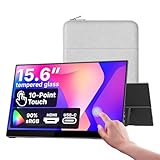
- Native touch gestures for macOS and Windows: Unlock the full potential of your OS with this advanced touchscreen portable monitor. Unlike generic screens that restrict Mac users to single clicks, cocopar delivers universal compatibility. Navigate intuitively with single-finger slide, pinch-to-zoom, drag and drop on both Windows and macOS, transforming your device into a high-efficiency external touchscreen workstation.
- Durable tempered glass portable screen with silky touch: Upgrade from the poor feel of plastic-film screens to a premium experience. This travel monitor features a high-hardness tempered glass surface for exceptional scratch resistance. It ensures a silky-smooth touch response that is faster and easier to clean, providing a high-end tactile feel that stays pristine through years of daily use as a second screen.
- Effortless one-cable USB-C monitor and laptop extender: Streamline your desk with true plug-and-play simplicity. A single USB-C cable handles power, video, and touch signals, instantly acting as a portable monitor for laptop expansion. No drivers needed. (Note: Computer must support Thunderbolt 3/4/5 or USB-C DP Alt Mode for single-cable function).
- Vivid 15.6" FHD IPS computer monitor: See every detail on this A-grade IPS panel featuring 1920x1080 resolution and 90% sRGB wide color gamut. With 270 nits of brightness and 178° viewing angles, this external display delivers consistent, professional visuals. Equipped with dual USB-C and a standard HDMI port, it serves as a versatile gaming screen (non-touch) or office display.
- Metal build with kickstand and complete kit: Built for durability, this monitor portable solution is encased in a sturdy metal frame for heat dissipation. The integrated adjustable kickstand provides stable support at any angle. The package includes a protective sleeve, power adapter, and all necessary cables (HDMI & USB-C), making it the perfect dual monitor setup ready to use right out of the box.
2. Match resolution and aspect ratio to the work
- 1920×1080: Adequate for general office work, presentations and many interactive applications. The ASUS and iiyama use this resolution.
- 1920×1200: The Dell’s 16:10 format provides additional vertical room for documents and web pages compared with 16:9 FHD.
- 2240×1400: The Lenovo offers a sharper 14-inch workspace that suits portable productivity and annotation.
- 2560×1600: The ViewSonic TD1656-2K offers the largest high-resolution workspace among the portable recommendations.
Higher resolution does not automatically mean better touch performance. It improves workspace and image detail, while touch responsiveness also depends on the touch layer, operating system, software and connection.
3. Treat pen support differently from ordinary touch
Finger touch is useful for scrolling, tapping controls, signing and collaborative interaction. Pen input is more important for handwritten notes and annotation. The Lenovo is the strongest choice here because it includes a pen and lists up to 4,096 pressure levels.
Pressure-level figures should not be interpreted as proof that a touchscreen is equivalent to a dedicated drawing tablet or professional pen display. They indicate input capability, not a complete assessment of latency, palm rejection, calibration or application compatibility. If detailed illustration is the primary goal, verify the exact software and pen workflow before buying.
4. Check every connection, not just the connector shape
A touchscreen monitor generally needs two functional paths:
- Video transmission: USB-C with DisplayPort Alt Mode, HDMI or DisplayPort, depending on the model.
- Touch data: Often carried over USB-C, but HDMI and DisplayPort setups commonly need a separate USB connection to transmit touch input.
A USB-C connector does not automatically support video. The laptop or tablet must provide compatible video output, and the computer must be able to supply enough power for the monitor or the setup must use an appropriate external power source.
Before ordering, check the monitor manual and confirm:
- Whether the host USB-C port supports DisplayPort Alt Mode or another supported video mode.
- Whether the monitor needs one USB-C cable or separate video, power and USB touch cables.
- Whether the computer can provide adequate power, particularly for portable monitors.
- Whether the operating system recognizes the monitor’s touch input as a supported HID device.
- Whether the monitor requires a manufacturer utility or driver for touch, rotation or pen functions.
5. Choose the operating system before choosing the model
Windows is the safest default for many external touchscreen-monitor workflows, especially when the manufacturer publishes Windows drivers or utilities. Lenovo lists Windows 10 and Windows 11 support for the ThinkVision M14t Gen 2.
Quick wins for a faster PC:
Repair Windows errors before they cause bigger problemsFix Now →Scan for outdated or missing drivers - takes under a minuteDriver Scan →Clear out junk files and repair common Windows errorsFree Scan →macOS support needs more careful checking. ViewSonic states that touch operation for the TD1656-2K requires vTouch software. That is different from universal plug-and-play support. A Mac may display an image while touch, rotation or pen features still depend on model-specific software.
For Linux, ChromeOS, Android, iPadOS, phones and game consoles, do not rely on the words “USB-C” or “HDMI” alone. Video compatibility and touch compatibility are separate questions, and support can change with the exact model, cable, operating system and host hardware.
Setup and troubleshooting checklist
When the monitor shows no image
- Confirm that the monitor is powered on and that the cable is connected to the intended input.
- For USB-C, verify that the computer’s specific port supports video output rather than only charging or data.
- Try the manufacturer’s recommended cable and an alternative supported input where available.
- Check the computer’s display settings and the monitor’s input-selection menu.
- For a portable monitor, connect adequate power or use its internal battery if the model provides one.
When the image works but touch does not
- Check whether the connection carries touch data. HDMI-connected displays commonly require a separate USB cable.
- For the ViewSonic ID2456, connect the required USB Type-A-to-Type-B cable; ViewSonic documentation says this connection enables touch controls.
- Install the exact manufacturer utility or driver required by the model and operating system. For the ViewSonic TD1656-2K on macOS, check the vTouch requirement.
- Use Windows Update, the monitor manufacturer’s support page and Device Manager before trying third-party tools.
- Disconnect other touch displays temporarily if the computer may be assigning input to the wrong screen.
If Windows still does not recognize the touch device after the official checks, an optional Windows driver troubleshooting tool such as Outbyte Driver Updater may help identify missing, outdated or corrupted hardware drivers. Outbyte says its utility scans installed hardware, recommends drivers from official sources and includes backup and restore functions. It is not required for normal touchscreen-monitor operation, and it should not be presented as a guaranteed fix for any particular model. Start with the monitor maker’s documentation and Windows’ own tools.
When the portable monitor flickers, disconnects or shuts down
This usually warrants checking the power path before assuming the panel is defective. Use a full-featured USB-C cable if the model carries video over USB-C, connect external power where supported and check whether the laptop can supply the monitor’s requirements. A battery-equipped model such as the ASUS MB16AMTR can avoid some outlet-related problems, but its battery still has a finite advertised runtime of up to four hours.
When orientation or touch direction is wrong
Confirm that automatic rotation is enabled on the monitor and supported by the host operating system. The Lenovo ThinkVision M14t Gen 2 and ViewSonic TD1656-2K list automatic rotation. If the image rotates but touch coordinates do not, install or update the model’s required utility and check the operating system’s display and touch configuration.
Independent reader supportYour contribution helps us test, update, and keep practical guides available for everyone.Accessories and installation details that matter
Before ordering a USB-C cable for a portable monitor, confirm that it supports the required video mode, data transfer and power delivery. Many USB-C cables fit the connector but do not support every function a portable touchscreen needs.
Also popular on Amazon
- 𝐈𝐧𝐬𝐭𝐚𝐧𝐭 𝐇𝐚𝐧𝐝𝐬-𝐅𝐫𝐞𝐞 𝐃𝐨𝐨𝐫 𝐀𝐥𝐞𝐫𝐭𝐬: When someone rings the doorbell, unlocks the door, or is detected by the camera, the display automatically lights up with a live feed and a voice alert. Know who's there instantly, hands-free.
- 𝐒𝐞𝐞 𝐄𝐯𝐞𝐫𝐲𝐭𝐡𝐢𝐧𝐠 𝐰𝐢𝐭𝐡 𝐅𝐨𝐮𝐫 𝐕𝐢𝐞𝐰𝐬 𝐨𝐧 𝐎𝐧𝐞 𝐒𝐜𝐫𝐞𝐞𝐧: View your entire property at a glance through four simultaneous live feeds while maintaining full control and near-instant access to live video streams. The moment something happens, you're instantly in the know.
- 𝐈𝐧𝐬𝐭𝐚𝐧𝐭 𝐏𝐥𝐚𝐲𝐛𝐚𝐜𝐤, 𝐍𝐨 𝐖𝐚𝐢𝐭𝐢𝐧𝐠, 𝐍𝐨 𝐁𝐮𝐟𝐟𝐞𝐫𝐢𝐧𝐠: Historical events are automatically downloaded to local storage so you can replay past moments instantly—no delays, no buffering.
- 𝐒𝐦𝐚𝐫𝐭 𝐃𝐚𝐢𝐥𝐲 𝐑𝐞𝐩𝐨𝐫𝐭𝐬 𝐰𝐢𝐭𝐡 𝐊𝐞𝐲 𝐒𝐞𝐜𝐮𝐫𝐢𝐭𝐲 𝐄𝐯𝐞𝐧𝐭𝐬: Using advanced facial and package recognition (powered by HomeBase 3), the display intelligently compiles daily summaries, including stats and video recordings for quick insights.
- 𝐌𝐨𝐧𝐢𝐭𝐨𝐫 𝐄𝐯𝐞𝐫𝐲𝐭𝐡𝐢𝐧𝐠, 𝐀𝐧𝐲𝐭𝐢𝐦𝐞, 𝐀𝐧𝐲𝐰𝐡𝐞𝐫𝐞: The user-friendly 8-inch touchscreen is simple enough for kids and seniors, ensuring ease of use for everyone. Designed for flexible monitoring wherever you need it.
For an HDMI desktop setup, plan for the separate USB upstream cable if the monitor requires one for touch. The ViewSonic ID2456’s Type-A-to-Type-B requirement is a specific example; other models may use a different USB connector or combine the functions over USB-C.
A monitor arm VESA mount can improve the ergonomics of a desktop touchscreen, but only if the monitor supports the required mounting pattern and the arm is rated for its weight. Touch use places forward and downward force on the display, so a mount should be stable and properly tightened. Do not assume that a portable monitor’s cover, kickstand or tripod socket can be replaced with a VESA arm.
Free tools Windows power users keep installed
One-click scans. No signup required.
A bundled pen is a meaningful advantage when included, as with the Lenovo M14t Gen 2. For a replacement or third-party touchscreen monitor stylus, verify compatibility with the monitor’s digitizer rather than assuming that any capacitive stylus will provide the same pressure or palm-rejection behavior.
Who should—and should not—buy a touchscreen monitor?
A touchscreen is worthwhile if you:
- Frequently scroll, tap, annotate or sign documents directly on the display.
- Give interactive presentations or operate a kiosk, POS or signage interface.
- Want a second screen that can be used in portrait orientation.
- Prefer direct manipulation of large controls while standing or collaborating.
- Need a portable display with pen input or battery operation.
A conventional monitor may be better if you:
- Spend nearly all of your time using a keyboard and mouse.
- Want the best gaming refresh rate, response characteristics or HDR experience.
- Need a color-critical creative display and do not use touch-specific workflows.
- Will keep the monitor fixed at a normal viewing angle where reaching across the desk is uncomfortable.
- Expect touch to work universally across every computer, tablet or phone.
Touch adds cost, a touch layer and connection requirements. It is most valuable when it changes how you work—not simply because the feature appears on the specification sheet.
Our buying verdict
Buy the Dell P2424HT for a permanent office or home-office touchscreen. Buy the Lenovo ThinkVision M14t Gen 2 for business travel, pen input and document annotation. Choose the ViewSonic TD1656-2K when a portable monitor needs more workspace and sharper text. Choose the ASUS ZenScreen Touch MB16AMTR when battery operation and HDMI flexibility outweigh resolution. Choose the iiyama ProLite T2452MSC-W2AG for a larger, stationary interactive installation or a smoother 120Hz touch interface.
Whichever model you choose, verify the computer’s video output, the touch-data cable, power requirements and operating-system support before purchase. Those details determine whether the monitor is genuinely useful—or merely displays an image without the touch functionality you expected.
Frequently Asked Questions
Are touchscreen monitors worth buying?
They are worthwhile when you regularly annotate, sign, scroll, present, collaborate or operate an interactive interface directly on the display. For keyboard-and-mouse office work, gaming or color-critical creative work, a conventional monitor may offer better value unless touch is part of the workflow.
Does HDMI carry touchscreen input?
Usually, HDMI carries the video signal, not the touch-data signal. Many HDMI touchscreen monitors need a separate USB connection for touch. The exact cable depends on the model; for example, ViewSonic documentation specifies a USB Type-A-to-Type-B connection for touch on the ID2456.
Will an external touchscreen monitor work with a Mac?
Video may work, but touch support is model-specific. ViewSonic states that the TD1656-2K requires its vTouch software for touch operation on macOS. Check the exact monitor documentation rather than assuming that USB-C or HDMI guarantees plug-and-play touch.
Which touchscreen monitor is best for drawing or handwriting?
The Lenovo ThinkVision M14t Gen 2 is the strongest pick in this guide for handwriting and annotation because it includes a pen and lists up to 4,096 pressure levels. It should not automatically be treated as a replacement for a dedicated professional pen display; verify application support, palm rejection and calibration for serious illustration work.
The Tool Desk
Outbyte Driver Updater FREEScan for outdated or missing drivers - takes under a minuteDriver Scan →Outbyte PC Repair FREERepair Windows errors before they cause bigger problemsFix Now →Can a USB-C laptop power a portable touchscreen monitor?
Sometimes. The laptop’s USB-C port must support video output, typically through DisplayPort Alt Mode, and provide adequate power. A USB-C connector alone is not enough. Check the monitor and laptop specifications, and use external power when the manufacturer recommends it.
The Bottom Line
Best overall: Dell P2424HT for a permanent desk. Best portable pen monitor: Lenovo ThinkVision M14t Gen 2. Best portable workspace: ViewSonic TD1656-2K. Best battery and input flexibility: ASUS ZenScreen Touch MB16AMTR. Best stationary interactive display: iiyama ProLite T2452MSC-W2AG. Always verify video, touch-data, power and operating-system compatibility before ordering.

