
Crashes, No Sound, or Screen Glitches?
Random freezes, missing sound and display glitches usually trace back to one bad driver. Find and replace yours safely.Free scan · under a minutePC Slower Than It Used to Be?
A free scan shows the junk files, broken settings and background clutter dragging Windows down - then fixes them in one click.Free scan · Windows 10 & 11iTechGuides is reader-supported. When you buy through links on our site, we may earn an affiliate commission. As an Amazon Associate I earn from qualifying purchases. Learn more
For strict cloud independence, the best-documented choice is the Honeywell Home T6 Pro Z-Wave Thermostat, SKU TH6320ZW2003/U. Honeywell identifies it as a Z-Wave thermostat and lists Wi-Fi as “No,” so its local thermostat controls and Z-Wave connection do not depend on a vendor internet service. It supports conventional systems, heat pumps, dual-fuel systems, battery power or a C-wire, and multiple weekly schedules.
There is an important catch: Honeywell currently labels this exact SKU discontinued, sold out, and no longer available for sale. Treat it as a model to locate through verified remaining stock or the used market, not as a product with dependable new manufacturer inventory. If you cannot find the exact SKU, choose a thermostat whose protocol and Home Assistant connection are explicitly local; a “smart” label or phone app is not enough.
What “works without a cloud service” actually means
A thermostat can remain useful during an internet outage at several different levels. These levels are often confused in product listings.
Do these 3 things before closing this tab:
1Scan for outdated or missing drivers - takes under a minute2Clear out junk files and repair common Windows errors3Fix the driver behind crashes, sound loss and screen glitches| Control layer | What continues during an internet outage | What may stop |
|---|---|---|
| Thermostat and HVAC equipment | Temperature sensing, setpoints, equipment calls, and schedules stored in the thermostat, if the model supports them locally | Cloud-only features and remote access |
| Local home-automation protocol | A controller on your home network can communicate over protocols such as Z-Wave, Zigbee, Matter, Thread, or ESPHome | Remote access from outside the home, vendor analytics, and services that require an internet account |
| Vendor cloud integration | Usually nothing if the integration requires the manufacturer’s servers | Home Assistant control, app commands, voice routines, firmware delivery, and cloud schedules when the internet or vendor service is unavailable |
Home Assistant’s official guidance is explicit: devices that communicate with Home Assistant through local protocols, including Zigbee, Z-Wave, Matter, Thread, and ESPHome, do not need any internet connection at all. It also warns that a device requiring a vendor cloud cannot be reached when the internet is down. That distinction is the foundation of this buying guide.
Popular on Amazon
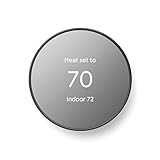
- ENERGY STAR certified smart thermostat for home that helps you save energy and stay comfortable.Connectivity : Wi-Fi - 802.11b/g/n 2.4 GHz, 802.11a/n 5 GHz Wi-Fi., Wireless interconnect : Bluetooth Low Energy Please refer to the product description section below for all applicable legal disclaimers.Product note: You can also check your system’s compatibility before purchasing a Nest thermostat with our online Nest Compatibility Checker on the Google Nest support page
- The Nest Thermostat is designed to work without a C wire in most homes, but for some systems, including heating only, cooling only, zone controlled, and heat pump systems, you’ll need a C wire or other compatible power accessory
- Nest Thermostat turns itself down when you leave, so you don’t waste energy heating or cooling an empty home. Lock feature: No
- Programmable thermostat that lets you create an energy efficient schedule in the Google Home app on your Android or iPhone
- Remote control lets family members change the thermostat temperature from anywhere on a phone, laptop, or tablet[1]
“Offline” does not mean every feature works. A local thermostat can keep heating or cooling while cloud dashboards, remote phone control, voice assistants, weather data, usage analytics, and software updates are unavailable. The correct question is: which control path operates the HVAC, and where is that path running?
The strongest documented match: Honeywell Home T6 Pro Z-Wave
Why it qualifies
Honeywell’s product page identifies the T6 Pro Z-Wave thermostat as a Z-Wave product and lists Wi-Fi as “No.” That is a materially different design from a thermostat whose normal operation is tied to a manufacturer’s online account. A Z-Wave controller in your home can communicate with the thermostat locally, and the thermostat provides its own touchscreen and programmable schedules.
The exact model is TH6320ZW2003/U. Search by that complete SKU rather than simply searching for “T6,” because the T6 family contains different connectivity and regional variants.
Recommended Free Tools
Published specifications
| Specification | Honeywell Home T6 Pro Z-Wave TH6320ZW2003/U |
|---|---|
| Primary protocol | Z-Wave |
| Wi-Fi | No |
| Power | Three AA batteries or a C-wire |
| Conventional HVAC | Up to 2 heat/2 cool |
| Heat-pump or dual-fuel HVAC | Up to 3 heat/2 cool |
| Programmable schedules | 5-1-1, 5-2, and 7-day modes |
| Warranty | Five years, according to Honeywell Home/Resideo’s product page accessed in 2026 |
| Current manufacturer status | Honeywell currently marks it discontinued, sold out, and no longer available for sale |
What it can do during an internet outage
The thermostat’s local touchscreen and programmed schedule are separate from an internet connection. A Z-Wave controller can also issue local commands when the controller and thermostat remain powered. If your controller is Home Assistant, keep Home Assistant and the Z-Wave radio on your local network; internet access is not required for that local protocol path.
Remote access is a different matter. A phone command arriving through a cloud relay, a cloud-based voice assistant, or a remote Home Assistant connection will not be available simply because the thermostat uses Z-Wave. Local operation is the reason to choose this model; internet-dependent convenience features still depend on their own services.
The availability problem
Do not interpret old listings as proof of current official supply. Honeywell’s current page says the exact SKU is discontinued, sold out, and no longer available for sale. Before purchasing, verify all of the following:
- The listing shows TH6320ZW2003/U, not a similarly named Wi-Fi or non-Z-Wave T6 variant.
- The seller states whether the unit is new, open-box, refurbished, or used.
- The package includes the mounting hardware and any required backplate for your installation.
- The return policy covers a compatibility mismatch or a defective Z-Wave radio.
- Your local Z-Wave controller can include the device and operate the frequency used in your region.
Because official new stock is not currently available, replacement parts, firmware support, and second-hand condition deserve more scrutiny than they would for a current model.
What’s actually slowing this PC down?
Pick the symptom - the matching free tool is one click away.
Also popular on Amazon

- Smart upgrade - Amazon Smart Thermostat is an easy way to switch from a traditional thermostat and help reduce energy usage.
- Create comfort zones throughout your home by using select Echo devices or Amazon Smart Air Quality Monitor to automatically adjust heating and cooling based on temperature readings or presence detection.
- Save money - After purchase, Amazon will send you an email with details about rebates that may be available from energy providers in your area. Explore rebates above.
- Save energy - According to EPA estimates, ENERGY STAR certified thermostats save an average of $50 on yearly energy bills.
- Automatic Control - Alexa can automatically switch between your preferred home, away, and sleep temperatures.
Why ecobee is not a strict no-cloud answer
ecobee’s current product page lists three models: Premium at $259.99, Enhanced at $199.99, and Essential at $139.99. ecobee claims up to 26% savings for Premium and Enhanced and up to 23% for Essential compared with holding a constant 72°F/22°C. Those are the manufacturer’s estimates, tied to its own products and comparison condition; they are not independent test results and do not establish savings for the Honeywell T6 Pro Z-Wave.
The family works with Apple Home, Amazon Alexa, Google Assistant, and SmartThings, according to ecobee. Compatibility with several ecosystems does not by itself make the control path local.
Home Assistant’s official ecobee integration is labeled Cloud Polling and requires ecobee account credentials or an API key. In a strict “no vendor cloud” comparison, that makes ecobee a cloud-dependent path. During an internet or ecobee-service outage, Home Assistant cannot rely on that integration for control. If you are considering an ecobee for other reasons, test the thermostat’s standalone behavior and accept that its Home Assistant connection is not the same as a local Z-Wave, Zigbee, Matter, Thread, or ESPHome connection.
| Model | Listed price | Manufacturer savings claim | Home Assistant connection described in official integration |
|---|---|---|---|
| ecobee Smart Thermostat Premium | $259.99 | Up to 26% versus a constant 72°F/22°C hold | Cloud Polling; ecobee credentials or API key required |
| ecobee Smart Thermostat Enhanced | $199.99 | Up to 26% versus a constant 72°F/22°C hold | Cloud Polling; ecobee credentials or API key required |
| ecobee Smart Thermostat Essential | $139.99 | Up to 23% versus a constant 72°F/22°C hold | Cloud Polling; ecobee credentials or API key required |
The practical conclusion is narrow but important: ecobee may be a capable connected thermostat, yet the documented Home Assistant route does not meet a strict requirement for cloud-independent control.
The Tool Desk
Outbyte PC Repair FREERepair Windows errors before they cause bigger problemsFix Now →Outbyte Driver Updater FREEFix the driver behind crashes, sound loss and screen glitchesFind Drivers →How to evaluate any local-control thermostat
1. Identify the protocol, not the marketing category
Look for an explicit statement that the thermostat communicates over Z-Wave, Zigbee, Matter, Thread, ESPHome, or another documented local protocol. “App-enabled,” “works with voice assistants,” and “smart” do not answer the question. If the specifications only describe a vendor account or internet connection, assume the cloud is part of the control path until the manufacturer or integration documentation says otherwise.
2. Confirm the exact Home Assistant connection type
Home Assistant’s climate catalog includes many thermostat integrations, but the catalog listing alone does not prove that every model is fully local. Open the integration documentation for the exact device and look for the connection type. A local integration should identify the local protocol or local network path. A cloud-polling integration should be treated as internet-dependent even if the thermostat has a local display.
3. Match the HVAC equipment
Check the number of heating and cooling stages, whether the system is conventional or a heat pump, and whether it uses dual fuel. The T6 Pro Z-Wave supports up to 2 heat/2 cool in conventional systems and up to 3 heat/2 cool in heat-pump or dual-fuel systems. Those limits are not universal; a thermostat that works with a single-stage furnace may not control a multi-stage heat pump correctly.
Also popular on Amazon

- Save up to 23% every year on heating and cooling costs, adjusts to your set schedule to save energy when you’re gone and optimize comfort when you’re home. Compared to a hold of 72
- Compatible with 85% of systems, check your system’s compatibility with our online ecobee Compatibility Checker on the ecobee support page
- Change your temperature by easily tapping the color touchscreen or using the ecobee app. Plus, free software upgrades ensure you get the best out of your Smart Thermostat Essential, for years to come
- Automatically adjusts to your set schedule to save energy when you’re gone and optimize comfort when you’re home. Keep track of your energy consumption when you're on the go on the ecobee app
- Easy DIY install. No C Wire, no problem. Get the ecobee Power Extender Kit (PEK) for homes without a C-Wire and keep your walls looking nice with our trim kit – both sold separately
4. Verify power requirements
The T6 Pro Z-Wave accepts three AA batteries or a C-wire. A battery-powered thermostat can remain operational when low-voltage wiring is limited, but battery replacement becomes part of maintenance. A C-wire provides continuous power where the HVAC system and installation support it. Do not assume that a spare conductor is a usable C-wire without checking the equipment and wiring.
Free tools Windows power users keep installed
One-click scans. No signup required.
5. Check regional ecosystem support
Z-Wave frequencies and ecosystem support vary by region. Confirm that the thermostat version and controller are intended for your country, and make sure the controller can include the device. Also verify that your Home Assistant installation supports the required radio or bridge. A locally controlled thermostat is only useful if your controller can actually communicate with it.
Installation and local-control setup
Low-voltage HVAC wiring is safer than mains wiring but can still damage equipment when miswired. If you are not comfortable identifying terminals and shutting off HVAC power, use a qualified installer. The following workflow is designed to prevent a common mistake: buying a thermostat first and discovering that the HVAC stages or controller cannot support it.
- Record the existing system. Photograph the current thermostat terminals and write down the labels, including R, C, W, Y, G, O/B, AUX, or E if present. Record whether the system is conventional, heat pump, or dual fuel, and count heating and cooling stages.
- Compare the equipment with the thermostat limits. For the T6 Pro Z-Wave, confirm that a conventional system is no more than 2 heat/2 cool or that a heat-pump/dual-fuel system is no more than 3 heat/2 cool.
- Confirm power. Decide whether the installation will use three AA batteries or a C-wire. Turn off the HVAC breaker before removing or moving wires, and verify that the old thermostat is no longer powered.
- Install the thermostat according to its wiring diagram. Keep wires identified by terminal function rather than color. Secure the mounting plate, connect the conductors, and restore power only after checking each connection.
- Configure equipment type and stages on the thermostat. Set conventional versus heat pump, heating and cooling stages, auxiliary or dual-fuel behavior where applicable, and the temperature scale. Incorrect equipment configuration can cause short cycling or missing stages.
- Program a local schedule. Create at least one weekday and weekend period, then confirm that the schedule is stored on the thermostat. The T6 Pro Z-Wave supports 5-1-1, 5-2, and 7-day programming.
- Include the thermostat in the local controller. Put the Z-Wave controller into inclusion mode and follow the thermostat’s pairing procedure. Keep the controller nearby during inclusion, then return it to its permanent location and test commands from the local network.
- Perform an outage test. Disconnect the home’s internet while leaving the thermostat and local controller powered. Change the setpoint at the thermostat, wait for the HVAC response, and issue a local controller command. Then restore internet access and confirm that remote services reconnect without changing the local schedule.
Testing an “offline” claim before you rely on it
A convincing test separates local control from cloud convenience. Do not merely turn off Wi-Fi on your phone; that tests the phone’s connection, not the thermostat’s dependency.
- Disconnect the internet at the router or modem while leaving the home LAN and thermostat powered.
- Use the thermostat’s physical controls to raise the heating setpoint or lower the cooling setpoint.
- Observe whether the HVAC equipment starts and stops normally.
- From a device connected to the same local network, send a command through the local controller.
- Check that the programmed schedule advances to its next period.
- Record which features fail: remote access, voice assistants, weather data, cloud analytics, or firmware checks.
- Restore the internet and verify that reconnection does not erase schedules or create duplicate devices.
Repeat the test after a power interruption if your controller uses a battery backup or uninterruptible power supply. A protocol can be local while the controller itself is unavailable because its computer, radio, or network switch lost power.
Quick wins for a faster PC:
Scan for outdated or missing drivers - takes under a minuteDriver Scan →Repair Windows errors before they cause bigger problemsFix Now →Fix the driver behind crashes, sound loss and screen glitchesFind Drivers →Common failure modes and fixes
The thermostat works manually, but Home Assistant cannot control it
Check that the controller is on the same local network, the protocol radio is powered, and the device remains included. For Z-Wave, inspect the controller’s node status and repair the mesh if the thermostat is far from the controller. If the integration documentation identifies cloud polling rather than a local protocol, an internet outage is expected to prevent control.
The thermostat pairs but drops offline
Check power first. Replace depleted AA batteries or verify the C-wire and HVAC common connection. Then check radio range and regional compatibility. A thermostat that is powered but poorly placed may need a repeating device or a better controller location, depending on the protocol.
Also popular on Amazon

- COMMON WIRE REQUIREMENTS: Designed to work without a C-wire in most homes, but for some systems, including heating only, cooling only, and heat pump systems, you’ll need a C-wire or other compatible power accessory
- EASY DIY INSTALLATION: Do it yourself fast with a built-in level and simple step-by-step instructions. Works with the HVAC equipment found in most homes
- SAVE ABOUT 23% ON HVAC ENERGY: ENERGY STAR-certified and packed with features that help you save money, including flexible scheduling, geofencing, remote access and usage reports
- PRIVACY PROTECTION: Sensi won’t sell your personal information to third parties or leverage your thermostat activity data for targeting or advertising purposes
- CONTROL FROM ANYWHERE: The top-rated mobile app for Android and iOS devices makes it easy to control your comfort from a smartphone or tablet
Some HVAC stages never activate
Recheck the equipment type and stage configuration against the furnace, air handler, heat pump, or dual-fuel control board. Confirm that the thermostat supports the required number of stages. Do not “solve” a wiring mismatch by moving terminals based only on wire color.
Remote access stopped during an outage
That is normal for an internet outage. Local independence preserves control inside the home; it does not create an internet path to your phone. Use the thermostat’s display or a local Home Assistant session until connectivity returns.
A used T6 Pro Z-Wave cannot be added
Verify the complete TH6320ZW2003/U SKU, exclude the device from its previous Z-Wave network if necessary, and follow the controller’s inclusion process. Ask the seller about prior enrollment, reset status, and return rights before buying because Honeywell currently lists the model as discontinued and unavailable.
Features that may still require the internet
Even a genuinely local thermostat can lose functions that are not part of the local HVAC loop:
- Access from outside the home through a cloud relay
- Vendor smartphone applications that authenticate against online servers
- Voice assistants hosted by third-party services
- Weather forecasts, cloud-based geofencing, and online occupancy calculations
- Usage reports and analytics stored in a vendor account
- Firmware downloads and cloud configuration backups
Decide which of these are optional. If your priority is heating and cooling during an outage, local schedules and a physical control are more important than a rich cloud dashboard. If you need remote vacation changes, plan a separate, intentionally internet-dependent path and do not confuse it with local control.
A practical buying checklist
- Protocol: Is the local protocol named and documented?
- Integration: Does Home Assistant describe the connection as local rather than cloud polling?
- Outage behavior: Can the thermostat run a schedule and accept a local command without internet access?
- HVAC fit: Are conventional, heat-pump, dual-fuel, and stage limits compatible?
- Power: Is a C-wire required, optional, or replaced by batteries?
- Controller: Do you already have the correct hub, radio, bridge, or local server?
- Region: Are the thermostat frequency, wiring conventions, and ecosystem supported where you live?
- Availability: Is the exact SKU current, discontinued, used, or sold out?
- Recovery: Can you still operate the HVAC from the thermostat if the controller fails?
- Testing: Will the seller accept a return if an outage test or HVAC compatibility check fails?
Verdict
The Honeywell Home T6 Pro Z-Wave TH6320ZW2003/U is the clearest documented answer for a thermostat that can be integrated locally without Wi-Fi: Z-Wave communication, no listed Wi-Fi, local scheduling, broad stage support, and battery or C-wire power. Its decisive drawback is availability—Honeywell marks it discontinued, sold out, and no longer available for sale—so verify the exact SKU and condition before paying.
For any replacement model, apply the same standard rather than trusting a brand name: identify the protocol, confirm a local Home Assistant connection, match the HVAC stages and power requirements, and test operation with the internet disconnected. ecobee’s current Home Assistant path is cloud polling, so it does not satisfy a strict no-vendor-cloud requirement even though its thermostats support several major smart-home ecosystems.

