
Recommended Free Tools
iTechGuides is reader-supported. When you buy through links on our site, we may earn an affiliate commission. As an Amazon Associate I earn from qualifying purchases. Learn more
The Logitech Signature M650 is the best silent mouse for most people in 2026. It combines quiet main clicks, a comfortable shape, standard and large sizes, a dedicated large left-handed version, Bluetooth and USB-receiver connectivity, programmable side buttons, SmartWheel scrolling, and up to 24 months from one AA battery. For other priorities, choose the Logitech MX Master 4 for premium productivity, Logitech M330 Silent Plus for a cheap simple setup, Keychron M6 All Silent for work plus gaming, Razer Pro Click Mini for compact travel, or Logitech G PRO X2 SUPERSTRIKE for competitive gaming.
One qualification matters: “silent” usually means quieter primary clicks—not a mouse that makes no sound at all. Wheels, middle clicks, side buttons, feet, shell flex, and desk contact can remain audible.
What “silent” actually means
“Silent mouse” is not a standardized product category. In most product listings, it means the left- and right-click switches are quieter than conventional mechanical switches. It may not mean that the middle click, side buttons, scroll wheel, mouse feet, shell, or contact with the desk are equally quiet.
Free tools Windows power users keep installed
One-click scans. No signup required.
Logitech identifies three major sources of mouse noise: gliding, the scroll-wheel module, and the switches. Its SilentTouch designs use a rubber actuator intended to damp vibration and sound. That is why a mouse can have nearly silent primary clicks but still produce an obvious ratchet or wheel-click sound. Logitech’s technical white paper explains the measurement and noise sources.
Manufacturer claims such as “90% quieter” are also not directly comparable. Logitech’s M330, M240, and M650 claims compare against the M185, while the MX Master 3S and MX Master 4 compare against different MX Master models. The percentages use different baselines and test conditions, so they do not create a cross-brand ranking.
Quick comparison: the best quiet mice
Prices below are U.S. direct or observed retail prices from the August 10, 2026 research snapshot. Sales, colors, configurations, and stock can change, so recheck the price and exact variant before publication or purchase.
Popular on Amazon

- Quieter Click: Logitech’s SilentTouch Technology reduces over 90 percent (1) of clicking sounds — ensuring top performance while contributing to a quieter working environment
- Crafted for Comfort: Design with naturally shaped contoured plastic grips, the M330 SILENT wireless mouse is built for long-lasting comfort and functionality for right-handed users
- Long Battery Life: M330 SILENT has a 18-month battery life (2) and power saving auto-sleep mode; it allows you to focus on your work without the hassle of changing batteries (1 x AA included)
- Advanced Optical Tracking: With a wireless range of up to 33 ft (10m)(3), this quiet computer mouse provides high-performance precision and smart cursor control on most surfaces
- Plug and Play: M330 SILENT comes with a USB-A receiver that’s compatible with most operating systems including Windows, macOS, ChromeOS, and Linux
| Mouse | Best for | Quietness | Connectivity | Power | Approx. U.S. price | Main caveat |
|---|---|---|---|---|---|---|
| Logitech Signature M650 | Most people | Quiet main clicks; generally quiet middle click | Bluetooth + USB receiver | 1 AA, up to 24 months | About $33.99 | 125 Hz polling; poor competitive-gaming choice |
| Logitech MX Master 4 | Premium productivity | Very quiet main clicks; unusually quiet MagSpeed wheel | Bluetooth + USB receiver; 3 devices | USB-C rechargeable, up to 70 hours | $119.99 direct | Heavy, right-handed only, software-dependent |
| Logitech M330 Silent Plus | Low-cost quiet office use | Quiet clicks and relatively quiet wheel | USB receiver only | 1 AA, up to 2 years | About $19.99 | Only three buttons; right-handed only |
| Keychron M6 All Silent | Work plus gaming | All-silent variant quiets auxiliary buttons as well | 2.4 GHz, Bluetooth, wired USB | USB-C; varies by configuration | From about $49.99 | Variant availability and specifications vary |
| Razer Pro Click Mini | Compact travel | Very quiet main switches; wheel can be loud | 2.4 GHz + Bluetooth; up to 4 Bluetooth devices | AA batteries | Varies | Small body and noisy wheel |
| Logitech G PRO X2 SUPERSTRIKE | Competitive gaming | Nearly silent configurable haptic main clicks | LIGHTSPEED wireless + wired USB | Rechargeable; usage-dependent | About $179.99 | No Bluetooth; limited productivity controls |
| Logitech MX Anywhere 3S | Premium travel | Quiet clicks; MagSpeed wheel | Bluetooth; up to 3 devices | USB-C rechargeable, up to 70 days | Varies | Small body; consumer receiver sold separately |
| HP 710 Rechargeable Silent Mouse | Rechargeable office alternative | Silent-click design; less independent acoustic testing | 2.4 GHz + Bluetooth 5.3; 3 devices | USB-C, up to 3 months | Varies | Anecdotal scroll and connection complaints |
| Lenovo Yoga Bluetooth Silent Mouse | Long battery life | Quiet-click design | Bluetooth 5.3; 3 devices | Up to 36 months | Varies | Limited independent testing |
1. Best silent mouse for most people: Logitech Signature M650
Buy the Logitech Signature M650 if you want quiet everyday clicks, a comfortable shape, useful controls, modern connectivity, and long battery life without paying for a premium productivity mouse.
The Tool Desk
Outbyte Driver Updater FREEScan for outdated or missing drivers - takes under a minuteDriver Scan →Outbyte PC Repair FREERepair Windows errors before they cause bigger problemsFix Now →Logitech’s SilentTouch positioning claims more than 90% less click noise than the M185, measured by an independent laboratory at one meter. The M650 also offers two sizes, programmable side buttons, SmartWheel scrolling, Bluetooth, and a USB receiver. Logitech rates its single AA battery for up to 24 months. The official M650 listing includes standard, large, and a large left-handed version.
That left-handed model is a significant advantage. Most ergonomic silent mice, including the MX Master 4, are right-handed only. The M650 Large left-handed version is not available in every size, however, so check the exact model name before ordering.
What is quiet?
The primary left and right buttons are the reason to buy it, and Logitech also positions the middle click as quiet. The side buttons can be more audible, while scroll noise varies by unit and by how aggressively the wheel is used. Its SmartWheel switches between precise line-by-line scrolling and faster scrolling, making it more useful for documents and web pages than a basic three-button mouse.
What does it feel like?
Quiet switches often give up some of the crisp, sharp feel of a conventional click. Independent coverage describes the M650 as quiet but somewhat softer than a traditional mouse. That is comfortable for long office sessions, but buyers who prefer a very distinct mechanical actuation may find it slightly cushioned or mushy. An independent M650 review discusses its click feel.
Do these 3 things before closing this tab:
1Fix the driver behind crashes, sound loss and screen glitches2Clear out junk files and repair common Windows errors3Scan for outdated or missing drivers - takes under a minuteWhy it is not a gaming mouse
The M650 is fine for casual games, but independent testing identifies its fixed 125 Hz polling rate and high click latency as poor fits for competitive FPS play. It prioritizes comfort, battery life, and quiet office use over high-frequency sensor updates and minimum input latency. RTINGS’ M650 testing covers its latency and polling limitations.
Verdict: The M650 is the best default recommendation for offices, study spaces, bedrooms, shared rooms, and general home computing. Choose the standard size for smaller or average hands, Large for larger hands, and the Large left-handed model if you use your mouse with your left hand.
2. Best premium silent productivity mouse: Logitech MX Master 4
Choose the Logitech MX Master 4 when quiet clicks are only one part of the requirement. Its real value is the combination of comfort, scrolling, thumb controls, gestures, and multi-device workflow.
The MX Master 4 has very quiet main clicks, Logitech’s electromagnetic MagSpeed wheel, a horizontal thumb wheel, gesture controls, haptic shortcuts, USB-C charging, and three-device connectivity. Logitech lists a U.S. direct price of $119.99. Its MagSpeed wheel is quieter than a conventional ratcheting wheel and is particularly useful for long documents, spreadsheets, timelines, and creative applications. See Logitech’s current MX Master 4 listing.
Quick wins for a faster PC:
Scan for outdated or missing drivers - takes under a minuteDriver Scan →Repair Windows errors before they cause bigger problemsFix Now →The trade-offs are substantial. It is heavy compared with gaming mice, designed for right-handed users, and not well-suited to smaller hands. Independent testing also identifies a 125 Hz polling rate, which makes it a poor choice for competitive FPS gaming. Many advanced controls require Logitech Options+ running in the background, and quiet clicks alone do not justify the premium price if you do not need the thumb wheel or productivity features. RTINGS’ MX Master 4 review covers latency, software, and productivity behavior.
The main left and right buttons are very quiet, and the main wheel has a strong quietness advantage. The middle-wheel click and auxiliary controls can still be audible. Haptic feedback provides tactile confirmation but is not the same sensation as a conventional mechanical click.
If the MX Master 4’s new haptic and workflow features do not matter to you, the older MX Master 3S may be a better-value alternative when discounted. It retains quiet clicks and the core productivity-oriented shape, but availability and pricing should be checked carefully.
Verdict: The best premium silent productivity mouse for right-handed palm or palm-claw users who work in large documents, spreadsheets, design tools, or multi-computer setups.
Also popular on Amazon
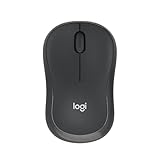
- Pair and Play: With fast, easy Bluetooth wireless technology, you’re connected in seconds to this quiet cordless mouse —no dongle or port required
- Less Noise, More Focus: Silent mouse with 90% reduced click sound and the same click feel, eliminating noise and distractions for you and others around you (1)
- Long-Lasting Battery Life: Up to 18-month battery life with an energy-efficient auto sleep feature, so you can go longer between battery changes (2)
- Comfortable, Travel-Friendly Design: Small enough to toss in a bag; this slim and ambidextrous portable compact mouse guides either your right or left hand into a natural position
- Long-Range: Reliable, long-range Bluetooth wireless mouse works up to 10m/33 feet away from your computer (3)
3. Best cheap, simple quiet mouse: Logitech M330 Silent Plus
The Logitech M330 Silent Plus is the right choice when the priorities are quiet clicks, a quiet-enough wheel, low cost, and no software setup.
Logitech claims more than 90% less clicking noise than the M185, and its direct U.S. listing showed about $19.99 in the research snapshot. It has a comfortable right-handed contour, quiet primary buttons, a relatively quiet scroll wheel, and up to two years of battery life from an AA cell. The middle-click function remains available even though there are no dedicated side buttons. Check the M330’s current price and availability.
Its simplicity is also its limitation. The M330 uses a USB receiver rather than Bluetooth, offers only three buttons, lacks multi-device switching, and is right-handed only. It is best for a dedicated desk computer or laptop that can accept the receiver. It is less convenient for tablets, phones, locked-down workstations, or people who regularly switch between computers.
Verdict: The best budget pick for a right-handed user who wants quiet operation more than customization or portability. It is a safer choice than an untested generic “silent” mouse because the click and wheel quietness claims are documented and the design is deliberately simple.
4. Best compact quiet mouse: Razer Pro Click Mini
Buy the Razer Pro Click Mini if you need a small travel mouse with quiet main switches, many programmable inputs, Bluetooth, 2.4 GHz wireless, and a versatile wheel.
The compact ambidextrous body suits smaller hands and travel bags. It supports up to four Bluetooth devices, includes a USB receiver, offers seven programmable inputs, and has both tactile and free-spin wheel modes with tilt scrolling. Independent testing describes the main switches as producing very little noise and reports good click latency compared with ordinary office mice. Razer’s product page lists its switch and connectivity features.
It is not the quietest-overall option because the scroll wheel can be noticeably loud or clunky, particularly in free-spin mode. Tilt clicks and side buttons may also be more audible than the main buttons. It uses disposable AA batteries rather than USB-C charging; that avoids charging downtime but is less convenient for buyers trying to standardize on rechargeable peripherals. RTINGS’ testing covers the Pro Click Mini’s size, noise, and performance.
Verdict: The best compact travel recommendation when quiet primary clicks and multi-device support matter more than a completely quiet wheel or rechargeable power.
5. Best work-and-gaming hybrid: Keychron M6 All Silent
Choose the Keychron M6 All Silent when you want an ergonomic productivity mouse but also need modern gaming hardware and the quietest possible set of buttons.
The M6 is available in multiple combinations of sensor, wheel, polling rate, and switch. It can operate over 2.4 GHz wireless, Bluetooth, or wired USB. The M6 8K configuration adds a PixArt 3950 sensor and up to 8,000 Hz polling, giving it much stronger gaming potential than the M650 or MX Master 4. Independent reviews have found its tracking effective across difficult surfaces and tested its high polling-rate capabilities. Check the exact M6 configuration before purchasing.
The switch name matters:
- Silent Micro Switch: the main left and right buttons are quiet.
- All Silent Micro Switch: intended to quiet the side and auxiliary buttons too.
- Clicky Micro Switch: conventional tactile sound; not the version to buy for a quiet room.
Keychron’s buying guide explains the switch variants. Do not assume that every M6 listing is silent. The exact all-silent configuration may be backordered, and stock can vary by wheel, sensor, color, and polling-rate option.
The M6 is heavier than an esports mouse, and silent switches feel softer than clicky gaming switches. An 8,000 Hz polling rate also provides little benefit for normal office work and can reduce battery life. For a buyer who plays competitive games but wants a productivity shape and multiple scroll functions, those compromises are reasonable.
What’s actually slowing this PC down?
Pick the symptom - the matching free tool is one click away.
Verdict: The best enthusiast hybrid, provided you select the All Silent Micro Switch option rather than merely a silent-main-switch configuration.
Also popular on Amazon

- LOW POWER CONSUMPTION: Intelligent sleep mode can better extend battery life. It will enter auto sleep mode if you don't use it for 5 minutes to save battery and need to click it, the mouse will enter working mode again
- STABLE CONNECTION: 2.4 GHz wireless provides stronger anti-interference ability, a faster transmission speed and a more reliable connection, working distances can up to 10 m, and high DPI can make it track more smoothly over most surfaces
- WIDE COMPATIBILITY: Well compatible with Windows7/8/10/XP, Vista, Mac OS X 10.4 etc. Fits for desktop, laptop, PC and other devices
- COMPACT DESIGN FOR EASY TRAVEL: The USB-A receiver can stay plugged into your computer or conveniently store inside the mouse when not in use. Lightweight and portable for work, home, or travel. Note: This mouse requires a USB-A port and is not compatible with Mac devices equipped only with USB-C ports
- WHISPER & SENSITIVE CLICKING: Smooth frosted surface and quiet clicks can bring a better user experience and free your worry about bothering others and keep you stay focused while working
6. Best quiet competitive-gaming mouse: Logitech G PRO X2 SUPERSTRIKE
The Logitech G PRO X2 SUPERSTRIKE is the specialized choice for competitive gaming in a shared room or late at night.
Instead of conventional left/right mechanical switches, it uses Logitech’s Haptic Inductive Trigger System. Independent testing describes the main buttons as nearly silent while retaining adjustable actuation, rapid-trigger behavior, low click latency, and up to 8,000 Hz polling. At approximately 61 g and about $179.99 in the U.S., it is built around competitive performance rather than office ergonomics. See Logitech’s official product page and RTINGS’ performance testing.
Its haptic system does not feel like a conventional silent mechanical switch. Actuation and feedback can be configured, and the result may feel unfamiliar if you prefer a physical click. Scroll-wheel, shell, and desk-contact sounds remain separate issues.
It has no Bluetooth, only two side buttons, and few office-oriented controls. That makes it a poor general-purpose recommendation despite its quiet main buttons.
Verdict: The best serious gaming option for quiet primary clicks. Choose it for competitive FPS play, not for spreadsheets, multi-device work, or maximum value.
7. Other worthwhile quiet mice
Logitech MX Anywhere 3S: best premium travel option
The MX Anywhere 3S combines quiet clicks, a compact shape, USB-C charging, three-device Bluetooth, 8,000 DPI tracking, MagSpeed scrolling, glass tracking, and up to 70 days of battery life. It is more travel-friendly than the MX Master 4 but less supportive for large hands and long palm-grip sessions. The consumer version does not include a Logi Bolt receiver, which is sold separately, so check the package contents if you need USB wireless.
Choose it for premium portable work and USB-C charging. Skip it if you need a large ergonomic shape or competitive gaming performance. See Logitech’s MX Anywhere 3S specifications.
HP 710 Rechargeable Silent Mouse: useful USB-C alternative
The HP 710 offers USB-C charging, three-device connectivity, 2.4 GHz and Bluetooth 5.3, six programmable buttons, tilt and fast scrolling, glass tracking, and up to three months of battery life. HP says a one-minute charge can provide up to three hours of use. Review the current HP specifications and price.
It has less independent acoustic testing than the leading Logitech models. HP customer reviews include reports of scroll-wheel jumping and intermittent connection issues. Those reports identify possible failure modes, not a proven universal defect rate, so purchase from a retailer with a good return policy.
Lenovo Yoga Bluetooth Silent Mouse: long-runtime option
The Lenovo Yoga Bluetooth Silent Mouse supports Bluetooth 5.3, three devices, six buttons, and up to 36 months of battery life, with a 4,000 DPI sensor. It is attractive for buyers who want Bluetooth switching and very infrequent battery replacement, but fewer independent reviews are available, so its acoustic ranking and long-term behavior are less certain. Check Lenovo’s current regional listing.
Logitech M240: inexpensive Bluetooth simplicity
The M240 is worth considering if Bluetooth is mandatory and the budget is tight. It is a simple SilentTouch mouse with long battery life and no receiver to lose. It has fewer controls and less ergonomic support than the M650. Business and consumer Logitech models can also use different receiver systems, so do not assume that a receiver from another Logitech mouse will work with it. Check the M240 version and connection details.
Outdated Drivers Are Slowing You Down
One free scan finds every outdated or missing driver and matches the right update for your exact hardware.Free scan · exact hardware matchWindows Errors? Fix Them Before They Spread
Repair common Windows errors and clear accumulated junk for a smoother, more stable PC - no reinstall needed.Free scan · no reinstallLogitech M590: only when heavily discounted
The M590 can still make sense if you find a good deal on remaining stock and specifically want its older multi-device features. It is not the default recommendation in 2026 because it is an older design with less certain current availability. Compare its price with the newer M650 before buying.
Which silent mouse should you buy?
| Your priority | Recommendation | Why |
|---|---|---|
| Best balance for office or home | Logitech Signature M650 | Quiet, comfortable, affordable, size options, left-handed model, Bluetooth and receiver |
| Lowest price and minimum fuss | Logitech M330 Silent Plus | Quiet clicks and wheel, long battery life, simple receiver connection |
| Best premium work experience | Logitech MX Master 4 | Quiet clicks plus excellent scrolling, thumb controls, gestures, and three-device workflow |
| Work and gaming in one mouse | Keychron M6 All Silent | Silent auxiliary controls, 2.4 GHz/Bluetooth/wired modes, gaming-grade configurations |
| Competitive gaming | Logitech G PRO X2 SUPERSTRIKE | Near-silent haptic clicks, low latency, adjustable actuation, 8,000 Hz polling |
| Compact travel | Razer Pro Click Mini | Small, programmable, four-device Bluetooth, versatile wheel |
| Premium USB-C travel | Logitech MX Anywhere 3S | Quiet clicks, glass tracking, MagSpeed wheel, Bluetooth switching |
| Rechargeable alternative | HP 710 | USB-C, three devices, six buttons, glass tracking |
| Left-handed use | Logitech M650 Large left-handed | One of the few mainstream quiet mice with a dedicated left-handed variant |
Hand size, grip, and handedness
Shape matters more than a small DPI difference for everyday comfort. Small hands generally fit the Razer Pro Click Mini, MX Anywhere 3S, and standard M650 best. Medium hands have the broadest choice, including the M650, M330, MX Anywhere 3S, and Keychron M6. Large hands are better served by the M650 Large, MX Master 4, HP 710, or Keychron M6.
Also popular on Amazon

- Scroll smarter: With Logitech Signature M550 Wireless Mouse you get line-by-line precision for documents and super-fast scrolling for long web pages; simply switch modes with a flick of the SmartWheel
- The optimal fit for your hand: This comfortable mouse is designed for small-to-medium sized hands, for the optimal fit
- Upgrade your comfort: This work mouse provides long hours of comfort thanks to a contoured shape, soft thumb area, and rubber side grips that keep your hand snug and in place
- Connect the way you like: Connect this cordless computer mouse in an instant via Bluetooth Low Energy or Logi Bolt USB receiver
- Less noise, more focus: Whether working at the office or at home, Logitech Signature M550 is a quiet mouse, allowing you to enjoy 90 percent less click noise with SilentTouch technology*
Palm-grip users should favor the MX Master 4 or another larger ergonomic design. Claw and fingertip users are more likely to prefer the Pro Click Mini, MX Anywhere 3S, M650, or G PRO X2 SUPERSTRIKE. For left-handed users, verify the exact M650 Large left-handed listing; the standard M650 and most premium ergonomic models are not universally ambidextrous.
Connectivity: Bluetooth, receivers, and work computers
Bluetooth is convenient for laptops and tablets, while a 2.4 GHz receiver usually offers simpler pairing and predictable latency. A mouse that supports both gives you more flexibility when moving between a personal laptop, office computer, and desktop.
- Bluetooth only: Logitech M240.
- Bluetooth plus USB receiver: M650, MX Master 4, MX Anywhere 3S, Razer Pro Click Mini, and HP 710.
- Three-device switching: M650, MX Master 4, MX Anywhere 3S, HP 710, and Lenovo Yoga.
- Four Bluetooth devices: Razer Pro Click Mini.
- 2.4 GHz, Bluetooth, and wired USB: Keychron M6.
- Competitive wireless gaming: G PRO X2 SUPERSTRIKE.
Receiver ecosystems are not interchangeable by default. Logitech Unifying, Logi Bolt, and proprietary receivers are different systems, and consumer and business packages can contain different receivers. Confirm the exact receiver type before assuming a new mouse will share a dongle already attached to your computer.
Independent reader supportYour contribution helps us test, update, and keep practical guides available for everyone.Rechargeable or replaceable batteries?
Replaceable AA batteries are best if you cannot tolerate charging downtime. The M330, M650, M240, and Pro Click Mini can keep working after a quick battery swap. Rechargeable USB-C models are more convenient for modern laptop setups and reduce disposable-battery use, but they must eventually be plugged in.
Published battery figures are “up to” estimates. Connection mode, polling rate, haptic feedback, wheel type, usage intensity, and battery condition affect real runtime. Examples include the M650’s up-to-24-month AA estimate, M330’s up-to-two-year estimate, MX Master 4’s up-to-70-hour rechargeable rating, MX Anywhere 3S’s up-to-70-day rating, HP 710’s up-to-three-month rating, and Lenovo’s up-to-36-month claim. Keychron’s M6 runtime varies significantly by sensor, polling rate, wheel, and configuration.
Why quiet office mice are usually bad competitive gaming mice
Polling rate and click latency matter more in competitive gaming than they do in documents or email. A 125 Hz mouse reports movement less frequently than an 8,000 Hz gaming mouse, and productivity mice often prioritize battery life, comfort, and scrolling over minimum latency.
Free tools Windows power users keep installed
One-click scans. No signup required.
The M650, MX Master 4, MX Anywhere 3S, and M330 are suitable for casual gaming but not ideal for competitive FPS play. The G PRO X2 SUPERSTRIKE is designed for that use case, while the Keychron M6 8K All Silent is the more ergonomic hybrid. The Razer Pro Click Mini can work for casual or some FPS play, but its small body, AA power, and noisy wheel make it less universal.
The HECATE G3M Pro is a niche alternative with a physical game/mute switch using separate microswitch modes. It is interesting for buyers who want to change between gaming and quiet modes, but it has less broad independent testing and less certain long-term reliability evidence than the Logitech and Keychron options. See the manufacturer’s G3M Pro details.
Software and locked-down computers
Basic pointer movement and clicking generally work through standard Bluetooth or USB input, but advanced customization is a separate issue. Logitech’s MX Master controls may require Options+, Razer features may use Synapse, HP customization may use HP Accessory Center, and Keychron configuration depends on its own software or utility.
Before buying for a managed work computer, check whether software installation is allowed and whether button assignments persist without the application running. Onboard memory is not universal. A mouse can be excellent on a personal computer but lose gestures, profiles, or remapping on a locked-down office machine.
Recommended Free Tools
How to test whether a mouse is genuinely quiet
- Test left click, right click, middle click, side buttons, wheel ratcheting, and wheel clicking separately.
- Listen from your normal position. Do not judge noise with a microphone touching the mouse.
- Use the desk and mouse pad where the mouse will actually live. Hard desks can amplify feet and shell noise.
- Compare it with your current mouse under the same conditions.
- If the wheel has tactile and free-spin modes, test both. A quiet switch does not guarantee a quiet wheel.
- Identify the sound source: switch, wheel, shell flex, feet, or the mouse contacting the desk.
- A phone recording can show an informal difference, but it is not a standardized dBA measurement.
Buy from a retailer with a clear return window. Quiet mice can develop louder clicks, double-clicking, scroll-wheel faults, or connectivity problems over time. Customer reviews can reveal possible failure modes, but they cannot establish a failure rate for the entire product.
Bottom line
For most buyers, get the Logitech Signature M650. It offers the best combination of quiet everyday clicks, comfort, size choices, left-handed availability, connectivity, and battery life. Spend more on the MX Master 4 for premium productivity controls, choose the M330 Silent Plus for the cheapest simple setup, select the Keychron M6 All Silent for a work-and-gaming hybrid, and buy the G PRO X2 SUPERSTRIKE when competitive gaming performance matters as much as quiet clicking.
Frequently Asked Questions
Is a silent mouse completely silent?
No. “Silent” usually describes quieter main left- and right-clicks. The middle click, side buttons, scroll wheel, mouse feet, shell, and desk contact can still make noise.
Which silent mouse is best for a library?
The Logitech Signature M650 is the best general library or shared-office choice. The M330 Silent Plus is cheaper and also has relatively quiet scrolling, but it is right-handed and receiver-only.
Also popular on Amazon

- Dual Device Connection: Connect two devices simultaneously using either Bluetooth(3.0/5.0) or USB A connection for a wireless mouse experience. Seamlessly switch between the connected devices with a simple slide of the switch button. This makes it an ideal choice for those seeking both a usb mouse and a bluetooth mouse. (PLEASE NOTE: The mouse is better suited for SMALL to MEDIUM-sized hands. However, if you have larger hands yet enjoy a smaller mouse, you might also like this one.)
- Rechargeable Mouse: Our bluetooth mouse for laptop is rechargeable, taking only 1.5 to 2 hours to fully charge. Once fully charged, it delivers 3 months of use with 2 hours of daily use. An ideal choice for a rechargeable wireless mouse. (A charging cable is included.) Please note that connection may become unstable when the battery is low, serving as a reminder to recharge.
- 6 Adjustable Levels: This computer mouse offers 6 adjustable DPI levels (4800/3200/2400/1600/1200/800), allowing you to easily customize DPI to suit your preferences. Whether you need precise control for detailed work or swift movement for browsing, this wireless mouse for laptop has you covered.
- Silent Operation: Enjoy a noiseless experience with this silent mouse. The wireless bluetooth mouse is designed to provide quiet operation, making it suitable for environments where silence is appreciated, such as libraries or offices.
- Wide Compatibility: The wireless silent mouse is compatible with various systems including Windows/macOS/Chrome/Linux. It works seamlessly with laptop, computers and other devices, making it a versatile option for anyone in need of a wireless computer mouse. (Side buttons are not compatible with macOS)
Which silent mouse is best for left-handed users?
The Logitech Signature M650 Large left-handed version is the standout mainstream option. Check the exact size and handedness listing because left-handed support is not available across every M650 variant.
Are silent mice good for gaming?
They can be good for casual gaming, but many productivity mice use a 125 Hz polling rate and higher click latency. For competitive gaming, choose the Logitech G PRO X2 SUPERSTRIKE or Keychron M6 8K All Silent.
Is the MX Master 4 quieter than the M650?
The MX Master 4 has stronger evidence for quiet overall productivity use because its MagSpeed wheel is unusually quiet. The M650 is smaller, cheaper, and usually the better value if you mainly need quiet clicks.
Does silent mean mushy?
Often. Quiet switches may feel softer, cushioned, or less sharply tactile than conventional mechanical switches. The G PRO X2 SUPERSTRIKE feels different again because it uses configurable haptic feedback instead of a conventional mechanical click.
Are Bluetooth mice quieter than USB mice?
No. Bluetooth and USB wireless affect connection and latency, not the mechanical sound of the buttons or wheel. Quietness comes from the mouse’s switches, wheel, shell, feet, and desk interaction.
What is the quietest mouse wheel?
The Logitech M330 and MX Master line have stronger evidence for quiet scrolling than the Razer Pro Click Mini. The Razer’s main switches are quiet, but its wheel can be noticeably loud.
Can a silent mouse still double-click?
Yes. Quiet switches can still develop double-clicking, louder actuation, scroll faults, or connection problems. Use the warranty and return period, and treat customer reports as anecdotal warnings rather than proof of a universal defect.
Should I choose a rechargeable mouse or AA batteries?
Choose AA batteries if you want instant recovery from a dead battery. Choose USB-C rechargeable power for convenience with modern laptops and less disposable-battery use. High polling rates and haptic features can reduce rechargeable runtime.
Does 8,000 Hz polling matter for office work?
Usually not. 8,000 Hz polling is relevant to latency-sensitive competitive gaming, but it provides little practical benefit for office work and can reduce battery life.
Which quiet mice work on Mac and ChromeOS?
Bluetooth or standard USB receiver models are the most flexible for Mac and ChromeOS, but advanced remapping, gestures, and profiles depend on operating-system support and companion software. Check the manufacturer’s compatibility information for the exact model.
Which quiet mice work without installing software?
The M330 is the simplest option, while basic pointer functions on Bluetooth and USB receiver mice usually need no companion software. Advanced controls on the MX Master 4, Razer Pro Click Mini, HP 710, and Keychron M6 may require their respective configuration utilities.
The Bottom Line
Best overall: Logitech Signature M650. It is the safest recommendation for quiet office and home use. Choose the MX Master 4 for premium productivity, M330 for the lowest-cost setup, Keychron M6 All Silent for work plus gaming, and G PRO X2 SUPERSTRIKE for competitive gaming.

