
iTechGuides is reader-supported. When you buy through links on our site, we may earn an affiliate commission. As an Amazon Associate I earn from qualifying purchases. Learn more
For most indoor buyers, the Reolink E1 is the clearest secure alternative to a TP-Link Tapo camera. Its documented feature set combines 4MP video, local AI, AES-128 encryption, a privacy mode, and NVR support without a monthly fee. Choose UniFi Protect instead when you are building a larger, managed installation and want video processing, retention, and access policies kept on your own network. Choose a eufy HomeBase system when wire-free cameras and hub-based local storage matter most.
The right choice depends on your threat model—not simply on whether a camera says “cloud” or “local.” Tapo already advertises encrypted video, two-factor authentication, local microSD storage, and local facial-data processing. The alternatives below are strongest when their particular storage, processing, and administration model matches the way you want to run your cameras.
Quick verdict: which Tapo alternative fits your setup?
| Best for | Recommended option | Why it stands out | What you must provide |
|---|---|---|---|
| One or a few indoor Wi-Fi cameras | Reolink E1 | 4MP video, local AI, AES-128 encryption, privacy mode and NVR support are documented by Reolink. | Power, Wi-Fi and a compatible local recording plan such as an NVR if you want centralized retention. |
| A managed, multi-camera installation | UniFi Protect | Ubiquiti says detection, recognition and AI-enhanced processing happen on the local network, with owner-controlled retention, storage and access policies. | UniFi cameras plus a UniFi OS Console and a network design you are prepared to manage. |
| Wire-free cameras using a central hub | eufy Security with HomeBase | eufy documents encrypted local storage on the camera or HomeBase and says local storage has no monthly fee. | HomeBase, camera power or batteries, and a suitable placement for the hub. |
| Lowest change from an existing Tapo installation | Evaluate Tapo against your threat model first | Tapo already advertises local microSD storage, encrypted video, two-factor authentication and local facial-data processing. | Verify the exact model, region, firmware and current subscription terms. |
No independent, comparable statistic or dated third-party audit establishes that one of these brands is categorically more secure than the others. The capabilities in this guide are documented vendor features, not a guarantee that any camera is breach-proof.
Do these 3 things before closing this tab:
1Scan for outdated or missing drivers - takes under a minute2Repair Windows errors before they cause bigger problems3Fix the driver behind crashes, sound loss and screen glitchesWhat “more secure than Tapo” should mean
Security is a set of decisions about where video is stored, where analysis runs, who can reach it and how much of the system you control. A camera can avoid a subscription yet still expose an account through a weak password. Conversely, a camera that offers optional cloud backup may be acceptable if you disable that service and enforce strong account controls.
Popular on Amazon

- 4MP HD & Night Vision: Upgrade to 4MP clarity with enhanced infrared night vision for a 30% sharper image. Capture even the smallest details, like your baby’s breathing or your pet’s fur (Doesn't support RTSP/ONVIF).
- Instant Cry Alerts & Two-Way Talk: Get instant cry detection alerts and communicate with your baby remotely through the two-way audio feature, offering peace of mind and greater connection.
- 360° Coverage & Auto Tracking: With 355° Pan and Motion Tracking, this camera provides full 360° coverage, following movement in real-time for complete security—whether it's your baby's crib or your pet's favorite spot.
- Multiple Storage Options: Choose from several storage methods: supporting up to a 512GB microSD card, Reolink NVR, and Reolink Home Hub/Home Hub Pro for local storage. Enjoy reliable recording without relying on cloud services or subscriptions, ensuring you have full contol over your data at all times.
- Convenient Management & Privacy Mode: Easily manage your Reolink 4MP Indoor WiFi Camera with the free app, no subscription required. Invite up to 10 users and let 4 people view live at the same time. Turn on Privacy Mode to block the camera view and mute audio when needed, with control reserved for the main admin.
Footage location and retention
Ask where a clip exists after recording. Local microSD storage keeps the primary copy in the camera, while an NVR or console centralizes recordings on equipment you administer. A HomeBase system stores recordings at the hub when configured for local storage. Cloud recording places the copy in a vendor-controlled service and introduces account, policy and service-availability dependencies.
Local storage is not automatically private: someone who steals an unlocked camera or storage device may gain access, and a misconfigured network can expose a recorder. Protect the physical device, use a unique administrator password and restrict remote access to only what you need.
Processing location
Motion, person and face analysis can run on the camera, on a local console or in a cloud service. Local processing limits the video and metadata that need to leave your network. It can also reduce dependence on an internet connection, although remote viewing and notifications may still require outside connectivity.
Encryption and account controls
Encryption protects data in transit or at rest, but it does not replace authentication. Look for documented encryption, two-factor authentication, privacy controls and a way to limit which users can view or administer cameras. Also check whether the vendor explains how keys, account recovery and remote access work; the available data does not establish identical details for every product.
Physical and operational exposure
Wire-free cameras reduce cable access but introduce battery and hub considerations. PoE and managed-network systems can be easier to segment and monitor, but they require more equipment and configuration. A simple indoor Wi-Fi camera may be the safest practical choice if it lets you keep firmware current and avoid an error-prone installation.
Also popular on Amazon

- 5MP QHD RESOLUTION: The professional 3K 5MP lens offers a resolution of 2880x1616 for crystal-clear images and videos. The camera's F1.6 lens aperture allows more light to enter, enhancing the image quality even in low-light conditions.
- DUAL-BAND WI-FI: Stay connected with 2.4/5 GHz Wi-Fi, ensuring seamless frequency switching for a smooth live streaming experience. With the new Bluetooth connection, enjoy quick and hassle-free initialization.
- PT & AUTO TRACKING: Experience 360° coverage enabled by pan & tilt functionalities, no more hidden details or threats. Combined with AI-powered detection, it automatically follows intruders, pets, and your babies when they move.
- AI-POWERED DETECTION: Smart detection of people, pets, and crying sounds effectively reduces false alerts while capturing precious family moments. Stay alert to your baby's cries, even when you're not nearby. No monthly fees are required.
- MULTIPLE STORAGE OPTIONS: E1 Pro supports a microSD card of up to 512GB (not included), ensuring 8-day continuous recording at the default code rate of 3072kps, even during Wi-Fi drops. Reolink NVR, Home Hub/Home Hub Pro, and FTP/NAS (supporting RTSP/ONVIF) are also supported.
Reolink E1: the best straightforward indoor alternative
Reolink E1 is the strongest single-model recommendation for most indoor buyers because its documented controls map directly to common privacy concerns. Reolink lists 4MP video, local AI, AES-128 encryption, privacy mode and NVR support. Its product documentation states: “With built-in AES-128 encryption, your data is securely protected and accessible only to you—no monthly fees.” Treat that as a description of the product’s intended protection, not as proof that every deployment is secure regardless of configuration.
Why E1 is a good Tapo replacement
- Local analysis: Reolink documents local AI, so supported detection can occur without sending the video to a remote analysis service.
- Encryption: AES-128 is explicitly listed for protecting data.
- Privacy mode: You have a physical or software privacy state intended to stop observation when you do not want the camera watching.
- Local recording architecture: NVR support lets you place retention under your control rather than making a vendor cloud account the only archive.
- No stated monthly fee for the documented protection: Reolink’s wording ties the feature description to “no monthly fees”; verify current regional terms for any optional services.
Where E1 is not the ideal choice
E1 is an indoor Wi-Fi camera, so it is not a substitute for a fully managed PoE deployment. If you need dozens of cameras, role-based administration, centralized retention policies and a dedicated console, UniFi Protect provides a more infrastructure-oriented design. If you need battery-powered cameras with a single hub, eufy HomeBase is the closer match.
Free tools Windows power users keep installed
One-click scans. No signup required.
How to deploy E1 with a local-first design
- Confirm the exact regional model. Reolink model names and functions can vary by market. Check the current product page and firmware notes before buying.
- Create a dedicated camera account. Use a unique password that you do not reuse for email, shopping or your router.
- Enable the documented privacy mode when appropriate. Use it for bedrooms, work areas or any period when recording is not wanted.
- Plan retention before mounting the camera. Decide whether an NVR will hold continuous or event footage, who can access it and how long it should remain.
- Place the camera on a controlled network. If your router supports guest or IoT networks, isolate cameras from laptops and phones while preserving only the connections needed for viewing and updates.
- Turn on available account protections. Use two-factor authentication if the current Reolink account and regional firmware offer it, and remove unused viewers or administrators.
- Update firmware from the manufacturer’s current channel. Record the version and revisit the setting after every update because features and defaults can change.
- Test the privacy and recovery path. Confirm that the camera stops observing when privacy mode is enabled and that you can recover access without weakening the password or opening unnecessary remote ports.
UniFi Protect: strongest documented architecture for larger deployments
UniFi Protect is the best fit when a camera system is part of a managed network rather than a standalone gadget. Ubiquiti states: “All detection, recognition, and AI-enhanced video processing happens on your local network, not in the cloud.” It also says owners control retention, storage configuration and access policies, with stream encryption between cameras and the UniFi OS Console.
What the local-console model changes
- Processing stays inside the site: Detection and recognition are described as local-network functions rather than cloud analysis.
- Retention is an owner decision: You configure how recordings are retained and where storage is allocated, instead of accepting a fixed vendor policy.
- Access is policy-driven: A console-centered system gives an administrator a place to define who can view streams and recordings.
- Encrypted camera-to-console streams: Ubiquiti documents encryption on that path.
Trade-offs compared with a single indoor camera
Protect requires more planning, equipment and administration than an E1. You need compatible UniFi cameras and a UniFi OS Console, then must design storage, network access and user permissions. The benefit is consistency across a larger installation; the cost is that a console failure or storage decision affects the system as a whole. This is an infrastructure choice, not a plug-in replacement for every Tapo camera.
Deployment checklist for UniFi Protect
- Map the site. List camera positions, network paths, expected retention and the people who need access.
- Select the console and storage configuration. Size storage for your chosen retention policy and recording mode; the available data does not establish a universal capacity or price.
- Segment camera traffic. Keep cameras and the console on a controlled network, and avoid exposing management interfaces directly to the public internet.
- Create least-privilege users. Give family members, staff or contractors only the viewing or administrative access they require.
- Set retention deliberately. A longer retention period increases storage needs and the amount of sensitive footage available if an account is compromised.
- Verify local processing. Check the Protect dashboard and current documentation for the enabled detection features, because capabilities can vary by camera and software version.
- Protect the console. Restrict physical access, use a strong administrator credential and keep the UniFi OS software current.
- Test an outage. Confirm what recording, live view and notifications do when the internet connection fails and when the console is unavailable.
eufy HomeBase: best for wire-free cameras with local hub storage
eufy’s HomeBase approach suits buyers who want wire-free cameras but prefer recordings to remain in the home. eufy says recordings are encrypted on the device or transmitted to HomeBase for encrypted storage, with no monthly fee for local storage. Its support documentation describes AES-128 protection for account information and local storage.
Also popular on Amazon
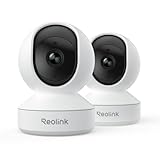
- 4MP HD & Night Vision: Upgrade to 4MP clarity with enhanced infrared night vision for a 30% sharper image. Capture even the smallest details, like your baby’s breathing or your pet’s fur (Doesn't support RTSP/ONVIF).
- Instant Cry Alerts & Two-Way Talk: Get instant cry detection alerts and communicate with your baby remotely through the two-way audio feature, offering peace of mind and greater connection.
- 360° Coverage & Auto Tracking: With 355° Pan and Motion Tracking, this camera provides full 360° coverage, following movement in real-time for complete security—whether it's your baby's crib or your pet's favorite spot.
- Multiple Storage Options: Choose from several storage methods: supporting up to a 512GB microSD card, Reolink NVR, and Reolink Home Hub/Home Hub Pro for local storage. Enjoy reliable recording without relying on cloud services or subscriptions, ensuring you have full contol over your data at all times.
- Convenient Management & Privacy Mode: Easily manage your Reolink 4MP Indoor WiFi Camera with the free app, no subscription required. Invite up to 10 users and let 4 people view live at the same time. Turn on Privacy Mode to block the camera view and mute audio when needed, with control reserved for the main admin.
How the hub architecture works
The camera captures footage and can keep it on the device or send it to HomeBase, depending on the product and configuration. HomeBase gives multiple cameras a central place for local recordings and management. This avoids putting every camera’s archive in a vendor cloud, but it means the hub becomes a critical asset: secure its location, power and administrator account.
Advantages for a privacy-focused household
- Wire-free placement: Battery-powered cameras can cover doors, gardens or rooms where running cable is difficult.
- Central local storage: HomeBase provides a hub-based destination for encrypted recordings.
- No monthly fee for local storage: This is eufy’s stated local-storage position; optional cloud features and regional terms may differ.
- Documented encryption: eufy describes AES-128 protection for account information and local storage.
Important limitations
Battery cameras require charging or battery replacement, and the hub must remain available for the features that depend on it. A wire-free system is not automatically more secure than a wired one: radio coverage, account security, hub placement and firmware maintenance still matter. Confirm the exact camera/HomeBase generation and storage behavior before purchase because eufy features vary across product families and regions.
HomeBase setup sequence
- Choose a protected hub location. Keep HomeBase inside a controlled space with reliable power and network connectivity.
- Pair cameras using the current eufy Security app. Follow the model-specific pairing process and update firmware before final mounting.
- Choose local storage explicitly. Confirm whether recordings stay on the camera, move to HomeBase or use an optional cloud path.
- Secure the account. Use a unique password, enable available multi-factor protection and remove old household members or installers.
- Review notification and sharing settings. Limit shared access and avoid sending clips to services you do not need.
- Test battery and hub failure behavior. Check what happens when a camera battery is low, HomeBase loses power or the internet link is interrupted.
Tapo versus the alternatives: a control-focused comparison
TP-Link Tapo should not be dismissed simply because it offers optional cloud features. Current Tapo product pages advertise local microSD storage, encrypted video, two-factor authentication and local facial-data processing. If those controls meet your needs and your exact model supports them, switching brands may add cost and complexity without reducing your practical risk.
| Question | Tapo baseline | Reolink E1 | UniFi Protect | eufy HomeBase |
|---|---|---|---|---|
| Can storage be local? | Local microSD is advertised. | NVR support is documented; other storage details depend on model and configuration. | Owner-controlled storage configuration on the UniFi OS Console. | Local storage on the device or encrypted HomeBase storage is documented. |
| Where does AI run? | Local facial-data processing is advertised. | Local AI is listed. | Detection, recognition and AI-enhanced processing are stated to occur on the local network. | Processing and features vary by camera and HomeBase model; verify current documentation. |
| Encryption named in the documentation | Encrypted video is advertised. | AES-128 is listed. | Stream encryption between cameras and the UniFi OS Console is stated. | AES-128 is described for account information and local storage. |
| Authentication or access control | Two-factor authentication is advertised. | Privacy mode and account controls are documented; confirm current regional options. | Owner-controlled access policies are a core part of the architecture. | Account protections and sharing controls depend on the current app and model. |
| Installation profile | Usually simple indoor or outdoor Wi-Fi, depending on model. | Simple indoor Wi-Fi deployment. | Managed network, cameras and UniFi OS Console. | Wire-free cameras with a HomeBase hub. |
| Recurring local-storage fee | Terms vary by model and service. | Reolink documentation describes the listed protection with no monthly fees. | Storage and console costs are hardware and deployment decisions; no universal price is established here. | eufy says local storage has no monthly fee; optional services may differ. |
Choosing by threat model
If your priority is keeping ordinary indoor video off vendor servers
Start with Reolink E1 or a eufy HomeBase system configured for local storage. E1 is simpler when cameras are powered and connected by Wi-Fi; eufy is more suitable when battery operation and a hub are central requirements.
If you manage a business, rental property or large home
Choose UniFi Protect when you need a console, repeatable user permissions, defined retention and local-network processing across many cameras. Plan the console and storage as critical infrastructure rather than treating them as optional accessories.
Crashes, No Sound, or Screen Glitches?
Random freezes, missing sound and display glitches usually trace back to one bad driver. Find and replace yours safely.Free scan · under a minutePC Slower Than It Used to Be?
A free scan shows the junk files, broken settings and background clutter dragging Windows down - then fixes them in one click.Free scan · Windows 10 & 11Also popular on Amazon

- 4K ULTRA HD VIEW & 3x OPTICAL ZOOM: Capture every detail in stunning 4K clarity. The professional-grade lens and 3X optical zoom ensure sharp footage from a distance. Plus, the F1.6 large aperture excels in low-light conditions for superior nighttime surveillance.
- PAN, TILT & AUTO-TRACKING: Achieve full 360° coverage with ease. This smart PT camera detects and auto-tracks people and pets, providing comprehensive surveillance. Plus, preset up to 64 monitoring points for quick, targeted views of key areas.
- DUAL-BAND WI-FI 6 & BLUETOOTH SETUP: Experience faster, more stable connections with Wi-Fi 6. Seamlessly switch between 2.4 GHz and 5 GHz for optimal performance. The network setup via Bluetooth simplifies initial installation, making the process hassle-free.
- PERSON, PET, CRYING DETECTION: Stay connected to your baby with real-time alerts when crying sounds are detected. This smart camera also detects person and pet movements, minimizing false alarms. All without any monthly fees.
- MULTIPLE STORAGE OPTIONS: Select the storage solution that best fits your needs. E1 Zoom supports up to a 512GB microSD card for up to 12 days of recording. It’s also compatible with Reolink Wi-Fi & PoE NVR, Reolink Home Hub, Reolink Home Hub Pro, and FTP/NAS servers (supports RTSP/ONVIF).
If you need the fewest changes
Audit your existing Tapo configuration first. Enable two-factor authentication, use a unique account password, select local storage where supported, keep firmware current and disable remote or cloud features you do not need. Replace the camera only when its model, region or controls fail your requirements.
If you need remote viewing
Remote access changes the threat model for every brand. Prefer the vendor’s supported secure-access method, require strong authentication and avoid forwarding camera ports from the internet. Verify what continues to work locally when the internet is down, and decide whether remote notifications justify the additional exposure.
Independent reader supportYour contribution helps us test, update, and keep practical guides available for everyone.Security checklist before you buy or install
- Identify whether recordings must remain inside your home or business.
- Decide whether local AI is required, preferred or unnecessary.
- Choose between an indoor Wi-Fi camera, a wire-free hub system and a managed console deployment.
- Confirm the exact regional model, firmware support and storage options.
- Check whether local storage is included, requires an NVR, requires HomeBase or depends on a separate console.
- Use a unique administrator password and enable two-factor authentication wherever the current product supports it.
- Separate cameras from personal devices with a router or managed-network segment when practical.
- Limit user permissions and remove former household members, installers and test accounts.
- Set a retention period that balances evidence needs against storage and privacy.
- Update camera, hub, NVR or console firmware through the manufacturer’s supported process.
- Protect recording hardware from theft, tampering, heat and accidental power loss.
- Test privacy mode, local recording, account recovery and internet-outage behavior before relying on the system.
Pitfalls that make a “secure” camera less secure
Assuming local storage eliminates every risk
A local archive can still be copied, stolen or viewed by an over-permissioned account. Encrypt and protect the storage device where the product supports it, restrict physical access and keep administrator credentials private.
Buying on a brand name instead of a model
Features, firmware and subscription terms differ by model and region. Check the current product page for the exact camera, hub, NVR or console you intend to use.
Recommended Free Tools
Leaving remote access enabled forever
Remote viewing is convenient but expands the number of paths into your system. Disable it when unnecessary, and review connected users and sessions after changing phones, households or installers.
Also popular on Amazon

- 5MP QHD RESOLUTION: The professional 3K 5MP lens offers a resolution of 2880x1616 for crystal-clear images and videos. The camera's F1.6 lens aperture allows more light to enter, enhancing the image quality even in low-light conditions.
- DUAL-BAND WI-FI: Stay connected with 2.4/5 GHz Wi-Fi, ensuring seamless frequency switching for a smooth live streaming experience. With the new Bluetooth connection, enjoy quick and hassle-free initialization.
- PT & AUTO TRACKING: Experience 360° coverage enabled by pan & tilt functionalities, no more hidden details or threats. Combined with AI-powered detection, it automatically follows intruders, pets, and your babies when they move.
- AI-POWERED DETECTION: Smart detection of people, pets, and crying sounds effectively reduces false alerts while capturing precious family moments. Stay alert to your baby's cries, even when you're not nearby. No monthly fees are required.
- MULTIPLE STORAGE OPTIONS: E1 Pro supports a microSD card of up to 512GB (not included), ensuring 8-day continuous recording at the default code rate of 3072kps, even during Wi-Fi drops. Reolink NVR, Home Hub/Home Hub Pro, and FTP/NAS (supporting RTSP/ONVIF) are also supported.
Ignoring updates because the camera is “offline”
Local processing reduces cloud dependence; it does not remove the need for firmware maintenance. An unpatched camera, hub or console can undermine otherwise sound storage choices.
Over-retaining sensitive footage
Keeping every clip indefinitely increases the consequence of account or device compromise. Set retention to the shortest period that meets your safety, insurance or operational needs.
How to verify claims over time
Camera security is not static. Firmware, regional features, storage limits and subscription terms can change. Before purchasing, revisit the manufacturer’s current model page and support documentation. After installation, review release notes, account settings and connected-device lists periodically. Treat statements such as “local,” “encrypted” and “no monthly fees” as feature descriptions that still require correct configuration.
The Tool Desk
Outbyte PC Repair FREERepair Windows errors before they cause bigger problemsFix Now →Outbyte Driver Updater FREEFix the driver behind crashes, sound loss and screen glitchesFind Drivers →Neither the documented capabilities summarized here nor a local-storage design proves that a camera is impossible to breach. The meaningful comparison is whether the product gives you the controls your threat model requires and whether you can operate those controls consistently.

