
iTechGuides is reader-supported. When you buy through links on our site, we may earn an affiliate commission. As an Amazon Associate I earn from qualifying purchases. Learn more
The best printer for an iPad is a printer with native Apple AirPrint support, Wi-Fi or Ethernet networking, and features suited to your workload. Choose a color laser for fast documents, an EcoTank for frequent inexpensive color printing, a monochrome laser for black text, or a portable inkjet only when mobility matters.
You do not need a special “iPad printer.” A conventional printer that explicitly supports AirPrint can usually print from an iPad, iPhone, or Mac without installing a driver. The important distinction is whether the printer supports Apple’s driverless printing standard—not merely whether the printer has Wi-Fi or a mobile app.
The recommendations below separate the best choices by workload because no single printer is ideal for occasional photos, high-volume documents, multi-page scanning, and travel.
The Tool Desk
Outbyte Driver Updater FREEScan for outdated or missing drivers - takes under a minuteDriver Scan →Outbyte PC Repair FREEClear out junk files and repair common Windows errorsFree Scan →Key takeaways
- The Canon Color imageCLASS MF665Cdw is the strongest choice for fast, text-heavy color document printing, with AirPrint, Wi-Fi, USB, Ethernet, and duplex ADF scanning.
- The Epson EcoTank ET-4950 is the most versatile home-office option, combining print, scan, copy, and fax functions with automatic duplex printing and scanning, a 30-sheet ADF, and a 250-sheet paper capacity.
- The Epson EcoTank ET-2980 lowers ongoing color-ink costs but has no automatic document feeder, so it is unsuitable for convenient multi-page scanning.
- The Brother HL-L2460DW is the better fit for inexpensive black-and-white documents because it uses laser toner and does not print, scan, or copy in color.
- Apple AirPrint requires the iPad and printer to be connected to the same Wi-Fi network, although an Ethernet-connected printer can also work when the network permits local device communication.
- A low purchase price does not necessarily mean low ownership cost: the Canon PIXMA MG3620 is inexpensive to buy but uses a tri-color cartridge that can make replacement ink less economical.
Best printer for iPad: quick picks
The best printer for iPad depends mainly on what you print, how often you print, whether you scan multi-page documents, and whether you need a portable device.
Popular on Amazon
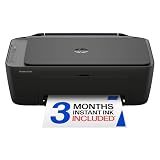
- PERFECT FOR BASIC PRINTING NEEDS – Print everyday color documents like to-do lists, letters, financial documents and recipes
- KEY FEATURES – Color print, copy, scan, and a 60-sheet input tray, plus mobile and wireless printing
- OPTIMIZE PRINT FORMATTING WITH HP AI – Print web pages and emails with precision—no wasted pages or awkward layouts; HP AI easily removes unwanted content, so your prints are just the way you want
- ICON LCD – Print your basic documents with ease from the intuitive control panel
- PRINT SPEED – Up to 7.5 ppm black, 5.5 ppm color
| Printer | Best for | Type | AirPrint | ADF | Duplex printing | Main drawback |
|---|---|---|---|---|---|---|
| Canon Color imageCLASS MF665Cdw | Fast color documents and serious home-office work | Color laser all-in-one | Yes | Yes; duplex ADF scanning | Yes | Photos are weaker than on a good inkjet; relatively large |
| Epson EcoTank ET-4950 | Feature-rich, frequent home-office printing | Color ink tank all-in-one | Yes | Yes; 30 sheets | Yes; printing and scanning | Higher upfront cost and large footprint |
| Epson EcoTank ET-2980 | Low-cost everyday color printing | Color ink tank all-in-one | Yes | No | Yes | Flatbed-only scanning |
| Brother HL-L2460DW | Budget black-and-white documents | Monochrome laser printer | Yes | No | Yes | No color, scanner, or copier |
| Canon PIXMA MG3620 | Lowest initial price for occasional color use | Cartridge inkjet all-in-one | Yes | No | Yes | Slow, less robust, and higher cartridge cost |
| HP OfficeJet 250 | Portable full-page printing and scanning | Battery-powered inkjet all-in-one | Yes | Integrated sheetfed scanner | Not the main reason to buy it | Slow and expensive for high-volume color printing |
| Brother MFC-L3780CDW | Small-business color laser work | Color laser all-in-one | Yes | Yes; 50 sheets | Yes; printing, scanning, and copying | Too large and expensive for light home use |
RTINGS’ AirPrint printer rankings, updated in June 2026, place the Canon MF665Cdw at the top, followed by the Epson ET-2980, Brother HL-L2460DW, Canon MG3620, and HP OfficeJet 250. RTINGS also identifies the Brother MFC-L3780CDW and HP OfficeJet Pro 9125e as alternatives. The ranking is a useful starting point, but the right model still depends on your printing pattern.
Which printer is best for documents and office work?
The Canon Color imageCLASS MF665Cdw is the best fit for users who print documents regularly and want color, scanning, copying, and flexible network connectivity.
RTINGS reports that the Canon MF665Cdw produces sharp documents at up to 26 pages per minute in its testing. The model supports AirPrint, Wi-Fi, USB, and Ethernet, and includes duplex ADF scanning. Those features make the Canon a better office tool than a cheap basic inkjet when the workload involves forms, schoolwork, invoices, reports, or several-page documents.
Do these 3 things before closing this tab:
1Scan for outdated or missing drivers - takes under a minute2Clear out junk files and repair common Windows errors3Fix the driver behind crashes, sound loss and screen glitchesThe qualification is important: the MF665Cdw is document-focused. According to RTINGS’ testing and analysis, its photo output is weaker than that of inkjet alternatives. Choose a photo-oriented inkjet or ink tank if nuanced photographs are a primary requirement. Choose the Canon if sharp text, speed, and scanning productivity matter more than photographic output.
Is the Epson EcoTank ET-4950 the best all-in-one printer for an iPad?
The Epson EcoTank ET-4950 is the strongest choice when “best” means a versatile home-office all-in-one with low ongoing ink costs rather than the lowest purchase price.
TechRadar names the ET-4950 its best overall all-in-one printer. The review describes a 4-in-1 color ink-tank model with printing, scanning, copying, and faxing, plus automatic duplex printing and scanning, a 30-sheet ADF, and a 250-sheet paper capacity. TechRadar reports a mono print speed of 18 pages per minute and says the printer includes enough ink for up to three years, a review claim that should not be treated as a guarantee because actual consumption depends on page coverage and usage.
TechRadar’s retailer price comparison showed the Epson ET-4950 at approximately $459.95 to $499.99 in the United States on August 18, 2026. The figures were retailer listings rather than a manufacturer-direct price and may change; check the current Epson ET-4950 product page and current retailer listings before buying.
What’s actually slowing this PC down?
Pick the symptom - the matching free tool is one click away.
The ET-4950 is excessive for someone who prints only a few pages each month. The higher initial cost makes more sense for families, students, and home offices that print color documents frequently, scan multi-page paperwork, and want automatic duplex handling.
Which iPad printer has the lowest everyday color-ink cost?
The Epson EcoTank ET-2980 is the better choice for frequent low-cost color printing when you do not need an automatic document feeder.
The ET-2980 uses refillable ink bottles rather than conventional cartridges. RTINGS describes the bottles as lasting for thousands of pages and identifies the printer as a strong low-cost-per-print option. The printer supports AirPrint, Wi-Fi, and USB, and produces good text and casual photo output.
The central limitation is the scanner: the ET-2980 has no ADF and relies on a flatbed. A flatbed is fine for occasional pages, photographs, books, and delicate originals, but scanning a multi-page packet requires placing each page manually. For automatic multi-page scanning, move up to the Epson ET-4950 or choose a laser all-in-one such as the Canon MF665Cdw.
Quick wins for a faster PC:
Fix the driver behind crashes, sound loss and screen glitchesFind Drivers →Repair Windows errors before they cause bigger problemsFix Now →Scan for outdated or missing drivers - takes under a minuteDriver Scan →Inkjet printers can also clog when left unused. Regular printing helps keep an inkjet printhead working, so the ET-2980 is a better fit for someone who prints at least periodically than for a user who may leave the printer untouched for months. Current bottle pricing and page-yield calculations should be checked through Epson’s ink and toner catalog because supply prices vary by region and date.
What is the best budget black-and-white printer for an iPad?
The Brother HL-L2460DW is the practical budget choice for users who mainly print text documents, homework, forms, invoices, or shipping labels.
The HL-L2460DW is a monochrome laser printer with AirPrint support. Laser printing avoids the inkjet printhead-clogging issue and is well suited to sharp black text and regular document output. The printer is simpler than an all-in-one, which also means fewer features and a lower fit for users who need color, scanning, copying, or photos.
Confirm the exact regional model and wireless specifications before purchasing. Product names and included connectivity can vary by market, and “wireless” alone is not proof of AirPrint support. The relevant requirement is explicit Apple AirPrint support in the model’s specifications or manual. For replacement toner and other supplies, consult Brother’s U.S. supplies page.
Free tools Windows power users keep installed
One-click scans. No signup required.
Also popular on Amazon

- Affordable Versatility - A budget-friendly all-in-one printer perfect for both home users and hybrid workers, offering exceptional value
- Crisp, Vibrant Prints - Experience impressive print quality for both documents and photos, thanks to its 2-cartridge hybrid ink system that delivers sharp text and vivid colors
- Effortless Setup & Use - Get started quickly with easy setup for your smartphone or computer, so you can print, scan, and copy without delay
- Reliable Wireless Connectivity - Enjoy stable and consistent connections with dual-band Wi-Fi (2.4GHz or 5GHz), ensuring smooth printing from anywhere in your home or office
- Scan & Copy Handling - Utilize the device’s integrated scanner for efficient scanning and copying operations
What is the best cheap color printer for an iPad?
The Canon PIXMA MG3620 is the best fit when the lowest initial purchase price matters more than long-term running cost.
RTINGS lists the MG3620 as its best cheap AirPrint printer and reports good document and photo quality for its class, Wi-Fi and USB connectivity, color printing, scanning, and automatic duplex printing. The MG3620 can make sense for occasional home use when the buyer wants a basic color all-in-one without paying for an ink tank or laser machine.
The cost warning is more important than the low sticker price. The Canon uses a tri-color cartridge, so a depleted cyan, magenta, or yellow component can require replacing the cartridge even when other colors remain. RTINGS also notes that the MG3620 lacks an ADF, is slow, and has weaker construction. The printer is therefore a low-entry-cost option, not automatically a low-cost-per-page option.
What is the best portable full-page printer for an iPad?
The HP OfficeJet 250 is the most appropriate pick when you need to print standard full-page documents away from a desk.
The OfficeJet 250 is a portable, battery-powered, AirPrint-compatible all-in-one with Wi-Fi, USB, and an integrated sheetfed scanner. RTINGS reports approximately 225 prints per battery charge and an approximately two-hour full-charge time in its testing. RTINGS also reports slow output of about three black pages per minute or six color pages per minute.
The OfficeJet 250 is useful for mobile workers, teachers, field staff, real-estate agents, and event operators. The printer trades speed, paper capacity, and cartridge economy for mobility. It is not a sensible replacement for a stationary home-office printer when the workload is routine or high-volume. Do not confuse this model with a tiny portable photo printer: a small dye-sublimation photo printer generally produces small proprietary-paper prints rather than ordinary full-page documents.
Check the current HP OfficeJet 250 product page for availability and current pricing. The dossier does not verify a current official price.
Which color laser printer is best for a small business?
The Brother MFC-L3780CDW is the stronger business-oriented alternative when fast color laser printing, scanning, copying, and flexible networking are more important than compact size or low upfront cost.
Brother lists a print speed of up to 31 pages per minute, duplex printing, scanning and copying, dual-band wireless networking, Gigabit Ethernet, USB, a 50-sheet ADF, and a 250-sheet paper tray. The printer supports AirPrint and includes a one-year limited warranty according to the Brother MFC-L3780CDW product page.
Brother’s manufacturer-direct price was observed at $569.99 in the United States on August 18, 2026. Price and availability can change. The MFC-L3780CDW is more printer than most households need, and its size, price, and toner costs make it a poor fit for light printing or photo-focused use.
How do inkjet, ink-tank, and laser printers compare for iPad users?
AirPrint compatibility does not determine print technology. Cartridge inkjet, refillable ink tank, and laser printers can all be convenient iPad printers when the specific model supports AirPrint, but each technology suits a different workload.
| Printer type | Best choice for | Advantages | Trade-offs |
|---|---|---|---|
| Cartridge inkjet | Low initial cost, occasional color, and mixed home use | Usually compact; suitable for documents and photos | Higher cost per page; cartridges can dry out; tri-color cartridges may waste remaining colors |
| Refillable ink tank | Frequent color printing by families, students, and home offices | Low ongoing ink cost; bottles can last thousands of pages on suitable models | Higher upfront price; larger footprint; potential clogging after long inactivity; refilling can spill |
| Monochrome laser | Frequent black-text printing | Sharp text; fast output; no inkjet printhead clogging | No color; toner and drum replacement costs; usually no photo capability |
| Color laser | Fast office documents, charts, and business graphics | Speed, sharp text, and office-oriented paper handling | Heavier and more expensive; photo quality usually below a good inkjet |
| Portable inkjet | Full-page printing away from a desk | Battery operation and compact form factor | Slow, limited paper capacity, small cartridges, and costly heavy use |
Choose an inkjet or ink tank when photos matter. A color laser can produce attractive charts and business graphics, but AirPrint compatibility and document quality do not make a color laser a photo printer.
Crashes, No Sound, or Screen Glitches?
Random freezes, missing sound and display glitches usually trace back to one bad driver. Find and replace yours safely.Free scan · under a minutePC Slower Than It Used to Be?
A free scan shows the junk files, broken settings and background clutter dragging Windows down - then fixes them in one click.Free scan · Windows 10 & 11Does every printer work with an iPad?
No. The printer should explicitly list Apple AirPrint support in its official specifications or documentation.
AirPrint is Apple’s driverless printing method. A compatible printer normally appears in the iPad’s printer list without installing a printer driver. A printer that merely says “wireless,” “Wi-Fi enabled,” “works with smartphones,” or “supports mobile printing” may still require a manufacturer app and does not automatically qualify as an AirPrint printer.
Manufacturer apps such as Canon PRINT, Epson Smart Panel, HP Smart, and Brother Mobile Connect can still be useful for initial setup, ink-level monitoring, firmware updates, maintenance, scanning, cloud-storage integration, borderless-photo controls, and alignment tools. Basic AirPrint printing generally does not require a manufacturer app, but scanning, setup, cloud features, or maintenance may use a separate app depending on the model.
Also popular on Amazon

- Affordable Versatility - A budget-friendly all-in-one printer perfect for both home users and hybrid workers, offering exceptional value
- Crisp, Vibrant Prints - Experience impressive print quality for both documents and photos, thanks to its 2-cartridge hybrid ink system that delivers sharp text and vivid colors
- Effortless Setup & Use - Get started quickly with easy setup for your smartphone or computer, so you can print, scan, and copy without delay
- Reliable Wireless Connectivity - Enjoy stable and consistent connections with dual-band Wi-Fi (2.4GHz or 5GHz), ensuring smooth printing from anywhere in your home or office
- Scan & Copy Handling - Utilize the device’s integrated scanner for efficient scanning and copying operations
Wi-Fi Direct is not the same as normal home-network AirPrint. Wi-Fi Direct can help when a router is unavailable, but setup and supported features vary. Bluetooth is also not equivalent to AirPrint; Bluetooth printing is model-specific and often requires a proprietary app. USB-only printers are generally unsuitable for direct iPad printing because an iPad is not normally a computer printer host.
Recommended Free Tools
Apple explains that AirPrint requires a compatible printer and a Wi-Fi or wired network connection. Apple also notes that AirPrint does not work through a printer connected only by USB to an AirPort base station, Time Capsule, or computer over Bluetooth. Read Apple’s AirPrint requirements and support instructions before buying an older or used model.
How do you print from an iPad or iPhone?
To print from an iPad or iPhone with AirPrint, connect both devices to the same Wi-Fi network, open printable content, choose Print from the Share or Actions menu, select the printer, choose options, and tap Print.
- Connect the printer to the home or office network.
- Connect the iPad or iPhone to the same Wi-Fi network.
- Open the document, photograph, email, web page, or other content.
- Tap Share or Actions, then scroll down and tap Print.
- Tap No Printer Selected and choose the AirPrint printer.
- Choose copies, pages, paper size, orientation, color, and double-sided printing where the app and printer expose those options.
- Tap Print in the upper-right corner.
Apple notes that not every app supports printing. If the Print command is missing, check the app’s help documentation or export the content to an app such as Files, Photos, Mail, or Safari that exposes a print command. The available print controls can also vary by app, printer, paper size, and printer configuration.
Why can’t my iPad find the printer?
An iPad commonly fails to find an AirPrint printer because the iPad and printer are on different networks or because the network blocks local device discovery.
AirPrint troubleshooting checklist
- Check the network: Confirm that the iPad and printer are connected to the same Wi-Fi network and SSID.
- Leave guest Wi-Fi: A printer on the main network may be invisible to an iPad on a guest network because guest networks commonly isolate devices.
- Check mesh and extender settings: Client isolation or similar settings can prevent wireless devices from communicating even when they show the same network name.
- Check the printer: Make sure the printer is powered on, not paused or offline, and has paper, ink or toner, and no paper jam.
- Restart the devices: Restart the printer, router, and iPad.
- Temporarily test without a VPN: A VPN or security tool may block local-network discovery. Follow your organization’s security policy before changing VPN settings.
- Update software: Check for printer firmware and iPad software updates where appropriate.
- Test the manufacturer app: If the manufacturer app can see the printer but AirPrint cannot, the issue may be AirPrint discovery rather than the printer’s network connection.
- Confirm AirPrint support: Check the exact model’s official specifications or manual. A USB-only connection is not a normal direct-AirPrint setup.
Installing a random third-party “printer app” is not a universal fix. Unofficial apps can introduce subscriptions, advertisements, cloud uploads, privacy concerns, or fewer print controls. Prefer Apple AirPrint or the printer manufacturer’s official app.
Can an iPad scan and copy through an AirPrint printer?
An iPad can often scan using a printer’s manufacturer app, but AirPrint itself primarily handles printing. Buyers who scan multi-page documents should prioritize an automatic document feeder, duplex scanning, OCR, scan-to-PDF, and an app that does not require unnecessary cloud processing.
| Scanning need | Feature to prioritize | Suitable examples |
|---|---|---|
| Occasional single pages or photos | Flatbed scanner | Epson ET-2980 or Canon MG3620 |
| Several pages at a time | Automatic document feeder | Epson ET-4950, Canon MF665Cdw, or Brother MFC-L3780CDW |
| Double-sided multi-page documents | Duplex ADF or single-pass duplex scanning | Canon MF665Cdw or Brother MFC-L3780CDW |
| Documents away from a desk | Integrated sheetfed scanner and battery | HP OfficeJet 250 |
RTINGS identifies duplex ADF scanning on the Canon MF665Cdw. Brother lists a 50-sheet ADF and single-pass duplex copying and scanning for the MFC-L3780CDW on its official product page. A flatbed scanner remains preferable for photographs, books, or delicate originals.
Independent reader supportYour contribution helps us test, update, and keep practical guides available for everyone.What should you check before buying an iPad printer?
Use the following checklist rather than choosing solely by printer price or the phrase “works with iPhone.”
1. Verify AirPrint on the exact model
Require the words Apple AirPrint in the official specification page or manual. Do not treat Wi-Fi, Bluetooth, a mobile app, or generic mobile-printing support as equivalent evidence.
2. Estimate your print volume
| Practical workload | Starting direction | Reason |
|---|---|---|
| Fewer than roughly 50 pages per month | Basic cartridge inkjet or monochrome laser | Lower initial cost or simple text output may matter more than tank economics |
| Roughly 50–300 pages per month | Ink tank or mid-range all-in-one | Ongoing ink cost and flexibility become more important |
| Several hundred document pages per month | Laser printer or business-class ink tank | Speed, paper capacity, and document handling matter |
| Photo-heavy printing | Photo-oriented color inkjet or ink tank | Paper handling, ink colors, and photo output matter more than office speed |
| Printing while traveling | Portable full-page printer | Battery and size justify compromises in speed and supply cost |
These are editorial decision bands, not manufacturer duty-cycle limits. Actual supply cost depends on page coverage, paper, regional prices, cartridge or bottle capacity, cleaning cycles, and wasted ink or toner.
3. Decide whether you need an ADF
An ADF is valuable for multi-page scanning and copying. A flatbed is enough for occasional pages, photos, books, and fragile originals. Duplex scanning is especially useful for double-sided forms and office documents.
4. Confirm automatic duplex behavior
Automatic duplex printing can reduce paper use for schoolwork and office documents. Confirm whether duplexing is automatic or manual, available in color, exposed through AirPrint, and supported at the paper size you plan to use.
5. Calculate supply economics
Compare the printer’s purchase price, included ink or toner, replacement supply price, claimed page yield, estimated black-and-white cost per page, estimated color cost per page, separate versus tri-color cartridges, and any optional or required subscription plan. Avoid presenting a lifetime-cost figure without stating page volume, paper, regional supply pricing, and whether maintenance and waste are included.
6. Check the network design
Ethernet-connected printers can work with Wi-Fi iPads when the router permits local communication. Guest-network isolation, mesh client isolation, extenders, VPNs, and other security settings can prevent discovery. Wi-Fi Direct may help in some situations, but Wi-Fi Direct is not the same as ordinary network AirPrint.
Also popular on Amazon

- FROM AMERICA'S MOST TRUSTED PRINTER BRAND – The Envy 6155 is perfect for homes printing everyday high-quality color documents like homework and borderless photos. Print speeds up to 10 ppm black, 7 ppm color.
- 3 MONTH TRIAL OF INSTANT INK – Subscribe to the Instant Ink delivery service to get ink delivered directly to your door before you run out, and you save up to 50% on ink. After 3 months, a monthly fee applies unless cancelled.
- KEY FEATURES – Color print, copy and scan, plus auto 2-sided printing and a 100-sheet input tray
- HP'S MOST INTUITIVE COLOR TOUCHSCREEN – Smoothly navigate your printer with the easy-to-use 2.4" touchscreen
- WIRELESS PRINTING – Stay connected with our most reliable dual-band Wi-Fi, which automatically detects and resolves connection issues
Do HP+ or Instant Ink subscriptions matter?
HP AirPrint-compatible printers may be offered alongside HP+, Instant Ink, and All-In Plan options, so check the exact model’s terms before purchase. Subscription enrollment, cartridge restrictions, cancellation conditions, account requirements, and promotional periods can vary by printer and region.
The HP U.S. AirPrint catalog showed AirPrint-compatible models alongside HP+ and Instant Ink offers. Some listings promoted free Instant Ink periods, but promotions and eligibility can change. HP’s Instant Ink information page should be checked for current terms.
Free tools Windows power users keep installed
One-click scans. No signup required.
Instant Ink may suit users with predictable printing who prefer a recurring supply service. It is a poorer fit for users who print unpredictably, dislike subscriptions, or want unrestricted use of third-party cartridges. AirPrint compatibility does not by itself require an ink subscription.
Do iPads need a special cable or adapter to print?
Ordinary AirPrint printing requires no cable or adapter because the iPad and printer communicate over the network.
A cable may still be relevant for charging a portable printer, connecting a printer to a computer, or using a manufacturer-specific wired workflow. A USB-C-to-USB printer cable should not be the default solution for iPad printing, and a USB-only printer is not a normal direct-AirPrint candidate.
Can an iPad print photographs?
Yes. An iPad can print photographs when the printer supports AirPrint and the app exposes a print command, but printer technology and paper determine the result.
Photo quality depends on the printer’s ink system, number and type of ink colors, paper quality, borderless-print support, and color management. A good color inkjet or ink tank is generally more appropriate for regular snapshots than a color laser. Match glossy or matte photo paper to the printer’s documented media support rather than assuming every photo paper will produce the same result.
Dedicated small photo printers are a separate category. A compact dye-sublimation printer that produces small photo prints is not a substitute for a portable letter-size document printer such as the HP OfficeJet 250.
What are the best alternatives to buying a printer?
A home printer is not always the cheapest or simplest answer.
- Use a print shop when you print only a few pages each year, need large-format output, or want professional photo finishing.
- Use a library or school printer when occasional document printing matters more than convenience and local access is available.
- Choose a dedicated photo printer when small photographs are the main output and standard documents are unimportant.
- Buy a used printer cautiously only when AirPrint support, firmware, replacement supplies, printhead condition, and warranty or return protection can be verified.
- Choose a monochrome laser instead of an all-in-one when you only print black text and do not need scanning or copying.
Which printer should you choose?
Choose the Canon Color imageCLASS MF665Cdw for fast, regular color documents, scanning, and office-oriented work. Choose the Epson EcoTank ET-4950 for a versatile home office that prints color frequently and needs an ADF, duplex scanning, copying, and faxing. Choose the Epson EcoTank ET-2980 for lower-cost everyday color printing when flatbed-only scanning is sufficient.
Choose the Brother HL-L2460DW for budget black-and-white documents. Choose the Canon PIXMA MG3620 when the lowest initial price is the priority and print volume is low. Choose the HP OfficeJet 250 only when battery-powered, full-page portability is genuinely necessary. Choose the Brother MFC-L3780CDW when a small business needs a faster, more capable color laser all-in-one and can accept its size and cost.
Before ordering, verify AirPrint support for the exact regional model, confirm the printer’s current availability, and compare replacement ink or toner—not just the hardware price.
Frequently Asked Questions
Can I print from an iPad without installing a printer app?
Yes. Basic printing usually works without a manufacturer app when the printer supports Apple AirPrint and the iPad and printer are on the same Wi-Fi network. A manufacturer app may still be useful for setup, scanning, firmware updates, maintenance, or cloud features.
What is the best printer for an iPad if I mostly print black text?
The Brother HL-L2460DW is the better fit for users who mainly print black-and-white documents because it is an AirPrint-compatible monochrome laser printer. The printer does not print in color and has no scanner or copier.
What’s actually slowing this PC down?
Pick the symptom - the matching free tool is one click away.
Is a portable photo printer the same as a portable iPad printer?
No. A portable photo printer usually produces small proprietary-paper photos, while a full-page portable printer such as the HP OfficeJet 250 can print standard documents and includes a sheetfed scanner.
Why does my AirPrint printer disappear from my iPad?
The most common causes are different Wi-Fi networks, guest-network isolation, mesh client isolation, a VPN blocking local discovery, or an offline printer. Check the network, printer status, VPN, firmware, and exact AirPrint support before installing a third-party app.
The Bottom Line
Bottom line: Buy for the workload, not the iPad label. Native AirPrint solves the basic connection problem; printer type, supply cost, scanning hardware, speed, and portability determine whether the printer remains useful after the first few pages.

