
What’s actually slowing this PC down?
Pick the symptom - the matching free tool is one click away.
OMR software reads filled bubbles, checkboxes, and other predefined marks on paper forms, then converts them into data or grades. There is no universal best OMR software: the right choice depends on form compatibility, scanning hardware, processing volume, grading needs, privacy requirements, deployment model, and the total cost of licensing, printing, hardware, and manual review.
Update note: This guide was originally framed around 2019 pricing. Product availability, versions, licensing, supported hardware, and prices may have changed. Current claims are identified as current product information or vendor claims where appropriate; verify commercial terms directly before purchasing.
In this article, “OMR” means Optical Mark Recognition—the technology used for answer sheets, surveys, tests, questionnaires, and checklists. It does not mean Optical Music Recognition, which converts scanned sheet music into editable notation.
Key takeaways
- There is no responsibly verifiable universal best OMR software; the best choice depends on volume, form design, scanner access, grading rules, privacy, and reporting requirements.
- Remark Office OMR is positioned as a desktop product for collecting and analyzing plain-paper OMR forms, while Remark Classic OMR is aimed more specifically at workflows using an OMR reader or scanner.
- eVAL advertises 300–500 sheets per minute on a standard PC and claims 100% accuracy, but both figures are vendor claims rather than independent benchmark results.
- OMR Master is primarily a browser-based printable OMR sheet designer, so creating a form is not the same as scanning, grading, reporting on, and securely storing completed forms.
- OMR pricing may be a one-time license, subscription, per-page charge, volume quote, or hardware-and-software package; a single average price would be misleading.
What is OMR software?
Optical Mark Recognition software detects intentional marks in predefined areas—such as bubbles, checkboxes, or shaded answer choices—and converts those marks into structured digital data. A school can use OMR software to capture student answers, a survey team can digitize paper questionnaires, and an examination board can apply an answer key and produce scores.
Free tools Windows power users keep installed
One-click scans. No signup required.
#1 Best Overall

- FAST DOCUMENT SCANNING — Document scanner with feeder allows you to speed through stacks with a 50-sheet Auto Document Feeder (ADF); Efficient office scanner to help you scan more productively
- INTUITIVE, HIGH-SPEED SOFTWARE — Quickly scan with this desktop document scanner; Epson ScanSmart Software lets you easily preview scans, email files, upload to the cloud, and more; Plus, automatic file naming saves even more time
- SEAMLESS INTEGRATION — Easily incorporate your data into most document management software with the included TWAIN driver; Office document scanner integrates seamlessly with business workflows
- EASY SHARING — Duplex scanner allows you to scan straight to email or popular cloud storage2 services like Dropbox, Evernote, Google Drive, and OneDrive for simple storage and sharing
- SIMPLE FILE MANAGEMENT — Scanner allows the creation of searchable PDFs with Optical Character Recognition (OCR) and convert scans to editable Word or Excel files effortlessly; Designed for home and office document scanning
OMR software does not automatically read ordinary handwriting. OMR detects marks in expected locations. OCR recognizes printed or typed characters, while ICR attempts to interpret handwriting. A broader form-processing system may combine OMR with OCR, ICR, barcode or QR-code recognition, image capture, validation, and export. Automated grading is a separate function that applies answer keys and scoring rules to captured responses.
Who needs OMR software?
OMR software is useful wherever people complete structured paper forms and the organization needs to capture or evaluate the responses faster than manual entry allows.
- Teachers: classroom quizzes, tests, answer sheets, and attendance or inspection checklists.
- Schools and universities: examinations, candidate identification, scorecards, question-level analysis, and multiple test versions.
- Coaching and test-preparation institutes: frequent practice tests, rankings, negative marking, and batch reporting.
- Survey and research teams: paper questionnaires, evaluations, anonymous or pseudonymous identifiers, and spreadsheet or statistical exports.
- Employers: structured assessments, training evaluations, and employee questionnaires.
- Examination boards and high-volume testing organizations: standardized forms, controlled scanning, audit trails, error review, and repeatable processing.
- Election or ballot-style workflows: potentially, but only with appropriate legal, security, chain-of-custody, and audit controls.
What does “online OMR software” mean?
“Online OMR software” is ambiguous. The phrase can describe a browser-based cloud application, a downloadable program bought through an online store, an online OMR sheet generator, a service that processes uploaded scans, or a vendor that sells desktop software and support online.
| Meaning of “online OMR” | What the buyer receives | Important limitation |
|---|---|---|
| Cloud OMR application | Browser access, hosted processing, form creation, or online results | Recurring fees, internet dependence, upload limits, privacy, and data-residency questions |
| Downloadable desktop OMR | Locally installed software purchased through a website or marketplace | Installation, scanner drivers, local backups, and device or user licensing remain the buyer’s responsibility |
| Online OMR sheet designer | A printable form, often exported as a PDF | A designer may not scan completed forms, grade answers, or create institutional reports |
| Uploaded-scan processing service | Paper forms are scanned or photographed and uploaded for processing | File formats, image quality, quotas, storage, and turnaround rules must be verified |
| Dedicated OMR system | Specialized hardware plus software for standardized forms | Higher equipment dependence and potentially higher acquisition and maintenance cost |
How does an OMR workflow operate?
A complete OMR workflow starts with a compatible form and ends with validated data, scores, reports, and preserved records. The software is only one part of the system.
- Create or obtain the form. The form may be designed inside the product, supplied by the vendor, or already exist as a legacy paper form.
- Configure the template. Define question positions, candidate fields, registration marks, barcodes, answer regions, page order, and any scoring rules.
- Print the forms. Paper quality, print scale, contrast, alignment marks, and bubble size affect recognition.
- Collect completed forms. Decide how erasures, stray marks, multiple answers, missing pages, and damaged forms will be handled.
- Scan or photograph the forms. Follow the vendor’s requirements for scanner type, image format, resolution, grayscale or color, page orientation, and batch feeding.
- Import and align the images. The software locates the template, corrects alignment where supported, and interprets marks.
- Review exceptions. Inspect ambiguous marks, blank responses, multiple marks, invalid IDs, unreadable pages, and template mismatches.
- Apply grading rules. Use answer keys, negative marking, partial credit, section weighting, pass/fail thresholds, rankings, or percentiles when supported.
- Export and report. Produce raw responses, scorecards, item analysis, survey summaries, or files for spreadsheets, databases, learning systems, or student-information systems.
- Preserve evidence. Retain original images, correction records, answer-key versions, processing logs, and backups according to the organization’s policy.
Which OMR software should you investigate?
The products below are not a hands-on-tested universal ranking. They cover different parts of the workflow, so the useful question is whether a product fits your forms, input method, scale, and reporting requirements.
| Product | Deployment or category | Potential fit | Pricing status | Main qualification |
|---|---|---|---|---|
| Remark Office OMR | Desktop plain-paper OMR collection and analysis | Schools, surveys, tests, and organizations using local scanners | Product page directs buyers to pricing or a local dealer; verify region and edition | Check current version, Windows support, scanner drivers, licensing, exports, and OCR/ICR options |
| Remark Classic OMR | Commercial OMR software for an OMR reader or scanner | Dedicated-reader and standardized high-volume environments | Verify the current license or quotation; do not infer it from Office OMR | May be less suitable than a plain-paper workflow for buyers with flexible or legacy forms |
| eVAL OMR Software | OMR sheet scanning and evaluation | Schools, coaching institutes, universities, and exam operators | Vendor describes it as affordable or low-cost; obtain a comparable current quote | Its 100% accuracy and 300–500-sheet-per-minute figures are vendor claims |
| OMR Home / Verificare | Modular OMR form, scanning, and evaluation offering | Organizations seeking modules and international pricing | International pricing page exists; record exact module, currency, tax, and license scope | Verify whether each module is desktop, cloud, or hybrid and what each module includes |
| PaperSurvey.io | Online survey or paper-to-digital service with OMR-related functionality | Survey and small-to-medium hosted workflows | Public pricing page exists; verify tiers, quotas, storage, and institutional terms | Confirm whether the service supports exam grading, auditability, and bulk processing |
| OMR Master | Browser-based printable OMR sheet designer | Teachers and assessment designers creating new answer sheets | Verify any current design or service pricing directly | Form creation and PDF export do not establish that it is a complete scanner or grading platform |
Remark Office OMR: best investigated for plain-paper desktop processing
Remark Office OMR’s official product page describes software for collecting and analyzing data from plain-paper OMR forms. That positioning makes it relevant to schools, survey teams, and organizations that already have a document scanner and want local data collection and analysis.
Before buying, verify the current version, operating-system requirements, supported scanner drivers, number of installations, trial or demo availability, export formats, OCR or ICR capabilities, support arrangements, upgrade policy, and price for the buyer’s region. Remark also has a Microsoft Marketplace listing; marketplace availability is not proof that the marketplace is the cheapest purchasing route.
Remark Classic OMR: best investigated for dedicated-reader workflows
Remark Classic OMR is described by its vendor as working with an OMR reader or scanner to collect and analyze fill-in-the-bubble forms. That makes the product worth considering where forms and scanning equipment are standardized and processing volume justifies a more specialized workflow.
Classic OMR should not be treated as an unrelated duplicate of Office OMR. Ask the vendor to explain the practical difference in supported form types, scanner hardware, data capture, grading, reporting, licensing, and migration between the two products. Do not infer Classic OMR’s price from Office OMR’s price.
eVAL OMR Software: investigate for sheet evaluation and high-volume claims
eVAL positions its product as OMR sheet scanning and evaluation software for educational testing and examination workflows. According to eVAL’s product site, the software can process 300–500 sheets per minute on a standard PC and the vendor claims 100% accuracy. Those are vendor claims, not independently verified benchmarks, and the meaning of “sheets per minute” must be clarified: software-only processing may not include scanning, loading, review, or reprocessing.
Rank #2

- PORTABLE SCANNER FOR USE ON-THE-GO — The fastest and lightest mobile single-sheet-fed compact document scanner in its class¹
- QUICK DOCUMENT SCANNING ― This Epson ultra-fast scanner scans a single page as quickly as 5.5 seconds²; Windows and Mac compatible
- VERSATILE PAPER HANDLING ― Portable scanner scans documents up to 8.5 x 72 in; Also easily digitizes receipts and ID cards to make accounting, bookkeeping, and organizing simpler
- INTUITIVE, HIGH-SPEED SOFTWARE — Epson ScanSmart Software³ is a smart tool allowing you to easily scan, review, and save; Stay organized easily with the help of this Epson scanner
- EASY SETUP — USB-powered connect to your computer for quick and simple scanning; No batteries or external power supply required to operate portable document scanner; Standard Connectivity: USB 2.0
Ask whether a dedicated scanner is required, which operating systems are supported, what paper sizes and templates are accepted, how uncertain marks are reviewed, which reports and exports are available, and whether support is available in the buyer’s country. The UK product site is another regional source, but regional pricing and availability should be confirmed directly.
OMR Home / Verificare: investigate the modular offering
OMR Home’s international pricing page presents multiple OMR modules for form design, scanning, evaluation, or related processing. A modular structure can be useful when an organization wants only the components it needs, but module names alone do not establish that a product includes a complete examination workflow.
Request a written explanation of what every module does, whether each module is desktop, cloud, or hybrid, whether prices are per user, device, organization, or project, what hardware is required, whether a trial or demonstration is available, and how exports, security, and support work. Record the currency, tax treatment, licensing scope, and date checked.
PaperSurvey.io: investigate for hosted survey workflows
PaperSurvey.io presents an online service related to paper surveys and OMR, and its pricing page provides a place to check current plans. A hosted service may reduce installation work and simplify browser access, but the buyer must verify response or page quotas, upload requirements, storage and deletion policies, exports, institutional pricing, and whether the product grades exams or primarily captures survey data.
PaperSurvey.io should not automatically be selected for high-stakes examinations. Confirm security, auditability, candidate identification, manual correction, bulk processing, answer-key support, and data retention before treating it as an examination platform.
OMR Master: useful as a form-design component
OMR Master describes a browser-based editor for creating printable OMR sheets with bubble grids, timing marks, and PDF export. The product may suit a teacher or assessment designer who is starting a new form and needs a printable answer sheet.
Recommended Free Tools
A form designer is not necessarily a scanner, grader, reporting system, or enterprise examination platform. Confirm whether completed forms can be processed, whether answer keys and scoring rules are supported, how results are exported, and whether the service includes secure storage or audit logs.
What features matter most when choosing OMR software?
Can the software read your existing forms?
Form compatibility is often more important than the number of built-in templates. Ask whether the product supports vendor-designed forms, plain paper, legacy forms, custom layouts, multiple test versions, different paper sizes, duplex pages, registration marks, barcodes or QR codes, and multiple pages per respondent.
Remark Office OMR is specifically presented by its vendor as a plain-paper OMR product. By contrast, an online form designer may work best when the buyer creates a new form inside that system. A buyer with thousands of preprinted answer sheets should test those sheets before purchasing a product designed primarily around new templates.
What scanner and image inputs are supported?
Scanner requirements determine the real cost and operating complexity. Ask whether the software requires a dedicated OMR reader, supports a normal TWAIN-compatible document scanner, accepts phone-camera images, and imports PDF, TIFF, JPEG, or PNG files. Also ask about recommended resolution, grayscale or color scans, automatic deskewing, batch processing, duplex scanning, and document-feeder behavior.
Quick wins for a faster PC:
Fix the driver behind crashes, sound loss and screen glitchesFind Drivers →Repair Windows errors before they cause bigger problemsFix Now →Rank #3
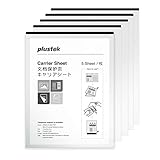
- Carrier Sheets (Pack of 5) - For delicate document or folded sheets
- Plustek PS series Use of a carrier sheet enables users to digitize larger documents (A3/B4) as well as magazine and newspaper clippings and photographs.
- Carrier Sheets are used to scan documents containing paper that weighs less than 127g/m2 as well as folded documents as large as 216mm x 297mm
- Protects originals when you scan with Document Scanner
- The carrier sheet can suit with Fujitsu / Epson / Canon / Brother Document Scanner
Do not promise that any scanner, phone, or camera will work. Image quality depends on resolution, lighting, focus, contrast, compression, page alignment, and whether registration marks remain visible. A normal office scanner may be adequate for one product and unsuitable for another.
Does the software support the required grading rules?
Answer-key grading is separate from mark recognition. Compare support for multiple-choice keys, multiple correct answers, negative marking, partial credit, section weighting, multiple test versions, pass/fail rules, rankings, percentiles, candidate reports, question-level analysis, and class or cohort summaries.
A survey team may need raw responses and charts but no grading. A coaching institute may require rankings and negative marking. A university may need controlled answer-key versions, candidate-wise reports, rechecks, and an audit trail. Choose based on the actual scoring model rather than a generic feature count.
How does the software handle validation and uncertain marks?
The most valuable accuracy feature may be a clear manual-review process. A serious system should be able to flag blank responses, multiple marks, invalid candidate IDs, duplicate submissions, unreadable forms, marks outside expected areas, low-confidence recognition, missing pages, and forms assigned to the wrong template.
PC Slower Than It Used to Be?
A free scan shows the junk files, broken settings and background clutter dragging Windows down - then fixes them in one click.Free scan · Windows 10 & 11Outdated Drivers Are Slowing You Down
One free scan finds every outdated or missing driver and matches the right update for your exact hardware.Free scan · exact hardware matchAsk whether operators can see the original image beside the interpreted response, change a result, record who made the correction, preserve the original value, and reprocess the form later. A recognition engine that produces a result without showing uncertainty can create more risk than a slightly slower system with strong review tools.
What reporting and export options are available?
Compare raw-response export with printable scorecards, item analysis, question difficulty and discrimination statistics, survey charts, custom report templates, API access, and integrations with databases, learning systems, or student-information systems. Confirm whether CSV, Excel, PDF, or database export is included or requires an additional module.
How accurate is OMR software?
OMR accuracy is a property of the entire workflow, not just the recognition engine. Form design, bubble size and spacing, printing, paper, pencil or ink, erasures, stray marks, scanner quality, image resolution, alignment, lighting, thresholds, tolerance settings, and human review all affect results.
Vendor accuracy claims need test conditions. eVAL’s 100% accuracy claim should be treated as marketing information unless the vendor supplies a defined test set, error definition, sample size, mark conditions, and independent validation. No accuracy percentage is meaningful without knowing whether it measures individual bubbles, complete forms, or only clean scans.
Do these 3 things before closing this tab:
1Scan for outdated or missing drivers - takes under a minute2Clear out junk files and repair common Windows errors3Fix the driver behind crashes, sound loss and screen glitchesHow should a buyer test OMR accuracy?
Run a pilot using forms that represent the real operating environment. Include light marks, heavy marks, crossed-out answers, erasures, partially filled bubbles, double marks, skewed pages, different printers, different scanners, blank forms, and damaged forms.
Record at least the form-level error rate, question-level error rate, false-positive marks, false-negative marks, percentage requiring manual review, and processing time under the buyer’s actual workflow. Test every form version and include candidate IDs, barcodes, duplex pages, and page-order problems when those features matter.
Rank #4

- Ultra compact space-saving design — saves 60% of desk space (1) in virtually any environment
- Quickly scan two sides at once — single-step technology captures both sides of a sheet of paper in one pass as fast as 30 ppm/60 ipm (2)
- Easily scan in batches — robust 20-page Auto Document Feeder accommodates stacks of paper of varying sizes
- Remarkable versatility — scan most document types, from standard paper to cards and passports (5), using the flexible scan path
- Enjoy amazing image quality — intelligent image adjustments with automatic cropping, blank page deletion, background removal, dirt detection, paper skew correction and staple protection
How much does OMR software cost?
OMR software pricing cannot be compared responsibly without the country, currency, date checked, edition, number of users or devices, included modules, volume allowance, support, upgrades, scanner hardware, and tax treatment. Vendors may charge for a one-time desktop license, annual subscription, user or device access, pages or responses, institutional volume, or a hardware-and-software bundle.
| Cost model | How it is usually paid | What to verify |
|---|---|---|
| One-time desktop license | Upfront purchase for a version or installation | Updates, support, transfer rights, number of devices, and future compatibility |
| Annual or monthly subscription | Recurring payment per user, organization, or plan | Cancellation, storage, quotas, included support, price changes, and data export |
| Per-page or per-response service | Payment based on uploaded or processed volume | Minimum charges, overage rates, failed scans, reprocessing, and retention |
| Institutional quotation | Negotiated price based on volume, users, modules, or support | License scope, renewal, service levels, onboarding, taxes, and regional terms |
| Hardware bundle | Scanner or OMR reader sold with software | Hardware maintenance, consumables, compatibility, warranty, and replacement cost |
Remark directs prospective buyers toward pricing or a local dealer rather than presenting one universally applicable public price on the product page. OMR Home provides an international pricing page, but each module’s exact amount, currency, tax, and license scope should be recorded at publication time. PaperSurvey.io also provides a public pricing page; verify the current tiers, quotas, storage, and institutional terms before quoting any amount.
The Tool Desk
Outbyte PC Repair FREEClear out junk files and repair common Windows errorsFree Scan →Outbyte Driver Updater FREEFix the driver behind crashes, sound loss and screen glitchesFind Drivers →The total cost of ownership also includes paper, printing, scanner hardware, form design, license renewals, staff time for exception review, storage, support, integration, hardware maintenance, and reprocessing. A free or inexpensive license can cost more overall if it creates excessive manual correction work or requires specialized equipment.
Is free OMR software good enough?
Free OMR tools can be sufficient for an occasional classroom quiz, a small survey, a proof of concept, or a technically capable user working with a stable template. Free does not necessarily mean no cost: scanning hardware, paper, printing, setup, correction time, storage, and support may still be required.
A free or limited tool is a poor default for high-stakes examinations, large batch processing, compliance-sensitive records, complex scoring, multiple test versions, or organizations without technical staff. Distinguish a free trial, free tier, free form generator, open-source project, and free-to-use cloud service before comparing them. Do not classify an optical music recognition tool as a free OMR answer-sheet solution.
Is desktop OMR better than cloud OMR?
Neither deployment model is automatically better. Desktop software generally favors local processing, existing scanners, offline operation, and predictable high-volume workflows, while cloud software generally favors browser access, collaboration, centralized updates, and hosted form or result management.
| Decision factor | Desktop OMR | Cloud or online OMR |
|---|---|---|
| Data location | Data can remain on local systems, but the organization manages security and backups | Data may be stored by the vendor; verify location, retention, deletion, and subprocessors |
| Installation | Requires installation, updates, local permissions, and scanner-driver configuration | Usually browser-based with no local installation, but requires account access and internet |
| Hardware | Often works with an existing compatible scanner or may require a dedicated reader | May accept uploads, but scanning and image preparation still need hardware or a separate step |
| Cost pattern | Potentially more predictable at high volume, but may include license and maintenance costs | Often recurring or volume-based, with possible upload, storage, or response limits |
| Collaboration | Sharing may require a local network, shared files, or additional configuration | Browser access can simplify collaboration, subject to roles and permissions |
| Offline operation | Usually a stronger fit where internet access is unreliable | Internet access may be required for uploading, processing, or viewing results |
| Best operational fit | Privacy-sensitive exams, existing scanners, controlled local processing, and large batches | Remote teams, hosted surveys, new online forms, and organizations preferring centralized updates |
Cloud OMR may be inappropriate where candidate data cannot leave the organization, internet access is unreliable, per-page pricing becomes expensive at scale, existing forms are complex, or offline disaster recovery is mandatory. Desktop OMR still requires access controls, endpoint security, backups, permissions, and protection for shared folders and portable scan files.
OMR software versus online forms: which is better?
Online forms are better when respondents have reliable internet and devices, real-time collection is important, paper handling is unnecessary, and remote participation or accessibility is a priority. Paper OMR is better when internet or device access is limited, testing occurs in controlled rooms, many people respond simultaneously, existing paper exams cannot be redesigned, or a paper audit trail matters.
Online OMR and ordinary online forms solve different operational problems. Online OMR digitizes marks made on paper; an online form collects responses directly in a browser or app. A buyer should compare the cost and reliability of both workflows instead of assuming that cloud-based OMR is automatically superior.
Independent reader supportYour contribution helps us test, update, and keep practical guides available for everyone.How should different buyers choose?
| Buyer profile | Priorities | Questions to ask vendors |
|---|---|---|
| Occasional teacher or small classroom | Low setup time, simple answer-key grading, ordinary scanner or camera support, spreadsheet export, easy correction | Is there a trial or free tier? Can one teacher process small batches without specialized hardware? |
| School or coaching institute | Batch processing, multiple test versions, candidate IDs, rankings, score reports, reusable templates, local support | Can the system handle the expected batch and scoring rules? What does renewal cost? |
| University or examination board | Throughput, redundancy, backups, audit trails, access controls, secure data handling, error review, formal support | Can the vendor document security, service levels, rechecks, original-image retention, and disaster recovery? |
| Survey or research team | Flexible layouts, reliable exports, anonymous identifiers, data validation, statistical-software integration, privacy | Are forms flexible? Can exports preserve question codes and missing-value rules? |
| Technical team | API access, batch automation, local processing, self-hosting, reproducibility, custom image workflows | Is there an API, automation interface, technical documentation, or a way to reproduce corrections? |
What can go wrong during OMR processing?
Poorly designed or incorrectly printed forms
Bubbles that are too small or close together, weak contrast, missing alignment marks, inconsistent spacing, graphics crossing response areas, and printing at the wrong scale can produce systematic recognition errors. A product that works only with its own carefully controlled template is not equivalent to software that can interpret arbitrary plain-paper or legacy forms.
Best Value

- FAST SPEEDS - Scans color and black and white documents a blazing speed up to 16ppm (1). Color scanning won’t slow you down as the color scan speed is the same as the black and white scan speed.
- ULTRA COMPACT – At less than 1 foot in length and only about 1. 5lbs in weight you can fit this device virtually anywhere (a bag, a purse, even a pocket).
- READY WHENEVER YOU ARE – The DS-640 mobile scanner is powered via an included micro USB 3. 0 cable allowing you to use it even where there is no outlet available. Plug it into you PC or laptop and you are ready to scan.
- WORKS YOUR WAY – Use the Brother free iPrint&Scan desktop app for scanning to multiple “Scan-to” destinations like PC, Network, cloud services, Email and OCR. (2) Supports Windows, Mac and Linux and TWAIN/WIA for PC/ICA for Mac/SANE drivers. (3)
- OPTIMIZE IMAGES AND TEXT – Automatic color detection/adjustment, image rotation (PC only), bleed through prevention/background removal, text enhancement, color drop to enhance scans. Software suite includes document management and OCR software. (4)
Ambiguous marks
Before purchase, test how the product handles ticks, crosses, circles, light pencil, heavy pencil, partial shading, erasures, multiple responses, marks outside bubbles, and blank questions. The key feature is confidence handling and human review, not merely whether the vendor says that the engine detects marks.
Scanner and image problems
Common scanner failures include automatic document-feeder double-feeds, skewed pages, reversed duplex pages, cropping that removes registration marks, compression that damages small bubbles, mixed paper sizes in one batch, incompatible drivers, and brightness settings that erase faint marks.
Template mismatch
A template mismatch can create systematic errors across an entire batch. Use version-controlled templates, complete a test scan before live processing, verify a sample from every batch, preserve original images, and confirm that the software can reprocess forms after a template or configuration error.
High-stakes assessment controls
For examinations, conduct a pilot batch, independently verify a sample, lock answer-key versions, restrict user permissions, retain original images, maintain audit logs, document correction procedures, and provide a clear recheck or appeals process. No vendor accuracy claim eliminates the need for operational controls.
What should you ask before buying?
- Which exact form types can the software read: vendor templates, plain paper, legacy forms, barcodes, QR codes, or multiple pages per respondent?
- Can the software use a normal document scanner, or is a dedicated OMR reader required?
- Which operating systems, scanner drivers, image formats, resolutions, and paper sizes are supported?
- Does the product scan, interpret, grade, report, export, and store records, or does it cover only one of those steps?
- How are blank, multiple, faint, erased, damaged, or low-confidence marks flagged?
- Can an operator review the original image and record a correction with an audit trail?
- Are negative marking, partial credit, multiple answer keys, test versions, rankings, percentiles, and pass/fail rules supported?
- Which exports are included: CSV, Excel, PDF, database, API, learning-management-system, or student-information-system integrations?
- Is the product cloud, desktop, or hybrid, and where are uploaded images and candidate records stored?
- What are the retention, deletion, encryption, role-permission, backup, and data-portability policies?
- Is pricing per user, device, organization, page, response, form, module, or hardware bundle?
- What are the costs of printing, scanners, support, upgrades, storage, onboarding, and reprocessing?
- Can the vendor run a pilot using the buyer’s real forms and difficult marks?
A practical implementation checklist
- Document the number of forms, pages, respondents, test versions, and processing cycles.
- Collect representative samples of every existing or proposed form.
- Confirm whether forms use registration marks, barcodes, candidate fields, and standardized answer areas.
- Test the intended printer, paper, scanner, feeder, resolution, and image format—not just a vendor sample.
- Define how blank, multiple, faint, erased, damaged, and ambiguous marks will be resolved.
- Configure and version the template before collecting live responses.
- Validate the answer key, scoring rules, negative marking, and report calculations using known test cases.
- Process a pilot batch and compare software output with an independent manual check.
- Sample every live batch and preserve the original images and processing configuration.
- Restrict access to candidate data, answer keys, corrections, exports, and administrative settings.
- Validate exported totals, candidate IDs, missing pages, duplicate submissions, and question counts.
- Define retention, deletion, backup, reprocessing, correction, and recheck procedures before the first high-stakes use.
Why dated 2019 rankings should not be copied as current advice
The original query includes 2019, but product versions, prices, licensing, marketplaces, hardware support, and vendors can change. A dated PDF titled “Top 5 Best OMR Software in the Market 2019” appeared in search results, but the search result alone does not validate its ranking method, testing conditions, prices, or editorial independence.
Do not describe a product as “best in 2019” unless contemporaneous evidence—such as an archived vendor page, dated independent review, or original comparison—supports that conclusion. For a purchase now, record the exact date, country, currency, edition, license scope, and evidence used for every price and compatibility claim.
Common mistakes in OMR software comparisons
- Confusing OMR with OCR: OCR pricing, such as the €9.99-per-user-per-month signal shown in an OCR category listing, is not evidence of a comparable bubble-sheet OMR license.
- Treating marketing claims as test results: “100% accuracy” and high sheets-per-minute figures need attribution and defined conditions.
- Comparing unlike products: A desktop grader, form designer, cloud survey service, and dedicated reader are not direct substitutes.
- Hiding total cost: Scanner hardware, printing, support, labor, storage, integration, and maintenance can outweigh the initial license.
- Ignoring existing forms: Legacy-form compatibility may matter more than the number of new templates supplied.
- Omitting manual review: Operators need a reliable way to find and correct uncertain responses.
- Failing to date prices: “2019 price” and “current price” are different claims and require different evidence.
- Assuming online is always better: Cloud processing can be the wrong fit for restricted data, unreliable internet, complex forms, or large per-page volumes.
Frequently Asked Questions
Does OMR software read handwriting?
OMR software normally detects marks in predefined bubbles or checkboxes; OMR does not automatically read ordinary handwriting. Handwriting interpretation requires a separate ICR or handwriting-recognition capability, which must be verified for the specific product.
Can I use a normal office scanner with OMR software?
Some OMR products support ordinary document scanners, while other workflows require a dedicated OMR reader or specific scanner drivers. Confirm scanner compatibility, image formats, resolution, duplex support, and batch requirements with the vendor before buying.
Outdated Drivers Are Slowing You Down
One free scan finds every outdated or missing driver and matches the right update for your exact hardware.Free scan · exact hardware matchWindows Errors? Fix Them Before They Spread
Repair common Windows errors and clear accumulated junk for a smoother, more stable PC - no reinstall needed.Free scan · no reinstallIs there a single best OMR software?
There is no universal best OMR software. A plain-paper desktop product, cloud survey service, form designer, and dedicated high-volume system solve different problems, so the best choice depends on form compatibility, volume, grading, privacy, reporting, and total cost.
Is online OMR the same as an online form?
Online OMR usually digitizes marks made on paper through a browser-based or upload-based service. An online form collects responses directly on a website or app, so the two workflows have different hardware, access, privacy, and operational requirements.
The Bottom Line
Bottom line: Choose OMR software by workflow rather than by a dated “top five” ranking. Test the product with your actual forms, scanner, difficult marks, scoring rules, and expected volume. For plain-paper desktop processing, investigate Remark Office OMR; for dedicated-reader workflows, compare Remark Classic OMR; for examination-sheet evaluation, investigate eVAL and OMR Home; for hosted survey workflows, verify PaperSurvey.io; and for printable form creation, consider OMR Master as a form-design component rather than assuming it is a complete scanning and grading system.
Before signing a contract, obtain a dated quote, document every included module and hardware requirement, test exception review, confirm privacy and retention terms, and calculate printing, scanning, support, storage, and staff-review costs alongside the software price.
Do these 3 things before closing this tab:
1Fix the driver behind crashes, sound loss and screen glitches2Clear out junk files and repair common Windows errors3Scan for outdated or missing drivers - takes under a minuteQuick Recap
Product prices and availability are accurate as of the date/time indicated and are subject to change. Any price and availability information displayed on Amazon at the time of purchase will apply.

