
Quick wins for a faster PC:
Scan for outdated or missing drivers - takes under a minuteDriver Scan →Clear out junk files and repair common Windows errorsFree Scan →Fix the driver behind crashes, sound loss and screen glitchesFind Drivers →iTechGuides is reader-supported. When you buy through links on our site, we may earn an affiliate commission. As an Amazon Associate I earn from qualifying purchases. Learn more
For most phone-based smart-home automations, buy writable, NDEF-compatible NFC tags and choose the shape that fits where you will scan it. NTAG213 NFC stickers are a practical starting point for fixed locations such as a bedside table, light switch plate, or entryway. Cards work better when several people need to carry a tag, while key fobs are convenient on a key ring or lanyard. The tag itself does not switch a light or run a routine: it provides a scan event, and your phone plus an automation app or home platform performs the action. Apple Shortcuts identifies a tag by its unique identifier; Google AppSheet reads NDEF records and documents NTAG215 in its testing. Compatibility therefore depends on the phone, tag chip, app, and the workflow you configure.
What are the best NFC tags for smart-home automation?
The best general-purpose choice is a writable NDEF-compatible tag, with an NTAG213 sticker as the simplest fixed scan point. Select a card when the tag must be carried in a wallet or shared among household members, and select a key fob when it needs to stay on a key ring or lanyard. Before buying a large pack, confirm that the intended phone and automation app can read the tag type.
NFC tags are passive scan targets. A phone detects the tag, an automation trigger interprets that event, and the resulting workflow sends a command to your lights, scenes, thermostat, or other devices. A bare tag has no Wi-Fi connection, battery, or direct control channel, so claims that a tag alone starts a smart-home routine are misleading.
| Form | Best placement or use | Advantages | Trade-offs |
|---|---|---|---|
| Sticker | Fixed points such as a wall plate, desk, bedside table, or cabinet | Low profile; easy to leave in one scan position; inexpensive format for multiple rooms | Adhesive and surface choice matter; less convenient to move |
| Card | Wallet, badge holder, or a shared household location | Easy to carry and label; several people can use the same physical target | Thicker than a sticker and easier to misplace |
| Key fob | Key ring, lanyard, bag, or near an entrance | Portable and easy to find by touch; designed for repeated handling | Requires a nearby scan position and may be less discreet |
How does an NFC smart-home automation work?
The process has three separate parts: the physical tag, the scan trigger, and the smart-home action. Keeping those roles separate prevents most setup mistakes.
#1 Best Overall

- Package Contents: The package includes 50 pieces of clear NTAG213 NFC tag stickers, with the diameter about 25mm/1 inch. These self-adhesive ultra-thin NFC stickers can be easily hidden, making them ideal for enabling NFC on most items.Valid period: 10 years, 100,000 times. Note: Some Phone models can only passively read NFC tag data and cannot actively write data
- NTAG213 Chip: Embedded with NTAG213 chips, these transparent NFC tags are NDEF type 2 formatted and operate at a working frequency of 13.56 MHz with 144 bytes of memory. They offer high scanning intensity with a working distance of 0-10 cm, depending on reader configuration. The chips support read and write locking functions, allowing for repeated edits or setting to read-only mode
- 【Wide Compatibility】 These NFC tags are compatible with devices such as NFC-enabled phones and TagMo Amiibo. They are rewritable, so you can store and update different data as needed. Note: Amiibo tags can only be edited once and cannot be reused (If using Amiibo tags, please select the NFC NTAG215 tag sticker, as Amiibo requires the 504-byte standard capacity provided by NFC215)
- Waterproof Material: Made of clear PVC material, these NFC tags feature a waterproof and smooth surface that is wear-resistant and shiny. With a thickness of only 0.15 mm, they are ultra-thin and come with a strong adhesive
- Wide Applications: Compatible with NFC-enabled smartphones and devices, these NFC tags can be quickly programmed to share social media, music, business cards, connect to Wi-Fi, create a smart home, and more. NFC sticker packs make thoughtful and novel gifts for coworkers, friends or family, especially for those who love technology, gaming or smart home automation. Perfect for personalizing tasks and enhancing digital convenience
1. The tag supplies an identity or data record
When a phone is brought close to the tag, the NFC reader obtains the tag’s identifier and, when applicable, an NDEF record such as a URL or text payload. The tag does not execute code and does not contact your home network.
2. The phone or app interprets the scan
Apple Shortcuts can use an NFC scan as a personal-automation trigger. Apple says that, for this trigger, “Other than the unique identifier, the contents of the NFC tag are ignored” (Apple Support). In that model, writing a URL to the tag is not required merely to identify it.
Other software can instead read NDEF records. Google AppSheet documents reading records from NDEF tags, describes the feature as mobile-device based, and names NTAG215 tags as those used primarily in its testing (Google AppSheet Help). That is evidence for AppSheet, not a universal Android or smart-home certification.
3. The workflow sends the command
The automation app then runs actions you configured, such as calling a scene, opening an app, sending a webhook, or invoking a home-platform service. Whether the action runs silently, requires confirmation, or needs the phone unlocked depends on the operating system, app, and action settings.
Which NFC tag shape should you buy?
Choose by the physical scan point first. Chip type and software compatibility still matter, but a technically compatible tag is frustrating if it is hidden behind a thick case or inconvenient to reach.
Choose stickers for permanent scan points
Search for “NTAG213 NFC stickers” when you want a small, low-profile target. A sticker can sit beside a lamp, on a desk edge, or inside a cupboard door. Put it where a phone can approach squarely without touching metal, and test the position before permanently pressing the adhesive down.
Rank #2

- 【NTAG213 chip】The package contains 100 NTAG213 nfc stickers, operating frequency: 13.56 MHz, 144 bytes of memory. High scanning intensity, working distance is 0-10cm, depending on the reader configuration. NTAG213 chip has a read-write lock function, which can be repeatedly edited or set to read-only, and can be edited or reset after setting to read-only
- 【Waterproof Material】Since NFC stickers are made of PET material, it is normal to have scratches if you swipe them with your fingers. Please be aware of this before purchasing.This rectangular NFC sticker size is 2.1X1.1cm/0.83X0.43inch, transparent NFC tag is self-adhesive, very thin, easy to be invisible, so most items support NFC
- 【Widely Used】NTAG213 nfc tag is compatible with NFC-enabled smartphones and devicess, and cannot make any amiibos tags. Note: Some models can only passively read the data of the NFC tag, but not actively write data
- 【Features】blank cards with chip have read-write lock function, which can be repeatedly edited or read-only. Edit or reset after setting to read-only tag. You can quickly program this NFC tag to share social media, music, business cards, connect to Wi-Fi, create smart home, etc.
- 【Multi-function】nfc tags stickers come with self-adhesive backing, making these NFC stickers useful for different applications. Programmable nfc tags are widely used in check-in, product information query, games, access control, posters, book borrowing, etc.
Stickers are also practical when each room needs its own trigger. Label the visible side or keep a written map of which tag is assigned to which automation; the tag’s identity is not obvious from its appearance.
Outdated Drivers Are Slowing You Down
One free scan finds every outdated or missing driver and matches the right update for your exact hardware.Free scan · exact hardware matchPC Slower Than It Used to Be?
A free scan shows the junk files, broken settings and background clutter dragging Windows down - then fixes them in one click.Free scan · Windows 10 & 11Choose cards for shared or portable access
An NFC card is useful when several people need to carry the same trigger or when a card must be handed to a guest. Keep it in a wallet slot that does not block the phone’s NFC antenna during scanning. If the workflow distinguishes people, use separate cards and assign each identifier to a different automation rather than assuming the card’s printed label changes what the phone reads.
Choose key fobs for entrances and daily carry
A key fob stays attached to keys or a lanyard, making it suitable for an arrival or departure routine. Place a small, non-metallic scan marker near the door so the phone can be held against a predictable spot. If the fob contains a metal ring, keep the ring from covering the tag’s antenna area; verify the complete assembled fob rather than relying only on the chip name.
What do NTAG213, NTAG215, and NDEF compatibility mean?
NDEF is the standard data format many phones and apps use for records such as URLs and text. “Writable” means you can encode a record before deployment; it does not guarantee that every automation platform will use that record. A tag can be readable by the phone yet unsupported by the particular app.
| Term | What it tells you | What it does not guarantee |
|---|---|---|
| NDEF-compatible | The tag can store records in the NFC Data Exchange Format for software that reads NDEF | That your chosen automation app accepts every record type |
| NTAG213 | A commonly sold NFC sticker chip and a useful search term for fixed scan points | Universal support across phones, cases, readers, or apps |
| NTAG215 | A tag type Google AppSheet names as used primarily in its testing | That AppSheet evidence applies to every Android smart-home workflow |
| Writable | You can encode or change the stored record before locking it | That the stored contents are needed for Apple Shortcuts NFC triggers |
Buy a small quantity first and test the exact phone, case, tag, and app combination. Do not infer compatibility from a chip label alone, and do not assume a card or fob is better supported than a sticker containing the same chip family.
The Tool Desk
Outbyte Driver Updater FREEScan for outdated or missing drivers - takes under a minuteDriver Scan →Outbyte PC Repair FREEClear out junk files and repair common Windows errorsFree Scan →How do I set up an NFC trigger in Apple Shortcuts?
On an iPhone or iPad that supports NFC, create a personal automation whose trigger is an NFC scan, identify the tag during the first scan, and then add the smart-home actions. Apple documents the trigger in its Shortcuts guide (Apple Support).
Rank #3
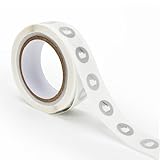
- 【Waterproof Material & Size】 : The NFC tag is made of environmentally friendly PET. Waterproof, smooth surface, wear -resistant and shiny. Size: 25mm/1 inch, Thickness: 0.15mm, ultra -thin.
- 【NTAG213 Chip】: Transparent NFC tags embedded in NTAG213 chip, working Frequency: 13.56 MHz, 137 bytes memory. High scanning intensity, working distance is 0-10cm, depending upon the reader configuration. Valid period: 10 years, 100,000 times.
- 【Features】: Ntag213 chip have read write locking functions, which can be repeatedly edited or only read. Set to be edited or reset after reading only labels. You can use them to quickly share your social information, music, connecting wifi, establishing smart homes, business information sharing and more.
- 【Compatibility】: Writable and programmable NFC 213 Tags compatible with all NFC-Enabled smartphones and devices. iOS system: iOS phone's NFC function commonly is used by Shortcuts App. Android system: All NFC tools app are perfectly to use on this system. Other NFC reader: All NFC tools app are perfectly to use.
- 【Applications】: With self-adhesive backing, makes these NFC stickers can be used on different applications. (Note: Tags cannot be used on the metal surface and strong magnetic field).
- Open Shortcuts, select Automation, and tap New Automation (or the add button).
- Choose NFC as the personal-automation trigger.
- Tap Scan and hold the top of the iPhone near the tag. Give the detected tag a name you will recognize later.
- Add the actions that should follow, such as running a Home scene, setting a focus mode, or calling an app-supported command.
- Review the final confirmation and execution settings, then save the automation.
For this Apple trigger, the stored URL or text is not what distinguishes one tag from another; the unique identifier does. Apple also notes that not all devices support NFC. Its Shortcuts help explains that NFC is among the personal automations that can run automatically, while individual actions may still need to be configured for automatic execution (Apple Support). Test with the phone in the state you normally use it, including whether it is locked.
How can Android apps use an NFC tag?
Android behavior is app-specific. A reader may open a URL, expose an NDEF record to an app, or hand an identifier to an automation tool. Google AppSheet’s documented NFC feature reads records from NDEF tags and handles links written to tags on Android devices (Google AppSheet Help), but that documentation does not establish a native trigger for every Android smart-home app.
- Confirm that the phone has NFC and that it is enabled in system settings.
- Install or open the automation platform that will receive the scan and check its NFC or tag instructions.
- Use the platform’s supported tag format; if it expects NDEF, write the required URL or text record with a tag-writing utility.
- Scan the tag while the intended app is available, then verify that the correct record or identifier is received.
- Assign the smart-home action and test both a successful scan and a scan when the phone is locked or another app is in the foreground.
Do not write a URL simply because a tutorial for a different app did so. In a workflow that uses only a tag identifier, extra data adds no benefit and can create a false expectation that opening the URL will run the automation.
Can an NFC tag start a Google Home routine?
There is no evidence here of a native Google Home NFC trigger that works directly from a bare tag. A January 2023 Google Assistant Community answer suggests using Home Assistant Tags or Tasker with an NFC plug-in as a possible bridge, not as official Google Home instructions (Google Assistant Community).
If you explore that route, treat it as an integration project: the phone must detect the tag, the bridge must receive the event, and the bridge must have permission to invoke the desired routine or device command. App names, permissions, and supported actions can change, so verify the current setup in the apps you use before installing tags throughout the house. A failed bridge can look like a defective tag even when the NFC scan itself succeeded.
What should I write to an NFC tag?
Write only what the selected workflow requires. Apple Shortcuts’ NFC trigger uses the unique identifier and ignores the rest of the contents, so an empty writable tag can be sufficient for that use. An app that expects NDEF may require a URL, text value, or another record type; follow that app’s format exactly.
Rank #4

- 【Size】The parcel contains 50pcs white Ntag213 blank labels, 25 mm (1 inch) diameter round sticker.
- 【Material】 The circular NFC tags is made of PET material. The surface is smooth and wear -resistant and shiny. The round stickers are adhesive and easy to paste on the surface of most items. (Tags cannot be used on the metal surface and strong magnetic field)
- 【Chip】Ntag213 Sticker, 144 bytes of memory, ultra -thin, repeated rubbing, high scanning intensity, usefulness: 10 years, 100, 000 times. Compatible with all devices support NFC, Ntag213 chips have read and write locking functions, which can be repeatedly edited or only read. Set to be edited or reset after reading only labels.
- 【Security】The field programmable read-only locking function and 32-bit password protection can grantee your data security.
- 【Applications】NTAG213 sticker can be used for business cards, smart advertisement, goods and device authentication, Call request, SMS, Call to action, Voucher and coupons, Bluetooth or Wi-Fi pairing , Connection handover, Product authentication, Mobile companion tags, Electronic shelf labels, Smart home trigger, Voucher and coupons etc.
- Identifier-only trigger: scan and register the tag; do not add data unless another use needs it.
- NDEF workflow: encode the URL or text record specified by the app, then test it before locking the tag.
- Shared tags: keep a record of the tag’s assigned automation and avoid reusing the same identifier for conflicting actions.
- Permanent installation: lock the tag only after repeated tests; a locked tag may no longer be rewritable.
Where should I place an NFC tag?
Placement determines reliability more than the decorative shape. Select a location where the phone can approach within NFC reading distance without a metal barrier, thick mount, or awkward angle.
What’s actually slowing this PC down?
Pick the symptom - the matching free tool is one click away.
- Use a flat, non-metal surface for the first test.
- Keep the scan point visible or mark it with a small label so visitors know where to tap.
- Do not bury a tag behind metal, foil-backed insulation, or a metal switch plate without testing the finished installation.
- Separate nearby tags enough that the phone does not accidentally read the wrong one.
- For a portable card or fob, test it with the wallet, keys, and phone case you will actually carry.
Run several scans from the normal hand position and with the phone’s usual lock state. If one orientation fails, rotate the phone or move the tag rather than assuming the chip is faulty.
Independent reader supportYour contribution helps us test, update, and keep practical guides available for everyone.What are the most common NFC automation failures?
The phone does not detect the tag
Check that NFC is supported and enabled, remove the phone case temporarily, and try the tag on a non-metal surface. Test the tag by itself before changing the automation. A card or fob assembled around metal can behave differently from a loose inlay.
The tag scans but the automation does not run
This usually indicates an app or permission issue rather than an NFC issue. Confirm that the correct automation is assigned to the detected identifier, that the action is allowed to run automatically, and that the phone is in a state the app supports. Apple specifically cautions that individual actions may require automatic-execution configuration.
An NDEF URL opens but no smart-home action occurs
Opening a URL proves only that the phone read the NDEF record. The destination must itself authenticate the user and expose an action that changes the smart-home state. If the intended app uses an identifier trigger, remove the URL and configure the identifier in that app instead.
Recommended Free Tools
One tag works in one app but not another
That is expected when apps support different chip families, NDEF records, or trigger models. Compare the app’s documented requirements with the exact tag, and test a second tag from the same pack to rule out a damaged unit. Do not generalize AppSheet’s NTAG215 testing to unrelated software.
Best Value

- Package Contents: The package includes 20 pieces of clear NTAG213 NFC tag stickers, each measuring 2x1cm /0.79x0.4 inch. These self-adhesive ultra-thin NFC stickers can be easily hidden, making them ideal for enabling NFC on most items.Valid period: 10 years, 100,000 times. Note: Some Phone models can only passively read NFC tag data and cannot actively write data
- Waterproof Material: Made of clear PET material, these NFC tags feature a waterproof and smooth surface that is wear-resistant and shiny. With a thickness of only 0.15 mm, they are ultra-thin and come with a strong adhesive
- Chip: Embedded with NTAG213 chips, these transparent NFC tags are NDEF type 2 formatted and operate at a working frequency of 13.56 MHz with 144 bytes of memory. They offer high scanning intensity with a working distance of 0-10 cm, depending on reader configuration. The chips support read and write locking functions, allowing for repeated edits or setting to read-only mode
- Durable & Waterproof: Made of high-quality PET material, these NFC tags are waterproof, durable, and designed to withstand wear and tear. They function perfectly even in wet conditions, ensuring reliable performance wherever you use them
- Wide Applications: Compatible with NFC-enabled smartphones and devices, these NFC tags can be quickly programmed to share social media, music, business cards, connect to Wi-Fi, create a smart home, and more. NFC sticker packs make thoughtful and novel gifts for coworkers, friends or family, especially for those who love technology, gaming or smart home automation. Perfect for personalizing tasks and enhancing digital convenience
What should I check before buying a pack?
- Phone: verify NFC support and identify where its antenna reads most reliably.
- Automation software: confirm whether it uses a tag identifier, NDEF data, a URL, or a third-party bridge.
- Chip and format: choose writable NDEF-compatible tags when the app’s requirements are broad or uncertain.
- Shape: stickers for fixed points, cards for wallets or shared carry, and key fobs for keys or lanyards.
- Surface: check whether the final location contains metal or another material that could interfere with scanning.
- Security: understand whether a scan can run while locked, requires confirmation, or exposes a URL to anyone who taps it.
- Testing: buy a small quantity first and test the complete phone, case, tag, app, and home-platform chain.
For a first installation, “NTAG213 NFC stickers” is a sensible search phrase for a fixed scan point. If your chosen app specifically documents NTAG215, use that evidence for the app rather than assuming it defines all NFC compatibility.
How should I design a reliable tag-based routine?
Start with one low-risk action, such as toggling a lamp scene, and add complexity only after the scan and trigger are dependable. Keep a manual control available so a failed scan does not leave you without access to the device.
- Define the exact physical moment: entering, leaving, bedtime, or sitting at a desk.
- Choose a tag shape that naturally belongs at that location.
- Register the identifier or write the required NDEF record according to the app’s documentation.
- Configure one action and test it repeatedly.
- Add conditions, multiple devices, or a bridge only after the basic event works.
- Document the tag assignment and repeat the test after changing phones, cases, or apps.
This staged approach separates NFC reliability from smart-home reliability. If the phone consistently recognizes the tag but the scene fails, troubleshoot the automation or platform; if the phone never recognizes it, troubleshoot placement, antenna alignment, case materials, or tag compatibility.
Free tools Windows power users keep installed
One-click scans. No signup required.
Frequently Asked Questions
Do NFC tags need batteries or Wi-Fi to control smart-home devices?
No. NFC tags are passive and draw the tiny amount of energy needed for a scan from the phone’s reader. The phone, app, and home platform still need their own connectivity and permissions to carry out the command.
Can I reuse one NFC tag for several different automations?
Yes, if the software lets you assign the same identifier or record to different contexts, but doing so can make the result ambiguous. Separate tags are safer when actions could conflict or when different rooms need independent triggers.
Will an NFC tag work through my phone case or wallet?
It may, but thickness, metal inserts, magnets, and the position of the phone’s antenna can reduce reliable reads. Test the complete case-and-tag combination in the location where it will be used before installing or labeling it permanently.
Is a writable tag safer than a read-only tag for home routines?
Writable tags are easier to repurpose while you are testing, but anyone who can rewrite an unlocked tag may change its record. Lock a tag only after the workflow is proven, and use app authentication and permissions for the smart-home action itself.
Do these 3 things before closing this tab:
1Clear out junk files and repair common Windows errors2Fix the driver behind crashes, sound loss and screen glitches3Repair Windows errors before they cause bigger problemsQuick Recap
Product prices and availability are accurate as of the date/time indicated and are subject to change. Any price and availability information displayed on Amazon at the time of purchase will apply.

