
Free tools Windows power users keep installed
One-click scans. No signup required.
iTechGuides is reader-supported. When you buy through links on our site, we may earn an affiliate commission. As an Amazon Associate I earn from qualifying purchases. Learn more
Short answer: For a hardware wallet with a Secure Element and transaction-level anti-phishing protection, start with Ledger’s current Secure Element signers or Trezor’s Safe 3, Safe 5, and Safe 7. Ledger emphasizes a tamper-resistant chip and secure-screen clear signing. Trezor combines certified Secure Elements with a more openly inspectable design; Safe 7 adds multiple hardware layers and a newer device-authentication check. OneKey is a secondary option whose documentation describes EAL6+ Secure Elements and open-source firmware.
The safest choice is the device you can obtain through an authorized channel, initialize yourself, and use correctly: verify the recipient, amount, and network on the wallet’s own screen before every signature. A Secure Element and authenticity check reduce certain attack paths, but neither can protect a user who approves a fraudulent address or discloses a recovery phrase.
What a hardware wallet actually protects
A hardware wallet stores the cryptographic private keys that control blockchain addresses; it does not store coins inside the device. The assets remain recorded on their respective networks. The device’s job is to keep the signing keys isolated and produce transaction signatures without exposing those keys to a computer or phone.
What’s actually slowing this PC down?
Pick the symptom - the matching free tool is one click away.
When a wallet application prepares a payment, it sends transaction data to the hardware wallet. The device displays important fields, uses the protected key to sign only after you approve, and returns the signature to the application. This separation matters because a desktop or mobile interface can be compromised while the isolated key remains protected.
Popular on Amazon

- UNPARALLELED SECURITY: Protect your assets with Trezor Safe 5's NDA-free EAL 6+ Secure Element, offering robust defense and complete transparency.
- EFFORTLESS NAVIGATION: Experience seamless crypto management with the vibrant color touchscreen, designed for intuitive and user-friendly interactions.
- ENHANCED USER EXPERIENCE: Enjoy tactile confirmation with Trezor Touch Haptic Engine, making each interaction precise and engaging.
- SUPPORTS 1000s OF COINS & TOKENS: Securely handle thousands of assets, including Bitcoin, Ethereum, and more, all in one wallet.
- EASY ASSET MANAGEMENT: Monitor and transact seamlessly with Trezor Suite, our user-friendly desktop and mobile app
Why the Secure Element matters
A Secure Element is a tamper-resistant component designed to isolate sensitive material and enforce hardware checks. Vendor documentation for Ledger and Trezor describes uses including private-key protection, PIN enforcement, device-authenticity checks, and control of a trusted display. A chip certification such as EAL6+ describes an evaluated security-assurance level; it is not a guarantee that every surrounding component or user workflow is invulnerable.
What a Secure Element does not do
- It does not decide whether a recipient address is honest or whether an investment opportunity is a scam.
- It cannot stop you from typing a recovery phrase into a phishing website.
- It cannot make an untrusted retailer or a tampered delivery safe after the fact.
- It does not replace checking the complete transaction on the device display.
How anti-phishing protection works
Clear signing on a trusted screen
Anti-phishing protection depends on a trusted path between the transaction and your eyes. Ledger calls its process clear signing: the wallet shows transaction details on the device so you can inspect them before approval. The practical test is simple—confirm the recipient, amount, asset, and network on the hardware wallet itself, not only in a browser extension or desktop window.
A malicious interface may display a legitimate-looking address while sending a different address for signing. If the wallet screen shows the substituted address and you stop, the deception is exposed. If you approve without reading the device, the security feature has no opportunity to help.
Quick wins for a faster PC:
Scan for outdated or missing drivers - takes under a minuteDriver Scan →Clear out junk files and repair common Windows errorsFree Scan →Fix the driver behind crashes, sound loss and screen glitchesFind Drivers →Authenticity checks
Some devices and their official software perform checks that help establish whether the hardware and firmware are genuine. Trezor describes the Secure Element as helping verify device authenticity; Safe 7 adds a newer authenticity-check design that uses multiple secure components. These checks address supply-chain and counterfeit risks, but they are not a substitute for buying through an official or authorized channel.
The limits of anti-phishing claims
There is no comparable independent statistic showing that one listed brand prevents a specific percentage of phishing attacks, thefts, or losses. “Most secure” therefore depends on the threat you are trying to reduce, the transparency you value, the assets and software you need, and whether you consistently verify transactions.
Shortlist: Secure-Element wallets to consider
The table separates documented hardware controls from features that depend on your operating habits. Prices, inventory, supported assets, firmware versions, and regional availability change, so check the current official listing for your country before ordering.
Also popular on Amazon

- UNPARALLELED SECURITY: Protect your assets with Trezor Safe 5's NDA-free EAL 6+ Secure Element, offering robust defense and complete transparency.
- EFFORTLESS NAVIGATION: Experience seamless crypto management with the vibrant color touchscreen, designed for intuitive and user-friendly interactions.
- ENHANCED USER EXPERIENCE: Enjoy tactile confirmation with Trezor Touch Haptic Engine, making each interaction precise and engaging.
- SUPPORTS 1000s OF COINS & TOKENS: Securely handle thousands of assets, including Bitcoin, Ethereum, and more, all in one wallet.
- EASY ASSET MANAGEMENT: Monitor and transact seamlessly with Trezor Suite, our user-friendly desktop and mobile app
| Model or family | Secure-Element information | Anti-phishing and authenticity controls | Transparency or design emphasis | Best fit |
|---|---|---|---|---|
| Ledger current signers, including Nano Gen5 | Ledger documents a tamper-resistant Secure Element that protects keys, controls the trusted display, and participates in signing. A certification level is not stated here. | Secure-screen clear signing lets you inspect transaction details before approval. | Integrated chip-and-display trust model documented by the vendor. | Users who prioritize a dedicated trusted display and Ledger’s established signing workflow. |
| Trezor Safe 3 | Certified EAL6+ Secure Element; Trezor says it helps protect the wallet and enforce PIN protection. | Device-authentication support and on-device transaction review. | Entry point to Trezor’s more openly inspectable architecture. | Buyers who want a lower-cost route into a Secure-Element Trezor design. |
| Trezor Safe 5 | Certified EAL6+ Secure Element. | Secure Element support for authenticity verification and PIN protection, with transaction details checked on the device. | Combines certified hardware with Trezor’s inspectability focus. | Users wanting the Safe range’s Secure Element and a fuller device experience; verify current specifications for your region. |
| Trezor Safe 7 | TROPIC01 and OPTIGA Trust M Secure Elements plus a hardened STM32U5 microcontroller. | Layered hardware controls and the newer authenticity-check design described by Trezor. | Most layered hardware approach in the Safe range listed here. | Long-term holders who place a premium on hardware layers and device-authentication checks. |
| OneKey EAL6+ wallets | OneKey documentation describes EAL6+ Secure Elements. | Use the device display to verify transactions; no independent anti-phishing performance figure is established. | Open-source code and offline private-key creation during firmware updates are vendor-documented claims. | Users who value open-source firmware and are satisfied after checking current asset and software compatibility. |
Ledger signers: trusted-display clear signing
Ledger’s current signers use a tamper-resistant Secure Element. In Ledger’s description, that component protects private keys, controls the trusted display, and participates in transaction signing. The security benefit is not merely that a chip is present; it is that the information you approve is rendered through a path intended to be harder for a compromised host interface to alter.
Recommended Free Tools
How to use the Ledger model safely
- Obtain the device from Ledger or an authorized seller. Do not use a unit that arrives initialized, has a prewritten recovery phrase, or asks you to enter a phrase supplied by the seller.
- Install the official companion software from the vendor’s current site and connect the device. Complete initialization on the device itself.
- Generate the recovery phrase on the wallet, write it down offline, and keep it away from cameras, cloud storage, email, and password managers.
- When sending funds, compare the recipient, amount, asset, and network shown on the hardware wallet with your intended transaction. Reject the signature if any field differs.
- Keep firmware and companion software current, but approve updates only when the device and official software identify them as genuine.
The exact assets, mobile or desktop support, connection method, and firmware behavior vary by signer and software release. Confirm those details before purchase rather than assuming that one Ledger model supports every network or application.
Trezor Safe 3, Safe 5, and Safe 7
Safe 3: the entry point
Safe 3 is the lower-cost entry to Trezor’s Secure-Element design. Trezor lists a certified EAL6+ Secure Element and describes that component as helping protect the wallet, enforce PIN protection, and verify authenticity. It is appropriate when those controls matter but the additional layered hardware of Safe 7 is not a priority.
Safe 5: certified EAL6+ protection
Trezor’s official comparison lists Safe 5 with a certified EAL6+ Secure Element. The strongest exact-model wording available for this brief is “Trezor Safe 5 hardware wallet.” Treat the certification as evidence about the evaluated chip, not as a blanket rating for every app, cable, computer, or decision you make while using the wallet.
Safe 7: multiple hardware layers
Safe 7 adds TROPIC01 and OPTIGA Trust M Secure Elements and a hardened STM32U5 microcontroller, according to Trezor’s device-authentication documentation. It also adds the newer authenticity-check design described for the model. Choose it when layered hardware controls and stronger device-authentication signaling justify paying for the latest design; verify current regional specifications before ordering.
Using any Safe model against phishing
Initialize the device yourself, set your own PIN, and confirm every outgoing transaction on the wallet display. Trezor’s more openly inspectable architecture can help technically minded users review design and code, but transparency does not remove the need to read the destination address and amount before signing.
Also popular on Amazon

- UNPARALLELED SECURITY: Protect your assets with Trezor Safe 5's NDA-free EAL 6+ Secure Element, offering robust defense and complete transparency.
- EFFORTLESS NAVIGATION: Experience seamless crypto management with the vibrant color touchscreen, designed for intuitive and user-friendly interactions.
- ENHANCED USER EXPERIENCE: Enjoy tactile confirmation with Trezor Touch Haptic Engine, making each interaction precise and engaging.
- SUPPORTS 1000s OF COINS & TOKENS: Securely handle thousands of assets, including Bitcoin, Ethereum, and more, all in one wallet.
- EASY ASSET MANAGEMENT: Monitor and transact seamlessly with Trezor Suite, our user-friendly desktop and mobile app
OneKey: an open-source, EAL6+ alternative
OneKey’s documentation says its wallets use EAL6+ Secure Elements, open-source code, and offline private-key creation during firmware updates. Those are vendor statements; no independent comparison of OneKey’s phishing resistance or theft rate is established here.
If you consider OneKey, verify three things before moving funds: that the exact model supports your assets and applications, that the official software recognizes the device as authentic, and that transaction details are legible on the device before you sign. Open-source firmware is valuable for inspection, but it does not make an unofficial download or a fake device trustworthy.
Choose by the security property you care about
If your main concern is a compromised computer or browser
Prioritize a device with a clearly readable trusted display and a signing workflow that exposes the recipient, amount, and network before approval. Ledger’s clear-signing description directly addresses this threat; the Safe models and OneKey wallets still require the same on-device verification habit.
If you want a certified Secure Element
Safe 3 and Safe 5 list certified EAL6+ Secure Elements, while Safe 7 lists two Secure Elements and a hardened microcontroller. OneKey documentation also claims EAL6+. Ledger documents a tamper-resistant Secure Element, but the certification level is not specified in the material available here.
If public inspectability is important
Trezor emphasizes a more openly inspectable architecture, and OneKey describes open-source code. Inspectability helps independent reviewers examine implementation choices; it does not prove that a particular unit was not replaced in transit or that a user will reject a fraudulent transaction.
If supply-chain authenticity is your deciding factor
Favor a model whose official software and device process provide an authenticity check, then buy through an official or authorized channel. Safe 7’s layered authenticity design is the clearest fit in this shortlist. Keep the packaging and purchase record until initialization and verification are complete.
Also popular on Amazon

- Trezor Safe 5 with EAL 6+ Secure Element + passphrase protection, paired with Keep Metal for durable stainless steel seed backup storage
- UNPARALLELED SECURITY: Protect your assets with Trezor Safe 5's NDA-free EAL 6+ Secure Element, offering robust defense and complete transparency
- EFFORTLESS NAVIGATION: Experience seamless crypto management with the vibrant color touchscreen, designed for intuitive and user-friendly interactions
- ENHANCED USER EXPERIENCE: Enjoy tactile confirmation with Trezor Touch Haptic Engine, making each interaction precise and engaging
- SUPPORTS 1000s OF COINS & TOKENS: Securely handle thousands of assets, including Bitcoin, Ethereum, and more, all in one wallet
If you need a specific network or application
Compatibility is model- and software-specific. Before buying, check the current supported-asset list, wallet application, operating-system requirements, connection method, and any network-specific signing limitations. Do not transfer funds until you have completed a small test transaction and confirmed that the receiving address is shown correctly on the device.
Safe purchase and first-time setup
- Check the seller. Use the manufacturer or an authorized reseller. Avoid used devices, marketplace listings with broken seals, and any seller that provides a recovery phrase.
- Inspect the package and device. Stop if the device appears initialized, contains a printed seed, requests a preselected PIN, or displays an authenticity warning.
- Download only official software. Use the manufacturer’s current download location and verify that the software identifies the connected device before continuing.
- Initialize on the device. Let the wallet generate a new recovery phrase. Never import a phrase supplied by a website, seller, support agent, or video.
- Record the recovery phrase offline. Write the words in order on a durable medium and store the backup where unauthorized people cannot reach it. Do not photograph or type it into an internet-connected device.
- Create and protect the PIN. Choose a unique PIN that you can recover from your offline records without making it obvious to someone who finds the device.
- Consider a passphrase only if you understand recovery. An optional passphrase creates a different wallet; a mistyped or forgotten passphrase can make funds appear missing. Document the exact passphrase-handling plan offline before depositing significant value.
- Run a small test. Receive a small amount, confirm the address on the wallet screen, and send a small amount back. Record which network and account you used.
How to verify a transaction before signing
- Prepare the transaction in the desktop or mobile wallet application.
- Wait for the hardware wallet to display the transaction details. Do not approve from the host screen alone.
- Compare the full or meaningfully chunked recipient address on the device with the destination you independently intended. Address-poisoning attacks can exploit familiar-looking prefixes or recent transaction history.
- Check the asset, amount, network, fees, contract or application name when shown, and any data or permission request you do not recognize.
- Reject the transaction if the device omits a critical field, shows a different address, or presents an unexpected network.
- Approve only after every material field matches. Keep the device connected until the signature is returned, then verify the resulting transaction ID in a trusted block explorer or wallet record.
For smart-contract interactions, “send” may not describe the real effect. An approval can grant a contract permission to move tokens later. If the device or wallet cannot present the operation clearly, cancel and investigate instead of signing blind data.
Independent reader supportYour contribution helps us test, update, and keep practical guides available for everyone.Recovery, backups, and long-term cold storage
Protect the recovery phrase as the master key
Anyone who obtains the recovery phrase can generally recreate the wallet without the hardware device. Store the backup offline, separate from the wallet when practical, and never disclose it to support staff. A hardware wallet company will not need the words to diagnose a connection or firmware issue.
Test recovery before depositing a large balance
After initialization, use the device’s documented recovery procedure on a spare or reset unit, or follow the manufacturer’s official test process. Confirm that the same accounts and addresses reappear. Do not improvise a recovery workflow on a device holding funds for the first time.
Plan for loss, damage, and inheritance
Record the model, software needed, PIN policy, passphrase policy, and location of the backup in a secure continuity plan that does not reveal the phrase itself. For a passphrase wallet, make sure the intended recipient understands that the seed without the exact passphrase opens a different wallet.
Separate signing devices from daily browsing
Keep the hardware wallet disconnected when it is not signing. Use a dedicated cable and a clean computer where practical, but remember that a clean host is defense in depth; the decisive check remains the device display and your approval.
Also popular on Amazon
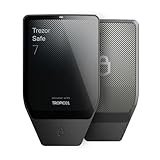
- Dual-chip architecture for maximum protection: The next-gen, fully auditable TROPIC01 chip works alongside a certified EAL6+ Secure Element—completely NDA-free—to deliver radically transparent, industry-leading defense against physical attacks.
- Quantum-ready security: Get protection against future threats with the first-ever hardware wallet designed with quantum-ready architecture.
- See every detail with confidence: Our largest high-resolution color touchscreen makes it easy to navigate your assets, review transactions and manage your coins with clarity.
- Wireless freedom with encrypted Bluetooth control: Manage, buy, swap and stake securely using Trezor Suite on desktop or mobile. Qi2-compatible wireless charging keeps your Trezor powered up. No cables required—security meets convenience.
- Works seamlessly with Android, iOS and desktop: Connect wirelessly or via USB-C to your phone or computer. Manage your crypto anywhere with our companion Trezor Suite app.
Threats these controls cannot eliminate
- Fraudulent addresses: A device will faithfully sign an address that you confirm, even if a scammer supplied it.
- Recovery-phrase theft: Malware, fake support, cloud backups, and screenshots can expose the wallet independently of the Secure Element.
- Malicious contracts: Signing an approval or arbitrary data can authorize an action you did not understand.
- Counterfeit or substituted hardware: Authentication checks help, but the safest starting point is an official or authorized purchase and self-initialization.
- Operational mistakes: Sending on the wrong network, losing a passphrase, or overwriting the only backup can make funds inaccessible without any chip being compromised.
Compatibility and ownership checks before purchase
| Check | Why it matters | What to confirm |
|---|---|---|
| Assets and networks | A wallet may support one chain but not every token, layer-2 network, or application. | Exact model, current firmware, and the official supported-asset list. |
| Signing software | Some applications require a particular desktop, mobile, browser, or third-party integration. | Operating-system version, mobile support, connection type, and application compatibility. |
| Screen readability | Anti-phishing review fails if you cannot read addresses, amounts, or network names. | Physical display clarity for your eyesight and lighting conditions. |
| Recovery design | Seeds and optional passphrases determine whether you can restore access after loss. | Documented recovery process and whether the model supports the backup method you intend to use. |
| Durability and storage | Long-term cold storage depends on preserving both the device and its backup. | Physical storage environment, backup medium, and a plan for replacement or recovery. |
| Current cost and stock | Prices and availability vary by country, tax, shipping, and promotion. | Live regional price and delivery terms at the time you order; no fixed price is stated here. |
Troubleshooting common anti-phishing failures
The address on the device differs from the computer
Reject the transaction, disconnect the device, and treat the host application or copied address as compromised. Recheck the destination from an independently trusted record. Do not attempt to “fix” the displayed address by approving first.
The device asks for a recovery phrase online
Stop immediately. A legitimate initialization or recovery process should be performed on the hardware wallet according to its official instructions, never in a website form or chat window. If the phrase was entered, assume it is exposed, move assets to a newly initialized wallet, and retire the compromised phrase.
Authenticity verification fails
Do not deposit funds or bypass the warning. Disconnect the unit, save the error details, and contact the manufacturer through its official support channel. A replacement or refund decision should follow the vendor’s documented process.
The transaction is unreadable or incomplete
Cancel it. Check whether the asset, network, firmware, and wallet application are supported. If a contract interaction remains opaque, use a safer, documented workflow or seek expert review before signing.
Which wallet is safest for long-term cold storage?
There is no universal winner independent of user behavior. For Ledger’s lineup, the differentiator is an integrated tamper-resistant Secure Element paired with secure-screen clear signing. For Trezor, Safe 3 and Safe 5 provide certified EAL6+ Secure Elements, while Safe 7 adds TROPIC01, OPTIGA Trust M, a hardened STM32U5 controller, and a newer authenticity-check design. OneKey adds an EAL6+ and open-source option for buyers who confirm compatibility and accept that anti-phishing performance has not been independently quantified.
For a long-term holding, select the model whose screen you will actually read, whose recovery process you can document, and whose assets and software you have verified. Purchase it through an authorized channel, initialize it yourself, keep the phrase offline, and make on-device verification a non-negotiable step for every signature.

