
iTechGuides is reader-supported. When you buy through links on our site, we may earn an affiliate commission. As an Amazon Associate I earn from qualifying purchases. Learn more
Ledger, Trezor and Keystone are the strongest starting points for Ethereum holders. Ledger is the broad multi-chain choice, Trezor suits people who want a straightforward device-and-software ecosystem, and Keystone 3 Pro is built for QR-based, air-gapped signing. None is automatically safe: the device protects private keys only when you verify transaction details on its screen, keep the recovery phrase offline and reject unexpected requests.
What a hardware wallet actually protects
A hardware wallet is a dedicated device that creates and stores your cryptocurrency private keys away from an internet-connected phone or computer. When you send ETH or tokens, the unsigned transaction is prepared by wallet software, sent to the device, checked on the device screen and signed internally. The signed result then returns to the software for broadcasting. The private key is intended to remain inside the device.
| # | Preview | Product | Price | |
|---|---|---|---|---|
| 1 |
|
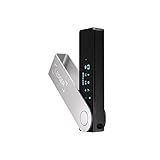
Ledger Nano X - Classic Crypto Wallet with Bluetooth | Compact, go anywhere, 1.1" display. Desktop &... | $99.00 | Buy on Amazon |
This separation helps when a phone or laptop is infected, lost or stolen, but it does not make every transaction safe. A user can still approve a malicious smart-contract allowance, send funds to a wrong address or reveal the recovery phrase to a fake support agent. The wallet is therefore one part of a security process, not an insurance policy.
Free tools Windows power users keep installed
One-click scans. No signup required.
The recovery phrase is the control point
During setup, the device generates a recovery phrase. Anyone who obtains that phrase can usually recreate the wallet on another device and move the assets. Write it down by hand, check every word against the device, and store it offline in a place protected from theft, fire and water. Never photograph it, save it in cloud notes, type it into a website or send it to support. A metal backup plate can provide better long-term resistance to fire and moisture than paper.
Popular on Amazon
- Effortlessly build your crypto portfolio via the all in one Ledger Wallet app: buy, sell, send, receive, swap, stake and more across popular blockchains. 15,000+ coins & tokens in a single dashboard. Keep a close eye on the market. Compare service providers. Track performance. Get timely alerts. Build your portfolio with confidence.
- Enjoy Bluetooth connectivity, iOS access, and hours of battery use with this mobile-first, secure backup signer. Freedom you can depend on.
- Genuine Check: confirm your signer is authentic during setup with the Ledger Wallet app.
- Protect your signer: keep it in mint condition at all times with a bespoke Pod or Case to avoid scratches and everyday wear and tear.
What the device cannot stop
- Phishing pages that ask for the recovery phrase or a fake firmware update.
- Malicious decentralised-application requests that you approve without reading.
- Counterfeit or tampered devices bought through an untrusted seller.
- Address-replacement malware if you fail to compare the destination shown on the device with the destination you intended.
- Loss of the recovery phrase, PIN or passphrase when no tested backup exists.
Ledger vs Trezor vs Keystone 3 Pro
Ethereum.org’s hardware-wallet directory says its listings are reviewed for security, self-custody and Ethereum-native support. Its hardware filter contains nine wallets, including Ledger, Trezor and Keystone; the directory is informational and is not an official endorsement. The table below uses the manufacturers’ documented capabilities and identifies where you still need to check the exact model.
| Option | Best fit | Documented coverage | Connection and signing style | Important qualification |
|---|---|---|---|---|
| Ledger Nano line | Mainstream, multi-chain use | Ledger Wallet supports 1,000s of cryptocurrencies, including Bitcoin and Ethereum. Ledger documents Ethereum and Polygon NFT support and compatibility with more than 50 wallets. | Model-dependent USB, Bluetooth, mobile and desktop support; model-dependent battery and display. | Confirm the precise Nano model, operating-system support and the asset or network you plan to use. Ledger’s comparison lists certified secure-element ratings, but the rating and features vary by model. |
| Trezor Safe series | Readers who prefer the Trezor ecosystem and a direct model comparison | Trezor says most crypto assets are supported across its models, with exceptions. | Uses Trezor’s device-and-software workflow; security documentation includes secure pairing and device-security features. | Coin and network support must be checked for the exact Safe model before purchase or transfer. |
| Keystone 3 Pro | QR-based, air-gapped signing | Keystone describes support for Bitcoin, Ethereum, USDT, BCH, XRP, Tron, Litecoin, Dash, Polkadot, Kusama and more than 1,000 cryptocurrencies; ETH and TRX tokens are specifically mentioned. | 100% air-gapped QR-code communication. Compatible third-party wallet software is part of the workflow. | QR signing reduces direct cable or radio connections but can require more software steps. Verify that your preferred wallet and network are supported. |
How to choose the right wallet for your portfolio
1. Inventory every asset and network
Write down the exact assets you own: native ETH, ERC-20 tokens, NFTs, stablecoins, Layer 2 networks and any non-EVM coins. “Ethereum support” does not automatically mean support for every token, NFT standard or Layer 2 network. Check the manufacturer’s current compatibility page and the wallet software you intend to use. For Ledger, an asset can be handled through a compatible third-party wallet when it is not supported directly in Ledger Wallet; that does not remove the need to verify the model and network.
2. Decide how you want to sign
USB or Bluetooth workflows are usually convenient when you transact frequently. QR-based air-gapped signing keeps the signing device from maintaining a direct cable, Bluetooth or other data connection, but you must scan information between the device and a companion wallet. Choose the workflow you will follow consistently rather than selecting a security feature you find too cumbersome to verify every time.
3. Prioritise an inspectable screen
Before confirming, read the destination address, amount, asset and network on the device itself. A computer screen can be altered by malware or a malicious browser extension. If the device display is too small to read, the address does not match, the network is unexpected or a contract request is unclear, reject it and investigate. A hardware wallet cannot protect a transaction that you knowingly approve.
4. Check software and recovery compatibility
Look at the vendor application, documented third-party-wallet support, firmware-update process and recovery procedure. If you plan to use decentralised applications, confirm that the browser wallet or mobile application can connect to the device and display the transaction types you need. “Compatible with more than 50 wallets” is a Ledger-documented figure, not a guarantee that every integration offers identical features.
5. Treat physical security as part of the purchase
Buy from an authorised channel, inspect the packaging and initialise the device yourself. Never use a wallet that arrives with a prewritten recovery phrase or a PIN supplied by someone else. Keep the device and phrase in separate secure locations. Consider a durable metal phrase backup for long-term storage, and periodically confirm that you can read the backup without exposing it to a camera or online device.
6. Budget for the complete setup
Hardware prices, bundles, shipping, taxes, regional availability and retailer stock change. The cited documentation does not establish a universal current price. Check the manufacturer’s current listing for your country, then verify the exact model, included accessories, return policy and firmware support before paying.
The Tool Desk
Outbyte PC Repair FREERepair Windows errors before they cause bigger problemsFix Now →Outbyte Driver Updater FREEScan for outdated or missing drivers - takes under a minuteDriver Scan →Ledger Nano: broad multi-chain coverage
Ledger’s documentation says Ledger Wallet supports thousands of cryptocurrencies, including Bitcoin and Ethereum. Ledger also states that storing private keys offline in a hardware wallet is more secure than keeping them online, and that a compatible third-party wallet can be used when an asset is not supported in Ledger Wallet.
The official comparison lists Ethereum and Polygon NFT support, compatibility with more than 50 wallets and certified secure-element ratings. It also makes clear that desktop and mobile support, battery, screen and other specifications depend on the model. Do not infer the features of one Nano device from another: check the model name, connection method, display capability and operating-system requirements before ordering.
When Ledger is the practical choice
- You hold several chains and want one ecosystem rather than a device dedicated to a single network.
- You need broad third-party-wallet compatibility for tokens, NFTs or decentralised applications.
- You value a connected USB or Bluetooth workflow and are willing to verify every approval on the device.
Ledger checks before the first transfer
- Install the official Ledger application from the manufacturer’s current source and initialise the device yourself.
- Record the recovery phrase only on paper or another offline medium; never import a phrase supplied by a seller.
- Confirm that the exact Nano model and application support your Ethereum network, token and NFT use case.
- Install the required account or application, then receive a small test amount before moving a larger balance.
- For a send or contract interaction, compare the address, amount and network on the device screen before approving.
Trezor Safe: a straightforward ecosystem with model-specific checks
Trezor’s comparison documentation says most crypto assets are supported across its models, while noting exceptions. It also documents secure pairing and other device-security features. This makes the Safe series a candidate for readers who want a clear, vendor-centred workflow, but “most assets” is not the same as universal support.
When Trezor is the practical choice
- You prefer to stay within the Trezor device and software ecosystem.
- You want to compare Safe models using the manufacturer’s documented security and pairing features.
- Your portfolio is concentrated in assets that the selected Safe model explicitly supports.
Trezor checks before the first transfer
- Choose the current Safe model that matches your connection, display and operating-system requirements.
- Use the device to generate a new recovery phrase and verify each word as it appears.
- Look up every coin, token, network and NFT standard you intend to use; record any exception before funding the wallet.
- Complete a small receive-and-send test, confirming the destination on the device rather than relying only on the computer.
- Keep the phrase offline and test your recovery procedure with an empty or low-value account before relying on it for a substantial balance.
Keystone 3 Pro: QR-based air-gapped signing
Keystone describes the 3 Pro as using 100% air-gapped QR-code communication. Its published coverage includes Bitcoin, Ethereum, USDT, BCH, XRP, Tron, Litecoin, Dash, Polkadot, Kusama and more than 1,000 cryptocurrencies, with ETH and TRX tokens specifically supported.
In an air-gapped workflow, wallet software prepares an unsigned transaction and displays it as a QR code. The Keystone scans it, shows the transaction for your review, signs it internally and displays a second QR code. The companion wallet scans that signed result and broadcasts it. This reduces direct connections to the signing device, but it also means compatible third-party wallet software is an essential part of the setup.
When Keystone is the practical choice
- You specifically want QR communication instead of a direct USB or Bluetooth data path.
- You hold a broad mix of tokens and the required third-party wallet integrations are available.
- You are comfortable with an extra scan-and-review step for every transaction.
Keystone checks before the first transfer
- Confirm that the companion wallet supports your Ethereum account type, token, NFT or Layer 2 network.
- Create the wallet on the Keystone itself and write the recovery phrase offline.
- Pair the companion software by scanning only the codes generated by your own device.
- Send a small test transaction, checking both QR steps and the final destination displayed by the signer.
- Reject any QR request that contains an unexpected network, amount, contract or recipient.
Safe setup for any hardware wallet
- Source the device carefully. Use the manufacturer’s current authorised-sales guidance. Avoid used devices, pre-initialised wallets and packages containing a recovery phrase.
- Inspect and initialise. Update firmware only through the documented vendor process, and create a new wallet on the device. If the device reports that it is already configured, stop and contact official support through a verified channel.
- Write and verify the phrase. Record every word in order, check spelling and position, and store the backup offline. Do not make a digital copy.
- Set access controls. Choose a PIN that is not reused elsewhere. If you use an optional passphrase, document its exact spelling and test recovery; a forgotten passphrase creates a different wallet even when the underlying phrase is correct.
- Install only needed software. Use the vendor application or a documented compatible wallet. Keep the computer and phone updated, but never enter the recovery phrase into them.
- Receive a test amount. Copy the address from the wallet software, compare it on the hardware display and send a small amount. Wait for the expected network confirmation.
- Send a test amount. Select the intended network, inspect the complete destination and amount on the device and approve only when every field matches.
- Record the recovery plan. Store the phrase, device, PIN instructions and any passphrase information according to your estate plan, without putting secret words in an online document.
Using ETH, ERC-20 tokens, NFTs and Layer 2 networks
ETH is only one asset category. ERC-20 tokens can share an Ethereum address but may use different contract addresses, decimals and approval mechanics. NFTs and Layer 2 networks can present contract calls that are harder to read than a simple ETH transfer. Before signing, confirm the network name, token symbol, contract or recipient, amount and fee. A token appearing in a wallet interface is not proof that the contract is legitimate.
Ledger documents Ethereum and Polygon NFT support, while the other manufacturers’ pages require you to verify the exact model and software path for each asset. For any wallet, test the intended network with a small value first. If a token or chain is unsupported in the vendor application, use only a documented compatible third-party wallet and ensure the hardware device still displays meaningful transaction details.
Staking and decentralised applications
A hardware wallet can sign staking or decentralised-application transactions when compatible software supports that network and transaction type. The device does not perform staking by itself, and support can differ by model, network and application. Before committing funds, verify the current integration, withdrawal rules, validator or contract risks and exactly what the device displays. Never approve a blind signature or an allowance you cannot explain.
Crashes, No Sound, or Screen Glitches?
Random freezes, missing sound and display glitches usually trace back to one bad driver. Find and replace yours safely.Free scan · under a minuteWindows Errors? Fix Them Before They Spread
Repair common Windows errors and clear accumulated junk for a smoother, more stable PC - no reinstall needed.Free scan · no reinstallProtecting crypto when your phone is hacked
A compromised phone may alter a copied address, inject a malicious browser extension or display a fake wallet screen. Keep the signing device disconnected until you are ready to transact, and treat its screen as the final authority for destination, amount and network. If the phone is hacked, stop using it for wallet access, move to a clean device, verify the recovery phrase has not been exposed and revoke suspicious token approvals through a trusted process. If the phrase was entered anywhere online, assume the wallet is compromised and transfer assets to a newly generated wallet using a clean device.
Common failure modes and fixes
| Symptom | Likely cause | Safer response |
|---|---|---|
| The wallet software shows an unsupported token. | The vendor app lacks native support or the wrong network is selected. | Check the exact model and network, then use only a documented compatible third-party wallet. Do not install an unverified extension. |
| The device shows a different address. | Clipboard malware, a wrong account or a malicious request. | Cancel, compare the address character by character on the device and investigate before retrying. |
| A website asks for the recovery phrase. | Phishing or fake support. | Close the site. No legitimate transaction-signing step requires typing the phrase into a website. |
| The device is lost or damaged. | Physical failure or theft. | Acquire a genuine replacement, restore with the offline phrase in a private location and move funds if the device or PIN may have been compromised. |
| A QR transaction is unreadable or unexpected. | Wrong network, malicious dapp request or incompatible companion software. | Reject it, update only through the documented process and verify the integration before trying again. |
Which wallet should you buy?
Choose Ledger Nano when
Your priority is broad multi-chain coverage, a large third-party-wallet ecosystem and a conventional connected workflow. Confirm the exact model’s mobile, desktop, battery and display specifications and the support for every network you use.
Choose Trezor Safe when
You value a straightforward Trezor-centred experience and your portfolio fits the selected model’s documented asset list. Check exceptions before sending funds, because support is not identical across Safe models.
Choose Keystone 3 Pro when
You specifically want QR-based, air-gapped signing and are willing to use compatible third-party software. Its published list is broad, but the extra scanning steps and integration requirements should be part of your decision.
Recommended Free Tools
Whichever device you select, the decisive controls remain the same: generate the phrase yourself, keep it offline, verify every transaction on the hardware screen, test recovery before depositing a large balance and treat unexpected requests as hostile.

