
The Tool Desk
Outbyte PC Repair FREEClear out junk files and repair common Windows errorsFree Scan →Outbyte Driver Updater FREEFix the driver behind crashes, sound loss and screen glitchesFind Drivers →iTechGuides is reader-supported. When you buy through links on our site, we may earn an affiliate commission. As an Amazon Associate I earn from qualifying purchases. Learn more
Short answer: Start with HWiNFO if the computer still boots. It gives you a detailed inventory and a baseline for temperatures, voltages, fan speeds, drives, and other sensors. Then choose a targeted tool: MemTest86 for bootable memory testing, OCCT for controlled CPU/GPU/memory stability testing, your computer maker’s pre-boot diagnostics when Windows will not start, a drive-maker utility for storage health, and a PC power supply tester for suspected PSU faults.
No single utility proves that every component is healthy. Hardware diagnosis works best as a layered process: observe the system, reproduce the symptom under a controlled test, isolate one variable at a time, and protect important data before testing storage or power hardware.
Why there is no single best hardware diagnostic tool
A hardware diagnostic tool may perform one of several very different jobs:
- Inventory and observation: identify components and report temperatures, voltages, fan speeds, firmware details, and drive attributes.
- Offline testing: test memory before Windows or another operating system loads.
- Controlled stress testing: place a CPU, GPU, memory subsystem, or several components under a repeatable load.
- OEM pre-boot diagnosis: test model-specific hardware and provide manufacturer error codes when the operating system will not boot.
- Storage-health monitoring: read SMART and vendor-specific health indicators, while recognizing that these indicators are incomplete.
- Electrical testing: screen a power supply or measure voltage, resistance, continuity, and related values with appropriately rated equipment.
These categories answer different questions. HWiNFO can show that a sensor is reporting an unusual temperature, but it does not prove that the CPU will remain stable during every workload. MemTest86 can find instability in the memory path, but an error does not automatically identify which DIMM, slot, memory-controller setting, firmware version, or motherboard trace is responsible. A PSU tester can screen a supply, but it is not a professional electronic load.
#1 Best Overall

- "- Hirens Boot DVD with Computer Utility tools and Bonus Tools to optimize, repair and recovery of your computer."
- - Tools include some of the tools used by professional computer shops to service and maintain computers & laptops.
- - Easy to follow printed installation guide & PDF with tools List included.
- "- Utilities included are Disk Partitioning, Data Recovery, Disk Imaging or Cloning, Hard Disk Diagnostic, Optimization, and more."
- "- Hirens DVD is compatible with Win 10, Vista, 8, 7."
The right purchase therefore depends on the symptom, not on a universal ranking.
Quick decision guide
| Symptom or goal | Start with | What to do next |
|---|---|---|
| The PC boots and you want an inventory or sensor baseline | HWiNFO | Save a report, then use OCCT if the problem appears under load. |
| Random crashes, corrupted data, memory errors, or unexplained application failures | MemTest86 from USB | Test modules and slots separately if errors appear. |
| Crashes during gaming, rendering, overclocking, or sustained workloads | HWiNFO plus OCCT | Test CPU, GPU, VRAM, memory, or power-related behavior separately where possible. |
| Windows will not start on a Dell, HP, or Lenovo computer | The manufacturer’s pre-boot diagnostics | Record the error code and follow the manufacturer’s repair workflow. |
| Drive warnings, disappearing files, or suspected SSD degradation | Backup first, then SMART and the drive maker’s utility | Escalate to recovery or replacement rather than repeatedly stressing a failing drive. |
| No-boot symptoms, random shutdowns, or a questionable spare PSU | A PC power supply tester | Use professional testing or a known-good compatible replacement if results remain unclear. |
| Board-level or cable-level electrical troubleshooting | A properly rated digital multimeter, only for trained users | Follow the meter and hardware service instructions; do not open a PSU. |
1. HWiNFO: the best first step for inventory and live monitoring
Best for: finding out what is installed and recording what the system is doing before you change drivers, BIOS settings, cooling, or components.
HWiNFO is the most useful baseline utility for a functioning PC. Its documentation describes detailed hardware analysis, real-time monitoring, reporting, alerts, and sensor access across CPUs, GPUs, motherboards, drives, peripherals, and other monitored devices. It supports Windows as well as WinPE, DOS, and x86, x64, and ARM64 platforms.
What to record
Before opening the case or changing a setting, use HWiNFO to record:
- CPU and GPU model names
- Motherboard model and revision information, when available
- Installed memory capacity, module configuration, and reported speed
- Storage models, interface information, firmware-relevant details, and reported drive data
- Temperatures at idle and during the workload that triggers the problem
- Fan speeds and any fan-control behavior that looks abnormal
- Reported voltages and other sensor readings, treated as clues rather than laboratory measurements
For an overview, use the system-summary information. For live readings, launch the sensor view and observe the system while it is idle and while the problem is reproduced. HWiNFO can export XML, CSV, and HTML reports, and its sensor data can be exposed to other tools. Save a report before and after a hardware change so you can compare the configuration instead of relying on memory.
What HWiNFO can and cannot establish
HWiNFO is primarily an observation and monitoring tool. A normal temperature at idle does not rule out thermal throttling or instability under load. A voltage reading displayed by a motherboard sensor does not replace electrical testing. A drive appearing in the inventory does not prove that its data is intact. Use the readings to select the next test, not as a final verdict on every component.
2. MemTest86: the best bootable test for suspected RAM problems
Best for: random crashes, corrupted data, unexplained application failures, blue screens, and instability suspected to involve RAM or the memory subsystem.
What’s actually slowing this PC down?
Pick the symptom - the matching free tool is one click away.
PassMark’s MemTest86 is stand-alone memory-testing software that boots from USB and tests RAM without relying on Windows, Linux, or DOS. That matters because an operating system, driver, or background application can otherwise complicate the diagnosis. Its current feature comparison documents USB boot, UEFI, native 64-bit code, ARM64, Apple Silicon, DDR5, Secure Boot, logs, and reports, while also noting that features vary between the Free, Pro, and Site editions.
How to use it
- Download the MemTest86 package and follow its instructions to create bootable media.
- Use a USB flash drive for bootable diagnostics. The drive will generally be reformatted during media creation, so copy off anything important first.
- Restart the PC and select the USB device from the firmware boot menu. The exact key and menu layout depend on the computer.
- Allow the test to run long enough to complete the intended test cycle or to reproduce the failure. Record the test, pass, and error information.
- If errors appear, shut down before changing the hardware and then isolate one variable at a time: test individual memory modules, try different slots, and return memory settings to a conservative supported configuration.
PassMark also sells a prepared Pro USB flash drive, but the software is available as a free download and a blank USB drive is usually the more flexible accessory. Verify the edition’s feature set before paying for a prepared drive or advanced reporting.
How to interpret a MemTest86 error
A memory-test error means that the tested memory path was unstable under the conditions of that test. It does not automatically prove that one particular DIMM is defective. Possible causes include a memory module, slot, memory-controller setting, firmware, motherboard, or an unstable overclock or memory profile.
A clean run is useful evidence, but it is not a universal certification of the PC. It covers the tested configuration, test pattern, duration, firmware behavior, and environmental conditions. If the system still crashes after a clean result, continue with CPU/GPU stress testing, storage checks, driver investigation, and OEM diagnostics as appropriate.
Recommended Free Tools
3. OCCT: the best broad stability and stress-testing tool
Best for: crashes that occur during gaming, rendering, compiling, overclocking, undervolting, sustained CPU work, or heavy GPU workloads.
Rank #2
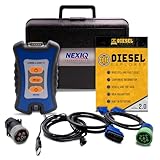
- 12 Month Warranty
- Includes 9-pin, OBDII, & 6-pin connectors
- Includes 90-days of Diesel Repair Professional Subscription. Fault codes troubleshooting trees, wiring diagrams, labor time guides, & much more.
- Includes Diesel Explorer - View & Clear fault codes, view live data, download ECM reports, & more.
- Wired Edition (No Bluetooth or Wifi)
OCCT actively loads hardware rather than merely observing it. It provides CPU, GPU, memory, VRAM, and power-supply-related tests, along with monitoring, benchmarks, error detection, and shareable reports. OCCT’s personal edition is portable, requires no installation or external dependencies, and exposes meaningful tests in the free edition.
A safe OCCT workflow
- Establish a baseline: use HWiNFO or OCCT’s monitoring to record temperatures, fan behavior, clock behavior, and relevant power readings.
- Return to a known configuration: if the machine is overclocked or undervolted, record those settings and consider testing at a conservative supported configuration first.
- Choose one meaningful test: use a CPU test for processor or cooling concerns, a GPU test for graphics crashes, a memory test for system-memory behavior, a VRAM test for graphics-memory symptoms, or a power-related test when failures occur only with combined load.
- Watch the system: stop if temperatures, fan behavior, electrical readings, noise, smell, or system behavior becomes unsafe or abnormal.
- Save the result: note the test type, duration, configuration, maximum temperatures, and any reported errors. OCCT can produce shareable reports.
OCCT states that an error is a definitive indication of instability for the relevant test. That is strong evidence that something in the tested path is not stable, but the error still does not necessarily identify the failed physical component. A power-related error, for example, may require follow-up across the PSU, motherboard power delivery, cabling, CPU, GPU, or thermal conditions.
A passed OCCT run is also limited evidence. It applies only to the workload, duration, settings, and environment that were tested. It does not certify long-term stability under every game, application, ambient temperature, or power transient.
Free tools Windows power users keep installed
One-click scans. No signup required.
4. OEM pre-boot diagnostics: use the manufacturer’s tools before buying parts
Best for: branded desktops and laptops, particularly when Windows will not boot.
OEM diagnostics have an important advantage over generic utilities: they know the model and can connect a failure to the manufacturer’s support process. Run the diagnostic environment from the computer’s firmware or boot menu before assuming that a motherboard, SSD, or memory module must be replaced.
Dell
Dell’s SupportAssist pre-boot system performance check runs hardware tests without the operating system. Dell documents quick, advanced, repeatable, and device-specific tests, together with error-code information for follow-up. If a Dell system fails before Windows loads, record the exact code, validation information, and component identified by the test.
HP
HP PC Hardware Diagnostics UEFI runs outside the operating system and can test the processor, memory, storage, power, battery, AC adapter, and system-board-related functions. HP also documents Windows diagnostics and a 4-in-1 USB key intended for authorized service partners and IT professionals supporting a mixed HP/Compaq environment. For a normal consumer repair, start with the diagnostic environment built into the PC or the manufacturer’s instructions rather than seeking that service-partner media.
Lenovo
Lenovo documents Lenovo Vantage as a way to perform a hardware scan and performance health check, with separate Lenovo diagnostic downloads available for supported systems. If Windows still loads, Vantage may be the most convenient starting point; if it does not, use the Lenovo boot-time procedure for the specific model.
OEM results are not infallible, especially for intermittent faults, but a model-specific error code can be much more useful to support staff than a generic statement that the PC will not start.
5. Storage-health tools and SMART: valuable warning signals, not a clean bill of health
Best for: drive warnings, abnormal slowness, disappearing volumes, read/write errors, and checking a supported SSD’s health indicators.
SMART data can reveal abnormal behavior and help monitor an SSD, but Crucial explicitly cautions that SMART is not a comprehensive diagnostic tool. A drive can report a healthy-looking summary and still fail suddenly, lose files, have controller or firmware problems, or suffer from a problem that the available attributes do not expose.
Outdated Drivers Are Slowing You Down
One free scan finds every outdated or missing driver and matches the right update for your exact hardware.Free scan · exact hardware matchWindows Errors? Fix Them Before They Spread
Repair common Windows errors and clear accumulated junk for a smoother, more stable PC - no reinstall needed.Free scan · no reinstallSeparate these four storage questions
- Health indicators: SMART attributes and the drive’s overall health status. These are early-warning information, not a guarantee.
- File-system checks: look for logical inconsistencies in the operating system’s file structure. They do not establish that the NAND, controller, electronics, or every sector is reliable.
- Surface, performance, or endurance tests: actively read or write the drive and may be inappropriate when data is already at risk. Follow the vendor’s instructions and understand whether a test is destructive or adds wear.
- Data recovery: attempts to retrieve files from a failing or inaccessible drive. Recovery is a different job from health monitoring and may require a specialist.
Back up before experimenting. If the drive is intermittently disappearing, producing read errors, or making important files inaccessible, prioritize copying or imaging the data. Do not make repeated stress tests the first response to a drive that may be failing.
For supported Crucial SSD families, Crucial Storage Executive provides diagnostic features, but not every feature works with every model and the utility may not fully explain the nature of a malfunction. Use the drive manufacturer’s supported utility where possible, and treat an alert as a reason to secure data before investigating further.
6. PC power supply testers: the most focused physical purchase for PSU symptoms
Best for: no-boot conditions, random shutdowns, unexplained resets, suspected PSU faults, and checking a questionable spare power supply.
A dedicated PC power supply tester is a practical screening tool for a desktop troubleshooting kit. PassMark documents an inline PSU tester designed to test a PC power supply quickly and comprehensively. Before buying one, verify that the current model supports the PSU’s connectors and that you understand which readings its display and instructions provide.
Quick wins for a faster PC:
Repair Windows errors before they cause bigger problemsFix Now →Fix the driver behind crashes, sound loss and screen glitchesFind Drivers →Use a PSU tester safely
- Shut the computer down, switch off the PSU if it has a switch, and disconnect AC power.
- Follow the tester’s manual for connecting the PSU leads. Do not force an incompatible connector.
- If the PSU is modular, never mix detachable cables from another PSU brand or model. Modular cables are not universally wired the same way.
- Test only as the tester manufacturer instructs, then interpret the displayed result against its documented limits.
- If the result is abnormal, stop using the questionable PSU until it has been replaced or professionally evaluated.
A basic tester is a screening device. It may identify missing or abnormal rail readings and wiring problems, but it does not reproduce the full dynamic load of a gaming PC or workstation. It is not a substitute for a professional electronic load, oscilloscope-based evaluation, or a controlled test with appropriate equipment. A pass therefore does not prove that the PSU will remain stable during a sudden combined CPU-and-GPU load.
Never open a power supply. PSU internals can contain hazardous voltages even after the unit has been disconnected, and probing inside one is not an appropriate consumer troubleshooting step.
7. Digital multimeters: useful for advanced electrical troubleshooting
Best for: experienced users and repair technicians measuring accessible electrical points, cables, continuity, resistance, or voltage according to a service procedure.
A multimeter is more flexible than a simple PSU tester, but it also creates more opportunities for damaging hardware or injuring the operator. It should not be the default recommendation for someone who has only observed a PC crash.
Fluke documents the Model 110 as a True-RMS meter with AC-voltage, resistance, and continuity capabilities and a CAT III 600 V safety rating. The Model 115 adds AC/DC current, frequency, capacitance, resistance, and continuity measurements for field-service work. These specifications describe the instruments; they do not make an inexperienced measurement safe.
For an advanced user who already understands safe measurement procedures, a True-RMS digital multimeter can help investigate a cable, connector, or accessible low-voltage circuit when the hardware manual specifies where and how to measure.
Non-negotiable precautions
- Read the meter manual and the computer or component service documentation first.
- Disconnect power before resistance or continuity measurements.
- Use the correct measurement mode, lead connection, range, and contact points.
- Never place the meter in current mode across a voltage source.
- Do not open a PSU or probe its internal circuitry.
- If you cannot explain the measurement procedure and the expected result, use a qualified repair service instead.
A multimeter reading is a measurement at one point and one moment. It can support a diagnosis, but it does not replace load testing, component isolation, or professional repair procedures.
Independent reader supportYour contribution helps us test, update, and keep practical guides available for everyone.What about motherboard POST diagnostic cards?
POST diagnostic cards are a niche repair-shop category for systems that fail before completing power-on self-test. They can display codes that help a technician narrow the fault, but modern motherboard compatibility, bus support, firmware behavior, and code interpretation vary substantially. A code also may identify the stage at which startup stopped rather than the component that failed.
For most readers, an OEM pre-boot diagnostic or the motherboard manufacturer’s model-specific documentation is a better first step. Do not treat a generic POST card as universally reliable without verifying compatibility with the exact board.
Rank #4

- Multi-Functions - Practical Multi-Functions OBD2 code reader features built-in OBD2 DTC lookup library, which help you to determine the cause of the engine light, read code, erase code, view freeze frame, I/M ready, vehicle information, data flow, real-time curve, get vehicle speed information, calculate load value, engine coolant temperature, get engine speed.
- Wide Capability - Supports 9 protocols compatible with most 1996 US-Based, 2000 EU-Based and Asian cars, and newer OBD II & CAN domestic or import vehicles. Supports 6 languages - English,German, Dutch, Spanish, French, Italian.
- 2.8" LCD Display - Designed with a clear display 2.8" Large LCD screen - white backlight and contrast adjustment. No need any battery or charger, OBD reader gets the power directly from your vehicle through the OBDII Data Link Connector.
- Compact Design - Car diagnostic scanner is equipped with a 2.5 feet long cable and made of a very thick flexible insulator.There are 6 buttons on OBD2 Scanner:scroll up/down,enter/exit and buttons that quick query VIN vehicle number& the DTC fault code.
- ABS / Airbag codes NOT Supported - It is able to read and clear check engine information which is part of OBDII system, but it cannot work with non-OBDII systems, including ABS / Airbag / Oil Service Light, etc.
A practical diagnostic sequence
Step 1: Protect data and document the symptom
Write down what happens, when it happens, and what changed immediately beforehand. Record whether the PC reaches firmware, begins loading the operating system, crashes only under load, or loses power completely. If files are endangered, back them up before running storage tests.
Step 2: Establish the baseline
When the system still boots, use HWiNFO to save the hardware inventory and sensor report. Record the component models, memory arrangement, drive information, temperatures, fan speeds, and relevant settings. This gives you a comparison point after reseating, updating firmware, changing cooling, or replacing a part.
Step 3: Run the narrowest useful test
Use MemTest86 for memory symptoms, OCCT for repeatable load-related crashes, the OEM environment for a branded PC that will not boot, SMART and a supported vendor utility for storage concerns, and a PSU tester for a suspected power supply. Avoid running every test at once; overlapping loads make it harder to identify the cause.
Do these 3 things before closing this tab:
1Clear out junk files and repair common Windows errors2Fix the driver behind crashes, sound loss and screen glitches3Repair Windows errors before they cause bigger problemsStep 4: Isolate, then retest
If a test reports an error, change one variable at a time. For memory, test modules and slots separately. For load failures, return to a conservative configuration and test CPU, GPU, memory, and combined power behavior separately. For storage, secure the data before attempting a more invasive test. For power, compare the result with a known-good, correctly rated replacement or obtain professional testing.
Step 5: Save evidence
Keep the HWiNFO report, MemTest86 log or report, OCCT report, OEM error code, SMART details, and a short record of the test conditions. This makes a warranty or repair conversation more productive and prevents repeatedly testing the same configuration without learning anything new.
If hardware tests are clean: check the software branch
A hardware diagnostic utility cannot repair a damaged Windows installation, remove unwanted software, or resolve every driver and configuration problem. If the machine passes the relevant hardware tests and the symptoms are limited to Windows, a clearly labeled software troubleshooting option may be appropriate.
For example, Windows PC repair tool software such as Outbyte PC Repair is positioned by its official materials around Windows system-issue repair, disk-space cleanup, performance optimization, privacy features, vulnerability checks, and potentially unwanted application scanning. It is not a replacement for MemTest86, OCCT, SMART analysis, a PSU tester, or board-level electrical testing. Create a backup or restore point, review proposed changes, and use software troubleshooting only after deciding that the symptom points toward Windows rather than a physical component.
Crashes, No Sound, or Screen Glitches?
Random freezes, missing sound and display glitches usually trace back to one bad driver. Find and replace yours safely.Free scan · under a minutePC Slower Than It Used to Be?
A free scan shows the junk files, broken settings and background clutter dragging Windows down - then fixes them in one click.Free scan · Windows 10 & 11What a passed test does not prove
- HWiNFO: A normal sensor reading does not prove stability under every workload or the accuracy of every motherboard sensor.
- MemTest86: A clean run does not prove that every memory setting, workload, slot, or temperature condition will remain error-free. An error identifies instability in the tested memory path, not necessarily one defective stick.
- OCCT: A pass applies to the selected test, duration, settings, and environment. A short pass is not a long-term stability certificate.
- OEM diagnostics: A pass reduces the likelihood of a detectable fault but does not rule out intermittent problems or every software issue.
- SMART: A healthy summary does not guarantee that a drive will not fail. A warning should trigger a backup before experimentation.
- PSU tester: A pass does not reproduce all real-world loads or prove dynamic regulation and transient performance.
- Multimeter: A correct reading at one point does not prove that the entire power-delivery system is healthy.
The capabilities and limitations summarized here follow the documentation supplied for HWiNFO, PassMark MemTest86, OCCT, Dell SupportAssist pre-boot diagnostics, HP PC Hardware Diagnostics UEFI, Lenovo Vantage, Crucial Storage Executive and SMART guidance, PassMark’s PSU tester, Fluke meters, and Outbyte PC Repair.
Frequently Asked Questions
What should I buy first for diagnosing a desktop PC?
If the PC still boots, start with HWiNFO, which is free to use for inventory and monitoring. If the symptom is no-boot or random shutdowns, a PC power supply tester is the most focused physical purchase. Use MemTest86 when the evidence points to RAM.
How many MemTest86 errors are acceptable?
For a stable memory configuration, an error should be treated as a problem to investigate rather than ignored. The error may come from a DIMM, slot, memory-controller setting, firmware, or motherboard, so isolate those variables before replacing parts.
Can a PSU tester prove that my power supply is good?
No. A basic PSU tester is a screening device that can reveal abnormal readings or wiring problems, but it does not reproduce a realistic dynamic load. Professional load testing or comparison with a known-good compatible PSU may be necessary.
Quick wins for a faster PC:
Fix the driver behind crashes, sound loss and screen glitchesFind Drivers →Clear out junk files and repair common Windows errorsFree Scan →Is a healthy SMART result proof that an SSD is safe?
No. SMART is useful for warning indicators but is not comprehensive. Back up important data first, use the drive manufacturer’s supported utility, and consider professional data recovery if the drive is disappearing or producing read errors.
The Bottom Line
Bottom line: Use HWiNFO to establish what the PC has and how it behaves, MemTest86 to test memory outside the operating system, OCCT to reproduce load-related instability, and OEM diagnostics when a branded computer will not boot. Back up before storage testing, use a PC power supply tester for focused PSU screening, and reserve multimeters and PSU-internal work for trained technicians. The most reliable diagnosis comes from matching the tool to the symptom and confirming the result with controlled isolation.
Quick Recap
Product prices and availability are accurate as of the date/time indicated and are subject to change. Any price and availability information displayed on Amazon at the time of purchase will apply.

