
iTechGuides is reader-supported. When you buy through links on our site, we may earn an affiliate commission. As an Amazon Associate I earn from qualifying purchases. Learn more
The best Comcast combo units can replace an Xfinity-rented gateway only when the exact model is approved for your Xfinity service and address. For most cable customers, a new purchase should be DOCSIS 3.1, match the subscribed speed tier, include suitable Ethernet ports, and explicitly support Xfinity Voice when telephone service is part of the account.
A Comcast modem-router combo, also called an Xfinity-compatible gateway or cable modem with Wi-Fi, combines the cable modem and wireless router in one enclosure. That simplicity is useful, but compatibility is not permanent or universal: Xfinity’s live device checker takes priority over retailer descriptions, manufacturer claims, and older compatibility lists.
Key takeaways
- Xfinity approval is address- and service-specific, so check the exact model with Xfinity immediately before buying.
- DOCSIS 3.1 is the sensible baseline for a new Xfinity cable gateway; DOCSIS 3.0 may work on some modest plans but leaves less room for faster service.
- The ARRIS G34 is a practical internet-only, roughly gigabit-class option, while the ARRIS G36, G54, and Netgear CAX80 are aimed at compatible higher-speed cable plans.
- Many popular gateways, including the ARRIS G34, G36, G54 and Netgear CAX80, are data-only and do not support Xfinity Voice.
- A 2.5Gbps Ethernet port matters for multi-gig service because a standard gigabit port can limit wired speeds above 1Gbps.
- Owning equipment may reduce equipment costs, but it does not automatically include unlimited data, mesh pods, advanced security, or Xfinity support.
What is a Comcast modem-router combo?
A Comcast combo unit is a gateway that contains both a cable modem and a router. The modem connects the home to Xfinity’s cable network; the router creates the local network, assigns device addresses, and provides Wi-Fi.
Do these 3 things before closing this tab:
1Scan for outdated or missing drivers - takes under a minute2Clear out junk files and repair common Windows errors3Fix the driver behind crashes, sound loss and screen glitches| Term | What it does | What the customer still needs |
|---|---|---|
| Modem | Connects to the provider’s cable network | A separate router for Wi-Fi and home networking in most homes |
| Router | Creates and manages the home network | A compatible modem or gateway for internet access |
| Gateway or combo unit | Combines modem and router functions | Only compatible Xfinity service, coax, power, and client devices |
“Comcast modem-router combo,” “Xfinity-compatible gateway,” and “cable modem with Wi-Fi” generally describe the same product category. A cable gateway is not automatically suitable for Xfinity fiber, fixed wireless, or an apartment network managed by a property owner.
Popular on Amazon
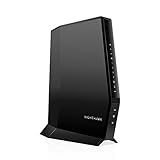
- CABLE INTERNET AND WIFI MADE FOR YOUR HOME: This two-in-one cable modem and WiFi router puts every setting in your hands, from your WiFi names and passwords to how your network runs, so it works the way your household needs.
- APPROVED FOR YOUR PROVIDER AND PLAN: Works with Xfinity internet plans up to 800Mbps, Spectrum up to 1Gbps, and Cox up to 1Gbps. Not compatible with Verizon, AT&T, CenturyLink, DirecTV, DISH, or bundled voice plans. ISP activation required after setup.
- GET THE FULL SPEED OF YOUR PLAN: DOCSIS 3.1 supports Gigabit+ cable internet plans, so large downloads finish faster and 4K streaming, gaming, and video calls can all run at once. Actual speeds vary by plan and provider.
- WIFI 6 COVERAGE FOR THE WHOLE HOME: Stay connected in every room with dual-band AX2700 WiFi 6 covering up to 2,000 sq ft and capacity for 25+ connected devices. Real-world coverage depends on home size, layout, and building materials.
- WIRED CONNECTIONS FOR YOUR FASTEST DEVICES: Four Gigabit Ethernet ports keep gaming consoles, desktops, and streaming devices hardwired for the lowest latency and the most stable connection in your home.
Can you use your own modem or gateway with Xfinity?
Yes, eligible Xfinity customers can use a customer-owned modem, router, or gateway. Xfinity says a customer-owned device must be compatible with the customer’s service, and Xfinity’s approved-device guidance is the starting point for checking eligibility.
The decisive test is the exact model at the reader’s address. Compatibility can depend on service type, speed tier, location, and Voice support. A device marketed as “Comcast compatible” may be outdated, approved only for lower tiers, or unavailable for a particular address.
Before purchasing, enter the model number—not merely the product family—into Xfinity’s current compatibility checker. Recheck after changing plans, moving, or upgrading to a higher-upload or “Next Generation” configuration.
When will a customer-owned cable gateway not work?
- Fiber-only properties: A cable modem cannot replace the required fiber equipment. Xfinity’s WiFi Ready Apartment guidance says residents at fiber-only properties may have to use the preinstalled Xfinity Fiber Gateway.
- WiFi Ready Apartments and Xfinity Communities: The property may control the equipment and activation process.
- Xfinity Voice: The gateway must be explicitly marked as supporting the service’s telephone functionality. Data-only approval is not enough.
- Xfinity Home or smart-home features: Some features may require a particular Xfinity gateway or managed configuration.
- Higher-upload service: Certain service configurations may require specific hardware even when an older gateway works for ordinary internet access.
Which Comcast combo unit is best for your situation?
No single gateway is universally best. The appropriate choice depends first on whether the account is cable or fiber, then on Voice, speed, Ethernet, coverage, price, and the customer’s willingness to troubleshoot third-party equipment.
| Best for | Model or direction | Xfinity-listed or manufacturer information | Voice | Main limitation | Verification |
|---|---|---|---|---|---|
| Internet-only service around the gigabit class | ARRIS SURFboard G34 | DOCSIS 3.1, Wi-Fi, approximately 934Mbps wired-download capability in Xfinity’s list | No, according to the cited list | Not a multi-gig or Voice choice | Live Xfinity checker required |
| Internet-only multi-gig cable service | ARRIS SURFboard G36 | DOCSIS 3.1, Wi-Fi, approximately 2.32Gbps wired-download capability in Xfinity’s list | No, according to the cited list | Check port layout and current approval | Live Xfinity checker required |
| Higher-end ARRIS single-box setup | ARRIS SURFboard G54 | DOCSIS 3.1, Wi-Fi, approximately 2.34Gbps wired-download capability in Xfinity’s list | No, according to the cited list | Do not choose by the capability number alone | Live Xfinity checker required |
| Premium Wi-Fi 6 gateway | Netgear Nighthawk CAX80 | DOCSIS 3.1 and Wi-Fi 6; Netgear displayed $499.99 when researched on August 16, 2026 | No bundled cable Voice | Premium price; not fiber-compatible | Live Xfinity checker required |
| Lower-cost Netgear Wi-Fi 6 gateway | Netgear CAX30S | DOCSIS 3.1; Netgear advertised up to 2.7Gbps device throughput and displayed $379.99 on August 16, 2026 | No bundled cable Voice | Advertised throughput is not an Xfinity speed guarantee | Live Xfinity checker required |
| Voice, large homes, or maximum flexibility | Voice-approved gateway, or separate modem plus router/mesh | Choose based on the account and address, not a generic product ranking | Model-specific | Separate equipment costs more and takes more setup | Check each component separately |
What should you check before buying an Xfinity combo unit?
1. Is your Xfinity service cable or fiber?
Combo units in this guide are cable gateways. If the property receives Xfinity fiber service or has a property-managed connection, do not buy a cable modem until Xfinity confirms that customer-owned equipment is supported.
2. Does your account include Xfinity Voice?
Voice customers need a gateway explicitly identified as Voice-enabled. The Xfinity compatibility list distinguishes Voice-capable equipment from data-only equipment. Netgear also states that the CAX80 and CAX30S do not support bundled cable voice services. The ARRIS G34, G36, and G54 are listed as data-only in the March 25, 2025 device list.
Do not interpret “approved for Xfinity internet” as “approved for Xfinity internet and telephone service.” If retaining a home phone is important, keep the Xfinity gateway or select a model whose Voice support is confirmed for the exact account.
Recommended Free Tools
3. What speed tier do you subscribe to?
Choose a device whose Xfinity-listed capability meets or exceeds the plan, but do not treat a manufacturer’s “up to” number as a promised internet speed. Actual performance also depends on the plan, Ethernet ports, Wi-Fi clients, coaxial signal quality, congestion, and the device’s current firmware.
Also popular on Amazon

- NO NEW CABLE PROVIDER ACTIVATIONS. Not compatible with Verizon, AT&T, CenturyLink, DirecTV, DISH, or bundled voice plans.
- CABLE INTERNET AND WIFI MADE FOR YOUR HOME: This two-in-one cable modem and WiFi router puts every setting in your hands, from your WiFi names and passwords to how your network runs, so it works the way your household needs.
- GET THE FULL SPEED OF PLANS UP TO 800 MBPS: DOCSIS 3.0 delivers plenty of speed for HD and 4K streaming, online gaming, and video calls across your home. Actual speeds vary by plan and provider.
- AC1900 WIFI COVERAGE FOR THE WHOLE HOME: Stay connected in every room with dual-band AC1900 WiFi covering up to 1,800 sq ft and Beamforming+ for stronger signal to mobile devices. Real-world coverage depends on home size, layout, and building materials.
- WIRED CONNECTIONS FOR YOUR FASTEST DEVICES: Four Gigabit Ethernet ports keep gaming consoles, desktops, and streaming devices hardwired for the lowest latency and the most stable connection in your home.
Xfinity’s compatibility document dated March 25, 2025 listed approximate wired-download capabilities of 934Mbps for the ARRIS G34, 2.32Gbps for the ARRIS G36, 2.34Gbps for the ARRIS G54, and 924Mbps for the Netgear CBR750. According to Xfinity’s March 25, 2025 compatible-device list, those are device-list ratings—not guarantees of real-world throughput—and the live checker should control the purchase decision.
4. Does the gateway have the right Ethernet port?
A gigabit Ethernet port can bottleneck a service above 1Gbps for a wired computer, router, or switch. Multi-gig customers should look for at least one 2.5Gbps Ethernet port and verify that the port arrangement matches the plan and the Xfinity-approved configuration.
A gateway can advertise multi-gig capacity while still delivering only gigabit speeds to a particular wired device if the device is connected to a 1Gbps port. Wi-Fi performance is even less predictable because client radios, distance, walls, interference, and channel conditions affect the result.
Windows Errors? Fix Them Before They Spread
Repair common Windows errors and clear accumulated junk for a smoother, more stable PC - no reinstall needed.Free scan · no reinstallCrashes, No Sound, or Screen Glitches?
Random freezes, missing sound and display glitches usually trace back to one bad driver. Find and replace yours safely.Free scan · under a minute5. Which Wi-Fi generation do you need?
Wi-Fi 6 is sufficient for many homes. Wi-Fi 6E adds the 6GHz band, but only compatible client devices can use it. Wi-Fi 7 can be attractive in a new high-end network, but Xfinity approval, wired port speed, firmware support, and coverage matter more than the Wi-Fi label by itself.
Wi-Fi branding does not measure coverage. A gateway hidden in a cabinet, placed on the floor, or installed behind thick masonry can provide poor service regardless of whether the box says Wi-Fi 6, 6E, or 7. Xfinity recommends placing a gateway off the floor and avoiding cramped spaces in its gateway activation guidance.
What are the best-known gateway options?
Netgear Nighthawk CAX80: premium Wi-Fi 6 single-box option
The Netgear Nighthawk CAX80 is a DOCSIS 3.1, Wi-Fi 6 gateway aimed at supported high-speed Xfinity cable plans. Netgear’s product page displayed a price of $499.99 on August 16, 2026; prices can change, so treat that figure as a dated observation rather than a current quote.
The CAX80 makes sense for a customer who wants one box, multi-gig wired capability, and a higher-end router section. It is a poor fit for Xfinity Voice, fiber internet, or a small home where the premium router hardware will not improve coverage. Netgear says the CAX80 supports Xfinity, Spectrum, Cox, and other U.S. cable providers, but the manufacturer’s CAX80 specifications do not replace Xfinity’s address-specific approval.
Netgear CAX30S: less expensive Wi-Fi 6 alternative
The Netgear CAX30S is a DOCSIS 3.1 and Wi-Fi 6 gateway for moderate-to-high-speed cable service. Netgear advertised up to 2.7Gbps of device throughput and displayed a price of $379.99 on August 16, 2026. Netgear also says the CAX30S does not support bundled cable Voice or fiber.
Also popular on Amazon

- Fast, Reliable Connection: Enjoy high-speed streaming, gaming, and browsing with a trusted brand used in over 260 million homes.
- Advanced Modem Tech: Uses DOCSIS 3.1 for faster speeds, better security, and smoother gaming.
- Strong Wi-Fi 6 Coverage: Dual-band Wi-Fi 6 delivers faster, wider wireless performance for your whole home.
- Service Compatibility: Works with major ISPs like Xfinity, Spectrum, and Cox
- Save on Fees: Own your modem and avoid up to $168/year in rental charges (varies by provider)
The CAX30S can suit an internet-only customer who wants a Netgear gateway without paying the CAX80’s listed price. The manufacturer’s 2.7Gbps figure is not the same as an Xfinity plan entitlement or guaranteed test result. Compare the model’s current Xfinity listing, Ethernet ports, warranty, and return policy before purchase using the official CAX30S product information.
ARRIS SURFboard G34: sensible gigabit-class internet-only choice
The ARRIS G34 is a DOCSIS 3.1 gateway with built-in Wi-Fi. Xfinity’s March 25, 2025 device list identified approximately 934Mbps of wired-download capability and no Voice support for the G34.
The G34 is a reasonable one-box choice for an internet-only customer on a verified plan at or below that limit. It is not the right choice for Xfinity Voice, a multi-gig plan, or a large home that needs a dedicated mesh system. Because the published figure comes from a dated static list, check the March 25, 2025 Xfinity device list and then confirm the live checker before ordering.
ARRIS SURFboard G36: higher-capacity ARRIS gateway
The ARRIS G36 is a DOCSIS 3.1, Wi-Fi-equipped gateway for compatible faster cable plans. Xfinity’s March 25, 2025 list gave the G36 an approximate 2.32Gbps wired-download capability and identified it as data-only.
The G36 fits an internet-only customer who wants a single gateway rather than separate hardware. Voice customers should skip it unless Xfinity explicitly changes or confirms the model’s Voice status for the account. Customers needing several wired multi-gig connections should inspect the port layout instead of relying only on the 2.32Gbps list figure.
ARRIS SURFboard G54: high-end ARRIS alternative
The ARRIS G54 is another DOCSIS 3.1 gateway included in Xfinity’s March 25, 2025 compatibility list. The list identified built-in Wi-Fi, no Voice support, and approximately 2.34Gbps of wired-download capability.
The G54 is worth comparing with the G36 and other multi-gig gateways when the exact model is currently approved. A slightly higher list number does not automatically make the G54 the best purchase: compare actual Ethernet ports, Wi-Fi generation, firmware support, warranty, price, and the possibility of moving to fiber.
The Tool Desk
Outbyte PC Repair FREEClear out junk files and repair common Windows errorsFree Scan →Outbyte Driver Updater FREEScan for outdated or missing drivers - takes under a minuteDriver Scan →Should you buy a combo unit or separate modem and router?
Buy a combo unit for a simpler, smaller internet-only installation; choose separate equipment when coverage, upgradeability, or advanced networking matters more than minimum complexity.
Also popular on Amazon

- CABLE INTERNET AND WIFI MADE FOR YOUR HOME: This two-in-one cable modem and WiFi router puts every setting in your hands, from your WiFi names and passwords to how your network runs, so it works the way your household needs.
- APPROVED FOR YOUR PROVIDER AND PLAN: Works with Xfinity internet plans up to 800Mbps, Spectrum up to 1Gbps, and Cox up to 1Gbps. Not compatible with Verizon, AT&T, CenturyLink, DirecTV, DISH, or bundled voice plans. ISP activation required after setup.
- GET THE FULL SPEED OF YOUR PLAN: DOCSIS 3.1 supports Gigabit+ cable internet plans, so large downloads finish faster and 4K streaming, gaming, and video calls can all run at once. Actual speeds vary by plan and provider.
- WIFI 6 COVERAGE FOR THE WHOLE HOME: Stay connected in every room with dual-band AX2700 WiFi 6 covering up to 2,000 sq ft and capacity for 25+ connected devices. Real-world coverage depends on home size, layout, and building materials.
- WIRED CONNECTIONS FOR YOUR FASTEST DEVICES: Four Gigabit Ethernet ports keep gaming consoles, desktops, and streaming devices hardwired for the lowest latency and the most stable connection in your home.
| Factor | Combo gateway | Separate modem and router or mesh |
|---|---|---|
| Setup | One device, fewer cables, and one primary configuration | More cables and settings; modem and router must be configured correctly |
| Upgrades | Replacing one aging function usually means replacing the whole unit | Replace the modem or router independently |
| Coverage | Depends on gateway placement and built-in radio design | Dedicated access points or mesh nodes are easier to add |
| Failure impact | A modem or router failure takes down the complete gateway | One component can fail while the other remains usable |
| Control | Usually fewer advanced router choices | More control over routing, security, VLANs, and access points |
| Upfront cost | Usually simpler and potentially lower than buying two quality devices | Usually higher, especially with a multi-node mesh system |
| Compatibility | One gateway must satisfy modem, plan, address, and sometimes Voice requirements | Verify the modem separately; the router must support the desired speed and network design |
Xfinity says most standalone modems need a separate router for Wi-Fi, while a standard router compatible with the speed tier can be used behind approved equipment. That makes separate equipment especially attractive for a large or multi-story home, a home with difficult walls, or a customer who expects to upgrade the wireless network before replacing the cable modem.
Separate equipment can also create a double-NAT problem when both devices operate as routers. Use bridge mode on a modem-router gateway where appropriate, or configure the gateway and dedicated router according to the manufacturers’ instructions. Avoid plugging a second router into a combo unit without understanding which device should perform routing.
Is buying your own Xfinity gateway cheaper?
Buying your own combo unit may reduce equipment costs, but no universal break-even point is reliable. Xfinity pricing depends on the address, plan, promotion, equipment selection, unlimited-data option, and included features.
Quick wins for a faster PC:
Scan for outdated or missing drivers - takes under a minuteDriver Scan →Repair Windows errors before they cause bigger problemsFix Now →Fix the driver behind crashes, sound loss and screen glitchesFind Drivers →Important: Buying a modem-router combo does not automatically provide unlimited data or remove every equipment-related charge.
Compare the actual checkout total in the Xfinity account, not an old rental-fee article or a generic estimate. Check these items:
- Monthly plan price with an Xfinity gateway.
- Monthly plan price with customer-owned equipment.
- Whether unlimited data is included, separately priced, or tied to a particular plan.
- Promotional pricing and the date the promotion ends.
- Cost of xFi pods or a third-party mesh system.
- Expected ownership period and the replacement cost if the gateway fails.
- Whether changing providers would make the purchased equipment difficult to reuse.
Older Xfinity guidance described xFi Complete as including gateway rental, unlimited data, and additional features for a monthly charge, while later customer-service discussions indicate that plan structures have changed. The Xfinity customer-modem discussion and discussion about removing xFi Complete reinforce why account-level pricing should control the calculation.
Ownership also changes responsibility. Xfinity’s residential service agreement states that Xfinity is not responsible for operation, support, maintenance, or repair of customer equipment. Read the Xfinity residential-service equipment terms before assuming that technical support will cover a privately purchased gateway.
What’s actually slowing this PC down?
Pick the symptom - the matching free tool is one click away.
How do you activate a customer-owned Xfinity combo unit?
Use the Xfinity app to activate a compatible gateway after connecting it to an active coaxial outlet. Xfinity says activation generally takes about 20 minutes, and network setup after confirmation can take up to 10 minutes.
Also popular on Amazon
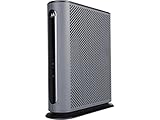
- 16x4 DOCSIS 3.0 cable modem plus a built-in AC1900 Dual Band (2.4 GHz and 5 GHz) WiFi Gigabit Router with four Gigabit (GigE) Ethernet ports, a firewall DFS, Power Boost, and more. This product is recommended for actual cable Internet service speeds up to 375 Mbps. A Broadcom cable modem chipset provides security from Denial of Service attacks. WiFi performance is exceptionally good, even in multi-dwelling units with lots of WiFi noise from neighbors. DFS and Power Boost are key
- Requires cable Internet service. Approved by and for use with Comcast Xfinity and Xfinity X1, Cox, Charter, Time Warner Cable, Suddenlink, WOW., CableOne and other cable service providers. Eliminate cable modem rental fees up to 156 dollars per year. (Savings are shown for Xfinity and vary by cable service provider. No cable modem is compatible with fiber optic, DSL, or satellite services from Verizon, AT&T, CenturyLink, Frontier, and others. Model MG7550 has no phone jack.)
- Built-in high-speed Wi-Fi router with AC1900 Wi-Fi, and Power Boost, and DFS provides Internet access for Wi-Fi devices including smartphones, notebooks, tablets, game stations, HDTVs, Amazon Echo, Google Home, Chromecast, Roku, Amazon Fire TV, and AppleTV. Four 10/100/1000 Gigabit Ethernet LAN ports provide wired connections to Windows and Mac computers, HDTVs, game stations, streaming TV devices, and other Ethernet-capable devices.
- Wireless Power Boost adds high-performance WiFi power amplifiers to boost the wireless signals to the legal limit, giving a significant boost in speed and range. The router can work on WiFi DFS frequencies, unlike most routers, so it is much less vulnerable to WiFi interference from neighbors. In addition, AnyBeam beamforming at both 2.4 GHz and 5 GHz frequencies focuses the signal on wireless clients to further enhance performance and range.
- Integrating the cable modem and router creates a reliable connection that reduces unwieldy wiring and power adapter clutter while conserving desk space. The vertical design minimizes shelf space and improves cooling while looking great in any home or office. A two-year warranty plus rugged lightning and power surge circuits protect your investment.
- Connect the gateway to an active coaxial outlet using the unit’s coaxial cable port.
- Connect the power adapter and wait for the device to become ready.
- Open the Xfinity app and sign in with the Xfinity ID.
- Select Get Started.
- If replacing existing equipment, open Account → Set up equipment or devices → Xfinity Gateway or Modem under Internet.
- Allow the app to check the connection and register the equipment.
- Enter the desired Wi-Fi network name and password.
- Confirm the settings and finish activation.
- Reconnect phones, computers, streaming devices, printers, cameras, and smart-home equipment to the new Wi-Fi network.
Menu labels can change as the app is updated, but the current app-based flow is documented in Xfinity’s gateway activation instructions.
What should you do if activation fails?
- Confirm that the exact model is approved for the account and address.
- Check that the coaxial cable is connected to Cable In or RF In, not an Ethernet or telephone port.
- Try another known-active coaxial outlet. Xfinity’s activation flow includes a Try Another Outlet path.
- Temporarily remove unnecessary splitters and wall adapters.
- Verify that a used gateway is not still registered to another Xfinity account.
- Restart the unit by unplugging the power cable, waiting one minute, and plugging it back in. Xfinity documents that procedure in its cable-modem troubleshooting instructions.
- Contact Xfinity if the app reports an equipment-registration problem or cannot detect an active outlet.
A failed activation does not necessarily mean the modem is defective. An inactive outlet, an account-registration lock, an unsupported plan, a damaged splitter, or an address-level restriction can produce similar symptoms.
What about used or refurbished gateways?
Used equipment can lower the purchase price, but it adds activation and warranty risks. Verify the exact model number, confirm that the seller accepts returns, and ask whether the manufacturer warranty transfers.
Free tools Windows power users keep installed
One-click scans. No signup required.
- Do not buy an Xfinity-rented gateway from a marketplace seller expecting to convert it into owned equipment.
- Avoid a device that remains registered to another customer’s account.
- Check the exact hardware revision, not just a similar-looking model family.
- Be cautious with obsolete DOCSIS 3.0 gateways unless the plan is modest, the price is exceptionally low, and Xfinity confirms compatibility.
- Keep the receipt and return window until activation and speed testing succeed.
Which choice is right for you?
| Your situation | Most sensible direction | Why |
|---|---|---|
| Internet-only, cable service, small or medium home | Approved DOCSIS 3.1 combo unit | Simple installation with fewer devices |
| Multi-gig cable plan | Approved gateway with a 2.5Gbps-or-faster Ethernet port, or separate equipment | A gigabit port can bottleneck wired service |
| Xfinity Voice | Xfinity gateway or explicitly Voice-approved customer-owned model | Many popular data gateways do not support telephone service |
| Large, multi-story, or difficult-to-cover home | Approved modem plus dedicated router or mesh | Additional access points are easier to place and upgrade |
| Fiber-only or property-managed Xfinity | Required Xfinity or property-provided gateway | Customer-owned cable modems may not be supported |
| Frequent provider changes | Separate, broadly compatible components | Components may be easier to reuse or replace individually |
| Customer who values managed support and bundled features | Xfinity gateway | Xfinity manages the equipment and may bundle data or support features |
The practical recommendation is straightforward: choose an approved DOCSIS 3.1 combo unit when simplicity is the priority and the account is internet-only cable service. Choose separate equipment for larger homes, mesh coverage, advanced controls, or component-by-component upgrades. Keep or rent the Xfinity gateway when Voice, fiber, property rules, managed support, or bundled unlimited-data economics make customer-owned equipment less attractive.
Frequently Asked Questions
Can any Comcast-compatible modem replace an Xfinity gateway?
No. A Comcast-compatible modem or gateway can replace rented equipment only when the exact model is approved for the customer’s Xfinity service and address. Xfinity’s live compatibility checker is more authoritative than a retailer listing or an older static list.
Do Xfinity-approved combo units support Xfinity Voice?
Not necessarily. Many popular gateways, including the ARRIS G34, G36, G54 and Netgear CAX80, are identified as data-only in the cited research. Xfinity Voice requires a model explicitly marked as Voice-enabled for the applicable account.
Is DOCSIS 3.1 required for Xfinity internet?
DOCSIS 3.1 is the sensible baseline for a new Xfinity cable gateway, especially on faster plans. Some DOCSIS 3.0 devices may work on modest tiers, but older hardware provides less headroom and may be a poor long-term purchase.
Does buying a Comcast combo unit guarantee lower monthly costs?
No. Ownership may reduce equipment costs, but unlimited data, mesh pods, security features, promotions, and other plan benefits can change the total. Compare the actual Xfinity checkout price with and without customer-owned equipment.
Can a cable modem-router combo work with Xfinity fiber?
Generally no. Xfinity fiber-only properties may require a preinstalled Xfinity Fiber Gateway or property-managed equipment. Confirm the service type and customer-owned-equipment rules at the address before buying a cable gateway.
The Bottom Line
Bottom line: For internet-only Xfinity cable service, an approved DOCSIS 3.1 gateway such as the ARRIS G34, G36, G54, Netgear CAX30S, or CAX80 can simplify the network. Match the model to the plan, require a 2.5Gbps port for relevant multi-gig service, and verify approval at the address immediately before purchase. Choose separate modem and router hardware for better mesh coverage and upgrade flexibility, and keep Xfinity equipment when Voice, fiber, property rules, bundled data, or managed support matter more than hardware ownership.

