
The Tool Desk
Outbyte PC Repair FREERepair Windows errors before they cause bigger problemsFix Now →Outbyte Driver Updater FREEScan for outdated or missing drivers - takes under a minuteDriver Scan →iTechGuides is reader-supported. When you buy through links on our site, we may earn an affiliate commission. As an Amazon Associate I earn from qualifying purchases. Learn more
The Lenovo Chromebook Plus 14 is the best Chromebook overall in 2026 for buyers who can spend about $649–$750 and want a premium display, light design, strong performance and long tested battery life. The Acer Chromebook Plus 515 is the better value large-screen choice, while the ASUS Chromebook CX15 is the best basic budget option.
Chromebooks remain excellent for browser-based work, Google Workspace, schoolwork, video calls, streaming and simple family computing. The right model depends heavily on configuration: 4GB of RAM and 64GB of storage can feel very different from 16GB of RAM and 256GB of storage, even when both laptops share the same family name.
Key takeaways
- The Lenovo Chromebook Plus 14 is the strongest overall premium recommendation, with a tested battery result of 13 hours 19 minutes in Tom’s Guide’s Wi-Fi web-browsing test.
- The Acer Chromebook Plus 515 offers a large screen and Chromebook Plus features at approximately $399 in coverage dated August 18, 2026, but its chassis and battery life are only moderate.
- The ASUS Chromebook CX15 costs roughly $269, but its 4GB of RAM, slow dual-core processor and 7 hours 26 minutes of tested battery life make it suitable mainly for basic tasks.
- For a convertible, the Lenovo Chromebook Plus 2-in-1 Gen 10 offers laptop, tablet and tent modes, while the Acer Chromebook Plus Spin 514 is the more premium OLED alternative.
- Every buyer should check the exact model’s Automatic Update Expiration date at Google before purchasing, especially for clearance, refurbished and used Chromebooks.
What is the best Chromebook overall in 2026?
The Lenovo Chromebook Plus 14 is the best overall Chromebook in 2026 when display quality, portability, performance and battery life matter more than the lowest price. Tom’s Guide’s tested configuration used a MediaTek Kompanio Ultra 910 processor, 16GB of RAM, 256GB of UFS storage and a 14-inch 1920×1200 OLED display; the configuration achieved 13 hours 19 minutes in the publication’s Wi-Fi web-browsing test. Tom’s Guide’s Chromebook roundup identifies the Lenovo model as its best overall pick.
Do these 3 things before closing this tab:
1Repair Windows errors before they cause bigger problems2Fix the driver behind crashes, sound loss and screen glitches3Clear out junk files and repair common Windows errorsThe Lenovo Chromebook Plus 14 is a particularly good fit for college students, mobile professionals and anyone who spends most of the day writing, researching, attending video meetings or working in web applications. The OLED screen, low weight and battery result help justify its premium price, which was reported at roughly $649–$750 depending on configuration and seller.
Popular on Amazon

- Intel Celeron N4120: 4 Cores & Threads, 1.1GHz Base Clock, Up to 2.6GHz Boost Clock, 4MB Cache, Intel UHD Graphics 600. The perfect combination of performance, power consumption, and value helps your device handle multitasking smoothly and reliably with four processing cores to divide up the work.
The model name is not enough to identify the product. Confirm whether a listing has 128GB or 256GB of storage, an OLED or non-OLED panel, and a touchscreen or non-touchscreen display. A cheaper 128GB version should not automatically be treated as identical to the 16GB/256GB OLED configuration tested by Tom’s Guide.
Choose the ASUS Chromebook Plus CX34 instead if ports, keyboard comfort and conventional office usability matter more than display aspect ratio and battery life. PCWorld names the CX34 its overall pick and highlights its processor performance, keyboard, USB-A, USB-C, HDMI and headphone connectivity, while criticizing its 16:9 screen and weaker battery showing. PCWorld’s Chromebook coverage provides that alternative evaluation.
Which Chromebook should you buy?
| Model | Best for | Price seen August 18, 2026 | Known configuration or display | Independent battery result or claim | Main drawback |
|---|---|---|---|---|---|
| Lenovo Chromebook Plus 14 | Best overall; mobile work and college | About $649–$750 | Tested model: Kompanio Ultra 910, 16GB/256GB, 14-inch 1920×1200 OLED | 13h 19m in Tom’s Guide test | Expensive for a Chromebook; retail configurations vary |
| Acer Chromebook Plus 515 | Best value large-screen model | About $399 | Large-screen Chromebook Plus laptop; exact CPU, RAM and storage vary | 8h 16m in Tom’s Guide test | Less-premium chassis and only moderate battery life |
| ASUS Chromebook CX15 | Basic school, family and home use | About $269 | Common low-cost configuration: dual-core processor, 4GB RAM | 7h 26m in Tom’s Guide test | Slow performance, limited RAM and short battery life |
| Lenovo Chromebook Plus 2-in-1 Gen 10 | Students, note-taking and tablet use | Roughly $400-ish in coverage | Convertible laptop with laptop, tablet and tent modes | 8h 32m in Tom’s Guide test | Display is comparatively dim |
| Acer Chromebook Plus Spin 514 | Premium touchscreen convertible | $699 Google-listed MSRP configuration; some coverage showed about $549 | Kompanio Ultra 910, 12GB/256GB, 14-inch 1920×1200; 2.8K OLED option noted by Tom’s Guide | Google claims up to 17h under controlled testing | Relatively expensive; frame-durability concerns in Tom’s Guide coverage |
| ASUS Chromebook Plus CX34 | Ports, keyboard and office desks | About $529 at Best Buy in PCWorld coverage | Intel-based Chromebook Plus; exact configuration varies | Battery is a weakness in PCWorld’s assessment | 16:9 display and less compelling battery life |
| Acer Chromebook Plus 516 | Large-screen home and desk work | $479 Google-listed MSRP for an i3/8GB/128GB configuration | Intel Core i3-1315U, 8GB/128GB, 16-inch 1920×1200 | Google claims up to 15.5h under controlled testing | Large footprint is inconvenient for commuting |
| Samsung Galaxy Chromebook Plus | Thin, premium alternative | Verify current official price | Premium thin-and-light Chromebook; configuration varies | 11h 9m in Tom’s Guide test | Premium pricing and potentially weaker value |
Prices are approximate editorial or manufacturer signals, not guaranteed prices. Retailer availability, sales and hardware configurations change. The price date above reflects the dossier’s August 18, 2026 research pass rather than an archived August 16 price.
Why is the Lenovo Chromebook Plus 14 the best premium pick?
The Lenovo Chromebook Plus 14 combines the characteristics that most improve a Chromebook’s everyday experience: a high-quality 14-inch display, enough memory for demanding browser use, strong performance, low weight and unusually long independently tested battery life.
The 16GB/256GB OLED configuration is especially attractive for users who keep many browser tabs open while running video calls, document editors, research tools and cloud applications. The 14-inch 1920×1200 aspect ratio also gives documents and web pages more vertical space than a conventional 16:9 1920×1080 panel.
The premium price is the principal objection. At approximately $649–$750, the Lenovo competes with inexpensive Windows laptops and sometimes discounted MacBooks. The Lenovo makes sense when ChromeOS simplicity, battery life, portability and display quality are valuable. The Lenovo does not make sense for a buyer who needs native Windows software, full desktop Adobe Creative Cloud or a Windows-only engineering application.
Before buying through Lenovo or another seller, compare the advertised processor, RAM, storage, screen technology and touch support rather than relying on the family name. Lenovo’s official Chromebook purchasing page is a useful starting point for identifying current configurations.
What is the best budget Chromebook?
The ASUS Chromebook CX15 is the best budget Chromebook for basic browsing, email, streaming, simple documents and uncomplicated schoolwork when the price is around $269. The low price comes with meaningful limitations: PCWorld flags its slow dual-core processor and 4GB of RAM, and Tom’s Guide recorded 7 hours 26 minutes in its battery test.
The CX15 can be a sensible first computer for a child, a family streaming laptop or a low-cost homework device. The CX15 is not a good choice for heavy multitasking, Linux development, extensive Android use, large spreadsheets, video editing or a user who wants one primary computer to last for many years.
Four gigabytes of RAM is the key warning. ChromeOS may be lightweight, but browser tabs, video meetings and web applications still consume memory. If the CX15’s price approaches that of an 8GB Chromebook Plus model, the more capable model is usually the better long-term purchase.
Check the exact CX15 listing for processor, RAM, storage, screen resolution and AUE date. Retailers sometimes omit these details from product titles, and two listings with the same family name can have materially different performance.
Also popular on Amazon

- Storage: 16GB Flash Memory
- OS: Chrome OS
- Screen Size: 11.6"
Is the Acer Chromebook Plus 515 the best value?
The Acer Chromebook Plus 515 is the best value large-screen Chromebook for shoppers who want Chromebook Plus capabilities without paying Lenovo Chromebook Plus 14 money. Tom’s Guide places it around $399, describes it as a good choice for Gemini AI, and measured 8 hours 16 minutes of web-browsing battery life.
The 15.6-inch-class format is useful for split-screen documents, spreadsheets, online learning and home entertainment. A large display can be more comfortable than a 13- or 14-inch panel when the Chromebook stays mostly on a desk.
The trade-off is refinement. The Acer Chromebook Plus 515 has a less-premium chassis and only moderate battery life compared with the Lenovo Plus 14. The Acer is also less attractive for frequent commuters because a larger Chromebook takes more room in a bag.
Check the configuration before comparing prices. Google’s official Chromebook shop lists current Chromebook Plus models and manufacturer specifications, but retailer configurations can differ from the configurations used in editorial testing.
Which Chromebook is the best 2-in-1?
The Lenovo Chromebook Plus 2-in-1 Gen 10 is the best convertible Chromebook for buyers who will genuinely use laptop, tablet and tent modes. Tom’s Guide praises its keyboard and premium-feeling chassis, while its 8 hours 32 minutes of tested battery life is adequate rather than class-leading.
Tablet mode is useful for reading, casual Android apps and handwritten or touch-based tasks when supported. Tent mode can help with video viewing or presentations. The convertible design is most valuable for students who want one device for typing notes and consuming content.
The screen is the major weakness. Tom’s Guide describes the display as comparatively dim, which matters in bright classrooms, near windows and outdoors. Buyers who prioritize a bright screen should compare the panel specification instead of assuming that every touchscreen Chromebook is equally suitable for daylight use.
The Acer Chromebook Plus Spin 514 is the premium alternative. Google lists a configuration with a MediaTek Kompanio Ultra 910 processor, 12GB of RAM, 256GB of storage, a 14-inch 1920×1200 display and up to 17 hours of battery life under controlled testing. Tom’s Guide separately praises its 2.8K OLED touchscreen and 360-degree hinge but describes the laptop as relatively expensive and raises concerns about frame durability.
Recommended Free Tools
Google’s battery estimate is not directly comparable to Tom’s Guide’s independent results. Google explains that its figures come from controlled Power Qualification Test v2 web-browsing tests and vary with processor, RAM, storage, display, settings, network conditions and usage. Google’s Chromebook Plus page provides the manufacturer’s current feature and battery context.
Which Chromebook is best for ports and office work?
The ASUS Chromebook Plus CX34 is the strongest practical office alternative when connectivity and keyboard usability matter more than maximum battery life. PCWorld highlights its processor performance, comfortable keyboard and broad selection of USB-C, USB-A, HDMI and headphone connections.
Those ports can reduce the need for dongles when connecting an external monitor, wired accessories, headphones or older peripherals. The CX34 is therefore appealing for a home office or classroom desk where the Chromebook functions like a conventional laptop.
Also popular on Amazon
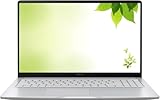
- Intel Processor Up to 2.80GHz, 4GB DDR4, 128GB Storage
- 15" FHD IPS Display, Intel UHD Graphics
- 1x USB Type C, 1 x USB Type A, 1x Headphone/Microphone Combo Jack, HDMI
- Fast WiFi and Bluetooth, Integrated Webcam
- Chrome OS, AC Charger Included, Pastel Silver
The CX34 uses a 16:9 display, which provides less vertical workspace than a 16:10 or 3:2 screen of similar diagonal size. PCWorld also identifies battery life as a weakness. Choose the CX34 for ports and desk practicality, not as the automatic winner for travel.
Free tools Windows power users keep installed
One-click scans. No signup required.
The Acer Chromebook Plus 516 is better for users who want the largest workspace. Google lists a 16-inch 1920×1200 display, Intel Core i3-1315U processor, 8GB of RAM and 128GB of storage, with a manufacturer estimate of up to 15.5 hours. The 16-inch chassis is more suitable for spreadsheets, split-screen work and home use than daily commuting.
What is the best Chromebook for students?
The best Chromebook for students depends on whether the student is a younger child doing basic schoolwork or a college student running a demanding academic workflow.
For younger students and basic schoolwork
Prioritize a manageable size, low replacement cost, a usable webcam, automatic updates and construction appropriate for the school environment. The ASUS Chromebook CX15 works for simple homework, browsing, email and streaming when the buyer accepts its 4GB RAM and slow processor.
Education-focused or smaller models such as the Acer Chromebook 311 may also make sense when the price is reasonable and portability matters, but a small or rugged design does not automatically guarantee a good screen or strong performance. Confirm the school’s requirements for testing, filtering, account management and supported applications before buying a personal device.
For college students
College students should generally target 8GB of RAM, with 16GB preferable for heavy multitasking, and at least 128GB of storage, with 256GB better for Android apps, Linux development and offline files. A 13- or 14-inch model usually balances portability and writing comfort well.
The Lenovo Chromebook Plus 14 is the premium college choice for students whose courses use browser applications and Google Workspace. The Lenovo Chromebook Plus 2-in-1 Gen 10 is more useful for students who value tablet mode and touch interaction. The Acer Chromebook Plus 515 offers more screen area at a lower price.
Do not buy a Chromebook for a course until you check its required software. Specialized engineering, statistics, medical, CAD, desktop publishing and professional video applications may require Windows or macOS versions that ChromeOS cannot run natively. A web, Android, Linux, remote-desktop or streamed version may exist, but compatibility must be verified for the exact course.
How much RAM and storage should a Chromebook have?
For a new general-purpose Chromebook, 8GB of RAM and 128GB of storage are the sensible minimum targets. Buyers who keep many tabs open, attend video calls, use Android apps, develop in Linux or want longer useful life should prefer 16GB of RAM and 256GB of storage.
What’s actually slowing this PC down?
Pick the symptom - the matching free tool is one click away.
| Specification | Who it suits | What to expect |
|---|---|---|
| 4GB RAM | Very basic use at a very low price | Can bottleneck multitasking; avoid for a primary computer if possible |
| 8GB RAM | Most students, families and web-based workers | Minimum sensible target for a new general-purpose Chromebook |
| 16GB RAM | Heavy browser use, video calls, Android apps and Linux | More headroom for demanding web applications and longer ownership |
| 64GB storage | Light, web-first use | Restrictive for offline files, local media and apps |
| 128GB storage | Most new buyers | Practical minimum for a primary Chromebook |
| 256GB storage | Students, professionals, Linux users and local-file users | More comfortable capacity for apps and offline content |
RAM and storage are not interchangeable. More storage does not solve a 4GB memory bottleneck, and 16GB of RAM does not provide room for large offline files if the Chromebook has only 64GB of storage.
What Chromebook screen size is best?
A 13- or 14-inch Chromebook is the best compromise for most commuters and college students, while 15- or 16-inch models are better for split-screen work and home use. An 11- or 12-inch Chromebook is easiest to carry but can feel cramped for long writing sessions.
Also popular on Amazon

- THE BETTER WAY TO LAPTOP – Imagine a Chromebook that’s as flexible as your day: thin and lightweight with built-in Google apps and stress-free security.
- TAKE HITS KEEP MOVING – Sleek, light, and built to last- the Chromebook 2-in-1 is just 0.69” thick and 3.3lbs. Enjoy long-lasting battery life, fast charging, and military-grade durability for nonstop productivity wherever life takes you.
- PERFORMANCE THAT MATCHES YOUR HUSTLE – Fuel your ideas with an Intel Core processor and 128GB storage. Boot up in under 10 seconds to start the day powerfully efficient.
- FLEX YOUR CREATIVITY ANYWHERE, ANYTIME – Create, work, or unwind your way with a versatile 2-in-1 design. Flip easily between laptop, tent, and tablet modes with a responsive touchscreen built for flexibility.
- BRILLIANT VIEWS AND IMMERSIVE AUDIO – See, hear, and create with awesome clarity. The WUXGA display brings rich detail to your work and play, while audio tuned by Waves MaxxAudio provides immersive, balanced sound.
| Screen size | Best use | Trade-off |
|---|---|---|
| 11–12 inches | Young children, travel and basic tasks | Limited workspace for long documents and split-screen work |
| 13–14 inches | College, commuting and general work | Less room than a large-screen model |
| 15–16 inches | Spreadsheets, home use, entertainment and multitasking | Heavier and less convenient to carry |
A 1920×1200 display is generally more useful for documents than a 16:9 1920×1080 display because the taller aspect ratio provides additional vertical workspace. OLED panels offer strong contrast and image quality, but they can raise the price and may affect battery life depending on panel design and brightness.
Touchscreens and 2-in-1 hinges are worthwhile when tablet mode, annotation or Android apps are central to the purchase. Touch hardware adds cost and sometimes weight, so a touchscreen is not automatically an upgrade for a buyer who only types and browses.
Quick wins for a faster PC:
Fix the driver behind crashes, sound loss and screen glitchesFind Drivers →Clear out junk files and repair common Windows errorsFree Scan →Scan for outdated or missing drivers - takes under a minuteDriver Scan →Is Chromebook Plus worth it?
Chromebook Plus is usually worth considering when the price difference is reasonable because Google positions the category as a higher-performance Chromebook tier with enhanced productivity, creativity and Google AI features. Google’s current eligibility documentation and product pages identify specific models and features; eligibility is model-specific rather than a guarantee that every Chromebook in a product family qualifies.
Chromebook Plus models commonly offer a stronger hardware baseline, such as at least 8GB of RAM and 128GB of storage in listed examples, along with modern processors, improved webcams or higher-quality displays depending on the model. The badge can therefore help shoppers avoid the weakest entry-level configurations.
Chromebook Plus is not a promise of premium construction or equal quality in every category. A Plus model can still have a dim panel, plastic chassis, limited speakers, modest battery life or an inconvenient 16-inch footprint. Compare brightness, aspect ratio, keyboard, ports, hinge, speakers, battery methodology and AUE date for each model.
AI features are also not a sufficient reason to overpay. Tom’s Guide emphasizes Gemini AI on the Acer Chromebook Plus 515, while PCWorld observes that AI tools on the Lenovo Plus 14 may feel unnecessary in everyday use. Consider AI features useful when they support a real writing, image, document or research workflow; do not treat the Chromebook Plus label as proof that every promotional feature will matter to every user.
PC Slower Than It Used to Be?
A free scan shows the junk files, broken settings and background clutter dragging Windows down - then fixes them in one click.Free scan · Windows 10 & 11Outdated Drivers Are Slowing You Down
One free scan finds every outdated or missing driver and matches the right update for your exact hardware.Free scan · exact hardware matchQualifying Chromebook Plus purchases may include limited-time promotions such as a 12-month Google AI Pro offer or 25% off LumaFusion. Offers are not permanent or universal: verify the redemption window, account requirements, geography and eligible model at Google AI Pro and the LumaFusion product page before assigning value to a promotion.
Which Chromebook has the best battery life?
The Lenovo Chromebook Plus 14 has the strongest independent battery result among the tested models listed here, at 13 hours 19 minutes. Tom’s Guide tested Wi-Fi web browsing at 150 nits until the battery ran out, producing the following comparable results.
| Model | Battery result | Method or source type |
|---|---|---|
| Lenovo Chromebook Plus 14 | 13h 19m | Tom’s Guide independent Wi-Fi web-browsing test at 150 nits |
| Samsung Galaxy Chromebook Plus | 11h 9m | Tom’s Guide independent test |
| Lenovo Chromebook Plus 2-in-1 Gen 10 | 8h 32m | Tom’s Guide independent test |
| Acer Chromebook Plus 515 | 8h 16m | Tom’s Guide independent test |
| ASUS Chromebook CX15 | 7h 26m | Tom’s Guide independent test |
| Acer Chromebook Plus 516 | Up to 15.5h | Google manufacturer estimate under controlled web-browsing testing |
| Acer Chromebook Plus Spin 514 | Up to 17h | Google manufacturer estimate under controlled web-browsing testing |
Manufacturer estimates should not be ranked directly against independent test results. Google says battery life varies with processor, RAM, storage, display, brightness, settings, network conditions and workload. Video calls, high brightness, Android apps, Linux environments and external devices can all produce different results from a controlled web-browsing test.
Independent reader supportYour contribution helps us test, update, and keep practical guides available for everyone.How long do Chromebooks receive software updates?
Chromebook support is determined by the exact model’s Automatic Update Expiration date, commonly called the AUE date. Buyers should check Google’s official Chromebook Auto Update policy before purchasing a new, clearance, refurbished or used Chromebook.
What’s actually slowing this PC down?
Pick the symptom - the matching free tool is one click away.
- Copy the exact model number and configuration from the retailer listing.
- Look up the model in Google’s AUE policy table.
- Compare the remaining support period with the planned ownership period.
- Prefer a newer model with a long remaining support window when prices are close.
- Do not infer support longevity from the release year, processor family or broad product name.
Older premium hardware can still be attractive, but a used Chromebook may have a partly consumed support period, battery degradation, a missing charger, warranty limitations or an enterprise-management lock. School-managed Chromebooks also follow school policy, so parents should confirm that a personally purchased device can connect to required systems and testing services.
Also popular on Amazon

- FOR HOME, WORK, & SCHOOL – With an Intel processor, 14-inch display, custom-tuned stereo speakers, and long battery life, this Chromebook laptop lets you knock out any assignment or binge-watch your favorite shows..Voltage:5.0 volts
- HD DISPLAY, PORTABLE DESIGN – See every bit of detail on this micro-edge, anti-glare, 14-inch HD (1366 x 768) display (1); easily take this thin and lightweight laptop PC from room to room, on trips, or in a backpack.
- ALL-DAY PERFORMANCE – Reliably tackle all your assignments at once with the quad-core, Intel Celeron N4120—the perfect processor for performance, power consumption, and value (2).
- 4K READY – Smoothly stream 4K content and play your favorite next-gen games with Intel UHD Graphics 600 (3) (4).
- MEMORY AND STORAGE – Enjoy a boost to your system’s performance with 4 GB of RAM while saving more of your favorite memories with 64 GB of reliable flash-based eMMC storage (5).
Can Chromebooks run Android and Linux apps?
Chromebooks support web applications and, on compatible devices, Android apps and Linux development environments, but support and performance vary by model. A touchscreen or convertible Chromebook can make Android applications more practical, while Linux support can help developers use command-line tools and coding environments.
Android support does not turn ChromeOS into Windows or macOS. Linux support does not mean every Linux application will install, have hardware acceleration or run well. Check the exact device’s supported features and the application’s current ChromeOS, Android, Linux or web version before buying for a specialized workflow.
Are Chromebooks good for gaming?
Chromebooks are suitable for browser games, Android games, cloud gaming and some Linux-supported games, but they are not direct replacements for Windows gaming laptops. ChromeOS compatibility, integrated graphics, game support and performance vary substantially.
Do these 3 things before closing this tab:
1Clear out junk files and repair common Windows errors2Fix the driver behind crashes, sound loss and screen glitches3Repair Windows errors before they cause bigger problemsCloud gaming depends on network speed, latency and service availability rather than only Chromebook hardware. A gaming-oriented Chromebook may offer a better display or keyboard, but that does not provide native access to Windows games or guarantee compatibility with Windows anti-cheat systems.
What should you check before buying a Chromebook?
- Identify the workload: Separate simple browsing from heavy tabs, video meetings, Linux development, creative work and gaming.
- Set a realistic budget: Under $250 usually means basic hardware; around $250–$400 is the practical value tier; $400–$650 often buys a more comfortable Chromebook Plus system; $650 and above is premium territory.
- Choose the screen: Pick 13–14 inches for portability and 15–16 inches for desk-based split-screen work.
- Target at least 8GB/128GB: Choose 16GB/256GB for demanding multitasking, Android apps, Linux or longer ownership.
- Inspect the panel: Check resolution, aspect ratio, brightness, OLED or IPS technology, and touch support.
- Count the ports: Verify USB-C charging, USB-A, HDMI, headphone and microSD connections if those ports matter.
- Check the webcam and microphones: A 1080p webcam is a useful target for frequent video calls, but the exact implementation still matters.
- Separate battery methods: Treat independent test results and manufacturer estimates as different types of evidence.
- Verify the AUE date: Check Google’s model-by-model support table before paying for a clearance or used device.
- Confirm application and school compatibility: Verify required software, exams, filtering, device management and offline needs before purchase.
When should you choose Windows or a MacBook instead?
Choose a Chromebook when your work is primarily browser-based, you use Google Workspace or Microsoft 365 web applications, you value simple maintenance and you can work within ChromeOS’s application limits. Chromebooks are also convenient for email, cloud storage, web research, video calls, streaming and remote or virtual desktop access.
Choose a Windows laptop when you need broad desktop software, specialized enterprise programs, native PC gaming, full Microsoft Office desktop features or Windows-specific peripherals and security tools.
Choose a MacBook when you need macOS-specific applications, Apple ecosystem integration or a workflow built around Mac software. A premium Chromebook can offer excellent battery life, light weight and a high-quality display, but the price does not buy universal application compatibility.
Our final recommendations by buyer
| Buyer | Recommendation | Why | Skip it if |
|---|---|---|---|
| Premium mobile worker or college student | Lenovo Chromebook Plus 14 | Best combination of display, portability, performance and tested battery life | You need native Windows or macOS software |
| Value-focused student or home user | Acer Chromebook Plus 515 | Large screen and Plus features around $399 in current coverage | You commute frequently or demand premium construction |
| Child or basic family computer buyer | ASUS Chromebook CX15 | Low price for browsing, simple homework and streaming | You need multitasking, Linux or a long-term primary computer |
| Student who wants tablet mode | Lenovo Chromebook Plus 2-in-1 Gen 10 | Flexible laptop, tablet and tent modes with a strong keyboard | You regularly work in bright rooms or outdoors |
| Premium convertible buyer | Acer Chromebook Plus Spin 514 | Touchscreen, 360-degree hinge and OLED configuration options | You want the lowest price or maximum durability confidence |
| Office user with many peripherals | ASUS Chromebook Plus CX34 | Useful ports, keyboard and conventional laptop design | You prioritize a taller display or the longest battery life |
| Desk-based large-screen user | Acer Chromebook Plus 516 | 16-inch 1920×1200 display and Core i3 configuration | You carry the laptop daily |
Frequently Asked Questions
Are Chromebooks still worth buying in 2026?
Chromebooks are still worth buying in 2026 for browser-based work, Google Workspace, schoolwork, video calls, streaming and simple family computing. Chromebooks are a poor fit when the buyer needs native Windows or macOS applications, specialized professional software or Windows gaming.
Is Chromebook Plus worth it?
Chromebook Plus is usually worth considering because it targets a higher-performance hardware tier and adds productivity and Google AI features, but the badge does not guarantee a bright screen, premium chassis, long battery life or equal build quality. Compare the exact model’s RAM, storage, display, ports and AUE date.
Is 4GB of RAM enough for a Chromebook?
Four gigabytes of RAM is enough only for basic browsing, email, streaming and simple documents at a low price. Eight gigabytes is the sensible minimum for a new general-purpose Chromebook, while 16GB is preferable for many tabs, video calls, Android apps or Linux development.
How long do Chromebooks receive updates?
Chromebook update support varies by exact model and is defined by Google’s Automatic Update Expiration date. Check the exact model in Google’s official Auto Update policy before buying, particularly when considering clearance, refurbished or used hardware.
Recommended Free Tools
Can a Chromebook run Microsoft Office?
A Chromebook can run Microsoft 365 web applications, but a web version is not identical to the full Windows or macOS desktop Office applications. Confirm that the web versions provide every feature required for school or work before purchasing.
The Bottom Line
Bottom line: Buy the Lenovo Chromebook Plus 14 for the best premium all-around experience, the Acer Chromebook Plus 515 for value and a large screen, the ASUS Chromebook CX15 for basic low-cost use, and the Lenovo Chromebook Plus 2-in-1 Gen 10 for flexible tablet and laptop modes. Regardless of model, target at least 8GB of RAM and 128GB of storage, inspect the exact retail configuration, and verify the model’s AUE date before paying.

