
iTechGuides is reader-supported. When you buy through links on our site, we may earn an affiliate commission. As an Amazon Associate I earn from qualifying purchases. Learn more
For extracting vocals from finished songs, start with Fadr if you want a free route into vocal and instrument stems, or LALAL.AI if you need vocal and backing-vocal separation options. The right choice depends on whether you need an isolated acapella, a karaoke instrumental, or vocal parts for remixing; none can guarantee a perfectly clean result from every mix.
What To Look For In An AI Vocal Extractor
A vocal extractor separates a mixed recording into an isolated vocal stem and other audio, often an instrumental stem. It is useful for practice, karaoke, transcription workflows, and remix preparation. Reverb, doubled singing, backing harmonies, and instruments occupying the same frequencies as a voice can remain in the extracted file. If you need lead and backing vocals separated from each other, check for that specific capability; ordinary vocal-versus-instrument separation does not establish it.
Before processing a song, decide which result you need and use the matching workflow:
- Acapella or vocal reference: choose vocal isolation, preview the result, and listen for instrumental bleed and clipped vocal tails.
- Karaoke or rehearsal backing: choose vocal removal or instrumental output, then check whether backing harmonies remain in the track.
- Lead and backing parts: use a tool that explicitly offers lead/back separation, then review each part independently.
- DAW editing: choose an export format and stem count that suit your session; verify both on the vendor’s current page when the directory details do not specify them.
These are workflow prompts for choosing and checking a result, not text prompts to enter into the tools. The products below describe file-based extraction or separation; no text-to-extraction prompt feature is established here.
Popular on Amazon
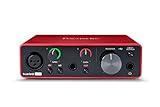
- Pro performance with great pre-amps - Achieve a brighter recording thanks to the high performing mic pre-amps of the Scarlett 3rd Gen. A switchable Air mode will add extra clarity to your acoustic instruments when recording with your Solo 3rd Gen
- Get the perfect guitar and vocal take with - With two high-headroom instrument inputs to plug in your guitar or bass so that they shine through. Capture your voice and instruments without any unwanted clipping or distortion thanks to our Gain Halos
- Studio quality recording for your music & podcasts - Achieve pro sounding recordings with Scarlett 3rd Gen’s high-performance converters enabling you to record and mix at up to 24-bit/192kHz. Your recordings will retain all of their sonic qualities
- Low-noise for crystal clear listening - 2 low-noise balanced outputs provide clean audio playback with 3rd Gen. Hear all the nuances of your tracks or music from Spotify, Apple & Amazon Music. Plug-in headphones for private listening in high-fidelity
- Everything in the box: Includes Pro Tools Intro+, Ableton Live Lite, Cubase LE, and Hitmaker Expansion: a suite of essential effects, powerful software instruments, and easy-to-use mastering tools
Best AI Vocal Extractor Tools
| Rank | Tool | Access And Entry Price | Vocal Extraction Fit |
|---|---|---|---|
| 1 | Fadr | Web; free Basic, Plus $10/month or $100/year | Vocal stems plus broad instrument separation |
| 2 | LALAL.AI | Web, desktop, mobile, VST3 DAWs, and API; free previews, paid plans from $7.50/month on annual billing | Vocal, instrumental, and lead/back separation |
| 3 | Moises | Web, desktop, iOS, Android, and API; free plan | Vocal separation among a broad set of targets |
| 4 | Vocal Remover AI | Web; free plan | Vocal and instrumental tracks from audio or video uploads |
| 5 | Music Separator | iOS and Android; free tier, paid from $3.99/week | Focused vocal and instrumental separation |
| 6 | TuneStems | Web; free to try, paid options from $5.90 | Vocal/instrumental and multi-stem extraction |
| 7 | PhonicMind | Web; paid from $6.99 | Lead and backing vocals among detailed stem classes |
| 8 | StemRoller | Windows and macOS desktop; free and open-source | Vocal, drums, bass, and remaining audio |
| 9 | Spleeter | Self-hosted; free and open-source | Configurable two-, four-, or five-stem separation |
1. Fadr — Best Free Starting Point For Vocal Stems
Fadr Basic is the strongest starting point when you want to separate vocals and explore other parts without first paying. Its free tier includes unlimited stems and high-quality MP3 downloads, and the product also offers MIDI detection and remix tools. Choose it when you want more than a vocal-only split; Plus adds 18 stem types, WAV downloads, a DAW stems plugin, and API access. Confirm current plan details before relying on a particular export or stem type.
2. LALAL.AI — Best For Lead And Backing Vocal Separation
LALAL.AI is a good fit when the vocal arrangement matters as much as the instrumental. Its listed Lead/Back Splitter can separate lead and backing vocals, while its broader splitter handles vocals and multiple instrument groups. It also offers previews and batch processing, but batch processing is paid-plan only and its free Starter tier does not provide full result downloads. The listed monthly paid rate is billed annually.
Also popular on Amazon

- The new generation of the songwriter's interface: Plug in your mic and guitar and let Scarlett Solo 4th Gen bring big studio sound to wherever you make music
- Studio-quality sound: With a huge 120dB dynamic range, the newest generation of Scarlett uses the same converters as Focusrite’s flagship interfaces, found in the world's biggest studios
- Find your signature sound: Scarlett 4th Gen's improved Air mode lifts vocals and guitars to the front of the mix, adding musical presence and rich harmonic drive to your recordings
- All you need to record, mix and master your music: Includes industry-leading recording software and a full collection of record-making plugins
- Everything in the box: Includes Pro Tools Intro+, Ableton Live Lite, Cubase LE, and Hitmaker Expansion: a suite of essential effects, powerful software instruments, and easy-to-use mastering tools
3. Moises — Best For Musicians Working Across Devices
Choose Moises if you want vocal extraction inside a broader practice and music workflow across web, desktop, and mobile. Its separation targets include vocals and many instruments, with standard and Hi-Fi models listed. The free plan allows up to five uploads per month and files up to five minutes; some separation options require a paid plan. Check the plan details for the specific model and target you need.
Recommended Free Tools
4. Vocal Remover AI — Best For A Quick Browser Extraction
This is the most direct pick for a simple upload-and-separate task: it accepts audio and video, previews the vocal and instrumental tracks in the browser without signup, and offers WAV or MP3 downloads. The directory describes a 500 MB upload limit, while the vendor also states 120 free minutes per day; check the current site for how those limits apply together. It is web-only and does not list batch processing, an API, or integrations.
Also popular on Amazon

- The new generation of the artist's interface: Connect your mic to Scarlett's 4th Gen mic pres. Plug in your guitar. Fire up the included software. Start making your first big hit
- Studio-quality sound: With a huge 120dB dynamic range, the newest generation of Scarlett uses the same converters as Focusrite’s flagship interfaces, found in the world's biggest studios
- Never lose a great take: Scarlett 4th Gen's Auto Gain sets the perfect level for your mic or guitar, and Clip Safe prevents clipping, so you can focus on the music
- Find your signature sound: Air mode lifts vocals and guitars to the front of the mix, adding musical presence and rich harmonic drive to your recordings
- With Scarlett 4th Gen, you have all you need to record, mix and master your music: Includes industry-leading recording software and a full collection of record-making plugins
5. Music Separator — Best For Vocal Removal On A Phone
Music Separator suits a phone-first workflow when you want playback controls as well as a separated vocal and instrumental. You can adjust playback speed and pitch and use the app’s export and job-history features. The free tier allows one vocal separation per week; its listed weekly plan costs $3.99, and a yearly plan is also listed at $24.99. Check the app listing and vendor page for current plan terms before subscribing.
6. TuneStems — Best For Choosing A Stem Package And Export
TuneStems lets you select vocal/instrumental or broader stem modes, preview the returned tracks, and choose among MP3, WAV, FLAC, and M4A. Free use is available without signup for tracks up to five minutes. Its pricing includes one-time credit packs as well as subscription tiers, so compare the current options against how often you expect to extract tracks. The vendor states 100% commercial use; review its terms for the conditions that apply to your use.
Also popular on Amazon

- Podcast, Record, Live Stream, This Portable Audio Interface Covers it All - USB sound card for Mac or PC delivers 48kHz audio resolution for pristine recording every time
- Be ready for anything with this versatile M-AUDIO interface - Record guitar, vocals or line input signals with two combo XLR / Line / Instrument Inputs with phantom power
- Everything you Demand from an Audio Interface for Fuss-Free Monitoring - 1/4" headphone output and stereo 1/4" outputs for total monitoring flexibility; USB/Direct switch for zero latency monitoring
- Get the best out of your Microphones - M-Track Duo’s transparent Crystal Preamps guarantee optimal sound from all your microphones including condenser mics
- The MPC Production Experience - Includes MPC Beats Software complete with the essential production tools from Akai Professional
7. PhonicMind — Best For Detailed Vocal And Instrument Separation
PhonicMind is worth considering when you need to inspect more than a single vocal stem: its listed capabilities include lead vocals, backing vocals when present, and multiple musical categories. Depending on the song and conversion tier, it can recognize up to 16 stem classes and deliver up to eight usable stems plus a metronome. Its plans differ substantially in separation and download options; the Sing plan is listed at $9.99 per month and does not include downloads, so check plan details before choosing it for export.
Quick wins for a faster PC:
Clear out junk files and repair common Windows errorsFree Scan →Fix the driver behind crashes, sound loss and screen glitchesFind Drivers →8. StemRoller — Best Free Desktop Option For A Basic Split
StemRoller is a straightforward choice if you want a free desktop tool for a four-part split: vocals, drums, bass, and everything else. It can create karaoke, acapella, and instrumental versions. It has no batch processing, and Linux is not officially supported, so it is better suited to occasional individual tracks than a larger processing queue.
Also popular on Amazon

- ✔️[High-fidelity sound quality, accurate sampling] The Synido 2x2 audio interface uses a high-quality independent audio chip to reduce recording latency, support 24-bit depth and 48kHz sampling rate, and ensure every detail is restored. Whether it is recording or live broadcasting, it can provide a clear and natural sound quality experience
- ✔️[Three monitoring modes, easy to switch] The audio interface provides three monitoring modes to meet different needs. In Stereo mode, independent left and right channels present the original input (such as a microphone or instrument), which is suitable for accurate recording. Mix mode can mix input audio and computer audio in real-time, which is suitable for live broadcast or recording, and is easy to adjust instantly. USB mode only monitors computer audio, which is suitable for post-editing or audio processing. Whether it is recording, live broadcast, or post-production, the three modes can be easily switched to make audio creation more efficient and professional
- ✔️[User-friendly design] The audio interface is intuitively designed, and equipped with three independent control areas, and the XLR interface supports 6.35mm and XLR microphones, which are compatible with various devices. The green, orange, and red LED lights display the volume level, helping you to grasp the volume status at any time and avoid distortion. Supports easy switching between Line In and instrument input, adapts to different devices, reduces interference and distortion, and does not need to adjust gain frequently, improving efficiency
- ✔️[Professional 48V phantom power] Synido audio interface is equipped with 48V phantom power switch and supports 48V dynamic microphone with excellent noise reduction performance, provides a highly sensitive recording experience, accurately picks up sound, and effectively reduces noise interference, ensuring clear and stable sound quality output
- ✔️[Lightweight and portable, plug and play, create at any time] The USB audio interface weighs only 300g and measures 14 x 11.5x 4.5 cm. It is compact and portable and can be taken anywhere anytime. Equipped with a 3.5mm to 6.35mm adapter and a USB-C to USB-A data cable, you can easily use it by directly connecting to your mobile phone or computer
9. Spleeter — Best For Developers Who Want Self-Hosted Processing
Spleeter is a source-separation library for people comfortable installing and running software themselves. Its pretrained models cover two-stem vocals/accompaniment, four-stem vocals/drums/bass/other, and five-stem vocals/drums/bass/piano/other modes. It supports command-line and Python workflows, batch processing, and Docker, but it is not a packaged web or desktop application; the Python API is not a hosted web API.
Independent reader supportYour contribution helps us test, update, and keep practical guides available for everyone.Rights And Source Audio
Before uploading or sharing extracted vocals, get the necessary consent to use the recording and any identifiable voice, and check the chosen platform’s terms for uploads, outputs, and commercial use. TuneStems states that use is commercial, but that does not establish rights in the source recording or voice. The other tools’ specific licensing terms are not established here, so consult each vendor’s terms.

