
Crashes, No Sound, or Screen Glitches?
Random freezes, missing sound and display glitches usually trace back to one bad driver. Find and replace yours safely.Free scan · under a minutePC Slower Than It Used to Be?
A free scan shows the junk files, broken settings and background clutter dragging Windows down - then fixes them in one click.Free scan · Windows 10 & 11iTechGuides is reader-supported. When you buy through links on our site, we may earn an affiliate commission. As an Amazon Associate I earn from qualifying purchases. Learn more
The best 12 free Android apps to download music & listen offline cannot honestly be presented as 12 verified free downloaders: TREBEL and Audiomack are the strongest catalog options, Musicolet and VLC play files you own, and YouTube Music and Spotify require Premium for offline music.
The important distinction is what “free” and “download” mean. TREBEL and Audiomack provide the closest verified free catalog-based routes, while Musicolet and VLC are offline players for legally obtained local files. YouTube Music and Spotify are included only as clearly labeled paid alternatives, because their official help pages do not make music downloads part of the ordinary free tier.
Key takeaways
- TREBEL is the closest match for free, catalog-based offline music because its official materials describe licensed listening without an internet connection.
- Audiomack offers free music discovery and offline playback, but individual tracks and mainstream-album availability can vary.
- Musicolet and VLC are free offline players for MP3, FLAC, M4A, WAV, and similar files that you already obtained legally; neither app downloads a commercial catalog for you.
- YouTube Music and Spotify offer offline music downloads through Premium, not through their ordinary free tiers.
- A compatible microSD card can expand local music storage on Android phones with a card slot, but protected streaming downloads should not be assumed to work on every removable card.
How many genuinely free apps are verified for offline music?
The current evidence supports four free Android choices or use cases: TREBEL, Audiomack, Musicolet, and VLC. YouTube Music and Spotify are useful paid alternatives, but they should not be described as free music-download apps because their official documentation puts offline music downloads behind Premium.
Quick wins for a faster PC:
Repair Windows errors before they cause bigger problemsFix Now →Fix the driver behind crashes, sound loss and screen glitchesFind Drivers →Clear out junk files and repair common Windows errorsFree Scan →A trustworthy list cannot simply add six more names to reach twelve. Additional apps would need separate checks for current Google Play availability in the target country, catalog licensing, free-tier restrictions, artist and track availability, and the exact meaning of offline playback. This guide therefore separates free catalog-based apps, free local-file players, and paid services instead of recommending stream-ripping tools, unofficial APKs, or apps with unclear copyright practices.
Popular on Amazon
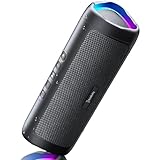
- [Immersive Sound & TWS Dual Pairing] Two full-range drivers deliver powerful, well-balanced sound with minimal distortion for music, movies and gaming. Pair two speakers together for true wireless stereo (TWS) - instant left and right channels that fill any room or backyard party.
- [IPX5 Waterproof & Built for Outdoors] Durable shell rated IPX5 against water splashes and spills - poolside, beach, shower steam and light rain are no problem (not for submersion). Rugged enough for camping, hiking and tailgates; just 13 oz to toss in any bag.
- [24-Hour Playtime & Bluetooth 5.3] Up to 24 hours per charge at 50% volume with lights off (expect less at full volume) plus a 100 ft wireless range on Bluetooth 5.3, stable through walls and outdoors. One press turns off the lights to stretch battery even further.
- [A Gift That Actually Gets Used] A dynamic LED light show pulses to the beat of the music and switches off with one button - party mode when you want it, invisible when you do not. A go-to white elephant gift, stocking stuffer, and Christmas or birthday gift for men, women, dads and moms.
- [Everything in the Box] 1 portable Bluetooth speaker, 1 Type-C charging cable, quick start guide and lifetime technical support. Built-in microphone for hands-free calls; 3.5mm AUX supported for non-Bluetooth devices (AUX cable not included).
Free Android music apps compared
| App | Category | What works offline | Best for | Important limitation |
|---|---|---|---|---|
| TREBEL | Free catalog-based service | Music downloaded inside the TREBEL app | On-demand songs without a conventional music subscription | Catalog and downloads vary by country, artist, and track; files are not unrestricted MP3 exports |
| Audiomack | Free discovery and offline playback | Supported songs saved for offline listening inside the app; local files can also be played | Hip-hop, rap, emerging artists, mixtapes, podcasts, and discovery | Not every mainstream album or individual track is available for free offline playback |
| Musicolet | Free local-file player | Audio files already stored on internal storage or an SD card | Organizing a legally obtained MP3, FLAC, M4A, or similar collection | Does not stream, search for, or download new music online |
| VLC for Android | Free local media player | Music already transferred to the phone, SD card, USB storage, or another accessible location | Mixed audio formats, folders, drives, and local media libraries | VLC is a player, not a licensed music-download catalog |
| YouTube Music | Free streaming; Premium offline music | Free users can download most podcasts; music downloads require YouTube Music Premium | Large streaming catalog and discovery for readers willing to pay | Music downloads, background music playback, and ad-free music are Premium benefits |
| Spotify | Free streaming; Premium offline music | Premium users can download songs, albums, and playlists | Readers who already use Spotify’s playlists and discovery tools | A free Spotify account does not provide the same offline music-download capability as Premium |
1. TREBEL: Which free app is the closest match for on-demand offline music?
TREBEL is the strongest match for readers who want to choose songs from a catalog, download them while connected, and listen without an internet connection. TREBEL’s official company materials describe a free, licensed service supported through partnerships with advertisers and music companies, while its official product page presents the app as a way to download and listen to music offline.
The basic workflow is straightforward: connect to the internet, find a supported song in TREBEL, use the app’s download control, and play the saved track from the TREBEL library when offline. The exact button labels and available tracks can change with the app version and market.
TREBEL’s offline tracks are managed inside TREBEL. A TREBEL download should not be treated as an unrestricted MP3 file that can automatically be exported, copied to another player, or redistributed. TREBEL’s offline-listening support information explains the service’s in-app approach to listening without internet access.
Free tools Windows power users keep installed
One-click scans. No signup required.
Choose TREBEL if: you want the closest verified free alternative to a subscription service with on-demand catalog access.
Check before relying on it: catalog availability can differ by country, artist, and track. A song visible to one listener may not be downloadable for another listener.
2. Audiomack: Is Audiomack good for free offline music?
Audiomack is a strong free option for discovery and offline playback, particularly for hip-hop, rap, emerging artists, mixtapes, and podcasts. Audiomack describes its platform as free music sharing and discovery, and its Android app supports taking eligible songs offline.
Audiomack is not a promise that every major-label album is available as a free download. Individual artists, tracks, albums, and account conditions can determine whether a particular song can be saved for offline listening. Look for the app’s own offline or download control rather than assuming that every playable track can be stored.
Audiomack also documents a local-file player that can play MP3, M4A, WAV, and other audio files already stored on the device. The Audiomack local-file feature announcement is useful for distinguishing two functions: offline catalog playback inside Audiomack and playback of files that you already possess.
Choose Audiomack if: you want free music discovery and your listening interests include independent releases, mixtapes, rap, hip-hop, or podcasts.
Remember: Audiomack’s local-file feature does not turn the service into a general-purpose source of free commercial MP3 files. The right to use a locally stored file still depends on how you obtained that file.
3. Musicolet: What is the best free player for music already on Android?
Musicolet is a local music player for files already stored on your Android phone or SD card, not a music catalog downloader. Musicolet’s documented purpose is to organize and play local audio from internal storage or removable storage, so Musicolet is a good choice when you already have legally obtained music files.
Musicolet is suited to local collections containing MP3, FLAC, M4A, WAV, and other compatible formats. Its documented feature set includes multiple playlists, queues, equalizer functions, Android Auto support, and offline lyrics stored in audio metadata. The important boundary is that Musicolet does not stream music, search an online catalog for new songs, or download commercial tracks for you.
That boundary makes Musicolet useful rather than disappointing. If you bought downloads, transferred music from a computer, ripped a disc where you have the necessary rights, or obtained files from a permitted source, Musicolet can provide a focused offline library without requiring a data connection.
Choose Musicolet if: your music is already in folders on internal storage or an SD card and you want playlists, queues, and local-library organization.
Do not choose Musicolet if: you expect the app to find free songs online. The app needs you to supply the audio files.
4. VLC for Android: When is VLC better than a dedicated music player?
VLC for Android is the more flexible choice when your offline library contains different audio formats, folders, drives, or other local media. VLC is a free, open-source media player that can handle local audio and video, network shares, drives, and numerous file formats.
Also popular on Amazon

- Outdoor-Proof Speaker: Portable design with IPX7 waterproof protection to safeguard against splashes, waves, and water vapor. Get incredible sounds at home, on camping trips, or for outdoor adventures.
- 24H Non-Stop Music: With Anker's world-renowned power management technology and a 5,200mAh Li-ion battery, the soundcore 2 speaker delivers a full day of great sound.
- Powerful Sound: The speaker features 12W power with enhanced bass from dual neodymium drivers. An advanced digital signal processor ensures pounding bass and zero distortion at any volume.
- Intense Bass: Our exclusive BassUp technology and a patented spiral bass port boost low-end frequencies to make the beats hit even harder. The soundcore 2 speaker delivers vibrant audio for home theater nights, beach parties, and sitting around a campfire.
- Grab, Go, Listen: A classic design refined with simple controls and effortless portability. Easy to use and take anywhere, and supports wireless stereo pairing.
VLC works well after music has been legally downloaded, transferred from a computer, copied from permitted removable media, or otherwise placed on the Android device. VLC can be especially convenient for readers who do not want to reorganize a mixed collection before listening.
VLC’s flexibility does not make it a free music source. VLC plays files; it does not provide a licensed catalog in which you can freely download commercial songs. Network-share support can help access files around a home network, but files must still be available to the device when you want genuinely offline playback.
Choose VLC if: you need broad local-format support or want one player for music, video, external drives, and folders.
What’s actually slowing this PC down?
Pick the symptom - the matching free tool is one click away.
Choose Musicolet instead if: your priority is a dedicated local music-library experience with playlists, queues, equalizer tools, and Android Auto rather than broad media playback.
5. YouTube Music: Can the free tier download songs for offline listening?
No. The free YouTube Music tier supports ad-supported music streaming, but YouTube Music Premium is required to download music for offline listening. Google’s YouTube Music feature documentation distinguishes the free streaming experience from Premium benefits.
Free users can download most podcasts, but Google lists music downloads, background music playback, and ad-free music among Premium features. That distinction is why YouTube Music belongs in a paid-alternatives section rather than among free music-download recommendations.
YouTube Music Premium downloads are also managed by the service rather than being ordinary MP3 files. Google says downloaded content is affected by available device storage, and downloaded music must be refreshed by reconnecting periodically. The official download instructions explain the service’s offline-download rules.
Choose YouTube Music Premium if: you want a large streaming catalog, background playback, ad-free music, and official offline downloads in one service.
Do not count it as free offline music: a free account can stream music, but the Premium requirement applies to offline music downloads.
6. Spotify: Does Spotify offer free offline music downloads?
Spotify’s official offline downloads for songs, albums, and playlists are a Premium feature, not a capability of the ordinary free account. Spotify’s Premium benefits documentation identifies offline listening as part of Premium and also describes limits related to devices and downloaded tracks.
Spotify remains a sensible paid alternative for readers who already rely on its playlists, recommendations, and discovery tools. Premium lets a listener save supported songs, albums, and playlists for offline playback inside Spotify.
Recommended Free Tools
A free Spotify account should not be presented as an equivalent to TREBEL or Audiomack’s documented free offline options. Spotify’s available plans, device rules, and download limits can change, so check the current Spotify Premium plan information before subscribing.
Choose Spotify Premium if: you already use Spotify and want its existing playlists and discovery features to work without a connection.
Choose a local player instead if: you need to play ordinary files that you own outside a streaming service.
How should you choose between catalog apps and local music players?
Choose a catalog app when you need to discover or select music inside a service, and choose a local player when the audio files already belong in your Android storage. The word download describes two different technical results:
Do these 3 things before closing this tab:
1Repair Windows errors before they cause bigger problems2Fix the driver behind crashes, sound loss and screen glitches3Clear out junk files and repair common Windows errors- Managed offline download: TREBEL, Audiomack, YouTube Music Premium, and Spotify Premium save playable content inside their own apps. The saved content should not be assumed to be an unrestricted audio file.
- Local-file playback: Musicolet and VLC read compatible files that are already on internal storage, an SD card, USB storage, or another accessible location. The listener remains responsible for having the right to use those files.
| If your priority is… | Start with… | Why |
|---|---|---|
| Free, on-demand catalog listening | TREBEL | It is the closest verified match for licensed catalog-based offline listening without a conventional music subscription. |
| Free discovery and independent releases | Audiomack | Its focus is discovery, sharing, emerging artists, mixtapes, and offline playback for eligible content. |
| Playing files already on the phone | Musicolet | It is designed for local audio libraries and does not depend on streaming. |
| Playing mixed formats and local media | VLC | It handles a broad range of local media sources and formats. |
| Offline access to a major streaming catalog | YouTube Music Premium or Spotify Premium | Both services document music downloads as paid features. |
How can you store more offline music on Android?
Use internal storage or a compatible microSD card, but check the phone’s hardware and the app’s storage behavior before buying or moving a library. Offline music can consume substantial space, especially when several apps save managed downloads or when a local collection contains lossless files.
Also popular on Amazon

- Wireless Bluetooth streaming
- 12 hours of playtime
- IPX7 waterproof
- Pair multiple speakers with party boost
- Premium JBL sound quality
Android allows a compatible SD card to be configured as portable or internal storage. The choice affects whether the card can move between devices and whether apps can be installed on it. Google explains these storage choices in its Android SD-card documentation.
If your phone supports expandable storage, a microSD card for Android music storage can hold a larger local music library. SanDisk’s microSD product documentation identifies Android devices and media such as music as use cases, but card compatibility still depends on the phone. Check the phone manufacturer’s specifications before purchasing.
To move or copy music files, open Files by Google, choose Browse, select the current storage location, select the files, tap the More menu, choose Move to or Copy to, and select the SD card when the option is available. Google documents this workflow in its guide to moving or copying files to an SD card. Android labels can vary by phone maker and Android version.
Do not assume that every streaming service can place protected downloads on a removable card. A local player can read ordinary files from an SD card, while a catalog app may store protected downloads according to its own rules and may require internal or app-managed storage.
What is the safe and legal way to use offline music apps?
Use official app-store listings and licensed services, and play local files that you obtained with permission. Offline playback changes where content is stored; it does not automatically grant permission to copy, redistribute, or commercially use a song.
TREBEL and Audiomack should be used through their own supported download or offline features. Musicolet and VLC should be supplied with files you legally own or are permitted to use. YouTube-to-MP3 converters, stream-ripping tools, torrent apps, and unofficial APK repositories create separate copyright, malware, account-security, and reliability risks and do not belong in a trustworthy free-music recommendation.
A useful rule is simple: a legitimate offline feature normally either stores content inside the service’s app or plays files the listener already has. An app promising unrestricted downloads of every commercial song deserves careful scrutiny before installation.
The Tool Desk
Outbyte Driver Updater FREEScan for outdated or missing drivers - takes under a minuteDriver Scan →Outbyte PC Repair FREEClear out junk files and repair common Windows errorsFree Scan →Why are there not twelve recommendations in this guide?
Only six app choices or entry types are fully supported by the supplied current evidence: four free routes and two clearly labeled Premium alternatives. Naming six additional apps without verifying their current Android availability, U.S. free-tier rules, licensing, catalog restrictions, and offline behavior would make the list appear more complete while making the advice less reliable.
The four free routes are not interchangeable. TREBEL is the closest fit for free catalog-based offline listening; Audiomack is strongest for free discovery and eligible offline tracks; Musicolet is for local files; and VLC is for flexible local playback. YouTube Music and Spotify complete the comparison as popular paid options, not as free downloaders.
App catalogs, country availability, artist permissions, account rules, and download controls can change. Check the app’s current official listing and in-app terms in your country before depending on any service for a trip, commute, or long period without internet.
Frequently Asked Questions
Can TREBEL or Audiomack download unrestricted MP3 files?
No. TREBEL’s downloaded tracks are managed inside the TREBEL app rather than provided as unrestricted MP3 exports. Audiomack’s documented local-file feature is for files already stored on the device, so catalog playback should not be treated as blanket permission to export or redistribute tracks.
Free tools Windows power users keep installed
One-click scans. No signup required.
Does the free YouTube Music plan allow offline song downloads?
No. YouTube Music’s free tier supports music streaming and most podcast downloads, but music downloads for offline listening require YouTube Music Premium.
Do I need a microSD card to listen to music offline on Android?
A microSD card is useful only when the Android phone has a compatible card slot and the app supports the storage arrangement. Android distinguishes portable and internal storage, and protected downloads from streaming services may not be movable to a removable card.
Why does this guide not list twelve free music-download apps?
The current evidence verifies four free routes—TREBEL, Audiomack, Musicolet, and VLC—and two paid alternatives, YouTube Music Premium and Spotify Premium. Adding six more names without checking their current catalog licensing, Android availability, free-tier limits, and download rules would risk recommending apps that do not actually meet the request.
The Bottom Line
Bottom line: Start with TREBEL or Audiomack if you want the closest verified free catalog-based offline experience. Use Musicolet or VLC for music files you already obtained legally, and choose YouTube Music Premium or Spotify Premium when you want paid offline access to a major streaming catalog. A compatible microSD card can help with local storage, but it cannot turn a protected streaming download into a transferable MP3.

