
Crashes, No Sound, or Screen Glitches?
Random freezes, missing sound and display glitches usually trace back to one bad driver. Find and replace yours safely.Free scan · under a minuteWindows Errors? Fix Them Before They Spread
Repair common Windows errors and clear accumulated junk for a smoother, more stable PC - no reinstall needed.Free scan · no reinstalliTechGuides is reader-supported. When you buy through links on our site, we may earn an affiliate commission. As an Amazon Associate I earn from qualifying purchases. Learn more
The ASUS RT-BE58 Go Portable WiFi 7 Router Review verdict is positive for travelers who need private Wi-Fi, WISP, USB tethering, VPN routing, and ASUS security features in a compact device. The router is not battery-powered, lacks 6 GHz and a second 2.5GbE port, and its tested wired routing speed stayed below 800 Mbps per direction.
The RT-BE58 Go is more than a miniature home router. Its main purpose is to preserve one private network while the upstream connection changes between hotel Ethernet, public Wi-Fi, and a phone or cellular modem connected over USB. That makes the router especially relevant to remote workers, digital nomads, RV users, cruise travelers, and people living in small spaces.
The strongest reason to choose the RT-BE58 Go is its software breadth. ASUS combines WISP mode, WireGuard, VPN Fusion, AiProtection, Guest Network Pro, parental controls, USB tethering, and AiMesh support in a device small enough to pack in a travel bag. The main reason to hesitate is the hardware layout and wired-processing limitation: the router has one 2.5GbE WAN port but only one 1GbE LAN port, and independent testing found a sub-800-Mbps-per-direction HTTP ceiling.
Recommended Free Tools
Key takeaways
- The ASUS RT-BE58 Go is a dual-band BE3600 Wi-Fi 7 travel router with WISP, USB tethering, VPN, AiProtection, Guest Network Pro, and AiMesh support.
- The router has no internal battery, but ASUS specifies USB-C 18W Power Delivery, so a suitable wall adapter or power bank can provide portable power.
- ASUS rates the router at up to 688 Mbps on 2.4 GHz and 2,882 Mbps on 5 GHz, but those are theoretical link-rate figures rather than expected internet speeds.
- Tom’s Hardware measured 865 Mbps at 6 feet and 391 Mbps at 25 feet on 5 GHz in its iPerf3 testing.
- ServeTheHome measured less than 800 Mbps in each direction in an HTTP test, exposing a wired packet-processing bottleneck despite the 2.5GbE WAN port.
- The RT-BE58 Go is a good fit for feature-focused travelers and ASUS households, but it is a poor choice for built-in cellular service, 6 GHz Wi-Fi, multiple 2.5GbE connections, or sustained multi-gigabit wired routing.
What is the ASUS RT-BE58 Go?
The ASUS RT-BE58 Go is a compact, dual-band Wi-Fi 7 router designed to create a consistent private network while its internet source changes. ASUS announced the router on August 5, 2025, positioning it for travel, work, and home use in a single device; the ASUS announcement describes the travel-router concept and its public-Wi-Fi capabilities.
Popular on Amazon

- Next-Gen WiFi 7 Router Speeds: Experience blazing-fast dual-band WiFi 7 speeds of up to 3600 Mbps with Multi-Link Operation (MLO) and 4K-QAM. This VPN router ensures a low-latency connection and exceptional Wi-Fi for office working, streaming, and video calls, so you never miss a beat.
- Stay Secure on Any Public Network: This ASUS router protects your sensitive data with comprehensive VPN features and commercial-grade security. This is the ideal travel router for hotel WiFi or for a cruise ship, as it lets you easily create a private hotspot over public WiFi (WISP mode), ensuring your privacy with an easy toggle switch.
- Powerful Mobile Hotspot: Transform your smartphone or mobile dongle into a powerful, shareable network. This hotspot travel router leverages 4G LTE and 5G mobile tethering.
- USB-C Powered Router: Pack lighter and power up anywhere on your journey. With universal USB-C Power Delivery 18W, you can use the same charger for your router as you do for your laptop or phone, eliminating the need for bulky, extra adapters.
- Future-Ready Scalable Mesh Network: As your needs grow, so can your network. This WiFi7 router features enhanced AiMesh technology, enabling you to create a more reliable and extendable Aimesh network for seamless, whole-home coverage with rich security and networking features.
The RT-BE58 Go can use four important upstream connection types:
- Wired Ethernet: Connect a hotel, apartment, office, RV, or home Ethernet connection to the WAN port.
- WISP mode: Join hotel, café, airport, cruise, or other public Wi-Fi and rebroadcast a separate private network.
- USB tethering: Use a compatible phone or 4G/5G modem as the internet source.
- AiMesh operation: Use the router as part of a compatible ASUS home mesh system when it is not traveling.
That flexibility is the product’s central advantage. A traveler can connect laptops, tablets, phones, streaming devices, and smart accessories to the same private SSID instead of reconfiguring every device whenever the hotel or public network changes.
Is the RT-BE58 Go genuinely portable?
Yes, the RT-BE58 Go is physically portable, but “portable” does not mean cordless. The router has no internal battery and no built-in cellular modem. The router requires external power, although a compatible USB-C power bank can run it away from a wall outlet.
| Physical feature | RT-BE58 Go specification or design | Practical meaning |
|---|---|---|
| Dimensions | 99 × 111 × 36 mm | Small enough for a travel bag, desk, RV cabinet, or hotel nightstand |
| Weight | 242 g | Light enough for regular travel without being a pocket hotspot |
| Antennas | Foldable side antennas | Protects the antennas during transport and reduces packing bulk |
| Power | USB-C, 18W USB Power Delivery support | Works with a suitable charger or power bank, but still needs a separate power source |
| Cellular hardware | No internal cellular modem | Internet access must come from Ethernet, Wi-Fi, USB tethering, or another upstream device |
The compact enclosure has a front status LED, a programmable side action button, ventilation on the sides and underside, rubber feet, and bottom mounting holes. Those details make the RT-BE58 Go practical on a desk or shelf, but the router remains a powered networking appliance rather than a self-contained mobile hotspot. ASUS lists the RT-BE58 Go’s official specifications, including its dimensions, weight, wireless class, and power requirements.
What ports does the RT-BE58 Go have?
The RT-BE58 Go has one 2.5GbE WAN port, one 1GbE LAN port, one USB 3.0 Type-A port, and one USB-C power input. The rear panel also includes a reset button.
| Port | Role | Important limitation |
|---|---|---|
| 2.5GbE WAN | Connects to a wired internet source or supports selected backhaul scenarios | It is not paired with a second 2.5GbE LAN port |
| 1GbE LAN | Connects one wired client, switch, TV, computer, or other Ethernet device | Wired client traffic is limited to 1GbE at the port level |
| USB 3.0 Type-A | Supports phone or modem tethering and USB storage-related functions | Phone and modem compatibility varies by device, carrier, cable, and firmware |
| USB-C | Provides power to the router | It is a power input, not a general-purpose USB networking port |
The 2.5GbE WAN plus 1GbE LAN arrangement is the most important physical compromise. A 2.5GbE WAN port can accept a fast upstream connection, but the RT-BE58 Go is not a two-port 2.5GbE switch. Buyers planning NAS transfers, wired workstation use, or multi-gigabit local networking should consider a router with two 2.5GbE ports instead.
ServeTheHome notes that competing travel routers use a similar 2.5GbE-WAN/1GbE-LAN arrangement, while the GL.iNet Slate 7 offers dual 2.5GbE ports. The ServeTheHome RT-BE58 Go review provides the relevant port comparison and hardware context.
What Wi-Fi 7 specifications does the RT-BE58 Go offer?
The RT-BE58 Go is a dual-band BE3600 Wi-Fi 7 router with 2×2 radios on both 2.4 GHz and 5 GHz. ASUS specifies a maximum theoretical rate of 688 Mbps on 2.4 GHz and 2,882 Mbps on 5 GHz.
| Band or feature | Specification | What the specification does not mean |
|---|---|---|
| 2.4 GHz | Up to 688 Mbps | Not a guaranteed internet speed or single-device throughput result |
| 5 GHz | Up to 2,882 Mbps | Requires compatible clients, channel conditions, and a suitable upstream connection |
| Wireless class | BE3600 | An aggregate theoretical class, not a measured 3.6Gbps transfer rate |
| Wi-Fi configuration | Dual-band, 2×2 on 2.4 GHz and 5 GHz | The router has no 6 GHz radio and is not a tri-band Wi-Fi 7 model |
| Wi-Fi 7 features | Multi-Link Operation, 160 MHz channels, and 4K-QAM/4096-QAM | Actual benefits depend on client support, interference, distance, and firmware |
BE3600 is therefore best understood as a capability class. A Wi-Fi 7 phone or laptop may obtain a higher link rate than an older Wi-Fi 5 client, but the real transfer rate will depend on radio conditions, channel width, distance, interference, client antennas, and the internet connection entering the router.
The lack of 6 GHz matters to buyers comparing the RT-BE58 Go with larger tri-band Wi-Fi 7 routers. The 5 GHz radio can still perform well, but the RT-BE58 Go cannot provide the cleaner 6 GHz spectrum or the additional wireless band available on higher-end models.
How fast is the RT-BE58 Go over Wi-Fi?
The RT-BE58 Go delivered strong 5 GHz results in Tom’s Hardware’s independent iPerf3 testing, although the results are lab measurements rather than universal guarantees. Tom’s Hardware measured 865 Mbps at 6 feet and 391 Mbps at 25 feet on 5 GHz.
Also popular on Amazon

- Beyond-fast WiFi 7 (802.11be) - WiFi 7 (802.11be) dual-band extendable router boosts speeds up to 3600 Mbps, with 4096-QAM increasing a single frequency band’s transmission speed by 1.2 times
- Unleashing Multi-link operation (MLO) for Ultra-Smooth Connectivity - Link to multiple bands at the same time to ensure stable internet connections and efficient data transfers
- Versatile WAN configuration options - Establish always-on internet through AI WAN detection and a convenient USB port ready for 4G LTE and 5G Mobile tethering.
- Smart Home Master - Easily establish up to three SSIDs with Smart Home Master for easy IoT device setup and management, instant VPN connections, and convenient parental controls.
- Commercial-Grade network security - Network security with commercial-grade AiProtection Pro powered by Trend Micro, plus a one-tap security scan and Safe Browsing.
| Test location and band | RT-BE58 Go result | Test context |
|---|---|---|
| 5 GHz at 6 feet | 865 Mbps | Tom’s Hardware iPerf3 test |
| 5 GHz at 25 feet | 391 Mbps | Tom’s Hardware iPerf3 test |
| 2.4 GHz at 6 feet | 88 Mbps | Tom’s Hardware iPerf3 test |
| 2.4 GHz at 25 feet | 37 Mbps | Tom’s Hardware iPerf3 test |
| 5 GHz under congestion | Approximately 10–15% lower | Six additional wireless clients streaming 4K video |
In the same Tom’s Hardware comparison, the ASUS was faster than the tested TP-Link TL-WR3602BE at both 5 GHz distances. The TP-Link was slightly faster at short range on 2.4 GHz. These results support a practical conclusion: the RT-BE58 Go’s 5 GHz wireless performance is a strength, but the result depends on the test environment and should not be confused with the 2,882-Mbps theoretical 5 GHz link-rate figure.
Tom’s Hardware’s wireless testing and ServeTheHome’s wired testing measure different aspects of the router. ServeTheHome focused primarily on wired Keysight CyPerf testing because its Wi-Fi testing methodology was not yet mature, so the two reviews are complementary rather than contradictory.
How fast is the RT-BE58 Go over Ethernet?
The RT-BE58 Go’s wired routing performance is its clearest weakness. ServeTheHome recorded less than 800 Mbps in each direction in an HTTP test, with approximately 33,500 packets per second in each direction.
ServeTheHome’s testing found that one CPU core was approximately 67% utilized at 400 Mbps and reached full utilization near the roughly 750-Mbps limit, while the other three cores remained lightly loaded. An 11-application traffic mix produced approximately 1 Gbps of throughput, showing that the result varied with traffic characteristics rather than representing a universal cap for every workload.
| Wired test observation | Result | Interpretation |
|---|---|---|
| HTTP throughput | Under 800 Mbps in each direction | Below what many buyers expect from a 2.5GbE WAN interface |
| Packet rate | Approximately 33,500 packets per second in each direction | Shows the workload was limited by packet-processing capacity |
| CPU at 400 Mbps | One core around 67% utilized | Work was not distributed evenly across the quad-core CPU |
| Near the approximately 750-Mbps limit | One core fully utilized; other cores lightly loaded | Indicates a single-core processing bottleneck in the tested path |
| 11-application mix | Approximately 1 Gbps | Traffic composition affects the measured result |
The right conclusion is not that the router is generally slow. Ordinary hotel, café, mobile, RV, and apartment internet connections may never approach the observed wired ceiling. The more precise conclusion is that the current tested firmware and packet-processing path did not distribute the HTTP workload effectively across the CPU, so the RT-BE58 Go is not the best choice for sustained multi-gigabit wired routing.
ServeTheHome suggested that future firmware could improve the result. That possibility is not an ASUS performance promise or confirmed update roadmap. Buyers should evaluate the router using its current documented and independently tested behavior, not a hoped-for firmware fix. Read the ServeTheHome performance analysis for the full methodology and CPU observations.
How does WISP mode work on hotel and public Wi-Fi?
WISP mode lets the RT-BE58 Go join an upstream public Wi-Fi network and then create a private local network for the traveler’s devices. The arrangement means that a laptop, phone, tablet, streaming stick, and work device can connect to one familiar private SSID instead of each device connecting independently to the hotel or café network.
WISP mode is useful when:
- A hotel provides Wi-Fi but the traveler wants one private network for several devices.
- A device does not handle captive portals reliably, but a phone or laptop can complete the login.
- A traveler wants to apply VPN routing or local network segmentation centrally.
- An RV, cruise cabin, or temporary apartment has changing upstream Wi-Fi credentials.
WISP mode does not make an untrusted upstream network automatically safe. The router can isolate the traveler’s local network and provide firewall, VPN, and security controls, but users should still use HTTPS, updated devices, strong local passwords, and a trusted VPN when appropriate. ASUS describes WISP as a way to create a private hotspot from public Wi-Fi in its official RT-BE58 Go product information; “secure” should be understood as a set of protective controls, not a guarantee against every hostile upstream network.
What’s actually slowing this PC down?
Pick the symptom - the matching free tool is one click away.
Will USB tethering from a phone or modem work well?
USB tethering is one of the RT-BE58 Go’s most useful travel functions, but the result depends on the phone, carrier, cable, cellular signal, and tethering implementation. The USB 3.0 port can support compatible smartphone tethering, 4G/5G modem tethering, and USB storage-related functions.
Tom’s Hardware tested the router with an iPhone hotspot and measured 140 Mbps download and 40.25 Mbps upload in that specific test while powering the router from an Anker 737 power bank. Those figures are not a promise for every phone or location: cellular congestion, signal strength, carrier policy, phone model, and USB behavior can change the result substantially.
Before relying on USB tethering for remote work, verify current ASUS compatibility information and carrier tethering rules. A phone that works as a hotspot over Wi-Fi may not necessarily expose USB tethering to a router, and a cellular modem may require specific firmware or driver support.
Also popular on Amazon
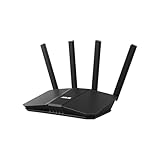
- Dual-band WiFi 7 speeds up to 3600 Mbps with MLO and 4K-QAM
- AI-powered Smart AiMesh boosts coverage up to 2000 ft2 and easy extendibility with compatible ASUS routers for seamless and secure whole home WiFi
- Four internal antennas and four high-power front-end modules eliminate WiFi dead zones
- 24/7 End-to-end protection with commercial-grade AiProtection and advanced VPNs
- Establish up to three SSIDs for parental controls and IoT devices with Smart Home Master Network
How do you set up the RT-BE58 Go?
The initial setup uses the ASUS Router app or a manual connection to the factory wireless network. The basic sequence reported by reviewers is:
Free tools Windows power users keep installed
One-click scans. No signup required.
- Connect the RT-BE58 Go to power and wait for it to start.
- Scan the QR code on the bottom with the ASUS Router app, or join the factory SSID manually.
- Accept the ASUS end-user license agreement and privacy notice.
- Choose wireless-router mode or WISP mode.
- Create a new local administrator login.
- Set the SSID and Wi-Fi password.
- Optionally create an IoT network or other segmented networks.
- Check for firmware updates and install the current available update.
- Review WAN, wireless, LAN, VPN, security, and operation-mode settings.
Replace default credentials immediately and update firmware before connecting sensitive work devices. The ServeTheHome setup review reports that firmware checking is included in the initial setup flow, while Tom’s Hardware also describes QR-based setup, new credentials, SSID customization, and firmware-update access through the interface.
The app provides convenience, but the interface exposes many settings. That creates a useful distinction: the RT-BE58 Go has deeper controls than many simple travel routers, while some users may find ASUS’s app less intuitive to navigate. Feature depth and ease of use are not the same thing.
What VPN and security features does ASUS provide?
The RT-BE58 Go offers an unusually broad software package for a travel router. The feature set includes WireGuard, VPN Fusion, AiProtection, firewall controls, traffic monitoring, Guest Network Pro, parental controls, diagnostics, configuration backup and restore, firmware updates, and AiMesh.
- WireGuard: Supports a modern VPN protocol, with ASUS advertising up to 300 Mbps in its own Ethernet testing.
- OpenVPN: ASUS advertises up to 150 Mbps in its own Ethernet testing.
- VPN Fusion: Lets users assign VPN connections to selected devices or networks instead of routing every client through the same VPN.
- AiProtection: Adds router-level security controls and monitoring.
- Guest Network Pro: Helps create separate guest, child, IoT, and VPN-routed networks.
- Parental controls: Provides device and access-management features for family networks.
- Backup and diagnostics: Helps preserve configuration and troubleshoot a temporary or remote setup.
ASUS’s WireGuard and OpenVPN numbers are local Ethernet test figures supplied by ASUS, not independent universal benchmarks. VPN throughput varies with encryption protocol, server distance, CPU load, firewall configuration, upstream bandwidth, and the VPN provider. ASUS also says VPN functionality works with up to 30 service providers, but the provider list can change; check the current ASUS product information and compatibility details before choosing a service.
For a traveler, VPN Fusion and network segmentation may matter more than peak Wi-Fi link rates. A work laptop can use a VPN while a streaming device uses the hotel connection directly, and IoT or guest devices can be kept separate from work equipment. Those controls are valuable, but they also make the interface more complex than a basic hotspot.
Can the RT-BE58 Go join an ASUS AiMesh system?
Yes, the RT-BE58 Go supports compatible ASUS AiMesh configurations. That allows one device to serve as a travel router away from home, a wired or wireless mesh node at home, a backup router, or a primary router for a small apartment.
AiMesh support is particularly useful for an existing ASUS household because the owner can reuse the router across two roles instead of buying a device that is travel-only. The RT-BE58 Go is not a replacement for a high-end whole-home router, however. The RT-BE58 Go is dual-band, lacks 6 GHz, has limited wired ports, and is designed around portability rather than maximum sustained routing capacity.
ASUS advertises coverage of up to 1,800 square feet and support for 150-plus connected devices. Those are vendor estimates, not guarantees: building materials, layout, neighboring networks, client activity, and the amount of traffic generated by each device determine the usable result. Treat the estimates as an indication of intended scale, not a promise of coverage in every home.
Do these 3 things before closing this tab:
1Fix the driver behind crashes, sound loss and screen glitches2Clear out junk files and repair common Windows errors3Scan for outdated or missing drivers - takes under a minuteWhat happens with hotel captive portals?
Hotel and public Wi-Fi captive portals can work with WISP mode, but compatibility is environment-specific. A portal may not appear automatically, the network may require MAC-address registration, a hotel may charge per device, or the network may block downstream routers entirely.
Captive-portal recovery checklist
- Connect a phone or laptop directly to the upstream Wi-Fi.
- Complete the captive-portal login and note whether payment, device registration, or a particular MAC address is required.
- Switch the RT-BE58 Go to WISP mode and select the upstream network.
- Reopen the portal from a connected client if the router does not complete authentication automatically.
- If necessary, follow the provider’s device-registration process or use MAC cloning where the service permits it.
- If the network blocks routers, use Ethernet WAN or USB tethering instead.
A router cannot override a cruise line, hotel, campus, or public-network policy. Some services permit only one registered device, limit the number of clients, isolate clients from one another, or prohibit personal routers. Confirm the access rules before depending on WISP for work or streaming.
Also popular on Amazon

- Ultrafast WiFi 7 – WiFi 7 (802.11be) dual-band extendable router boosts speed up to 6500 Mbps, with 4096-QAM increasing a single frequency band’s transmission speed by 1.2 times
- Five 2.5GbE Ports – 2.5GbE ports prioritize traffic, optimizing wired internet connectivity for maximum performance
- Hassle-free AiMesh Extendable Network – AiMesh extendable routers enable whole home seamless roaming with rich, advanced features
- Multi-link Operation – Link to multiple bands at the same time to ensure stable internet connections and efficient data transfers
- Commercial-Grade Network Security – AiProtection Pro powered by Trend Micro, plus a one-tap security scan and Safe Browsing
What should you do when USB tethering fails?
USB tethering failures usually come from phone compatibility, carrier restrictions, a charge-only cable, USB permissions, or power limitations rather than from Wi-Fi configuration alone.
- Enable USB tethering on the phone before connecting it if the phone requires that sequence.
- Use a data-capable USB cable rather than a charge-only cable.
- Confirm that the phone authorizes the router and remains unlocked if the phone requires authorization.
- Check the router’s USB application and WAN settings to ensure the USB connection is selected as the source.
- Test the phone’s USB tethering directly with a laptop first.
- Check whether the carrier limits or blocks tethering.
- Use a separate power bank with sufficient output for both the router and phone.
A phone may provide internet over Wi-Fi hotspot while failing to expose a USB network connection to the router. Compatibility should therefore be tested before travel, especially when the phone is the only backup connection.
The Tool Desk
Outbyte PC Repair FREEClear out junk files and repair common Windows errorsFree Scan →Outbyte Driver Updater FREEFix the driver behind crashes, sound loss and screen glitchesFind Drivers →What power bank does the RT-BE58 Go need?
The RT-BE58 Go needs an external USB-C power source that can provide suitable output, and ASUS specifies support for 18W USB-C Power Delivery. A reputable USB-C PD wall charger or power bank is the safest choice. A weak source or poor cable can cause instability, rebooting, or failure under load.
The router’s power requirement also becomes more important when USB tethering is active. The phone and router may compete for available power, particularly from a small battery pack. A power bank with enough USB-C output and a quality cable is a sensible travel accessory, but the power bank is separate from the router and is not included as an internal battery.
How does the RT-BE58 Go compare with competing travel routers?
The RT-BE58 Go is strongest when software features and ASUS ecosystem compatibility matter more than maximum wired flexibility. The TP-Link TL-WR3602BE is the closest direct comparison, while the GL.iNet Slate 7 is more attractive to buyers who specifically need two 2.5GbE ports.
| Router | Where it may be better | Where the RT-BE58 Go may be better | Key qualification |
|---|---|---|---|
| ASUS RT-BE58 Go | ASUS AiMesh, AiProtection, Guest Network Pro, VPN Fusion, USB tethering, and broad management features | — | One 2.5GbE WAN plus one 1GbE LAN; no battery and no 6 GHz |
| TP-Link TL-WR3602BE | ServeTheHome reported nearly full 1Gbps bidirectional wired performance | The ASUS produced stronger 5 GHz results in Tom’s Hardware’s comparison and offers ASUS-specific ecosystem features | Tom’s Hardware found the TP-Link slightly faster at short range on 2.4 GHz |
| GL.iNet GL-BE3600 Slate 7 | Dual 2.5GbE ports and a travel-router-focused design | ASUS AiMesh and ASUS security ecosystem may suit existing ASUS households better | Choose based on port needs and preferred software ecosystem |
| ASUS RT-AX50 Go | Lower-tier ASUS Wi-Fi 6 travel use with VPN, WISP, and USB tethering | Wi-Fi 7 features and stronger 5 GHz potential | Better value when Wi-Fi 7 client support is not important |
| ASUS RT-BE58U | Fixed home deployment and a similar BE3600 class | Travel form factor and travel-specific portability | It is not a direct replacement for a compact travel router |
ServeTheHome identifies the Slate 7’s dual 2.5GbE ports as a meaningful advantage and found stronger wired performance from the TP-Link than from the ASUS in its testing. Tom’s Hardware, by contrast, found the ASUS ahead of the tested TP-Link on 5 GHz. The comparison depends on whether the buyer values wireless travel performance, wired throughput, port flexibility, or software integration.
Quick wins for a faster PC:
Scan for outdated or missing drivers - takes under a minuteDriver Scan →Clear out junk files and repair common Windows errorsFree Scan →Fix the driver behind crashes, sound loss and screen glitchesFind Drivers →For a lower-cost ASUS option, the ASUS Wi-Fi router product family includes the RT-AX50 Go, which ASUS positions as a Wi-Fi 6 portable alternative with VPN, WISP, and USB-tethering features. The RT-BE58U is a more home-oriented BE3600 option; it should not be treated as an equivalent travel form factor.
Independent reader supportYour contribution helps us test, update, and keep practical guides available for everyone.How much does the RT-BE58 Go cost?
ASUS’s U.S. store listed the RT-BE58 Go at $129.99, reduced from $159.99, when checked in August 2026. That price is specific to the U.S. listing and that time, so it should be treated as a temporary, region-specific price rather than a permanent MSRP or guaranteed sale price. Retail availability and stock can vary.
At that price, the RT-BE58 Go’s value depends on whether the buyer will use its software. A basic travel router may cost less and be sufficient for one laptop, while the ASUS becomes more compelling when WISP, VPN assignment, network segmentation, AiProtection, USB tethering, and AiMesh will be used regularly. Buyers who need two 2.5GbE ports or multi-gigabit wired routing should spend their budget differently.
Who should buy the ASUS RT-BE58 Go?
The RT-BE58 Go is a strong choice for travelers who want one private network for several devices and value ASUS’s management and security tools. The router is especially suitable for the following users:
- Remote workers: Use WISP or hotel Ethernet while routing selected work devices through a VPN.
- Digital nomads: Switch between public Wi-Fi and USB-tethered cellular internet without rebuilding the local network.
- RV and cruise users: Create a private network from changing upstream connections, subject to provider rules.
- Small-apartment residents: Use a compact primary router or combine the device with compatible AiMesh equipment.
- ASUS households: Carry one AiMesh-compatible device between home and travel.
- Security-conscious travelers: Separate guests, IoT devices, children, and VPN-routed clients.
Who should avoid the RT-BE58 Go?
The RT-BE58 Go is not the right purchase for buyers whose definition of portability requires a built-in battery or cellular modem, or whose network requires high-speed wired connections.
Also popular on Amazon
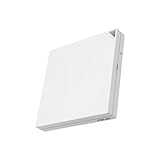
- Ultrafast WiFi 6 with 160 MHz channel significantly increases network capacity to support up to 70 devices, with speeds of up to 3,000 Mbps.
- Tri-mode connectivity for travel, work and home with 4G LTE and 5G mobile tethering and a private hotspot over public WiFi (WISP mode), with an easy toggle switch for quick connection mode switching.
- Comprehensive VPN features with one-touch activation, supporting multiple protocols, up to 30 service providers, and site-to-site VPN.
- Commercial-grade Triple-level Network Security with AiProtection, DNS over TLS for encrypted online privacy, plus a one-tap security scan and Safe Browsing.
- Easy and customizable guest portal for small businesses.
- Choose another product if you need a built-in battery.
- Choose a cellular hotspot or modem-router if you need cellular connectivity inside the router.
- Choose a tri-band Wi-Fi 7 router if you need 6 GHz.
- Choose a router with dual 2.5GbE or faster ports for NAS and local wired transfers.
- Choose a higher-performance wired router for sustained multi-gigabit routing.
- Choose a platform with open-source firmware support if firmware flexibility is a priority.
- Choose a larger router or mesh system if you need many wired LAN ports or maximum whole-home coverage.
Important regional and firmware qualifications
Router menus, supported VPN providers, firmware, manuals, availability, and hardware features can vary by country and market. ASUS’s support information shows an English manual revision dated April 16, 2026 and later safety-document updates, while the support page warns that specifications and features can differ by model and region. Check the current ASUS manual and support page for the country where the router will be used.
Any future review or retest should record the country or region, hardware version, firmware version, ASUS Router app version, whether AiProtection and the firewall were enabled, whether the test used Ethernet, WISP, or USB tethering, and the Wi-Fi client’s capabilities and channel width. Those variables can materially affect results.
Pros and cons
| Pros | Cons |
|---|---|
| Compact body with foldable antennas | No internal battery |
| USB-C 18W PD power support | No built-in cellular modem |
| Strong tested 5 GHz wireless performance | No 6 GHz radio |
| WISP and USB phone/modem tethering | Only one 1GbE LAN port |
| WireGuard, VPN Fusion, and network segmentation | Tested wired HTTP throughput below 800 Mbps per direction |
| AiProtection, Guest Network Pro, parental controls, and AiMesh | Software depth can make the app harder to navigate |
| Useful for travel, home, RV, and small-apartment roles | Not ideal for multi-gigabit wired or NAS workloads |
Final verdict
The ASUS RT-BE58 Go is one of the more capable travel routers for buyers who want a private network, flexible upstream connections, VPN assignment, security controls, USB tethering, and ASUS AiMesh compatibility in a compact enclosure. Its strong 5 GHz results make it a practical wireless travel router, and its software is substantially more versatile than a minimal hotel hotspot.
The limitations are equally clear. The RT-BE58 Go has no battery, no cellular modem, no 6 GHz band, only one 1GbE LAN port, and a wired-processing bottleneck identified in independent testing. The 2.5GbE WAN label should not lead buyers to expect a two-port multi-gigabit router.
Buy the RT-BE58 Go if you value ASUS’s feature-rich software and regularly use hotel Wi-Fi, USB tethering, VPNs, or AiMesh. Skip it if you need cordless operation, built-in cellular service, dual 2.5GbE networking, open-source firmware flexibility, or sustained multi-gigabit wired throughput.
Frequently Asked Questions
Does the ASUS RT-BE58 Go have a battery?
No. The ASUS RT-BE58 Go has no internal battery and requires external power, but the router can run from a suitable USB-C power bank because ASUS specifies 18W USB Power Delivery support.
Can the RT-BE58 Go connect to hotel Wi-Fi?
Yes. WISP mode allows the RT-BE58 Go to join hotel or public Wi-Fi and rebroadcast a private network, although captive portals, MAC registration, per-device charges, and hotel policies can prevent or complicate router use.
The Tool Desk
Outbyte Driver Updater FREEFix the driver behind crashes, sound loss and screen glitchesFind Drivers →Outbyte PC Repair FREERepair Windows errors before they cause bigger problemsFix Now →Is the RT-BE58 Go a 6 GHz Wi-Fi 7 router?
No. The RT-BE58 Go is a dual-band Wi-Fi 7 router with 2.4 GHz and 5 GHz radios; it does not include a 6 GHz radio and is not a tri-band Wi-Fi 7 model.
Does the RT-BE58 Go support phone USB tethering?
Yes, the USB 3.0 port supports compatible smartphone and 4G/5G modem tethering, but results depend on the phone, carrier, cable, signal, permissions, and ASUS compatibility support.
Is the RT-BE58 Go good for multi-gigabit wired internet?
No. Although the router has a 2.5GbE WAN port, it has only a 1GbE LAN port, and ServeTheHome measured under 800 Mbps in each direction in an HTTP test. The router is better suited to ordinary travel connections than sustained multi-gigabit wired workloads.
The Bottom Line
Bottom line: The ASUS RT-BE58 Go is a feature-rich Wi-Fi 7 travel router for users who prioritize WISP, USB tethering, VPN routing, security, segmentation, and ASUS AiMesh. Its portability requires separate USB-C power, and its 1GbE LAN port plus tested wired-processing ceiling make it unsuitable for serious multi-gigabit wired networking.

