

iTechGuides is reader-supported. When you buy through links on our site, we may earn an affiliate commission. As an Amazon Associate I earn from qualifying purchases. Learn more
ASUS Chromebook Flip C434: At First Glance
As an improvement of the already good convertible Chromebook Flip C302, ASUS has released the Chromebook Flip C434. The good-looking convertible Chromebook Flip C434 has successfully ranked among the best Chromebooks around today.
The Chromebook Flip C434 is a bit pricey for a Chromebook especially if you opt for the higher configuration. However, you are guaranteed to get good value for your money.
Speaking of its price, the base configuration goes for $439.49. This price was accurate in September 2021 when we published this article.
Do these 3 things before closing this tab:
1Scan for outdated or missing drivers - takes under a minute2Clear out junk files and repair common Windows errors3Fix the driver behind crashes, sound loss and screen glitchesHaving talked about its predecessor and price, let’s move ahead with the features and specifications of the ASUS Chromebook Flip C434.
#1 Best Overall
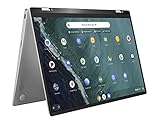
- 14 inch Touchscreen FHD 1920x1080 4-way NanoEdge display featuring ultra-narrow bezels (5mm thin) around each side of the display that allows for a 14 inch screen to fit in the body of a 13inch laptop footprint.
- The FHD display has a durable 360 degree hinge that can be used to flip the touchscreen display to tent, stand, and tablet mode.
- Powered by the Intel Core m3-8100Y Processor (up to 3.4 GHz) for super-fast and snappy performance. If you use a ton of tabs or run lots of apps, this has the power to get it all done with ease.
- 4GB DDR3 RAM; 64GB eMMC storage and 2x USB Type-C (Gen 1) and 1s Type-A (Gen 1) ports plus a super bright backlit keyboard.
- The lightweight (3lbs) all-aluminum metal body makes the C434 both durable and beautiful for a timeless look that will never go out of style.
ASUS Chromebook Flip C434: Design, Dimension & Weight
The ASUS Chromebook Flip C434 sure looks premium in its elegant all-aluminum chassis. It is made of a matte-silver finish and an ASUS logo by the center of its lid.
As expected, there is also a Chrome logo and lettering by the top left corner of the lid. The metal lid does not flex, thanks to the solid build of the ASUS Chromebook Flip C434.
However, the ASUS Chromebook Flip C434 is not resilient enough and does not pass the Chromebook drop test. Unlike some Chromebooks targeted at younger users, you might want to keep the ASUS Chromebook Flip C434 away from children.
Free tools Windows power users keep installed
One-click scans. No signup required.
When you lift the lid of the ASUS Chromebook Flip C434, you will notice the display surrounded by thin bezels. Despite the thin bezels, ASUS has managed to fit a 720p resolution camera on the top bezel.
The 14-inch display of the ASUS Chromebook Flip C434 is supported by two hinges that can rotate up to 360 degrees. This implies that in addition to the laptop mode, the Chromebook’s screen can be flipped into a tablet mode, a stand-alone mode, or a tent mode.
The ASUS Chromebook Flip C434 is a touchscreen device. The touch display is responsive to swipes – making it easy to navigate through browser tabs.
Moving down to the Chromebook’s deck, the silver-chrome scheme is still maintained. Hence, the edges of the silver deck are outlined with chrome.
The Chrome outline is also extended to the hinges, power button, volume button, and touchpad. In addition to the power button, you will also find the keyboard on the deck.
The keyboard is made of silver chiclet-styled keys that are decently sized and evenly spaced. With a travel distance of 1.3 mm and an actuation force of 71g, the keys have a tactile feel.
The ASUS Chromebook Flip C434 keys are backlit with 5 levels of brightness to choose from. The keyboard backlights are neat and do not bleed from the bottom of the keys.
Below the keyboard, there is the touchpad and as I mentioned earlier, it is outlined with chrome. Also, the touchpad dedicated buttons are snappy to clicks.
Recommended Free Tools
Moreover, the touchpad is smooth and responsive to swipes. Particularly, the touchpad responds smoothly to Chrome OS gestures.
Speaking of Chrome OS gestures, this includes gestures such as pinch to zoom and multi-finger swipes.
Moving on to the availability of the port on the ASUS Chromebook Flip C434, there’s a fair selection for a device this slim. Most of the essential ports are located on the left where you have a USB Type-C port, a USB 3.1 Type-A port, and a headphone jack.
Meanwhile, the right side of the chassis only contains few ports leaving enough room for using the mouse. Specifically, the right houses a second USB Type-C port and a microSD card slot.
Rank #2
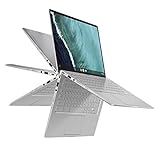
- 14 inch Touchscreen FHD 1920x1080 4-way NanoEdge display featuring ultra-narrow bezels (5mm thin) around each side of the display that allows for a 14 inch screen to fit in the body of a 13inch laptop footprint.Control method:touch
- The FHD display has a durable 360 degree hinge that can be used to flip the touchscreen display to tent, stand, and tablet mode.
- Powered by the Intel Core m3-8100Y Processor (up to 3.4 GHz) for super-fast and snappy performance. If you use a ton of tabs or run lots of apps, this has the power to get it all done with ease.
- 8GB DDR3 RAM; 64GB eMMC storage and 2x USB Type-C (Gen 1) and 1s Type-A (Gen 1) ports plus a super bright backlit keyboard.
- The lightweight (3lbs) all-aluminum metal body makes the C434 both durable and beautiful for a timeless look that will never go out of style.
The USB Type-C ports on both sides of the ASUS Chromebook Flip C434 have Displayport support. Also, you can use the Type-C ports to charge the device.
When it comes to the size and weight of the ASUS Chromebook Flip C434, it measures 321 x 202 x 15.7 mm. Also, the Chromebook weighs 1,450 g.
The ASUS Chromebook Flip C434 is fairly compact and lightweight for a 14-inch device. Moreover, the ASUS Chromebook Flip C434 is lighter than the 14-inch competitors I pitched it against.
Specifically, the 14-inch Dell Inspiron 7486 2-in-1 Chromebook measures 329 x 230 x 18 mm and weighs 1,800 g. Meanwhile, the HP Chromebook x360 14 G1 measures 326 x 227 x 16 and weighs 1,600g.
In summary, the ASUS Chromebook Flip C434 is an elegant and compact laptop. It has a limited array of ports but it does not lack the essential I/O ports.
Additionally, its versatile mode of usage in either tent-mode or tablet mode is good to see. Finally, the keyboard and touchpad deliver a nice typing and navigating experience.
Considering these factors, I will rate the ASUS Chromebook Flip C434 a nine in this design and dimension review.
ASUS Chromebook Flip C434: Processor (CPU) Performance
The ASUS Chromebook Flip C434 has three 8th Gen processor configurations. The base processor configuration is the dual-core Intel Core m3-8100Y processor.
Quick wins for a faster PC:
Fix the driver behind crashes, sound loss and screen glitchesFind Drivers →Repair Windows errors before they cause bigger problemsFix Now →Scan for outdated or missing drivers - takes under a minuteDriver Scan →The Core m3 processor runs at a base frequency of 1.10 GHz and a maximum frequency of 3.40 GHz. Additionally, it has a 4 MB cache memory.
Meanwhile, the mid-range processor configuration is the dual-core Intel Core i5-8200Y processor with a 4 MB cache memory as well. The Core i5 processor runs at a base frequency of 1.30 GHz and a maximum frequency of 3.90 GHz.
Lastly, the top-end configuration is the dual-core Intel Core i7-8500Y processor; also with a 4 MB cache. The Core i7 processor runs at a base frequency of 1.50 GHz and a maximum frequency of 4.20 GHz.
The model I reviewed was fitted with the Core m3 processor and it coped diligently at all the activities I threw at It. To evaluate the processor performance, I carried out the Geekbench 5 benchmark.
Geekbench 5 Is a cross-platform benchmark suite for evaluating a system’s performance. Based on the Geekbench 5 multi-core test result, the ASUS Chromebook Flip C434 scored 1,279 points.
The performance is below the 4,504 points category average score. Also, it is below the performance of the Lenovo Ideapad C340 14 which scored 3,076 points.
The Lenovo Ideapad C340 14 runs an AMD Ryzen 5 3500U processor.
Rank #3

- FREE GOOGLE ONE AI PREMIUM PLAN — Get Gemini Advanced, 2TB of cloud storage, and more for 3 months at no cost*
- SMOOTH MULTITASKING — Powered by the Intel Celeron N4500 Processor, enabling decent multitasking experience
- TOUCHSCREEN VERSATILITY — 14-inch FHD 1920x1080 NanoEdge 360-degree flippable touchscreen display
- WORK AND PLAY FROM ANY ANGLE — Convertible 2-in-1 design with four different work modes: traditional clamshell, tent, stand, tablet mode
- LIGHTWEIGHT YET DURABLE — Durable and built to US Military Grade standard MIL- STD 810H weighing just 3.59 lbs
Finally, the processor performance of the ASUS Chromebook Flip C434 is respectable in performing everyday tasks such as checking emails, surfing the web, streaming videos, etc. However, it falls below the category average score and the competitor I checked it against in the benchmark test.
What’s actually slowing this PC down?
Pick the symptom - the matching free tool is one click away.
Hence, I will rate the ASUS Chromebook Flip C434 a seven in this processor review section.
ASUS Chromebook Flip C434: Memory (RAM) Performance
On the memory front, the ASUS Chromebook Flip C434 has an onboard 1867 MHz LPDDR3 memory slot. The slot takes a standard memory size of either 4 GB or 8 GB.
The memory is soldered to the motherboard and not upgradable. Therefore, ensure to buy the memory configuration that suits your needs.
The model I tested shipped with a 4 GB memory capacity.
Crashes, No Sound, or Screen Glitches?
Random freezes, missing sound and display glitches usually trace back to one bad driver. Find and replace yours safely.Free scan · under a minuteWindows Errors? Fix Them Before They Spread
Repair common Windows errors and clear accumulated junk for a smoother, more stable PC - no reinstall needed.Free scan · no reinstallConsidering that Chromebooks are not heavy on memory usage, 4 GB memory was sufficient for a fair amount of multitasks. Practically, I streamed three HD resolution Youtube videos in the background and opened eight browser tabs.
Consequently, the ASUS Chromebook Flip C434 ran smoothly. Then, I decided to push the Chromebook a bit further by increasing the browser tabs to eighteen.
At this point, the ASUS Chromebook Flip C434 started to show a minor strain, switching between the tabs was a tad slow. However, the Chromebook managed to pull through.
If you’re a heavy multitasker, you can opt for the 8 GB memory configuration instead.
The Tool Desk
Outbyte Driver Updater FREEScan for outdated or missing drivers - takes under a minuteDriver Scan →Outbyte PC Repair FREERepair Windows errors before they cause bigger problemsFix Now →As a basis for benchmarking the memory performance, I carried out the PCMark for Android benchmark. PCMark for Android is a performance measuring benchmark suite for tablets and smartphones.
Consequently, the ASUS Chromebook Flip C434 scored 13,598 points. The performance of my test model falls below that of the HP Chromebook x360 14 G1 which scored 19,602 points.
In conclusion, the ASUS Chromebook Flip C434 loads the Chrome OS briskly and applications launch quickly. A fair amount of multitasking is also possible even with the base configuration of 4 MB memory.
However, the memory performance of the Chromebook falls below the competitor in the benchmark test.
Quick wins for a faster PC:
Repair Windows errors before they cause bigger problemsFix Now →Scan for outdated or missing drivers - takes under a minuteDriver Scan →Finally, I will rate the ASUS Chromebook Flip C434 a seven in this RAM performance review section.
ASUS Chromebook Flip C434: Storage Options & Performance
The storage of the ASUS Chromebook Flip C434 is handled by an eMMC storage from 64 GB to 128 GB, depending on the model you purchase. The unit I reviewed shipped with 64 GB storage and this is sufficient because Chromebooks primarily use cloud-based storage.
Rank #4
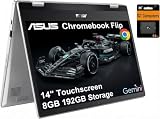
- VERSATILE & DURABLE DESIGN - Featuring a x360 degree hinge, allows Flex 'Laptop' mode for everyday computing, 'Yoga' mode for sharing things, 'Flip' convertible mode for binge-watching, or 'Tablet' mode Spin for more intuitive interaction. MIL-STD-810H testing ensures durability, adapting perfectly to any creative scenario on the go. With up to 11 hours of battery life, it lets you work, study, watch, and stay connected without interruptions
- POWERFUL PERFORMANCE - Powered by the Intel Celeron N4500 Processor with Intel UHD Graphics and 8GB LPDDR4X RAM, it delivers smooth performance for everyday computing and multitasking. Enjoy 192GB of storage (128GB eMMC + 64GB SD card), plus a 12-month Google One membership with 100GB of cloud storage, providing additional space for Google Drive, Gmail, and Google Photos with automatic backup and family sharing
- EXCELLENT VISUALS - Featuring a 14" FHD (1920 x 1080) IPS touchscreen with 45% NTSC, this device delivers vibrant visuals and responsive touch performance. It supports up to two external monitors via USB Type-C, with up to 4K (3840 x 2160) resolution at 60Hz, without a docking station. Plus, a 720p webcam meets daily video chat or conference needs
- VERSATILE CONNECTIVITY - Equipped with 2 x USB-C 3.2 Gen 1, 2x USB-A 3.2 Gen 1, Micro SD card reader, and a Combo Audio Jack for versatile connectivity. Includes Wi-Fi 6 and Bluetooth 5.2 for fast, reliable wireless performance. Features a spill-resistant keyboard for added protection against accidental spills
- CHROME OS - Auto Update Expiration (AUE): Jun 2031. Powered by ChromeOS, this Chromebook is built for the modern way of working and learning, with access to thousands of apps, built-in cloud backup, and Google Assistant support. Fast, secure, and always up to date, it delivers a simple, versatile, and reliable computing experience for everyday productivity, study, and entertainment
Cloud-based storage is an efficient and reliable storage option. There is no risk of losing data even when using other devices, you can quickly access your stored data anytime.
Specifically, Chromebook users have access to 100 GB of storage space on Google Drive to store all their files. Alternatively, there is a microSD card for storing photos and videos locally.
In conclusion, I was unable to perform a storage benchmark test because the ASUS Chromebook Flip C434 primary storage option is Google drive.
However, based on its storage options, I will rate the ASUS Chromebook Flip C434 an eight in this storage performance review section.
ASUS Chromebook Flip C434: Graphics Card Performance
The ASUS Chromebook Flip C434 uses the integrated Intel UHD Graphics 615 GPU. The UHD Graphics 615 has a base frequency of 300 MHz.
Moreover, the GPU frequency can clock up to 1050 MHz via Intel Turbo Boost.
Recommended Free Tools
The Intel UHD Graphics 615 GPU can handle light graphical activities like playing videos. You can also edit photos and videos using compatible android apps such as Photopea for photos and WeVideo for videos.
In terms of playing games, the ASUS Chromebook Flip C434 is not built for gaming because it lacks a dedicated GPU. The Chromebook can, however, play less intensive android games like PUBG mobile, Asphalt 9, etc.
As a basis of graphics evaluation, I carried out the 3DMark benchmark. A 3DMark benchmark is a tool for evaluating the 3D rendering abilities of graphics cards.
From the test result, the ASUS Chromebook Flip C434 scored 52,521 points. This performance is below that of the HP Chromebook x360 14 G1 which scored 74,389 points.
However, the HP Chromebook x360 14 G1 runs a more powerful integrated Intel UHD Graphics 620 GPU.
In conclusion, the graphics performance of the ASUS Chromebook Flip C434 is in line with light graphical tasks. Although, it sits below the competitor in the benchmark performance chart that’s only fair since the competitor runs a more powerful GPU.
Therefore, I will rate the ASUS Chromebook Flip C434 an eight in this graphics performance review section.
ASUS Chromebook Flip C434: Battery Life & Performance
The ASUS Chromebook Flip C434 is powered by a 3-cell, 48 WHr Li-ion battery. ASUS has advertised the battery to deliver up to 10 hours of battery life under light usage.
Putting my test model to a battery test, lasted a respectable 9 hours 58 minutes. The battery test involved surfing multiple websites over WiFi with the screen brightness set to 150 nits.
Best Value

- BEST OF CHROMEOS — Chromebook runs on ChromeOS and has the Google apps. You can edit, download, and convert Microsoft Office files in Google Docs, Sheets and Slides.
- NEVER HAD A VIRUS* — You can breathe easy knowing your security and privacy are covered
- FREE GOOGLE ONE AI PREMIUM PLAN — Get Gemini Advanced, 2TB of cloud storage, and more for 3 months at no cost*
- RUGGEDIZED DURABILITY — Ruggedized body with rubber edges for US military-grade durability, protecting critical internal components for classrooms
- CLEAR VISUALS — Anti-glare HD display for less reflection and more clarity
With 10 hours of battery life confirmed from the battery test, you have almost all-day battery power to get you through most of your activities without the need to charge.
Moreover, the battery performance of the ASUS Chromebook Flip C434 surpasses the category average battery life of 9 hours 2 minutes. However, it falls below that of the HP Chromebook x360 and the Dell Inspiron 7486 Chromebook.
The HP Chromebook x360 and the Dell Inspiron 7486 Chromebook runs on 60.9 Whr and 56 Whr batteries respectively. Consequently, the HP Chromebook x360 lasted a lofty 12 hours 18 minutes.
Do these 3 things before closing this tab:
1Repair Windows errors before they cause bigger problems2Fix the driver behind crashes, sound loss and screen glitches3Clear out junk files and repair common Windows errorsMeanwhile, the Dell Inspiron 7486 Chromebook lasted 10 hours 19 minutes in the same test.
In summary, the battery performance of the ASUS Chromebook Flip C434 is notable. It only performed below the competitors in the battery test because they have higher battery capacities.
Hence, I will rate the ASUS Chromebook Flip C434 a nine in this battery performance review section.
Frequently Asked Questions
The ASUS Chromebook Flip C434 is not a gaming computer because it lacks a dedicated graphics card. However, you can play less graphical intensive android games like PUBG mobile.
The Tool Desk
Outbyte Driver Updater FREEFix the driver behind crashes, sound loss and screen glitchesFind Drivers →Outbyte PC Repair FREEClear out junk files and repair common Windows errorsFree Scan →The ASUS Chromebook Flip C434 is good enough for performing light computing tasks like surfing the web, writing articles, playing videos and music, checking emails, editing light photos and videos using compatible android apps.
The major difference between a Chromebook vs laptop is that Chromebooks run Chrome OS while laptops run either Windows OS or macOS. Also, Chromebooks are less expensive than laptops.
When we published the ASUS Chromebook Flip C434 review in September 2021, the base configuration costs $439.49. The higher-end configurations cost more.
Chromebooks run Chrome OS built on Linux kernel, making them less susceptible to malware. Also, Chromebooks make use of online cloud storage which means that your data can be accessed anytime anywhere.
Finally, Chromebooks are cheaper than mainstream laptops.
Conclusion
For lovers of convertible devices, the ASUS Chromebook Flip C434 is a tough one to overlook. It has an elegant metallic chassis and a vivid display.
The keyboard delivers a smooth typing experience. Moreover, the ASUS Chromebook Flip C434 has a long-lasting battery performance.
However, we recommend the ASUS Chromebook Flip C434 for performing only light computing tasks.
Finally, considering that the price is a bit high, buy the ASUS Chromebook Flip C434 if it is within your budget and you need is a light performer.
What’s actually slowing this PC down?
Pick the symptom - the matching free tool is one click away.
I hope you found this ASUS Chromebook Flip C434 review helpful. If you found the review helpful, kindly click Yes to “Was this page Helpful?” below.
You could also share your thoughts with the “Leave a Comment” form found at the end of this page.
Finally, for more Chromebook reviews, visit our Chromebook Reviews page. You may also find our Laptop Specs page very helpful.
Quick Recap
Product prices and availability are accurate as of the date/time indicated and are subject to change. Any price and availability information displayed on Amazon at the time of purchase will apply.


I looked at this and to be sure I’m a Asus fan, the base configuration wasn’t enough power for me, after reviewing the other configurations and prices.
I decided to go with the aser spin 713 11 gen core i5 8 gigs of ram 256 gigs of pcie nvme m.2 ssd. 2 thunderbolt 4 ports 1 USB 3.1 A port hdmi out full size and Sd card slot.
The clincher for me is the super bright 13.5 inch 3.2 aspect ratio @ 2256 x 1504 that’s absolutely gorgeous for a non-Oled screen and more than bright enough for outdoor work.
I’d love to see you do a review of this awesome laptop that literally has premium written all over it.
Thanks for the excellent review.
B.D.
Thank you for your sincere feedback