
What’s actually slowing this PC down?
Pick the symptom - the matching free tool is one click away.
iTechGuides is reader-supported. When you buy through links on our site, we may earn an affiliate commission. As an Amazon Associate I earn from qualifying purchases. Learn more
Verdict: The ASUS Chromebook CM32 Detachable (CM3206) is an excellent ChromeOS computer for schoolwork, Google Workspace, browsing, video calls and streaming. Its 12.1-inch 2560×1600, 600-nit, 120Hz display, light tablet body, detachable keyboard and USI 2.0 stylus support make it more versatile than a conventional budget Chromebook. Choose the 8GB RAM/128GB storage configuration if you can afford it; the 4GB/64GB model becomes restrictive with many tabs and offline files. The CM32 is not a Windows or macOS replacement for specialist software, sustained creative workloads or serious development, and its single USB-C port and unstable lap setup are genuine compromises.
What is the ASUS Chromebook CM32 Detachable (CM3206)?
The CM32 is a detachable ChromeOS 2-in-1 designed for education, students and browser-first everyday work. Its screen separates from the keyboard so it can be used as a tablet, while ChromeOS provides a laptop-style desktop for documents, research, messaging, meetings and streaming. ASUS also positions the model for healthcare and business deployments, with optional ChromeOS Education and Enterprise upgrades for centralized administration.
The platform is built around a MediaTek Kompanio 540 processor, 4GB or 8GB of LPDDR5X memory, and 64GB, 128GB or 256GB of eMMC storage depending on the market and exact configuration. A 42Wh battery, Wi-Fi 7, Bluetooth 5.4, dual 5MP cameras and a 45W USB-C charger round out the hardware. The tablet starts at about 0.61kg, making it practical to carry between classrooms or meetings.
The Tool Desk
Outbyte PC Repair FREEClear out junk files and repair common Windows errorsFree Scan →Outbyte Driver Updater FREEScan for outdated or missing drivers - takes under a minuteDriver Scan →ASUS lists US MIL-STD 810H testing and EPEAT Gold and TCO certifications. Those are design and certification claims rather than a guarantee that every unit will survive abuse, but they are useful signals for schools and shared-device fleets.
#1 Best Overall
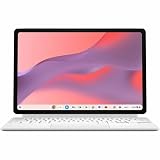
- Combined Processor Core: Octa-core
- Processor Manufacturer: ARM
- Processor Type: Cortex A78
- Processor Core: Dual-core (2 Core)
- Processor Speed: 2.60 GHz
Is the CM32 good for school?
Yes, especially for students whose assignments live in a browser or Google Workspace. Gmail, Calendar, Google Drive, Docs, web research, WhatsApp Web, Zoom, Meet, Netflix and YouTube all ran smoothly in a two-week independent review. The bright, high-resolution screen is comfortable for reading classroom documents, and the tablet mode is convenient for carrying or annotating material.
The important qualification is memory. The reviewer found ChromeOS responsive in normal use, but opening dozens of tabs exposed the Kompanio 540’s performance ceiling. A student keeping a video call, multiple research windows, a document and several web apps open should choose 8GB rather than 4GB.
What schoolwork it handles well
- Google Docs, Sheets, Slides, Drive, Classroom and browser-based learning systems.
- Web research with many ordinary tabs, provided background tabs are closed when the workload grows.
- Video lessons and calls through Meet or Zoom.
- Handwritten notes or markup with a compatible USI 2.0 stylus.
- Reading PDFs, watching lessons and presenting material on the 12.1-inch display.
Where students may hit limits
- Dozens of simultaneously active tabs can make the system feel less responsive.
- Some Android apps still render as enlarged phone interfaces instead of taking full advantage of the large display.
- ChromeOS cannot run Windows-only desktop programs, macOS applications or many specialist engineering, laboratory and school-management packages.
- Serious video editing, 3D work and demanding local development exceed the intended workload.
Which CM32 configuration should you buy?
The 8GB/128GB model is the sensible choice for most students and adults who plan to keep the computer for several years. The extra memory gives ChromeOS more headroom for multitasking, while 128GB leaves substantially more room for offline files and Android applications than 64GB. Buy the 4GB/64GB version only when the lowest price matters and your work is limited to a few browser tabs, streaming and cloud storage.
Do these 3 things before closing this tab:
1Repair Windows errors before they cause bigger problems2Scan for outdated or missing drivers - takes under a minute3Clear out junk files and repair common Windows errors| Configuration | Best for | Advantages | Limitations |
|---|---|---|---|
| 4GB RAM / 64GB eMMC | Light schoolwork, web browsing and streaming on a tight budget | Lowest entry price; ChromeOS remains simple and quiet | Least multitasking headroom and restrictive local storage; poor long-term value if you can stretch to 8GB |
| 8GB RAM / 128GB eMMC | Students, writers and everyday users keeping several apps and tabs open | Better responsiveness under multitasking and twice the storage of the base model | Costs more; eMMC is still slower than an SSD in a conventional laptop |
| 8GB RAM / 256GB eMMC | Users who keep more offline files or Android apps | Most local capacity listed for the family | Availability and pricing vary by market; performance is still limited by the Kompanio platform |
Indian pricing illustrates the gap: the Indian Express listed Rs 37,990 for 4GB/64GB and Rs 48,999 for the 8GB/128GB review unit. Those are regional prices reported for that review, not a universal or permanent global price. Check the exact memory, storage and included accessories on the listing available in your country.
How fast is the MediaTek Kompanio 540?
The Kompanio 540 has eight cores, a 2.0GHz base frequency and up to 2.6GHz, with integrated ARM Mali-G57 MC2 graphics. In ChromeOS, that is enough for office documents, web applications, calls and media playback. The independent review described everyday operation as snappy, but did not publish a reproducible benchmark dataset. It is therefore more useful to judge the chip by workload than by an unsupported benchmark number.
Everyday responsiveness
Launching Gmail, Calendar, Drive, Docs, web pages, Meet, Zoom, YouTube and Netflix is within the platform’s comfort zone. ChromeOS’s lightweight interface and automatic background management help the hardware feel faster than the raw specification suggests.
Rank #2

- [Superior Display] - This Renewed product is tested and certified to look and work like new, with limited to no signs of wear. The refurbishing process includes functionality testing, inspection, and repackaging. The product comes with 90-day warranty
- [Versatile 2‑in‑1 and Lightweight Design] – Seamlessly Switch between tablet and laptop modes with a detachable keyboard and adjustable stand. Weighing under 2.2 lbs, it’s easy to carry anywhere, making it ideal for school, work, or travel on the go.
- [All‑Day Battery Life & Fast Connectivity] – Enjoy up to 12 hours of battery life with WiFi 6 support for fast, stable connections whether you're working, learning, or streaming.
- [Smooth Everyday Performance] – Powered by MediaTek Kompanio 520 with 8GB RAM and 128GB storage for efficient multitasking, browsing, and productivity tasks.
- [Stylus‑Ready & Lightweight Design] – Auto-charging stylus for note-taking and creativity, plus military-grade toughness (MIL‑STD 810H) for long-lasting reliability.
Multitasking ceiling
Heavy tab sessions are the dividing line. Dozens of tabs, a video meeting and several Android apps can consume 4GB quickly and force tab reloads or visible pauses. The 8GB model does not turn the CM32 into a workstation, but it delays that ceiling and is the better choice for research-heavy courses.
Graphics and creative work
The Mali-G57 integrated graphics are suitable for streaming, casual Android games and accelerated browser content. They are not intended for professional 4K editing, 3D rendering, advanced photo workflows or other sustained GPU workloads. Cloud-based creative tools may work, but export times and feature support depend on the service rather than the Chromebook alone.
How good is the CM32 display?
The display is the CM32’s strongest hardware feature. It is a 12.1-inch 16:10 touchscreen with 2560×1600 resolution, a claimed 600-nit brightness, 120Hz refresh rate, Corning Gorilla Glass and stylus support. Text is crisp, the taller 16:10 shape gives documents more vertical room than a 16:9 panel, and high brightness helps in classrooms or bright offices.
A 120Hz panel makes scrolling through web pages and documents look smoother than a basic 60Hz Chromebook. It can also make pen movement feel more immediate, although actual stylus latency depends on the application and pen. Brightness and refresh-rate figures are ASUS specifications for the 2026 model; they should not be read as an independent laboratory measurement of every retail unit.
Using it outdoors or in bright rooms
Six hundred nits is unusually bright for this class and should be useful near windows or in a well-lit classroom. Glossy touchscreen reflections can still matter, and maximum brightness generally uses more battery. Lower the panel brightness when you are indoors and need longer runtime.
Reading and annotation
The 16:10 ratio and high pixel density suit PDFs, split-screen documents and handwritten markup. Gorilla Glass adds scratch resistance, but a case and screen-care routine are still sensible for a device that will be moved between bags and desks.
Rank #3

- VERSATILE 2-IN-1 DESIGN: Easily switch between laptop and tablet modes with the detachable keyboard and magnetic stand cover, perfect for studying, working, or entertainment on the go.
- LONG BATTERY LIFE: Enjoy up to 12 hours of uninterrupted use, so you can stay productive or entertained all day without worrying about frequent charging.
- MILITARY-GRADE DURABILITY: Built to withstand daily wear and tear, meeting the rigorous US MIL-STD 810H standard for toughness and reliability.
- FAST AND SMOOTH PERFORMANCE: Powered by a MediaTek Kompanio 520 processor with 4GB RAM and 64GB storage for seamless multitasking and quick app loading.
- STYLUS SUPPORT & TOUCHSCREEN: Take notes, sketch, or navigate effortlessly with the optional USI 2.0 stylus and a vibrant 10.5-inch Full HD touch display.
Does the CM32 include a keyboard and stylus?
The CM32 is designed around a detachable keyboard, and the independent review praised the keyboard’s feel and usefulness. ASUS specifies support for USI 2.0 styluses, and the review found pen input useful. However, retail bundles can differ by country and SKU: the specification confirms compatibility and the detachable design, not that every listing includes a pen or the same cover package. Confirm the contents of the exact box before ordering.
Keyboard experience
The keys are solid enough for essays, email and ordinary office work. The cover and kickstand are less successful on a lap: the reviewer found limited angle choices and a cover that can flop when laid flat. On a desk, the setup is stable enough for normal typing; on a sofa or train tray, a rigid laptop is more predictable.
Stylus use
A compatible USI 2.0 pen adds handwritten notes, signatures, diagrams and document annotation. It is an advantage over many conventional Chromebooks, but pen software varies. Check that your preferred note-taking or drawing application supports USI input and that the pen is included or budget for one separately.
Free tools Windows power users keep installed
One-click scans. No signup required.
How long does the CM32 battery last?
ASUS claims up to 12 hours from the 42Wh battery. Digit’s reviewer reported roughly 8–9 hours of daily use while noting the 12-hour claim. Treat 12 hours as a light-use or laboratory ceiling, not a guaranteed school-day result: brightness, 120Hz operation, video calls, Wi-Fi conditions and Android apps all change endurance.
| Figure | What it means |
|---|---|
| 42Wh | Battery capacity specified by ASUS for the CM32 family. |
| Up to 12 hours | ASUS Computer International’s 2026 claim; the test conditions are not supplied here, so it is not a promise for every workload. |
| About 8–9 hours | Digit’s reported daily-use result, which is more realistic for mixed activity but still depends on settings and applications. |
| 45W USB-C charger | The supplied charging power rating; the single USB-C port is also the main connectivity limitation. |
For a full school day, start with the battery charged, reduce brightness when practical and close unused tabs. If you need to charge while using a USB-C drive, display adapter or other accessory, the one-port design means carrying a compatible hub or choosing a different computer.
What ports and wireless features does it have?
Connectivity consists of one USB-C port, a 3.5mm audio combo jack, Wi-Fi 7 and Bluetooth 5.4. Wi-Fi 7 is a forward-looking feature for compatible networks, while Bluetooth 5.4 supports current wireless headphones, keyboards and mice. The practical drawback is the single USB-C port: charging and attaching a peripheral at the same time requires a hub, and a hub adds cost and another item to carry.
Rank #4

- FREE GOOGLE ONE AI PREMIUM PLAN — Get Gemini Advanced, 2TB of cloud storage, and more for 3 months at no cost*
- SMOOTH MULTITASKING — Powered by the Intel Celeron N4500 Processor, enabling decent multitasking experience
- TOUCHSCREEN VERSATILITY — 14-inch FHD 1920x1080 NanoEdge 360-degree flippable touchscreen display
- WORK AND PLAY FROM ANY ANGLE — Convertible 2-in-1 design with four different work modes: traditional clamshell, tent, stand, tablet mode
- LIGHTWEIGHT YET DURABLE — Durable and built to US Military Grade standard MIL- STD 810H weighing just 3.59 lbs
Before buying for school or work
- Count how often you use USB storage, wired networking, an external display or a card reader.
- Confirm whether your classroom dock or monitor supports ChromeOS and USB-C video output through a compatible hub.
- Keep a USB-C hub with power pass-through if you regularly need charging and peripherals together.
- Use Bluetooth accessories when possible to preserve the only physical data port.
Are the cameras good enough for classes and meetings?
Both the front and rear cameras are 5MP. The independent review praised them as better than basic Chromebook cameras for video calls and document capture. They are useful for Meet or Zoom and for photographing a worksheet, whiteboard or receipt, but they are not a replacement for a dedicated camera in low light or for high-quality video production.
Having cameras on both sides is particularly useful in tablet mode: the rear camera can point at a page or object while the display remains in your hands. Lighting and the conferencing application still determine image quality more than the megapixel count alone.
Can the CM32 replace an iPad or Windows laptop?
It can replace a basic laptop or tablet for browser-centric work, but not every Windows, macOS or iPad use case. Compared with a tablet, the detachable keyboard and desktop-style ChromeOS make long writing sessions, file management and multitasking easier. Compared with a Windows laptop, it is quieter, lighter as a tablet and simpler to administer, but it lacks broad support for specialist desktop software.
| Need | CM32 fit | Why |
|---|---|---|
| Google Workspace and web research | Excellent | ChromeOS is built around browser applications and cloud files. |
| Video calls and streaming | Very good | Bright 120Hz screen, dual 5MP cameras and quiet operation suit calls and media. |
| Handwritten notes | Good, with a compatible USI 2.0 stylus | Touchscreen and pen support enable tablet-style annotation. |
| Windows-only school or business software | Poor fit | ChromeOS cannot natively run conventional Windows desktop applications. |
| Professional video, 3D or sustained development | Poor fit | Processor, graphics, memory ceiling and ChromeOS software availability are limiting factors. |
| Portable tablet use | Very good | The tablet starts around 0.61kg and detaches from the keyboard. |
| Lap typing and many wired accessories | Below average | The kickstand is unstable on laps and there is only one USB-C port. |
An iPad may offer a larger selection of polished touch-first apps, while a Windows laptop remains the safer choice for specialist desktop programs, local development tools and broad peripheral compatibility. The CM32’s advantage is the combination of a strong screen, ChromeOS simplicity and a keyboard that can be removed when you want a tablet.
What are the CM32’s main strengths and weaknesses?
Strengths
- High-resolution 600-nit 120Hz screen that is excellent for documents, web pages and media.
- Detachable form factor provides laptop productivity and tablet portability.
- ChromeOS is quiet and straightforward for Google Workspace, browsing, calls and streaming.
- Light tablet body, Wi-Fi 7 and stated durability and sustainability certifications suit mobile or shared use.
- Dual 5MP cameras are more useful than the low-resolution cameras common on entry Chromebooks.
- USI 2.0 stylus support adds handwriting and annotation options.
Weaknesses
- One USB-C port makes simultaneous charging and peripheral use awkward.
- No fingerprint reader; you must use a password, PIN or another supported sign-in method.
- Keyboard cover and kickstand have limited angles and are not ideal for lap typing.
- Large-screen Android applications can still look like stretched phone layouts.
- ChromeOS is unsuitable for many specialist desktop, creative and development workloads.
- The 4GB/64GB configuration has too little memory and storage for a comfortable long-term purchase when 8GB/128GB is available.
Who should buy the ASUS CM32?
Buy it if your day consists mainly of browser tabs, Google Workspace, online classes, writing, research, calls, streaming and occasional handwriting. It is especially compelling for students who want one device that can sit on a desk for typing and come off the keyboard for reading or annotation. Schools and organizations may also value ChromeOS administration options, subject to confirming Education or Enterprise program availability and commercial terms in their region.
Recommended Free Tools
Choose another category if you need Adobe-style desktop creative applications, engineering or accounting software that requires Windows, sustained local coding workloads, a stable lap-first keyboard, several built-in ports or a fingerprint reader. The CM32 is a productive compact computer, not a universal replacement for every laptop.
Best Value

- VERSATILE DESIGN: 10.5-inch touchscreen Chromebook transforms seamlessly between laptop and tablet modes with detachable keyboard for maximum flexibility
How should you set up the CM32 for reliable school use?
- Choose the right memory and storage. Select 8GB/128GB when possible, especially if you routinely use video calls and many tabs. Reserve 4GB/64GB for genuinely light use.
- Update ChromeOS before classes begin. Connect to Wi-Fi, open Settings, choose About ChromeOS, and select Check for updates. Restart when prompted.
- Sign in with the school account. Managed school devices may apply policies, blocked extensions and app restrictions automatically. Ask the administrator before changing settings.
- Test the keyboard and pen. Pair or attach the keyboard, confirm the kickstand angle on your desk, and test USI 2.0 input in the note-taking application you intend to use.
- Prepare offline access. In Google Drive, mark essential files for offline use before traveling. Cloud-only documents are unavailable when a network outage or poor classroom signal prevents synchronization.
- Plan charging and accessories. Carry the 45W USB-C charger and, if you use storage or an external display, a USB-C hub with power pass-through.
- Set a practical tab routine. Close completed research tabs, suspend unused Android apps and keep only the windows needed for the current assignment. This matters more on 4GB models.
What should you check before ordering?
- Exact RAM and eMMC capacity; names such as CM3206 can cover multiple regional configurations.
- Whether the keyboard cover, kickstand and USI stylus are included in that seller’s package.
- Local warranty, keyboard layout and charger plug.
- Availability of ChromeOS Education or Enterprise management features if purchasing for an institution.
- Return terms in case the kickstand, app compatibility or port arrangement does not suit your workflow.
Frequently asked questions
Does the CM32 have a fingerprint scanner?
No. The listed hardware does not include a fingerprint reader. Plan to unlock it with your account password, PIN or the sign-in method enabled by your school or organization.
Can I use a USB-C dock with the CM32?
A compatible USB-C hub or dock can make the single port more practical, particularly one with power pass-through. ChromeOS and the dock must both support the external display, storage or network features you need, so verify compatibility before relying on it for a fixed desk setup.
Is 64GB enough for a student?
It can work when nearly everything stays in Google Drive and the student uses few Android apps. Offline videos, downloaded documents and app data consume that space quickly, which is why 128GB is the safer capacity for several years of school use.
Windows Errors? Fix Them Before They Spread
Repair common Windows errors and clear accumulated junk for a smoother, more stable PC - no reinstall needed.Free scan · no reinstallOutdated Drivers Are Slowing You Down
One free scan finds every outdated or missing driver and matches the right update for your exact hardware.Free scan · exact hardware matchDoes the CM32 run Android apps?
ChromeOS supports Android applications, but large-screen behavior varies. Some apps adapt well, while others still appear as stretched phone interfaces; check the specific apps required by your course rather than assuming every tablet app will look polished.
Is the 12-hour battery claim realistic?
It is ASUS’s maximum claim for the 42Wh battery, while an independent reviewer reported about 8–9 hours of daily use. Actual runtime depends on brightness, refresh rate, calls, Wi-Fi quality and app mix, so plan around your workload rather than the headline maximum.
Frequently Asked Questions
Does the ASUS Chromebook CM32 support external monitors?
It can work with a compatible USB-C hub or dock, but the available data does not establish a universal monitor limit or every adapter’s compatibility. Check the hub’s ChromeOS support and power pass-through before buying.
Can the CM32 be managed by a school IT department?
ASUS positions the model for education and lists optional ChromeOS Education and Enterprise upgrades. Availability, licensing and Google Admin console terms depend on the region and institutional purchase.
What type of storage does the CM32 use?
The listed configurations use eMMC storage in 64GB, 128GB or 256GB capacities. That is adequate for ChromeOS and cloud files, but it is not the same upgradeable SSD storage found in many conventional laptops.
Is the CM32 comfortable to hold as a tablet?
The tablet starts at about 0.61kg, so it is substantially easier to hold than a full laptop. The detachable keyboard must be removed for the lightest setup, and a protective case adds weight.
Quick Recap
Product prices and availability are accurate as of the date/time indicated and are subject to change. Any price and availability information displayed on Amazon at the time of purchase will apply.

