
Windows Errors? Fix Them Before They Spread
Repair common Windows errors and clear accumulated junk for a smoother, more stable PC - no reinstall needed.Free scan · no reinstallCrashes, No Sound, or Screen Glitches?
Random freezes, missing sound and display glitches usually trace back to one bad driver. Find and replace yours safely.Free scan · under a minuteiTechGuides is reader-supported. When you buy through links on our site, we may earn an affiliate commission. As an Amazon Associate I earn from qualifying purchases. Learn more
Choose Apple Watch only when you have a compatible iPhone. Choose a Wear OS watch when Android is your main phone platform. A Windows or Linux computer does not replace the phone required for normal setup and management, so the decisive compatibility question is your phone ecosystem, not your desktop operating system.
iPhone owners who want the deepest Apple integration should verify the exact watch, iPhone, and iOS requirements before buying. Android owners should start with a Wear OS model and then check the manufacturer’s companion-app, feature, and regional requirements.
The compatibility decision in one minute
| Your primary phone | Best-supported path | What to verify |
|---|---|---|
| Android | Wear OS smartwatch | Android version, watch model, companion app, and whether the watch uses the generic Wear OS app or a manufacturer app |
| iPhone | Apple Watch | Exact iPhone model, iOS version, watchOS version, and regional cellular support |
| Windows PC with Android phone | Wear OS plus the Android phone | Web dashboards, data export, notification behavior, and any desktop integration offered for your model |
| Linux PC with Android phone | Wear OS plus the Android phone | Browser access, export formats, Bluetooth limitations, and third-party integrations |
| Windows or Linux PC with no compatible phone | Neither ecosystem is a straightforward standalone choice | Both vendors’ documented setup paths require a phone app and Bluetooth |
Apple’s watchOS platform is built around an iPhone. Google’s own Wear OS guidance says, “To use your smartwatch, first connect your watch to your phone with the Wear OS app.” That phone-first design remains the practical rule even when your daily computer runs Windows or Linux.
Why the phone matters more than the computer
Apple Watch is an iPhone-dependent purchase
Apple’s current compatibility table ties each watch generation to minimum iPhone and software versions. For example, the table published September 17, 2026, lists Series 12 and Ultra 4 as requiring an iPhone 11 or later, iOS 27 or later, and watchOS 27 or later. Apple’s watchOS 27 documentation likewise requires an iPhone 11 or later, or an iPhone SE (second generation or later), running iOS 27.
Popular on Amazon

- 【Crystal-Clear Communication】AEAC smartwatch delivers clear call quality with high-definition speakers and microphones. Built with an AI assistant, it enables smooth voice commands and hands-free calls.
- 【Comprehensive Health Monitoring】The AEAC smartwatch tracks vital health metrics—blood oxygen, heart rate, stress, and sleep analysis—providing you with valuable insights for enhanced well-being.
- 【Long-Lasting Battery】Enjoy up to 10 days of use on a quick 2-hour charge. Will monitor your heart rate, steps, activity routes, and calorie burn around the clock, offering a complete view of your health and fitness.
- 【110+ Sports Modes & Waterproof】With 110+ sports modes, this fitness watch supports a wide range of activities, from yoga to swimming. Its 3ATM water-resistant design ensures reliable performance in wet conditions.
- 【1.32" AMOLED Touchscreen】 Features a 1.32-inch AMOLED display for sharp visuals and smooth responsiveness. The watch face measures 43 mm, offering a clear and comfortable viewing area. Choose from 200+ watch faces or personalize with your own photos, making the watch uniquely yours
That is a compatibility requirement, not merely a recommendation. An Apple Watch may still show the time without a supported iPhone, but normal activation, software updates, account setup, app installation, notifications, and health-data synchronization depend on Apple’s supported pairing path. An Android phone cannot substitute for that path in ordinary consumer use.
A 2025 peer-reviewed interoperability paper, WatchWitch in the Proceedings on Privacy Enhancing Technologies, describes Apple Watch as “incredibly tightly coupled with the Apple’s iPhone and iCloud ecosystem.” Experimental projects may investigate alternate interoperability, but they do not create Apple-supported Android pairing or change the buying recommendation.
Wear OS is also phone-centered, but Android is its primary route
Wear OS watches are configured through a phone application and Bluetooth. Google’s Android instructions have you open the Wear OS app (or the watch maker’s companion app), select the watch, match a code shown on both devices, and finish setup on the phone. Google also documents an iPhone setup flow for supported watches, but support depends on the exact model and is generally less complete than the Android experience.
Quick wins for a faster PC:
Repair Windows errors before they cause bigger problemsFix Now →Fix the driver behind crashes, sound loss and screen glitchesFind Drivers →Do not assume every Wear OS generation uses the same app. Google notes that Wear OS 3 watches are not compatible with the generic Wear OS app; a manufacturer-specific companion app may be required. Check the watch maker’s instructions for the model and software generation before purchase.
If your phone is Android
Why Wear OS is the default choice
Android gives Wear OS its documented, first-class setup route. You can normally configure the watch, manage permissions, install compatible apps, handle notifications, and maintain the connection through the Android phone. The exact feature set varies by watch maker and model, so “Wear OS” is a platform category rather than a guarantee that two watches behave identically.
Also popular on Amazon
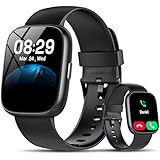
- Bluetooth 5.3 Call and Message Notification: Cillso smart watch features an advanced single-chip processor and sensitive microphone, enabling direct call making and answering. When you enable the "VeryFit" App to receive messages, notifications will be displayed on the smartwatch. Get all your messages and notifications (Facebook, Twitter, WhatsApp, Instagram, Messenger, Linkedin,Skype etc.) sent straight to your smartwatch with intuitive customizable vibrations
- Built-in Alexa Voice Control: This smartwatch integrates Amazon Alexa's intelligent voice assistant, delivering a comprehensive hands-free experience directly from your wrist. Simply speak commands to instantly access news, weather, and calendar updates, set reminders, control smart home devices, and manage music playback. This full suite of voice-activated functionalities streamlines daily routines, enhances multitasking efficiency, and keeps your hands free for the moments that matter most.
- 1.83" HD Display and Personalized Customization: IDW26 smart watches for women men feature a 1.83-inch HDdisplay paired with 3D tempered glass, boasting a resolution of up to 320×385 for excellent image quality and high touch sensitivity. The 4-level adjustable brightness ensures clear visibility even under bright sunlight. Through the "VeryFit" app, users gain access to over 130 stylish watch faces and the ability to create custom designs, allowing for personalized expression
- 120+ Sport Modes and IP68 Waterproof: Fitness tracker supports 120+ professional sport modes, covering diverse indoor/outdoor activities like running, cycling, and soccer to suit all fitness levels. Equipped with high-precision sensors, fitness watch accurately tracks steps, distance, calories burned, and workout duration to help analyze performance and optimize training plans. With an IP68 rating, it's resistant to sweat, rain, and handwashing (Not for swimming or hot showers)
- All-Day Health Monitoring: Android smart watch is equipped with a high-precision optical sensor that supports 24h real-time heart rate monitoring, helping you stay informed about your physical condition. It also intelligently analyzes sleep quality, accurately identifying deep sleep, light sleep, and awake phases to help improve your sleep habits. Paired with its dedicated app, you can view long-term health trends and receive personalized insights to gradually develop a healthier lifestyle
Android setup procedure
- Check the model’s requirements. Confirm the supported Android version, required companion app, account requirements, and whether the watch is Wear OS 3 or another generation.
- Install the correct phone app. Use the generic Wear OS app only when Google and the manufacturer list it for that watch. For some Wear OS 3 models, install the manufacturer’s companion app instead.
- Turn on Bluetooth and charge the watch. Keep the watch and phone close together during pairing. Bluetooth is part of the documented setup path.
- Open the app and select the watch. Choose the watch name shown on the phone. If several watches appear, use the identifier displayed on the watch.
- Match the pairing code. Confirm that the code on the phone matches the code on the watch, then approve pairing.
- Complete permissions and account setup. Allow the notification, contacts, location, health, and other permissions you actually need. Finish software updates before judging battery or notification behavior.
- Test the functions you care about. Send a notification, make a test payment if supported in your region, open the health app, and check whether data appears where you expect.
Android-specific checks before buying
- Whether your preferred watch uses Google’s generic app or a manufacturer companion app.
- Whether the desired health, payment, assistant, or messaging feature requires a particular phone brand or Android version.
- Whether cellular service is supported by your carrier and sold for the watch’s regional variant.
- Whether your desktop workflow depends on a web dashboard or export format that the manufacturer actually provides.
If your phone is an iPhone
Apple Watch offers the most complete supported integration
Apple Watch is the straightforward choice when you want Apple’s first-party pairing, account, notification, messaging, health, and device-management experience. The trade-off is the iPhone requirement: your watch choice is constrained by the iPhone and software versions you already own or plan to keep.
Current Apple compatibility example
| Watch models listed in Apple’s current table | Minimum iPhone | Required phone software | Required watch software |
|---|---|---|---|
| Series 12 and Ultra 4 | iPhone 11 or later | iOS 27 or later | watchOS 27 or later |
| Other generations | Model-specific | Model-specific | Model-specific |
The Series 12 and Ultra 4 entry is an example of the current table, not a shortcut for every Apple Watch. Before ordering, open Apple’s compatibility page and match the exact case generation, iPhone model, and installed iOS. Older iPhones may be unable to update to the required iOS even when the hardware appears capable.
The Tool Desk
Outbyte Driver Updater FREEFix the driver behind crashes, sound loss and screen glitchesFind Drivers →Outbyte PC Repair FREERepair Windows errors before they cause bigger problemsFix Now →Apple Watch setup procedure
- Update the iPhone. Install the iOS version required by the watch model, and make sure you can sign in to the Apple Account used for iCloud and the Watch app.
- Open the Watch app. On the iPhone, choose the option to pair a new watch and follow the on-screen camera or manual pairing flow.
- Confirm the pairing animation or code. Keep the watch near the iPhone until the pairing step completes.
- Restore or configure as new. Choose a backup when moving from another Apple Watch, or configure the watch as new and select the settings you want.
- Install updates and apps. Leave the watch on its charger if an update requires extended time, then verify notifications, health permissions, and cellular settings.
- Test with the iPhone nearby and away. This reveals which functions depend on Bluetooth, Wi-Fi, or a cellular plan.
Can an Apple Watch work with Android?
Not as a normal, supported pairing arrangement. Apple’s compatibility requirements specify iPhone and iOS, and the cited interoperability research finds the watch’s ordinary supported use unavailable with non-Apple smartphones. An Android owner should not buy an Apple Watch expecting the Wear OS app, Bluetooth pairing, or a workaround to provide equivalent support.
Does Wear OS work with iPhone?
Some Wear OS watches include an iPhone setup path, but the support is model-specific. Google documents a phone-app and Bluetooth flow for supported watches; it does not make every Wear OS model interchangeable with every iPhone. Check the exact manufacturer support page for notification handling, replies, health synchronization, payments, assistant functions, and software updates. If you want the least uncertainty on iPhone, Apple Watch remains the safer platform choice.
What Windows and Linux change—and what they do not
They are companion desktops, not normal pairing hosts
The cited Apple and Google setup instructions require an iPhone or Android phone application plus Bluetooth. Neither vendor’s setup documentation presents Windows or Linux as the primary standalone pairing host. That does not prove every desktop integration is impossible; it means you should not expect a Windows or Linux computer to replace the phone during activation or routine management.
Also popular on Amazon

- 【Crystal-Clear Bluetooth Calls & Message Notification】 AEAC smart watch with Bluetooth 5.3 and a built-in DSP chip, enjoy ultra-clear call quality and zero lag. Stay connected on the go with real-time SMS and app notifications (Not supporting reply messages)—all from your wrist.
- 【1.85" HD Display with 60Hz Refresh Rate】Experience crisp visuals and smooth scrolling on the vibrant 1.85" HD touchscreen. Plus, you can also upload photos of your family, pets, and scenery to customize a watch face with your own style.
- 【24/7 Health Monitoring】Track your health around the clock with advanced sensors. Monitor heart rate, sleep stages, stress levels, and more, helping you make informed choices for a healthier lifestyle.
- 【Fitness Tracking with 100+ Modes】Elevate your workouts with over 100 sport modes, including running, swimming, yoga, and more. The IP68 waterproof design ensures it’s ready for your toughest adventures, from the gym to the pool.
- 【Seamless Compatibility & Long Battery Life】AEAC smart watch works effortlessly with iOS and Android smartphones. Enjoy up to 7 days of battery life on a single charge, so you never have to worry about recharging.
A practical desktop workflow
- Pair through the phone first. Activate the watch with the supported iPhone or Android app.
- Identify the data destination. Check whether the manufacturer offers a web dashboard, desktop application, cloud export, or standards-based file format.
- Test browser access. On Windows or Linux, sign in to the documented web service and confirm that recent activity, workouts, sleep records, or device status actually appear.
- Check export options. Look for CSV, GPX, TCX, JSON, or other formats only when the manufacturer explicitly lists them. Do not assume an export exists because a mobile app displays the data.
- Verify notifications and replies. Desktop notifications may be relayed through the phone, a browser session, or not supported at all. Send a test message before relying on the workflow.
- Plan for phone availability. Keep the phone charged and connected when the desktop feature depends on phone relay, Bluetooth, or background synchronization.
Linux-specific expectations
Linux users should treat browser dashboards and documented exports as the dependable options. Native management utilities, unofficial Bluetooth tools, or community integrations can change without notice and may not support firmware updates, payments, or health data. Use them only after confirming what happens if the integration fails or loses authorization.
Free tools Windows power users keep installed
One-click scans. No signup required.
Windows-specific expectations
Windows may have more manufacturer software or notification integrations than Linux, but availability remains model-specific. A Windows application does not remove the phone requirement unless the manufacturer explicitly says it can activate and manage that watch independently.
Independent reader supportYour contribution helps us test, update, and keep practical guides available for everyone.Feature comparison that matters after compatibility
Notifications, messaging, and replies
Both platforms can mirror phone notifications, but the useful question is what you can do after a notification arrives. Reply methods, supported messaging services, contact access, voice input, and whether a reply works without the phone vary by watch, phone platform, app version, and connection type. Test the messaging services you actually use rather than assuming that notification mirroring means full conversation support.
Health and fitness
Apple Watch and Wear OS watches can serve as health and fitness companions, yet sensors, workout modes, medical features, data export, and regional availability differ by model. The platform determines where records are stored and which phone app manages permissions; the specific watch determines much of the sensing hardware. No directly comparable battery-life, accuracy, or market-wide health statistic is established here, so compare the exact model specifications and the health services you already use.
Apps, payments, and assistants
App catalogs and services follow the phone ecosystem. On iPhone, Apple Watch is designed for Apple’s account and app environment. On Android, Wear OS integrates with Google and manufacturer services, subject to model and region. Payments require a supported wallet, watch hardware, bank, country, and sometimes a particular phone brand. Assistant features likewise depend on the installed software and account. Confirm each requirement before purchase if contactless payment or voice control is a deciding feature.
Also popular on Amazon

- WHY GALAXY WATCH8: Advanced health and sleep tracking features.* A lighter, more snug design for all day comfort.* Improved user interface.* Personal AI assistant for hands free help.⁴* 2-Year Warranty.
- SLEEP SMARTER. LIVE BETTER: Energize your days with a great night’s rest using Advanced Sleep Coaching¹ - improved with even more ways to keep your nights on track. Plus, Bedtime Guidance² helps you find your optimal bedtime.
- YOUR RUN, YOUR COACH: Step up your running routine with a Running Coach³ that analyzes your performance and gives you real-time feedback. Training for an event? Try specific programs built for 5Ks, marathons and more.
- NEW DESIGN. LIGHTWEIGHT FEEL: Maximize your days with a minimalist design. The sleek, thinner-than-ever silhouette makes Galaxy Watch8 look as good as it functions. With a snug fit and sporty style, it gives you readings without getting in your way.
- A PERSONAL ASSISTANT, RIGHT ON YOUR WRIST: Your Watch just became your personal assistant.⁴ Stay one step ahead of your day with a watch that helps you navigate your tasks and to-do lists.
Battery and charging
Battery capacity, display settings, cellular radios, GPS use, workout tracking, and software version can change runtime substantially. The available compatibility documentation does not provide a directly comparable battery figure for Apple Watch versus Wear OS, so do not choose a platform on an assumed number. Compare the exact models’ quoted runtime, charger type, charging time, and replacement or travel-charging options.
Cellular operation
A cellular watch can reduce how often you need the phone nearby, but it does not eliminate the phone requirement for initial setup and ongoing account management. Carrier support, country, watch variant, and plan activation all matter. Ask the carrier whether the watch shares your phone number or uses a separate service, and test emergency, calling, messaging, and data behavior before relying on the watch away from the phone.
Brand-specific phone requirements
Some Wear OS features may be limited to a manufacturer’s own phones, while other watches support a broader set of Android devices. The same principle applies to iPhone support: a watch can be technically compatible yet lose selected functions outside its preferred phone ecosystem. Treat every advertised feature as a model-specific claim and read the compatibility notes for that exact combination.
Choosing for common real-world combinations
| Situation | Recommended direction | Reason and caution |
|---|---|---|
| Android phone, Windows laptop | Wear OS | Android provides the documented setup path; Windows remains a companion for web access or exports. |
| Android phone, Linux desktop | Wear OS | Pair through Android, then verify browser dashboards and export formats before buying. |
| iPhone, Windows laptop | Apple Watch | The iPhone handles pairing and management; Windows access must be checked separately. |
| iPhone, Linux desktop | Apple Watch | Use the iPhone for setup and look for documented web or export access to data. |
| Android phone plus occasional iPad or Mac use | Wear OS | The primary phone still determines setup and daily management. |
| No compatible smartphone | Delay purchase or choose a device with explicitly documented standalone setup | Neither cited ecosystem presents Windows or Linux as the normal replacement for the required phone app. |
Buying checklist
- Write down your primary phone model and operating-system version.
- Match that information to the exact watch model, not merely the platform name.
- Confirm the required companion app and whether the watch is Wear OS 3 or another generation.
- List the notifications, messaging services, health records, payment cards, and assistant functions you need.
- Check whether those functions require a specific phone brand, account, carrier, country, or cellular plan.
- For Windows or Linux use, verify a web dashboard, export format, or documented integration before purchase.
- Check update requirements and whether your phone can install the required iOS or Android version.
- Buy from a seller that permits returns if pairing fails with your exact phone.
Troubleshooting pairing and desktop access
The watch does not appear in the phone app
- Confirm Bluetooth is enabled and the watch is charged.
- Use the companion app specified for that model; a Wear OS 3 watch may not appear in Google’s generic app.
- Restart both devices and remove an incomplete pairing before trying again.
- Check that the phone’s operating-system version meets the watch’s requirement.
The watch pairs but notifications do not arrive
- Allow notification access for the companion app and the individual messaging apps.
- Disable battery restrictions that stop the phone app from running in the background.
- Check whether the watch is connected by Bluetooth, Wi-Fi, or cellular and whether the phone is online.
- Test one supported notification before assuming all apps are compatible.
Health or workout data is missing on Windows or Linux
- Confirm synchronization completed on the phone first.
- Sign in to the manufacturer’s documented web service, if one exists.
- Look for an official export control rather than relying on an unofficial scraper.
- Verify that the specific data type is exportable; a mobile display does not guarantee desktop access.
Bottom line for Android, iPhone, Windows, and Linux users
Your phone is the gatekeeper. Android users should begin with Wear OS and then resolve model-specific app and feature requirements. iPhone users should begin with Apple Watch and verify Apple’s current compatibility table for the exact generation. Windows and Linux are useful companion environments for browser access, exports, and notifications when supported, but neither replaces the phone app and Bluetooth setup documented by Apple and Google.
What’s actually slowing this PC down?
Pick the symptom - the matching free tool is one click away.
Recheck compatibility whenever Apple changes iPhone or watchOS requirements, Google or a manufacturer changes the Wear OS setup app, a model gains or loses iPhone support, or a vendor introduces an officially supported Windows or Linux management path.
Quick Recap
Product prices and availability are accurate as of the date/time indicated and are subject to change. Any price and availability information displayed on Amazon at the time of purchase will apply.

