
Windows Errors? Fix Them Before They Spread
Repair common Windows errors and clear accumulated junk for a smoother, more stable PC - no reinstall needed.Free scan · no reinstallOutdated Drivers Are Slowing You Down
One free scan finds every outdated or missing driver and matches the right update for your exact hardware.Free scan · exact hardware matchiTechGuides is reader-supported. When you buy through links on our site, we may earn an affiliate commission. As an Amazon Associate I earn from qualifying purchases. Learn more
The AMD Ryzen AI 9 HX 370 is a high-end mobile processor from AMD’s Ryzen AI 300 Series, built for laptops and listed by AMD for desktops as well. Its design combines 12 Zen 5-family CPU cores, Radeon 890M integrated graphics, and a dedicated neural-processing unit (NPU). That combination makes it relevant to demanding productivity, content creation, gaming without a discrete GPU, and local AI workloads.
There are two details worth clarifying at the outset: the HX 370 has 12 CPU cores, not 16, and its AI capability is rated at up to 50 NPU TOPS and 80 TOPS overall, not 50 TOPS total.
AMD Ryzen AI 9 HX 370 specifications
The HX 370 uses AMD’s Strix Point design, with four full-size Zen 5 cores and eight smaller Zen 5c cores. All 12 cores support simultaneous multithreading, giving the processor 24 threads.
What’s actually slowing this PC down?
Pick the symptom - the matching free tool is one click away.
| Specification | Ryzen AI 9 HX 370 |
|---|---|
| Series | Ryzen AI 300 Series |
| Former codename | Strix Point |
| CPU cores / threads | 12 / 24 |
| CPU layout | 4 Zen 5 cores + 8 Zen 5c cores |
| Maximum boost clock | Up to 5.1 GHz |
| Zen 5c maximum clock | Up to 3.3 GHz |
| L2 cache | 12 MB |
| L3 cache | 24 MB |
| Default TDP | 28 W |
| Configurable TDP | 15–54 W |
| Manufacturing process | TSMC 4 nm FinFET |
| Package | FP8, one die |
| Maximum junction temperature | 100°C |
The power range is particularly important when comparing laptops. A manufacturer can configure the chip anywhere from 15 W to 54 W, so two HX 370 laptops may deliver noticeably different performance. Cooling capacity, firmware settings, memory configuration, and whether the laptop is connected to AC power also matter.
Popular on Amazon

- READY FOR ANYTHING – Power through your day with Windows 11 and the AMD Ryzen 9 AI HX 370 Processor, delivering up to 50 TOPs of AI performance. Take your gaming to the next level with the NVIDIA GeForce RTX 4060 Laptop GPU and NVIDIA Advanced Optimus.
- Copilot+ PCs.* A new AI era begins. - Turn your ideas from text prompts into generated artwork. With Recall, search across time to find the content you need. Understand new languages instantly with Live Captions. With Copilot+ PCs, you will be all set to transform the way you create, find and communicate.
- FAST MEMORY AND STORAGE – Multitask quickly with 16GB of LPDDR5X memory and speed up loading times with 1TB of PCIe Gen 4.0 SSD. Upgrading the storage is a breeze with the additional SSD slot.
- NEVER MISS A MOMENT – Keep up with the pros thanks to its WQXGA 165Hz display. With G-SYNC the display synchronizes with the GPU’s output to reduce lag, minimize stuttering, and eliminate visual tearing for ultra-smooth gameplay.
- BLOW AWAY THE COMPETITION – High core count CPUs create more heat when at full load. The TUF Gaming A14 is equipped to handle its high-power CPU with an upgraded pair of 89-blade dual fans.
CPU architecture: 4 Zen 5 cores and 8 Zen 5c cores
The processor does not use 12 identical cores. Four Zen 5 cores are designed for the highest individual performance, while eight more compact Zen 5c cores add throughput efficiently. AMD lists a boost speed of up to 5.1 GHz for the processor and up to 3.3 GHz for the Zen 5c cores.
This arrangement is useful for workloads that can spread across many threads, including compiling software, rendering, batch photo processing, virtual machines, and heavy multitasking. Light tasks can use the faster cores, while background work can be distributed across the efficiency-focused cores.
Clock speeds are maximum specifications rather than fixed operating speeds. Sustained workloads can reduce clock speeds as the system reaches its thermal or power limits. In a thin laptop configured near 28 W, sustained performance should not be assumed to match that of a larger HX 370 system configured closer to 54 W.
The Tool Desk
Outbyte Driver Updater FREEScan for outdated or missing drivers - takes under a minuteDriver Scan →Outbyte PC Repair FREERepair Windows errors before they cause bigger problemsFix Now →Power, memory, and upgrade considerations
AMD supports two memory types on the FP8 platform:
- DDR5-5600, normally used with socketed or replaceable laptop memory where the manufacturer permits upgrades.
- LPDDR5X-8000, commonly soldered to the motherboard for higher bandwidth and lower power consumption.
The processor has two memory channels and AMD lists support for up to 256 GB. ECC is listed as unsupported. The actual maximum installed capacity depends on the laptop motherboard and firmware; AMD’s processor limit does not mean every HX 370 laptop can accept 256 GB.
Memory choice affects the integrated Radeon 890M because the GPU uses system memory rather than dedicated VRAM. A system with fast dual-channel LPDDR5X can therefore have a meaningful graphics advantage over a poorly configured system with slower or single-channel memory.
AMD lists EXPO, Precision Boost Overdrive, and Curve Optimizer voltage offsets as supported tuning features. On laptops, however, the manufacturer decides whether these options appear in the firmware or control software. Many systems expose none of them.
Radeon 890M integrated graphics
The HX 370 includes an AMD Radeon 890M integrated GPU with 16 graphics cores and a listed graphics frequency of 2,900 MHz. It is one of the processor’s most important features because it can handle everyday graphics, video work, and some gaming without a discrete graphics card.
| Graphics capability | AMD-listed support |
|---|---|
| Graphics API | DirectX 12 |
| Display interfaces | DisplayPort 2.1, HDMI 2.1, USB-C DisplayPort Alternate Mode |
| Maximum displays | Up to four |
| Maximum listed resolution | 7680 × 4320 at 60 Hz |
| Other listed modes | 3840 × 2160 at 240 Hz; 3440 × 1440 at 360 Hz; 2560 × 1440 at 480 Hz; 1920 × 1080 at 600 Hz |
| Video codecs | H.264, H.265/HEVC, VP9, and AV1 encode/decode |
| Other features | HDR metadata, Adaptive-Sync, HDCP 2.3, UHBR10 |
These are interface capabilities, not a promise that every laptop will expose every resolution or refresh rate. The number and type of physical display outputs depend on the laptop’s motherboard, USB-C implementation, dock, firmware, and display wiring.
The Radeon 890M can be a strong choice for users who want a relatively light laptop without a discrete GPU. It is not equivalent to a high-end dedicated gaming GPU, though. Newer and demanding games may require reduced resolution, medium or low settings, and upscaling. Performance also depends heavily on memory bandwidth and the laptop’s power profile.
AMD lists AV1 encode and decode support, including 8K-class modes. Whether a particular application uses the hardware encoder depends on its operating-system support, drivers, codec implementation, and OEM configuration.
AI performance: NPU and total TOPS
The HX 370 includes an AMD Neural Processing Unit. AMD currently lists:
- Up to 50 TOPS from the NPU
- Up to 80 TOPS overall
TOPS means trillions of operations per second, but it is not a universal application-performance score. Different models, precisions, operators, memory requirements, and software runtimes can produce very different results.
The NPU is intended for supported AI inference tasks that can run efficiently at low power. It can help with features such as camera effects, speech processing, image analysis, and compatible local AI models. CPU and GPU execution may still be faster or more practical for some workloads. An application’s “AI accelerated” label does not prove that it is using the NPU.
To confirm NPU placement in a Ryzen AI Software test, look for output such as Actually running on NPU 1 and operators assigned to the Vitis AI execution provider.
Ryzen AI Software compatibility
AMD’s Ryzen AI Software documentation identifies the HX 370’s platform as Strix, abbreviated as STX. Ryzen AI Software 1.8 supports Strix and documents model categories including CNN INT8, CNN BF16, NLP BF16, and LLM execution through the ONNX Runtime GenAI flow.
Compatibility is not automatic for every ONNX or generative-AI model. Unsupported operators can cause part of a model to run on the CPU, and some models or configurations may not be supported at all. AMD’s current 1.8 documentation lists exclusions including full-fusion Qwen2.5-14B, Qwen2.5-14B-Instruct, Qwen3-0.6B, and Qwen3-14B. The Phi-3-mini-128k-instruct model in TPS Fusion is documented as Windows-only.
Ryzen AI Software 1.8 also has platform-specific behavior. For example, Linux currently supports NPU-only flows; examples using the iGPU execution provider are not supported through the documented Linux flow. Model generation is not supported on Linux, although models generated on Windows are compatible with Linux.
Also popular on Amazon

- 【Copilot+ & Next-Gen 50 TOPS AI Performance】Powered by the groundbreaking AMD Ryzen AI 9 HX 370 processor and an integrated NPU delivering 50 TOPS of XDNA-accelerated AI power, this laptop effortlessly handles local AI workloads, complex coding, and seamless multitasking. It is the ultimate high-performance workspace designed for forward-thinking creators, developers, and professionals.
- 【Powerful Integrated Radeon 890M Graphics】Experience console-grade visuals on a thin-and-light profile with AMD Radeon 890M graphics. Built on cutting-edge RDNA 3.5 architecture, it delivers exceptional frame rates and stunning clarity for AAA gaming, 4K video editing, and 3D rendering. Enjoy strong graphics power for entertainment or creative tasks without extra heat and bulk of a discrete GPU.
- 【Dual Expandable High-Speed Memory & Storage】Built with dual DDR5 SO-DIMM slots supporting max 64GB 5600MHz high-frequency memory, plus dual M.2 PCIe 4.0 SSD slots for large-capacity storage expansion.It provides abundant expandable space to match your growing needs for data storage and professional software usage.
- 【Immersive 17.3" Widescreen Display with 180° Hinge】Maximize your productivity on 17.3-inch Full HD EDP widescreen display. The expansive layout offers a cinematic view for split-screen multitasking, eliminating constant scrolling through dense charts. Its 180° lay-flat hinge lets you share blueprints, presentations, or design mockups with colleagues in meetings or group study sessions.
- 【Full-Featured Rich Interface & USB4.0 High-Speed Transmission】Comprehensive port layout includes USB4.0, HDMI2.1, multi USB-A port, 3.5mm audio jack and SD card reader. USB4.0 realizes 40Gbps ultra-fast transmission, supports external graphics dock, multi-screen split display and various peripheral device connection, fully meeting office expansion needs.
Installing Ryzen AI Software on Windows
For the current Ryzen AI 1.8 documentation, use a Windows 11 installation with build 22621.3527 or newer. AMD lists Visual Studio 2022, CMake 3.26 or newer, and a current Python distribution as prerequisites. Miniforge is the preferred Python distribution.
1. Install the NPU driver
The NPU driver must be version 32.0.203.280 or newer. AMD identifies 32.0.203.376 as the production driver for Strix and related platforms.
- Download and extract the NPU-driver ZIP.
- Open a terminal as Administrator in the extracted folder.
- Run:
.
pu_sw_installer.exe
After installation, check Task Manager → Performance → NPU0. The current instructions use this as the primary verification path. Older guides may instead refer to Device Manager, “Neural processors,” or “AMD IPU”; those labels belong to earlier documentation.
2. Install the Ryzen AI package
Run the current installer, ryzen-ai-1.8.0.exe. Its default installation directory is:
C:Program FilesRyzenAI1.8.0The default Conda environment is named:
ryzen-ai-1.8.0The installer creates the Ryzen AI packages inside that environment. AMD also lists a NuGet package named ryzen_ai_nuget_1.8.0.zip for applicable development workflows.
3. Check Miniforge’s PATH entries
If the installer or commands cannot find Conda, add the required Miniforge directories to the System PATH under System Variables:
Do these 3 things before closing this tab:
1Fix the driver behind crashes, sound loss and screen glitches2Repair Windows errors before they cause bigger problems3Scan for outdated or missing drivers - takes under a minutepathtominiforge3condabin
pathtominiforge3Scripts
pathtominiforge3Open a new terminal after changing PATH so Windows reloads the environment variables.
4. Run AMD’s quick test
Open Miniforge Prompt from the Windows Start menu, activate the environment, and run the quick test:
conda activate ryzen-ai-1.8.0
cd %RYZEN_AI_INSTALLATION_PATH%/quicktest
python quicktest.py
Watch Task Manager → Performance → NPU during inference. Utilization should increase when the test executes a supported model on the NPU.
To reduce verbose output to useful lines, use:
cd %RYZEN_AI_INSTALLATION_PATH%/quicktest
python quicktest.py 2>&1 | findstr /i "Vitis | NPU | Test"
If you need detailed ONNX Runtime logging, set:
session_options.log_severity_level = 0Level 0 is Verbose; levels 1, 2, 3, and 4 represent Info, Warning, Error, and Fatal respectively. The older Vitis AI provider option log_level was deprecated in Ryzen AI 1.7, so new code should use log_severity_level.
Checking and managing the NPU with xrt-smi
On Windows, AMD installs xrt-smi in:
C:WindowsSystem32AMDAdd that directory to the System PATH if you want to call the command directly from the Ryzen AI Conda environment. Windows also requires the Microsoft Visual C++ Redistributable 2015–2022.
Use these commands to inspect the device:
xrt-smi examine
xrt-smi examine --report platform
xrt-smi examine --report aie-partitions
To save a JSON report:
xrt-smi examine -f JSON -o <path/to/output.json>AMD documents the following validation commands:
xrt-smi validate --run all
xrt-smi validate --run latency
xrt-smi validate --run throughput
xrt-smi validate --run gemm
The gemm test is an INT8 GEMM/TOPS test for Strix-class hardware. It is not supported on Phoenix or Hawk Point NPUs, so do not treat it as a universal Ryzen AI command.
You can change the NPU performance mode with:
xrt-smi configure --pmode performanceAvailable modes are default, powersaver, balanced, performance, and turbo. The default mode follows Windows’ setting at System → Power & battery → Power mode. Turbo requires AC power; on battery, AMD says it falls back to performance. Check the current mode with:
xrt-smi examine --report platformStop other NPU workloads before validation. Microsoft Experience Pack and other camera or AI features can occupy the NPU and cause xrt-smi validate to fail. The full-array gemm test especially should not run alongside another NPU workload.
Recommended Free Tools
Linux support
AMD’s current Ryzen AI Linux documentation supports STX, which includes the HX 370’s Strix platform. Documented flows include CNN INT8, CNN BF16, NLP BF16, and NPU-only LLM execution.
For Ubuntu, AMD lists these prerequisites:
sudo apt update
sudo apt install python3.12
sudo apt install python3.12-venv
sudo apt install libboost-filesystem1.74.0
sudo apt install dkms
After installing the appropriate XRT and NPU packages, verify the driver with:
source /opt/xilinx/xrt/setup.sh
xrt-smi examine
After activating the Ryzen AI environment, AMD also requires the XRT setup script and documents this library-path configuration:
Also popular on Amazon
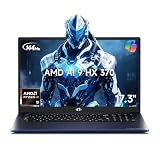
- 【Copilot+ & Next-Gen 50 TOPS AI Performance】Powered by the groundbreaking AMD Ryzen AI 9 HX 370 processor and an integrated NPU delivering 50 TOPS of XDNA-accelerated AI power, this laptop effortlessly handles local AI workloads, complex coding, and seamless multitasking. It is the ultimate high-performance workspace designed for forward-thinking creators, developers, and professionals.
- 【Powerful Integrated Radeon 890M Graphics】Experience console-grade visuals on a thin-and-light profile with AMD Radeon 890M graphics. Built on cutting-edge RDNA 3.5 architecture, it delivers exceptional frame rates and stunning clarity for AAA gaming, 4K video editing, and 3D rendering. Enjoy strong graphics power for entertainment or creative tasks without extra heat and bulk of a discrete GPU.
- 【Dual Expandable High-Speed Memory & Storage】Built with dual DDR5 SO-DIMM slots supporting max 64GB 5600MHz high-frequency memory, plus dual M.2 PCIe 4.0 SSD slots for large-capacity storage expansion.It provides abundant expandable space to match your growing needs for data storage and professional software usage.
- 【Immersive 17.3" Widescreen Display with 180° Hinge】Maximize your productivity on 17.3-inch Full HD EDP widescreen display. The expansive layout offers a cinematic view for split-screen multitasking, eliminating constant scrolling through dense charts. Its 180° lay-flat hinge lets you share blueprints, presentations, or design mockups with colleagues in meetings or group study sessions.
- 【Full-Featured Rich Interface & USB4.0 High-Speed Transmission】Comprehensive port layout includes USB4.0, HDMI2.1, multi USB-A port, 3.5mm audio jack and SD card reader. USB4.0 realizes 40Gbps ultra-fast transmission, supports external graphics dock, multi-screen split display and various peripheral device connection, fully meeting office expansion needs.
source /opt/xilinx/xrt/setup.sh
export LD_LIBRARY_PATH=/lib/x86_64-linux-gnu:${RYZEN_AI_INSTALLATION_PATH}/onnxruntime/lib/:$LD_LIBRARY_PATH
The Linux package can be installed with AMD’s documented sequence:
Quick wins for a faster PC:
Clear out junk files and repair common Windows errorsFree Scan →Scan for outdated or missing drivers - takes under a minuteDriver Scan →mkdir ryzen_ai-1.8.0
cp ryzen_ai-1.8.0.tgz ryzen_ai-1.8.0
cd ryzen_ai-1.8.0
tar -xvzf ryzen_ai-1.8.0.tgz
./install_ryzen_ai.sh -a yes -p <TARGET-PATH>/venv
source <TARGET-PATH>/venv/bin/activateLinux currently has limitations: model generation is not supported, iGPU execution-provider examples are not part of the supported Linux flow, and estimated NPU power reporting is unavailable on Linux.
Independent reader supportYour contribution helps us test, update, and keep practical guides available for everyone.Drivers: use AMD or the laptop manufacturer?
AMD’s HX 370 support page lists AMD Software: Adrenalin Edition 26.7.1 as the current WHQL Recommended package for Windows 11 and Windows 10 64-bit, with a listed release date of July 28, 2026 and a package size of 849 MB. AMD also offers a 46 MB Auto-Detect and Install utility that requires an internet connection.
For a laptop, AMD recommends trying the manufacturer’s driver first. OEM packages include system-specific power, display, sleep, camera, and graphics customizations. If a generic AMD.com Adrenalin installation causes a display, power, or feature problem, reinstall the laptop maker’s graphics driver.
Do not confuse graphics-driver availability with complete Ryzen AI Software support. AMD’s processor documentation lists Windows 11 64-bit, RHEL x86 64-bit, and Ubuntu x86 64-bit as operating-system support. The presence of a Windows 10 graphics package does not mean the complete Ryzen AI development stack is supported on Windows 10.
Free tools Windows power users keep installed
One-click scans. No signup required.
Common problems and practical fixes
| Problem | Likely cause or fix |
|---|---|
| NPU does not appear in Task Manager | Install the required NPU driver, reboot, and verify that the system firmware and OEM package support the NPU. |
| Quick test runs but NPU utilization stays at zero | Confirm the log includes “Actually running on NPU” and Vitis AI execution-provider assignments. The model may have fallen back to the CPU. |
xrt-smi is not recognized |
Add C:WindowsSystem32AMD to the System PATH, open a new terminal, and install the required Visual C++ Redistributable. |
| Validation fails unexpectedly | Close camera effects, Microsoft Experience Pack, and other NPU applications before retrying. |
| Older sample fails with current Ryzen AI | Update deprecated options and configuration files. For example, use log_severity_level instead of the deprecated log_level. |
| INT8 model configuration fails | On Strix and Krackan Point or newer, the old xclbin provider option is no longer supported for INT8 models. |
| Old GenAI application will not start | Ryzen AI 1.6 moved ONNX Runtime GenAI from v0.7.0 to v0.9.2. Update obsolete APIs and use models built for the supported release. |
Who should buy an HX 370 laptop?
The processor is a good fit for buyers who want high multithreaded CPU performance, capable integrated graphics, long periods of mobile use, and access to supported local AI features in one platform. It is especially attractive in a laptop that combines fast LPDDR5X memory with a capable cooling system.
Pay close attention to the complete laptop specification rather than the processor name alone. Compare the configured power limit, RAM capacity and speed, display output, cooling design, battery, and whether the model includes a discrete GPU. A 54 W HX 370 laptop with fast memory can behave very differently from a 15 W system using slower memory.
For AI development, check the exact operating system and model flow before buying. Ryzen AI Software is not a universal accelerator for every model, and successful execution must be confirmed through runtime logs or NPU monitoring.
FAQ
How many cores does the Ryzen AI 9 HX 370 have?
It has 12 CPU cores and 24 threads: four Zen 5 cores and eight Zen 5c cores. Claims that it has 16 CPU cores are incorrect.
What’s actually slowing this PC down?
Pick the symptom - the matching free tool is one click away.
What is the Ryzen AI 9 HX 370’s maximum clock speed?
AMD lists a maximum boost clock of up to 5.1 GHz. The Zen 5c cores are listed with a maximum clock of up to 3.3 GHz.
How much AI performance does the HX 370 provide?
AMD lists up to 50 TOPS from the NPU and up to 80 TOPS overall. The 50 TOPS figure is not the total platform rating.
Is the Radeon 890M good for gaming?
It is a capable integrated GPU for a thin laptop and can run many games with appropriate settings. It is not a replacement for a high-end discrete gaming GPU, and performance depends strongly on memory speed and the laptop’s power limit.
Can the HX 370 run local AI models?
Yes, supported models can use the NPU through Ryzen AI Software and compatible runtimes. Unsupported operators or models may run on the CPU, so verify execution with quick-test logs rather than relying on an application’s marketing label.
The Tool Desk
Outbyte PC Repair FREERepair Windows errors before they cause bigger problemsFix Now →Outbyte Driver Updater FREEFix the driver behind crashes, sound loss and screen glitchesFind Drivers →Does the HX 370 support Windows 10?
AMD lists a Windows 10 graphics-driver package, but the complete Ryzen AI Software stack is documented for Windows 11 build 22621.3527 or newer. Graphics-driver support should not be treated as full Ryzen AI development-stack support.
Should I install AMD’s generic graphics driver on an HX 370 laptop?
AMD recommends the laptop manufacturer’s driver because it includes system-specific validation and customization. Use the generic AMD package only when appropriate, and return to the OEM driver if display, power, sleep, or other laptop features become unreliable.
Why does xrt-smi validate fail?
Another application may already be using the NPU, including camera effects or Microsoft Experience Pack. Close those workloads and retry. Also remember that the gemm test is intended for Strix-class hardware and is unsupported on Phoenix and Hawk Point.
The Bottom Line
The Ryzen AI 9 HX 370 is a versatile 12-core mobile processor rather than a 16-core chip: it pairs four Zen 5 cores and eight Zen 5c cores with Radeon 890M graphics and a 50-TOPS NPU. Its real-world performance depends heavily on the laptop’s 15–54 W power configuration, cooling, and memory. For AI work, use AMD’s current Ryzen AI 1.8 tools, confirm the NPU driver and runtime placement, and check model compatibility before assuming that a workload will run on the NPU.

