
Do these 3 things before closing this tab:
1Scan for outdated or missing drivers - takes under a minute2Clear out junk files and repair common Windows errors3Fix the driver behind crashes, sound loss and screen glitchesiTechGuides is reader-supported. When you buy through links on our site, we may earn an affiliate commission. As an Amazon Associate I earn from qualifying purchases. Learn more
The AMD Ryzen 5 PRO 4650U is a 2020 business-laptop processor that remains capable for office work, web browsing, programming, study, and general productivity—but it is no longer a current-generation performance chip. It has 6 cores, 12 threads, a 15 W default TDP, and boost speeds up to 4.0 GHz. You will normally find it soldered into a complete Lenovo ThinkPad, HP EliteBook, or similar business notebook, not sold as a practical boxed CPU upgrade.
Its value today depends less on the processor name than on the laptop around it: memory capacity and upgradeability, SSD health, battery condition, cooling, display quality, and price all matter.
| # | Preview | Product | Price | |
|---|---|---|---|---|
| 1 |
|
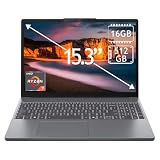
Lenovo IdeaPad Slim 3 15.3" 2K Touchscreen Laptop, AMD Ryzen 7 170 Processor, 16GB DDR5 RAM, 512GB... | $697.98 | Buy on Amazon |
What is the Ryzen 5 PRO 4650U?
The Ryzen 5 PRO 4650U is a low-power, six-core mobile processor from AMD’s Ryzen PRO 4000 series. AMD uses the Renoir codename for this generation and lists a launch date of May 7, 2020. It was designed primarily for commercial and business laptops rather than enthusiast desktop systems.
The “U” suffix indicates a mobile chip intended for relatively thin and power-conscious computers. The “PRO” designation identifies AMD’s business-oriented platform, with emphasis on security, manageability, and planned stability and availability for commercial deployments. It is still a useful processor for everyday computing, but buyers should evaluate it as an older used or refurbished laptop platform—not as a new high-performance CPU.
Popular on Amazon
- 15.3" 2K Touchscreen Display delivers sharp visuals, vibrant colors, and smooth touch interaction for work and entertainment
- Powered by AMD Ryzen 7 170 processor for fast, responsive performance in multitasking, productivity, and daily computing tasks
- 16GB DDR5 RAM and 512GB PCIe SSD deliver smooth multitasking performance with fast responsiveness, quick boot-up times, rapid file access, and ample storage for documents, media, and applications
- Integrated Wi-Fi 6 and Bluetooth for faster, more stable wireless connectivity and seamless device pairing
- Pre-installed Windows 11 Home for a modern interface, enhanced productivity tools, and smooth user experience
AMD’s official specification page lists the 4650U’s core specifications, supported memory, integrated graphics, operating temperature, and software support.
Ryzen 5 PRO 4650U specifications
| Specification | Ryzen 5 PRO 4650U |
|---|---|
| Architecture/codename | Renoir; Ryzen PRO 4000 mobile generation |
| Launch date | May 7, 2020 |
| CPU cores | 6 |
| Threads | 12 |
| Base clock | 2.1 GHz |
| Maximum boost clock | Up to 4.0 GHz |
| L2 cache | 3 MB |
| L3 cache | 8 MB |
| Default TDP | 15 W |
| Manufacturing process | TSMC 7 nm FinFET |
| Integrated graphics | AMD Radeon Graphics, 6 graphics cores, up to 1,500 MHz |
| Memory support | DDR4 up to 3200 MT/s; LPDDR4 up to 4266 MT/s |
| PCI Express | PCIe 3.0 |
| Package designation | FP6 |
| Maximum operating temperature | 105°C |
| Overclocking | Not unlocked for user overclocking |
| Typical form factor | OEM laptop motherboard integration |
Although AMD’s page includes laptops and desktops in its form-factor information, that should not be interpreted as meaning that the 4650U is a normal desktop upgrade part. In real-world retail and refurbished markets, it is generally integrated into a laptop motherboard. The tray product ID is 100-000000103, but that does not make it comparable to a boxed, socketed desktop Ryzen processor.
CPU performance: what the six cores and twelve threads mean
Six Zen 2-era CPU cores with simultaneous multithreading give the 4650U substantially more multitasking headroom than older four-core business laptop chips. It is well suited to:
- Microsoft Office, Google Workspace, email, and web applications;
- video calls and ordinary remote-work workloads;
- light photo editing and occasional media work;
- software development, including code editors, local tools, and moderate builds;
- light virtualization, depending on memory and cooling;
- schoolwork, research, streaming, and general home use.
It can also handle heavier workloads better than many older dual-core and quad-core mobile processors. However, a 15 W mobile processor does not sustain its maximum boost clock indefinitely. Actual speed depends on the laptop’s cooling system, firmware, power limits, charger, ambient temperature, and workload. Two 4650U laptops can therefore perform noticeably differently even when their processor specification is identical.
For a current reference point, PassMark’s public database reports an average CPU Mark of 11,965 and an average single-thread rating of 2,350 for submitted Ryzen 5 PRO 4650U systems. PassMark says its aggregate data are updated daily and identifies the displayed results as current on August 11, 2026. These figures are database averages, not controlled testing of one laptop; memory configuration, cooling, power settings, firmware, and chassis design affect the result. See the PassMark Ryzen 5 PRO 4650U database entry for the live results and methodology context.
In current terms, the processor is best described as serviceable rather than fast. It is a sensible performer when included in an inexpensive business notebook, but newer mobile CPUs generally provide better efficiency, graphics, single-thread performance, and long-term platform support.
Integrated Radeon graphics: adequate for work, limited for gaming
The 4650U includes integrated AMD Radeon Graphics with six graphics cores and a listed frequency of up to 1,500 MHz. This is useful because a laptop does not need a separate graphics card for normal productivity, video playback, multiple displays, or basic creative applications.
It is not a gaming-focused integrated GPU by modern standards. Older or lightweight games may be playable with conservative settings, but the result depends heavily on dual-channel memory, resolution, cooling, and the individual game. A laptop with one memory module or unusually slow memory can lose graphics performance because the integrated GPU shares system memory with the CPU.
Do not buy a 4650U laptop expecting modern AAA gaming, professional 3D rendering, or GPU-intensive machine-learning work. Those workloads call for a newer processor and, usually, a discrete graphics processor.
Memory, storage, and expansion
AMD specifies support for DDR4 memory up to 3200 MT/s or LPDDR4 memory up to 4266 MT/s. The processor itself does not determine how much RAM a particular laptop has or whether it can be upgraded. The manufacturer’s motherboard design does.
For example, relevant Lenovo ThinkPad T14 Gen 1 AMD configurations use a soldered-memory-plus-SODIMM design, allowing some configurations to combine onboard memory with an upgradeable module. Lenovo’s platform documentation also lists PCIe storage, USB-C, HDMI, Ethernet, display-output options, and docking support, but exact ports and memory arrangements vary by machine type and region. Check the precise model number before buying.
Recommended Free Tools
In practical terms, prioritize:
- 16 GB RAM if you regularly keep many browser tabs, video calls, office applications, and development tools open;
- 8 GB RAM only if the price is low and the system permits a reasonable upgrade;
- a healthy NVMe SSD rather than a slow or worn storage drive;
- dual-channel or otherwise well-balanced memory when integrated-graphics performance matters.
The 4650U supports PCIe 3.0, so an SSD in one of these laptops will not have the interface capabilities of newer PCIe 4.0 or PCIe 5.0 platforms. That is rarely a problem for office work, where SSD responsiveness matters more than sequential benchmark figures.
What does “PRO” add?
Ryzen PRO is AMD’s commercial platform branding. AMD describes the Ryzen PRO 4000 mobile family in terms of three broad goals:
- Security: the platform includes features such as AMD Memory Guard, which is designed to help protect memory contents through encryption.
- Manageability: AMD positioned the family for business management environments, including compatibility statements involving Microsoft Endpoint Manager.
- Business readiness: AMD described planned software stability and planned availability for organizations deploying systems at scale.
These are platform-level capabilities, not a promise that every laptop exposes exactly the same security controls. OEM firmware, configuration, operating system, TPM implementation, BIOS settings, and corporate management tools determine what is available on a particular machine.
Lenovo’s ThinkPad T14 AMD material, for example, associates certain configurations with AMD Memory Guard, a discrete TPM 2.0, FIDO authentication capability, and other business security features. Those specifications apply to the cited Lenovo configuration and should not be generalized automatically to every 4650U laptop.
Free tools Windows power users keep installed
One-click scans. No signup required.
Confirmed laptops with the Ryzen 5 PRO 4650U
Lenovo ThinkPad T14 Gen 1 AMD
The ThinkPad T14 Gen 1 AMD is one of the clearest examples of the 4650U’s target market. Lenovo’s PSREF lists the processor as a 6-core/12-thread option with a 2.1 GHz base frequency, up to 4.0 GHz maximum frequency, 3 MB of L2 cache, 8 MB of L3 cache, DDR4-3200 support, and integrated Radeon graphics.
Common configurations can include 16 GB of DDR4-3200 memory, a 256 GB PCIe SSD, and a 14-inch Full HD IPS display, but these are not universal T14 specifications. Battery size, screen brightness, touch support, RAM arrangement, storage capacity, wireless hardware, ports, and operating-system licensing can differ by machine type and country.
Lenovo documents support for ThinkPad USB-C Dock and ThinkPad Basic, Pro, and Ultra Dock families on relevant T14 AMD configurations. If you need a desk setup, a ThinkPad USB-C Dock can be a sensible accessory to investigate, but verify the exact dock generation, firmware, power-delivery requirements, connector type, and monitor support for the laptop you own.
Lenovo ThinkPad T14s Gen 1 AMD
AMD identifies a 14-inch Lenovo ThinkPad T14s powered by the Ryzen 5 PRO 4650U in its case-study material. The T14s is a thinner business-oriented model than the standard T14, but the case study is not a complete specification sheet for every T14s configuration. Check the exact machine type for memory upgradeability, battery, screen, ports, and storage details.
Crashes, No Sound, or Screen Glitches?
Random freezes, missing sound and display glitches usually trace back to one bad driver. Find and replace yours safely.Free scan · under a minuteWindows Errors? Fix Them Before They Spread
Repair common Windows errors and clear accumulated junk for a smoother, more stable PC - no reinstall needed.Free scan · no reinstallLenovo ThinkPad L14 Gen 1 AMD
Lenovo outlet material confirms at least one ThinkPad L14 Gen 1 AMD configuration with the 4650U. Outlet and refurbished availability is volatile, so this should be treated as a confirmed platform example rather than a guarantee of continuing retail inventory.
HP EliteBook 845 G7
HP’s official specifications identify configuration 2E1J9UC of the EliteBook 845 G7 with the Ryzen 5 PRO 4650U. That cited SKU includes 16 GB of DDR4-3200 memory, a 256 GB PCIe NVMe SSD, integrated Radeon graphics, a 14-inch Full HD IPS display, two SODIMM slots, and a 65 W external AC adapter. HP also lists its own security and recovery features.
Those details belong to SKU 2E1J9UC. Other EliteBook 845 G7 units may have different memory, storage, screen, wireless, operating-system, or security configurations. Always compare the seller’s machine-type or SKU information with the manufacturer’s documentation.
Driver and operating-system support
AMD’s support page lists Windows 11 64-bit, Windows 10 64-bit, RHEL x86 64-bit, and Ubuntu x86 64-bit among the supported operating systems. Operating-system support in practice also depends on the laptop manufacturer’s firmware, device drivers, BIOS support, and the condition of the particular machine.
AMD’s page currently lists AMD Software: Adrenalin Edition 26.5.2 as a WHQL-recommended package released May 21, 2026. However, AMD explicitly recommends using the laptop manufacturer’s drivers for notebooks and all-in-one PCs because Lenovo, HP, and other OEMs customize and validate drivers for their systems.
Recommended driver order
- Identify the exact laptop model, machine type, or product number.
- Install the current BIOS and chipset, graphics, power-management, audio, wireless, and storage-related drivers from Lenovo, HP, or the relevant OEM.
- Use Windows Update or the OEM update utility where appropriate.
- Consider AMD’s generic graphics package only if the OEM package is unavailable, outdated, or unsuitable—and keep a way to roll back if a system-specific feature stops working.
A generic AMD driver can be useful, but it should not automatically replace the OEM-tested package on a business laptop. Features such as display switching, sleep behavior, docking, hotkeys, power profiles, and vendor management utilities may depend on the OEM driver stack.
Independent reader supportYour contribution helps us test, update, and keep practical guides available for everyone.Is a Ryzen 5 PRO 4650U laptop worth buying used?
It can be. A well-maintained 4650U business laptop is often a better practical computer than a newer but cheaply built entry-level notebook. ThinkPad and EliteBook systems commonly offer better keyboards, business-oriented chassis designs, useful ports, repair documentation, and docking options than budget consumer models—but condition and configuration vary considerably on the used market.
If you are shopping for one, look for a complete Ryzen 5 PRO 4650U laptop rather than a standalone processor. Confirm that the listing actually names the 4650U; similar-looking Ryzen 5 models may use different processors. Check the seller’s photos and specifications before purchase.
Used-laptop checklist
- Processor: verify that the listing explicitly identifies the Ryzen 5 PRO 4650U.
- RAM: prefer 16 GB for comfortable multitasking, or confirm whether an 8 GB model has an accessible upgrade slot.
- Storage: prefer an SSD and ask about capacity, health, and whether the drive is replaceable.
- Battery: request battery-health information or a recent full-charge-capacity report; do not rely on a generic advertised battery-life number.
- Display: check resolution, brightness, touch support, dead pixels, backlight condition, and panel type.
- Keyboard and ports: inspect the keyboard layout, USB ports, USB-C charging, HDMI, Ethernet, audio jack, and docking connector situation.
- Wireless: verify Wi-Fi and Bluetooth operation, especially on older refurbished units.
- Charger: confirm that an appropriate USB-C or barrel-style adapter is included, depending on the laptop.
- Operating system: check whether Windows is licensed and activated, or whether the machine is sold without an operating system.
- Firmware: confirm that the BIOS is not password-locked and that the laptop is not enrolled in a former organization’s management system.
- Warranty and returns: favor a seller with a meaningful return window and clear refurbished-condition grading.
What workloads should you avoid?
The 4650U is not a good choice if your primary requirement is sustained professional rendering, modern 3D gaming, high-end video production, large software builds, extensive virtual machines, or GPU-accelerated technical workloads. It may run some of these tasks, but the low-power design, integrated graphics, older platform, and variable laptop cooling limit its usefulness.
It is also a poor upgrade strategy to buy the processor by itself. The FP6 package and OEM integration mean that replacing it normally requires specialized board-level work and is not comparable to installing a desktop AM4 or AM5 processor. Buy the complete laptop and upgrade the RAM or SSD where the chassis permits it.
Ryzen 5 PRO 4650U versus a newer laptop
A 4650U system can make sense when its price reflects its age and it meets your needs. A newer laptop is generally preferable when the price difference is modest, especially if you need:
- longer remaining manufacturer support;
- better battery efficiency;
- faster integrated graphics;
- USB4, PCIe 4.0 or newer connectivity, or newer wireless standards;
- higher sustained performance;
- better webcam and display technology;
- more confidence in battery life and warranty coverage.
Do not compare processor names in isolation. A refurbished ThinkPad T14 with 16 GB RAM, a healthy SSD, a good display, and a replaceable battery can be a better purchase than a low-cost new laptop with 8 GB memory and weak build quality. Conversely, an overpriced 4650U machine with a degraded battery and dim display is not a good bargain simply because it carries a business-laptop badge.
The Tool Desk
Outbyte Driver Updater FREEFix the driver behind crashes, sound loss and screen glitchesFind Drivers →Outbyte PC Repair FREEClear out junk files and repair common Windows errorsFree Scan →Verdict
The AMD Ryzen 5 PRO 4650U is still a competent everyday processor when found in a well-priced, well-configured business laptop. Its 6 cores and 12 threads provide useful multitasking performance, its 15 W design suits mobile systems, and its PRO platform positioning adds business-focused security and manageability capabilities at the system level.
Its limitations are equally clear: it launched in 2020, uses PCIe 3.0, has modest integrated graphics, cannot be practically treated as a boxed desktop upgrade, and is outperformed by newer mobile processors. Consider it for affordable used or refurbished productivity computing—not for modern gaming, demanding creator work, or a future-proof high-performance notebook.
Frequently Asked Questions
Is the Ryzen 5 PRO 4650U still good?
Yes, for office applications, web browsing, video calls, study, programming, and general productivity—especially with 16 GB of RAM and an SSD. It is no longer a current-generation choice for demanding performance, modern gaming, or professional GPU workloads.
Can you upgrade a laptop to a Ryzen 5 PRO 4650U?
Usually not. The 4650U is an OEM mobile processor integrated into a laptop motherboard, so it is not a practical drop-in upgrade like a boxed desktop CPU. Buy a complete compatible laptop instead.
What’s actually slowing this PC down?
Pick the symptom - the matching free tool is one click away.
Does the Ryzen 5 PRO 4650U have integrated graphics?
Yes. It includes AMD Radeon Graphics with six graphics cores and a listed graphics frequency of up to 1,500 MHz. It is suitable for productivity and light graphics work, but it is not intended for modern demanding gaming.
Which laptops use the Ryzen 5 PRO 4650U?
Confirmed examples include the Lenovo ThinkPad T14 Gen 1 AMD, Lenovo ThinkPad T14s Gen 1 AMD, Lenovo ThinkPad L14 Gen 1 AMD, and particular HP EliteBook 845 G7 configurations. Exact RAM, storage, display, battery, ports, and security features vary by SKU and region.
Should I install AMD’s generic driver on a 4650U laptop?
Start with the laptop manufacturer’s drivers. AMD recommends OEM-provided drivers for laptops because they are customized and validated for system-specific features. Use a generic AMD package only when appropriate and keep a rollback option.
The Bottom Line
Bottom line: Buy the Ryzen 5 PRO 4650U as part of an affordable, complete business laptop—not as a standalone CPU. A 16 GB, SSD-equipped ThinkPad or EliteBook with a healthy battery can still be a very practical productivity machine, but the processor’s 2020 age and integrated graphics make it unsuitable for buyers seeking modern high-end performance.
Quick wins for a faster PC:
Clear out junk files and repair common Windows errorsFree Scan →Fix the driver behind crashes, sound loss and screen glitchesFind Drivers →Repair Windows errors before they cause bigger problemsFix Now →
