
iTechGuides is reader-supported. When you buy through links on our site, we may earn an affiliate commission. As an Amazon Associate I earn from qualifying purchases. Learn more
My favorite productivity setup is not one method. It is a small stack: use GTD principles to capture and clarify commitments, an importance-versus-urgency framework to decide what matters, time blocking to reserve capacity, a timer when starting is difficult, and a weekly review to keep everything trustworthy. If-then plans and notification control make the system easier to follow when the week goes off script.
These methods solve different problems, so they work better as layers than as rival systems. GTD tells you what you have committed to; prioritization helps you choose; scheduling gives important work a place; focused execution helps you begin; and review keeps the whole arrangement current.
Productivity is a personal stack, not a leaderboard
Most productivity advice asks you to choose a winner: one app, one planning ritual, one perfect morning routine. That is usually the wrong question. The better question is: Which part of my work is currently failing?
Free tools Windows power users keep installed
One-click scans. No signup required.
| Problem | Useful method | What it contributes |
|---|---|---|
| Too many open loops | GTD principles | Captures commitments and turns vague projects into next actions |
| Everything feels urgent | Importance-versus-urgency triage | Separates meaningful work from interruptions and low-value demands |
| Important work never gets time | Time blocking | Reserves realistic capacity on the calendar |
| Constant context switching | Task batching and single-tasking | Groups similar work and protects attention |
| Difficulty getting started | Pomodoro or another focus timer | Creates a small, visible commitment to begin |
| Good intentions disappear | Implementation intentions | Links a desired behavior to a specific cue and obstacle response |
| The system becomes stale | Weekly review | Updates projects, commitments, priorities, and next actions |
You do not need every layer. Start with the failure that is costing you the most attention, then add only what solves a real problem.
Popular on Amazon

- Daily Focus To Stay On Track: Ready to enjoy more free time? Staying organized has never been easier - the daily to do notebook features space for daily to do’s, notes, health & fitness tracking, a meal planner and appointments
- Boost Your Productivity: Use the daily to do list notepad (8.5x6.4”) to plan & work smarter not harder for efficient daily task management; with the undated to do planner you can plan out 120 days and completely cultivate new planning habits for a major shift in your life
- Great To Start Any Time: The daily to do planner is undated, so you can make each day count & start getting rid of that nasty procrastination today, no more wasting time! Everything settled? Tear-off the page & celebrate another successful day - what a feeling
- Beautiful Modern Minimalistic Design: Planning is so much more fun when using this eye-catching planner with to do list with its modern look, black spiral, elastic band and a back pocket for extra space
- Stay Motivated & Achieve Great Things: While tracking progress is the greatest motivator in itself, the daily list planner even makes the journey more beautiful with motivational quotes & a dedicated space for your gratitude practice
1. Capture and clarify with GTD principles
Getting Things Done, commonly shortened to GTD, is best understood as a workflow for externalizing commitments and making decisions. The official GTD model has five stages: capture, clarify, organize, reflect, and engage.
- Capture: collect anything that has your attention in a trusted inbox, notebook, app, or tray. This includes tasks, ideas, reminders, questions, and commitments.
- Clarify: decide what each item means and whether it requires action. If it is actionable, determine the next physical action. If it is not actionable, delete it, defer it, reference it, or keep it as a possible future idea.
- Organize: put the reminder where you will actually see it: on a calendar for a time-specific commitment, in a next-action list for work that can happen when capacity is available, or in a project list when several actions are required.
- Reflect: review the system often enough to trust it. A weekly review is the main maintenance ritual.
- Engage: choose what to do using the available time, energy, context, and priority instead of relying on memory.
The crucial distinction is between a desired outcome and a next action. Work on website describes an open loop. Draft the homepage headline is a visible next physical action. The second wording reduces the decision you must make when it is time to begin.
If you want one deeper reference, the Getting Things Done book is the obvious place to start. It explains the workflow in more detail, but buying it is not a prerequisite: a notebook, calendar, and a regular review are enough to practice the principles.
GTD is not an inbox-zero contest, and the available evidence here supports its structure and intended use rather than proving that it outperforms every other system. Its strength is giving every open loop a place and a next decision.
A quick GTD processing test
When an item enters your inbox, ask:
- What is this?
- Is it actionable?
- If yes, what is the very next visible action?
- Does it belong to a larger project with a defined outcome?
- Does it have a real deadline, or only a preferred date?
Do not put vague intentions back into your task list unchanged. If you cannot tell what doing the task would look like, it is not clarified yet.
2. Decide what matters with importance-versus-urgency triage
Once commitments are visible, decide what deserves attention. An importance-versus-urgency matrix is useful because urgency is loud while importance is often quiet.
| Urgent | Not urgent | |
|---|---|---|
| Important | Do: crises, deadline-bound obligations, critical problems | Schedule: planning, preparation, learning, relationship building, health, and process improvement |
| Not important | Limit, delegate, or batch: avoidable interruptions and low-value requests with immediate pressure | Remove or contain: activities that consume time without a meaningful result |
The important-but-not-urgent area is the one most often neglected. It contains the work that prevents future emergencies: preparing a proposal before the deadline, documenting a repeatable process, maintaining a customer relationship, or learning a skill before it becomes necessary.
Recommended Free Tools
This framework is often called the Eisenhower Matrix, while FranklinCovey uses the name Time Matrix for a related framework. The concepts overlap, but the labels and branded materials should not be treated as identical. You can use the underlying questions without adopting a particular proprietary system.
Before placing tasks on your calendar, ask of each candidate:
- Is it important, urgent, both, or neither?
- What happens if it is not done this week?
- Can it be delegated, deferred, simplified, or deleted?
- What is the smallest useful outcome?
- Does it require a calendar commitment, or only a reminder?
For most knowledge work, select one to three important outcomes for the day rather than creating a list so large that every item feels equally urgent. This is a prioritization aid, not a promise that unexpected work will not appear.
3. Put priorities on the calendar with time blocking and batching
Time blocking reserves a period for a planned activity. Task batching groups similar activities so you do not repeatedly switch mental contexts. They are related, but not the same: a block answers when will I do this?, while batching answers which similar tasks should I do together?
The Tool Desk
Outbyte PC Repair FREEClear out junk files and repair common Windows errorsFree Scan →Outbyte Driver Updater FREEFix the driver behind crashes, sound loss and screen glitchesFind Drivers →Also popular on Amazon

- Easily Stay On Track & Make The Most of Your Time: ZICOTOs’ daily planner makes it easier than ever for you to stay organized, reduce stress & enjoy more free time! Arrange your schedule, priorities, to do’s and jot down plans & ideas on the daily notes section
- Smartly Plan Ahead & Boost Your Productivity: Absolutely clever & efficient! With the planner notebook you can break down your daily tasks into half-hourly focus blocks and map out priorities & follow-up duties to keep your day on track and enhance productivity
- Plenty Of Space For Efficient Planning: Stay focused & manage your time wisely! The 9.3x6.3” (inner pages) work planner & organizer notebook offers ample space for 80 days of life-changing planning with each day being spread across 2 pages - set yourself up for purposeful days
- Now Is The Best Time To Start: The daily planner is undated so you can start to add structure to your schedule and cultivate new planning habits right away! Beat procrastination, boost happiness & make each day count with the hourly planner
- Adds Beauty To Daily Planning: A gorgeous champagne pink cover, chic gold foil letters, a golden ring wire and a clean, easy-to-use layout - enjoy the gorgeous and modern minimalist design of the undated daily planner!
A practical scheduling sequence is:
- Put fixed commitments, appointments, and immovable deadlines on the calendar.
- Choose the important outcomes that need protected capacity.
- Place demanding work in blocks when your energy and surroundings are most suitable.
- Group email, messaging, calls, approvals, errands, or routine administration into communication and batch windows.
- Leave buffer for overruns, interruptions, transitions, and work whose duration is uncertain.
For example, a writer might reserve the first available quiet period for drafting, group email into two later windows, and keep a short end-of-day block for review and tomorrow’s setup. The point is not to fill every minute. A calendar with no recovery space becomes a list of missed predictions.
The rationale for this approach is not that multitasking is morally bad. Research summarized by the American Psychological Association indicates that switching among complex tasks carries productivity costs; rapid alternation is not the same as efficient parallel work. Protected blocks and batches reduce avoidable switching, although they cannot eliminate necessary interruptions.
If you prefer paper, a time-block planner can make capacity visible; a normal calendar works just as well. Choose the medium that you will check and update. A plan that remains in an attractive notebook but never guides decisions is not a productivity system.
How to make time blocking flexible
- Block outcomes, not just vague categories. Use outline client report instead of work.
- Use a “minimum version” for uncertain days, such as outlining one section rather than finishing a report.
- When a block fails, move it deliberately to a new realistic location. Do not silently copy it forward forever.
- Protect some unallocated time. Meetings, support requests, care responsibilities, and emergencies are part of the schedule, not evidence that you planned badly.
4. Start difficult work with Pomodoro or another focus interval
The Pomodoro Technique is an execution aid, not a complete planning system. The conventional pattern is 25 minutes of focused work followed by a short break, with a longer break after four intervals. Tasks likely to take more than roughly 30 minutes are divided into smaller subtasks so that one interval has a clear target.
Quick wins for a faster PC:
Clear out junk files and repair common Windows errorsFree Scan →Scan for outdated or missing drivers - takes under a minuteDriver Scan →Its main benefit is psychological and practical: “work on the report” becomes “spend one interval writing the introduction.” A visible finish line can make a task easier to start, and the break creates a deliberate point to stand up, reset, or decide whether to continue.
Twenty-five minutes is a convention, not a universal biological optimum. Try a shorter interval when resistance or fatigue is high, and a longer interval when reading, coding, designing, or writing benefits from uninterrupted immersion. Some people work comfortably with a 50-minute focus period and a 10-minute break; others need shorter cycles. The correct interval is the one that supports sustainable attention without becoming an excuse to avoid the work.
A simple Pomodoro timer can make the start and stop cues tangible, but a basic clock or timer already does the job. Avoid turning timer selection into another project.
Break research does not establish one schedule as a guaranteed productivity hack. A Cochrane review found low- or very-low-quality evidence for productivity effects from different work-break schedules, and other studies have examined health, sedentary behavior, or perceived experience rather than a universal output gain. A recent study comparing self-regulated breaks, Pomodoro, and Flowtime among students also does not prove that Pomodoro is best for every worker. Use breaks as a sustainability and attention-reset practice, not as a promise of a fixed productivity increase.
5. Protect attention with single-tasking and notification control
Single-tasking means giving one complex activity your working attention for a defined period. It does not mean refusing every message or pretending that interruptions never happen. It means separating necessary responsiveness from avoidable switching.
Useful implementations include:
- Silence nonessential phone, desktop, and browser notifications during a focus block.
- Keep email and team-chat windows closed when they are not part of the current task.
- Set one or more communication windows instead of checking messages whenever a notification appears.
- Use a separate browser profile with fewer distracting tabs, extensions, and saved logins.
- Keep a capture note nearby so an intrusive idea can be recorded without being pursued immediately.
- Tell collaborators when you will next check messages if your role permits it.
This is attention protection, not a test of discipline. If your job requires rapid response, create short, explicit response windows and use longer protected blocks only where your responsibilities allow them.
6. Turn intentions into actions with if-then planning
Many plans fail at the transition between intention and behavior. Implementation intentions make that transition more concrete by specifying when, where, and how an action will happen.
A useful format is:
If a specific cue occurs, then I will perform a defined next action.
Do these 3 things before closing this tab:
1Repair Windows errors before they cause bigger problems2Scan for outdated or missing drivers - takes under a minute3Clear out junk files and repair common Windows errorsAlso popular on Amazon

- Undated and Flexible – Start using this planner any day of the year without wasting a single page. Whether you're goal-setting in January or regrouping mid-year, it adjusts to your flow. Great for students, professionals, or anyone building routines on their own terms.
- Two-Page Daily Layout – Each day is thoughtfully spread across two pages with space to plan hourly schedules, set priorities, check off to-dos, and jot down ideas. It’s a layout that gives you room to breathe, reflect, and take action – one day at a time.
- Hourly Scheduling Made Easy – Use the dedicated time-blocking column to structure your entire day, from early meetings to evening workouts. Ideal for time-sensitive goals, appointment tracking, and productivity planning without digital distractions.
- Clean and Spacious Design – Includes clearly marked spaces for priorities, task checklists, notes, and follow-ups. The open layout keeps you visually organized so you can focus on what matters, without flipping back and forth or feeling boxed in.
- Thick Paper, Elegant Finish – Features 100gsm paper that resists bleed-through, paired with soft pinstripes and a sturdy gold spiral binding. A pleasure to write on and beautiful enough to leave out on your desk or bring on the go.
For example: If it is 9:00 a.m. on a weekday, then I will open the draft and write for one focus interval before checking messages. This is stronger than “I should write in the morning” because the cue and first action are already decided.
Use the same structure for predictable obstacles:
- If a message arrives during my focus block, then I will capture it and review it during the next communication window.
- If I have low energy, then I will choose the smallest clarified next action or use a shorter interval.
- If a meeting overruns, then I will move the important block to the next available protected period rather than abandoning it.
- If I finish an interval early, then I will either refine the result or stop at a natural boundary instead of inventing busywork.
A 2021 meta-analysis of mental contrasting with implementation intentions included 21 empirical studies and 15,907 participants and reported a small-to-medium overall effect on goal attainment. The researchers also noted possible publication bias and the need for additional research. The reasonable conclusion is that if-then plans can improve the path from intention to action; they do not guarantee completion.
7. Keep the system trustworthy with a weekly review
A task system is only useful when you believe it is current. The weekly review is the maintenance step that prevents a growing list from becoming another source of anxiety.
Once per week, work through this checklist:
- Empty capture points: process notes, inboxes, paper scraps, messages, and saved reminders.
- Review the calendar: look back for unfinished commitments and ahead for deadlines, meetings, travel, and preparation.
- Update projects: make sure every multi-step project has a clear desired outcome and at least one next action.
- Review next-action lists: delete duplicates, clarify vague wording, and remove actions that no longer matter.
- Check waiting-for items: identify follow-ups that need a message or a date.
- Prune stale work: defer, delegate, simplify, or delete items that have survived several reviews without a credible reason to continue.
- Choose upcoming priorities: identify important work and reserve capacity for it before the week fills with reactive demands.
- Write obstacle plans: add one or two if-then responses for the failure points most likely to derail the coming week.
The weekly review is not bureaucracy added on top of productivity. It is the step that allows the rest of the system to be trusted. Without it, capture becomes accumulation, priorities become guesses, and unfinished work gets carried forward automatically.
Windows Errors? Fix Them Before They Spread
Repair common Windows errors and clear accumulated junk for a smoother, more stable PC - no reinstall needed.Free scan · no reinstallCrashes, No Sound, or Screen Glitches?
Random freezes, missing sound and display glitches usually trace back to one bad driver. Find and replace yours safely.Free scan · under a minuteMy preferred combined workflow
Here is the compact version I would recommend to someone starting from scratch:
- Capture: send every new commitment to one inbox or notebook.
- Clarify: decide what each item means and rewrite actionable items as visible next actions.
- Separate projects from tasks: give multi-step outcomes a project name and identify the next step.
- Prioritize: mark urgent obligations, then protect one to three important non-urgent outcomes.
- Schedule: reserve realistic calendar blocks for important work and batch shallow work.
- Execute: use a timer when starting is difficult; otherwise work in a naturally sustainable interval.
- Protect attention: silence avoidable notifications and do not perform simultaneous complex tasks.
- Review: reset the system weekly and reschedule unfinished work deliberately.
- Plan obstacles: write if-then responses for interruptions, low energy, and predictable scheduling failures.
Notice what this workflow does not require: a particular app, a color-coded dashboard, a full calendar, or a 25-minute timer for every task. The methods are principles and decision aids. Your tools should make those principles easier to apply, not become the work.
Choose the lightest tool that supports the method
For a low-tech setup, a productivity notebook or a stack of index cards is enough for capture; the important feature is one trusted inbox, not a particular brand. A calendar can hold fixed commitments and time blocks, while a short daily list can show the day’s chosen outcomes.
For a digital implementation, Todoist task manager can hold the inbox, next actions, priorities, and recurring review tasks; the method does not depend on that app. Its official pricing information has documented a free tier alongside paid plans, but features, limits, and pricing can change, so check the current plan details before choosing it.
The official GTD methodology guides are optional worksheets and review aids for readers who want more structure. Readers who want a more formal version can compare the FranklinCovey Time Matrix resources with a generic importance-versus-urgency matrix; use the framework, not the brand, as the decision aid.
Likewise, a physical timer, paper planner, notebook, or task app is an implementation choice. None is required, and buying a tool will not compensate for unclear next actions or a calendar that exceeds your actual capacity.
Independent reader supportYour contribution helps us test, update, and keep practical guides available for everyone.A one-week starter experiment
Do not install five apps and redesign your life in one evening. Test the stack for one week with the simplest tools available.
Also popular on Amazon
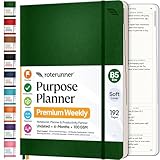
- Discover Balance & Boost Productivity: 6-Month Undated B5 Daily Planner, Manifestation Journal & Self Coaching Notebook. Productivity tools created with simplicity in mind, to empower busy people to take back control of their time.
- Planner + Notebook All in 1: Annual Calendar, Notes Index, Monthly & Weekly to do list planner dashboards, 93 numbered dotted note pages for expanded task lists, notes, or sketches. All-in-one business planner, notebook and life organizer.
- Smash Your Goals & Prioritize Wellness: 5 Roles & Goals templates for purposeful goal setting. Reading, Bucket lists, & Self Care journal. AM/PM Routines, habit, nutrition, fitness, and health trackers included. Perfect planners 2025-2026 for women and men.
- Satisfying Writing: High performance planner with stitch-bound lay-flat pages. Sturdy PU leather planner hard & softcover options. 100GSM no-bleed, no-smudge paper. 2 ribbon bookmarks, elastic closure, back pocket and smoothly rounded edges.
- Voted Best Time-Management Planner: NY Magazine Strategist's Best Time-Management Weekly Planner 2026. ADHD planner for adults created by an ADHD sufferer to reduce the overwhelm and rediscover purpose. Pair with Roterunner Erasable Pens!
Before the week starts
- Choose one capture inbox: a notebook, notes file, or task app.
- Write down current commitments and identify the next action for each actionable item.
- Mark fixed calendar commitments and deadlines.
- Choose one important outcome for each of the next five workdays.
- Reserve a realistic block for each outcome, with buffer around fixed commitments.
- Choose a focus interval to try, such as 25 minutes, 40 minutes, or 50 minutes.
- Write two if-then plans for your most predictable distractions.
Each workday
- Review the calendar and select the day’s most important outcome.
- Process new items into the capture inbox instead of keeping them in your head.
- Start the protected block with the smallest clarified next action.
- Use a timer if you are resisting the start; take a genuine short break when the interval ends.
- Handle email and messages in a planned batch when possible.
- At shutdown, record the next action and deliberately reschedule anything unfinished.
At the end of the week
Run the weekly review. Then evaluate the system with questions that reveal friction rather than vanity metrics:
What’s actually slowing this PC down?
Pick the symptom - the matching free tool is one click away.
- Did I know what to do next when I sat down?
- Which important blocks were completed, interrupted, or unrealistic?
- How often did notifications pull me away?
- Which tasks remained vague or stale?
- Was the capture method fast enough to use under pressure?
- Which layer helped, and which layer added needless administration?
Keep the pieces that reduced friction. Change or remove the rest.
Who should use a lighter version?
A detailed system is not automatically better. People who handle emergencies, caregiving, service queues, shifting priorities, or highly collaborative work may not be able to protect long blocks or predict every task. Use calendar anchors instead of minute-by-minute plans, maintain a short minimum list, and reserve flexible capacity for the work that cannot be predicted.
Similarly, do not force a weekly review, matrix, or timer into a workflow that is already clear and reliable. Add structure when a specific failure appears. If you consistently lose commitments, improve capture. If urgent requests consume everything, prioritize and schedule important work. If you avoid starting, use a smaller next action and a timer. If your list cannot be trusted, review and prune it.
Frequently Asked Questions
Can I combine GTD, time blocking, and Pomodoro?
Yes. They operate at different levels. GTD supplies the inventory and next actions, importance-versus-urgency triage helps choose what matters, time blocking reserves capacity, and Pomodoro provides an execution cue. You can use only the layers that solve your current problem.
Do I have to use 25-minute Pomodoro intervals?
No. Twenty-five minutes is the conventional pattern, not a requirement or proven universal optimum. Try a shorter or longer interval that fits the task, your energy, and your interruption constraints. You can also work without a timer when you are already focused.
What should I do when a time block gets interrupted?
Capture the interruption, decide whether it is genuinely urgent, and move the unfinished block to a realistic new time. Leave buffer in the schedule and avoid copying the task forward indefinitely without clarifying or reprioritizing it.
Do I need a productivity app to use these methods?
No. A notebook, index cards, calendar, and ordinary timer can support the entire workflow. Apps such as Todoist are optional implementations; the important parts are clear next actions, deliberate priorities, realistic scheduling, protected attention, and regular review.
The Bottom Line
Bottom line: Use productivity methods as layers, not identities. Capture everything, clarify the next action, protect important work on the calendar, batch shallow tasks, use a timer when starting is hard, plan for interruptions, and review the system weekly. The best setup is the smallest one that makes your next decision clear and remains usable when real life disrupts the plan.

