

iTechGuides is reader-supported. When you buy through links on our site, we may earn an affiliate commission. As an Amazon Associate I earn from qualifying purchases. Learn more
Acer Nitro 5 Spin: At First Glance
Over the years Acer has been relentless in providing up-to-standard laptops. Their attention to detail, particularly in determining the right blend of specification and design, is something to look forward to.
Furthermore, being able to manufacture a laptop that satisfies users in terms of looks, features, and specification is something to expect from Acer. A typical example is the Acer Nitro 5 Spin.
The Acer Nitro 5 Spin is a convertible gaming laptop that comes with so many great features that makes it stand out amidst its competitors. Particularly in terms of storage, design, and display, this Acer laptop sets the bar high for laptops in its category.
The Tool Desk
Outbyte Driver Updater FREEScan for outdated or missing drivers - takes under a minuteDriver Scan →Outbyte PC Repair FREEClear out junk files and repair common Windows errorsFree Scan →I know you are already excited to know more about this laptop. Well, read on!
Popular on Amazon
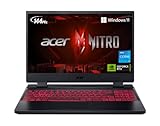
- Take your game to the next level with the 12th Gen Intel Core i5 processor. Get immersive and competitive performance for all your games.
- RTX, It's On: The latest NVIDIA GeForce RTX 3050 (4GB dedicated GDDR6 VRAM) is powered by award-winning architecture with new Ray Tracing Cores, Tensor Cores, and streaming multiprocessors support DirectX 12 Ultimate for the ultimate gaming performance.
- Picture-Perfect. Furiously Fast: With the sharp visuals of a 15.6” Full HD IPS display with a lightning-quick 144Hz refresh rate, your game sessions will be fluid, unbroken, and unmatched.
- Internal Specifications: 8GB DDR4 3200MHz Memory (2 DDR4 Slots Total, Maximum 32GB); 512GB PCIe Gen 4 SSD (2 x PCIe M.2 Slots, 1 x 2.5" Hard Drive Bay Available)
- Killer Connectivity: Get an edge on-line by taking control of your network and prioritizing your gameplay with Killer Ethernet E2600 and Killer Wi-Fi 6 AX1650.
Acer Nitro 5 Spin: Design, Dimension, and Weight
The Acer Nitro 5 Spin is a slim convertible gaming laptop that has a sleek design. Additionally, this laptop features a unique color blend that gives it a stylish look.
To give more details, the laptop is colored in dark metallic black with subtle hints of red. This hint of metallic red appears on the hinges and around the laptop’s keyboard keys.
Furthermore, the chassis of the laptop is made of aluminum material. This chassis appears to be of high quality, giving the Acer Nitro 5 Spin a very strong and solid build.
PC Slower Than It Used to Be?
A free scan shows the junk files, broken settings and background clutter dragging Windows down - then fixes them in one click.Free scan · Windows 10 & 11Outdated Drivers Are Slowing You Down
One free scan finds every outdated or missing driver and matches the right update for your exact hardware.Free scan · exact hardware matchOn the exterior, the Acer Nitro 5 Spin features a lid with brushed hairline finishing. Additionally, the laptop features an “Acer” logo that is inscribed at the center of the lid.
Moving on, the interior of this laptop features an amazing 15.6-inch FHD (1920 x 1080) display. Impressively, this massive 15.6-inch display is made with an IPS panel.
Briefly, an IPS panel is a screen technology that makes content on a display to be accurate from all viewing angles. This is an important feature for the Acer Nitro 5 considering that it is a convertible laptop.
Therefore, it is expected that the contents of the laptop’s display appear accurate in tent, tablet, or stand mode.
Another key benefit of having an IPS panel is that the display will not lighten or show tailing when touched. This is also very important since the display of the Acer Nitro 5 is a touchscreen.
Moving on, the Acer Nitro 5 Spin features a stylish backlit keyboard. Specifically, the keys on the keyboard are painted in black with red lettering on top and red highlights around their edges.
However, the keys of the keyboard seem plastic-like and they rattle when you run your fingers over them. The rattling sound that occurs shows that the keys are made of thin lightweight plastic material.
Notwithstanding, the rattling sound of the keys isn’t too loud that it becomes bothersome.
Quick wins for a faster PC:
Repair Windows errors before they cause bigger problemsFix Now →Fix the driver behind crashes, sound loss and screen glitchesFind Drivers →Furthermore, the keyboard appears sunk deep into the base of the laptop. The essence of this is to facilitate easy tablet mode usage without having to worry about striking a key by mistake.
Moving on, the Acer Nitro 5 Spin features a sizeable touchpad on the bottom area of the keyboard. Interestingly, Acer placed a fingerprint sensor at the top left corner of this touchpad.
Furthermore, the touchpad is large enough for the fingerprint sensor not to get in the way. Also, the touchpad has a smooth surface that allows for easy navigation.
Additionally, the touchpad supports multi-touch gestures.
Moving on to the ports, the Acer Nitro 5 Spin featured one USB 2.0 and a USB Type-C port on the left side. Also, you will find an HDMI port and 2 USB 3.0 ports on the left side of the laptop.
Meanwhile, the right side of the laptop houses a 3.5-mm audio jack port and a Kensington security lock.
Now let’s talk about the dimension and weight of the laptop. Since the Acer Nitro 5 Spin is made of high-quality aluminum metal, one would expect the laptop to be heavy.
Sadly, this is true as the Acer Nitro 5 Spin measures 381.5 x 258.1 x 17.90 mm and weighs a massive 2200 g. Comparatively, the ASUS ZenBook Flip 15 measures 364 x 246 x 21 mm and weighs 2054 g
Recommended Free Tools
In conclusion, the Acer Nitro 5 Spin is quite heavy for a convertible laptop, especially when used in tablet mode. Nevertheless, the design of the laptop is flawless and sleek.
Therefore, I will be rating the Acer Nitro 5 Spin an eight out of ten in this design review section.
Acer Nitro 5 Spin: Processor (CPU) Performance
In terms of processor, Acer offers two options for the Acer Nitro 5 Spin. The first option is a quad-core Intel Core i5-8250U processor.
This processor has a base frequency of 1.60 GHz and a maximum frequency of 3.40 GHz. Additionally, this processor comes with a 6 MB cache memory.
Do these 3 things before closing this tab:
1Fix the driver behind crashes, sound loss and screen glitches2Clear out junk files and repair common Windows errors3Scan for outdated or missing drivers - takes under a minuteThe second processor option is a quad-core Intel Core i7-8550U processor that has a cache memory of 8 MB. Also, this processor has a based frequency of 1.80 GHz and a maximum frequency of 4.0 GHz.
That said, it is important to note that both processor options are considered high-end processors. However, the Intel Core i7 processor is significantly better than the Core i5 processor.
This is because the Core i7 processor has a higher cache memory as well as a faster speed (base and maximum frequencies). Thankfully, this review is based on the Acer Nitro 5 Spin with the Intel Core i7-8550U processor option.
Also popular on Amazon

- ✔【Screen】 14-inch WUXGA (1920 x 1200) IPS touch screen with a 16:10 aspect ratio and 340 nits brightness, 2-in-1 convertible with a 360-degree hinge and a durable aluminum chassis;
- ✔【Memory & Storage】 32GB LPDDR5 megahertz and 256GB PCIe NVMe SSD;
- ✔【Processor】 Intel Core Ultra 5 115U 1.5GHz Processor (upto 4.2 GHz, 8-Cores, 10-Threads);
- ✔【Graphics】 Intel Graphics;
- ✔【Connectivity】 2x Thunderbolt 4 (USB-C), 1x USB 3.2 Gen 1 Type-A, 1x HDMI 2.0, 1x headphone/microphone combo jack, Wi-Fi 6E (IEEE 802.11ax) and Bluetooth 5.3;
As stated earlier, this processor is a high-end processor and it is fast. Therefore, it is powerful enough to perform basically any task.
Also, the processor should be able to multitask with ease and also play any type of computer game either low-end or high-end games.
With that being said, let me quickly share the Cinebench R15 benchmark test result I got during my research about the laptop’s processor performance. Briefly, Cinebench R15 is a benchmark tool used in measuring a laptop’s processor’s performance by running real-world workload on the processor’s cores.
Therefore, this benchmark test consists of two tests, which are the single-core test and the multi-core test.
So, on the single-core test, the Acer Nitro 5 Spin scored 161 points. On the multi-core test, however, the laptop scored 529 points.
Comparatively, the Acer Nitro 5 Spin delivered a better result than one of its closest competitors, the Hp Spectre x360. To give more details, the HP Spectre x360 scored 154 points in the single-core test and 519 points in the multi-core test.
It is worth mentioning that the HP Spectre x360 also uses a quad-core Intel Core i7-8550U processor.
In conclusion, the Acer Nitro 5 Spin offers multiple high-end processor options. Additionally, the laptop delivered a remarkable performance on a benchmark test.
Hence, I will be rating the Acer Nitro 5 Spin a nine in this processor performance review section.
Free tools Windows power users keep installed
One-click scans. No signup required.
Acer Nitro 5 Spin: Memory (RAM) Performance
The Acer Nitro 5 Spin comes with an 8 GB memory on its single DDR4 SDRAM slot. Unfortunately, 8 GB is also the maximum memory that the laptop supports.
Therefore, you cannot upgrade the laptop’s RAM any further. Nonetheless, 8 GB on the Acer Nitro 5 Spin is just enough memory to handle all the computing tasks you will be doing on the laptop.
On that note, this laptop with 8 GB RAM has great multitasking abilities, according to laptopmag.com. Specifically, the laptop should be able to open 18 Chrome tabs while streaming videos from Netflix without slowing down.
Also, the laptop will be able to switch between the tabs and application concurrently without lagging. This is an impressive performance, but it would have been nice if the laptop’s RAM was upgradeable.
What’s actually slowing this PC down?
Pick the symptom - the matching free tool is one click away.
To further prove the abilities of this laptop with 8 GB RAM, let me quickly discuss the laptop’s PCMark 8 test result. This benchmark test result was gotten from notebookcheck.net during my quest to find out more about the laptop’s performance.
Furthermore, the PCMark 8 benchmark test measures the overall productivity of a laptop. Additionally, the PCMark 8 test procedures include application startup, video conferencing, and web browsing.
So, according to the PCMark 8 test result, the Acer Nitro 5 Spin scored 3975 points. Impressively, when compared to the HP Spectre x360, the Acer Nitro 5 Spin performed way better.
To be more specific, based on the same PCMark 8 test result, the HP Spectre x360 scored 3457 points.
Recommended Free Tools
In conclusion, the Acer Nitro 5 Spin offers a limited memory capacity. However, the maximum RAM of 8 GB that the laptop supports is just enough to do the job
Besides that, the laptop performed better than one of its competitors on a benchmark test. Therefore, I will be rating the Acer Nitro 5 Spin an eight out of ten in this section of this review.
Acer Nitro 5 Spin: Storage Options and Performance Review
In terms of storage, the Acer Nitro 5 Spin offers two options to choose from. You can either get the Acer Nitro 5 Spin with SATA HDD storage or SSD storage.
The SATA HDD storage option supports a maximum storage capacity of 1 TB. The SSD, on the other hand, supports a maximum storage capacity of 256 GB.
The Tool Desk
Outbyte PC Repair FREERepair Windows errors before they cause bigger problemsFix Now →Outbyte Driver Updater FREEScan for outdated or missing drivers - takes under a minuteDriver Scan →Unfortunately, the Acer Nitro 5 Spin does not come with an SD card storage expansion. Notwithstanding, I believe the storage options the laptop offers should be enough for most users.
It is worth noting that this review is based on the Acer Nitro 5 Spin with 256 GB SSD storage. As most of us know, SSD storage usually offers a fast storage performance.
However, HDDs offer larger storage space. Therefore, if you prefer storage space more than speed, then it is best you purchase the Acer Nitro 5 Spin with an HDD storage option.
In order to offer you guys the performance of Acer Nitro 5 Spin with the 256 GB SSD storage, I conducted numerous web research.
Thankfully, my research paid off as I was able to get the laptop’s CrystalDiskMark benchmark test result. The CrystalDiskMark benchmark test aims to measure the performance of a laptop’s storage.
Also popular on Amazon

- AMD Ryzen 5 5600H Mobile Processor (6-core/12-thread, 19MB cache, up to 4.2 GHz max boost) with Radeon Graphics | Windows 10 Home
- 15.6" Full HD (1920 x 1080) Widescreen LED-backlit IPS Display with 144Hz Refresh Rate | 16:9 aspect ratio
- NVIDIA GeForce GTX 1650 with 4 GB of dedicated GDDR6 VRAM
- 8GB DDR4 3200MHz Memory | 256GB NVMe SSD (2 x PCIe M.2 Slots - 1 Slot Open for Easy Upgrades) & 1 - Available 2.5" Hard Drive Bay
- 802.11ax Wi-Fi 6 Dual-Band 2.4GHz and 5GHz featuring 2x2 MU-MIMO technology | LAN: Killer Ethernet E2600 Gigabit Ethernet LAN | Bluetooth 5.1
Ideally, the test helps determine how fast or slow a computer’s storage is by measuring its sequential read and write speed. So, based on the CrystalDiskMark test result, the Acer Nitro 5 Spin has a 484 MB/s sequential read speed and 408.5 MB/s sequential write speed.
In comparison, the Acer Nitro 5 Spin has a faster read and write speed compared to the ASUS Zenbook flip 15. Specifically, the ASUS Zenbook flip 15 has a 476.3 MB/s sequential read speed and 394.4 MB/s sequential write speed.
In conclusion, the Acer Nitro 5 Spin offers two impressive storage options. Also, the laptop’s SSD storage option is pretty fast compared to the SSD found on competing laptops.
Therefore, I will rate the Acer Nitro 5 spin a nine out of ten storage review section.
Independent reader supportYour contribution helps us test, update, and keep practical guides available for everyone.Acer Nitro 5 Spin: Graphics Card Performance
For graphics, the Acer Nitro 5 Spin is equipped with the NVIDIA GeForce GTX 1050 graphics card. This GPU offers a base frequency of 1392 MHz and a maximum frequency of 1518 MHz.
Additionally, the graphics card comes with a dedicated 3 GB GDDR5 VRAM. As a graphics card with such high dedicated VRAM, expect great gaming performance from the Acer Nitro 5 Spin.
To be more specific, this laptop will be able to play high-end games with this graphics card. For example, according to notebookcheck.net, the NVIDIA GeForce GTX 1050 is able to play Days Gone at 65.4 fps (frame per second).
Impressive right? What will impress you more is the laptop’s result on a 3DMark 11 test.
The 3DMark 11 is a benchmark test tool for measuring how a computer can render 3D graphics. It is important to mention that this laptop’s 3DMark 11 test result was also gotten from notebookcheck.net.
Based on the test results, the Acer Nitro 5 Spin scored a whopping 6744 points. Comparatively, the HP Spectre x360 performed way less than the Acer Nitro 5 Spin, scoring only 4564 points.
In conclusion, the Acer Nitro 5 Spin offers one of the best graphics performances I have seen in a while. Therefore, I will rate the laptop a nine out of this in the graphics review section.
Acer Nitro 5 Spin: Battery Life and Performance
For the battery, Acer included a 4-cell 3320 mAh Lithium-Ion battery on the Acer Nitro 5 Spin. Moreover, Acer claims that this battery can last up to 10 hours.
However, after thorough research, I was able to find out that the Acer Nitro 5 Spin only lasts 7 hours 8 minutes based on a battery test. This battery test involves continuously surfing the web via Wi-Fi while the laptop’s screen brightness is set to medium.
In comparison, the Lenovo Ideapad 11S only lasted for 5 hours 52 minutes according to the same battery test.
Overall, the Acer Nitro 5 Spin’s battery life of 7 hours and 8 minutes is really impressive. However, it is miles off the 10 hours battery life that Acer initially claimed.
Quick wins for a faster PC:
Scan for outdated or missing drivers - takes under a minuteDriver Scan →Clear out junk files and repair common Windows errorsFree Scan →Fix the driver behind crashes, sound loss and screen glitchesFind Drivers →Notwithstanding, the Acer Nitro 5 Spin deserves a nine out of ten rating for its impressive battery performance.
Frequently Asked Questions
Yes, the Acer Nitro 5 Spin features a touchscreen display.
Yes, it is. The Acer Nitro 5 Spin features a very powerful Intel Core i7 processor that enables the laptop to perform literally any computing task including video editing.
The Acer Nitro 5 Spin was released in 2017.
Yes, it is. The Acer Nitro 5 Spin is a convertible gaming laptop that features a powerful graphics card. This graphics card is a dedicated graphics card that enables the laptop to play high-end and title AAA games.
Windows Errors? Fix Them Before They Spread
Repair common Windows errors and clear accumulated junk for a smoother, more stable PC - no reinstall needed.Free scan · no reinstallOutdated Drivers Are Slowing You Down
One free scan finds every outdated or missing driver and matches the right update for your exact hardware.Free scan · exact hardware matchIn November 2021, when I wrote this review, the Acer Nitro 5 Spin had a starting price of $900.00
Conclusion
The Acer Nitro 5 Spin is a convertible gaming laptop that offers excellent performance and impressive battery life. Furthermore, this laptop features a sleek design that is eye-catching.
Additionally, as a gaming laptop with an impressive dedicated graphics card, you will be able to play high-end and modern games on the Acer Nitro 5 Spin. However, the laptop features a limited memory capacity.
Notwithstanding, the Acer Nitro 5 Spin is worth considering if you need an attractive high-end gaming laptop.
Do these 3 things before closing this tab:
1Scan for outdated or missing drivers - takes under a minute2Repair Windows errors before they cause bigger problems3Fix the driver behind crashes, sound loss and screen glitchesI hope you found this Acer Nitro 5 Spin review helpful. If you found the review helpful, we would love to hear from you.
Kindly spare two minutes to share your thoughts with our community using the comments form found at the end of this page.
Alternatively, simply respond to the “Was this page helpful” question below and provide us with your feedback.
Finally, for more laptop reviews, visit our Laptop Reviews page. You may also find our Laptop Specs page very helpful.
What’s actually slowing this PC down?
Pick the symptom - the matching free tool is one click away.


I own this laptop for some 6 months and I think that the keyboard is all but functional regarding backlights and key visibility. However, my laptop came only with 8GB RAM and 256-GB SSD from Micron. The model is ACER NITRO 5 SPIN NP515-51-858Z N17W1. Could you, please, tell me if SSD is upgradeable or replaceable to 512 GB, for example, and if yes which one do you recommend? Also, could I add a 1TB 2.5-inch HDD from Western Digital (WD10SPZX) with 5400 RPM to the existing 256GB SSD or to the upgraded 512 GB SSD? Thank you in advance