
Free tools Windows power users keep installed
One-click scans. No signup required.
“Worrisome” was a finding about Microsoft Edge in a historical browser network-traffic study, not an official label or a current verdict that Edge is always unsafe. Microsoft’s present-day disclosures describe two separate data practices: optional diagnostic reporting, which can include website details, and browsing-activity use for personalization when permitted. To limit those practices, check both controls in Edge; their location and availability can depend on Windows version, region, and device policy.
Where the “worrisome” label came from
The phrase is attributed to Douglas J. Leith, a computer science professor at Trinity College Dublin, in connection with a comparative study of browser network behavior. A secondary reference quotes Leith: “From a privacy perspective Microsoft Edge and Yandex are much more worrisome than the other browsers studied.” The study examined browser connections and identifiers, rather than issuing a permanent safety certification. The study reference is associated with that historical assessment.
That wording should be read in its original context: a comparison made using particular browser builds, configurations, and test methods at the time. It does not establish that Edge behaves the same way in 2026, that every Edge user’s browsing is sent to Microsoft, or that Edge is currently less private than every alternative. A vendor privacy disclosure and a network-traffic measurement answer different questions: one describes stated practices and controls; the other observes behavior under a specific test setup. The available evidence does not support a fresh apples-to-apples ranking of today’s browsers.
What Microsoft says Edge collects
Required and optional diagnostic data
Microsoft distinguishes required diagnostic data, which it says helps keep Edge secure, up to date, and performing properly, from optional diagnostic data. Optional diagnostics may include feature use, performance, site load times, memory use, and websites visited. For website-related diagnostics, Microsoft lists fields that can include a URL, page title, site metrics, how the site was accessed, and information about page content or navigation. Microsoft says this data is sent over HTTPS. Microsoft’s Edge privacy documentation describes these categories.
#1 Best Overall

- Compatible Model: Fit for 13-inch Microsoft Surface Pro 12 (2026 Release) / Surface Pro 11 & Pro 10 (2024) / Surface Pro 9 (2022) / Surface Pro 8 (2021)/ Surface Pro X (2021/2019). Attention: NOT Compatible with Surface Pro 12-inch (2025 Release) or any other Surface Models
- Privacy Protection: Our anti-spy screen protector blocks side views when the tablet is in horizontal orientation, creating a secure visual tunnel straight. While maintaining clarity from the front, it prevents side peeping – ideal for work and entertainment during public spaces
- Dust-free Installation: Installation tray provides a seamless and efficient installation process. With innovative design, it eliminates the inconvenience of dust particles, ensures a bubble-free installation
- Surface Pen Compatibility: High sensitivity with the Surface Pen, ensures quick app launch, smooth games and video playing
- Scratch Resistant: This 9H hardness screen protector can effectively protect your device from unwanted scuffs and scratches
These diagnostic details are not interchangeable with the browser’s locally stored browsing history. A URL or page detail included in an optional diagnostic report is data sent for diagnostics; history is a browser-data category; and personalization is a separate use of activity. Calling all three simply “history” obscures the purpose and control that apply to each.
Browsing activity for personalization
Separately, Microsoft says that when the relevant permission is enabled, Edge browsing activity may be used to personalize Microsoft advertising, search results, shopping recommendations, news, and other experiences. The activity described can include browsing history, favorites, usage information, viewed web content, and device information. Microsoft’s explanation of this feature and its controls is at Personalize your Microsoft Edge browsing experience.
Rank #2

- 【COMPATIBILITY】Designed for the 13-inch Surface Pro 12th11/10/9/8/X released in 2019-2026, with precise dimensions and a perfect fit. If you have questions about product dimensions, please contact us or ask a question. We have 24-hour online professional pre-sales and after-sales customer service to ensure you have a satisfactory shopping experience.
- 【EASY TO INSTALL】Peslv has innovatively designed a new installation method - MagicSuction. We designed nano-adsorption strips on the four sides of the Surface privacy screen. Just align it with the Surface screen frame and press it gently, and it can be installed in one second. With Peslv Privacy Screen Surface Pro 13 inch, you will never be in the embarrassing situation of not knowing how to install it!
- 【ABSOLUTE PRIVACY PROTECTION】Peslv Surface Pro 13inch privacy screen uses the most advanced grating technology, and conducts quality inspection on every factory Surface pro privacy screen, so that the contents of the laptop are only visible from the front, filtering side views to ensure the security of your data.
- 【PROTECT SCREEN AND EYES】Surface pro privacy screen 13 inch uses AG anti-glare technology imported from Germany and base material imported from Japan. The frosted surface layer effectively intercepts 95% of reflected light and glare; the high-quality filter layer can filter 92% of blue light; the anti-scratch layer prevents scratches during daily use. Protect your screen while protecting your eyesight.
- 【SUPER PORTABLE】 The privacy screen Surface pro 10 13 inch adopts the most advanced nano-adsorption process, which has strong adsorption force and is removable, washable, and reusable. The four-sided adsorption perfectly solves the problem of the bottom lifting. Package contents include a storage clip for easy storage of the Surface screen protector. A great Surface accessory to protect your screen privacy in public.
Turning off ad personalization at the Microsoft account level does not, by itself, disable use of browsing activity for search, news, or other web experiences. Treat personalization and optional diagnostic reporting as separate choices rather than assuming one privacy toggle governs both.
How to reduce sharing from Edge
- Open the relevant Edge controls. In Edge, go to Settings → Privacy, search, and services.
- Review optional diagnostic data. Find the diagnostic-data control and turn off optional collection if available. On Windows 10 and later, Edge diagnostic settings are generally determined by Windows diagnostic-data settings, so also check Windows Settings → Privacy & security → Diagnostics & feedback. Labels can vary by Windows release.
- Review personalization separately. In Edge’s privacy settings, find the option that allows Microsoft to save browsing activity for personalization and switch it off if you do not want that use.
- Check why a control is missing or locked. Settings can vary by platform and region. An organization’s policy may make a control read-only; on a managed device, ask the administrator what policy applies.
There is a documented regional exception to the general Windows arrangement: Microsoft provides a separate Edge diagnostic setting for Windows 10 version 22H2 and newer and Windows 11 version 23H2 and newer in the European Economic Area, effective March 6, 2024. The exact controls may change, so use the settings shown on your device rather than treating one path as universal.
What’s actually slowing this PC down?
Pick the symptom - the matching free tool is one click away.
Rank #3
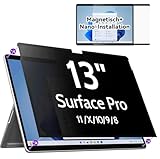
- 【Compatibility】Only designed for 13-inch Microsoft Surface Pro 11/10/9/8/X released in 2019-2024, with precise dimensions and a perfect fit. Compatible with Stylus pens and keeps touchscreen sensitive. This privacy filter is the ideal surface pro accessories
- 【 Magnetic Attachment】Updated with strong NdFeB magnets, the surface pro screen protector is tightly attached to the screen. Installation can be done in 5 seconds. Align the screen, the surface privacy filter automatically attach to the screen smoothly. Easily remove and reattach according to your needs, 100% bubble-free and residual when removing it.
- 【Anti-Glare/Blue Light】 Using advanced optical technology to block 95% of blue light and UV rays, effectively protect your eyes from eye damage, visual fatigue, eye pain and headaches.The smoth matte surface cuts glare by 98%, no more worrying about blurred screen due to glare.
- 【Upgraded Privacy 】After 200 times experiments and improvements,IPROKKO surface pro x screen protector effectively preventing privacy while maintains 90% transparency. Limits viewing angle to +/- 30 degrees, Microsoft surface screen is the safe guard of your privacy in public places such as offices, airports, schools, hospitals, etc.
- 【Buy with confidence】IPROKKO specializes in providing customers with first-class screen protectors, magnetic surface pro privacy filter are the ideal solution to protect your privacy in public places. Buy with confidence!
What InPrivate and Guest mode do—and do not—mean
Microsoft says information about websites visited is not sent in InPrivate or Guest mode for the documented functions. That is a narrower claim than “no data leaves the device.” Microsoft also notes that some information about browser use may still be collected depending on Windows diagnostic settings or Edge privacy settings. These modes do not promise to block all telemetry, network requests, website-side collection, or account-linked activity. See Microsoft’s guidance on viewing and deleting browsing data for its related explanation.
Independent reader supportYour contribution helps us test, update, and keep practical guides available for everyone.How to judge the privacy claim fairly
When assessing a browser, separate the questions rather than relying on a single label:
Rank #4

- [Privacy Protection] When the tablet is held horizontally, the screen is only visible to persons directly in front of screen, protecting your privacy from peeping by strangers. (Note that the protector will darken the screen a little for a better anti-spy effect. And you can turn up the display brightness for better viewing experience)
- [Compatibility] Perfectly designed for Microsoft Surface Pro 11,10, X,9, 8. Keeping your sensitive and private information hidden from strangers in public, no more shoulder surfing
- [High Quality] 9H hardness surface, scratch-resistant, protecting your tablet from accidental bumps; Coated with hydrophobic material, anti-oil
- [Easy Anti-Bubble Installation] Bubble-free installation, only takes seconds; Advanced sil
- [2.5D Curved Edge]We polish the edges of the screen protector with 2.5d curvature, which not only can avoid dust accumulation at the edges, but also protect the tempered glass to be more resistant to impact and not easy to shatter the edges.
- What data? Distinguish diagnostic events and site details from local history and activity used for personalization.
- Required or optional? Required diagnostics and optional reporting have different status.
- For what purpose? Diagnostics support product operation; personalization supports tailored Microsoft experiences.
- What choice and default? Check the current setting on the specific device instead of assuming historical defaults still apply.
- Which platform and policy? Operating system, region, and organization management can affect the control available.
- What kind of evidence? Microsoft documentation states its disclosed practices; an independent study measures a particular build and setup at a particular time.
A published policy analysis characterized Microsoft as offering some choice over collection and extensive choice over uses, while observing that many settings it reviewed were permissive by default. That analysis reflects its own study period, not a current audit of Edge’s defaults. It is useful context, not a substitute for checking today’s settings on your device.
Quick Recap
Best Value

- Protect Your Privacy with Ease – Anti-Spy Magnetic Screen. With the PYS Magnetic Privacy Screen, you can now use your Surface Laptop 7 (13.8 inch) in any public space without worrying about prying eyes. Whether you’re at a coffee shop, on a flight, or in a busy office, our Anti-Spy Filter ensures that your screen remains private and secure. The magnetic, removable design allows for quick installation and easy removal without any hassle, giving you both convenience and peace of mind wherever you work.
- Enhanced Protection for Your Screen – Anti-Glare & Scratch-Resistant. Our Surface Laptop Privacy Screen is not only designed to protect your privacy but also safeguard your device. The anti-glare coating reduces eye strain, so you can enjoy longer work or entertainment sessions without discomfort. Plus, the scratch-resistant material ensures that your screen stays in pristine condition even with everyday use, keeping your laptop looking like new. Whether you're working on important documents or enjoying media, experience clearer, more comfortable viewing.
- Blue Light Reduction for Healthier Eyes – Protect your eyes with our Blue Light Filter technology. Prolonged screen time can cause eye strain and disrupt your sleep, but with the PYS Privacy Screen, you can enjoy reduced blue light exposure while safeguarding your privacy. Whether you're working late into the night or binge-watching your favorite series, our blue light filter helps protect your eyes from harmful rays, ensuring that your eyes stay healthy and relaxed. Perfect for anyone who spends long hours in front of their laptop.
- Customized Fit, No Worries: Wondering if this beauty will fit your laptop? Check your model in Settings>About>Model Information – Designed for 13.8 inch Microsoft Surface Laptop 7 (2024 Year latest). Uncertain? Don't sweat it. Reach out, and we'll ensure a perfect fit in no time
- Fingerprint-Proof & Crystal Clear Display – Tired of smudges ruining your screen’s clarity? The PYS Privacy Screen is fingerprint-proof, keeping your display looking clean and clear. Even with constant touch interaction, the matte finish helps minimize fingerprints, ensuring that you always enjoy a pristine view. Whether you’re reviewing presentations, browsing, or taking notes, the high-definition display remains intact, offering a crystal-clear image while maintaining your privacy. Enjoy a seamless and smooth experience every time you open your laptop.
Product prices and availability are accurate as of the date/time indicated and are subject to change. Any price and availability information displayed on Amazon at the time of purchase will apply.
The Tool Desk
Outbyte PC Repair FREEClear out junk files and repair common Windows errorsFree Scan →Outbyte Driver Updater FREEScan for outdated or missing drivers - takes under a minuteDriver Scan →
