
The Tool Desk
Outbyte PC Repair FREERepair Windows errors before they cause bigger problemsFix Now →Outbyte Driver Updater FREEFix the driver behind crashes, sound loss and screen glitchesFind Drivers →To remove a Microsoft Office license from a computer, choose the action that matches your goal: remotely deactivate a Microsoft 365 installation, sign out of Word or another Office app, transfer an eligible one-time-purchase license, or uninstall the Office applications. These actions are different; signing out or deactivating does not uninstall Office, and uninstalling does not remove your documents.
Choose the right way to remove Office
| Your goal | What to do |
|---|---|
| Stop a Microsoft 365 subscription installation from using your account on a particular computer | Sign out of Office remotely from the Microsoft account page for a personal or family subscription, or from the work or school account portal for a business subscription. |
| Remove your account from the Office apps on the computer you are using | Sign out from an Office app, then close all Office apps. |
| Move a one-time-purchase Office license to another computer | Check the license terms for your specific edition and purchase, then follow Microsoft’s transfer instructions if permitted. |
| Remove Word, Excel, and other Office applications from Windows | Uninstall Office separately. This removes the applications, not the documents you created. |
Deactivate Microsoft 365 on a computer remotely
Use remote sign-out when you want to stop a Microsoft 365 subscription installation from being associated with a device you no longer use or control. The installed Office apps and documents remain on that computer. Microsoft says the device may take up to 72 hours to detect the sign-out; afterward, Office can still open documents for viewing and printing, but creating and editing require signing in again. Microsoft’s deactivation instructions cover the account portal steps.
Microsoft 365 Personal or Family
- Open the Microsoft account Installs page and sign in with the account used for the subscription.
- Under Devices, find the computer and choose Sign out of Office.
Microsoft 365 also signs devices out automatically to stay within sign-in limits, so remote deactivation is not necessary solely to free an installation.
Microsoft 365 for work or school
- Sign in to the Office account portal with your work or school account.
- Open Office apps & devices, expand Devices, and choose Sign out beside the target computer.
If you cannot access the portal or manage the account’s license, contact your organization’s administrator.
What’s actually slowing this PC down?
Pick the symptom - the matching free tool is one click away.
#1 Best Overall

- Classic Office Apps | Includes classic desktop versions of Word, Excel, PowerPoint, and OneNote for creating documents, spreadsheets, and presentations with ease.
- Install on a Single Device | Install classic desktop Office Apps for use on a single Windows laptop, Windows desktop, MacBook, or iMac.
- Ideal for One Person | With a one-time purchase of Microsoft Office 2024, you can create, organize, and get things done.
- Consider Upgrading to Microsoft 365 | Get premium benefits with a Microsoft 365 subscription, including ongoing updates, advanced security, and access to premium versions of Word, Excel, PowerPoint, Outlook, and more, plus 1TB cloud storage per person and multi-device support for Windows, Mac, iPhone, iPad, and Android.
Sign out of an Office app on the computer
If the goal is to remove your account from Word, Excel, or another Office app on the computer in front of you, sign out from the account menu in an Office app, then close all Office apps. This removes the account’s Office license from that app. Creating and editing files are disabled until Office is activated again, and recent files and custom settings are no longer shown. This does not uninstall Office. See Microsoft’s explanation of what happens when you sign out for details.
Transfer a one-time-purchase Office license
Office Home & Student, Home & Business, Professional, and individual Office apps do not have the same remote deactivation option as Microsoft 365 subscriptions. Whether a one-time-purchase license can be moved depends on the Software License Terms for the specific edition and purchase; do not assume every license is transferable.
Rank #2
![Microsoft Office Home & Business 2024 | Classic Desktop Apps: Word, Excel, PowerPoint, Outlook and OneNote | One-Time Purchase for 1 PC/MAC | Instant Download [PC/Mac Online Code]](https://m.media-amazon.com/images/I/41H8B5iqO4L._SL160_.jpg)
- [Ideal for One Person] — With a one-time purchase of Microsoft Office Home & Business 2024, you can create, organize, and get things done.
- [Classic Office Apps] — Includes Word, Excel, PowerPoint, Outlook and OneNote.
- [Desktop Only & Customer Support] — To install and use on one PC or Mac, on desktop only. Microsoft 365 has your back with readily available technical support through chat or phone.
If the terms permit a move, Microsoft’s instructions are to activate Office on the new computer and uninstall it from the original. Check the activation and different-device instructions and the applicable license terms.
Independent reader supportYour contribution helps us test, update, and keep practical guides available for everyone.Uninstall Office from Windows
Uninstalling removes the Office applications, but not documents or workbooks created with them. Microsoft’s steps vary depending on whether Office was installed using Click-to-Run, MSI, or Microsoft Store. Follow the guidance for your installation type in Microsoft’s Windows uninstall instructions.
Free tools Windows power users keep installed
One-click scans. No signup required.
Rank #3
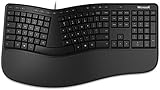
- Microsoft MS ergonomic keyboard for business Win32 USB port English us/Canada 1 license for business
- Package dimensions : 20.0" L x 11.75" W x 2.6" W
- Package weight : 1.0 Lbs
- Package quantity :1
Microsoft’s uninstall troubleshooter supports Microsoft 365 and Office 2016, 2019, 2021 on Windows 10 or later, but it cannot currently uninstall Office 2024. If the troubleshooter does not fully remove an installation, Microsoft provides manual uninstall instructions on the same support page.
Quick Recap
Best Value

- Lifetime License for 5 Users: Perpetual access for 5 users to TrulyOffice 2024 on Window, ensuring a versatile 4-in-1 suite, catering to the needs of 5 users.
- Digital Delivery: Please note that this product is not a physical CD. You will be delivered an activation code to access the software digitally. Compatible with Windows 7 or later and macOS 10.14 or later.
- Activation Instructions: Detailed instructions for activating your software are included with the delivery. Follow these steps to download and install your product.
- Full MS Office Compatibility and Comprehensive Productivity: Experience smooth collaboration with full compatibility with MSOffice, support for all major formats, and access to Words, Slides, Sheets, and Cloud with offline and premium features.
- Offline Access, Premium Features and Cloud Access: Access Truly Words, Truly Sheets, Truly Slides and Truly Cloud offline with premium features; safeguard your files with secure cloud storage.
Rank #4

- Measures approx 3.5" Inches x 1.75" Inches
- Brand New!
- "For All Your Paper Needs"
What removal does—and does not do
- Remote sign-out: stops the subscription installation from using the account on that device; it leaves the apps and documents in place.
- Signing out of an app: removes the account’s license from that app and can disable editing until reactivation.
- Uninstalling: removes Office applications from Windows, not user-created files.
- One-time-purchase transfer: depends on the specific license terms; it is not the same as Microsoft 365 remote deactivation.
Product prices and availability are accurate as of the date/time indicated and are subject to change. Any price and availability information displayed on Amazon at the time of purchase will apply.

