
Recommended Free Tools
The best data center infrastructure management software depends on the job. Sunbird is the strongest broad DCIM shortlist choice; EcoStruxure IT fits Schneider/APC-heavy facilities, Hyperview offers transparent cloud pricing, and Device42 favors IT discovery. Colocation, AI, air-gapped, and mixed-hardware buyers should select by verified capabilities rather than a universal ranking.
DCIM software can combine physical asset records, rack and power capacity, environmental monitoring, facility visualization, change workflows, and infrastructure relationships. The nine products below are therefore a curated shortlist by use case—not a claim that one platform wins every data center.

Key takeaways
- Sunbird dcTrack and Power IQ provide the broadest combined shortlist for asset, capacity, change, power, and environmental management, with U.S. list prices of $19.50 per cabinet per month for dcTrack and $27.50 per cabinet per month for the DCIM Suite.
- Hyperview lists cloud DCIM at $3 per billable asset per year with a 500-asset minimum, but add-ons such as connectivity and ServiceNow integration increase the total cost.
- EcoStruxure IT and Vertiv Trellis can be especially compelling in Schneider/APC-heavy and Vertiv-heavy facilities, respectively, but buyers should test mixed-vendor equipment rather than assume equal integration depth.
- Device42 is primarily an IT discovery and dependency-mapping candidate, while EkkoSense is primarily a thermal and energy-optimization candidate; neither should automatically be treated as a complete facilities-oriented DCIM replacement.
- Colocation operators must separately verify tenant portals, metered billing, SLA reporting, customer access controls, cross-connect tracking, and remote-hands workflows.
9 Best Data Center Infrastructure Management Software: quick comparison
The table treats the products as different types of DCIM rather than interchangeable feature checklists. “Verify” means the supplied research did not establish the capability strongly enough to state it as a current, universal product fact.
| Product | Best for | Deployment or commercial signal | Core strength | Discovery | Capacity | Power/environment | Colocation fit | Main limitation to test |
|---|---|---|---|---|---|---|---|---|
| Sunbird dcTrack / Power IQ | Broad enterprise DCIM | Published U.S. cabinet/node pricing | Asset, rack, capacity, change, power | Import and reconciliation; validate manual effort | Strong candidate | Strong candidate | Verify portals and billing | Licensing units and implementation scope |
| Schneider Electric EcoStruxure IT | Schneider/APC-heavy sites | Quote-based or publicly opaque | Cloud monitoring and Schneider ecosystem | Module and hardware dependent | Advisor module | Strong Schneider/APC fit; test mixed brands | Verify tenant workflows | Several modules, not one monolithic application |
| Nlyte | Large enterprise lifecycle processes | Custom quote | Asset lifecycle and capacity management | Validate current methods | Candidate strength | Validate depth | Verify | Data normalization and services burden |
| Vertiv Trellis | Vertiv-heavy facilities | Packaged or custom quote | Monitoring, capacity, energy, thermal modules | Package dependent | Dedicated package available | Strong Vertiv ecosystem candidate | Verify | Modules, devices, hardware, and services change scope |
| Hyperview | Smaller cloud deployments | $3/asset/year; 500-asset minimum | Cloud asset, rack, infrastructure, environment | Test depth and reconciliation | Verify high-density modeling | Environmental management | Verify tenant and billing features | Add-ons and minimum purchase |
| Cormant-CS | Structured infrastructure documentation | Custom quote not verified | Asset, configuration, change, visualization | Verify current discovery | Verify | Verify | Verify | Current edition and integrations need confirmation |
| FNT Command | Enterprise service and infrastructure modeling | Custom quote not verified | Relationships, network, hybrid IT | Enterprise modeling candidate | Candidate strength | Verify facility monitoring | Verify | May exceed the needs of monitoring-only buyers |
| EkkoSense | Thermal and energy optimization | Per-user pricing signal; current price verify | Performance and cooling analytics | Verify asset-management depth | Verify | Thermal optimization focus | Verify | May not replace lifecycle and workflow DCIM |
| Device42 | IT discovery and dependency mapping | Quote-based unless confirmed | Hardware, software, network, cloud relationships | Automated IT discovery candidate | Test rack and power depth | Test facilities depth | Verify | May be IT-centric rather than facilities-centric |
What is DCIM software?
Data center infrastructure management software is a system for documenting, monitoring, planning, and operating physical and logical data-center infrastructure. Depending on the product, DCIM can cover servers, storage, switches, racks, PDUs, UPSs, sensors, generators, cooling equipment, circuits, rooms, sites, and the relationships among those assets.
The Tool Desk
Outbyte Driver Updater FREEFix the driver behind crashes, sound loss and screen glitchesFind Drivers →Outbyte PC Repair FREEClear out junk files and repair common Windows errorsFree Scan →#1 Best Overall

- Universal sensor that monitors temperature in your Data Center or Network Closet.
- Includes: Installation guide, Temperature sensor
A full DCIM evaluation should examine more than temperature alarms. The useful capability groups are asset and configuration management, capacity planning, power and environmental monitoring, visualization, change and work management, sustainability reporting, integrations, and deployment/security controls.
How is DCIM different from adjacent tools?
| Tool category | Primary job | What DCIM may add |
|---|---|---|
| Data-center monitoring | Collect alarms, readings, and trends | Physical asset records, capacity scenarios, work orders, and relationships |
| BMS | Manage building systems such as HVAC, access, fire, and building conditions | IT equipment, rack placement, power chains, IT changes, and capacity planning |
| EPMS | Monitor and analyze electrical power systems | Asset lifecycle, cabinet placement, IT dependencies, and deployment planning |
| NMS | Monitor and manage network devices and traffic | Physical rack, power, cooling, facilities, and cross-domain relationships |
| IT asset management | Track ownership, lifecycle, contracts, and inventory | U-position, power, cooling, physical connectivity, and facility constraints |
| CMDB | Model configuration items and service relationships | Facility topology, rack elevations, environmental data, and physical capacity |
| ITSM | Manage incidents, requests, changes, and approvals | Infrastructure-aware impact analysis and physical work context |
| Digital-twin software | Represent a physical environment digitally | Operational monitoring, workflows, asset history, and deployment decisions |
A product that only receives SNMP alerts may be valuable monitoring software, but monitoring alone does not prove that the product supports lifecycle management, capacity planning, change control, physical relationships, or tenant reporting.
How were these DCIM products evaluated?
This is a research-based shortlist using vendor material and current market coverage, not a hands-on benchmark. The shortlist reflects the different ways buyers use DCIM: asset and rack management, power and cooling monitoring, thermal optimization, IT discovery, enterprise service modeling, and colocation operations.
A practical procurement score can use the following weights. The weights are editorial starting points, not an objective product ranking.
| Criterion | Suggested weight | What to verify |
|---|---|---|
| Asset and configuration management | 15% | Lifecycle, U-position, ownership, relationships, history |
| Capacity planning | 15% | Space, power, redundancy, cooling, weight, network, what-if scenarios |
| Power and environmental monitoring | 15% | UPS, PDU, circuits, temperature, humidity, leaks, alarms |
| Discovery and data accuracy | 10% | Protocols, reconciliation, stale records, manual cleanup |
| Workflow and change management | 10% | Approvals, work orders, maintenance, audit trail, impact analysis |
| Integrations and API | 10% | ITSM, CMDB, BMS, EPMS, virtualization, REST, exports |
| Deployment and security | 10% | SaaS/on-premises, air gap, SSO, RBAC, MFA, residency, recovery |
| Usability and reporting | 5% | Search, mobile work, dashboards, scheduled reports |
| Colocation functionality | 5% | Tenant isolation, portals, billing, SLA and remote-hands workflows |
| Pricing transparency and implementation burden | 5% | License metric, services, migration, training, renewals, export |
Which DCIM software is best for each use case?
Sunbird is the broadest full-DCIM editorial choice in this shortlist, but a different product may be better aligned with a particular facility or operating model.
- One enterprise data center: Compare Sunbird, Hyperview, Nlyte, and Cormant-CS based on data quality, workflows, and implementation effort.
- Multiple enterprise sites: Prioritize multi-site modeling, shared standards, role-based access, reporting, and integrations; Sunbird, Nlyte, FNT, and EcoStruxure IT deserve review.
- Colocation or wholesale: Start with tenant portals, metered billing, customer reporting, SLA workflows, cross-connects, and remote hands. Do not assume a traditional enterprise DCIM platform includes these functions.
- Edge and distributed IT: Test low-touch deployment, gateway behavior, intermittent connectivity, centralized reporting, and remote alarm escalation.
- Small and midsize facilities: Hyperview is the clearest transparent cloud-pricing candidate, although its 500-asset minimum matters.
- AI or GPU environments: Test high-density rack capacity, dynamic thermal behavior, liquid cooling, CDUs and manifolds, power-chain redundancy, and what-if placement—not merely a 3D floor plan.
- Air-gapped or regulated environments: Require an explicit on-premises or air-gapped architecture, local alarm operation, backup design, patch process, and data-export policy.
- Hardware-mixed environments: Test representative Schneider, Vertiv, and third-party UPSs, PDUs, cooling systems, sensors, and BMS/EPMS connections.
1. Sunbird dcTrack and Power IQ
Best for: Organizations wanting a mature broad DCIM platform for assets, racks, capacity, changes, power, and environmental management.
Sunbird separates its principal capabilities into dcTrack for asset, capacity, and change management and Power IQ for power, energy, and environmental monitoring. The combined suite is a strong candidate when an operations team needs both an authoritative infrastructure model and live electrical or environmental information. Sunbird advertises 3D visualization, power-chain visibility, capacity management, and multi-site support on its product overview.
Sunbird is unusual among large DCIM vendors because its pricing page publishes U.S. dollar list prices. The page lists Power IQ DCIM Monitoring at $5.50 per node per month, or $66 per node annually; dcTrack DCIM Operations at $19.50 per cabinet per month, or $234 per cabinet annually; and the DCIM Suite at $27.50 per cabinet per month, or $333 per cabinet annually. The pricing page states that listed plans include unlimited users and sites subject to the stated licensing terms.
The figures are not directly comparable: Power IQ uses nodes while dcTrack and the suite use cabinets. Ask Sunbird exactly how cabinets, devices, monitored nodes, bundled licenses, gateways, and sites are counted. Implementation, migration, sensors, gateways, integrations, training, and services may be additional. A third-party comparison characterizes dcTrack as requiring more manual data entry than newer discovery-oriented platforms; treat that as a demo question, not a universal verdict.
Test before buying: Import a spreadsheet or CMDB, reconcile duplicate assets, model a dual-corded server and its power paths, calculate remaining cabinet power, record a move/add/change, and export the resulting history. Ask what happens when the facility record differs from the physical rack.
Editorial label: Best full-featured DCIM with transparent published pricing.
2. Schneider Electric EcoStruxure IT
Best for: Facilities with substantial Schneider/APC power and cooling infrastructure, or teams wanting cloud monitoring and Schneider ecosystem integration.
The EcoStruxure IT portfolio includes EcoStruxure IT Expert for cloud-based monitoring and visibility, Data Center Expert for centralized equipment information and monitoring, and IT Advisor for asset and capacity planning. NetBotz environmental monitoring and additional management, analytics, and service options are also part of the portfolio.
EcoStruxure IT should not be evaluated as one monolithic application. The module selected determines whether the buyer gets monitoring, asset planning, environmental sensing, analytics, or service capabilities. Schneider/APC standardization may provide a practical integration advantage, but “vendor agnostic” does not automatically mean equal depth for every non-Schneider UPS, PDU, sensor, cooling system, BMS, or EPMS. Public pricing was not verified in this research pass, so treat the commercial model as quote-based or publicly opaque.
Test before buying: Demonstrate a mixed-vendor UPS and PDU, a non-Schneider sensor, a BMS or EPMS connection, alarm escalation, asset import, SSO, RBAC, audit logs, and what continues locally if the WAN or cloud service is unavailable.
Editorial label: Best for Schneider/APC-centric infrastructure and power/cooling monitoring.
Do these 3 things before closing this tab:
1Repair Windows errors before they cause bigger problems2Scan for outdated or missing drivers - takes under a minute3Clear out junk files and repair common Windows errorsRank #2
3. Nlyte
Best for: Large enterprises needing structured asset lifecycle, capacity, workflow, and infrastructure-management processes.
Nlyte belongs on an enterprise shortlist when data-center infrastructure must fit formal asset, lifecycle, capacity, and IT service-management processes. TechTarget’s DCIM market overview includes Nlyte among the prominent options it examines.
Large-enterprise DCIM can be powerful while still demanding substantial data normalization, governance, and professional services. Product capability should not be confused with ease of implementation. Nlyte pricing was not publicly verified in this research pass, so request a current quote and confirm ownership, roadmap, deployment options, supported protocols, and current integrations directly with the vendor. The available Nlyte educational PDF is older background material and should not substantiate current features or prices.
Test before buying: Map the full lifecycle of a server, connect the asset to a change process and CMDB, model capacity across multiple sites, and identify exactly which migration and data-cleanup tasks require vendor services.
Quick wins for a faster PC:
Clear out junk files and repair common Windows errorsFree Scan →Scan for outdated or missing drivers - takes under a minuteDriver Scan →Repair Windows errors before they cause bigger problemsFix Now →Editorial label: Best for large enterprises with formal asset and lifecycle-management processes.
4. Vertiv Trellis
Best for: Data centers with significant Vertiv critical-power and cooling infrastructure, especially teams seeking packaged monitoring, capacity, energy, or thermal-management deployments.
Vertiv presents Trellis as a modular platform that can support data-center monitoring, capacity planning, energy management, thermal management, and broader DCIM functions through combined modules. The scope depends on the package, devices, hardware, software, services, training, and maintenance in the proposal.
Vertiv’s Data Center Monitoring Quick Start includes Trellis Site Manager for up to 30 floor-mounted devices and 100 total devices, plus maintenance, professional services, and training. Vertiv gives an approximate two-week target implementation time for that offering and says actual results vary. That timeline must not be generalized to a complete enterprise Trellis deployment.
What’s actually slowing this PC down?
Pick the symptom - the matching free tool is one click away.
Vertiv also describes a capacity-planning package supporting up to 25 floor-mounted devices and including inventory/capacity-planning software, a mobile application, an iPad, a Bluetooth scanner, maintenance, services, and training. The package structure can be useful for a defined deployment, but it makes simple price comparisons difficult.
Test before buying: Confirm the exact modules, demonstrate non-Vertiv equipment, map a power chain, test environmental alarms, use the mobile workflow, and document whether hardware, services, training, maintenance, and future devices are included.
Editorial label: Best modular DCIM option for Vertiv-heavy facilities.
5. Hyperview
Best for: Small and midsize data centers seeking cloud-native DCIM with transparent asset-based pricing.
Hyperview publicly lists cloud-based asset, rack, infrastructure, and environmental management, a 30-day free trial, and a base price of $3 per asset per year with a 500-asset minimum. The vendor says software updates, upgrades, and maintenance are included in the subscription. The Hyperview pricing page also presents regional currency options for the United Kingdom and European Union.
Hyperview defines billable assets broadly. Its product tour and asset explanation lists racks, generators, UPSs, PDUs, cooling equipment, servers, storage, network devices, sensors, patch panels, firewalls, and virtual machines among billable assets. The same pricing explanation says unknown assets and software applications are not billable. Confirm how your inventory will be counted before comparing the starting price with cabinet- or node-based products.
The pricing page lists add-ons including Accelerated Polling at $1 per asset per year, Carbon Footprint Reporting at $1, Connectivity at $2, Control at $1, Full-Resolution Data Retention 365 at $0.50, and ServiceNow Integration at $1 per asset per year. It also lists Additional Sensors at $300 per year for 1,000 sensors, Asset Tracking at $24 per rack per year with hardware quoted separately, and Augmented Reality at $30 per rack per year. Customers with 10,000 or more assets are directed to contact sales.
Test before buying: Measure discovery depth, network mapping, BMS integration, API limits, historical-data retention, ServiceNow synchronization, high-density rack modeling, and operation during a communications outage. Add-ons can materially change the apparently low starting price.
Rank #3
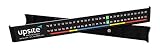
- Identifies hot and cold spots within minutes of application and at a glance thereafter.
- Improves uptime by early identification of trouble areas
- Color-code based on ASHRAE standards indicates potential hot spots in a glance.
- Supports airflow management practices resulting in improved capacity and reduced operating expenses.
- Is attached using non-permanent mounting methods for reuse in other locations.
Editorial label: Best transparent cloud-native DCIM for smaller deployments.
6. Cormant-CS
Best for: Organizations prioritizing asset visibility, infrastructure documentation, change management, and integration with existing IT processes.
Cormant-CS is included in TechTarget’s current recognized DCIM comparison. The shortlist evaluation should focus on asset and configuration management, capacity planning, change control, visualization, workflow, reporting, ITSM/CMDB integration, discovery, and data-import methods.
Public pricing was not verified. Confirm current SaaS and on-premises availability, discovery protocols, implementation requirements, API behavior, and colocation functionality directly with Cormant. Cormant-CS is a reasonable established alternative for structured infrastructure documentation, but the available research does not support a more specific universal feature claim.
Free tools Windows power users keep installed
One-click scans. No signup required.
Test before buying: Import real records, correct a stale rack position, model a power and network relationship, open a change workflow, connect an ITSM system, and ask what functions are native versus custom or integration-dependent.
Editorial label: Best established alternative for structured infrastructure documentation, pending current feature verification.
7. FNT Command
Best for: Large organizations managing data-center infrastructure as part of a wider hybrid IT, network, service, and configuration-management environment.
FNT Software is included in TechTarget’s DCIM market coverage. Evaluate FNT Command for data-center asset and configuration management, service and relationship modeling, network and connectivity documentation, capacity planning, hybrid-cloud relationships, APIs, and CMDB integration.
Windows Errors? Fix Them Before They Spread
Repair common Windows errors and clear accumulated junk for a smoother, more stable PC - no reinstall needed.Free scan · no reinstallCrashes, No Sound, or Screen Glitches?
Random freezes, missing sound and display glitches usually trace back to one bad driver. Find and replace yours safely.Free scan · under a minuteFNT may be more platform-oriented and enterprise-architecture-heavy than a lightweight monitoring product. That is an advantage when the organization needs broad service and infrastructure relationships, but unnecessary complexity when the actual requirement is rack temperature and UPS alarms. Pricing, implementation effort, current edition, deployment model, and exact DCIM modules were not publicly verified.
Test before buying: Model a business service through applications, virtual machines, physical hosts, network paths, racks, circuits, and facility dependencies. Then compare the operational value of that model with the cost and governance needed to maintain it.
Editorial label: Best for enterprise infrastructure and service relationship modeling.
8. EkkoSense
Best for: Teams focused on thermal optimization, energy efficiency, cooling performance, and operational analytics.
The Tool Desk
Outbyte PC Repair FREERepair Windows errors before they cause bigger problemsFix Now →Outbyte Driver Updater FREEFix the driver behind crashes, sound loss and screen glitchesFind Drivers →EkkoSense is included among recognized DCIM vendors by TechTarget. A vendor document describes EkkoSense as a cloud-based data-center performance-optimization platform and references unlimited locations with per-user pricing.
The important buying distinction is scope. EkkoSense may be a stronger fit for thermal, performance, and energy optimization than for replacing every asset-lifecycle, change-management, colocation-billing, or facilities-workflow function in a full DCIM suite. The current price was not reliably verified beyond the per-user signal, so request current commercial terms.
Test before buying: Ask the vendor to show the source data behind thermal recommendations, how missing or stale readings are handled, whether recommendations are automated or analyst-generated, and how the platform integrates with BMS, EPMS, asset inventory, capacity planning, and work management.
Editorial label: Best for thermal and energy optimization.
Recommended Free Tools
9. Device42
Best for: IT-centric data centers and hybrid environments where automated discovery, dependency mapping, IP address management, and infrastructure relationships are central.
Gartner Peer Insights describes Device42 as software for discovering and tracking hardware, software, network devices, and cloud resources across an organization. Software Advice’s category coverage similarly positions Device42 around hardware, software, devices, networks, and cloud resources.
Device42 should not automatically be treated as equivalent to a facilities-oriented DCIM platform. Its likely differentiator is IT discovery and dependency mapping; buyers must test power-chain analysis, environmental sensors, cooling, floor plans, rack capacity, facilities workflows, and BMS/EPMS depth. Current pricing was not verified, so label it quote-based unless Device42 confirms otherwise.
Test before buying: Discover a representative mixed environment, trace a service to physical infrastructure, reconcile duplicate devices, map IP and network relationships, calculate rack power and space, and demonstrate a facilities alarm or maintenance workflow.
Editorial label: Best for automated IT infrastructure discovery and dependency mapping.
Independent reader supportYour contribution helps us test, update, and keep practical guides available for everyone.How much does DCIM software cost?
DCIM pricing cannot be compared responsibly without identifying the license unit, geography, date, modules, services, and minimum purchase. Sunbird publishes both node-based and cabinet-based prices; Hyperview charges by asset with a 500-asset minimum; Vertiv describes packages based on devices, hardware, software, services, training, and maintenance; and several enterprise products require custom quotes.
The following signals were checked against vendor pages available around August 16–18, 2026. Prices can vary by geography, currency, asset count, modules, taxes, contract term, implementation, and support tier.
| Product | Published or researched signal | What to clarify |
|---|---|---|
| Sunbird Power IQ | $5.50/node/month or $66/node/year | Node definition, sensors, gateways, services, and U.S. scope |
| Sunbird dcTrack | $19.50/cabinet/month or $234/cabinet/year | Cabinet scope and implementation costs |
| Sunbird DCIM Suite | $27.50/cabinet/month or $333/cabinet/year | Included modules, devices, integrations, and services |
| Hyperview | $3/asset/year; 500-asset minimum | Billable asset count, add-ons, taxes, and hardware |
| Hyperview trial | 30-day free trial; no credit card stated on the research page | Current trial terms and included features |
| Vertiv Trellis | Custom package pricing | Devices, hardware, software, services, training, maintenance |
| Nlyte, Schneider, Cormant-CS, FNT, Device42 | No current public price verified | Quote, deployment, services, support, renewal, and export terms |
| EkkoSense | Per-user pricing signal in vendor material | Current user price, modules, sensors, and implementation |
Total cost of ownership also includes data migration, spreadsheet cleanup, sensors, gateways, network changes, CMDB or ITSM integration, professional services, training, support, upgrades, and renewal increases. Ask every vendor for a three-year cost model and a full export of records and history if the contract ends.
What’s actually slowing this PC down?
Pick the symptom - the matching free tool is one click away.
What should a DCIM proof of concept include?
A useful proof of concept tests whether the data becomes trustworthy and operationally useful; installing the software is not enough. The most serious implementation risk is inaccurate asset and relationship data. A polished floor plan can still contain the wrong rack position, ownership, power path, or capacity value.
- Select representative scope: Include a rack row, a power chain, a cooling zone, a network path, a recent move/add/change, and a known incident or maintenance workflow.
- Load imperfect data: Use an actual spreadsheet, CMDB export, CAD file, or vendor database containing duplicates, missing fields, stale locations, and inconsistent naming.
- Validate physical truth: Compare the software record with rack elevations, U-positions, serial numbers, circuits, ports, sensors, and ownership.
- Test capacity: Calculate available rack space, power, redundancy, cooling, weight, and network ports. Model a proposed high-density or GPU deployment if relevant.
- Test operations: Add or move a server, approve a change, open a work order, route an alarm, perform impact analysis, and retrieve the audit history.
- Test integrations: Connect the relevant ITSM, CMDB, BMS, EPMS, virtualization, network, and authentication systems. Confirm API limits and export formats.
- Test failure behavior: Disconnect the gateway or WAN, observe local alarms and data caching, restore communications, and confirm whether historical data backfills correctly.
- Set acceptance criteria: Define the records, relationships, readings, workflows, reports, response times, and exports that must work before production purchase.
What should vendors demonstrate in a DCIM demo?
- Add and move a server without losing its history.
- Map a dual-corded device to both power paths and identify every device connected to a circuit.
- Calculate available rack power, space, cooling, weight, and redundancy.
- Show a thermal or environmental alarm with threshold, escalation, acknowledgement, and audit history.
- Open a change ticket, require approval, identify impact, and close the work order.
- Import a CMDB or spreadsheet and reconcile duplicate or stale assets.
- Handle a non-native UPS, PDU, sensor, cooling system, or BMS/EPMS connection.
- Show floor plans, rack elevations, power chains, heat maps, or 3D views and explain the operational decision each view supports.
- Export all asset records, relationships, readings, and history in a usable format.
- Demonstrate SSO, MFA, RBAC, audit logging, backup, recovery, data residency, and operation during a communications outage.
What should colocation operators verify?
Colocation is a different DCIM buying problem from managing an internal enterprise facility. A colocation operator needs to test tenant isolation, white-label portals, metered power billing, cross-connect and circuit tracking, SLA reporting, remote-hands tickets, customer access controls, customer-managed equipment, and tenant-level environmental and power reports.
Traditional enterprise DCIM products may require integrations or custom development for these functions. A product should not be labeled “best for colocation” until the vendor demonstrates the complete tenant, billing, reporting, and service workflow with realistic permissions. A buyer should also ask whether customer-facing data can be branded, exported, corrected, and audited without exposing another tenant’s infrastructure.
Which deployment and security questions matter?
Deployment is part of DCIM suitability, not a procurement footnote. Compare SaaS, on-premises, and hybrid architectures; cloud region and data residency; air-gapped operation; edge gateways; browser and mobile access; SSO, MFA, RBAC, and audit logs; backup and disaster recovery; upgrade ownership; and the expected time to usable data rather than merely time to install.
For SaaS, ask whether alarms operate locally during WAN or vendor outages, whether collectors cache and backfill data, and whether the customer can export the complete historical dataset. For regulated or air-gapped sites, require a documented architecture and patch process rather than accepting “cloud-based” or “secure” as sufficient answers.
What are the most common DCIM buying mistakes?
- Comparing monitoring with full DCIM: SNMP alarms do not establish support for lifecycle, capacity, changes, physical relationships, or tenant reporting.
- Trusting the data model without an audit: Software cannot make incorrect rack, power, ownership, or capacity records accurate by itself.
- Assuming vendor agnostic means equal depth: Test hardware from every major manufacturer and every important protocol.
- Comparing starting prices only: A node, cabinet, asset, user, site, device, and module are different billing units.
- Generalizing a packaged timeline: Vertiv’s approximately two-week target applies to a specific Quick Start monitoring package and should not be applied to a complete enterprise deployment.
- Accepting AI or digital-twin language without a scenario: Require the vendor to show source data, handling of stale readings, actual constraints, and whether recommendations are automated.
- Ignoring colocation workflows: Tenant billing, customer portals, SLAs, cross-connects, and remote hands need explicit demonstrations.
- Forgetting exit terms: Confirm ownership, export formats, retention, recovery, and access to historical data after contract termination.
Final recommendation matrix
| Choose this product if… | Start by verifying… |
|---|---|
| You need broad asset, capacity, change, power, and environmental DCIM | Sunbird licensing, discovery effort, implementation, and colocation functions |
| Your facility is heavily standardized on Schneider/APC | EcoStruxure modules, mixed-vendor depth, and cloud-outage behavior |
| Your enterprise has formal lifecycle and ITSM governance | Nlyte implementation, current integrations, roadmap, and services |
| Your facility is Vertiv-heavy and a packaged deployment is attractive | Trellis modules, non-Vertiv support, device limits, and included services |
| You want transparent cloud pricing for a smaller deployment | Hyperview’s 500-asset minimum, billable-asset definition, and add-ons |
| You prioritize structured infrastructure documentation | Cormant-CS’s current deployment, discovery, API, and workflow capabilities |
| You need broad enterprise service and infrastructure relationships | FNT Command’s current edition, DCIM modules, and implementation scope |
| You primarily need thermal and cooling optimization | EkkoSense’s asset, workflow, BMS/EPMS, and capacity-management boundaries |
| You primarily need automated IT discovery and dependency mapping | Device42’s power, environmental, rack, floor-plan, and facilities depth |
Frequently Asked Questions
What is the best data center infrastructure management software overall?
There is no universal best data center infrastructure management software. Sunbird is the strongest broad full-DCIM shortlist choice in this comparison, while EcoStruxure IT, Hyperview, Trellis, EkkoSense, and Device42 are better aligned with specific ecosystems, deployment models, or operating priorities.
How much does DCIM software cost?
Published pricing ranges from Sunbird’s $5.50 per node per month for Power IQ and $19.50 per cabinet per month for dcTrack to Hyperview’s $3 per asset per year with a 500-asset minimum. Enterprise products may require custom quotes, and implementation, sensors, gateways, integrations, training, support, and add-ons can substantially increase total cost.
Is monitoring software the same as DCIM?
No. Monitoring software can collect readings and alarms, while full DCIM may also manage assets, capacity, physical relationships, change control, work orders, power paths, reporting, and integrations. A product should not be called full DCIM solely because it receives SNMP alarms.
Quick wins for a faster PC:
Clear out junk files and repair common Windows errorsFree Scan →Fix the driver behind crashes, sound loss and screen glitchesFind Drivers →Repair Windows errors before they cause bigger problemsFix Now →What DCIM features do colocation operators need?
Colocation operators should verify tenant portals, tenant isolation, metered power billing, cross-connect and circuit tracking, SLA reporting, remote-hands workflows, customer access controls, and tenant-level environmental and power reports. Enterprise DCIM products may require integrations or customization for these functions.
The Bottom Line
Bottom line: Shortlist Sunbird when you need broad operational DCIM and want published U.S. pricing; evaluate EcoStruxure IT or Trellis when the facility is strongly aligned with Schneider/APC or Vertiv equipment; consider Hyperview for transparent cloud pricing; and use EkkoSense or Device42 when thermal optimization or IT discovery is the primary problem. Before signing, run a proof of concept with imperfect data, mixed hardware, a power chain, a capacity scenario, a change workflow, an outage test, and a complete data export.

