
Free tools Windows power users keep installed
One-click scans. No signup required.
iTechGuides is reader-supported. When you buy through links on our site, we may earn an affiliate commission. As an Amazon Associate I earn from qualifying purchases. Learn more
For organizations comparing 6 Best Nonprofit CRM Software, the strongest shortlist is Bloomerang for donor retention, Neon CRM for all-in-one operations, Little Green Light for low cost, Salesforce Nonprofit Cloud for customization, Blackbaud Raiser’s Edge NXT for complex advancement, and DonorPerfect for established fundraising teams. The right choice depends on database size, fundraising complexity, staff capacity, and implementation budget.
A nonprofit CRM is more than a donation form or spreadsheet. A suitable system connects constituent records with giving history, pledges, campaigns, communications, events, memberships, volunteers, grants, tasks, and reporting. The six platforms below solve different problems, so no single CRM is best for every nonprofit.
Pricing note: Pricing was checked against the supplied research in August 2026. Prices may vary by country, edition, database size, revenue, users, modules, payment processing, contract, and implementation services.
Crashes, No Sound, or Screen Glitches?
Random freezes, missing sound and display glitches usually trace back to one bad driver. Find and replace yours safely.Free scan · under a minuteWindows Errors? Fix Them Before They Spread
Repair common Windows errors and clear accumulated junk for a smoother, more stable PC - no reinstall needed.Free scan · no reinstallKey takeaways
- Bloomerang is the strongest fit for small and midsize nonprofits focused on donor retention, engagement, segmentation, and relationship-based fundraising.
- Neon CRM starts at $99 per month and combines fundraising, communications, events, memberships, and volunteer tools, but optional modules and revenue-based pricing affect the total cost.
- Little Green Light starts at $45 per month for up to 2,500 constituents, making it the clearest budget choice for straightforward donor and gift tracking.
- Salesforce Nonprofit Cloud starts at $60 per user per month for Enterprise and $100 per user per month for Unlimited, before implementation, integrations, and administration.
- Blackbaud Raiser’s Edge NXT is aimed at established advancement teams, while DonorPerfect is a quote-based option for reporting, recurring giving, and established fundraising workflows.
Quick comparison of the 6 Best Nonprofit CRM Software options
The best nonprofit CRM depends on the job the organization needs the software to perform. A low-cost donor database, an all-in-one association platform, and an enterprise advancement system should not be compared as though they offer the same scope.
Popular on Amazon

- 【62" Widened Desktop Home Office Desks】A spacious 62-inch scratch-resistant surface comfortably holds dual monitors, laptops, and creative projects, while the subtle embossed texture adds modern farmhouse elegance to your workspace.
- 【4-Drawer Office Desk】Stay organized effortlessly: 2 quick-access drawers for daily essentials, 2 vertical file drawers for documents, to store your paper pads, notebooks, calculator, and other things you want close at hand.
- 【Sturdy Work Desk for Home Office】Built to last with reinforced steel legs and solid wood panels, supporting heavy equipment without wobbling. Hidden cable cutouts and rear channels keep wires tidy and within reach.
- 【Scratch-Resistant Antique White Office Desk】Premium coated surface repels stains and smudges – simply wipe clean to maintain its pristine look. Perfect for busy professionals, parents, or crafters needing a durable yet stylish desk.
- 【Ample Drawer Space】Transform your space with this organizational powerhouse: As both a professional office desk and a multifunctional organizer, its 4 quick-access drawers store stationery within arm's reach, while the 15"-wide cabinet accommodates hanging files or tech gear – all secured in sleek, antique white-coated units that resist dust and visual chaos.
| CRM | Best for | Starting pricing signal | Pricing model | Users or records | Main limitation |
|---|---|---|---|---|---|
| Bloomerang | Donor retention and relationship-focused fundraising | $125/month for CRM; annual billing | Constituent-based; additional products and bundles | Generally unlimited users | Full fundraising and volunteer capability can require additional products |
| Neon CRM | Growing nonprofits wanting an all-in-one platform | $99/month | Revenue-based, with paid modules | Unlimited records and users advertised | Events, memberships, and volunteers can increase the subscription |
| Little Green Light | Affordable, straightforward donor management | $45/month for up to 2,500 constituents | Record-based | Up to 200,000 constituent records | Less suitable for complex automation and program operations |
| Salesforce Nonprofit Cloud | Customization and enterprise scalability | $60/user/month for Enterprise | Per user; annual billing | Paid access is user-based | Implementation and ongoing administration can be substantial |
| Blackbaud Raiser’s Edge NXT | Complex advancement and major-gift operations | Public current price not verified | Custom or quote-based | Confirm limits and modules in the proposal | Pricing is not transparent and the system may be excessive for small nonprofits |
| DonorPerfect | Reporting, recurring giving, and established fundraising | Public current price not verified | Custom or quote-based | Confirm users, records, and modules with the vendor | Quote-based pricing makes direct comparison difficult |
Official pricing details support the published starting signals for Bloomerang, Neon CRM, Little Green Light, and Salesforce Nonprofit Cloud. Blackbaud Raiser’s Edge NXT and DonorPerfect should be treated as quote-led products unless a current written proposal confirms otherwise.
How were these nonprofit CRMs evaluated?
The shortlist considers fundraising depth, constituent data, communication tools, events and membership, volunteer management, reporting, integrations, ease of adoption, total cost, implementation burden, and data portability. The recommendations are editorial assessments based on product positioning, official pricing signals, feature coverage, and comparison research; no hands-on testing or vendor demos were performed.
What should a nonprofit CRM record?
A full nonprofit CRM should maintain a unified record for donors, prospects, members, volunteers, organizations, and program participants. The record should connect gifts, pledges, recurring donations, tribute gifts, campaigns, funds, appeals, events, tasks, notes, communications, grants, and stewardship activity.
The Tool Desk
Outbyte PC Repair FREERepair Windows errors before they cause bigger problemsFix Now →Outbyte Driver Updater FREEScan for outdated or missing drivers - takes under a minuteDriver Scan →A donation processor can be excellent at accepting payments while remaining too limited to serve as a CRM. A general-purpose CRM can provide powerful customization while requiring nonprofit-specific configuration for pledges, soft credits, tax receipts, households, campaigns, volunteer records, and donor acknowledgments.
1. Bloomerang: best for donor retention and relationship-focused fundraising
Bloomerang is best for small and midsize nonprofits that want a purpose-built donor CRM centered on engagement, stewardship, segmentation, and retention-oriented fundraising. Bloomerang’s product scope includes donor profiles, relationship history, dynamic segmentation, reporting, predictive giving insights, automated supporter journeys, major-gift management, grant tracking, membership management, duplicate matching, and data-stewardship tools. The current product lineup also includes separate fundraising and volunteer capabilities, according to Bloomerang’s pricing page.
How much does Bloomerang cost?
Bloomerang CRM starts at $125 per month when billed annually. Bloomerang Fundraising starts at $40 per month but must be purchased as part of a bundle with Bloomerang CRM. The Giving Platform bundle starts at $242 per month with annual billing and includes fundraising, CRM, volunteer management, support, and intelligence features. Bloomerang Volunteer starts at $119 per month with annual billing. The pricing is generally constituent-based and allows unlimited users, but the advertised CRM-only price is not the price of every possible deployment.
| Bloomerang option | Published starting signal | What to verify |
|---|---|---|
| CRM | $125/month, annual billing | Constituent tier and included functionality |
| Fundraising | $40/month, bundled with CRM | Payment processing and bundle requirements |
| Volunteer | $119/month, annual billing | Whether volunteer workflows require a separate subscription |
| Giving Platform | $242/month, annual billing | Included modules, support, and intelligence features |
Why choose Bloomerang?
- Donor profiles and relationship history are central to the product.
- Segmentation and reporting support targeted stewardship.
- Major-gift and grant tracking help fundraising teams organize relationship work.
- Duplicate matching and data-management features address common database problems.
- Unlimited users can make broad staff access easier to budget.
Bloomerang is a good choice when the development team wants more than gift entry but does not need the extensive data-model customization associated with Salesforce. The platform is less compelling when a nonprofit mainly needs the lowest-cost donor database or requires highly customized program management.
Who should avoid Bloomerang?
A nonprofit seeking a complete fundraising, volunteer, and event deployment should price the necessary products together rather than relying on the $125 CRM starting price. Independent comparison coverage describes Bloomerang as relatively straightforward for smaller nonprofits but identifies limited customization, less capable membership tooling, and extra volunteer costs as potential concerns; those are review-based observations, not independently verified product defects.
Verdict: Choose Bloomerang when donor engagement and retention-oriented relationship management are more important than maximum customization or the lowest possible subscription price.
2. Neon CRM: best all-in-one nonprofit CRM for growing organizations
Neon CRM is best for growing nonprofits that want fundraising, donor management, communications, events, memberships, and volunteers connected to one platform. Neon CRM includes supporter profiles, donation forms, recurring gifts, peer-to-peer fundraising, email, text messaging, automated workflows, reporting, donor portals, and grant management. Membership, event, and volunteer capabilities are available as optional modules, according to Neon One’s published pricing information.
How does Neon CRM pricing work?
Neon CRM starts at $99 per month and uses revenue-based pricing rather than contact-count pricing. Neon advertises unlimited records and users. Optional modules add 10% for memberships, 10% for volunteers, and 20% for events to the CRM subscription. Published plan signals include Essentials at $99 per month, Impact at $209 per month, and Empower at $409 per month. Memberships are advertised as starting at $109 per month, reflecting the additional 10% module cost.
What’s actually slowing this PC down?
Pick the symptom - the matching free tool is one click away.
| Neon CRM capability | Pricing treatment | Operational implication |
|---|---|---|
| Core CRM | Starts at $99/month | Revenue tier affects the subscription |
| Memberships | Additional 10% | Useful for renewals and member directories, but not included in every base price |
| Volunteers | Additional 10% | Budget the module if scheduling and hour tracking are required |
| Events | Additional 20% | Event-heavy organizations should compare the combined cost |
What does Neon CRM do well?
- Unlimited records can suit organizations with large constituent databases.
- Donation forms, recurring giving, donor portals, and peer-to-peer fundraising support online fundraising.
- Email, text messaging, segmentation, and workflows connect communications to constituent data.
- Event registration, ticketing, memberships, volunteers, and grant management can reduce the need for separate systems.
- Published integrations include QuickBooks, Mailchimp, Eventbrite, and Windfall Data.
Neon is particularly attractive when events, memberships, and volunteer operations are core workflows. The trade-off is that “unlimited records” does not mean unlimited cost: revenue-based pricing and optional modules remain important to the total-cost calculation. A very small nonprofit needing only contacts, gifts, and acknowledgments may find Neon broader and more complex than necessary.
Independent comparison coverage characterizes Neon as a broad all-in-one platform but notes a possible learning curve and the need for another product or integration for some specialized wealth-screening requirements. Those observations should be tested in a scenario-based demo.
Verdict: Choose Neon CRM when the organization wants one connected platform for fundraising and constituent operations and is prepared to configure and train staff on a broader system.
3. Little Green Light: best affordable nonprofit CRM
Little Green Light is best for small nonprofits that need transparent, low-cost constituent and gift tracking with unlimited users. Little Green Light offers one core plan with donor management, online donations, support resources, security and backups, and no setup or cancellation fees. The vendor also advertises a 30-day free period.
Also popular on Amazon

- Small Desk for Small Spaces: The dimensions are 31.5" (W) x 15.75" (D) x 30" (H). This compact computer desk fits most small spaces, such as bedrooms, children's rooms, dormitories, and more. It's an ideal choice for home office work and can also be used as a writing desk, study desk, or vanity table for students, teens, and kids.The desk is USPTO Patent Approved.
- Desk with 2 Fabric Drawers: This small office desk features two pull-out fabric drawers offers convenient storage for stationery, documents, or daily essentials, keeping your desktop tidy. Each drawer can support up to 10 lbs (about 3 laptops).
- Sturdy Structure and Colorful Choice: The desk features additional fixed steel brackets and adjustable leg pads for enhanced stability. Available in six colors ( black, white, pink, gray, marble, and brown ) offering versatile options to match various interior styles.
- Easy Installation: Clear installation instructions and all necessary tools are included in the accessory bag, ensuring you can complete the setup quickly and efficiently. We also provide comprehensive installation videos, accessible through scanning the transparency code on the packaging.
- Helpful Customer Service: Your satisfaction is our first priority. Feel free to contact us about any issue regarding our desks quality or any problem during use , we will provide quick and nice solutions for you.
How much does Little Green Light cost?
Little Green Light costs $45 per month for up to 2,500 constituents, $60 for up to 5,000, $75 for up to 10,000, and $90 for up to 20,000. Higher published tiers reach $135 per month for up to 50,000 constituents. Accounts can contain up to 200,000 constituent records, annual prepayment offers a 10% saving, and additional 10,000-record tiers above 50,000 add $15 per month. The official Little Green Light pricing page states that online donation processing starts at 2.2% plus $0.30 per transaction, paid to the payment processor, with no additional fee charged by Little Green Light.
| Constituent limit | Monthly price | Pricing meaning |
|---|---|---|
| Up to 2,500 | $45 | Lowest published subscription tier |
| Up to 5,000 | $60 | Price increases with record volume |
| Up to 10,000 | $75 | Useful for a growing constituent file |
| Up to 20,000 | $90 | Still below the published starting prices of several broader platforms |
| Up to 50,000 | $135 | Large-record tier; payment processing remains separate |
What are Little Green Light’s strengths?
- Record-based pricing is easy to understand before requesting a sales quote.
- Unlimited users avoid a separate charge for every staff member who needs access.
- One core plan includes the basic donor-management functionality rather than splitting essential features across many editions.
- No contract, setup fee, or cancellation fee lowers initial purchasing friction.
- The 30-day free period gives a small team time to inspect the workflow before committing.
Record-based pricing has an important edge case. A nonprofit should count donors, prospects, volunteers, event attendees, members, and other constituent records—not only active donors. A large inactive database can therefore push the subscription into a higher tier.
When is Little Green Light not enough?
Little Green Light is not the natural choice for sophisticated automation, complex program management, advanced major-gift operations, or extensive event workflows. Secondary comparison coverage describes the platform as suitable for new or very small nonprofits while noting heavier reliance on manual processes and less advanced automation. Treat those points as review-based observations and test the organization’s own workflows during a trial.
Verdict: Choose Little Green Light when affordability, transparent pricing, unlimited users, and straightforward donor tracking matter more than enterprise automation or deep program management.
Do these 3 things before closing this tab:
1Repair Windows errors before they cause bigger problems2Scan for outdated or missing drivers - takes under a minute3Clear out junk files and repair common Windows errors4. Salesforce Nonprofit Cloud: best for customization and scalability
Salesforce Nonprofit Cloud is best for larger or technically capable nonprofits that need custom data models, complex workflows, integrations, analytics, and program management. The platform includes a nonprofit data model, fundraising, programs and outcomes, volunteer management, accounting subledger functionality, automation, and access to the wider Salesforce ecosystem. Salesforce describes its nonprofit offering on the Salesforce nonprofit overview and publishes edition pricing on its Nonprofit Cloud pricing page.
How much does Salesforce Nonprofit Cloud cost?
Salesforce Nonprofit Cloud Enterprise costs $60 per user per month and Unlimited costs $100 per user per month, both billed annually according to Salesforce’s published pricing. Salesforce states that usage restrictions apply and that the listed editions require an annual contract. Salesforce also advertises nonprofit-specific pricing and eligibility programs, but eligibility, availability, and product restrictions must be verified directly with Salesforce.
For example, 10 paid users at the published Enterprise price would equal $600 per month before implementation, migration, integrations, optional products, training, or other costs. That calculation illustrates license cost only; it is not a complete Salesforce implementation estimate.
| Salesforce edition | Published price | Billing and planning issue |
|---|---|---|
| Nonprofit Cloud Enterprise | $60/user/month | Billed annually; usage restrictions apply |
| Nonprofit Cloud Unlimited | $100/user/month | Billed annually; confirm included capabilities and limits |
| Agentforce 1 for Sales | $325/user/month | Separate higher-priced edition; do not assume it is required for core CRM |
| Agentforce 1 for Service | $325/user/month | Separate higher-priced edition; verify relevance to the nonprofit’s use case |
Why choose Salesforce?
- Custom objects and fields can represent complex organizational structures and programs.
- Workflow automation and reporting support multi-department operations.
- Programs and outcomes extend the system beyond fundraising.
- The integration ecosystem can connect finance, marketing, service, and specialized nonprofit tools.
- Scalability can benefit multi-chapter, multi-program, or technically mature organizations.
What is the main Salesforce trade-off?
Salesforce flexibility creates an implementation and governance responsibility. Database redesign, data migration, integrations, permissions, report rebuilding, staff training, documentation, and ongoing administration can materially exceed the license cost. Independent comparison coverage describes Salesforce as powerful and scalable but difficult to implement and maintain without dedicated technical resources.
A small nonprofit replacing spreadsheets should not select Salesforce merely because the published per-user price appears manageable. A nonprofit needs an administrator or dependable implementation partner, a documented data model, clear ownership of customizations, and a budget for ongoing maintenance.
Verdict: Choose Salesforce Nonprofit Cloud when flexibility and scalability justify the administrative burden and the organization can fund implementation as well as licenses.
5. Blackbaud Raiser’s Edge NXT: best for complex advancement operations
Blackbaud Raiser’s Edge NXT is best for established nonprofits with sophisticated advancement, major-gift, reporting, wealth-intelligence, and Blackbaud ecosystem requirements. Raiser’s Edge NXT is a nonprofit-specific fundraising and supporter-management platform with donor management, online fundraising, analytics, payment support, reporting, events, volunteer and membership functionality, data enrichment, wealth ratings, and major-donor identification described in Blackbaud’s product materials.
How much does Raiser’s Edge NXT cost?
Blackbaud’s current public pricing material reviewed for this article does not expose a definitive Raiser’s Edge NXT price. Secondary comparison coverage reports a starting signal of approximately $333 per month or more, but that figure is not a current official quote and should not be treated as a guaranteed price. The safest buying assumption is custom or quote-based pricing until Blackbaud provides a written proposal.
Recommended Free Tools
Blackbaud’s Raiser’s Edge NXT product datasheet describes a subscription package that can include CRM and database functionality, reporting, data health, address and contact enrichment, wealth ratings, research, email marketing, events, volunteer, membership, and payment processing. Buyers should verify which functions are included in the current proposal rather than assuming every historical package remains unchanged.
| Buying question | Why it matters for Raiser’s Edge NXT |
|---|---|
| Which modules are included? | Fundraising, events, membership, volunteer, enrichment, and payment functions may affect the proposal |
| What is the implementation scope? | Migration, data cleanup, training, and configuration can determine project cost and timeline |
| Which workflows are browser-based? | Clarify whether any desktop or additional applications are required |
| What can be exported? | Confirm constituent records, gifts, notes, relationships, attachments, consent, and recurring-gift data |
| What support is included? | Compare training, service levels, consulting, and renewal terms |
Raiser’s Edge NXT is likely excessive for a small nonprofit that needs basic donor records. The platform may be more valuable to an organization already invested in Blackbaud products or operating a mature advancement department with major-gift, prospect-research, and board-reporting requirements.
Verdict: Choose Raiser’s Edge NXT when advancement complexity and nonprofit-specific fundraising depth matter more than transparent pricing or quick deployment.
Also popular on Amazon

- 【Large L-shaped Executive Desk】: Boasting dimensions of 78.74"L x 55.11"W x 29.53"H, this executive desk offers an expansive workspace, perfectly accommodating various items, from bulky monitors and laptops to books, documents, and personal items - you can spread out all your essentials without feeling cramped or crowded (ships in two packages)
- 【Ample Storage Space】: Featuring two ordinary drawers and a file drawer, the l shaped desk with storage is ideal for storing important dossiers, electronics or personal belongings. The 4 open storage shelves can store your frequently used documents, books, or display item
- 【Stylish and Sturdy】: It is meticulously manufactured using engineered wood to ensures the executive office desk's durability and longevity. The exquisite walnut and black finishes not only enhances the aesthetic appeal but also provides an added layer of protection against scratches, bumps, and spills
- 【Easy to Assemble】: The assembly process is designed to be beginner-friendly and time-saving. Accompanied by an illustrative manual, all the components and tools that you would need are meticulously packaged and labeled. If you encounter assembly problems or have any questions about the steps in the assembly instructions, please feel free to contact us at any time
- 【Exceptional After-Sales Service】: We provide a 12-month warranty and friendly customer service. If you face any unexpected issues with the Tribesigns executive desk, our robust after-sales service team is on hand to resolve any concerns swiftly and proficiently
6. DonorPerfect: best established fundraising CRM for reporting and recurring giving
DonorPerfect is best for established nonprofit fundraising teams that prioritize donor records, recurring gifts, campaign tracking, reporting, online forms, and integrations. DonorPerfect’s official site positions the product around donor management and fundraising, while comparison research highlights recurring-giving management, customizable donation forms, campaign tracking, QuickBooks integration, and reporting.
How much does DonorPerfect cost?
DonorPerfect’s current public pricing was not reliably exposed in the reviewed sources. Treat DonorPerfect as custom or quote-based pricing rather than repeating older third-party price tables. Request a proposal based on database size, users, online forms, modules, payment processing, integrations, migration, training, and support. The DonorPerfect official site is the appropriate starting point for a current quote.
What does DonorPerfect do well?
- Donor and gift history support established fundraising operations.
- Recurring-giving tools help manage ongoing donor commitments.
- Campaign and fund tracking connect gifts to fundraising initiatives.
- Custom donation forms support online acquisition and giving.
- Reports, analytics, workflow, and task functions help development teams manage activity.
- QuickBooks and email integrations can connect fundraising with finance and communications.
- Mobile access supports work away from the office.
DonorPerfect deserves comparison with Neon CRM when events, memberships, and volunteers matter, and with Little Green Light when budget transparency is the priority. Salesforce is the stronger candidate for a highly extensible enterprise data model, while DonorPerfect is more directly oriented toward established fundraising workflows.
Secondary comparison coverage raises questions about learning curve, interface age, additional fees, and donation-form limitations. These are review-based concerns to test during a demo, not settled product defects. Ask the vendor to demonstrate recurring-payment failure recovery, campaign reporting, form customization, accounting synchronization, and a complete data export.
Verdict: Choose DonorPerfect when a fundraising-centered CRM with reporting and recurring giving is a better fit than either a basic donor database or a highly technical enterprise platform.
Quick wins for a faster PC:
Scan for outdated or missing drivers - takes under a minuteDriver Scan →Clear out junk files and repair common Windows errorsFree Scan →Fix the driver behind crashes, sound loss and screen glitchesFind Drivers →Which nonprofit CRM is right for your organization?
The fastest way to narrow the shortlist is to match the CRM to organizational complexity, not to the most impressive feature list.
| Organization situation | Best starting options | Why |
|---|---|---|
| Small nonprofit with fewer than 2,500 constituents | Little Green Light or Bloomerang | Little Green Light emphasizes low, transparent record-based pricing; Bloomerang adds deeper engagement and retention tools |
| Growing nonprofit with events and memberships | Neon CRM | Fundraising, communications, event, membership, and volunteer workflows can be connected in one platform |
| Major-gift or advancement team | Raiser’s Edge NXT, Bloomerang, or DonorPerfect | Compare prospect management, wealth intelligence, reporting, stewardship, and implementation requirements |
| Multi-program or multi-chapter organization | Salesforce Nonprofit Cloud or Neon CRM | Salesforce offers deeper customization; Neon offers a broader packaged nonprofit platform |
| Technically capable organization needing custom workflows | Salesforce Nonprofit Cloud | Custom objects, automation, integrations, and program-management capabilities justify technical resources |
| Organization replacing spreadsheets | Little Green Light or Bloomerang | Lower implementation complexity can support faster adoption than an enterprise deployment |
| Organization prioritizing recurring giving and reporting | DonorPerfect or Bloomerang | Compare recurring-gift workflows, campaign reports, donor segmentation, and payment handling |
How should you compare nonprofit CRM pricing?
Compare a realistic configuration, not the lowest number on each pricing page. The six products use materially different pricing models.
Record-based pricing
Little Green Light charges according to constituent-record volume. Include donors, prospects, volunteers, members, event attendees, and other records when estimating the applicable tier.
Revenue-based pricing
Neon CRM uses organizational revenue rather than contact count as a central pricing input. The model can suit a nonprofit with a large database and modest revenue, but the subscription can rise as fundraising income grows.
Per-user pricing
Salesforce Nonprofit Cloud charges per user per month. Count employees, volunteers, contractors, and board members who actually need paid access, and clarify whether limited or external users are treated differently.
Modular pricing
Bloomerang and Neon can separate or bundle fundraising, events, membership, and volunteer functions. Price the configuration the organization will actually use instead of comparing CRM-only prices with full-suite deployments.
Payment-processing costs
Subscription fees and payment-processing fees are separate. Ask about percentage fees, per-transaction fees, ACH, cards, digital wallets, donor-covered processing, refunds, chargebacks, and failed recurring payments. Little Green Light’s published starting payment signal is 2.2% plus $0.30 per transaction, paid to the processor.
Implementation and migration
Complex systems may require database redesign, deduplication, field mapping, historical-gift migration, recurring-payment migration, integration development, permissions, report rebuilding, training, testing, and launch support. Do not assume implementation is included, and do not treat an implementation estimate as a software subscription price.
Contract and renewal terms
Before signing, ask whether the contract is annual or multi-year, whether it auto-renews, whether annual increases are capped, what happens after cancellation, whether early-termination fees apply, and whether all data can be exported in a usable format.
What features should you test before buying?
A nonprofit should test the workflows that make or break daily adoption.
Also popular on Amazon
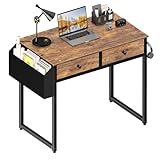
- Small Computer And Vanity Desk: Dimension is 31.5'' L x 15.7'' W x 31''H , short desk, space saving, great for student teens kids writing desk for bedroom. It is also a very good choice as a make up table with drawers. The desk is USPTO Patent Approved.
- Vintage Style Design: Computer desk with 2-tier fabric open drawers with wooden front for storage, providing plenty of room for under-desk storage and organization. This desk is made of thick P2 particle wood board with scratch-resistant, anti-collision and waterproof, protect home office desk surface from daily wear and tear.
- Sturdy Structure: Extra fixed steel brackets and adjustable leg pads provide greater stability, ensure the desktop is level, non-slip & anti-scratch protectors under the legs to protect your floor from scratching and reducing noises when moving.
- Easy Assemble: A detailed instruction manual and tool are provided, no other tools required, quick and easy to assemble, about 20 - 30 minutes.
- After-sale Service: Provides professional customer service, easy and fast replacement is guaranteed if have quality problem of the desk, please feel free to contact us.
- Fundraising: one-time gifts, recurring gifts, pledges, partial payments, soft credits, matching gifts, tribute gifts, campaigns, funds, appeals, acknowledgments, and failed-payment recovery.
- Constituent data: households, relationships, organizations, employers, custom fields, contact preferences, duplicate detection, merging, imports, exports, notes, activities, and attachments.
- Communication: email, SMS, segmentation, automated journeys, triggered acknowledgments, lapsed-donor alerts, recurring-donor communications, and marketing-platform integrations.
- Events and membership: registration, ticketing, seating, promo codes, discounts, check-in, membership levels, renewals, directories, portals, and add-on pricing.
- Volunteers: applications, scheduling, self-service, service hours, permissions, and reporting.
- Reporting: donor retention, first-time and repeat donors, recurring giving, campaign ROI, appeal performance, major-gift pipelines, board dashboards, program outcomes, custom reports, and scheduled reports.
- Administration: roles, permissions, audit history, mobile access, support, training, onboarding, migration help, and data export.
What scenario should vendors demonstrate?
Require every finalist to demonstrate the same scenario using a sample file modeled on the nonprofit’s real data. A polished feature tour is less useful than seeing whether staff can complete ordinary work.
- Import a sample donor file.
- Find and merge a duplicate household.
- Record a pledge and partial payment.
- Produce a donor-retention report.
- Create a segmented email.
- Register an event attendee.
- Process or identify a failed recurring gift.
- Export the complete constituent record, including gifts, notes, activities, relationships, consent records, and attachments.
The final test is not whether the vendor can perform the workflow during a demo. The final test is whether ordinary staff can repeat the workflow accurately without constant consultant assistance.
The Tool Desk
Outbyte Driver Updater FREEScan for outdated or missing drivers - takes under a minuteDriver Scan →Outbyte PC Repair FREERepair Windows errors before they cause bigger problemsFix Now →What are the most common nonprofit CRM buying mistakes?
Choosing the cheapest CRM without pricing staff time
A low subscription cost can be outweighed by manual data entry, payment reconciliation, poor donation-form conversion, missing integrations, weak duplicate management, and a costly migration later.
Confusing unlimited records with unlimited value
Unlimited records may coexist with revenue-based pricing, paid modules, transaction fees, implementation expenses, or limits on other features.
Assuming a general CRM is nonprofit-ready
A general CRM may require extensive configuration for funds, campaigns, soft credits, pledges, tax receipts, households, volunteer records, grants, and donor acknowledgments.
Buying the largest feature list
More features can mean higher cost, longer implementation, more training, complicated reporting, poorer adoption, and greater dependence on consultants.
Free tools Windows power users keep installed
One-click scans. No signup required.
Treating migration as spreadsheet import
A real migration requires decisions about duplicate constituents, households, historical gifts, campaign and fund mapping, recurring payments, consent records, notes, activities, attachments, user permissions, and archived records.
Failing to plan for data portability
Ask how the system exports constituents, gift history, notes, activities, campaigns, attachments, consent records, relationships, and recurring-gift information. Data export should be a buying criterion, not an afterthought.
Nonprofit CRM alternatives worth considering
The six products above are full nonprofit CRM candidates, but other tools may fit narrower needs.
| Alternative | Potential fit | Why it is not in the main six |
|---|---|---|
| Givebutter | Fundraising-first and budget-oriented campaigns | May provide lighter CRM depth than a full constituent-management platform |
| Donorbox | Donation forms and recurring giving | Donation collection is the primary use case |
| Keela | Small and midsize nonprofit operations | Should be compared against the selected shortlist for the organization’s specific workflows |
| Virtuous | Automation-focused midmarket and larger fundraising | Its strongest use case is narrower than the six-category shortlist |
| CiviCRM | Open-source flexibility | Technical or implementation support is usually important to success |
| HubSpot or Zoho CRM | General CRM customization | Nonprofit-specific fundraising and gift-accounting workflows may require configuration |
| Bonterra | Advocacy and multichannel engagement | May be a better fit for advocacy-centered operations than general donor management |
Bottom line: which nonprofit CRM should you choose?
Choose Little Green Light for transparent, affordable donor management; Bloomerang for donor engagement and retention-focused fundraising; Neon CRM for connected fundraising, events, memberships, and volunteers; Salesforce Nonprofit Cloud for custom enterprise workflows; Blackbaud Raiser’s Edge NXT for mature advancement operations; and DonorPerfect for established fundraising, reporting, and recurring giving.
Before requesting a proposal, define the organization’s constituent count, annual revenue, users, fundraising workflows, events, memberships, volunteer needs, integrations, reporting requirements, migration scope, and implementation capacity. Then compare two or three finalists using the same scenario-based demo and a written total-cost proposal.
Frequently Asked Questions
What is the best nonprofit CRM for a small nonprofit?
Little Green Light is the strongest budget-oriented choice for a small nonprofit needing straightforward constituent and gift tracking, while Bloomerang is better when donor engagement, segmentation, and retention-focused fundraising justify a higher subscription. Little Green Light’s published starting price is $45 per month for up to 2,500 constituents, with payment processing charged separately.
What is the best all-in-one nonprofit CRM?
Neon CRM is the strongest all-in-one choice in this shortlist because it connects fundraising, communications, events, memberships, volunteers, donor portals, and grant management. Neon’s starting price is $99 per month, but revenue-based pricing and optional modules affect the final cost.
Is Salesforce Nonprofit Cloud suitable for a small nonprofit?
Salesforce Nonprofit Cloud can be suitable for a small nonprofit only when the organization has the technical resources and budget to configure and administer it. Salesforce publishes Enterprise pricing of $60 per user per month with annual billing, but implementation, migration, integrations, training, and ongoing administration are separate planning considerations.
Does unlimited CRM records mean unlimited nonprofit CRM cost?
No. Unlimited records can still be paired with revenue-based pricing, paid modules, payment-processing fees, implementation costs, support charges, or contract commitments. Neon CRM advertises unlimited records but uses revenue-based pricing, while Little Green Light uses constituent-record tiers.
How should a nonprofit compare CRM vendors during a demo?
A nonprofit should ask every finalist to import a sample donor file, merge a duplicate household, record a pledge and partial payment, produce a retention report, create a segmented email, register an event attendee, identify a failed recurring gift, and export a complete constituent record. The test reveals practical usability and data portability better than a general feature tour.
The Bottom Line
Best overall by use case: Little Green Light for budget-conscious small nonprofits, Bloomerang for donor retention, Neon CRM for all-in-one operations, Salesforce Nonprofit Cloud for customization, Blackbaud Raiser’s Edge NXT for complex advancement, and DonorPerfect for established fundraising and reporting. Compare the total cost and implementation plan—not just the advertised starting price.
Quick Recap
Product prices and availability are accurate as of the date/time indicated and are subject to change. Any price and availability information displayed on Amazon at the time of purchase will apply.
Recommended Free Tools

