
iTechGuides is reader-supported. When you buy through links on our site, we may earn an affiliate commission. As an Amazon Associate I earn from qualifying purchases. Learn more
For the lowest-risk music on YouTube, start with the official YouTube Audio Library. It is built into YouTube Studio, supports monetization for eligible videos, and lets you filter tracks by whether attribution is required. For a broader catalog, compare Mixkit, Pixabay Music, Uppbeat, StreamBeats, Bensound, Incompetech, Scott Buckley, and NoCopyrightSounds.
One important correction: copyright-free music is usually not music with no copyright. In most cases, the copyright owner still owns the composition or recording and gives you permission through a license. That permission may require credit, limit commercial use, exclude advertisements or client work, or apply only to YouTube and Twitch. This guide separates genuinely free libraries, free tiers, track-by-track Creative Commons sources, and paid services that should not be mislabeled as free.
Research and terms checked for 2026: music-library catalogs, attribution systems, Content ID policies, prices, and platform coverage can change. The time-sensitive information below reflects provider documentation checked for August 10, 2026. Always open the current license for the specific track before publishing.
The Tool Desk
Outbyte Driver Updater FREEScan for outdated or missing drivers - takes under a minuteDriver Scan →Outbyte PC Repair FREEClear out junk files and repair common Windows errorsFree Scan →The best free music websites at a glance
| Website | Best for | Free access and attribution | Commercial or monetized YouTube use | Claim considerations |
|---|---|---|---|---|
| YouTube Audio Library | Lowest-risk YouTube use | Free inside YouTube Studio; filter for attribution not required | YouTube permits monetization for eligible videos | YouTube says Audio Library downloads are not claimed through Content ID by rights holders |
| Pixabay Music | General videos and social content | Free use and modification; attribution is not mandatory | Generally allowed under the Pixabay Content License | Save evidence and check for third-party rights; standalone redistribution is prohibited |
| Mixkit | Quick no-attribution stock music | Free downloads; no attribution required under the cited music license | YouTube, websites, podcasts, social media, and online advertising are listed as permitted | Restrictions apply to games, CDs/DVDs, television, radio, and broadcast use |
| Uppbeat | Modern creator music | Free plan currently provides three downloads that renew monthly; credit required | Free-plan scope is limited; paid plans provide broader access and channel safelisting | Use the generated credit and the service’s claim-release process |
| StreamBeats | Gaming, livestreams, lo-fi, and EDM | Free forever for videos, streams, and podcasts; no attribution required | Allowed for those creator uses | Games, movies, and television need a separate license; false claims have a reporting process |
| Bensound Free Music | Polished vlog, corporate, and cinematic cues | Selected tracks are free with a required, generated attribution block | Monetized YouTube use is allowed for eligible free tracks when credited | Attribution is single-use and must be regenerated for another video |
| Incompetech | Large, recognizable background-music catalog | Free under Creative Commons Attribution; paid license removes the attribution burden | Commercial and monetized use is permitted when the terms are followed | Missing credit can lead to Content ID claims |
1. YouTube Audio Library: the best starting point for YouTube
If your main destination is YouTube, the Audio Library is the most straightforward choice. It is available from YouTube Studio → Audio library, rather than from a third-party download channel. You can search by title or artist and filter by genre, mood, attribution requirement, and duration.
Popular on Amazon

- [USB Output] Enables simple setup. USB studio recording microphone kit provides a direct convenient plug-and-play connection to pc and laptop without any additional hardware or drivers for recording vocals, podcasts and Skype. Studio microphone for recording vocals is never been easier to get high-quality sound for your voice and computer-based audio recordings. (Incompatible with Xbox)
- [Excellent Sound Quality] With rugged construction for durable performance, the vocal recording microphone, USB condenser mic for PC,offers a wide frequency response and handles high SPLs with ease. Ideal for project/home-studio applications. The cardioid condenser capsule captures crystal-clear audio from the front and avoid ambient noise when communicating/creating/recording. Comes ready to go with a desktop mic boom arm stand and 8.2ft USB cable, you're guaranteed to get great-sounding results.
- [Durable Arm Set] The podcast microphone bundle with versatile and sturdy broadcast suspension boom scissor arm with 180° up and down rotation, 135° forward and backward extension for optimal adjustment, for capturing your voice in podcast or voiceover. The double pop filter attached on the music recording microphone provides two layers of dissipation, removes the rush of air, minimize the popping sounds or cancel noise that can compromise your recording, great for studio as well as home use.
- [Easy to Attach] The streaming microphone for PC includes adjustable boom studio scissor arm stand that features a heavy-duty combo mount consisting of a sturdy C-clamp and a detachable desktop mount. With 13" fixed horizontal arm and offers a 30" reach, the low-profile, table-hugging design of audio recording microphone allows on-air talent to perform without facial obstruction to record in podcasting or make dubbing sounds for videos, use voice chat in Discord or online conference on Zoom or Skype.
- [The Accessory Package Includes] The studio microphone music recording comes with practical accessories for you to use in most of recording. The scissor arm stand is made out of all steel construction, sturdy and durable, a studio-grade shock mount, a double pop filter, premium 8.2' USB-B to USB-A/C cable, a podcast PC gaming microphone, a user manual and friendly Technical Support.
- Open YouTube Studio and select Audio library in the left-hand menu.
- Search or filter for the style and length you need.
- Check the attribution column before downloading.
- Download the MP3 using YouTube’s download control.
- If attribution is required, copy YouTube’s generated credit into the video description.
Tracks under the standard YouTube Audio Library license do not require attribution. YouTube says eligible creators may monetize videos containing Audio Library music, and says rights holders do not claim Audio Library downloads through Content ID. YouTube also adds new releases twice each month. These statements apply to the official Audio Library, not to music uploaded by an unrelated YouTube channel with phrases such as no copyright or copyright-free in its title.
Choose it when: your video is primarily for YouTube, you want the least platform-specific administration, and a less distinctive catalog is acceptable. It is less suitable when you need a license for a client, television, a game, a paid advertising campaign, or distribution across many unrelated platforms.
2. Pixabay Music: easy, no-required-attribution background music
Pixabay’s Content License allows free use and modification of its music without mandatory attribution. It is useful for ordinary YouTube videos, social posts, presentations, podcasts, and other online projects where you want to download a track quickly without inserting a credit.
Recommended Free Tools
Do not interpret no attribution as unlimited rights. Pixabay prohibits distributing content on a standalone basis, so uploading an unchanged track as your own music or selling it as a music file is not the same as synchronizing it into a video. Check whether a recording contains additional third-party rights, and save the track page and license information when you download it. A platform’s general license does not necessarily resolve every issue with an individual user-uploaded recording.
3. Mixkit: the strongest quick no-attribution alternative
Mixkit offers free stock music downloads and lists YouTube, websites, podcasts, social media, and online advertising among its permitted uses. Its music license does not require attribution, making it convenient for creators who do not want a credit block in every description.
Mixkit is not a universal production license. Under the cited music terms, use for CDs, DVDs, video games, television, radio, and broadcast is restricted. If you are making a game, commercial film, broadcast program, or physical product, read the current Mixkit license or obtain permission rather than assuming that a free download covers it.
4. Uppbeat: modern music with a limited free tier
Uppbeat is a genuine free-tier service rather than a library where every track is permanently unrestricted. As checked on August 10, 2026, the free plan provides three downloads that renew monthly and access to only part of the catalog. Free downloads require the appropriate Uppbeat credit generated for the download.
Crashes, No Sound, or Screen Glitches?
Random freezes, missing sound and display glitches usually trace back to one bad driver. Find and replace yours safely.Free scan · under a minuteWindows Errors? Fix Them Before They Spread
Repair common Windows errors and clear accumulated junk for a smoother, more stable PC - no reinstall needed.Free scan · no reinstallUppbeat is a good fit for vloggers, short-form creators, educators, and small channels that need current-sounding music and can work within a monthly download limit. Paid plans provide broader catalog access and channel safelisting, subject to the plan’s current terms. Do not assume that the free plan covers a client’s video, paid advertising, a company-wide channel, or every platform. Use the Uppbeat licensing guide and retain the generated credit.
5. StreamBeats: free music for streams, videos, and podcasts
StreamBeats is particularly useful for gamers, livestreamers, lo-fi channels, and electronic-music creators. Its FAQ says the catalog is free forever for videos, streams, and podcasts and requires no attribution. The service currently advertises more than 1,500 tracks.
The permission is purpose-specific. Games, movies, and television require a separate license. StreamBeats also publishes a process for reporting false claims, so save the track information and use that process if an automated system flags an authorized use. It is a strong creator-content choice, not a blanket license for every commercial production.
6. Bensound Free Music: polished tracks with track-specific credit
Bensound’s free music section includes selected tracks for online videos, including monetized YouTube videos, when the required attribution is used. The music is a good match for corporate explainers, vlogs, travel videos, social clips, and cinematic background beds.
Do these 3 things before closing this tab:
1Fix the driver behind crashes, sound loss and screen glitches2Repair Windows errors before they cause bigger problems3Scan for outdated or missing drivers - takes under a minuteDownload the attribution text supplied for the specific track and paste it into the video description. Bensound says this text is intended for one use: if you use the same free track in another video, generate a new attribution block. Do not remove the credit simply because the first video already contains it. For advertising, client work, broadcast, or uses outside the free track’s terms, check Bensound’s paid licensing options.
7. Incompetech: a large Creative Commons catalog
Incompetech offers a large catalog associated with Kevin MacLeod, covering comedy, corporate, cinematic, classical-style, suspense, and general background cues. The free option is normally Creative Commons Attribution, so commercial and monetized YouTube use is allowed when you provide the required credit.
Also popular on Amazon

- Custom three-capsule array: This professional USB mic produces clear, powerful, broadcast-quality sound for YouTube videos, Twitch game streaming, podcasting, Zoom meetings, music recording and more
- Blue VO!CE software: Elevate your streamings and recordings with clear broadcast vocal sound and entertain your audience with enhanced effects, advanced modulation and HD audio samples
- Four pickup patterns: Flexible cardioid, omni, bidirectional, and stereo pickup patterns allow you to record in ways that would normally require multiple mics, for vocals, instruments and podcasts
- Onboard audio controls: Headphone volume, pattern selection, instant mute, and mic gain put you in charge of every level of the audio recording and streaming process
- Positionable design: Pivot the mic in relation to the sound source to optimize your sound quality thanks to the adjustable desktop stand and track your voice in real time with no-latency monitoring
Use the exact attribution supplied by the track or the Incompetech license page. If attribution is impractical, Incompetech offers a paid standard license. A Content ID claim can occur when credit is missing; a valid credit and preserved license evidence give you a basis for resolving it.
8. Audionautix: simple CC BY music for tutorials and travel videos
Audionautix publishes music under Creative Commons Attribution 4.0. Its catalog works well for tutorials, travel videos, educational content, and uncomplicated background use. Commercial use is allowed with credit.
Attribution is required. The creator also describes a special arrangement supporting YouTube use, but you should still save the track page, license information, and the credit you used. Treat the CC BY terms as the operative permission and check any non-YouTube use separately.
9. Scott Buckley: cinematic and orchestral music
Scott Buckley’s library is one of the better free choices for documentary, fantasy, emotional, orchestral, and cinematic videos. His music is available under Creative Commons Attribution for commercial and monetized YouTube use when properly credited.
Credit Scott Buckley and follow the format specified by the individual library page. His Content ID system may claim a video when the required credit is absent, so an automated claim is not automatically evidence that the music was unauthorized. Remixes or altered versions are not automatically covered by the same license; check before using them.
10. NoCopyrightSounds: electronic and gaming music
NoCopyrightSounds (NCS) is a strong source for EDM, electronic, action, gaming, and high-energy content. Its Usage Policy is aimed primarily at independent creators and user-generated content on YouTube and Twitch. Monetization is allowed when the required artist, track, and NCS credit is included.
What’s actually slowing this PC down?
Pick the symptom - the matching free tool is one click away.
Copy the credit supplied with the release rather than relying on a shortened description. NCS’s policy should not be treated as identical permission for every other platform, paid campaign, game, film, or television production. Verify the current release policy and platform coverage for each track.
11. Unminus: no-attribution music with explicit restrictions
Unminus offers music for commercial and noncommercial projects, including videos, podcasts, apps, intros, and outros, without requiring attribution. It can be convenient when you want to publish a video without a credit block.
The license prohibits several forms of misuse, including uploading unmodified tracks to Content ID networks or redistributing them as standalone music. Unminus also provides a YouTube whitelist and claim-release process. Save the license page and track details even when no credit is required.
12. Tunetank: useful for online video, with important exclusions
Tunetank says its free music may be used in commercial and noncommercial projects, including YouTube videos, Shorts, Reels, podcasts, websites, and social media. It can be useful when you need music across several online formats rather than YouTube alone.
The free license excludes advertising, games, CDs/DVDs, television, radio broadcast, and remix or remake use. That means a monetized channel video and a paid advertisement are not necessarily covered in the same way. Check the specific track and current license before using it for a brand promotion or client campaign.
13. Chosic: searchable music with mixed attribution rules
Chosic organizes free music by mood and genre and states that its library can be used for commercial and noncommercial projects, including monetization. Some tracks require attribution and others do not.
There is no single permission that makes every Chosic track interchangeable. Read the track’s displayed requirements, retain the page as evidence, and do not register Chosic music in Content ID. Chosic does not provide a universal certificate for the entire catalog, and the tracks remain copyrighted.
Also popular on Amazon

- Cardioid Pick-up: Cardioid pickup pattern that captures clear and crisp voice in front of the mic and suppresses unwanted background noise. Design for chatting, teleconferencing, recording, podcast
- For Podcast: Equipped with a non-slip stand that adds stability while occupying a small desktop area. One-click mute and volume control for easy operation during the recording. The shock mount and pop filter can prevent recordings from being disturbed by vibration
- Strong Compatibility: TC-777 is multi-device and program compatible, you can use it on Windows, MAC, PS4 and 5. It can also be quickly recognized by Zoom, Skype, Discord, allowing you to start creating or communicating immediately. (Not compatible with Xbox)
- Plug & Play: With a USB 2.0 data port, the TC-777 is plug and play, with no additional drivers or assembly process required. The angle of both microhone and pop filter can be adjusted as needed to achieve the best audio effect
- What's In the Box: 1 x Microphone with Power Cord(1.9m), 1 x Foldable Mic Tripod, 1 x Mini Shock Mount, 1 x Pop Filter and 1 x Manual
14. Musopen: classical music, but verify the recording
Musopen is a useful place to discover classical compositions and recordings. It is not safe to assume, however, that a classical composition and every recording of that composition have the same copyright status.
Quick wins for a faster PC:
Scan for outdated or missing drivers - takes under a minuteDriver Scan →Clear out junk files and repair common Windows errorsFree Scan →Musopen’s FAQ warns that it cannot guarantee every user-uploaded recording is actually public domain. Verify the status of the particular recording you intend to use. A modern performance of a public-domain work can have its own copyright, and a third-party upload can have inaccurate metadata.
15. Free Music Archive: powerful discovery, no site-wide license
Free Music Archive is a discovery platform for independent artists and Creative Commons music, not a blanket free-music license. Individual tracks may be CC BY, CC BY-SA, CC BY-NC, CC BY-ND, CC0, public domain, or governed by custom terms.
For a monetized video, reject tracks marked NC unless you obtain additional permission. Be especially careful with ND: synchronization with video may be considered an adaptation, and FMA explains that ND music generally cannot be synchronized without permission. The individual track license controls, not the fact that the file appears on FMA.
16. Royalty Free Planet: curated electronic and cinematic music
Royalty Free Planet focuses on electronic, cinematic, synthwave, chill, and related styles. Its tracks are presented as Creative Commons attribution music that can be used commercially when the artist is credited.
Free tools Windows power users keep installed
One-click scans. No signup required.
The site says its tracks are not in Content ID, which can reduce friction, but that should not be treated as a permanent guarantee. Catalog policies and third-party registrations can change. Save the artist, track, source page, license, and date of download.
17. TeknoAXE: electronic, rock, metal, and gaming tracks
TeknoAXE identifies its work as Creative Commons Attribution 4.0. It is a useful artist-centered catalog for electronic music, rock, metal, and gaming videos.
Use only tracks whose current page clearly states the license and follow the required attribution. Do not treat a repost, compilation, or shortened credit as a substitute for the artist’s own terms.
18. Motion Array Free Music: a free section inside a paid ecosystem
Motion Array’s free music section can provide stock-style cues for corporate videos, tutorials, trailers, and similar projects. It should be evaluated separately from the full paid catalog.
Some Motion Array tracks may be registered with Content ID. The company says valid license information can be used to clear claims, but you must verify the terms attached to the current free download. The Motion Array license also matters if you later cancel a membership: completed projects can remain covered under its terms, while new projects and plan access may be treated differently.
19. Freesound: loops, samples, ambience, and short audio elements
Freesound is more useful for sound effects, loops, ambience, and individual musical elements than for finished background songs. Every upload has its own license.
When commercial use is needed, filter for CC0 or CC BY and inspect the individual file page. Avoid CC BY-NC for monetized videos, sponsored content, and business projects. A loop license may permit inclusion in an original composition without permitting you to upload the unchanged loop, claim it through Content ID, or redistribute it as a standalone sample.
20. Alex-Productions: YouTube-focused cinematic and lo-fi tracks
Alex-Productions offers cinematic, lo-fi, electronic, and motivational music for YouTube use with full credit. The published policy linked from its example release restricts use outside YouTube unless the artist is contacted.
Use the official release and copy the complete credit. Do not treat a re-upload channel or a single YouTube description as a universal license for podcasts, advertisements, games, or other platforms.
Also popular on Amazon
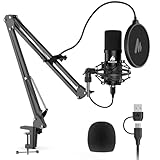
- Pro Sound Chipset 192kHz/24Bit: This Condenser Microphone has been designed with professional sound chipset, which allows the USB microphone to hold high resolution sampling rate. Smooth, flat frequency response, Extended frequency response is excellent for studio, speech and voice-over. Performed well in reproducing sound, high quality mic ensures your exquisite sound reproduces on the internet
- Plug and Play: microphone has USB data port, which is easy to connect with your computer, and no need extra driver software or external sound card. Simply plug the USB cable into your laptop to start using mic immediately, offering seamless integration with various operating systems. That makes it easy to sound good on podcasting, live-streaming, video call, recording (Note: Not compatible with XBOX)
- 16mm Condenser Mic: With the 16mm electret condenser transducer, the USB microphone can give you a strong bass response. This professional condenser microphone picks up crystal clear audio. The magnet ring, on the USB microphone cable, has a strong anti-interference function, which gives you a better feel (Best Range: 2"-6")
- ALL-in-one Set: With pop filter and foam windscreen, the condenser mic records your voice, and the sound is crystal clear. The shock mount holds the microphone steady with damping function. Suitable for voiceover, podcast, YouTube, Skype conference (The desk clamp is suitable for desktop with a thickness of less than 2.1 inch.)
- Compatible with MOST OS: For most laptops, PC, PS4, PS5, and mobile phones, easy to connect, plug and play. It can also be used with Discord, Twitch, Zoom, etc, but please note that the AU-A04 microphone isn't used with Maono Link. If you need Maono Link, recommend using the upgraded A04 Gen2 mic
Seven conditional sources that require track-level checking
These services can be valuable, but they belong in a conditional category because their catalogs contain materially different licenses or rights information.
- Purple Planet: useful for ambient, corporate, and cinematic online-video music. Free use has historically depended on attribution and may exclude broadcast, advertising, or other commercial contexts. Check the current track license rather than relying on an old recommendation list.
- ccMixter: useful for community remixes, stems, and Creative Commons music. Check every license: CC BY may allow monetization, while NC, ND, and SA terms create additional restrictions.
- OpenGameArt: useful for game-oriented loops and sound assets. Assets can use GPL, Creative Commons, public-domain, or custom licenses, and some will not fit an ordinary YouTube video.
- Looperman: useful for loops and samples used in original compositions. A sample license is not automatically permission to upload an unchanged loop or register a derivative track in Content ID.
- SoundCloud Creative Commons search: useful for discovering independent artists. SoundCloud has no site-wide free-music license; verify the uploader, the individual license, and whether that uploader owns all relevant rights.
- Internet Archive audio collections: useful for historical recordings, niche archives, and possible public-domain material. Rights metadata varies across collections, so hosting on Internet Archive alone is not proof that a recording is cleared.
- Jamendo Music’s community catalog: useful for discovering independent music and finding tracks that may be separately licensed. Jamendo’s professional licensing service is generally paid; royalty-free means a licensing model, not necessarily free of charge.
Paid or partly paid services that should not be called free
These are legitimate alternatives when the project needs higher production value, stems, certificates, broader distribution, or support. They are not permanent free-music websites.
- YouTube Creator Music: a YouTube-native system with track-specific licensing and revenue-sharing options. As of August 10, 2026, YouTube is transitioning away from its paid-license system toward gratis or free licensing strategies, but access remains eligibility- and region-dependent. YouTube’s current help documentation identifies access for creators in the U.S. YouTube Partner Program, with expansion outside the U.S. pending. Tracks have their own restrictions and are generally intended for long-form videos rather than Shorts or livestreams. It is not a universal replacement for Audio Library.
- Jamendo Licensing: a professional catalog that sells licenses and subscriptions for commercial use. Its own help center explains why royalty-free does not mean free.
- Adobe Stock Audio: a paid stock service that provides license codes for YouTube. Adobe notes that claims can still occur and may require the license code when disputing them.
- Epidemic Sound: a paid subscription with a large professionally produced catalog and creator workflow. Do not imply that it has a permanent free catalog.
- Artlist: a paid subscription offering music, stems, and sound effects. Coverage depends on the plan and when the project was published.
- Motion Array’s paid library: a paid ecosystem covering music, templates, video, and sound effects. Its full license is tied to membership for new projects, while completed projects remain covered under its stated terms.
What copyright-free, royalty-free, and Creative Commons actually mean
Copyright-safe
Copyright-safe is the most useful practical phrase for a YouTube creator, but it is not a guarantee that an automated claim can never happen. It means the source provides permission intended to reduce copyright problems when you follow the conditions. YouTube’s strongest platform-specific description applies to its official Audio Library, not every channel or website using no-copyright wording.
Royalty-free
Royalty-free usually means you do not pay recurring royalties after obtaining the applicable license. It does not necessarily mean the music costs nothing, permits commercial use, allows every platform, or removes attribution. A subscription service can be royalty-free and still be paid.
Creative Commons
Creative Commons is a set of licenses, not one universal permission. Read the specific symbols and conditions attached to the track.
- CC0: the creator waives rights as far as legally possible. It is generally among the least restrictive choices, but verify that the uploader actually had authority to release the recording.
- CC BY: commercial use and synchronization are generally allowed, but attribution is required. Identify the track, artist, source, license, and license URL where practical.
- CC BY-SA: commercial use is generally allowed, but adaptations must be shared under the same license. That can conflict with a proprietary client project.
- CC BY-NC: noncommercial use only. It is generally unsuitable for monetized channels, sponsorships, advertising, brand promotion, and business videos without additional permission. Whether a use is commercial depends on context; nonprofit status alone does not decide it.
- CC BY-ND: no derivatives. Synchronizing the music to video may count as an adaptation. FMA specifically warns that ND music generally cannot be synchronized to video without permission.
The distinction between a composition and a recording also matters. Under U.S. copyright law, the underlying musical composition and a particular sound recording are separate works. A public-domain composition does not automatically make a modern performance or recording public domain. The U.S. Copyright Office explains this distinction.
How to choose the right source
| Your situation | Best starting points | What to verify |
|---|---|---|
| YouTube-only channel and minimum administration | YouTube Audio Library | Attribution filter and eligibility for monetization |
| Free music without required credit | Mixkit, Pixabay, StreamBeats, selected Unminus tracks | Whether the project is an allowed online video, podcast, or social use; no standalone redistribution |
| Modern creator-oriented catalog | Uppbeat | Free-plan download limit, catalog access, generated credit, client and advertising restrictions |
| Gaming, livestreams, EDM, or lo-fi | StreamBeats, NCS, TeknoAXE | Whether the policy covers YouTube, Twitch, livestreams, monetization, and your intended platform |
| Cinematic, orchestral, or documentary video | Scott Buckley, Incompetech, Bensound, Royalty Free Planet | Required attribution, Content ID procedure, and whether a remix is licensed |
| Classical music | Musopen | The copyright status of the exact recording, not just the composition |
| Podcast or website | Mixkit, Pixabay, StreamBeats, Unminus, selected FMA tracks | Podcast, website, and redistribution terms; whether the license is platform-specific |
| Paid advertising or a business campaign | Mixkit only where its current terms fit, or a paid service | Advertising, client, territory, campaign duration, and platform rights |
| Client work, games, apps, television, film, or broadcast | A purpose-built paid license or direct written permission | Formal certificate, indemnity or support terms where offered, distribution rights, and post-cancellation coverage |
How to download and document a track correctly
Do not treat finding a playable preview as obtaining permission. Use this workflow for every track:
- Begin at the official library or artist page. Avoid downloading from a re-uploaded YouTube channel unless the rights holder’s own terms specifically direct you there.
- Open the license before downloading. Confirm commercial use, monetized YouTube use, synchronization with video, attribution, and any exclusions for clients, ads, games, podcasts, livestreams, apps, broadcast, or standalone distribution.
- Download using the authorized button. Keep the original file name when practical so you can match it to the license later.
- Create a rights folder. Save the audio file, track title and artist, track URL, license URL, download date, required attribution text, license certificate or code, and a screenshot or PDF of the relevant license page.
- Add credit before publishing. If the service provides a generated credit block, use it exactly rather than paraphrasing it.
- Upload privately or unlisted first. YouTube’s checks can reveal a Content ID claim before public release. A clean prepublication check is useful but is not a permanent legal guarantee.
- Keep the evidence permanently. A site can change its catalog, attribution system, or license wording after you download a track. Your saved evidence shows what permission you relied on at the time.
Generic Creative Commons Attribution template
Music: TRACK TITLE by ARTIST
Source: TRACK URL
Licensed under Creative Commons Attribution 4.0
LICENSE URL
Use the provider’s exact version instead when available:
- Incompetech: copy the credit generated by the track or license page; do not shorten a required format.
- Bensound: use the attribution block generated with the free download. Generate a new block for another video using the same track.
- Uppbeat: use the credit generated for the specific download and video. Paid-plan safelisting may remove the need for description credit under the current plan terms.
- NCS: copy the artist, song, and NCS credit section supplied with the release.
- Scott Buckley: identify Scott Buckley, the CC BY license, and the music-library URL in the format requested by the library.
What to do if YouTube gives you a Content ID claim
A Content ID claim is an automated or manual rights-management notice. Depending on the claimant’s policy, it may place advertising on the video, track its views, or restrict it. A copyright strike is different: it normally follows a copyright-takedown request and can affect your channel. A claim is not automatically a strike, and a claim does not automatically prove that you infringed copyright.
There are four different possibilities:
- Valid claim: you used the music but did not have permission or did not follow the license.
- Valid permission with a missing condition: for example, the track required credit and the description omitted it.
- False or mistaken claim: you followed the license, but the system or claimant identified the track incorrectly.
- Unclear rights: the site used vague no-copyright language or the uploader did not own the recording.
YouTube says that these are not, by themselves, valid reasons to dispute a claim: giving credit, owning a copy of the song, or choosing not to monetize. The basis for a dispute should be that you have the necessary rights, that the claim is a misidentification, or that a valid copyright exception applies. The claimant generally has 30 days to respond. See YouTube’s official claim-dispute instructions.
Claim-resolution procedure
- Open YouTube Studio.
- Select Content and filter by Copyright.
- Open the affected video and view the claim details.
- Identify the claimant and the exact audio segment or track.
- Compare the claim with the track URL, license, and permitted use you saved.
- Add or correct the required attribution if the license condition was missed.
- Use the provider’s claim-release or whitelist tool when available. Uppbeat, Bensound, Incompetech, Unminus, StreamBeats, and Tunetank publish different claim-resolution guidance; follow the one for your source.
- If the use is licensed, dispute the claim with the track URL, license URL, download date, certificate or code, and a short explanation of the authorized use.
Never dispute simply because a search result called the track no copyright. A license document is much stronger evidence than a video title, a comment, or a credit pasted without permission.
Common mistakes and edge cases
The site says no copyright, so it must be safe
Not necessarily. YouTube warns that online labels such as free music or no copyright do not stop Content ID from flagging a track. Use the official rights holder’s license and retain proof.
I credited the artist, so commercial use is allowed
Credit is only one license condition. It does not override a noncommercial restriction, a no-derivatives restriction, a YouTube-only policy, or a custom ban on advertising, games, or client work.
Also popular on Amazon

- [Natural Audio Clarity] Operated with frequency response of 50Hz-16KHz, the podcasting XLR mic delivers balanced audio range, likely to resonate with your audience. Directional cardioid dynamic microphone corded will not exaggerate your voice, while rejects unwanted off-axis noise for vocal originality and intelligibility during your PS5 gaming streaming video recording. (Tips: Keep the top of end-addressing XLR dynamic microphone AM8 facing audio source, and suggested recording range is 2 to 6 in.)
- [XLR Connection Upgrade-Ability] To use XLR connection, connect the podcast microphone to an audio interface (or mixer) using a separate XLR cable (NOT Included) . Well-connected and smooth operation improves audio flexibility to make you explore various types of music recording singing. The streaming mic isolates the pristine and accurate sound from ambient noise with greater no interference and fidelity. (RGB and function key on mic are INACTIVE when using XLR connection.)
- [USB Connection with Handy Mute] Skip the hassle of setting something up and plug the cable to play the dynamic USB microphone directly, which suits for beginner creators or daily podcast. You can quickly control the gamer mic with tap-to-mute that is independent of computer/Macbook programs to keep privacy when live streaming. LED mute reminder helps you get rid of forgetting to cancel the mute. (RGB and function key are only available for USB connection, but NOT for XLR connection)
- [Soothing Controllable RGB] RGB ring on the desktop gaming microphone for PC, with 3 modes and more than 10 light colors collection, matches your PC gears accessories for gaming synergy even in dim room. You can control the RGB key button of the dynamic microphone USB directly for game color scheme gaming or live streaming. Configured memory function, the streaming microphone RGB no need to repeated selections after turnning off and brings itself alive when power on. (Only available for USB connection)
- [More Function Keys] Computer microphone with headphones jack upgrades your rhythm game experience and gets feedback whether the real-time voice your audience hear as expected. Get the desired level via monitoring volume control when gaming recording. Smooth mic gain knob on the PC microphone gaming has some resistance to the point, easily for audio attenuation or boost presence to less post-production audio. (Only available for USB connection)
The music is public domain, so this recording is safe
Check the composition and the recording separately. A new performance of an old public-domain composition can remain copyrighted, and a third-party uploader can provide inaccurate public-domain information.
I bought a license, so YouTube cannot claim the video
Automated systems can still create claims against licensed music. Adobe Stock, Motion Array, Bensound, Uppbeat, and other services publish procedures for clearing claims with a license code, receipt, or other proof. A claim can be an administrative problem rather than evidence that the license is invalid.
Quick wins for a faster PC:
Fix the driver behind crashes, sound loss and screen glitchesFind Drivers →Clear out junk files and repair common Windows errorsFree Scan →Scan for outdated or missing drivers - takes under a minuteDriver Scan →A YouTube license covers TikTok, Instagram, podcasts, and ads
Platform-specific permission may not transfer. Check the license for each destination and use case. Creator Music, NCS, Mixkit, Tunetank, and Jamendo illustrate why YouTube, social, advertising, game, and broadcast rights must be checked separately.
I can upload a free track to Spotify or YouTube Music
Many free libraries prohibit standalone redistribution or registering their music in Content ID. Pixabay, Chosic, Unminus, and Tunetank all include restrictions relevant to this issue. Synchronizing a track into your video is not the same as claiming ownership of the track or distributing it as your own release.
A free plan covers my client’s video
Free tiers often target individual creators and may exclude client work, paid ads, teams, agencies, companies, or commercial campaigns. Check the plan and the project’s intended owner before downloading. Also check what happens to projects after cancellation: some subscriptions protect projects published during an active subscription, while others impose different limits on new work.
Shorts music is safe in every video
It is not. YouTube warns that music permitted for a Short under 60 seconds may not be permitted in a longer video. A track’s permission can depend on duration, format, territory, or the way it was added through YouTube’s tools.
Recommended Free Tools
The track is still online, so its license has not changed
Libraries can change catalog access, attribution systems, Content ID policies, and plan terms. Save the license, credit block, and download date when you obtain the track.
Sites and practices to avoid
- Downloading music from an ordinary YouTube video because its title says copyright-free.
- Using a Creative Commons NC track in a monetized, sponsored, branded, or business video without written permission.
- Using a CC BY-ND track in synchronized video without confirming that synchronization is allowed.
- Assuming a public-domain composition makes a modern recording public domain.
- Using an unofficial mirror or repost instead of the artist’s or library’s authorized download page.
- Registering a free library track in Content ID or uploading it as standalone music when the license prohibits that.
- Calling a free trial, preview, paid subscription, or paid licensing marketplace genuinely free.
- Using FreePD as a current recommendation. FreePD’s own site says the original service officially went offline; similarly named mirrors should not be assumed to be affiliated or authorized.
When paid music licensing is worth it
Free music is often adequate for a personal channel, tutorial, vlog, or stream. A paid service or direct written license becomes sensible when a claim, takedown, or re-edit would be expensive. Consider paying when:
- the video is made for a client or brand;
- the music will appear in paid advertising;
- the project will be distributed on many platforms or in multiple territories;
- you need stems, WAV or FLAC files, alternate edits, or a more distinctive catalog;
- the production is a game, app, film, television program, physical release, or broadcast;
- you need a formal license certificate, support team, or clearer project and cancellation coverage.
Do not assume every paid service offers identical protection. Compare the plan’s publication date rules, client rights, advertising rights, platform coverage, Content ID handling, and post-cancellation terms. The cheapest license is not necessarily the one that covers the actual distribution plan.
Bottom-line recommendations by creator type
- YouTube only: use YouTube Audio Library, preferably filtering for attribution not required.
- Free and no required attribution: start with Mixkit, Pixabay Music, StreamBeats, or eligible Unminus tracks.
- Modern creator catalog: use Uppbeat if three monthly free downloads and generated credits are sufficient; upgrade when the project needs broader rights.
- Cinematic: explore Scott Buckley, Incompetech, Bensound, and Royalty Free Planet, while following each attribution and claim policy.
- Electronic or gaming: compare NCS, StreamBeats, and TeknoAXE, especially when the destination is YouTube or Twitch.
- Classical: use Musopen only after checking the status of the exact recording.
- Business, advertising, client, game, film, or broadcast work: use a paid license or obtain written permission that expressly covers the intended use.
Frequently Asked Questions
Can I use copyrighted music in a monetized YouTube video if I give credit?
Not automatically. Credit satisfies an attribution requirement only when the license also permits your intended use. It does not override a noncommercial, no-derivatives, YouTube-only, advertising, client, or platform restriction. If you do not have permission, giving credit, owning a copy, or declining monetization is not by itself a valid basis for disputing a Content ID claim.
What is the safest free music source for YouTube?
The official YouTube Audio Library is the best starting point because YouTube describes it as copyright-safe, provides attribution filters, permits monetization for eligible videos, and says rights holders do not claim its downloads through Content ID. No third-party source should be described as universally risk-free.
Is a Content ID claim the same as a copyright strike?
No. A Content ID claim is a rights-management notice that may monetize, track, or restrict a video. A copyright strike generally follows a takedown request and can affect your channel. A valid license can support a dispute against a mistaken claim, but you should not dispute a claim unless you have the necessary rights or another valid legal basis.
Do I need to save proof when attribution is not required?
Yes. Save the track URL, license URL, audio file, download date, and a screenshot or PDF of the terms. Libraries can change their catalog, license wording, attribution system, or Content ID policy. Evidence is especially useful if a claim appears later.
The Bottom Line
Start with YouTube Audio Library for YouTube-first projects. Choose Mixkit, Pixabay Music, StreamBeats, or selected Unminus tracks when you need free music without required attribution; choose Uppbeat, Bensound, Incompetech, Scott Buckley, NCS, or TeknoAXE when a distinctive catalog is worth following credit requirements. For ads, client work, games, film, television, broadcast, or wide distribution, verify the exact license or pay for one. Download only from an authorized source, save the permission evidence, and treat a Content ID claim as something to investigate—not automatically as a copyright strike.

