
iTechGuides is reader-supported. When you buy through links on our site, we may earn an affiliate commission. As an Amazon Associate I earn from qualifying purchases. Learn more
Google hides playable games in Search, Chrome, Android’s Play Games app, and the Google Doodles archive. Some launch instantly from a search box; others are archived interactive Doodles or experiments that need a direct link.
This list separates current Google features from older Doodles and third-party recreations. Search games can vary by country, language, device, and Google rollout, so a missing game card does not necessarily mean you are doing anything wrong.
Google Search and Android games
These are the easiest games to try. On a desktop or phone, open Google and search for the phrase shown below. If a game card appears, select Play.
Quick wins for a faster PC:
Clear out junk files and repair common Windows errorsFree Scan →Scan for outdated or missing drivers - takes under a minuteDriver Scan →| Game | How to open it | What to know |
|---|---|---|
| 1. Snake | Search Google for snake game, then select the playable card and click Play. |
Guide the snake around the board, collect items, and avoid hitting the walls or yourself. The card may not appear for every account, region, or device. |
| 2. Solitaire | Search solitaire and select Play in the game card. |
Google also lists Solitaire as an Android built-in game. In the Play Games app, go to Home → Google Built-In Games → Play. These built-in games are available at no charge and can work offline. |
| 3. Tic-Tac-Toe | Search tic tac toe. |
Choose from Easy, Medium, and Impossible difficulty levels. The game also includes a two-player option when the current Search version supports it. |
| 4. PAC-MAN | Search pac-man and select the playable result. You can also open Google’s preserved PAC-MAN Doodle. |
The original Doodle has an Insert Coin button and supports a second player as Ms. PAC-MAN. Use the direct Doodle link if Search does not show the game. |
| 5. Minesweeper | Search minesweeper and open the game card. |
On Android, try Play Games → Home → Google Built-In Games. Reveal safe squares without selecting a mine; the numbers indicate how many mines touch each square. |
Google experiments and archived Doodles
Google Doodle games are not always available by searching their names. The more dependable method is to open the relevant entry in the Google Doodles archive.
Popular on Amazon

- Compatible with Windows and Android.
- 1000Hz Polling Rate (for 2.4G and wired connection)
- Hall Effect joysticks and Hall triggers. Wear-resistant metal joystick rings.
- Extra R4/L4 bumpers. Custom button mapping without using software. Turbo function.
- Refined bumpers and D-pad. Light but tactile.
6. Quick, Draw!
Open quickdraw.withgoogle.com and select Play. You receive an object to draw, and a neural network tries to identify your sketch in real time. You have only a short period for each drawing, so recognizable outlines matter more than artistic detail.
7. Let’s Make a Movie!
Open Google’s Eiji Tsuburaya Doodle. This interactive experience celebrates the Japanese special-effects director behind influential monster and science-fiction productions. It is an archived Doodle, not a game that Google reliably inserts into ordinary Search results.
8. Basketball
The Basketball Doodle from the 2012 Summer Olympics turns you into a virtual shooter. Hold or click to control the strength of the shot and try to score as many baskets as possible before time runs out.
Free tools Windows power users keep installed
One-click scans. No signup required.
9. Cricket
Open the ICC Champions Trophy 2017 Doodle to play a short cricket game. Time your swings as the ball arrives and score runs. Because it is an archived Doodle, a search for cricket may not open this version.
Also popular on Amazon
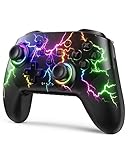
- RGB Cool Lightning Bolt & Long Battery Life: Switch controller with lightening bolt style and 9-color LED looks really cool; 4 light modes: solid lights, breathing lights, RGB strobe led light and led off; Fully charged: 3-4 hours, Runtime: 10-15 hours
- Widly Compatible & One-key Pairing/Wake Up: The switch pro controller is compatible with Switch/Lite/OLED/PC Windows 7/8/10 (only wrok for pc under wired connection); 2 pairing ways; Support one key to wake up your switch console
- Programmable Button & 3 Speeds Turbo: Switch controllers has simplify complex skill operations with M1/M2 key; Support single and multiple mapping; 3 adjustable burst: 5 shots/s, 12 shots/s and 20 shots/s; Programming and Turbo will maximize game play
- Sensitive Motion Control & 4-Level Nice Vibration: 6-axis gyro sensor help you react quickly, enhance experience in sports games; Buttons and joysticks are responsive, no lag; Dual vibration motors with 4-level feedback: Strong, Medium, Weak and None
- Great Gift For All People: This cool switch controller will be great gifts for women, men, girl, boy, family and friends; Packing list: 1 X Wireless switch controller, 1 X Type-C cable, 1 X Detailed user manual, 1 X Cool gift box
10. Garden Gnomes
In Celebrating Garden Gnomes, use a catapult or trebuchet to launch gnomes as far as possible. The six gnomes differ in shape, weight, and bounce behavior, so selecting the right character can change your result.
11. Soccer
Open the archived Soccer 2012 Doodle. You play goalkeeper, moving left and right to stop incoming shots. This is an Olympic-era Doodle and is separate from current sports results or downloadable soccer games in Google Play.
12. Pony Express
The 155th Anniversary of the Pony Express Doodle challenges you to collect letters while avoiding obstacles. Aim to deliver 100 letters. The scrolling course becomes harder as you continue, so staying near the center can give you more time to react.
13. Doctor Who 50th Anniversary
Open the archived Doctor Who Doodle and select a Doctor. Travel through levels, avoid enemies, and collect the letters in “Google.” Each Doctor has a different visual treatment, but the basic objective remains the same.
Also popular on Amazon
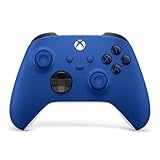
- MODERNIZED DESIGN — Experience the modernized design of the XBOX Wireless Controller with sculpted surfaces and updated geometry that enhances comfort and control during long gaming sessions.
- PRECISION PERFORMANCE — Stay on target with a hybrid D-pad and textured grips on triggers, bumpers, and back case for improved accuracy and handling.
- SHARE BUTTON: Seamlessly capture and share content such as screenshots, recordings, and more with the new Share button.
- VERSATILE CONNECTIVITY — Connect via USB-C for plug-and-play on console and PC, or quickly pair and switch between supported devices with XBOX Wireless and Bluetooth support.
- BUILT-IN AUDIO SUPPORT — Plug in compatible headsets using the 3.5mm audio jack for direct voice chat and immersive in-game sound.
14. Celebrating Popcorn
Celebrating Popcorn launched on September 25, 2024. It supports solo play and squad mode, allowing multiple players to compete in the same Doodle match. It is not a newly released 2025 game, despite appearing in some guides updated during 2025.
15. Doodle Champion Island Games
Open Doodle Champion Island Games to enter a larger adventure starring Lucky, a calico cat. It includes seven sport mini-games, side quests, legendary opponents, team selection, and seven sacred scrolls to collect.
Chrome and seasonal games
16. Chrome Dino
You do not need to disconnect from the internet to play Chrome Dino. In Chrome’s address bar, enter:
The Tool Desk
Outbyte Driver Updater FREEScan for outdated or missing drivers - takes under a minuteDriver Scan →Outbyte PC Repair FREERepair Windows errors before they cause bigger problemsFix Now →chrome://dinoPress Space on a keyboard or tap the dinosaur on a touchscreen. The game also appears automatically on Chrome’s “No Internet” page. On a school or work device, an administrator may disable it.
Also popular on Amazon

- Universal Multi-Platform Compatibility: Works seamlessly with Windows PC, Switch/Switch 2, Android, and iOS via USB-C, 2.4G wireless (1000Hz), or Bluetooth (125Hz). Note: Not compatible with X-box, Play-Station, Luna, or GeForce
- Ultra-Quiet Silent Gaming: Silicone-damped buttons for whisper-quiet operation. Perfect for late-night gaming without disturbing family or roommates. All buttons redesigned for silent play—ABXY, D-pad, triggers, and function keys
- Hall Effect Precision Technology: Drift-free 11-bit Hall Effect joysticks with 1000Hz polling rate in wired/2.4G modes for ultra-fast competitive response. Bluetooth mode offers 125Hz for mobile gaming. Long-lasting durability guaranteed
- Advanced Trigger & Programmability: Dual-stage adjustable triggers with 2+2 rumble motors for realistic feedback. Two top-mounted programmable buttons avoid accidental presses—solving common back-paddle issues for competitive advantage
- Ergonomic Comfort & Endurance: Sweat-resistant silicone grip for marathon sessions. 1000mAh rechargeable battery for extended play. Upgraded 8-way D-pad with dome switches delivers precise diagonal control for fighting and retro games
17. Santa Tracker
Open santatracker.google.com, choose Go to the Village, and select an activity. Santa Tracker contains several small games and educational activities, but it is seasonal: its content and availability can change outside the Christmas period. JavaScript and a modern supported browser are required.
Older or third-party recreations
Three games often included in “hidden Google games” lists need a warning. Their playable versions are not current Google Search games. They are hosted by elgooG, a third-party site that recreates or preserves Google Easter eggs.
18. Atari Breakout
The old Google Images version of Atari Breakout no longer works as it once did. A playable recreation is available at elgooG’s Breakout page. Treat it as a third-party mirror, and do not confuse it with an active Google Search feature.
Recommended Free Tools
19. Zerg Rush
Searching Google for zerg rush is mainly a historical reference now. The original Search Easter egg has been retired. You can try the elgooG version, where falling “O” characters attack the search results and you click them before they destroy the page.
Also popular on Amazon

- MODERNIZED DESIGN — Experience the modernized design of the XBOX Wireless Controller with sculpted surfaces and updated geometry that enhances comfort and control during long gaming sessions.
- PRECISION PERFORMANCE — Stay on target with a hybrid D-pad and textured grips on triggers, bumpers, and back case for improved accuracy and handling.
- SHARE BUTTON: Seamlessly capture and share content such as screenshots, recordings, and more with the new Share button.
- VERSATILE CONNECTIVITY — Connect via USB-C for plug-and-play on console and PC, or quickly pair and switch between supported devices with XBOX Wireless and Bluetooth support.
- BUILT-IN AUDIO SUPPORT — Plug in compatible headsets using the 3.5mm audio jack for direct voice chat and immersive in-game sound.
20. Space Invaders
The Space Invaders version commonly linked from older lists is also hosted by elgooG. It is a third-party recreation, not an official current Google game or Doodle. Use it for the retro experience, but avoid describing it as something Google currently embeds in Search.
Independent reader supportYour contribution helps us test, update, and keep practical guides available for everyone.What to do when a Google game does not appear
- Use the exact search phrase. Try
snake game,tic tac toe, orminesweeperrather than a broad phrase such as “Google games.” - Open the Doodle archive directly. Archived Doodles are more reliable through their official archive URLs than through a normal Search query.
- Check another browser or device. Search features can vary by language, location, account, device type, and rollout.
- Try the Android built-in-games path. In Play Games, open Home → Google Built-In Games.
- Check JavaScript and network restrictions. Santa Tracker and Quick, Draw! need a functioning modern browser, while managed devices can block Chrome Dino or interactive content.
- Check whether the game is retired. Atari Breakout and Zerg Rush are examples of games that survive through third-party mirrors rather than an active Google feature.
FAQ
Are all 20 games official Google games?
No. Snake, Solitaire, Tic-Tac-Toe, PAC-MAN, Minesweeper, Chrome Dino, Google Doodles, Quick, Draw!, and Santa Tracker are Google features or projects. The commonly available Atari Breakout, Zerg Rush, and Space Invaders versions are third-party recreations hosted by elgooG.
What is the easiest hidden Google game to play?
Search for solitaire, snake game, tic tac toe, or minesweeper. Select the playable card at the top of the results. On Android, built-in games are also available through Play Games → Home → Google Built-In Games.
Can I play Chrome Dino without turning off Wi-Fi?
Yes. Enter chrome://dino in Chrome’s address bar and press Space or tap the dinosaur. It also appears on Chrome’s offline page. A school or workplace administrator may block the game.
Why can’t I find a Google Doodle game by searching its name?
Archived Doodle games are not guaranteed to appear as current Search game cards. Open the official Google Doodles archive entry instead. Availability can also differ by country, language, browser, device, and Google’s current Search interface.
The Bottom Line
Start with Google Search games such as Snake, Solitaire, Tic-Tac-Toe, PAC-MAN, and Minesweeper. For older experiences, use the official Doodles archive, chrome://dino for Chrome Dino, and the Santa Tracker site when its seasonal content is available. Atari Breakout, Zerg Rush, and Space Invaders should be treated as third-party recreations rather than active Google games.

