
The Tool Desk
Outbyte PC Repair FREERepair Windows errors before they cause bigger problemsFix Now →Outbyte Driver Updater FREEScan for outdated or missing drivers - takes under a minuteDriver Scan →iTechGuides is reader-supported. When you buy through links on our site, we may earn an affiliate commission. As an Amazon Associate I earn from qualifying purchases. Learn more
The 11 best Steam alternatives for PC gamers in 2026 serve different purposes: Epic Games Store is best for free games and promotions, GOG for DRM-free ownership, PC Game Pass for subscription value, and itch.io for indie discovery. No single service fully replaces Steam’s catalog, community, Workshop, social features, and library infrastructure.
The right choice depends on whether you want to buy permanent licenses, download offline installers, access a rotating subscription catalog, find experimental games, buy discounted keys, or manage several existing libraries from one launcher.

Key takeaways
- Epic Games Store is the closest general-purpose Steam competitor for many Windows users because it combines a broad catalog, promotions, exclusives, and recurring free games.
- GOG is the strongest choice for supported games that offer DRM-free distribution, standalone installers, classic PC titles, and offline play.
- PC Game Pass provides subscription access rather than permanent ownership; the U.S. PC plan was listed at $13.99 per month during the research window, and games can leave the catalog.
- Humble, Fanatical, and Green Man Gaming are retailers, so many purchases produce keys that activate on Steam, Epic, Ubisoft Connect, or another platform.
- EA app, Ubisoft Connect, and Battle.net are publisher-specific launchers, while Heroic Games Launcher organizes supported Epic and GOG libraries but does not sell games.
- Most PC gamers should use several services alongside Steam instead of trying to transfer or completely replace an existing Steam library.
What counts as a Steam alternative?
A Steam alternative can be a competing storefront, a subscription service, a publisher launcher, a key retailer, or a library-management application. Those categories solve different problems and should not be treated as interchangeable.
| Category | What you receive | Examples | Does it replace Steam? |
|---|---|---|---|
| Full storefront | A store account, game entitlement, download system, and usually a launcher | Epic Games Store, GOG, itch.io | Sometimes, for purchases made there |
| Subscription ecosystem | Access to a rotating catalog while the plan and title remain available | PC Game Pass | It replaces some purchases, not permanent ownership |
| Publisher launcher | Access to one publisher’s catalog, accounts, updates, and online services | EA app, Ubisoft Connect, Battle.net | No; it is specialized rather than general-purpose |
| Authorized key retailer | A product key or entitlement that activates on another platform | Humble, Fanatical, Green Man Gaming | No; check where the key activates before buying |
| Library manager | A unified interface for supported libraries you already own | Heroic Games Launcher, Playnite | No; it organizes licenses without transferring them |
Cloud gaming is another way to play outside Steam, but cloud services are not included in this list because the 11 recommendations focus on PC storefronts, subscriptions, publisher clients, authorized retailers, and library managers.
Also popular on Amazon
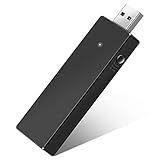
- Manufactured by CIPON: This Wireless Adapter manufactured by a third-party company , not by Microsoft; Our Adapter chip and program is the same as official, and quality as good as official
- Widely Compatibility: For use with X One Wireless Controller on PCs and Tablets running Windows 7/8/8.1/10 with USB 2.0/3.0; Not compatible with Xbox 360 controllers; (Note: You may need to download a driver for the first use)
- Play with Others: Supports up to 8 wireless controllers; Also supports the use of wired chat headsets on the controllerr (Note: The headsets only supported under WIN10 system, and not supports wireless connection headsets)
- Designed for PC: Play your Wireless Controller on Windows/ laptops/ tablets; Simply bind the Adapter to your Wireless Controller to enable the same gaming experience you are used to on Xb One, including in-game chat and high quality stereo audio
- What You Will Get: 1 x Wireless adapter, 1 x User manual, 1 x Elegant packaging
Quick comparison: which Steam alternative is best?
| Platform | Type | Best for | Ownership or access model | Platform notes | Main drawback |
|---|---|---|---|---|---|
| Epic Games Store | Storefront and launcher | Free games, coupons, exclusives | Account-based purchases and claimed promotions | Primarily Windows; Linux and Steam Deck may require compatibility tools | Weaker community, mod, and library features than Steam |
| GOG | Storefront and optional Galaxy client | DRM-free games and preservation | Supported games include standalone installers | Windows, macOS, and Linux support varies by title | Smaller current-release catalog |
| PC Game Pass | Subscription and Xbox app | Trying many games and first-party releases | Access while subscribed and while games remain in the catalog | Requires Windows 10/11 version 22H2 or higher and the Xbox app | You usually do not permanently own catalog games |
| itch.io | Indie marketplace | Experimental games, freeware, tools, and game jams | Developer-set pricing, including free and pay-what-you-want releases | Many Windows, macOS, and Linux downloads | Uneven polish, support, cloud saves, and launcher integration |
| Humble | Storefront and bundle service | Bundles, discounts, and charity | Varies; many purchases provide third-party keys | Activation platform varies by product | Many purchases still depend on another library |
| Fanatical | Authorized key retailer | Curated bundles and discounts | Usually a key for a specified platform | Check Steam, Epic, Ubisoft Connect, or other activation label | No unified game library or launcher |
| Green Man Gaming | Authorized key retailer | Discounted new releases and PC keys | Product-specific key or entitlement | Region and activation platform vary | Often does not create an independent library |
| EA app | Publisher launcher and store | EA games and EA Play | EA account entitlements or subscription access | Windows-focused; some games bought elsewhere still require EA services | Useful mainly for EA’s catalog |
| Ubisoft Connect | Publisher launcher and store | Ubisoft games and Ubisoft+ | Ubisoft account entitlements or subscription access | Client requirements vary by game and purchase route | Primarily a single-publisher ecosystem |
| Battle.net | Publisher launcher and store | Blizzard games | Battle.net account entitlements | Windows-focused publisher client | Narrow catalog outside Blizzard’s ecosystem |
| Heroic Games Launcher | Open-source library launcher | Linux, Steam Deck, and Epic/GOG library management | Uses supported libraries you already own | Especially relevant to Linux and SteamOS | Does not sell games or remove DRM and launcher requirements |
1. Epic Games Store: best for free games and promotions
Epic Games Store is the best general-purpose Steam alternative for many Windows PC gamers who prioritize free games, coupons, major releases, and selected exclusives.
The Epic Games Store has a broad mainstream catalog and is often the first place to check when a title is unavailable on Steam at launch. Epic also operates a recurring free-games program. Free claims and promotions change, so readers should check the live store rather than rely on a promised schedule or a fixed number of giveaways.
Epic supports regional pricing, store achievements on eligible newer releases, and several possible approaches to cross-play. Epic’s developer documentation explains that cross-play can use Epic Online Services, another SDK, or a developer’s own technology; cross-play remains a decision made by each game rather than a guarantee attached to every Epic purchase.
Quick wins for a faster PC:
Clear out junk files and repair common Windows errorsFree Scan →Fix the driver behind crashes, sound loss and screen glitchesFind Drivers →Epic’s main disadvantages are a less mature community ecosystem than Steam, no universal Steam Workshop equivalent, and the possibility that a game requires another publisher account or launcher. An Epic purchase also does not automatically mean DRM-free offline access.
Choose Epic if: you want free claims, major promotions, coupons, or a mainstream game that is not available on Steam.
Check first: whether the specific game supports cloud saves, cross-play, achievements, mods, offline play, and Steam Deck or Linux compatibility.
See the official Epic Games Store refund policy before purchase. Products involving virtual currency or consumables may be marked non-refundable, and refund terms can vary by product and region.
Crashes, No Sound, or Screen Glitches?
Random freezes, missing sound and display glitches usually trace back to one bad driver. Find and replace yours safely.Free scan · under a minutePC Slower Than It Used to Be?
A free scan shows the junk files, broken settings and background clutter dragging Windows down - then fixes them in one click.Free scan · Windows 10 & 112. GOG: best for DRM-free ownership and preservation
GOG is the best Steam alternative for supported games that you want to download, back up, and play without relying on a traditional store client.
GOG markets supported games using a DRM-free distribution model and provides standalone installers for eligible titles. The model is particularly valuable for single-player games, older PC games, offline installation, and long-term preservation. The optional GOG Galaxy client adds library and social features, but supported games do not necessarily require Galaxy for installation or play.
“DRM-free” should be read at the individual-product level. A GOG game can still need an online account, a third-party service, a server connection for multiplayer, or publisher technology for particular features. The product page and system requirements are the right places to check before making an offline or preservation decision.
GOG’s trade-off is a smaller new-release catalog. Some major games arrive later, omit particular editions, or never appear on GOG. GOG also does not offer a universal replacement for Steam Workshop, and Linux support varies from game to game.
Choose GOG if: you care more about DRM-free distribution, classic PC games, offline installers, and the ability to archive supported games than about having every new AAA release.
Check first: the exact edition, multiplayer requirements, DLC availability, operating-system support, and whether the game’s practical features work offline.
GOG publishes its voluntary refund policy, while regional consumer law may provide additional rights.
3. PC Game Pass and the Xbox app: best for subscription value
PC Game Pass is the best Steam alternative for players who want to try a large rotating catalog and access eligible first-party releases without purchasing every game separately.
What’s actually slowing this PC down?
Pick the symptom - the matching free tool is one click away.
The U.S. PC Game Pass page showed $13.99 per month after a promotional period during the research window. The plan includes EA Play and requires Windows 10/11 version 22H2 or higher plus the Xbox app. Prices, introductory offers, catalogs, plan benefits, and availability vary by country, so use the official PC Game Pass page for the current offer.
PC Game Pass provides access, not permanent ownership, for most catalog games. Microsoft states that access ends when the subscription expires or when a game leaves the catalog. The current Game Pass library can change by plan, region, platform, and time.
The Xbox app can also introduce more complicated installation and permissions behavior than a conventional storefront. Some games use separate publisher accounts or launchers, and Game Pass PC versions can have restrictions involving protected files, installation locations, modding, and save synchronization.
Choose PC Game Pass if: you play many different games, want to sample releases before buying, or want Microsoft and Bethesda access through a monthly plan.
Free tools Windows power users keep installed
One-click scans. No signup required.
Do not choose it as your main model if: you want a permanent, independently backed-up library or dislike games leaving a subscription catalog.
Also popular on Amazon

- Seamless Compatibility: Our wireless USB gaming receiver adapter is the perfect solution for connecting your Microsoft Xbox 360 controllers to your Windows PC, offering effortless compatibility for an enhanced gaming experience.
- Easy Setup: Simply plug in the Xbox wireless adapter to your desktop PC or laptop and start gaming instantly, without the hassle of complex installations or driver downloads.
- Versatile Connectivity: This Xbox controller adapter for PC allows you to use your Xbox controllers wirelessly, providing flexibility and convenience for gaming on Windows platforms.
- Compact and Portable: With its compact design, our Xbox USB adapter is portable and easy to carry, allowing you to enjoy gaming on the go with your favorite Xbox controllers.
- Lag-Free Gaming: Experience smooth and responsive gaming sessions with our Xbox Bluetooth adapter, ensuring minimal latency for an immersive gaming experience.
Microsoft’s regional information is useful when checking availability outside the United States.
4. itch.io: best for indie and experimental games
itch.io is the best Steam alternative for finding experimental games, game-jam projects, freeware, prototypes, visual novels, development tools, and small releases directly from independent creators.
itch.io supports developer-set pricing, including free and pay-what-you-want releases. The marketplace exposes games that may never fit the catalog or business model of a large storefront. Many projects provide downloads for Windows, macOS, and Linux.
The trade-off is inconsistency. Each creator may handle updates, documentation, support, refunds, cloud saves, multiplayer, achievements, and installation differently. The itch.io app can simplify downloading and updating some games, but it does not standardize every project into a Steam-like ecosystem.
Choose itch.io if: you value discovery, creator-direct purchases, unusual ideas, freeware, or small independent releases more than standardized polish and platform features.
Check first: the supported operating system, update method, controller support, multiplayer instructions, and the creator’s support and refund information.
5. Humble Store and Humble Bundles: best for bundles and charity
Humble is the best Steam alternative for shoppers who want bundles, discounts, and charitable purchasing, but Humble is not necessarily where the purchased game lives.
Do these 3 things before closing this tab:
1Scan for outdated or missing drivers - takes under a minute2Clear out junk files and repair common Windows errors3Fix the driver behind crashes, sound loss and screen glitchesThe Humble Store sells individual games and software, while Humble Bundles package multiple products at changing prices. Many purchases provide keys for Steam, Epic, or another platform rather than a separate Humble-native library. Some products include DRM-free downloads, but the activation and delivery method must be checked for each listing.
Humble Choice adds a recurring membership model, with details and benefits subject to the current offer shown on the Humble Choice page. Bundle contents, redemption platforms, discounts, and subscription terms can change.
Choose Humble if: you want unusually strong bundle value, charity-linked purchases, or occasional discounts and do not mind redeeming some games elsewhere.
Check before checkout: the activation platform, whether the key is region-locked, which DLC or editions are included, and whether the bundle must be redeemed as a unit.
Recommended Free Tools
6. Fanatical: best for curated discounted keys
Fanatical is an authorized third-party retailer that is useful for curated bundles and discounted PC game keys, but Fanatical is not an independent replacement for Steam.
Fanatical regularly offers themed bundles and product-specific discounts. The important question is where the purchased key activates. A Fanatical listing may provide a Steam, Epic, Ubisoft Connect, or other platform key, and region restrictions or inventory limits can apply.
Choose Fanatical if: you want to compare the final price of a particular game or bundle and are comfortable using the activation platform identified on the product page.
Do not choose Fanatical if: you expect a new standalone launcher, unified social system, or independent library after the purchase.
7. Green Man Gaming: best for discounted authorized PC keys
Green Man Gaming is an authorized retailer suited to buyers looking for promotions on new releases and other PC games, not to players seeking a full storefront ecosystem.
Green Man Gaming product pages identify the applicable activation platform, but the platform, region, availability, and entitlement vary by product. A discounted purchase may still result in a Steam key, meaning the game remains part of the Steam library and requires Steam’s relevant services.
Choose Green Man Gaming if: you want to compare a specific game’s delivered price with official stores and have confirmed the activation platform and region.
Check first: whether the listing is a key or direct account entitlement, which launcher is required, whether the edition includes the DLC you want, and whether the product is available in your country.
8. EA app: best for EA’s PC catalog
EA app is the best launcher for players focused on EA games and EA Play, but EA app is not a general-purpose Steam alternative.
Also popular on Amazon
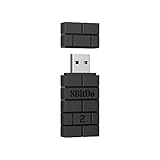
- Controller compatibility: Xbox Series X Controller, Xbox Series S Controller, Xbox One Bluetooth Controller, PS5/PS4/PS3 Controller, Switch Pro, Wii Mote, Wii U Pro.
- 8BitDo Controller compatibility: all 8BitDo Bluetooth Controllers and arcade stick.
- System compatibility: Switch, Windows, macOS, Steam Deck & Raspberry Pis and more. USB Wireless Adapter 2 is compatible with Steam Deck now.
- Support 6-axis motion on Switch and Vibration on X-input mode.
- Supports ultimate software - customize button mapping, adjust stick & trigger sensitivity, vibration control and create macros with any button combination.
The EA app manages EA accounts, downloads, updates, DLC, and many games in the publisher’s catalog. The EA Play subscription adds access and benefits according to the current regional plan.
Some EA games purchased through Steam or Epic still require EA account linking or the EA app. That additional dependency can affect installation, authentication, offline play, troubleshooting, and multiplayer. Requirements vary by game and purchase route.
Choose EA app if: most of your target games are from EA, including The Sims, Battlefield, Mass Effect, EA Sports, or other EA properties.
Free tools Windows power users keep installed
One-click scans. No signup required.
Expect: a publisher-specific account and potentially a second launcher even when the original purchase was made elsewhere.
9. Ubisoft Connect: best for Ubisoft games
Ubisoft Connect is the natural alternative for Ubisoft’s PC catalog and Ubisoft+ access, but its value is limited for players who want a broad third-party store.
Ubisoft Connect provides Ubisoft account services, downloads, updates, rewards, and access to games associated with Ubisoft entitlements. The Ubisoft Store supplies direct purchases and publisher promotions.
Ubisoft’s terms explain that the Ubisoft Connect client may be required to install or launch some products. A game purchased through another store can therefore still depend on Ubisoft authentication or the Ubisoft client. The precise requirement varies by title and purchase route.
Choose Ubisoft Connect if: you primarily play Ubisoft franchises or want Ubisoft’s direct promotions and subscription options.
Check first: whether the game requires Ubisoft Connect, how DLC is linked, and whether the entitlement is tied to a Ubisoft account or another storefront account.
10. Battle.net: best for Blizzard games
Battle.net is the best PC launcher for Blizzard’s catalog and selected Activision Blizzard titles distributed through the service, but Battle.net is not a broad Steam replacement.
Battle.net combines Blizzard game access with friends, chat, patching, account services, and publisher-specific purchases. Its narrow catalog is a strength when a reader wants Blizzard games and a weakness when a reader wants one store for unrelated publishers.
What’s actually slowing this PC down?
Pick the symptom - the matching free tool is one click away.
Choose Battle.net if: your main games are Blizzard titles or games that the publisher distributes through Battle.net.
Expect: a separate account, launcher, update system, and social environment rather than Steam-style access to the wider PC market.
11. Heroic Games Launcher: best for Linux, Steam Deck, and multiple libraries
Heroic Games Launcher is the best option in this list for many Linux and Steam Deck users who want to access supported Epic and GOG libraries through one open-source launcher.
Heroic Games Launcher is a free, open-source library launcher, not a storefront. Heroic can access supported Epic and GOG libraries and make multi-library management more convenient, particularly on Linux and SteamOS.
Heroic does not sell games, transfer ownership, crack DRM, redistribute files, or remove every proprietary launcher, anti-cheat, authentication, or compatibility-layer requirement. A game can appear in Heroic and still fail to run on Linux, require its original service, or need title-specific configuration.
GOG’s offline installers can be useful on Linux, but native Linux support varies by title. Epic games on Linux and Steam Deck may rely on compatibility tools or third-party launcher integrations. EA app, Ubisoft Connect, and Battle.net can be more difficult because launcher authentication, anti-cheat, and compatibility requirements vary.
Choose Heroic if: you already own supported Epic or GOG games and want a simpler Linux or Steam Deck library interface.
Do not choose Heroic as: a place to buy games or a guarantee that every Epic and GOG game will run without the original launcher.
Which Steam alternative is best for each type of PC gamer?
What is the best Steam alternative for DRM-free games?
GOG is the central choice for supported DRM-free games and standalone offline installers. GOG is strongest for single-player games, older PC titles, and preservation-minded buyers, but DRM-free status and online requirements should be checked on each product page.
Also popular on Amazon

- Bluetooth 5.4 + Broad Compatibility - Provides Bluetooth 5.4 plus EDR technology and is backward compatible with Bluetooth V5.3/5.0/4.2/4.0/3.0/2.1/2.0/1.1.
- Faster Speed, Extended Range - Get up to 2x faster data transfer and 4x broader coverage compared to Bluetooth 4.0 — perfect for smooth audio streaming and stable connections.
- EDR and BLE Technology - This Bluetooth dongle is quipped with enhanced data rate and Bluetooth low energy, UB500 has greatly improved data transfer speed and operates at the optimal rate of power consumption
- Nano-Sized - A sleek, ultra-small design means you can insert the Nano Bluetooth receiver into any USB port and simply keep it there regardless of whether you are traveling or at home
- Plug & Play with Free Driver Support - Plug and play for Windows 8.1/10/11 (internet required). Supports Win7 (driver required and can be downloaded from website for free). Download the latest driver from TP-Link website to utilize Bluetooth 5.4
What is the best Steam alternative for free games?
Epic Games Store is the mainstream choice because it runs a recurring free-game promotion. itch.io is better for the breadth of free, experimental, freeware, open-source, and developer-uploaded projects. PC Game Pass provides subscription access, not permanently free ownership.
What is the best Steam alternative for subscriptions?
PC Game Pass is the strongest subscription choice for Windows players who want a rotating catalog and eligible first-party releases. PC Game Pass access ends when the subscription expires or when a title leaves the catalog, so the service is not equivalent to buying a permanent license.
What is the best Steam alternative for indie games?
itch.io is the best choice for experimental games, game jams, freeware, prototypes, visual novels, tools, and direct support for independent developers. The marketplace is less standardized than Steam, so quality, support, updates, cloud saves, and multiplayer vary by creator.
Quick wins for a faster PC:
Scan for outdated or missing drivers - takes under a minuteDriver Scan →Clear out junk files and repair common Windows errorsFree Scan →What is the best Steam alternative for bundles?
Humble is the strongest choice for bundles, discounts, and charity-linked purchases. Humble purchases often produce keys for Steam or another platform, so buyers should not assume that a Humble purchase creates a separate Humble library.
What is the best Steam alternative for discounted keys?
Fanatical and Green Man Gaming are useful authorized retailers for comparing product and bundle prices. Both retailers require buyers to verify the activation platform, region, edition, DLC, and final delivered price before checkout.
What is the best Steam alternative for EA, Ubisoft, or Blizzard games?
Use the publisher’s own launcher when the target catalog is concentrated in one publisher: EA app for EA games, Ubisoft Connect for Ubisoft games, and Battle.net for Blizzard games. Publisher launchers are specialized access points, not general-purpose Steam replacements.
What is the best Steam alternative for Linux and Steam Deck?
Heroic Games Launcher is a strong library-management option for supported Epic and GOG libraries on Linux and Steam Deck. Game compatibility remains title-specific because of operating-system support, compatibility layers, launchers, authentication, and anti-cheat systems.
PC Slower Than It Used to Be?
A free scan shows the junk files, broken settings and background clutter dragging Windows down - then fixes them in one click.Free scan · Windows 10 & 11Crashes, No Sound, or Screen Glitches?
Random freezes, missing sound and display glitches usually trace back to one bad driver. Find and replace yours safely.Free scan · under a minuteHow should you compare the final price?
The cheapest Steam alternative depends on the country, edition, tax, promotion, coupon, DLC package, subscription status, and activation destination. Compare the final delivered cost rather than the headline percentage discount.
| Platform | Typical value model | What to verify |
|---|---|---|
| Epic Games Store | Free-game claims, sales, and coupons | Promotion end date, regional price, DLC, and launcher requirements |
| GOG | Sales and DRM-free ownership | Game-specific DRM status, edition, offline installer, and system support |
| PC Game Pass | Monthly access to a rotating catalog | Plan, region, catalog availability, subscription renewal, and ownership limits |
| itch.io | Free, low-cost, pay-what-you-want, and developer-set pricing | Build quality, update method, support, and refund expectations |
| Humble | Bundles, membership benefits, discounts, and charity | Activation platform, bundle contents, and redemption terms |
| Fanatical | Curated bundles and key discounts | Activation platform, region, and key availability |
| Green Man Gaming | Product-specific discounts and promotions | Key destination, region, edition, and account entitlement |
| Publisher stores | New-release promotions, loyalty benefits, and subscriptions | Publisher account, second-launcher requirements, and plan terms |
Can you move a Steam library to another platform?
You usually cannot move Steam purchases, achievements, playtime, inventory, Workshop subscriptions, or community activity to another store. Steam licenses are generally tied to the original platform account.
Some games support cross-platform accounts, cross-save, or cross-play, but those features are decided by each game and publisher. A game purchased on Epic may support multiplayer with Steam players without sharing saves, friends lists, achievements, DLC, or ownership.
GOG Galaxy, Heroic, and other aggregators can display multiple libraries in one interface. Library aggregation does not transfer ownership or guarantee that the original launcher, account, DRM, anti-cheat, or authentication service is unnecessary.
Recommended Free Tools
Can you delete Steam completely?
You can use Epic, GOG, itch.io, Game Pass, publisher launchers, and other services for many future purchases, but completely deleting Steam is usually impractical for an established PC gamer.
Existing Steam licenses do not migrate. Some games are available only through Steam, some multiplayer features depend on Steamworks or Steam-specific services, and Steam Workshop content has no universal replacement. Retailers such as Humble, Fanatical, and Green Man Gaming may also sell keys that ultimately activate on Steam.
A multi-launcher setup is therefore more realistic than a total replacement. Use GOG when DRM-free ownership matters, Epic for promotions, Game Pass for catalog access, itch.io for independent discovery, publisher clients for exclusive catalogs, and Heroic or Playnite to organize supported libraries.
What should you check before buying outside Steam?
- Identify the product type. Confirm whether the listing is a native storefront purchase, subscription entitlement, publisher account license, third-party key, or library-management application.
- Find the activation destination. Look for explicit labels such as Steam, Epic Games Store, Ubisoft Connect, EA app, Battle.net, or DRM-free download.
- Check ownership language. Distinguish a perpetual account entitlement from access that lasts only while a subscription is active and the title remains in its catalog.
- Check operating-system support. Verify Windows, macOS, Linux, Steam Deck, controller, compatibility-layer, and anti-cheat requirements for the individual game.
- Check multiplayer and account requirements. Cross-play, cross-save, Steamworks, publisher accounts, servers, and anti-cheat support are game-specific.
- Check mods and cloud saves. Steam Workshop is not universal, and cloud-save support can vary by title, developer, platform, and launcher.
- Read the current refund policy. Check time limits, playtime limits, preorder rules, DLC and consumable exclusions, bundle conditions, key eligibility, and regional consumer-law rights.
- Compare the final delivered price. Include tax, regional pricing, coupons, rewards, DLC, subscription costs, and whether a second launcher is required.
How do refunds, mods, cloud saves, and multiplayer differ?
Store ownership does not automatically determine a game’s refund eligibility, mod system, cloud saves, or multiplayer behavior. Those features can depend on the individual product, developer, publisher, account system, and operating system.
| Feature | What readers should expect | Common mistake |
|---|---|---|
| Refunds | Rules differ by store, usage, product type, region, and consumer law | Assuming every store uses the same time and playtime limits |
| Mods | Steam Workshop is not universal; manual files and game-specific tools may be required | Assuming a non-Steam copy can use every Steam Workshop mod |
| Cloud saves | Support may be absent, inconsistent, opt-in, or implemented by a publisher launcher | Assuming the store synchronizes every game’s saves |
| Multiplayer | Cross-play and cross-save are title-specific and may require separate accounts | Assuming different storefront versions automatically share progress and friends |
| Offline play | GOG’s supported installers are useful, but online features can still require services | Interpreting DRM-free as a guarantee that all features work offline forever |
Epic’s developer and distribution documentation describes store achievements, regional pricing, and cross-play options, but those options are not identical for every game. Ubisoft’s terms of use state that Ubisoft Connect may be required for some products. Always check the title-specific support page before purchase.
Frequently Asked Questions
What is the closest overall replacement for Steam in 2026?
Epic Games Store is the closest general-purpose Steam competitor for many Windows PC gamers because it offers a broad catalog, recurring free games, promotions, regional pricing, and selected exclusives. Epic does not fully replace Steam’s Workshop, community, review, and social ecosystem.
Can I buy a game from Humble, Fanatical, or Green Man Gaming without using Steam?
Sometimes, but buyers must check the activation platform on the product page. Humble, Fanatical, and Green Man Gaming frequently sell keys that activate on Steam, Epic, Ubisoft Connect, or another platform rather than creating a separate library on the retailer’s website.
Are GOG games completely independent of DRM and online services?
GOG provides DRM-free distribution and standalone installers for supported games, but a specific game may still require an online account, publisher service, server connection, or anti-cheat system for particular features. Check the individual GOG product page and system requirements.
Does PC Game Pass mean that I own the games?
PC Game Pass usually provides subscription access rather than permanent ownership. Access ends when the subscription expires or when a game leaves the catalog, although subscribers may receive discounts on selected purchases.
Can Heroic Games Launcher replace Steam on Steam Deck?
Heroic Games Launcher can organize supported Epic and GOG libraries on Linux and Steam Deck, but Heroic is not a storefront and does not transfer Steam ownership or remove every DRM, publisher-launcher, authentication, anti-cheat, or compatibility requirement.
The Bottom Line
Bottom line: There is no single Steam replacement in 2026. Choose GOG for supported DRM-free games and offline installers, Epic Games Store for free games and promotions, PC Game Pass for subscription access, itch.io for indie discovery, Humble for bundles, Fanatical or Green Man Gaming for discounted authorized keys, and the relevant publisher launcher for EA, Ubisoft, or Blizzard games. Linux and Steam Deck users should consider Heroic Games Launcher for library management, while remembering that most alternatives work best alongside Steam rather than replacing it entirely.

