
iTechGuides is reader-supported. When you buy through links on our site, we may earn an affiliate commission. As an Amazon Associate I earn from qualifying purchases. Learn more
The best free drawing software for PC and mobile depends on your device and workflow: choose Krita for serious desktop painting, ibisPaint X for mobile illustration, Sketchbook for easy sketching, MediBang Paint for manga, and GIMP when photo editing matters as much as drawing.
This list separates genuinely free and open-source programs from ad-supported apps, freemium tools, demos, and software whose desktop and mobile editions follow different rules. Platform availability, stylus support, editable file transfer, and free-tier restrictions matter as much as brush quality.
Key takeaways
- Krita is the strongest overall free choice for desktop digital painting on Windows, macOS, Linux, and supported Android tablets, but it does not support iPhone or iPad.
- ibisPaint X is the best mobile-first option for many illustrators and manga artists, although the free mobile edition includes advertising, feature restrictions, and limited cloud storage.
- Sketchbook is the easiest starting point for clean sketching, but its desktop and mobile editions are separate products with different requirements and availability.
- MediBang Paint is the most targeted choice for comics and manga because its desktop version includes comic materials, tones, and backgrounds.
- GIMP is better than most drawing apps for photo editing, compositing, and image manipulation, while Inkscape is the right category of tool for scalable vector artwork.
- Android support does not automatically mean external drawing-tablet support; Sketchbook explicitly says peripheral drawing tablets are not supported on Android.
10 Best Free Drawing Software for PC & Mobile 2026
The rankings below are editorial recommendations, not laboratory scores. The selection weighs brush and drawing quality, platform coverage, free-tier value, beginner usability, professional features, project portability, and maintenance. “Free” means different things across the list, so each entry identifies the relevant limitation.
The Tool Desk
Outbyte PC Repair FREERepair Windows errors before they cause bigger problemsFix Now →Outbyte Driver Updater FREEScan for outdated or missing drivers - takes under a minuteDriver Scan →1. Krita — best overall for desktop digital painting
Choose Krita if you want a full painting and illustration studio without a subscription. Krita is free and open source, with versions for Windows, macOS, Linux, and Android tablets or ChromeOS devices. Krita does not support iPhone or iPad. The official Krita website describes the application and its painting-focused capabilities, while the official download page provides the current platform builds and requirements.
Popular on Amazon

- PLEASE NOTE: The XPPen Artist 15.6 Pro needs to connect with a computer to use. You need to use it with your Computer or Laptop. It is NOT a standalone drawing tablet
- Outstanding Visuals: The immersive 15.6 inch large screen with 1920x1080 p full HD resolution presents your creation in the depth of detail, provides you with clarity to see every detail of your work
- 8 customized express keys: The Artist 15.6 Pro monitor features 8 fully customizable shortcut keys and puts more customization options at your fingertips to suit you preferred work style, allowing you to capture and express your ideas easier and faster for optimized workflow
- Full-laminated Technology: XPPen Artist15.6 Pro art tablet is adopting full-laminated technology, seamlessly combines the glass and the screen, to create a distraction-free working environment that's also easy on the eyes
- Advanced Pen Performance: With up to 16384 levels of pressure sensitivity, the Battery-free Stylus provides you with increased accuracy and enhanced performance to create the finest sketches and lines
Krita is the best fit for concept art, illustration, textured digital painting, comics, animation, and users who need a customizable brush engine. Layers, drawing assistants, stabilizers, symmetry tools, masks, animation features, and extensive brush customization make Krita much closer to a professional painting application than a basic sketchpad.
Free status: Krita is free and open source rather than merely a free trial or restricted demo. Download it from the official site or a trusted platform store rather than an unofficial mirror.
Device and stylus notes: Krita supports desktop drawing tablets and pen displays through the relevant operating-system and tablet drivers. The Android version is principally suited to tablets and larger screens; installing Krita on an Android phone does not guarantee a comfortable interface or equivalent performance. A computer that meets the vendor’s minimum requirements may still struggle with large canvases, many layers, complex brushes, or animation.
At least two official Krita pages surfaced different release information during the research check: one showed version 5.3.3 dated July 29, 2026, while another showed 5.3.2.1 from June 2026. Check the current Krita release page on the day you install the software instead of relying on a static version number.
Who should skip Krita: Beginners who want the simplest possible mobile interface may find Krita overwhelming, and iPhone or iPad users need a different app.
2. Sketchbook — best for beginners and clean sketching
Choose Sketchbook if an uncluttered interface and quick sketching matter more than a large professional feature set. Sketchbook supports Windows, macOS, iOS/iPadOS, and Android, making it one of the broadest choices for people who move among computers, phones, and tablets. The official Sketchbook requirements page lists separate desktop and mobile releases, so the editions should not be treated as identical.
Sketchbook is approachable because the basic drawing tools, brush controls, layers, undo history, symmetry, and perspective features are easy to find. The program suits beginners, students, casual illustrators, and artists who want to sketch ideas before moving finished work into another application.
Free status: Do not call every Sketchbook edition completely free. Mobile availability and desktop licensing have differed, and the official support page identifies separate Sketchbook Pro releases for Windows and Mac. Confirm current store pricing and feature availability for the exact device before installation.
Requirements and stylus notes: The current Windows requirements list Windows 10 or 11, a processor of 2.5 GHz or faster, 8 GB RAM, OpenGL 2.0, and Windows Ink for stylus pressure sensitivity. The Android version requires Android 9 or later. Sketchbook’s Android support page identifies Samsung S Pen and the Wacom Pro Pen 3 for compatible Wacom MovinkPad devices, but says peripheral drawing tablets are not supported on Android. A compatible Android stylus is therefore not the same thing as a USB or Bluetooth drawing tablet.
Who should skip Sketchbook: Choose Krita instead if you need extensive animation, advanced painting workflows, or a fully free open-source desktop studio.
3. ibisPaint X — best mobile drawing and manga app
Choose ibisPaint X if you primarily draw on an iPhone, iPad, or Android device. ibisPaint has a large mobile-oriented brush, material, font, filter, and manga feature set, and official support covers iPhone/iPad, Android, Windows, and Mac editions. The official ibisPaint mobile comparison explains the differences between ibisPaint X and paid mobile options.
Recommended Free Tools
ibisPaint X is particularly useful for mobile illustration, fan art, manga, short-form social-art workflows, and artists who want many brushes and ready-made materials without setting up a desktop workspace. The app also supports artwork synchronization between Windows or Mac and iOS or Android through cloud storage.
Free status: The free mobile edition, ibisPaint X, includes advertising. The official comparison lists unlimited usage time for the free mobile tier, but some functions can be tried only for a limited time per day, and advanced features are tied to paid options or premium membership. Ordinary users receive up to 64 MB of cloud storage, compared with up to 20 GB for premium members.
The Mac edition has different terms. The official ibisPaint Mac page describes a free demo limited to one hour per day, a displayed one-time Pro Upgrade price of $57.99, and premium subscriptions displayed as $4.99 per month or $29.99 per year in April 2026. Prices vary by country, taxes, and app store, and Windows terms should be checked separately rather than assumed to match Mac.
Project-transfer warning: Cloud synchronization is more useful than exporting a flattened image when you need to continue editing. A PNG or JPEG preserves the appearance but not the editable layer structure. Use the application’s native project or a compatible layered format where possible, and sign in with the same account on every device.
Who should skip ibisPaint X: Artists who want an unrestricted desktop app with no ads, no account considerations, and no cloud limits should start with Krita instead.
4. MediBang Paint — best for manga and comics
Choose MediBang Paint if your main project is a comic, manga page, or illustrated story. MediBang Paint is available for Windows, macOS, iPhone, iPad, and Android. Its official desktop product page specifically presents the application for digital painting and comic creation and highlights free pre-made tones and backgrounds.
Also popular on Amazon

- PLEASE NOTE:XPPen Artist13.3 Pro drawing tablet Need to connect with computer,you need to use it with your computer or laptop, the 3 in 1 cable is included
- Drawing Tablet with Screen: Tilt Function- XPPen Artist 13.3 Pro supports up to 60 degrees of tilt function, so now you don't need to adjust the brush direction in the software again and again. Simply tilt to add shading to your creation and enjoy smoother and more natural transitions between lines and strokes
- Graphics Tablets: High Color Gamut- The 13.3 inch fully-laminated FHD Display pairs a superb color accuracy of 88% NTSC (Adobe RGB≧91%,sRGB≧123%) with a 178-degree viewing angle and delivers rich colors, vivid images, and dazzling details in a wider view. Your creative world is now as powerful as it is colorful
- Drawing Pad: One is enough- The sleek Red Dial on the display is expertly designed with creators in mind, its strategic placement allows for natural drawing postures. With just one wheel, you can effortlessly zoom in and out, adjust brush sizes, and flip the canvas—all tailored to suit the habits of everyday artists. The 8 customizable shortcut keys allow you to personalize your setup, streamlining your workflow and enhancing creative efficiency
- Universal Compatibility & Software Support:supports Windows 7 (or later), Mac OS X 10.10 (or later), Chrome OS 88 (or later), and Linux systems. Fully compatible with major creative software including Photoshop, Illustrator, SAI, and Blender 3D. Register your device to access additional programs like ArtRage 5 and openCanvas for expanded creative possibilities.
Comic-oriented features, screentones, backgrounds, panels, stabilizers, layers, and speech-bubble or lettering workflows make MediBang more immediately relevant to manga creators than a general photo editor. MediBang also works well for lightweight cross-device sketching when the artist understands that mobile and desktop feature sets may differ.
Free status: The core app is available free, but optional services, account-dependent functions, and premium features may apply. Verify the current terms before relying on cloud or collaboration features.
What’s actually slowing this PC down?
Pick the symptom - the matching free tool is one click away.
Requirements and workflow: MediBang’s desktop page lists Windows 10 or later and macOS 11 or later, with 100 MB minimum free disk space and 2 GB recommended for desktop systems. Windows 64-bit, Windows 32-bit, and Mac downloads are listed. A layered project should be saved in the app’s editable format or another format that preserves layers; a flattened export is not a substitute for a working file.
Who should skip MediBang: Choose Inkscape for logos and scalable line art, GIMP for photo-heavy work, or Krita for broader professional painting and animation tools.
5. GIMP — best for photo editing plus drawing
Choose GIMP when image editing, compositing, selections, color work, and drawing need to happen in the same program. GIMP is free and open source, with official builds for GNU/Linux, macOS, and Windows. The GIMP downloads page lists Windows installers, macOS disk images, Linux AppImages, Flatpaks, and Snaps.
GIMP is an excellent Photoshop-style alternative for photographers, graphic designers, illustrators who manipulate source images, and users who need plugins, selections, masks, compositing, retouching, and color adjustments. GIMP can paint, but its workflow is oriented toward image editing rather than a brush-first illustration studio. Krita, Sketchbook, or ibisPaint will usually feel more natural for a blank-canvas painting workflow.
Free tools Windows power users keep installed
One-click scans. No signup required.
According to the GIMP 3.2 release announcement, GIMP 3.2 added non-destructive layers, vector layers through the Path tool, an upgraded MyPaint Brush tool, an Overwrite paint mode, and expanded SVG/PDF options. The official download information showed GIMP 3.2.4 dated April 17, 2026 during the research check; confirm the current stable release before publication or installation.
Free status: GIMP is free and open source, with no mobile subscription tier to evaluate because it does not provide an official mainstream iOS or Android drawing equivalent.
Who should skip GIMP: Do not choose GIMP solely because it appears on a free drawing list if you mainly want natural-media brushes, comic panels, or a streamlined illustration workspace.
6. Adobe Fresco — best for natural-media brushes and Adobe users
Choose Adobe Fresco if you want natural-media-style brushes and already use Adobe’s ecosystem. Fresco is aimed primarily at iPhone/iPad and Windows users and emphasizes brushes that imitate media such as watercolor and oils. It can be attractive for sketching and painting on a supported touch or pen device.
Do these 3 things before closing this tab:
1Repair Windows errors before they cause bigger problems2Fix the driver behind crashes, sound loss and screen glitches3Clear out junk files and repair common Windows errorsFree status: Fresco should be treated as freemium, not as an unconditionally unrestricted free alternative. The free brush and tool selection, Adobe account requirement, cloud-document limits, device support, and paid upgrade path can change, so check Adobe’s current free drawing app comparison and the official Fresco product page before committing.
Workflow trade-off: Existing Adobe users may value interoperability with Photoshop, Illustrator, Creative Cloud documents, and other Adobe tools. Users who want open-source software, Linux support, or minimal account and cloud dependency should choose Krita or GIMP instead.
7. FireAlpaca — best lightweight desktop-focused option
Choose FireAlpaca if you want a straightforward Windows or Mac drawing application for illustration and manga. FireAlpaca is commonly used for simple illustration and comic work and is a sensible alternative for artists who do not need Krita’s larger feature set.
Free status and availability: FireAlpaca is a free proprietary desktop application, but its current release, supported operating-system versions, and exact licensing should be checked on the official FireAlpaca site before publication. FireAlpaca should not be presented as a mobile or Linux solution without current first-party confirmation.
Quick wins for a faster PC:
Fix the driver behind crashes, sound loss and screen glitchesFind Drivers →Repair Windows errors before they cause bigger problemsFix Now →Scan for outdated or missing drivers - takes under a minuteDriver Scan →Trade-off: FireAlpaca is less suitable when you need mobile continuity, advanced color management, extensive animation, or a large plugin ecosystem. The program is most appropriate when simple desktop drawing and manga tools are the priority.
8. MyPaint — best minimalist freehand painting app
Choose MyPaint if you want a focused canvas-and-brush experience, especially on Linux. MyPaint’s minimalist approach suits freehand painting and sketching without the extensive layout, compositing, or animation systems found in Krita.
Free status and availability: MyPaint is an open-source-oriented candidate for Windows, macOS, and Linux. Current builds, supported operating systems, and release status should be verified on the official MyPaint website before installation.
Also popular on Amazon

- Please note: Kamvas 13 (Gen 3) Pen Display is not a standalone product, this device must be connected to a computer/laptop to work.
- All-new Canvas Glass 2.0: HUION Kamvas 13 (Gen 3) drawing tablet for pc features a fully laminated 13.3-inch screen and brand new anti-sparkle canvas glass 2.0 for reduced glare and improved accuracy. It is perfect for designers, artists, and illustrators to unleash their creativity.
- Advanced PenTech 4.0 Technology: The 16384 levels of pressure sensitivity and 2g IAF ensure a fluid and natural drawing experience, while the 3 customized pen side buttons improve your workflow.
- Improved Color Accuracy: With enhanced color accuracy to Avg. ΔE<1.5, 16.7 million display colors, 99% sRGB coverage, and Rec.709 standard color gamuts, HUION Kamvas 13 (Gen 3) digital art tablet delivers stunning visuals.
- Rigorous Color Calibration: HUION Kamvas 13 (Gen 3) drawing monitor includes a factory calibration report for added assurance of color consistency.
Trade-off: MyPaint is not the best choice for complex comic layouts, photo manipulation, animation, or highly structured projects. Choose Krita when you need a broader studio, or GIMP when image editing is central.
9. Inkscape — best for vector drawing, logos, and icons
Choose Inkscape when artwork must remain scalable and editable as vector shapes rather than painted pixels. Inkscape is a free and open-source vector editor for logos, icons, diagrams, typography, clean line art, and technical illustrations.
Vector paths and shapes can be resized without the pixelation associated with raster artwork. Inkscape is therefore a better choice than Krita or GIMP for SVG output, node editing, precise geometry, and brand graphics. Inkscape is not a replacement for a natural-media brush engine, textured painting, or a mobile-first sketching app.
Free status and availability: Inkscape is a free/open-source desktop tool. Current Windows, macOS, Linux, and release details should be verified through the official Inkscape website. Mobile coverage is not comparable with ibisPaint, Sketchbook, or MediBang Paint.
10. Concepts — best for infinite-canvas ideation
Choose Concepts if you want an infinite canvas for diagrams, technical sketches, architecture, product ideas, notes, or visual planning. Concepts is designed around an expansive canvas and stylus-oriented ideation rather than conventional multi-layer raster painting.
Windows Errors? Fix Them Before They Spread
Repair common Windows errors and clear accumulated junk for a smoother, more stable PC - no reinstall needed.Free scan · no reinstallCrashes, No Sound, or Screen Glitches?
Random freezes, missing sound and display glitches usually trace back to one bad driver. Find and replace yours safely.Free scan · under a minuteConcepts can be a strong fit for supported iOS/iPadOS, Android, and Windows devices, particularly when precise pen input and movable drawing elements matter. Concepts is not the same category as Krita: the infinite-canvas workflow is valuable for planning and ideation but is not a full substitute for a professional raster painting package.
Free status: Concepts has a free basic tier with paid tools or features. Confirm the current limits, export options, platform support, and purchase model on the official Concepts website before choosing it for a long-term project.
Which free drawing software should you choose?
Choose Krita for PC illustration. Krita is the strongest all-purpose recommendation for artists working primarily on Windows, macOS, Linux, or a supported Android tablet who want a free, open-source painting studio.
Choose GIMP for photo editing plus drawing. GIMP is the better fit when retouching, compositing, selections, color correction, and image manipulation are as important as brushwork.
Do these 3 things before closing this tab:
1Scan for outdated or missing drivers - takes under a minute2Clear out junk files and repair common Windows errors3Fix the driver behind crashes, sound loss and screen glitchesChoose ibisPaint X for mobile drawing. ibisPaint X is the most natural starting point for phone and tablet artists who want manga materials, many brushes, and a mobile-centered workflow, provided the user accepts ads and free-tier restrictions.
Choose Sketchbook for simple sketching. Sketchbook is easier to approach when the priority is a clean interface, quick ideas, and broad device coverage rather than maximum feature depth.
Choose MediBang Paint for manga and comics. Comic materials, tones, backgrounds, and cross-platform editions make MediBang a practical choice for sequential art.
Choose Inkscape for vector art. Logos, icons, diagrams, lettering, and infinitely scalable line art belong in a vector editor rather than a raster painting app.
Outdated Drivers Are Slowing You Down
One free scan finds every outdated or missing driver and matches the right update for your exact hardware.Free scan · exact hardware matchPC Slower Than It Used to Be?
A free scan shows the junk files, broken settings and background clutter dragging Windows down - then fixes them in one click.Free scan · Windows 10 & 11Choose FireAlpaca or MyPaint for a lighter desktop workflow. These tools make sense when a user wants fewer distractions and does not need the larger feature sets of Krita or GIMP.
What does “free” mean for drawing software?
“Free drawing software” can mean a completely free program, a free download with paid features, an ad-supported mobile edition, or a limited demo. Check the exact edition and platform before assuming that no payment, account, advertising, or usage limit applies.
| Free model | What the user gets | Examples from this list | What to check |
|---|---|---|---|
| Free and open source | No subscription is required and the source code is available under an open-source license. | Krita, GIMP, MyPaint, Inkscape | Platform builds, update quality, plugins, and hardware support |
| Free proprietary software | The basic application can be installed without payment, but the code is not open source. | FireAlpaca, MediBang Paint, some Sketchbook editions | Paid services, account requirements, and edition differences |
| Ad-supported free tier | Drawing is available without payment, but advertising may appear. | ibisPaint X | Ads, locked functions, cloud limits, and paid upgrades |
| Freemium | A usable free tier exists, while tools, exports, storage, or brushes require payment. | Adobe Fresco, Concepts, ibisPaint editions | Whether the free tier is sufficient for the intended project |
| Free demo | The software can be tested without payment but may impose a time or feature limit. | ibisPaint Mac demo | Daily usage limits and whether files remain usable after the demo |
Do not describe a program as “100% free” unless that description applies to the relevant platform and edition. A free mobile app can coexist with a paid desktop version, and a free app can still require an account for cloud functions.
What is the difference between raster and vector drawing?
Raster drawing creates pixels, while vector drawing creates mathematically defined paths and shapes. Raster tools are generally better for painting, textured brushes, concept art, comics, and photo-based work. Vector tools are better for logos, icons, diagrams, lettering, and artwork that must scale to different sizes without pixelation.
Also popular on Amazon
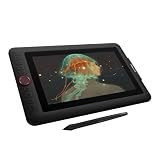
- Universal Compatibility: It's compatible with Windows 7/8/10/11, Mac 10.10 or later, Linux. Compatible with Photoshop, Illustrator, SAI, Painter, MediBang, Clip Studio, and more. It's ideal for digital drawing, animation, sketching, photo editing, 3D sculpting, and more (XP-PEN Artist12 drawing tablet must be connected to a computer to work).
- 11.6 HD IPS display: Artist12 drawing tablet is the XP-PEN’s latest smallest 1920x1080 HD display paired with 72% NTSC(100%SRGB) Color Gamut, presenting vivid images, vibrant colors and extreme detail for a stunning display of your artwork. It's pre-installed anti-reflective screen protector already. The slim touch bar can be programmed to zoom in and out, scroll up and down. Its 6 shortcut keys are customizable, XP-PEN driver allows the shortcut keys to be attuned to other different software
- Battery-free stylus with a digital eraser at the end: XP-PEN advanced P06 passive pen was made for a traditional pencil-like feel! Featuring a unique hexagonal design, non-slip & tack-free flexible glue grip, partial transparent pen tip, and an eraser at the end! Delivering technical sense, high efficiency, with a fashionable and comfortable grip, and there are 8 replacement pen nibs included with the multi-function pen holder
- XP-PEN Artist12 drawing tablet with screen is ideal for online education and remote work. Set the Artist12 drawing screen as an extended display when working from home, visually present your handwritten notes on the screen directly. Teachers and students can write and edit complicated functional equations with ease. It's compatible with XSplit, Zoom, Twitch, Microsoft Teams, ezTalks Webinar, Idroo, Scribbiar, wiziQ, and more
- XP-PEN provides a one-year warranty and lifetime technical support for all our drawing pen tablets/displays. Register your XP-PEN Artist12 drawing tablet on xp-pen web to apply for an ArtRage 5, openCanvas, or Explain Everything. Your laptop/desktop needs to have HDMI and USB-A ports available for the connection, or you need an extra converter(such as Thunderbolt to HDMI, depends on what ports that your laptop/desktop has) for the connection
| Type | Best suited to | Strong choices | Important limitation |
|---|---|---|---|
| Raster | Painting, illustration, textured brushes, comics, photo editing | Krita, ibisPaint X, MediBang Paint, GIMP, MyPaint | Very large canvases and many layers consume significant memory |
| Vector | Logos, icons, diagrams, typography, scalable line art | Inkscape, Concepts | Natural-media painting may feel less direct |
| Mixed workflow | Artwork that combines painted images, paths, shapes, or photo elements | Krita, GIMP | File interchange does not always preserve every effect or object |
GIMP and Krita can work with paths and vector-related elements, but that does not make either application a complete replacement for a dedicated SVG editor. Likewise, Inkscape can create line art and shapes but is not a direct replacement for a natural-media painting engine.
Which apps work on Windows, Mac, Linux, iPhone, iPad, Android, and ChromeOS?
No single program in this list offers the same complete experience on every platform. The matrix below distinguishes a full or relevant edition from a limited, mobile-only, or unverified option.
| App | Windows | macOS | Linux | iPhone/iPad | Android/ChromeOS | Free model |
|---|---|---|---|---|---|---|
| Krita | Full app | Full app | Full app | Not supported | Android tablets/ChromeOS support | Free/open source |
| Sketchbook | Desktop Pro edition | Desktop Pro edition | Not listed | Full mobile edition | Android edition | Edition-dependent |
| ibisPaint X | Version available; verify terms | Version available; demo and paid tiers | Not listed | Full mobile edition | Full mobile edition | Free with ads and restrictions |
| MediBang Paint | Windows 10 or later | macOS 11 or later | Not listed | Full mobile edition | Android edition | Free with optional services/features |
| GIMP | Full app | Full app | Full app | Not available as an official mainstream equivalent | Not listed | Free/open source |
| Adobe Fresco | Supported coverage should be checked | Not treated as a primary platform here | Not listed | Primary mobile coverage | Not listed | Freemium |
| FireAlpaca | Desktop-focused | Desktop-focused | Not listed | Not listed | Not listed | Free proprietary |
| MyPaint | Desktop build; verify current support | Desktop build; verify current support | Desktop build; verify current support | Not listed | Not listed | Free/open-source-oriented |
| Inkscape | Desktop app | Desktop app | Desktop app | Not comparable to mobile-first apps | Not listed | Free/open source |
| Concepts | Supported coverage should be checked | Not listed as a primary platform | Not listed | Primary tablet coverage | Android coverage | Free tier with paid tools |
Platform labels do not guarantee identical features, file compatibility, or stylus behavior. Official requirements should be checked for the exact operating-system version, device model, processor architecture, and app edition.
Independent reader supportYour contribution helps us test, update, and keep practical guides available for everyone.How do drawing tablets and pressure-sensitive styluses work with these apps?
Pressure sensitivity depends on the app, operating system, stylus protocol, and tablet driver working together. A drawing application may install successfully while pressure, tilt, palm rejection, or shortcut buttons remain unavailable.
Quick wins for a faster PC:
Repair Windows errors before they cause bigger problemsFix Now →Scan for outdated or missing drivers - takes under a minuteDriver Scan →Clear out junk files and repair common Windows errorsFree Scan →- Windows: Some applications use Windows Ink, while others may work better with a vendor-specific Wacom, Huion, or XP-Pen driver. Sketchbook’s Windows requirements specifically mention Windows Ink for stylus pressure sensitivity.
- macOS and Linux: Pressure support commonly depends on the tablet manufacturer’s driver or the operating system’s tablet integration. Verify the driver for the exact tablet and operating-system version.
- iPad: Apple Pencil compatibility depends on the iPad model, Pencil generation, and app support. “iPad support” does not mean every iPad and Pencil combination is supported.
- Android: Samsung S Pen and other active styluses may work on supported devices, but Android tablet support does not guarantee compatibility with an external pen tablet. Sketchbook explicitly excludes peripheral drawing tablets on Android.
- ChromeOS: Krita’s Android tablet/ChromeOS availability is relevant, but Chromebook hardware, screen size, pen protocol, and Android-app behavior still affect the experience.
Before buying a tablet, check the app’s current requirements and the tablet manufacturer’s driver page. For mobile drawing, confirm whether the device has an active pen digitizer rather than assuming that any capacitive touchscreen will provide pressure sensitivity.
Can projects move between a PC and a phone or tablet?
Projects move most reliably when the app supports the same native format or a layered interchange format on both devices. Exporting a PNG or JPEG transfers the visible image but normally discards editable layers, masks, text objects, and other project structure.
| Workflow need | What to look for | Best candidates | Risk to check |
|---|---|---|---|
| Desktop-to-mobile continuation | Same app family on both platforms plus cloud or manual project transfer | ibisPaint, MediBang Paint, Sketchbook | Features, pricing, and file behavior may differ by edition |
| Layered desktop editing | Native project format or PSD support | Krita, GIMP, MediBang Paint, ibisPaint | PSD support does not guarantee perfect preservation of every effect |
| Simple finished-image sharing | PNG or JPEG export | All raster choices | Export is usually flattened and not easily editable |
| Scalable artwork | SVG or another vector format | Inkscape, Concepts | Raster brushes and effects may not transfer as editable vectors |
| Cloud-based continuity | Account, synchronization, and sufficient storage | ibisPaint and selected service features in other apps | Free plans may impose storage or feature limits |
ibisPaint officially describes synchronization between Windows/Mac and iOS/Android through cloud storage. The same official information lists up to 64 MB for ordinary users and up to 20 GB for premium members. Check that the same account is active on every device, and keep a local backup of important layered artwork.
What hardware does free drawing software need?
Published minimum requirements are starting points, not guarantees of smooth performance on large artwork. Canvas dimensions, layer count, brush complexity, animation frames, GPU APIs, and available storage can matter more than the ability to launch the program.
| Software | Published requirement or signal | Practical interpretation |
|---|---|---|
| Krita | At least 4 GB RAM on one current download page; 16 GB listed as recommended on that page; OpenGL 3.0 or Direct3D 11 requirements are also shown. | Large layered canvases and animation benefit from considerably more memory than the minimum. |
| Sketchbook | Windows 10/11, 2.5 GHz-or-faster processor, 8 GB RAM, OpenGL 2.0, and Windows Ink for pressure sensitivity. | Check Windows Ink and the tablet driver if pressure is missing. |
| MediBang Paint | Windows 10 or later, macOS 11 or later, 100 MB minimum free disk space, and 2 GB recommended on its desktop page. | Storage minimums do not predict performance on very large comic pages. |
| Mobile apps | ibisPaint lists iOS/iPadOS 15 or later and Android 7 or later in the researched mobile information; Sketchbook lists Android 9 or later. | Older devices may install an app but still struggle with layers, brushes, or palm rejection. |
Use an SSD or reliable external backup for layered projects, especially when working across devices. A computer that technically meets a vendor minimum may be unsuitable for a large 300-dpi canvas, hundreds of layers, complex brushes, or animation. No performance rankings are implied here because the apps were not benchmarked under a standardized test.
What are the main failure points when choosing a free drawing app?
- Choosing by name alone: GIMP can draw, but GIMP is primarily an image editor; Inkscape is a vector editor; Concepts is an infinite-canvas ideation tool. They should not be judged as identical alternatives to Krita.
- Assuming “Android” means every Android device: Screen size, active-pen hardware, Android version, and external-tablet support vary.
- Installing the wrong ibisPaint edition: ibisPaint X is the free mobile edition, while paid mobile, Mac, and potentially Windows terms differ.
- Saving only flattened exports: PNG and JPEG files preserve appearance but not editable project structure.
- Expecting old plugins to work: Major releases can change plugin and script compatibility. GIMP users should check compatibility before moving to GIMP 3.x.
- Downloading from an unofficial mirror: Use the official download pages for Krita, GIMP, MediBang Paint, ibisPaint, and the other vendors.
- Calling a tool professional without qualification: Professional features do not guarantee a studio pipeline, perfect PSD round-tripping, CMYK behavior, cloud backup, commercial-use support, or vendor assistance.
- Ignoring edition-specific pricing: Desktop and mobile pricing, taxes, subscriptions, ads, storage, and feature locks can differ by country and app store.
Quick comparison: which app fits which artist?
| App | Best for | Raster or vector | Strongest platform fit | Main reason to choose it | Main reason to avoid it |
|---|---|---|---|---|---|
| Krita | Serious painting and illustration | Raster with supporting tools | Windows, macOS, Linux, Android tablets | Deep free/open-source painting feature set | No iPhone/iPad edition; interface can overwhelm beginners |
| Sketchbook | Beginners and clean sketching | Raster | Windows, Mac, iOS/iPadOS, Android | Approachable interface | Separate editions and Android tablet limitation |
| ibisPaint X | Mobile art and manga | Raster | iPhone/iPad and Android | Large mobile brush and material ecosystem | Ads, paid functions, and cloud limits |
| MediBang Paint | Comics and manga | Raster | Desktop and mobile | Comic tones, backgrounds, and materials | Platform and service features can differ |
| GIMP | Photo editing and compositing | Raster with paths | Windows, macOS, Linux | Strong image-editing toolkit | Less illustration-focused; no mainstream official mobile equivalent |
| Adobe Fresco | Natural-media brushes | Raster-focused mixed workflow | iPhone/iPad and Windows coverage | Adobe ecosystem and expressive brushes | Freemium and account/cloud considerations |
| FireAlpaca | Simple desktop illustration | Raster | Windows and macOS | Focused desktop drawing workflow | Limited mobile and advanced workflow coverage |
| MyPaint | Minimalist freehand painting | Raster | Windows, macOS, Linux candidates | Simple canvas-and-brush experience | Smaller feature set |
| Inkscape | Logos, icons, and vector line art | Vector | Windows, macOS, Linux | Scalable, editable paths and shapes | Not a natural-media painting replacement |
| Concepts | Infinite-canvas ideation | Vector-oriented mixed workflow | iOS/iPadOS, Android, Windows coverage | Flexible technical sketching canvas | Free tier has paid tools and is not a full painting studio |
How this list handles current versions and availability
Software versions, operating-system support, app-store pricing, and free-tier rules change frequently. The research check surfaced Krita release pages with different version numbers and identified GIMP 3.2.4 as the stable release dated April 17, 2026. Treat those details as time-sensitive and use each official download page to confirm the current build before publishing or installing.
FireAlpaca, MyPaint, Inkscape, Adobe Fresco, and Concepts require especially careful first-party verification immediately before publication because their current versions, platform coverage, and free-tier boundaries were not fully surfaced in the research pass. The recommendations remain useful by category, but readers should not infer an unverified platform or price from this list.
Frequently Asked Questions
What is the best free drawing software for PC in 2026?
Krita is the best overall free drawing software for PC in 2026 when the priority is serious digital painting and illustration. Krita is free and open source on Windows, macOS, and Linux, but GIMP is a better choice when photo editing and compositing are equally important.
The Tool Desk
Outbyte PC Repair FREEClear out junk files and repair common Windows errorsFree Scan →Outbyte Driver Updater FREEFix the driver behind crashes, sound loss and screen glitchesFind Drivers →What is the best free drawing app for iPad or Android?
ibisPaint X is the best mobile-first free drawing app for many iPad and Android artists, especially for manga and illustration. The free mobile edition includes advertising and other feature or cloud limits, so Sketchbook is a better choice for users who prefer a cleaner sketching interface.
Which free drawing software is best for manga and comics?
MediBang Paint is the best targeted free choice for manga and comics because its desktop version includes comic-oriented tools, tones, backgrounds, and materials. ibisPaint X and Krita are strong alternatives for mobile artists and desktop painters respectively.
Can free drawing software work with a drawing tablet?
Free drawing software can work with drawing tablets, but compatibility depends on the operating system, tablet driver, stylus protocol, and application. Windows Ink or a manufacturer driver may be required, and Sketchbook explicitly says peripheral drawing tablets are not supported on Android.
Is GIMP better than Krita for drawing?
GIMP is better for photo editing, compositing, selections, and image manipulation, while Krita is better for brush-centered digital painting and illustration. GIMP can paint, but GIMP and Krita serve different primary workflows rather than being interchangeable drawing apps.
Recommended Free Tools
The Bottom Line
Bottom line: Start with Krita for free desktop painting, ibisPaint X for mobile illustration, Sketchbook for simple sketching, MediBang Paint for manga, GIMP for photo editing plus drawing, and Inkscape for vector artwork. Before installing, verify the exact platform edition, stylus support, file-transfer method, current version, and free-tier restrictions.

