
Recommended Free Tools
iTechGuides is reader-supported. When you buy through links on our site, we may earn an affiliate commission. As an Amazon Associate I earn from qualifying purchases. Learn more
For 10 Best 2D Animation Software & App in 2026 [Free/Premium], there is no single winner: Toon Boom Harmony is the strongest professional all-rounder, TVPaint leads hand-drawn work, Krita is the best free artist-first choice, and Pencil2D is the easiest beginner starting point. Adobe Animate needs a major 2026 support warning.
The right program depends on how you animate. Frame-by-frame drawing, vector tweening, reusable character rigs, 2D/3D scenes, interactive web output, and mobile sketching are different workflows, even when every product is marketed as “2D animation software.”
Key takeaways
- Toon Boom Harmony is the best overall professional suite when drawing, rigging, compositing, effects, and studio workflow matter more than price.
- TVPaint Animation is the strongest specialist choice for serious bitmap-based, traditional frame-by-frame animation.
- Krita, OpenToonz, Blender, Synfig Studio, and Pencil2D are free and open-source options, but they serve different workflows rather than providing equivalent substitutes for premium software.
- Pencil2D is the simplest beginner choice, while Krita is better for artists who want a capable painting environment alongside animation tools.
- Adobe Animate remains relevant for interactive web content and existing projects, but Adobe announced planned sales and support changes in 2026, making it a risky new long-term investment.
Quick comparison: which 2D animation software should you choose?
The best 2D animation software is determined by the production method you need, not by the number of features in a product description. The table below separates permanent-free software, trials, subscriptions, and paid applications.
| Rank | Software | Best for | Primary workflow | Free or paid | Platform position | Main drawback | 2026 support note |
|---|---|---|---|---|---|---|---|
| 1 | Toon Boom Harmony | Professional studios, TV, film, and advanced rigs | Frame-by-frame, rigging, compositing | Premium subscription | Desktop; confirm current OS requirements | Expensive, especially for hobbyists | Active vendor product; edition and pricing vary |
| 2 | TVPaint Animation | Traditional hand-drawn animation | Bitmap frame-by-frame | Premium; trial available | Desktop; native ARM Mac support from version 11.7.2 | Not the best fit for automated tweening or puppets | Confirm edition and trial terms before buying |
| 3 | Krita | Free digital artists and illustrators | Raster drawing and frame-by-frame | Free and open source | Desktop; verify current release platforms | Limited compared with full studio pipelines | Open-source status does not guarantee commercial support |
| 4 | OpenToonz | Free production-oriented animation | Traditional animation and compositing | Free and open source | Desktop; verify current download and OS support | Steeper, less approachable workflow | Check the official project page for release status |
| 5 | Blender Grease Pencil | 2D/3D hybrid scenes and camera work | 2D drawings in a 3D scene | Free and open source | Desktop; hardware demands vary by scene | Broader Blender learning curve | Grease Pencil is not identical to traditional 2D |
| 6 | Moho | Indie character rigs and cut-out animation | Bones, deformers, reusable characters | Paid | Desktop; verify current edition support | Less natural for pure hand-drawn work | Check current license and upgrade policy |
| 7 | Synfig Studio | Free vector tweening | Vector, bitmap, and interpolated motion | Free and open source | Desktop; verify current release platforms | Less paint-first and beginner-friendly | Free software is not the same as vendor-supported software |
| 8 | Pencil2D | Beginners and animation exercises | Simple traditional frame-by-frame | Free and open source | Desktop; verify current download | Limited rigging, compositing, and asset management | Its simplicity is its main advantage |
| 9 | Reallusion Cartoon Animator | Fast character puppets and lip-sync | Rigged puppets and reusable assets | Paid | Desktop; content ecosystem may add cost | Template-driven results and add-on expense | Check current edition, license, and pack prices |
| 10 | Adobe Animate | Interactive web graphics and legacy projects | Vector tweening and interactive output | Subscription/trial; qualified | Desktop; confirm availability before purchase | Sales and support transition risk | Adobe announced planned sales discontinuation on March 1, 2026 |
This is an editorial ranking based on workflow fit, accessibility, feature direction, and current product signals. The dossier did not include hands-on testing, render-time measurements, stability testing, or independent scoring, so the ranking is not a laboratory benchmark.
Popular on Amazon

- PLEASE NOTE: The XPPen Artist 15.6 Pro needs to connect with a computer to use. You need to use it with your Computer or Laptop. It is NOT a standalone drawing tablet
- Outstanding Visuals: The immersive 15.6 inch large screen with 1920x1080 p full HD resolution presents your creation in the depth of detail, provides you with clarity to see every detail of your work
- 8 customized express keys: The Artist 15.6 Pro monitor features 8 fully customizable shortcut keys and puts more customization options at your fingertips to suit you preferred work style, allowing you to capture and express your ideas easier and faster for optimized workflow
- Full-laminated Technology: XPPen Artist15.6 Pro art tablet is adopting full-laminated technology, seamlessly combines the glass and the screen, to create a distraction-free working environment that's also easy on the eyes
- Advanced Pen Performance: With up to 16384 levels of pressure sensitivity, the Battery-free Stylus provides you with increased accuracy and enhanced performance to create the finest sketches and lines
What type of 2D animation do you want to make?
Choose the animation method before choosing the application. A frame-by-frame artist and a YouTuber producing recurring puppet characters may both need “2D animation,” but they need very different software.
| Workflow | How it works | Best suited to | Strong choices in this list |
|---|---|---|---|
| Frame-by-frame | You draw or edit individual frames, often using onion skinning | Expressive hand-drawn work and traditional animation | TVPaint, Krita, OpenToonz, Pencil2D, Harmony |
| Vector tweening | The program interpolates movement between keyframes | Logos, explainers, simple characters, and web graphics | Synfig, Adobe Animate |
| Rigged or cut-out | Bones, deformers, meshes, or reusable puppets drive characters | Series production, presenters, avatars, and recurring characters | Harmony Premium, Moho, Cartoon Animator |
| Bitmap animation | Characters and backgrounds are painted as raster artwork | Natural brush texture and traditional-looking animation | TVPaint, Krita |
| 2D/3D hybrid | 2D drawings are placed in a 3D scene with depth, cameras, lighting, or 3D assets | Multiplane shots, visual effects, and camera-heavy scenes | Blender Grease Pencil |
| Interactive animation | Animation is published for a web page, game, banner, or application | HTML5 content, games, educational media, and interactive graphics | Adobe Animate, subject to its 2026 support risk |
Which 2D animation software is best overall?
1. Toon Boom Harmony — best overall professional suite
Toon Boom Harmony is the best overall choice when a project needs drawing, painting, animation, character rigging, compositing, and effects in one professional environment. Toon Boom describes Harmony as an all-in-one solution for both hand-drawn animation and character rigs.
Harmony is offered in Essentials, Advanced, and Premium editions. Toon Boom says Premium adds advanced rigging, effects, deformers, and high-resolution camera capabilities. That tier structure matters: a buyer should not assume that the least expensive edition includes every studio-oriented feature.
Choose Harmony if: you need a professional pipeline, advanced rigs, node-based compositing, or compatibility with a studio or school workflow.
Avoid Harmony if: you are learning basic animation, making occasional short clips, or cannot justify an ongoing subscription.
Cost note: The US Toon Boom store displayed Harmony Premium at US$139 per month or US$1,128 per year when crawled. Check the current Toon Boom store listing for edition, country, tax, promotion, and student pricing before treating those figures as a quote.
What is the best software for frame-by-frame animation?
2. TVPaint Animation — best traditional bitmap option
TVPaint Animation is the strongest specialist choice for serious hand-drawn, bitmap-based, frame-by-frame animation. The workflow is built around drawing individual frames rather than relying primarily on automated interpolation or reusable puppets.
TVPaint’s official product information highlights bitmap-based 2D animation, a key-based 2D camera, and Professional features available in a trial that the page describes as having no stated time limit. Review the current TVPaint product and trial terms before relying on the trial’s exact export or licensing conditions.
TVPaint is a poor fit for someone whose priority is drag-and-drop puppet animation, extensive automated tweening, or interactive web publishing. TVPaint is also premium software, not a permanently free alternative. TVPaint states that native ARM Mac support begins with version 11.7.2; that version-specific statement should not be generalized to every platform or feature.
Choose TVPaint if: brush feel, expressive timing, traditional animation, and bitmap drawing are more important than automated character rigs.
Avoid TVPaint if: you want a free permanent application, primarily animate logos and web banners, or expect a puppet to do most of the work.
3. Krita — best free artist-first choice
Krita is the best free option for a digital artist who wants a strong raster painting and illustration environment with frame-by-frame animation tools. Krita’s official site describes the application as free and open source and lists animation among its capabilities.
Krita makes sense for animators who already draw digitally and care about brushes, pressure sensitivity, painting, cleanup, and a natural raster workflow. Krita is not a complete substitute for Harmony’s high-end rigging and studio management, nor is Krita primarily designed around reusable character puppets and team pipelines.
Choose Krita if: you want to draw and paint your animation, need permanent free software, and can work without a full production-management environment.
Avoid Krita if: your project depends on sophisticated rigs, centralized collaboration, or interactive web publishing.
Also popular on Amazon

- PLEASE NOTE:XPPen Artist13.3 Pro drawing tablet Need to connect with computer,you need to use it with your computer or laptop, the 3 in 1 cable is included
- Drawing Tablet with Screen: Tilt Function- XPPen Artist 13.3 Pro supports up to 60 degrees of tilt function, so now you don't need to adjust the brush direction in the software again and again. Simply tilt to add shading to your creation and enjoy smoother and more natural transitions between lines and strokes
- Graphics Tablets: High Color Gamut- The 13.3 inch fully-laminated FHD Display pairs a superb color accuracy of 88% NTSC (Adobe RGB≧91%,sRGB≧123%) with a 178-degree viewing angle and delivers rich colors, vivid images, and dazzling details in a wider view. Your creative world is now as powerful as it is colorful
- Drawing Pad: One is enough- The sleek Red Dial on the display is expertly designed with creators in mind, its strategic placement allows for natural drawing postures. With just one wheel, you can effortlessly zoom in and out, adjust brush sizes, and flip the canvas—all tailored to suit the habits of everyday artists. The 8 customizable shortcut keys allow you to personalize your setup, streamlining your workflow and enhancing creative efficiency
- Universal Compatibility & Software Support:supports Windows 7 (or later), Mac OS X 10.10 (or later), Chrome OS 88 (or later), and Linux systems. Fully compatible with major creative software including Photoshop, Illustrator, SAI, and Blender 3D. Register your device to access additional programs like ArtRage 5 and openCanvas for expanded creative possibilities.
4. OpenToonz — best free production-oriented option
OpenToonz is the best free choice for readers who want a more production-oriented traditional animation and compositing workflow than a basic flipbook provides. OpenToonz is free and open source, but the interface and pipeline can take longer to learn than Pencil2D or Krita.
OpenToonz is a sensible option for students, indie filmmakers, and technically curious users who are prepared to study a more complex workflow. Documentation and onboarding may feel less approachable, and user-reported stability concerns should not be treated as universal test results because no independent stability testing was performed for this comparison.
Choose OpenToonz if: you want free software with a deeper production orientation and are willing to learn the application.
Avoid OpenToonz if: you want the fastest possible first animation or polished vendor support. Verify the current official OpenToonz download and release status before installing.
Quick wins for a faster PC:
Repair Windows errors before they cause bigger problemsFix Now →Scan for outdated or missing drivers - takes under a minuteDriver Scan →Clear out junk files and repair common Windows errorsFree Scan →Which free 2D animation program is best for beginners?
5. Pencil2D — easiest free starting point
Pencil2D is the best first download for someone learning animation fundamentals without wanting to navigate a large production suite. Pencil2D is suited to roughs, exercises, short loops, and basic hand-drawn projects.
Pencil2D’s limited rigging, compositing, and asset-management features are not necessarily defects for a beginner: a deliberately simple timeline can make timing, spacing, key poses, and in-betweens easier to understand. Check the official Pencil2D site for the current download and platform information.
Choose Pencil2D if: simplicity and learning animation principles matter more than advanced production features.
Avoid Pencil2D if: you need professional compositing, reusable character rigs, complex audio synchronization, or large asset libraries.
The Tool Desk
Outbyte Driver Updater FREEScan for outdated or missing drivers - takes under a minuteDriver Scan →Outbyte PC Repair FREEClear out junk files and repair common Windows errorsFree Scan →6. Blender with Grease Pencil — best free 2D/3D hybrid
Blender with Grease Pencil is the best free option for creators who want 2D drawings inside a 3D scene, with spatial depth, camera movement, lighting, compositing, or 3D assets. Blender is free and open source, and Blender’s Grease Pencil feature page documents its 2D drawing approach within the broader application.
Blender is powerful but is not the simplest route to conventional hand-drawn animation. Users must learn concepts from Blender’s wider 3D environment, and GPU, memory, and scene demands can rise with resolution, effects, imported footage, and 3D content.
Choose Blender if: you want 2D/3D hybrid scenes or may later expand into 3D, camera work, compositing, and visual effects.
Avoid Blender if: you only want a simple 2D flipbook and do not want to learn a broad 3D application. Use Blender’s official download page to check the current release and platform requirements.
Free tools Windows power users keep installed
One-click scans. No signup required.
Which software is best for rigging and cut-out animation?
7. Moho — best value-oriented rigging alternative
Moho is the best paid alternative for indie production when bone rigs, deformers, reusable characters, and efficient cut-out animation matter more than a complete studio pipeline. A rig can accelerate recurring character scenes, although a rigging-led workflow may constrain the organic expression of pure frame-by-frame work.
Moho is a strong fit for independent studios, YouTubers, and creators producing recurring characters. Current edition names, prices, upgrade policy, and operating-system support should be checked directly at the Moho vendor page because older price claims and license terms may no longer apply.
Also popular on Amazon

- Please note: Kamvas 13 (Gen 3) Pen Display is not a standalone product, this device must be connected to a computer/laptop to work.
- All-new Canvas Glass 2.0: HUION Kamvas 13 (Gen 3) drawing tablet for pc features a fully laminated 13.3-inch screen and brand new anti-sparkle canvas glass 2.0 for reduced glare and improved accuracy. It is perfect for designers, artists, and illustrators to unleash their creativity.
- Advanced PenTech 4.0 Technology: The 16384 levels of pressure sensitivity and 2g IAF ensure a fluid and natural drawing experience, while the 3 customized pen side buttons improve your workflow.
- Improved Color Accuracy: With enhanced color accuracy to Avg. ΔE<1.5, 16.7 million display colors, 99% sRGB coverage, and Rec.709 standard color gamuts, HUION Kamvas 13 (Gen 3) digital art tablet delivers stunning visuals.
- Rigorous Color Calibration: HUION Kamvas 13 (Gen 3) drawing monitor includes a factory calibration report for added assurance of color consistency.
Choose Moho if: you want efficient character rigs and reusable assets at a potentially lower cost than a high-end studio subscription.
Avoid Moho if: your artistic priority is entirely hand-drawn bitmap animation or you need Harmony-style studio collaboration and effects.
Windows Errors? Fix Them Before They Spread
Repair common Windows errors and clear accumulated junk for a smoother, more stable PC - no reinstall needed.Free scan · no reinstallOutdated Drivers Are Slowing You Down
One free scan finds every outdated or missing driver and matches the right update for your exact hardware.Free scan · exact hardware match8. Reallusion Cartoon Animator — best for fast character production
Reallusion Cartoon Animator is the best choice for fast puppet-based character videos, lip-sync, presenters, avatars, explainers, and recurring social or educational content. Reusable characters can reduce the need to redraw every frame, and a commercial asset ecosystem can speed up setup.
The trade-off is creative and financial. Template-driven results may look less individual unless assets are customized, while content packs and add-ons can materially increase the total project cost. Check Cartoon Animator’s current edition, license, platform support, and content-store prices before comparing its headline software price with a free desktop tool.
Choose Cartoon Animator if: fast character production and lip-sync are more important than drawing every frame yourself.
Avoid Cartoon Animator if: you want a purely hand-drawn experience or do not want to budget for optional content packs.
What’s actually slowing this PC down?
Pick the symptom - the matching free tool is one click away.
9. Synfig Studio — best free vector-animation choice
Synfig Studio is the best free option for vector animation, tweening, and procedural or interpolated motion. Synfig describes itself as free and open-source software for vector and bitmap artwork.
Synfig is a better fit for logos, graphic explainers, and users who want software to interpolate movement than for artists seeking a paint-first frame-by-frame workflow. The interface and learning resources may be less accessible to beginners, so free licensing should not be confused with a low learning curve or commercial support.
Choose Synfig if: you want free vector and bitmap animation with automated motion between keyframes.
Avoid Synfig if: brush texture and hand-painted frame-by-frame drawing are central to your work. Verify the current release, platform support, and export capabilities before starting a large project.
Do these 3 things before closing this tab:
1Clear out junk files and repair common Windows errors2Fix the driver behind crashes, sound loss and screen glitches3Repair Windows errors before they cause bigger problemsIs Adobe Animate still worth buying in 2026?
10. Adobe Animate — useful specialist, but a qualified recommendation
Adobe Animate remains the clearest specialist choice in this list for interactive web graphics, banners, games, educational content, and existing Animate projects. Adobe’s current product page lists publishing related to HTML5 Canvas, WebGL, SVG, video, and GIF, making Animate different from a video-only drawing application.
Adobe Animate’s 2026 status requires caution. Adobe announced on February 2, 2026 that it planned to discontinue Animate sales effective March 1, 2026. The announcement said support would continue through March 1, 2027 for other customers and March 1, 2029 for enterprise customers. At the same time, Adobe’s current Animate page still lists a US$22.99-per-month annual-billed-monthly plan, and Adobe’s trial page lists a seven-day trial that automatically converts to paid membership unless canceled.
The conflicting signals mean a new buyer should confirm current purchasing, activation, export, and support status directly with Adobe before committing to a long-term pipeline. Adobe Animate is a reasonable specialist or legacy-project choice, but it is not the safest default investment for a brand-new production system in 2026.
Choose Animate if: you need interactive web output, already maintain Animate files, or work inside an Adobe-centered workflow.
Quick wins for a faster PC:
Scan for outdated or missing drivers - takes under a minuteDriver Scan →Clear out junk files and repair common Windows errorsFree Scan →Avoid Animate if: you want a low-risk long-term platform for a new project and do not specifically need interactive publishing.
Also popular on Amazon
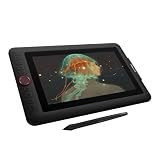
- Universal Compatibility: It's compatible with Windows 7/8/10/11, Mac 10.10 or later, Linux. Compatible with Photoshop, Illustrator, SAI, Painter, MediBang, Clip Studio, and more. It's ideal for digital drawing, animation, sketching, photo editing, 3D sculpting, and more (XP-PEN Artist12 drawing tablet must be connected to a computer to work).
- 11.6 HD IPS display: Artist12 drawing tablet is the XP-PEN’s latest smallest 1920x1080 HD display paired with 72% NTSC(100%SRGB) Color Gamut, presenting vivid images, vibrant colors and extreme detail for a stunning display of your artwork. It's pre-installed anti-reflective screen protector already. The slim touch bar can be programmed to zoom in and out, scroll up and down. Its 6 shortcut keys are customizable, XP-PEN driver allows the shortcut keys to be attuned to other different software
- Battery-free stylus with a digital eraser at the end: XP-PEN advanced P06 passive pen was made for a traditional pencil-like feel! Featuring a unique hexagonal design, non-slip & tack-free flexible glue grip, partial transparent pen tip, and an eraser at the end! Delivering technical sense, high efficiency, with a fashionable and comfortable grip, and there are 8 replacement pen nibs included with the multi-function pen holder
- XP-PEN Artist12 drawing tablet with screen is ideal for online education and remote work. Set the Artist12 drawing screen as an extended display when working from home, visually present your handwritten notes on the screen directly. Teachers and students can write and edit complicated functional equations with ease. It's compatible with XSplit, Zoom, Twitch, Microsoft Teams, ezTalks Webinar, Idroo, Scribbiar, wiziQ, and more
- XP-PEN provides a one-year warranty and lifetime technical support for all our drawing pen tablets/displays. Register your XP-PEN Artist12 drawing tablet on xp-pen web to apply for an ArtRage 5, openCanvas, or Explain Everything. Your laptop/desktop needs to have HDMI and USB-A ports available for the connection, or you need an extra converter(such as Thunderbolt to HDMI, depends on what ports that your laptop/desktop has) for the connection
What are the best 2D animation tools by use case?
| Use case | Best choice | Why | Alternative |
|---|---|---|---|
| Best overall professional suite | Toon Boom Harmony | Combines drawing, rigging, compositing, effects, and production workflow | Moho for smaller rigging-led productions |
| Best hand-drawn animation | TVPaint | Bitmap-first traditional frame-by-frame workflow | Krita for a permanent free option |
| Best free artist tool | Krita | Free, open source, and drawing-led | Pencil2D for a simpler interface |
| Best free production option | OpenToonz | Deeper traditional animation and compositing orientation | Synfig for vector tweening |
| Best free 2D/3D hybrid | Blender Grease Pencil | 2D drawings can use 3D scenes, cameras, effects, and assets | Harmony for a dedicated 2D pipeline |
| Best rigging tool | Harmony Premium | Advanced rigs, deformers, and studio-oriented workflow | Moho for indie creators |
| Best fast puppet and lip-sync tool | Cartoon Animator | Reusable characters and asset-driven production | Moho for more custom rigging |
| Best web and interactive option | Adobe Animate, with qualification | Interactive and web-oriented publishing | Choose a different tool if output is video-only |
| Best beginner option | Pencil2D | Low barrier to learning traditional animation | Krita for stronger painting tools |
| Best free vector option | Synfig Studio | Vector artwork and automated tweening | Adobe Animate for existing interactive workflows |
What is the simplest decision tree?
Use this quick selector to narrow the list before downloading anything:
- Want free and easy? Start with Pencil2D.
- Want free drawing and painting? Choose Krita.
- Want free production features? Try OpenToonz.
- Want free vector tweening? Choose Synfig Studio.
- Want 2D drawings plus 3D scenes? Choose Blender Grease Pencil.
- Want serious hand-drawn professional work? Test TVPaint.
- Want studio-grade rigging and compositing? Choose Harmony, particularly Premium when its advanced tools are required.
- Want indie character rigs? Choose Moho.
- Want fast puppets and lip-sync? Choose Cartoon Animator.
- Need web interactivity or legacy Animate files? Consider Adobe Animate only after checking its 2026 sales and support status.
Which programs are genuinely free?
Krita, OpenToonz, Blender, Synfig Studio, and Pencil2D are the permanently free and open-source choices in this comparison. Free and open source means the software is available under an open-source model; it does not guarantee frequent releases, polished onboarding, commercial support, or compatibility with every current operating system.
TVPaint and Adobe Animate are not permanently free software: the dossier identifies them as trial-based options. Harmony, Moho, and Cartoon Animator are paid products whose cost can vary by edition, region, promotion, student status, billing cycle, upgrades, and optional assets. A seven-day trial should not be compared with a free application, especially when the trial converts to paid membership unless canceled.
Recommended Free Tools
| Pricing category | Products | What to check |
|---|---|---|
| Free and open source | Krita, OpenToonz, Blender, Synfig Studio, Pencil2D | Current release, operating-system support, export workflow, and community or commercial support |
| Trial, not permanent free software | TVPaint, Adobe Animate | Trial length or terms, export restrictions, activation, and automatic billing |
| Paid software | Harmony, Moho, Cartoon Animator | Edition, subscription versus perpetual license, upgrades, device limits, education terms, and add-on costs |
What hardware do you need for 2D animation?
A pressure-sensitive drawing tablet is strongly recommended for hand-drawn animation, particularly when line weight and brush control matter. A tablet is less central to puppet-based workflows, vector tweening, and some interactive projects.
- Storage: an SSD helps with image sequences, caches, imported footage, and large project files.
- Memory: RAM requirements rise with resolution, layers, effects, and imported video.
- Graphics processing: basic drawing applications may be modest, while Blender scenes, compositing, high-resolution work, and effects can be more demanding.
- Mobile workflow: screen size, stylus support, file management, audio synchronization, and export controls can limit long-form production even when a mobile app is convenient for short clips.
Do not buy hardware from a generic minimum-specification table without checking the current system-requirements page for the exact application and release. A graphics tablet should be tested with the chosen software before a large project begins.
What should you test before buying?
- Make a representative test scene. Use the same character, resolution, layers, audio, camera movement, and effects that the real project will require.
- Test the intended workflow. Draw several frames if you need frame-by-frame animation; build a small rig if you need cut-out production; create a tween and interactive export if you need web content.
- Check export. Test MP4/H.264, MOV or image sequences, PNG sequences with transparency, GIF, SVG, HTML5 Canvas, WebGL, and audio only when those formats are part of the project. A program’s ability to export video does not make it suitable for interactive content.
- Confirm the encoder path. Determine whether the application exports directly or requires an external encoder or video editor.
- Open the project on the intended devices. Confirm Windows, macOS, Linux, iPadOS, Android, browser, ARM, and tablet compatibility for the exact release rather than relying on a generic platform label.
- Read the license. Check commercial use, multiple-device activation, cloud dependence, support duration, upgrades, cancellation, renewal, student eligibility, and content-pack terms.
- Protect migration options. Retain original project files and regularly export image sequences and common video formats. Common exports provide a fallback, but they do not preserve every editable layer, rig, effect, or timeline feature.
What do you gain by paying for animation software?
Premium software generally earns its cost through workflow depth rather than simply better drawing. Paid tools may provide more sophisticated rigging, deformers, compositing, effects, support, automation, team compatibility, production management, and commercial asset ecosystems.
Free software can still be the correct professional choice for an individual artist. Krita may be preferable to a subscription for drawing-led work, OpenToonz may offer a deeper free production path, and Blender may cover hybrid scenes without a license fee. The important question is whether a specific missing feature costs more time than the paid license costs money.
Do these 3 things before closing this tab:
1Repair Windows errors before they cause bigger problems2Scan for outdated or missing drivers - takes under a minute3Clear out junk files and repair common Windows errorsA subscription can reduce the initial payment but creates continuing cost and access considerations. A perpetual license may avoid a subscription while still involving paid upgrades, limited support, or edition restrictions. Compare first-year and three-year costs only after confirming current currency, tax, billing cycle, edition, upgrade policy, device limits, and optional asset costs.
Common mistakes when choosing 2D animation software
- Expecting every free program to replace Harmony or TVPaint: free products differ radically between drawing, production, vector, and hybrid workflows.
- Choosing Blender solely because it is powerful: Blender is a poor beginner recommendation when the goal is only a simple 2D flipbook.
- Choosing a puppet tool for hand-drawn work: rigging accelerates recurring characters but does not reproduce the feel or freedom of drawing every frame.
- Ignoring Adobe Animate’s 2026 transition: a live product page does not remove the need to investigate sales, activation, and support duration.
- Comparing prices from different countries: label every price with country, currency, billing period, edition, and date.
- Calling a trial free software: distinguish a time-limited or conditional trial from permanent free licensing.
- Judging mobile apps against desktop suites: mobile tools can be excellent for short clips but may be unsuitable for long-form production, complex audio, team pipelines, high-resolution compositing, or large files.
- Locking a project into a difficult-to-migrate format: keep original files and export image sequences or common video formats throughout production.
Final recommendations
Choose Pencil2D to learn the fundamentals with the least friction, Krita for free drawing-led animation, OpenToonz for a deeper free production workflow, Synfig for vector tweening, and Blender for 2D/3D scenes. Choose TVPaint for serious traditional frame-by-frame work, Harmony for a professional all-in-one pipeline, Moho for indie rigs, and Cartoon Animator for fast reusable puppets.
Choose Adobe Animate only when interactive web output or an existing Animate project makes its specialist capabilities important, and verify Adobe’s current sales and support position before paying. The most sensible first step for nearly every buyer is to reproduce one real project in a free version or trial, then decide whether the missing features justify a premium license.
Frequently Asked Questions
What is the best free 2D animation software in 2026?
Krita is the best free artist-first choice, Pencil2D is the easiest beginner option, OpenToonz is the strongest free production-oriented option, Synfig Studio is best for free vector tweening, and Blender is best for free 2D/3D hybrid work. No free option is an identical replacement for every Harmony or TVPaint workflow.
Is Krita good for 2D animation?
Krita is good for drawing-led, raster, frame-by-frame 2D animation because Krita is free, open source, and built around digital painting. Krita is less suitable when a project depends on advanced rigging, centralized studio production management, or interactive web output.
Is Blender good for 2D animation?
Blender is good for 2D/3D hybrid animation, camera moves, spatial scenes, compositing, and effects through Grease Pencil. Blender is not the easiest choice for a beginner who only wants conventional hand-drawn 2D animation.
What is the best software for frame-by-frame animation?
TVPaint Animation is the strongest specialist choice for serious bitmap-based frame-by-frame animation. Krita, OpenToonz, Pencil2D, and Toon Boom Harmony are also suitable, with Krita offering the strongest free artist-first starting point in this list.
Is Adobe Animate still worth buying in 2026?
Adobe Animate is worth considering for interactive web content, existing Animate projects, and Adobe-centered workflows, but it is not the safest default for a new long-term pipeline in 2026. Adobe announced planned sales discontinuation effective March 1, 2026 and described support timelines extending to March 1, 2027 for most customers and March 1, 2029 for enterprise customers, while Adobe’s product page still displays an Animate plan and trial.
The Bottom Line
Bottom line: Start with Pencil2D or Krita if you are learning, choose TVPaint for hand-drawn animation, Harmony for a professional studio pipeline, Moho or Cartoon Animator for rigs and puppets, Synfig for vector tweening, Blender for 2D/3D scenes, and OpenToonz for a deeper free production workflow. Treat Adobe Animate as a specialist or legacy-project option until its 2026 sales and support status is clear for your account.

