
Quick wins for a faster PC:
Scan for outdated or missing drivers - takes under a minuteDriver Scan →Repair Windows errors before they cause bigger problemsFix Now →iTechGuides is reader-supported. When you buy through links on our site, we may earn an affiliate commission. As an Amazon Associate I earn from qualifying purchases. Learn more
For most people, buy the standard Xbox Wireless Controller. It covers Xbox Series X|S and Xbox One, connects to Windows 10/11 and supported Android and iOS devices, includes Bluetooth, a headset jack and a Share button, and avoids the Elite controller’s premium price. Choose the Xbox Elite Wireless Controller Series 2 only if you will use adjustable stick tension, trigger locks, paddles, interchangeable parts or saved control profiles. Choose a third-party pad when a specific model delivers a feature you value—such as Hall-effect inputs, a charging dock, extra rear buttons or a lower-cost wired design—but verify its exact Xbox licensing and connection modes first.
Quick answer: which Xbox controller should you buy?
The right controller depends less on the Xbox logo than on how you play and where you play. The standard Xbox Wireless Controller is the sensible all-purpose choice. The Elite Series 2 is a specialist upgrade for players who will actively configure its extra controls. Third-party controllers can be excellent value, but “third-party” describes a market category, not one compatibility standard.
- Choose the standard Xbox Wireless Controller for a familiar layout, straightforward setup, Xbox console compatibility, Bluetooth on supported PCs and phones, a 3.5 mm headset jack and Share capture.
- Choose the Elite Wireless Controller Series 2 for adjustable thumbstick tension, shorter trigger travel, paddles, interchangeable components, remapping and profiles, plus an internal rechargeable battery.
- Choose a third-party controller when a particular model solves a defined need, such as Hall-effect sticks and triggers, a charging stand, rear buttons, a wired low-latency connection or a lower purchase price.
No tier is proven universally more reliable by the available evidence. Battery-runtime figures are manufacturer ratings under stated test conditions, not guarantees for every game, headset or vibration setting.
What to compare before you buy
Use these criteria in order. A controller that fails the first requirement—your platform or connection method—is not a bargain, regardless of its extra features.
Popular on Amazon
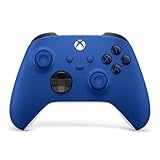
- MODERNIZED DESIGN — Experience the modernized design of the XBOX Wireless Controller with sculpted surfaces and updated geometry that enhances comfort and control during long gaming sessions.
- PRECISION PERFORMANCE — Stay on target with a hybrid D-pad and textured grips on triggers, bumpers, and back case for improved accuracy and handling.
- SHARE BUTTON: Seamlessly capture and share content such as screenshots, recordings, and more with the new Share button.
- VERSATILE CONNECTIVITY — Connect via USB-C for plug-and-play on console and PC, or quickly pair and switch between supported devices with XBOX Wireless and Bluetooth support.
- BUILT-IN AUDIO SUPPORT — Plug in compatible headsets using the 3.5mm audio jack for direct voice chat and immersive in-game sound.
| Decision factor | What to check | Why it matters |
|---|---|---|
| Platform and console support | Xbox Series X|S, Xbox One, Windows 10/11, Android and iOS support; whether Xbox support is wired, wireless or both | A pad that works over USB on a PC may not provide Xbox-console wireless. |
| Connection modes | Xbox Wireless, Bluetooth, USB, and any 2.4 GHz dongle; included adapter or cable | Bluetooth is convenient for phones and many PCs, while Xbox consoles may require Xbox Wireless or a wired connection. |
| Stick and trigger hardware | Standard potentiometer modules, adjustable-tension sticks, Hall-effect sticks or triggers, trigger stops and dead-zone controls | Hardware changes feel, travel and adjustment options. A Hall-effect specification is not a guarantee against every form of wear or failure. |
| Remapping and profiles | Xbox Accessories app support, onboard profiles, rear paddles and the number of assignable inputs | Useful only if you will configure and use the controls; otherwise you are paying for unused complexity. |
| Power | AA batteries, rechargeable AA cells, internal battery, charging dock and USB-C charging | AA cells can be swapped immediately; an internal pack is convenient but must be charged and eventually serviced or replaced. |
| Ergonomics | Grip texture, shell shape, weight, D-pad feel, button spacing and trigger reach | Hand size, game genre and long-session comfort matter more than a feature checklist. |
| Included accessories | Charging stand, USB cable, wireless dongle, alternate sticks, paddles, case and battery | Two listings with similar prices can have very different usable value. |
| Support and returns | Warranty length, firmware tools, replacement parts and the seller’s return terms | Especially important for lesser-known models and controllers with internal batteries. |
| Total cost | Controller, batteries or charging equipment, optional adapter and likely replacement parts | The cheapest shelf price is not always the lowest cost to own. |
Standard Xbox Wireless Controller: the default recommendation
What you get
Microsoft describes the current Xbox Wireless Controller as having sculpted surfaces, refined geometry, a textured grip, a hybrid D-pad, a dedicated Share button and a 3.5 mm headset jack. It supports Xbox Wireless and Bluetooth and is listed for Xbox Series X|S, Xbox One, Windows 10/11, Android and iOS. Bluetooth support still depends on the device and operating-system configuration; a phone or PC must support compatible Bluetooth controller connections.
The layout is the familiar offset-stick Xbox design. The hybrid D-pad is more versatile than a simple four-way pad for menus and diagonals, while the Share button records or captures without requiring a separate shortcut. A wired headset can connect directly through the 3.5 mm jack.
Battery system and running cost
The standard controller uses two AA batteries. Microsoft rates battery life at up to 40 hours under its test conditions. Your result changes with vibration, headset use, battery chemistry, wireless conditions and play time. Disposable AAs are easy to replace, and rechargeable AAs avoid repeated disposable purchases; neither option provides the convenience of simply placing the controller on a dock.
Who should buy it
- People buying a first or replacement Xbox controller.
- Families that need a second pad with no profile setup.
- Players who use Xbox, PC and mobile devices and want one familiar layout.
- Anyone who does not need paddles, adjustable stick tension or trigger locks.
When it is not the best fit
Look beyond the standard model if you need rear inputs for demanding games, a built-in rechargeable pack, a charging cradle in the box, or a controller shape and switch layout that differs substantially from Microsoft’s design. Those are reasons to compare an exact Elite or third-party model rather than reasons to assume every premium controller is better.
Xbox Elite Wireless Controller Series 2: pay for controls you will use
What the Elite adds
Microsoft’s product description says the Elite Wireless Controller Series 2 offers “over 30 ways to play like a pro.” Its relevant additions include adjustable-tension thumbsticks, interchangeable components, wrap-around rubberized grip, shorter hair-trigger locks, remapping through the Xbox Accessories app and support for saved profiles. These features let you change both the physical feel and the button layout for different games.
Adjustable stick tension can make a stick feel lighter for quick camera movement or firmer for deliberate aim. Trigger locks shorten the pull for games where a full trigger stroke is unnecessary. Rear paddles can move actions such as jumping, crouching or reloading away from the face buttons, allowing your thumbs to stay on the sticks. Those benefits appear only after you select, fit and practice with the appropriate parts.
Battery and charging
The Elite Series 2 has an internal rechargeable battery rated by Microsoft at up to 40 hours. As with the standard controller’s rating, actual runtime varies by use. You no longer carry spare AAs, but you do need to recharge the controller and should consider the long-term support available if the internal battery loses capacity.
Windows Errors? Fix Them Before They Spread
Repair common Windows errors and clear accumulated junk for a smoother, more stable PC - no reinstall needed.Free scan · no reinstallCrashes, No Sound, or Screen Glitches?
Random freezes, missing sound and display glitches usually trace back to one bad driver. Find and replace yours safely.Free scan · under a minuteAlso popular on Amazon

- MODERNIZED DESIGN — Experience the modernized design of the XBOX Wireless Controller with sculpted surfaces and updated geometry that enhances comfort and control during long gaming sessions.
- PRECISION PERFORMANCE — Stay on target with a hybrid D-pad and textured grips on triggers, bumpers, and back case for improved accuracy and handling.
- SHARE BUTTON: Seamlessly capture and share content such as screenshots, recordings, and more with the new Share button.
- VERSATILE CONNECTIVITY — Connect via USB-C for plug-and-play on console and PC, or quickly pair and switch between supported devices with XBOX Wireless and Bluetooth support.
- BUILT-IN AUDIO SUPPORT — Plug in compatible headsets using the 3.5mm audio jack for direct voice chat and immersive in-game sound.
Series 2 versus Series 2 Core
Do not treat every “Series 2” listing as the same bundle. Microsoft’s Elite materials associate the fuller component set with interchangeable thumbsticks, paddles, a charging base, a USB-C cable and a carry case. A Series 2 Core or retailer bundle may omit some or all of those accessories. Read the box contents for the exact SKU before comparing prices.
The Elite Series 2 Core had a $129.99 USD launch MSRP in 2022; that is a historical announcement price, not a current price. Windows Central’s 2026 overview lists $199.99 as an Elite Series 2 market reference. Retail prices, discounts, bundles and regional taxes change, so neither figure should be used as a guaranteed checkout price.
Who should buy it
- Competitive players who will use trigger stops, rear paddles or stick-tension adjustment every week.
- Players who want different button maps and profiles for several games.
- People who prefer an internal rechargeable battery and premium grip materials.
Who should skip it
If you use the default controls, never remap buttons and are satisfied with AA or rechargeable-AA power, the Elite’s premium is difficult to justify. Extra parts also add setup decisions and more components to store. A standard controller plus a spare may be more useful than one Elite pad for a household that mainly plays local multiplayer.
Third-party Xbox controllers: value depends on the exact model
Third-party pads cover several different products: officially licensed Xbox controllers, PC-first Bluetooth pads, wired tournament models and multi-platform controllers that use a 2.4 GHz receiver. Their shapes, firmware, apps, warranty terms and console support are not interchangeable.
What’s actually slowing this PC down?
Pick the symptom - the matching free tool is one click away.
Why they can be attractive
PC Gamer’s example of an 8BitDo Ultimate 3-mode controller illustrates the appeal: a charging stand, Hall-effect sticks and triggers and comparable build quality at a lower stated price than an Xbox controller. Windows Central’s 2026 overview likewise treats Hall-effect inputs, battery capacity, wireless compatibility and price as major dividing lines in the current market.
A third-party model may be the right answer when you have one clear priority: a dock that keeps the pad charged, additional rear buttons, a wired connection, a different D-pad, Hall-effect input hardware or a lower upfront cost. The value comes from that defined advantage, not from the word “third-party” alone.
Compatibility checks you must perform
- Confirm the platform label. Look for explicit Xbox Series X|S or Xbox One support, not merely “works with Windows.”
- Identify the wireless path. Determine whether Xbox Wireless, Bluetooth or a 2.4 GHz USB receiver is supported on the console you own. A Bluetooth connection that works on a phone does not automatically provide Xbox-console wireless.
- Check licensing language. “Designed for Xbox” or another official Xbox-licensing statement is a useful compatibility signal, but still read the model-specific limitations.
- Read the box contents. Verify whether a dongle, USB cable, charging dock, battery or alternate parts are included.
- Check headset support. Confirm a 3.5 mm jack, chat compatibility and whether the jack works in every connection mode.
- Check firmware and app support. Find out which app updates the controller, where profiles are stored and whether the app supports your operating system.
- Read warranty and return terms. This matters more when the model has an internal battery or a less-established service network.
Hall-effect sticks: what the label does and does not tell you
Hall-effect sensors measure magnetic movement rather than relying on the same contact arrangement used by many conventional stick modules. That can be a meaningful design advantage, but it does not make a controller immune to calibration problems, firmware bugs, physical damage or every kind of drift. Check the manufacturer’s calibration controls, dead-zone settings and warranty instead of treating the sensor type as a guarantee.
Also popular on Amazon

- MODERNIZED DESIGN — Experience the modernized design of the XBOX Wireless Controller with sculpted surfaces and updated geometry that enhances comfort and control during long gaming sessions.
- PRECISION PERFORMANCE — Stay on target with a hybrid D-pad and textured grips on triggers, bumpers, and back case for improved accuracy and handling.
- SHARE BUTTON: Seamlessly capture and share content such as screenshots, recordings, and more with the new Share button.
- VERSATILE CONNECTIVITY — Connect via USB-C for plug-and-play on console and PC, or quickly pair and switch between supported devices with XBOX Wireless and Bluetooth support.
- BUILT-IN AUDIO SUPPORT — Plug in compatible headsets using the 3.5mm audio jack for direct voice chat and immersive in-game sound.
Compatibility by device
Xbox Series X|S and Xbox One
The standard Xbox Wireless Controller and Elite Series 2 are designed for Xbox consoles. For third-party products, verify the exact console-generation support and the required connection. Some models are wired-only on Xbox; others require a licensed wireless protocol or a supplied adapter. Do not infer console support from a product’s Bluetooth or PC compatibility.
Do these 3 things before closing this tab:
1Repair Windows errors before they cause bigger problems2Fix the driver behind crashes, sound loss and screen glitches3Clear out junk files and repair common Windows errorsWindows 10 and Windows 11 PCs
The standard controller supports Xbox Wireless and Bluetooth. On a PC, Bluetooth can be convenient if the computer has compatible hardware; Xbox Wireless may require a compatible adapter. USB is the simplest fallback when wireless pairing is unavailable. Third-party PC pads may use Bluetooth, USB or a 2.4 GHz receiver, so install the model’s firmware or configuration utility before troubleshooting a game.
Android and iOS
Microsoft lists the standard controller as compatible with Android and iOS through Bluetooth on supported devices. Put the controller in pairing mode, select it in the phone or tablet’s Bluetooth settings, then test it in a controller-supported game. Mobile operating-system support, button mapping and vibration can vary by game and device; a controller pairing successfully does not mean every app will expose every feature.
Setup procedures
Pair a standard controller with an Xbox console
- Turn on the console and insert batteries or connect the controller by USB.
- Press the Xbox button on the controller.
- Press the console’s pair button, then hold the controller’s pair button until the Xbox light flashes.
- Wait for the light to remain steady, then disconnect the cable if you used one and test the sticks, triggers and headset.
Connect to a Windows PC
- For USB, connect a data-capable USB cable and wait for Windows to install the controller.
- For Bluetooth, open Settings > Bluetooth & devices, turn Bluetooth on, choose Add device, select Bluetooth, then select the controller when it appears.
- For Xbox Wireless, use the compatible Xbox Wireless receiver or built-in Xbox Wireless hardware, press its pair control and then pair the controller.
- Open a game or Windows controller test and verify every input. If the game sees duplicate inputs, disable the unused connection or remapping layer.
Connect to Android or iPhone
- Hold the controller’s pair button until the Xbox light flashes.
- Open the device’s Bluetooth settings and select the Xbox controller.
- Launch a game that explicitly supports controllers and configure its layout if required.
- If pairing succeeds but controls do not work, update the phone, game and controller firmware and check the game’s supported-input list.
Configure an Elite profile
- Install or open the Xbox Accessories app on a supported Xbox console or Windows PC.
- Connect the Elite controller by Xbox Wireless or USB and allow any offered firmware update to finish without unplugging it.
- Select the controller, assign buttons or paddles, adjust stick and trigger settings, and save the configuration to a named profile.
- Switch profiles in the app or with the controller’s profile control, then test the map in a noncompetitive session before using it in a match.
Which controller fits each type of player?
| Your priority | Best starting point | Reason |
|---|---|---|
| One controller for Xbox, PC and occasional mobile play | Standard Xbox Wireless Controller | Broad listed compatibility, Xbox Wireless, Bluetooth, headset jack and familiar controls. |
| Competitive shooters or action games | Elite Series 2, or a precisely verified third-party model | Trigger locks, paddles, remapping and adjustable sticks can reduce hand movement and tune the feel. |
| Rechargeable power without buying batteries | Elite Series 2 or a third-party internal-battery model | The Elite has an internal battery rated up to 40 hours; check charging and service terms on alternatives. |
| Lowest total cost for a simple wired setup | Exact-model third-party wired pad | May omit wireless hardware and batteries, but verify Xbox licensing, headset support and return terms. |
| Hall-effect sticks or triggers | Specific third-party model that states the feature | Confirm platform support, calibration, firmware and warranty; the feature is not a drift guarantee. |
| Local multiplayer | Several standard controllers, unless a player has a defined Elite need | Consistent layouts and lower per-player complexity are usually more useful than one premium pad. |
Common buying mistakes and fixes
Assuming every wireless pad works wirelessly on Xbox
Fix: Separate Xbox Wireless, Bluetooth and 2.4 GHz receiver support in the listing. Ask whether the console connection is wireless, wired-only or dependent on a supplied adapter.
Comparing a Core bundle with a full Elite bundle
Fix: List the included paddles, sticks, charging base, cable and case before comparing prices. An apparently cheaper bundle may omit the accessory that motivated the purchase.
Free tools Windows power users keep installed
One-click scans. No signup required.
Treating “up to 40 hours” as a guaranteed runtime
Fix: Keep Microsoft’s qualification attached to the number. Headset use, vibration and battery type can reduce runtime, and third-party claims may use different test conditions.
Paying for controls you never configure
Fix: Write down the two or three functions you will actually use. If the list does not include paddles, trigger locks, profiles or stick adjustment, start with the standard controller.
Also popular on Amazon
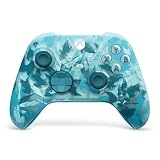
- BREAKER SERIES — Hold nothing back. Ice Breaker keeps it forever fresh with a mix of iced and frosted blues. Part of the collective debut of the Breaker special edition series.
- BOLD STYLE, BUILT TO PERFORM — Define your swagger with a wild, head-turning design. Stay elegantly on target with textured triggers built for every moment.
- RUBBERIZED GRIPS — Hold on to the action with rubberized grips on the back cases, designed for comfort and control during long gaming sessions.
- UP TO 40 HOURS OF BATTERY LIFE — Get up to 40 hours of battery life so you can keep playing without stopping to recharge.
- PLAY ACROSS EVERY SCREEN — Quickly pair with, play on, and switch between devices including console and PC. Stream games across mobile, gaming handhelds, Smart TVs, and supported VR headsets with XBOX Cloud Gaming.
Ignoring the ongoing power cost
Fix: Price the controller together with disposable AAs, rechargeable AAs or a charging solution. The standard controller’s replaceable cells are convenient for uninterrupted play, while the Elite’s internal battery is convenient between charges.
Relying on a seller’s generic platform icon
Fix: Check the exact model number, firmware notes and manufacturer support page. “PC compatible” is not evidence of Xbox-console compatibility.
Skipping return and warranty details
Fix: Keep the packaging until you have tested every stick direction, trigger, button, headset function, wireless mode and charging behavior. This is particularly important for controllers with many moving parts or internal batteries.
Independent reader supportYour contribution helps us test, update, and keep practical guides available for everyone.How to make the final decision
- List your devices. Mark Xbox Series X|S, Xbox One, Windows PC, Android and iOS, then mark whether you need wireless on each.
- Choose your power preference. Decide between replaceable AA cells, rechargeable AAs and an internal battery.
- Identify one must-have control. Examples are paddles, trigger locks, a dock, Hall-effect inputs, a wired connection or a different D-pad.
- Set a total-cost ceiling. Include batteries, adapters and missing bundle accessories, not just the controller price.
- Verify the exact listing. Confirm licensing, platforms, connection modes, included parts, firmware support, warranty and return terms.
- Buy the simplest model that satisfies the list. The standard controller is the answer when no specialist requirement remains; move to Elite or third-party only for a requirement you can name.
Frequently asked questions
The answers below address edge cases that often determine whether a purchase works in practice.
Can I use one controller with an Xbox and a phone?
Yes, the standard Xbox Wireless Controller is listed for Xbox consoles and Bluetooth-compatible Android and iOS devices. You may need to re-pair it when switching devices, and the mobile game must support controller input. An exact Elite or third-party model needs the same platform-by-platform check.
Does the Elite Series 2 include every accessory in every box?
No. The full Series 2 component set and the Series 2 Core are different packages. Check the exact retailer listing for paddles, alternate thumbsticks, charging base, USB-C cable and carry case before paying.
Are third-party Xbox controllers cheaper after accessories are added?
Sometimes, but not automatically. A lower-priced pad may require a separate wireless receiver, charging cable or battery pack. Compare the complete setup you need, including warranty and return coverage.
Also popular on Amazon

- Tri-mode Connectivity: Wired for Xbox, 2.4G & Wired for PC, and Bluetooth for Android. The G7 Pro supports seamless connectivity across Xbox, PC, and Android. Effortlessly switch between modes using the convenient physical mode switch.
- TMR Sticks: The G7 Pro features GameSir's Mag-Res TMR sticks, combining Hall Effect durability with traditional potentiometer performance. This advanced technology delivers stable polling rates for smooth, drift-free gaming with low power consumption.
- Hall Effect Analog Triggers: The GameSir precision-tuned Hall Effect analog triggers provide unmatched smoothness and linear input for precise control. Featuring clicky Micro Switch trigger stops, gamers can easily switch based on their preferences.
- 1000Hz Polling Rate on PC: Experience ultra-responsive gaming with a 1000Hz polling rate on PC, available through both wired and 2.4G wireless connections. This ensures instantaneous input registration, reducing lag and optimizing your performance for the most competitive gameplay.
- GameSir Nexus App: The G7 Pro is compatible with the upgraded GameSir Nexus app, which brings a significant upgrade over the original. It introduces powerful new features such as gyro settings, stick curve adjustments, and button-to-mouse mapping, giving you deeper customization and more control than ever before.
Is a wired controller always lower latency than a wireless one?
Wired operation removes the wireless link, but perceived responsiveness also depends on firmware, the game, the console or PC and display processing. Choose wired when its reliability and cable arrangement suit you; do not assume a wireless mode is unusable without a measured comparison.
What should I test immediately after delivery?
Test every stick direction for smooth movement, both triggers through their full range, all face and shoulder buttons, the D-pad, headset audio and microphone, wireless pairing on each intended device, charging and any rear controls. Confirm that the configuration app recognizes the exact model and that a firmware update completes successfully.
Frequently Asked Questions
Can I use one controller with an Xbox and a phone?
Yes. The standard Xbox Wireless Controller supports Xbox consoles and Bluetooth-compatible Android and iOS devices, although you may need to re-pair it and the mobile game must support controllers.
The Tool Desk
Outbyte Driver Updater FREEScan for outdated or missing drivers - takes under a minuteDriver Scan →Outbyte PC Repair FREERepair Windows errors before they cause bigger problemsFix Now →Does the Elite Series 2 include every accessory in every box?
No. Full Series 2 and Series 2 Core packages differ. Check the exact listing for paddles, alternate sticks, charging base, USB-C cable and carry case.
Are third-party Xbox controllers cheaper after accessories are added?
Not always. Include any required receiver, cable, battery, charging equipment and warranty differences when comparing total cost.
Is a wired controller always lower latency than a wireless one?
Wired operation removes the wireless link, but responsiveness also depends on firmware, the game, the console or PC and display processing.
What should I test immediately after delivery?
Check sticks, triggers, buttons, D-pad, headset, pairing on every intended device, charging, rear controls and firmware-app recognition while the return period is open.

