
iTechGuides is reader-supported. When you buy through links on our site, we may earn an affiliate commission. As an Amazon Associate I earn from qualifying purchases. Learn more
B650 is the best choice for most value-oriented gaming builds in 2024. X870 is worth considering when onboard USB4, PCIe 5.0 graphics support, or broader high-speed expansion matters more than minimizing the motherboard cost.
For most value-focused gaming PCs, B650 is the better motherboard chipset in 2024. It supports the essential AM5 features—DDR5 memory, AMD EXPO, CPU and memory overclocking, and fast NVMe storage—while typically costing less than X870. Choose X870 when you specifically need onboard USB4, PCIe 5.0 support for the graphics slot, more high-speed connectivity, or a premium platform for multiple demanding devices.
The important qualification is that a chipset does not fully define a motherboard. A well-designed B650 board can be a better purchase than a poorly equipped X870 model. Compare the individual board’s VRM, BIOS support, M.2 layout, lane sharing, networking, Wi-Fi, audio, rear I/O, and price before buying.
Quick comparison: X870 vs B650
| Feature | AMD B650 | AMD X870 |
|---|---|---|
| Socket | AM5 | AM5 |
| Target market | Mainstream and value-oriented builds | Premium and feature-heavy builds |
| CPU compatibility | Ryzen 7000, 8000, and 9000, subject to BIOS support | Ryzen 7000, 8000, and 9000 |
| Memory | DDR5 and AMD EXPO | DDR5 and AMD EXPO |
| CPU and memory overclocking | Supported | Supported |
| Graphics-slot capability | Varies by board; PCIe 4.0 x16 is common | PCIe 5.0 x16 capability |
| Primary NVMe capability | Varies by board; PCIe 5.0 M.2 is available on some models | PCIe 5.0 x4 NVMe support |
| USB4 | Not a standard chipset requirement | Standard feature |
| Best fit | Gaming, ordinary productivity, and sensible upgrade-focused builds | USB4 devices, multiple fast drives, creator workflows, and premium expansion |
What is the difference between B650 and X870?
B650 is AMD’s mainstream AM5 chipset, originally introduced for Ryzen 7000 systems. X870 is a newer premium AM5 chipset that became available on September 30, 2024 and was introduced alongside AMD’s newer Ryzen 9000 platform direction.
Popular on Amazon

- ✅This CPU Fan Cooling Mounting Sheet Plate is designed specifically for AMD Socket AM4 motherboards, compatible with B350, X370, A320, X470 and other AM4 chipsets.
- ✅Made of durable steel and plastic, it provides good heat dissipation, prevents deformation, and offers a long service life with reliable performance.
- ✅ Good heat dissipation ensures the CPU works properly even under heavy loads, protecting your processor from overheating.
- ✅There is a small hole on the pin that aligns with the motherboard, making installation firm and practical. The mounting hole distance is 90x54mm, fitting standard AM4 boards.
- ✅ Color: Silver and Black. Package includes: 1PC AM4 Backplane. (CPU fan and cooler not included).
Both use the same AM5 socket and support DDR5 memory. The practical difference is not that one socket works with newer processors and the other does not. Instead, X870 gives motherboard manufacturers a higher-end feature baseline, most notably standardized onboard USB4 and PCIe 5.0 capability for the main graphics slot. B650 boards can still offer impressive specifications, but their features vary more from model to model.
CPU compatibility: B650 is not automatically obsolete
AMD states that AM5 motherboards based on both the 600-series and 800-series chipsets are compatible with Ryzen 7000, Ryzen 8000, and Ryzen 9000 processors. A 600-series board, including B650, may need a BIOS update before it will boot with a Ryzen 8000 or Ryzen 9000 chip.
That makes BIOS support one of the first things to check when pairing a B650 board with a newer processor. Look for:
- The motherboard manufacturer’s CPU-support list.
- The minimum BIOS version required for your processor.
- A BIOS Flashback or similar update feature if the board may ship with an older BIOS.
- Whether the board can update the BIOS without an already-installed, supported CPU.
X870 generally offers a more straightforward Ryzen 9000-oriented buying experience because it is the newer generation, but it does not make B650 incompatible with Ryzen 9000. Firmware and the specific motherboard model determine the practical experience.
PCIe and graphics support
X870: PCIe 5.0 for the main graphics slot
AMD’s X870 specifications include a PCIe 5.0 x16 graphics configuration and a direct PCIe 5.0 x4 link for NVMe storage. AMD also lists up to 36 usable PCIe lanes and up to 24 PCIe 5.0 lanes in its chipset comparison.
This is useful for buyers who want the highest-specification expansion platform or expect future graphics hardware to benefit from PCIe 5.0. It is not, by itself, a reason to expect higher frame rates with a current graphics card. A modern GPU running at PCIe 4.0 x16 generally has ample interface bandwidth for gaming, and actual performance depends primarily on the GPU, CPU, memory, cooling, drivers, and game.
Also popular on Amazon

- AMD Socket AM4: Ready to support AMD Ryzen 5000 / Ryzen 4000 / Ryzen 3000 Series processors
- Enhanced Power Solution: Digital twin 10 plus3 phases VRM solution with premium chokes and capacitors for steady power delivery.
- Advanced Thermal Armor: Enlarged VRM heatsinks layered with 5 W/mk thermal pads for better heat dissipation. Pre-Installed I/O Armor for quicker PC DIY assembly.
- Boost Your Memory Performance: Compatible with DDR4 memory and supports 4 x DIMMs with AMD EXPO Memory Module Support.
- Comprehensive Connectivity: WIFI 6, PCIe 4.0, 2x M.2 Slots, 1GbE LAN, USB 3.2 Gen 2, USB 3.2 Gen 1 Type-C
B650: more variation between boards
B650’s graphics-slot specification is less uniform at the retail-board level. Some B650 boards provide PCIe 4.0 x16 for the graphics card while offering PCIe 5.0 on an M.2 slot. For example, ASUS’s PRIME B650-PLUS lists a CPU-connected PCIe 4.0 x16 graphics slot and a PCIe 5.0 x4 M.2 slot.
Free tools Windows power users keep installed
One-click scans. No signup required.
For a conventional single-GPU gaming PC, that arrangement is usually sensible: the graphics card gets a fast, adequate interface and the storage slot can accommodate a PCIe 5.0 SSD. Always read the exact specifications rather than assuming every B650 board has the same slot arrangement.
USB4 and external connectivity
USB4 is X870’s clearest advantage. AMD identifies USB4 as a standard X870 feature. A representative ASUS X870 motherboard provides two rear USB4 40Gbps Type-C ports, whereas the compared ASUS B650 board provides USB 3.2 ports without equivalent onboard USB4 ports.
USB4 can matter if you regularly use:
- High-speed external SSDs.
- USB4 docks and displays.
- Professional capture hardware.
- High-bandwidth external storage or other specialized peripherals.
For keyboards, mice, controllers, ordinary USB drives, audio interfaces, printers, and typical gaming accessories, B650’s USB selection is often sufficient. Do not assume that every USB-C port is USB4: connector shape does not determine the protocol or speed.
Also inspect the motherboard manual. On the representative X870 board, ASUS notes that USB4 bandwidth can be shared with a particular M.2 slot. That means even an X870 board’s headline feature may have an implementation trade-off.
If you choose X870 and already own compatible hardware, a USB4 external SSD or certified USB4 cable can make the added connectivity useful. A USB-C cable that is not rated for USB4 will not automatically deliver USB4 speeds.
Storage: both can support fast NVMe drives
X870 has a direct processor-connected PCIe 5.0 x4 NVMe link, plus additional chipset connectivity. This gives premium boards a strong foundation for multiple fast drives and add-in devices.
B650 is capable of fast storage too, but the number and generation of M.2 slots depend heavily on the motherboard. The ASUS PRIME B650-PLUS, for example, has one PCIe 5.0 x4 M.2 slot and a second PCIe 4.0 x4 M.2 slot. The representative X870 board has three M.2 slots, including one PCIe 5.0 x4 slot and additional PCIe 4.0 slots.
Also popular on Amazon

- AM4 socket: Ready for AMD Ryzen 3000 and 5000 series, plus 5000 and 4000 G-series desktop processors.Bluetooth v5.2
- Best gaming connectivity: PCIe 4.0-ready, dual M.2 slots, USB 3.2 Gen 2 Type-C, plus HDMI 2.1 and DisplayPort 1.2 output
- Smooth networking: On-board WiFi 6E (802.11ax) and Intel 2.5 Gb Ethernet with ASUS LANGuard
- Robust power solution: 12+2 teamed power stages with ProCool power connector, high-quality alloy chokes and durable capacitors
- Renowned software: Bundled 60 days AIDA64 Extreme subscription and intuitive UEFI BIOS dashboard
For a gaming computer with one or two SSDs, a good B650 board is normally enough. X870 becomes more compelling when you plan to install several NVMe drives, move large video or project files frequently, or combine storage with multiple high-speed add-in cards.
Do these 3 things before closing this tab:
1Fix the driver behind crashes, sound loss and screen glitches2Clear out junk files and repair common Windows errors3Scan for outdated or missing drivers - takes under a minuteBefore buying either board, check its storage diagram for:
- Which M.2 slot connects directly to the CPU.
- Whether the slot is PCIe 5.0 or PCIe 4.0.
- Whether installing an M.2 drive disables SATA ports or reduces an expansion slot’s lanes.
- Whether a heatsink is included for a PCIe 5.0 SSD.
- Whether USB4, SATA, or expansion-slot bandwidth is shared with storage.
Only pay extra for a PCIe 5.0 NVMe SSD when your workload can use its additional sequential performance or you specifically want a Gen 5 platform. For many game libraries, a quality PCIe 4.0 SSD remains the more economical choice.
Memory and overclocking
Both B650 and X870 support DDR5 memory, AMD EXPO profiles, CPU overclocking, and DDR5 memory overclocking. That means B650 does not impose a fundamental limitation on an enthusiast memory configuration.
X870 boards often advertise higher overclocked memory ceilings because they are newer designs. In one ASUS comparison, the X870 board lists support above DDR5-8000 overclocked, while the B650 model lists DDR5-7600+ overclocked support. These are support claims, not guarantees. The achievable speed depends on the CPU’s memory controller, BIOS version, DIMM kit, motherboard layout, number of populated modules, and system stability.
Quick wins for a faster PC:
Clear out junk files and repair common Windows errorsFree Scan →Scan for outdated or missing drivers - takes under a minuteDriver Scan →Repair Windows errors before they cause bigger problemsFix Now →For a reliable gaming build, prioritize a well-tested DDR5 kit with an EXPO profile over an extreme advertised maximum. AMD warns that operating the processor or memory outside published specifications can create instability, data loss, or hardware damage and may affect applicable warranty coverage.
Motherboard quality matters more than the chipset label
The chipset describes platform capabilities, but the manufacturer determines much of the board you actually use. Before comparing an X870 board with a B650 board, compare these model-level details:
Also popular on Amazon

- AMD Socket AM4: Ready to support AMD Ryzen 5000/4000/3000 Series Processors
- Enhanced Power Solution: Digital 3+3 VRM Design and premium chokes and capacitors for steady power delivery.
- Advanced Thermal Armor: Chipset heatsinks for better heat dissipation.
- Boost Your Memory: Compatible with DDR4 and supports 4 DIMMS with Extreme Memory Profile support.
- Comprehensive Connectivity: 1x Ultra Durable PCIe 4.0 x16 slot, 1x PCIe 4.0 M.2 slot, 1x PCIe 3.0 M.2 slot, 4x USB 3.2 Gen 1 ports for hassle-free setup.
| What to check | Why it matters |
|---|---|
| VRM design and cooling | Important for sustained CPU workloads, temperatures, and upgrade flexibility. |
| BIOS Flashback | Can simplify processor-support updates and recovery. |
| M.2 count and placement | Determines storage capacity, cooling, and access after installing a large GPU. |
| Lane sharing | Installing one device may disable or reduce another port or slot. |
| Ethernet and Wi-Fi | Networking speed and wireless generation vary by board, not merely chipset. |
| Audio hardware | Codec, amplification, and connector layout differ substantially between models. |
| Rear USB layout | Count the ports and protocols you actually need instead of counting USB-C connectors. |
| BIOS and fan-control features | Useful for memory compatibility, troubleshooting, noise control, and future CPUs. |
A strong AMD B650 motherboard with suitable VRM cooling, BIOS Flashback, PCIe 5.0 M.2 support, and the right rear I/O can be a better purchase than an entry-level X870 board. Conversely, a premium X870 board is justified when its USB4, expansion, storage, or firmware features directly solve a requirement in your build.
Which chipset is better for gaming?
B650 is usually the better gaming value. In a single-GPU system with one or two NVMe drives, it supplies the features most gamers need without directing as much of the budget toward connectivity that may go unused. The money saved can instead fund a faster graphics card, a stronger CPU, more memory, or a larger SSD.
Recommended Free Tools
X870 does not make a Ryzen processor or graphics card inherently faster. Choose it for gaming when you also need USB4, want PCIe 5.0 graphics readiness, plan several high-speed devices, or value premium board features and a newer expansion baseline.
For a value build, B650 AM5 motherboard models with a PCIe 5.0 M.2 slot are a sensible place to start. Confirm CPU support, VRM cooling, BIOS-update capability, and the exact expansion layout before selecting a model.
Which chipset is better for content creation?
X870 has a stronger case for creators who work with large media files on external storage, use USB4 docks or capture devices, install several NVMe drives, or need more expansion flexibility. Its connectivity can reduce the need for adapters and slower external interfaces.
B650 remains appropriate when the workload is mainly CPU or GPU compute and the selected board already provides enough storage, networking, USB, and expansion connectivity. A creator who works primarily from one internal SSD and does not use USB4 may gain more from investing in a faster CPU, GPU, or larger project drive than from moving to X870.
B650 vs X870: which should you buy?
Choose B650 if:
- You want the best price-to-performance ratio.
- You are building a normal single-GPU gaming PC.
- You will use one or two SSDs.
- You do not need onboard USB4.
- You are comfortable checking BIOS support for a Ryzen 8000 or Ryzen 9000 processor.
- You can find a B650 board with the VRM, M.2 layout, networking, and rear I/O you need.
Choose X870 if:
- You specifically need onboard USB4.
- You use USB4 external storage, docks, displays, or capture equipment.
- You want PCIe 5.0 capability for the primary graphics slot.
- You plan multiple NVMe drives or several high-speed add-in devices.
- You want a premium Ryzen 9000-oriented platform and the price premium fits your budget.
- The particular X870 board offers better firmware tools, expansion, cooling, or I/O for your workload.
Do not confuse X870 with X870E
X870 and X870E are not interchangeable labels. AMD positions X870E as the higher-lane option, with PCIe 5.0 support for both the graphics and NVMe paths and more total connectivity. X870 still provides PCIe 5.0 graphics and NVMe connectivity, but with fewer total usable lanes than X870E.
If your build needs unusually broad PCIe expansion, compare X870E as well. For an ordinary gaming system, however, the choice is usually between the board features you need and the money you could otherwise spend on the CPU or graphics card—not simply between the newest chipset names.
Also popular on Amazon
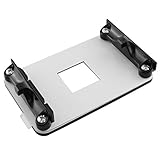
- Designed specifically for AMD Socket AM4 CPU's motherboards.
- Made of copper and plastic, good heat dissipation, prevents deformation, and a long service life.
- Good heat dissipation to ensure the CPU works properly.
- There is a small hole corresponding to the motherboard on the pin, which is firm and practical. The installation hole distance is 90x54mm.
- Color: Black,White.Package Includes:1PC AM4 Backplane.
Final verdict
B650 is the best motherboard chipset for most 2024 gaming builds and value-oriented AM5 systems. It supports the same AM5 processor family, DDR5, EXPO, overclocking, and fast NVMe storage, provided you select a board with the required BIOS and slot implementation.
X870 is the better specialist and premium choice. Its standardized USB4, PCIe 5.0 graphics capability, and broader high-speed connectivity make it worthwhile for demanding creators, USB4 users, multi-drive workstations, and buyers who specifically want those upgrade features.
PC Slower Than It Used to Be?
A free scan shows the junk files, broken settings and background clutter dragging Windows down - then fixes them in one click.Free scan · Windows 10 & 11Outdated Drivers Are Slowing You Down
One free scan finds every outdated or missing driver and matches the right update for your exact hardware.Free scan · exact hardware matchIn either case, choose the motherboard model—not just the chipset—by checking the manual’s lane-sharing diagram, CPU-support list, M.2 specifications, VRM cooling, BIOS tools, networking, audio, and rear-panel ports.
Frequently Asked Questions
Can B650 support Ryzen 9000?
Yes. AMD says AM5 motherboards using 600-series chipsets, including B650, support Ryzen 7000, 8000, and 9000 processors, although a BIOS update may be required for Ryzen 8000 or Ryzen 9000 CPUs. Check the exact board’s CPU-support list and BIOS-update procedure.
Does X870 improve gaming performance?
For most current single-GPU gaming systems, no. PCIe 4.0 x16 is generally sufficient for current graphics cards. X870’s PCIe 5.0 graphics support is mainly a future-readiness and platform-specification advantage unless your hardware and workload specifically require it.
Is X870 worth the extra cost?
X870 is preferable when you need standardized onboard USB4, multiple high-speed external devices, several NVMe drives, PCIe 5.0 graphics capability, or premium expansion and firmware features. Otherwise, a well-equipped B650 board is usually the better value.
The Tool Desk
Outbyte PC Repair FREERepair Windows errors before they cause bigger problemsFix Now →Outbyte Driver Updater FREEFix the driver behind crashes, sound loss and screen glitchesFind Drivers →Is X870 better for DDR5 memory?
Not necessarily. Both support DDR5 and AMD EXPO. X870 boards may advertise higher overclocked memory ceilings, but actual results depend on the CPU memory controller, BIOS, DIMMs, motherboard layout, and configuration.
The Bottom Line
Buy B650 for value and ordinary gaming; buy X870 for USB4, PCIe 5.0 graphics readiness, and heavier expansion demands. The best board is the specific model whose I/O, storage layout, firmware, power delivery, and price match your build.

