
Windows Errors? Fix Them Before They Spread
Repair common Windows errors and clear accumulated junk for a smoother, more stable PC - no reinstall needed.Free scan · no reinstallCrashes, No Sound, or Screen Glitches?
Random freezes, missing sound and display glitches usually trace back to one bad driver. Find and replace yours safely.Free scan · under a minuteiTechGuides is reader-supported. When you buy through links on our site, we may earn an affiliate commission. As an Amazon Associate I earn from qualifying purchases. Learn more
Wired and wireless security cameras are not opposite versions of the same thing. “Wired” usually describes a camera that sends video through Ethernet or coax to a recorder, while “wireless” often means a camera that sends video over Wi‑Fi but still uses an electrical outlet. A battery-powered “wire-free” camera removes the camera power cable as well, normally by recording only when motion is detected.
The right choice depends on whether you need continuous coverage, can route cable, have reliable Wi‑Fi and power, want local or cloud storage, and can maintain batteries. No cable type is automatically more secure or more reliable; those outcomes depend on the exact camera, recorder, network, software, power protection, and recording plan.
What “wired” and “wireless” mean
Security-camera labels combine several independent decisions: how the camera receives power, how it transports video, where recordings are stored, and whether remote access uses the internet. Separating those questions prevents the most common buying mistakes.
What’s actually slowing this PC down?
Pick the symptom - the matching free tool is one click away.
Wired recorder cameras
A traditional wired system connects cameras to a DVR or NVR. Older analog systems commonly use coaxial cable, while modern Power over Ethernet (PoE) systems use Ethernet cable. Depending on the design, one cable may carry video, network traffic, and power, or separate power and video cables may be used.
Popular on Amazon
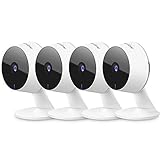
- Stay Connected Anywhere: This wired Wi-Fi Camera access 24/7 live streams via LaView app on mobile or web browser; supports up to 9 simultaneous live feeds; stay in touch with your home at all times
- 1080P HD & Night Vision: Capture clear 2.1MP live views; equipped with advanced IR night vision for up to 33 ft coverage; compatible with 2.4GHz WiFI network(5GHz not supported); ensures quality monitoring even in darkness
- Motion Detection & Clear Two-way audio: Instant motion detection with smart alerts; this indoor home security camera supports clear two-way audio with noise cancellation; stay informed and communicate with family anytime
- Fit for most scenes & Sharing: The camera can be installed anywhere such as the living room & kitchen & office; space-efficient design; share access with up to 20 people; monitor multiple cameras from a single account
- 30 days free-trial US Cloud Storage & Micro-SD Storage: 30-day US cloud storage trial; The cloud storage bases on the AWS server in the US to encrypt your data and avoid the risk of losing video clips; microSD slot up to 128GB; store recordings securely
The recorder generally stores footage on an internal hard drive. Remote viewing may require the recorder to connect to your router, but the camera-to-recorder link itself can continue operating on the local network if the internet connection fails. Verify this behavior in the specific recorder’s documentation.
Wi‑Fi cameras with outlet power
A Wi‑Fi camera sends video over your wireless network but plugs into a wall outlet, adapter, or another constant power source. It is wireless for data, not for power. Placement is therefore limited by both Wi‑Fi coverage and the length and safety of the power cable.
Constant power can support features such as longer live views or continuous recording, but those capabilities vary by model, storage method, and subscription. A Wi‑Fi camera is not automatically cloud-only or battery-powered.
Battery-powered “wire-free” cameras
A wire-free camera has no camera power cable. Its battery must be recharged or replaced, and the mounting point must remain reachable for maintenance. To preserve battery life, many wire-free models sleep until their motion sensor is triggered, record an event, and then return to standby. Lorex describes its wire-free cameras in this way; other manufacturers may offer different modes.
Removing the cable makes installation flexible, but it can also mean gaps between events, delayed wake-up, or reduced battery life in busy areas. Treat “wireless” and “wire-free” as different categories when comparing products.
Wired, outlet-powered Wi‑Fi, and battery Wi‑Fi compared
| Decision axis | Wired recorder or PoE | Wi‑Fi with outlet power | Battery-powered Wi‑Fi |
|---|---|---|---|
| Installation | Run cable to a recorder, network switch, or both. Concealed routes may require drilling or professional work. | Mount near a safe outlet and within dependable Wi‑Fi range. The power cord remains visible or must be routed. | Mount without a camera power cable, but leave access for charging and avoid locations that require a ladder for routine service. |
| Typical coverage mode | Often chosen for continuous recording; confirm camera, recorder, storage, and plan specifications. | Constant power can support always-on features, but continuous recording is model-specific. | Motion-triggered or event recording is common because standby conserves battery power. |
| Camera network link | Ethernet or coax, depending on the system. Remote access may still need a router and internet connection. | Wi‑Fi carries the video. Signal quality at the final mounting point matters more than signal strength beside the router. | Wi‑Fi remains relevant for app control, alerts, and cloud features on Wi‑Fi models. |
| Storage | Usually an NVR or DVR drive; check included capacity and supported camera and disk combinations. | May support microSD, a hub or recorder, cloud storage, or a combination. | May support local or cloud storage, with recording often limited to motion events. |
| Maintenance | No camera battery charging, but the recorder, drives, cables, and network equipment need power and periodic checks. | No battery charging, but outlets, adapters, Wi‑Fi, and firmware require attention. | Periodic charging or battery replacement is required; usage, temperature, settings, and live viewing affect runtime. |
| Best fit | Fixed locations where cable installation is acceptable and dependable, long-duration coverage is important. | Fixed locations with nearby power and strong Wi‑Fi. | Rentals, temporary placements, outbuildings, or locations where routing cable is impractical. |
This table is a selection guide, not a guarantee for every model. Confirm outage behavior, weather rating, video quality, encryption, storage limits, and subscription rules for the exact camera and recorder.
How recording actually works
Continuous recording
Continuous recording writes a stream to storage all the time or during a configured schedule. It is useful when you need to review what happened before an event, such as a person approaching from outside the motion-detection zone. Continuous operation consumes more storage and power than event recording, so the camera, recorder, storage drive, and plan must all support it.
Free tools Windows power users keep installed
One-click scans. No signup required.
Also popular on Amazon

- 【Free AI-Detection & Instant Notification】Get instant push notifications when motion or a person is detected, you can even use C100 as a baby camera monitor since it support baby crying detection. Discern from notifications that matter, so you'll know if it’s your pet playing around or if someone is actually there.
- 【2-Way Audio w/ Built In Siren】Never truly leave home with the built-in 2-way audio. Use as a pet camera with phone app to comfort your pet from anywhere in the world. Keep your family safe with cameras for home security indoor by warding off intruders.
- 【Night Vision up to 30 Ft.】Never miss a thing that goes on, even at night thanks to the integrated IR system on this indoor camera which provides 30 feet of night vision.
- 【1080P FHD】Capture every detail inside your home with crystal-clear 1080P high definition video with this indoor security camera. Easily see what your baby is holding or what your pet is playing with.
- 【Works w/ Alexa & Google Home】Fully compatible with Amazon Alexa and Google Assistant, use your simple voice command to view Tapo indoor security camera live stream on Echo Show or Google Chrome Cast with a screen. Easily get your home security footage up on a larger TV display.
Google summarizes its Nest comparison by saying, “Wired cameras provide always-on, clear coverage, while battery-powered cameras allow for flexible placement.” That is a description of those Nest products, not a universal rule. Some wired cameras are event-only, and some plugged-in Wi‑Fi cameras have no continuous-history option.
Motion and event recording
Event recording starts when a camera detects motion, a person, a vehicle, or another configured trigger. It reduces storage and battery use, but detection zones, sensitivity, object classification, and wake-up time affect what is captured. Heavy activity can produce many clips and drain a battery quickly.
Battery products commonly use this approach. A camera that sleeps between events may not provide a frame-by-frame record of everything that occurred, even if its live view is available on demand.
Local storage, cloud storage, and internet access
Local storage can mean an NVR or DVR drive, a memory card inside the camera, or a local hub. Cloud storage uploads clips to a provider’s servers and usually ties retention and playback history to an account or paid plan. Some systems support both, while others require one method.
The Tool Desk
Outbyte Driver Updater FREEScan for outdated or missing drivers - takes under a minuteDriver Scan →Outbyte PC Repair FREEClear out junk files and repair common Windows errorsFree Scan →Internet access and Wi‑Fi are separate concepts. A camera can communicate with a local recorder without the public internet, yet remote viewing and push notifications may stop when the internet is down. Conversely, a Wi‑Fi camera may need internet access for its app, cloud uploads, or account authentication even when it has local storage.
Ring states for its cameras that, “Wireless security cameras require a wifi connection to send notifications, stream Live View, and upload recorded video.” That statement applies to the Ring products described in its September 18, 2026 guide; it should not be generalized to every camera or every local-recording arrangement.
Installation: choosing and setting up each type
Installing a wired PoE or recorder system
- Map coverage first. Mark camera views, blind spots, mounting heights, lighting conditions, and the route back to the recorder or network cabinet.
- Confirm cable and distance limits. Use the cable type and maximum run specified by the camera, recorder, and switch. Long or electrically noisy routes may need approved extenders or a different network design.
- Plan recorder placement. Keep the NVR or DVR in a secure, ventilated location with access for drive replacement and network connections. A recorder inside the protected area is harder to steal with the cameras.
- Test before permanent mounting. Connect each camera, check focus and night illumination, verify the time zone, and confirm that the recorder receives the expected resolution and frame rate.
- Weatherproof exterior connections. Use the manufacturer’s sealing method, drip loops, and suitable conduit. Water entering a connector can cause intermittent video that looks like a network fault.
- Configure retention and alerts. Choose continuous, scheduled, or event recording; set detection zones; and verify that the storage drive reports healthy capacity.
PoE simplifies cabling but does not make the system immune to power loss. The camera, PoE switch or recorder, router, and storage all need power for recording to continue.
Also popular on Amazon

- 📌【Why Choose Us?】 Millions of families trust realhide for hassle-free, reliable home security. From easy setup to long-lasting battery and smart alerts, we make protecting your home effortless — because your peace of mind matters most.
- 📌 【Crystal-Clear 2K UHD & Vibrant Color Night Vision】 Experience every detail in breathtaking 2K clarity — from faces to license plates — day or night. When darkness falls, the upgraded built-in spotlight delivers true full-color night vision, keeping your home safe and visible around the clock, no matter how dark it gets.
- 📌 【Flexible & Reliable Dual Storage】 Never worry about losing a moment — choose free rolling cloud storage for hassle-free backups or a local SD card (up to 256GB) for full control. Even if your WiFi goes down, your important recordings stay safe and accessible, giving you peace of mind 24/7.
- 📌 【Dual-Band WiFi for Lightning-Fast, Rock-Solid Connection】 Say goodbye to laggy streams and buffering! Supporting both 2.4GHz & 5GHz WiFi, our camera delivers blazing-fast live view, ultra-smooth playback, and unshakable stability, even in crowded networks or busy neighborhoods.
- 📌 【Up to 6-Month Battery Life — Truly Worry-Free】 No more taking the security camera down every few weeks. The high-capacity rechargeable battery delivers up to 6 months of power (varies by detection), making it perfect for driveways, porches, yards, or remote areas without outlets.
Installing an outlet-powered Wi‑Fi camera
- Measure Wi‑Fi at the mounting point. Test from the exact location, with doors and walls in their normal positions. A strong signal beside the router does not prove that an exterior wall or detached room will work.
- Provide safe, constant power. Use the supplied adapter or a documented replacement. Outdoor outlets should have appropriate weather protection and electrical safety devices.
- Complete account and firmware setup indoors. Update the camera, change the default credentials, enable multifactor authentication when available, and confirm the correct time zone.
- Choose storage deliberately. Decide between local card or hub storage, cloud history, or both. Check retention, overwrite behavior, and whether a subscription is required for the features you need.
- Mount and retest. Check live view, night mode, motion zones, notification timing, and recording after the camera is in its final position.
Installing a battery-powered camera
- Select an accessible mounting point. You will need to recharge or replace the battery, so avoid a location that requires unsafe climbing.
- Charge and update before mounting. Pair the camera, install firmware updates, set detection zones, and test alerts while it is easy to reach.
- Balance coverage and battery life. Aim the camera away from constant traffic, moving branches, reflective surfaces, and heat sources that can create repeated triggers.
- Set an inspection schedule. Use the manufacturer’s battery indicator and your own activity pattern to decide how often to check charge level. Do not assume a stated runtime applies to your temperature, signal strength, or viewing habits.
- Verify event gaps. Walk through the scene from several directions and confirm that clips begin early enough and continue long enough to identify what matters.
Reliability during outages and weak connections
Wired links generally avoid radio interference between the camera and recorder, but they still depend on power. A UPS can keep a recorder, PoE switch, router, and modem running during a short outage; it cannot guarantee operation through a prolonged failure. If only the camera has backup power while the recorder is off, footage may still be lost.
Recommended Free Tools
Wi‑Fi reliability depends on distance, walls, channel congestion, access-point placement, and interference. A mesh system or additional access point can help, but each added wireless hop introduces another device that must remain powered. Test the finished installation rather than relying on a coverage map.
Battery cameras may continue sensing locally during an internet outage, but app access, cloud upload, and notifications can be unavailable. Whether clips are retained and uploaded later is a product-specific behavior that should be tested before relying on the camera for evidence.
Security and privacy considerations
The cable type alone does not determine cybersecurity. Review the current model’s encryption in transit and at rest, authentication options, firmware-update policy, account recovery, remote-access controls, and storage architecture. Disable unused services, use a unique password, enable multifactor authentication, and keep the camera and recorder updated.
NISTIR 8267, a 2019 draft report based on hands-on review of a selected group of consumer IoT devices, found differences among sampled cameras in setup networks, cloud-hosted application servers, and communications protection. It is historical, limited-sample evidence—not a current ranking of wired versus wireless cameras.
Quick wins for a faster PC:
Repair Windows errors before they cause bigger problemsFix Now →Fix the driver behind crashes, sound loss and screen glitchesFind Drivers →Clear out junk files and repair common Windows errorsFree Scan →Local recording can reduce dependence on a cloud account, but it does not automatically make a system private. A camera may still contact vendor servers for setup, updates, remote access, or notifications. Conversely, a cloud service can provide encrypted off-site copies that remain available if a thief removes the recorder. Compare the actual data flows and controls for the model you are considering.
Costs and ongoing ownership
Wired systems usually concentrate cost in installation, cable, mounting hardware, a recorder, storage drives, and possibly a PoE switch. Once installed, they avoid camera-battery purchases and may provide predictable storage costs. Professional installation can add labor when cable routes are difficult.
Also popular on Amazon

- 360° Visual Coverage & 1080p Full HD Live View: Provides 360° horizontal & 130° vertical viewing range to cover every corner. Reveals clear and sharp images with more details. The camera's field of view is greater than the mechanical pan/tilt range.
- Person Detection and Motion Tracking: Smart AI identifies a person while tracking motion with high-speed rotation, notifying users as needed.
- Night Vision (up to 98 ft): Ensures your safety by providing a clear visual distance of up to 98 ft even in total darkness.
- Physical Privacy Mode: Maintains your privacy with the lens physically blocked by the housing.
- Two-Way Audio w/ Customizable Sound Alarm: With high-quality microphone and speakers, activate 2-way audio, push-to-talk, anytime via the Tapo app. Additionally, record your customized audio as an alarm to extend your usages.
Outlet-powered Wi‑Fi cameras reduce cable labor but still require suitable power, network equipment, and possibly cloud storage. Battery cameras may be inexpensive to place initially, yet ownership includes charging time, spare batteries or replacement cells where supported, and the risk of missed footage while a battery is removed.
Cloud plans vary by provider and region. Ring explains that continuous recording on its cameras requires constant power, a compatible device, and a paid plan; other manufacturers use different rules. Treat subscription, retention period, camera limits, and export options as part of the system cost, not as optional details discovered after installation.
Which type fits common situations?
You own the property and want a detailed record
Start with a wired PoE or recorder system if you can route cable and need dependable, long-duration coverage. Confirm that the recorder supports the desired number of cameras, storage capacity, frame rate, and retention period. Lorex lists wired systems with capabilities up to 32 channels, but that is a product-category limit for applicable systems, not a recommendation that every installation needs 32 cameras.
You need one or two cameras near outlets
An outlet-powered Wi‑Fi camera is often the simplest choice when the mounting point has reliable Wi‑Fi and safe power. It avoids long cable runs while eliminating battery charging. Verify whether local recording works without internet and whether continuous recording is available.
You rent or must cover a temporary location
A battery-powered camera avoids drilling and can move with you. Choose a mount that remains accessible, plan charging intervals, and accept that motion-based recording may leave gaps compared with a continuously powered system.
You need coverage in a detached building
Compare the cost and reliability of running Ethernet, extending Wi‑Fi, or using a battery camera. A wireless signal that works at the house may not reach a garage or shed through exterior walls. Test at the camera position and consider whether the building has dependable power for an access point or recorder.
You must preserve footage during an internet outage
Prioritize local recording and verify that the camera or recorder continues writing footage when the internet is disconnected. Add power backup for every required component. Cloud-only recording cannot upload while the connection is unavailable, although some products may buffer clips and retry later.
Also popular on Amazon

- 2K Ultra HD & 10m Night Vision: Equipped with 2K Full HD resolution, this indoor security camera delivers sharp, detailed live video for baby/pet monitoring and home security—letting you keep an eye on what matters most anytime, anywhere(with 10-meter clear night vision)
- Dual-Band 2.4G/5GHz WiFi & Bluetooth Pairing: Effortlessly connect based on dual wifi signal WiFi more stable signals for smooth live viewing. Setup takes just minutes with Bluetooth pairing—no complicated configurations required
- AI Motion Tracki &Wide-Angle View: With 340° horizontal and 80° vertical pan/tilt rotation, the indoor camera features advanced AI motion tracking, cover every corner of your room and monitors your home security comprehensively, capturing all key moments
- Smart Motion Detection & Customizable Zones:This security camera also can detect motion or sounds. On the Osaio app, you can customize monitoring zones to target key areas, ensuring you get alerts about what matters, delivers reliable peace of mind
- Two-Way Audio & Alexa Compatibility: The built-in microphone and speaker let you communicate in real time, whether you’re comforting your baby, soothing your pet, or greeting family. Pair the camera with Alexa device to view the live via voice control
Buyer’s checklist
- Does “wireless” refer only to video transmission, or is the camera also battery-powered?
- Is recording continuous, scheduled, motion-triggered, or selectable?
- Where are recordings stored, how long are they retained, and what happens when storage fills?
- Does local recording continue without internet access?
- Are notifications, Live View, or cloud uploads dependent on Wi‑Fi and a paid plan?
- What power remains available during an outage, and are the recorder, router, and modem covered?
- What encryption, multifactor authentication, firmware support, and remote-access controls are documented?
- Can you safely reach a battery camera for charging in winter, bad weather, or low light?
- Are the camera, recorder, storage drive, PoE switch, memory card, and accessories explicitly compatible?
- Does the weather rating match the mounting location, including temperature, rain, dust, and direct sun?
Troubleshooting common problems
The camera shows a weak or lost connection
For Wi‑Fi models, test signal strength at the final mount, reduce obstructions, move an access point, and check for channel congestion. For wired systems, inspect connectors, replace a suspect cable with a known-good one, and check PoE or recorder port status. Do not assume a cloud-service outage is a camera hardware failure.
Clips are missing before an event
Check whether the camera is event-only, whether pre-event buffering is supported, and whether motion zones exclude the approach path. Battery models may wake after movement has begun. Continuous coverage requires a compatible power source, recording mode, and storage plan.
Notifications arrive late or not at all
Confirm that the camera is online, notification permissions are enabled, detection sensitivity is appropriate, and the account or plan includes alerts. Internet-dependent notifications will fail during an outage even if a local recorder continues saving video.
The battery drains quickly
Look for repeated triggers from traffic, trees, lights, or animals; weak Wi‑Fi that forces retransmissions; frequent Live View sessions; cold temperatures; and high-resolution or long-clip settings. Re-aim the camera, narrow detection zones, and test again before concluding that the battery is defective.
The recorder has footage but remote viewing fails
Check the recorder’s local display first. If local playback works, inspect router access, internet service, account authentication, and remote-access settings. A remote-access failure does not necessarily mean that local recording stopped.
The Bottom Line
Choose a wired recorder or PoE system when you can install cable and need dependable, continuous-style coverage. Choose outlet-powered Wi‑Fi for fixed locations with good wireless service and nearby power. Choose battery-powered Wi‑Fi when flexible placement matters more than uninterrupted recording and regular charging is acceptable. Before buying, verify recording mode, storage, internet dependence, outage behavior, security controls, and subscription requirements for the exact model.

