
The Tool Desk
Outbyte PC Repair FREERepair Windows errors before they cause bigger problemsFix Now →Outbyte Driver Updater FREEFix the driver behind crashes, sound loss and screen glitchesFind Drivers →iTechGuides is reader-supported. When you buy through links on our site, we may earn an affiliate commission. As an Amazon Associate I earn from qualifying purchases. Learn more
After decades of moving between consoles, PCs and handhelds, I ultimately chose Xbox because its platform is no longer just one piece of hardware. A supported game, account, save file and controller can move among an Xbox console, Windows PC, cloud sessions and selected other screens. That continuity matters more to me than any single specification.
Xbox is not automatically the best choice for every player. PlayStation and Nintendo have their own exclusive-game priorities, while a PC offers different hardware flexibility. My decision rests on the way Xbox connects a library across devices, adds discovery through Game Pass, and is extending access to older games.
What changed my definition of a gaming platform?
I used to think of a platform as the box connected to my television. Now I think of it as the combination of an account, purchases, saves, achievements, friends and the screens on which I can continue playing. Xbox fits that definition unusually well because Microsoft has built several layers of continuity rather than relying on one console generation.
Quick wins for a faster PC:
Repair Windows errors before they cause bigger problemsFix Now →Fix the driver behind crashes, sound loss and screen glitchesFind Drivers →The most important layer is Xbox Play Anywhere. Game Pass and cloud gaming then make that library easier to discover and reach, while backward-compatibility work keeps older purchases relevant.
Popular on Amazon
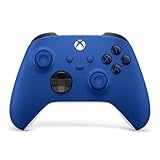
- MODERNIZED DESIGN — Experience the modernized design of the XBOX Wireless Controller with sculpted surfaces and updated geometry that enhances comfort and control during long gaming sessions.
- PRECISION PERFORMANCE — Stay on target with a hybrid D-pad and textured grips on triggers, bumpers, and back case for improved accuracy and handling.
- SHARE BUTTON: Seamlessly capture and share content such as screenshots, recordings, and more with the new Share button.
- VERSATILE CONNECTIVITY — Connect via USB-C for plug-and-play on console and PC, or quickly pair and switch between supported devices with XBOX Wireless and Bluetooth support.
- BUILT-IN AUDIO SUPPORT — Plug in compatible headsets using the 3.5mm audio jack for direct voice chat and immersive in-game sound.
How does Xbox Play Anywhere keep one library together?
For a supported title, Xbox Play Anywhere lets one purchase provide access on an Xbox console and a Windows PC. The entitlement can include cross-progression, cloud saves, achievements, add-ons and related digital benefits, so changing screens does not necessarily mean starting over.
What Play Anywhere does well
- One qualifying purchase can cover both console and Windows PC versions.
- Progress and saves can follow the account between those versions.
- Achievements and eligible add-ons remain associated with the same entitlement.
What it does not promise
Play Anywhere is title-specific, not a guarantee for every Xbox game. Before buying, check the individual store listing for the Play Anywhere designation; a game without that support may require a separate PC purchase or may not offer the same save continuity.
Is Xbox Game Pass worth it for a multi-platform player?
Game Pass is the discovery and value layer of my Xbox choice. Xbox advertises hundreds of console and PC games, cloud play, monthly additions, multiplayer, discounts and rewards, but the exact catalog and benefits depend on the plan and can change.
Also popular on Amazon

- MODERNIZED DESIGN — Experience the modernized design of the XBOX Wireless Controller with sculpted surfaces and updated geometry that enhances comfort and control during long gaming sessions.
- PRECISION PERFORMANCE — Stay on target with a hybrid D-pad and textured grips on triggers, bumpers, and back case for improved accuracy and handling.
- SHARE BUTTON: Seamlessly capture and share content such as screenshots, recordings, and more with the new Share button.
- VERSATILE CONNECTIVITY — Connect via USB-C for plug-and-play on console and PC, or quickly pair and switch between supported devices with XBOX Wireless and Bluetooth support.
- BUILT-IN AUDIO SUPPORT — Plug in compatible headsets using the 3.5mm audio jack for direct voice chat and immersive in-game sound.
That model is most useful when I want to sample different genres, play releases on more than one device or avoid buying every experiment outright. It is less compelling for someone who mainly buys a small number of permanent favorites, wants a particular exclusive that is not included, or lives in a region where the preferred plan or cloud catalog is limited.
How to judge the subscription without overpromising
- List the games you genuinely expect to play during the next few months.
- Check whether each one is in the current console, PC or cloud catalog for the plan available in your region.
- Decide whether multiplayer, discounts and monthly additions have value for your habits.
- Remember that subscription access is different from owning a game: a catalog title can leave the service, while a purchase remains tied to your account.
Can I play Xbox games on a phone, PC, TV or handheld?
Xbox Cloud Gaming extends supported games beyond a console. Xbox lists browsers, phones, tablets, PCs, consoles, selected smart TVs, Amazon Fire TV, VR headsets and handhelds among its supported categories. Access still depends on the particular game, plan, region, device and network.
| Endpoint | What Xbox supports | Important condition |
|---|---|---|
| Xbox console and Windows PC | Play Anywhere access for qualifying purchases, including cross-progression and cloud saves | Only games marked as supported provide those entitlements |
| Browser, phone, tablet or PC cloud session | Cloud play for supported games | Game, plan, region, device and network support vary |
| Selected smart TVs and Amazon Fire TV | Cloud gaming on supported television devices | Compatibility is limited to selected devices and can change |
| Supported handhelds and VR headsets | Cloud access where Xbox supports the specific hardware | Device and regional availability must be checked before relying on it |
| Xbox Wireless Controller | Compatibility with Series X|S, Xbox One, Windows PC, Android and iOS | The controller is a practical common input device, but the game and device still need support |
Why cloud gaming matters to my decision
Cloud play turns the Xbox account into something I can use when the console is occupied or unavailable. It is also the clearest expression of Xbox’s stated direction. Harrison Hoffman, Xbox’s principal product manager for Cloud Apps and Devices, described the mission as enabling players to play the games they want, with the people they want, anywhere they want.
Also popular on Amazon

- MODERNIZED DESIGN — Experience the modernized design of the XBOX Wireless Controller with sculpted surfaces and updated geometry that enhances comfort and control during long gaming sessions.
- PRECISION PERFORMANCE — Stay on target with a hybrid D-pad and textured grips on triggers, bumpers, and back case for improved accuracy and handling.
- SHARE BUTTON: Seamlessly capture and share content such as screenshots, recordings, and more with the new Share button.
- VERSATILE CONNECTIVITY — Connect via USB-C for plug-and-play on console and PC, or quickly pair and switch between supported devices with XBOX Wireless and Bluetooth support.
- BUILT-IN AUDIO SUPPORT — Plug in compatible headsets using the 3.5mm audio jack for direct voice chat and immersive in-game sound.
Xbox reported that players streamed 140 million hours through Xbox Cloud Gaming between October and December 2024, with the figure reported in 2025. That is a company usage figure for a defined period, not a guarantee of performance on an individual connection. Cloud play remains sensitive to network quality, supported regions and the game’s availability.
At a 2025 Game Developers Conference presentation, Xbox also said its multi-device player demographic represented one-third of all gamers and two-thirds of spending. Those are Xbox-reported figures, not an independent estimate of the entire market, but they explain why the company is designing around multiple screens. Leo Olebe, Xbox’s vice president of Global Partnerships, summarized the ambition as making every screen in the world an Xbox.
What does Xbox’s 2026 backward-compatibility move add?
Backward compatibility connects the current account-and-library model to games from earlier generations. In July 2026, Xbox announced an early-release backward-compatibility program on PC, beginning with four original Xbox games and supported handhelds.
Also popular on Amazon
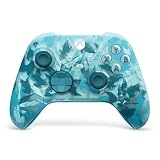
- BREAKER SERIES — Hold nothing back. Ice Breaker keeps it forever fresh with a mix of iced and frosted blues. Part of the collective debut of the Breaker special edition series.
- BOLD STYLE, BUILT TO PERFORM — Define your swagger with a wild, head-turning design. Stay elegantly on target with textured triggers built for every moment.
- RUBBERIZED GRIPS — Hold on to the action with rubberized grips on the back cases, designed for comfort and control during long gaming sessions.
- UP TO 40 HOURS OF BATTERY LIFE — Get up to 40 hours of battery life so you can keep playing without stopping to recharge.
- PLAY ACROSS EVERY SCREEN — Quickly pair with, play on, and switch between devices including console and PC. Stream games across mobile, gaming handhelds, Smart TVs, and supported VR headsets with XBOX Cloud Gaming.
The announcement does not mean that every older Xbox game is immediately available on PC or handheld. It does show a direction: Xbox is treating an existing library as an ongoing asset rather than something that expires when hardware changes. Jason Ronald, Xbox’s vice president of Next Generation, put that idea plainly: “Your library is more than just a collection of games.”
What trade-offs keep Xbox from being the universal choice?
The continuity argument is strong, but it has boundaries that should remain visible:
What’s actually slowing this PC down?
Pick the symptom - the matching free tool is one click away.
- Game support: Play Anywhere and cloud play apply to supported titles, not automatically to the whole library.
- Plan differences: Game Pass catalogs, cloud access and benefits vary by tier and region.
- Network dependence: Cloud gaming requires a connection capable of delivering a responsive stream; local console or PC play avoids that particular dependency.
- Changing availability: Devices, catalogs, hardware configurations and service terms change over time.
- Exclusive priorities: If a player’s main reason to buy a console is a specific PlayStation or Nintendo game, Xbox’s continuity may not outweigh that preference.
- Hardware choice: The right Xbox model depends on current price, stock, storage and the balance between local play and cloud use, all of which should be checked at purchase time.
How should you decide between Xbox, PlayStation, Nintendo and PC?
I would make the decision in this order rather than starting with a specification sheet:
Also popular on Amazon

- Tri-mode Connectivity: Wired for Xbox, 2.4G & Wired for PC, and Bluetooth for Android. The G7 Pro supports seamless connectivity across Xbox, PC, and Android. Effortlessly switch between modes using the convenient physical mode switch.
- TMR Sticks: The G7 Pro features GameSir's Mag-Res TMR sticks, combining Hall Effect durability with traditional potentiometer performance. This advanced technology delivers stable polling rates for smooth, drift-free gaming with low power consumption.
- Hall Effect Analog Triggers: The GameSir precision-tuned Hall Effect analog triggers provide unmatched smoothness and linear input for precise control. Featuring clicky Micro Switch trigger stops, gamers can easily switch based on their preferences.
- 1000Hz Polling Rate on PC: Experience ultra-responsive gaming with a 1000Hz polling rate on PC, available through both wired and 2.4G wireless connections. This ensures instantaneous input registration, reducing lag and optimizing your performance for the most competitive gameplay.
- GameSir Nexus App: The G7 Pro is compatible with the upgraded GameSir Nexus app, which brings a significant upgrade over the original. It introduces powerful new features such as gyro settings, stick curve adjustments, and button-to-mouse mapping, giving you deeper customization and more control than ever before.
- Identify must-play games. An exclusive or a preferred series can outweigh every service advantage.
- Map your screens. If you regularly switch between console, Windows PC, phone, TV or handheld, Xbox’s continuity becomes more valuable.
- Separate ownership from access. Play Anywhere is a purchase entitlement for supported games; Game Pass is a changing subscription catalog; cloud gaming adds a network-dependent way to play.
- Check geography and devices. Confirm that the plan, title and endpoint you want are supported where you live.
- Choose local or cloud play deliberately. Cloud is convenient for access and portability, while installed games provide independence from streaming conditions.
That framework is why Xbox won for me. It does not claim the strongest exclusive catalog, the best hardware configuration or the ideal service in every country. It does offer a coherent way to keep one gaming identity moving between devices, and that is the feature I value most after years of switching platforms.
Frequently Asked Questions
Are Xbox Game Pass and Xbox Play Anywhere the same thing?
No. Play Anywhere is a title-level entitlement attached to qualifying purchases, while Game Pass is a subscription catalog whose games and benefits depend on the plan. A game can be available through Game Pass without giving you permanent ownership when the subscription ends.
Does every game in my Xbox library work on PC or in the cloud?
No. PC access through Play Anywhere and cloud access are both limited to supported titles. The safest check is the game’s current store listing and the cloud catalog for your region before you buy hardware or a subscription.
Can cloud gaming replace an Xbox console?
It can serve as a primary way to reach supported games for some people, but it depends on a compatible device, an eligible plan, regional availability and a suitable network. Local console or PC installation remains the more predictable option when those conditions are uncertain.
Should Xbox’s multi-device player statistics be treated as market-share data?
No. The one-third-of-gamers and two-thirds-of-spending figures were presented by Xbox as company data. They describe Xbox’s reported multi-device audience, not an independently verified ranking of all gaming platforms.
Quick Recap
Product prices and availability are accurate as of the date/time indicated and are subject to change. Any price and availability information displayed on Amazon at the time of purchase will apply.

