
Free tools Windows power users keep installed
One-click scans. No signup required.
iTechGuides is reader-supported. When you buy through links on our site, we may earn an affiliate commission. As an Amazon Associate I earn from qualifying purchases. Learn more
Cloud hosting did not make the warehouse label system slow by itself; the problem was where the label image was rendered. In Serguey Shinder’s account of a warehouse migration, each depot received an approximately 180-kilobyte label image from the cloud. A busy depot printed about 9,000 labels an hour, creating roughly 1.5 gigabytes of label traffic during the evening peak. Scan-to-label time rose from less than a second to four or five seconds, and two depots began timing out.
The fix was to put a small print server at each depot. The cloud sent only a few hundred bytes describing each label, while the depot rendered it from cached templates and sent printer commands locally. Shinder reports that peak label traffic fell by more than 95 percent and scan-to-label time returned to under a second. His figures are an operational account, not an independently audited benchmark, but the architecture lesson applies broadly: when an application moves, measure what it sends to every site where work is performed.
What actually happened when the warehouse system moved to the cloud?
The warehouse application and its label-rendering service had previously run in an on-premises data centre. Depot printers were reached through a shared private network, so moving the application changed the path that every label image took.
Windows Errors? Fix Them Before They Spread
Repair common Windows errors and clear accumulated junk for a smoother, more stable PC - no reinstall needed.Free scan · no reinstallOutdated Drivers Are Slowing You Down
One free scan finds every outdated or missing driver and matches the right update for your exact hardware.Free scan · exact hardware matchAfter migration, a typical transaction followed this route:
Popular on Amazon
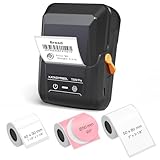
- For Home and Small Business: Prints 3/4" - 2" wide labels; ideal for home organization (storage bins, bottle, jar, food container, etc.), small business (address, product info, QR Code, barcode, brand logo, etc.), or school and office supplies (name tag, folder, documentation, etc.)
- Versatile App Editing Function: Easily add images from your phone, tablet or PC; customize your labels with 30+ fonts, 50+ frames, and 660+ icons; all free to use
- Enhanced Image Quality: The App delivers precise image processing capabilities, resulting in a high-resolution and clear output; enhanced aesthetic appeal, formality, and richness
- Easy to Use: The APP is completely free, requires no registration; features auto label size recognition; no ink or toner needed; create labels quickly and easily
- Versatile Label Compatiblity: Compatible with square, round, address, cable, jewelry and file labels, to meet all your needs; ensuring a perfect fit for any project; keeps everything neat and tidy
- A worker scanned a parcel at a depot.
- The cloud application processed the transaction.
- The cloud label service rendered the label as an image.
- The image traveled back over the depot’s internet circuit.
- The local printer produced the physical label.
That design had been inexpensive when the renderer and depots were connected through the old private network. Once rendering happened in the cloud, every printed label became outbound traffic from the cloud and inbound traffic at a depot. The author summarizes the architectural mistake this way: “We had sized the move by what the application needed. Nobody had sized what the application sent to the places it served.”
The impact was not visible during a quiet test at one depot. It appeared when evening work created simultaneous demand across all depots.
How much network traffic did the rendered labels create?
Shinder reports that one rendered label was about 180 kilobytes and that a busy depot printed about 9,000 labels per hour. Multiplying those approximate figures gives about 1.62 gigabytes per hour using decimal units; the account describes the result as roughly 1.5 gigabytes per hour. These are the author’s rounded, reported values rather than an independent measurement.
The Tool Desk
Outbyte PC Repair FREEClear out junk files and repair common Windows errorsFree Scan →Outbyte Driver Updater FREEScan for outdated or missing drivers - takes under a minuteDriver Scan →| Reported input | Approximate implication | Qualification |
|---|---|---|
| Label image size | About 180 KB per label | Author’s estimate |
| Busy-depot volume | About 9,000 labels per hour, or 2.5 labels per second on average | Evening peak at one busy depot |
| Hourly image traffic | About 1.5 GB per hour in the account | Approximate; arithmetic from rounded figures is about 1.62 GB |
| Average sustained rate from those figures | Roughly 450 KB/s, or 3.6 Mb/s, before protocol overhead and bursts | Derived average, not a measured link requirement |
The average rate understates the engineering problem. Labels do not necessarily arrive evenly. Waves of picking, batch releases, retries and several depots reaching their evening peak together can create short bursts well above the hourly average. Shared circuits also carry scans, application traffic, voice, updates and management data, so label traffic competes with work that may be more latency-sensitive.
For capacity planning, calculate both the average and the burst. Record the largest number of labels released in a one-minute and five-minute interval, then allow headroom for other traffic and retransmissions. Do not treat the 1.5 GB figure as a universal requirement; it describes one installation and one author’s approximate measurements.
Why did a quiet test fail to reveal the problem?
The initial test ran at one depot on a quiet afternoon. It validated that a label could be produced, but not that the network could sustain the combined evening load. A single-site, low-volume test exercises functionality; it does not exercise concurrency, queueing or contention.
A useful pre-migration test should reproduce the conditions that matter:
What’s actually slowing this PC down?
Pick the symptom - the matching free tool is one click away.
- Generate the busiest expected label rate at every depot at the same time.
- Include normal scan traffic and other applications that share each circuit.
- Measure the 95th and 99th percentile scan-to-label latency, not only the average.
- Capture packet loss, retransmissions, queue depth and circuit utilization.
- Repeat the test during a realistic batch release or picking wave.
Measure at each served site. A central cloud bandwidth graph can look healthy while one depot’s access circuit is saturated. The relevant question is not “Can the service render a label?” but “Can every depot receive its labels within the operational deadline during the busiest simultaneous interval?”
Also popular on Amazon

- 【No Brand Lock-in】 No RFID chips, no brand lock-in. Use any standard thermal label rolls you like. Say goodbye to expensive proprietary paper and enjoy the freedom to choose affordable options.
- 【2" Printing for Business & Home】 The CLABEL 221B supports a wider range of 25mm-50mm (0.98-2Inch). Perfect for small business needs. Generate scannable barcodes, address labels, price tags, and jewelry labels. One printer for retail, bakery, warehouse, and office organization
- 【NO Learning Curve – Easy Setup】 Open, connect, print. Our "Clabel trade" App offers quick Bluetooth connection in seconds. Access hundreds of creative templates, icons, and fonts without extra cost. Supports Excel batch printing and image-to-text — making professional labeling effortless.
- 【Durable, Sharp & Smudge Quality】 Our matched thermal labels are waterproof, oil-proof, and highly resistant to friction or scratches. Whether used in a busy kitchen, or a high-traffic retail shelf, your stickers will stay sharp and without tearing
- 【Bluetooth Connection】 Our printer supports Bluetooth connection with Android and iOS smartphones. It does not support iPad. For computer connection, please use USB cable.
How did the slowdown affect warehouse operations?
According to the account, scan-to-label time increased from just under one second to four or five seconds during peak periods. That delay is long enough for a worker to scan the next parcel before the previous label is ready, creating uncertainty about which label belongs to which parcel and encouraging retries.
Two depots began experiencing scanner transaction timeouts. A timeout is more than a slow screen: it can leave the application unsure whether a request completed, which raises the risk of duplicate submissions or missing labels unless the workflow is idempotent and visibly reports status.
The failure mode became unambiguous during a 40-minute circuit outage in December. One depot could not print labels, including labels for parcels that had already been picked. The cloud service may have remained healthy, but the depot had no path to receive the rendered output. This is the distinction between application availability and site operability: a warehouse cannot ship if the final print step depends entirely on a live wide-area link.
What changed in the redesigned architecture?
The revised design placed a small print server at each depot. Instead of sending a complete rasterized image, the cloud system sent label data described as a few hundred bytes per parcel. The local server used cached templates to render that data and sent the result to the printer in the printer’s own command language.
- Release: The cloud application creates a label description containing the variable fields and the template identity.
- Transport: Only that compact description crosses the depot link.
- Render: The depot print server combines the data with a locally cached template.
- Encode: The server converts the rendered label into the printer’s command language.
- Print: The printer receives the job over the depot’s local network.
Shinder reports that this change reduced peak label traffic by more than 95 percent and returned scan-to-label time to under one second. Those outcomes belong to his installation; they are not a general benchmark for every warehouse, printer or circuit.
The local server also changed outage behavior. If a parcel had already been released to the depot and the required template and data were cached locally, the depot could continue rendering and printing during a circuit interruption. That does not make the warehouse independent of the cloud: new releases, template changes, acknowledgements and other application functions may still require connectivity.
Why does sending a compact description work better than sending an image?
A label image contains every pixel needed for printing, including repeated layout information such as borders, fonts and static text. A compact description can send only the values that change, while the depot reuses a template it already holds. The savings come from avoiding repeated transfer of the same layout data.
Quick wins for a faster PC:
Repair Windows errors before they cause bigger problemsFix Now →Fix the driver behind crashes, sound loss and screen glitchesFind Drivers →Clear out junk files and repair common Windows errorsFree Scan →| Characteristic | Cloud-rendered image | Depot-side rendering |
|---|---|---|
| Data crossing the WAN | Approximately 180 KB image per label in the reported installation | A few hundred bytes of label data per parcel, as described by the author |
| Rendering location | Cloud service | Print server inside the depot |
| Printer traffic | Image or image-derived output sent after WAN transfer | Local printer command language over the depot LAN |
| WAN dependency for already released work | Required to receive each rendered image | Potentially avoidable while local data and templates remain available |
| Primary operational burden | WAN capacity and peak latency | Template, server and printer compatibility management |
Compression or a faster internet circuit might reduce the symptom, but neither removes the repeated transfer of layout data nor guarantees printing during a circuit outage. Local rendering addresses the data path itself.
Also popular on Amazon

- Lightning Speed: Transform your labeling efficiency with this professional thermal label printer, delivering an impressive 93 labels per minute at crystal-clear 300 dpi resolution - perfect for high-volume shipping and business needs
- Dual-Color Innovation: Elevate your labeling with Brother Genuine technology that enables both black and red printing capabilities, allowing you to create eye-catching labels that command attention and enhance your professional branding
- Versatile Applications: Dominate your organization needs with this powerful label maker machine, perfect for creating professional shipping labels, file folders, name badges, and postage labels - streamlining your business operations
- Advanced Integration: Experience seamless connectivity with Windows and Mac systems, featuring Brother Genuine Plug & Label technology that enables instant printing from Microsoft Word, Excel, and Outlook without additional software installation
- Professional Design: Maximize productivity with the built-in auto-cutter for precise label finishing, compatible with Brother Genuine DK pre-sized labels and continuous-length tapes up to 3 ft long for custom banners and signage
How can you decide whether a depot print server is appropriate?
Use a print server when the site has meaningful label volume, strict scan-to-label targets, unreliable or expensive WAN capacity, or a requirement to keep printing already released work during a link failure. A centralized renderer may remain simpler for low-volume sites where a circuit outage is acceptable and latency has ample margin.
Check the workload first
- Labels per hour at each site, with the busiest hour and busiest five-minute burst.
- Bytes per label, including image, metadata, protocol and retry overhead.
- Maximum acceptable scan-to-label latency and timeout interval.
- How many sites can peak simultaneously.
- Whether work is queued locally before printing or requested only after a scan.
Check the outage requirement
Define exactly what “offline printing” means. You may need to print jobs already accepted by the depot, continue scanning new parcels, or merely reprint a previously issued label. Each requirement needs different local data, queueing and reconciliation rules. Do not promise full offline operation if the local server lacks the parcel record, template or authorization needed to create a valid label.
Check operational ownership
A depot server becomes another production system. Decide who patches it, monitors disk space, rotates credentials, backs up templates, replaces failed hardware and approves template changes. Include a documented recovery path for a failed server, such as a spare appliance or a controlled fallback to a secondary print route.
Recommended Free Tools
How should you test the design before rolling it out?
Run a staged test that measures both performance and failure behavior. The following sequence keeps the test tied to warehouse outcomes rather than server utilization alone.
- Inventory the path. Document scanner, cloud service, WAN circuit, local network, print server and printer for every depot.
- Measure the current payload. Capture representative labels and record their byte size, retry rate and peak release pattern.
- Build a concurrency profile. Replay the busiest hour at all depots together, including normal non-label traffic.
- Set acceptance thresholds. Specify scan-to-label latency, timeout rate, queue age and maximum unprinted jobs.
- Deploy one local renderer. Use production-like templates, data and printer media; test every label variant that the depot uses.
- Break the circuit deliberately. Confirm which queued jobs print, how new jobs are marked, and how the system reconciles once connectivity returns.
- Test duplicate and retry handling. A scanner retry must not silently produce two shippable labels for one parcel.
- Run a peak pilot. Observe a real or simulated evening wave before expanding to other depots.
Compare the old and new paths using the same workload. The most useful evidence is site-level latency and successful print completion, not just the percentage reduction in bytes.
Independent reader supportYour contribution helps us test, update, and keep practical guides available for everyone.What printer and template details can break local rendering?
The account does not name the printers, printer command language or label stock, so it cannot support a model-specific recommendation. Compatibility must be verified at your site.
Confirm that the local renderer can produce the command language the printer accepts and that the output matches the installed media. Check dimensions, darkness, speed, cutter or tear-off behavior, bar-code symbologies, fonts, rotation and any graphics used by the label. A template that looks correct in a cloud preview can still be clipped or unreadable on a particular thermal printer.
Version templates explicitly. Store a template identifier with each queued job so a restart or delayed print does not accidentally use a newer layout. Roll out template changes in a canary depot, retain the previous version for queued work, and record which version produced each label for troubleshooting.
Also popular on Amazon
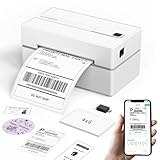
- Bluetooth Wireless Connection: KNAON Bluetooth shipping label printer enables wireless printing. For Mobile users, download the 'FlashLabel Pro' app from APP Store or Google Play for printing. Also, supports Windows and macOS, and can directly connect to the printer by downloading the 'FlashLabel Pro' App. Windows 7 or later computers can also print via Bluetooth by installing the latest advanced driver. Note: All devices CANNOT be connected directly to Bluetooth, and must be used through the 'FlashLabel Pro' app.
- USB Cable Connectivity: This printer ensures seamless USB connectivity with macOS, Windows (7 and above), ChromeOS, and Linux. KNAON printer features a built-in USB drive preloaded with drivers and tutorial videos for a fast and hassle-free setup. For ChromeOS, need to install 'FlashLabel' extension to your Google Chrome.
- Versatile DIY Labeling Options: KNAON Thermal Shipping Label Printer offers a vast selection of pre-designed templates, including 3,000+ templates, 5,000+ icons, and 100+ fonts available in the app. Designed for both professional and personal use, it supports various thermal paper sizes, ensuring effortless customization for all your labeling needs. Ideal for printing DIY shipping labels, barcode labels, thank-you labels, mailing labels, name tags, price tags, and various small thermal labels.
- Seamless Multi-Platform Compatibility: This Bluetooth shipping label printer works effortlessly with all major platforms, including Amazon, eBay, Shopify, USPS, UPS, Etsy, PayPal, Poshmark, DHL, and more, ensuring smooth and efficient label printing. (Note: Save the logistics label as a PDF file on the shipping platforms, then import it into the 'FlashLabel Pro' app for printing).
- Portable & Stylish Design: KNAON multi-function thermal label printer offers user-friendly operation in a compact design. Its perfect size (7.17 x 3.9 x 3.43 inches) makes it simple to store anywhere. With a fast printing speed of up to 180 mm/s and support for paper widths from 1.5 to 4.2 inches. The package also includes 10 test printing papers to get you started right away.
What are the trade-offs of moving rendering into each depot?
| Benefit | Trade-off or control required |
|---|---|
| Much lower WAN payload | Every depot needs a maintained renderer and local storage. |
| Lower scan-to-label latency | Local CPU, memory and queue capacity must be sized for bursts. |
| Printing can continue for cached work during a link outage | Offline scope must be defined, and unsent transactions need reconciliation. |
| Printer commands stay on the LAN | Printer command-language and media compatibility must be tested per model. |
| Less dependence on a central rendering service | Template distribution, security updates and monitoring become distributed operations. |
Centralized rendering is easier to update in one place. Depot rendering is more resilient at the point of work. The right choice depends on the cost of WAN capacity and downtime versus the operational cost of maintaining distributed print infrastructure.
What should you monitor after deployment?
Monitor the complete transaction, from scan to confirmed print, at each depot. Useful signals include label-description bytes per parcel, WAN utilization, local queue depth, queue age, render duration, printer response time, timeout and retry counts, template-version errors, and the number of jobs held during a circuit outage.
Alert on user-visible conditions rather than arbitrary server thresholds. For example, an alert when the oldest queued job exceeds the warehouse’s service target is more actionable than one based only on average CPU. Keep a per-depot view so an isolated circuit or printer fault is not hidden by healthy sites.
Do these 3 things before closing this tab:
1Repair Windows errors before they cause bigger problems2Fix the driver behind crashes, sound loss and screen glitches3Clear out junk files and repair common Windows errorsWhat is the practical lesson for cloud migrations?
Cloud placement changes more than server location. It changes the path, volume, timing and failure behavior of every output sent to a physical site. Before moving a warehouse application, inventory the data that travels to scanners, printers, sorters and other endpoints; size the busiest simultaneous period; and decide what must continue when a site loses its circuit.
In Shinder’s account, a small local rendering tier turned a large image-transfer problem into a compact-data and local-printing problem. The author’s concise formulation is worth keeping in mind: “Where an application runs turned out to be a decision about the network as much as about the server.”
Frequently Asked Questions
Can a WAN optimizer or compression appliance solve the label problem by itself?
It may reduce repeated image bytes, but it cannot guarantee printing during a circuit outage and may add processing delay. Measure the compressed payload and peak latency first; local rendering is the more direct solution when the goal is to keep layout data at the depot.
Should every warehouse have its own print server?
No. A local renderer is most valuable where label volume, latency targets or outage costs justify another production component. Small sites with low volume and dependable connectivity may reasonably keep centralized rendering, provided peak traffic and failure expectations are documented.
How do you prevent a cached template from becoming a compliance risk?
Use signed or otherwise authenticated template packages, explicit version numbers and an approval trail for changes. Keep the template version with each print job so investigators can identify exactly which layout produced a parcel label.
What happens to jobs created while the depot is offline?
That depends on the workflow contract. If the local system has the parcel data and is authorized to create labels, it can queue and print locally; otherwise it should clearly hold or reject the request and reconcile it after the link returns rather than silently inventing a label.
Quick Recap
Product prices and availability are accurate as of the date/time indicated and are subject to change. Any price and availability information displayed on Amazon at the time of purchase will apply.

