
Crashes, No Sound, or Screen Glitches?
Random freezes, missing sound and display glitches usually trace back to one bad driver. Find and replace yours safely.Free scan · under a minuteWindows Errors? Fix Them Before They Spread
Repair common Windows errors and clear accumulated junk for a smoother, more stable PC - no reinstall needed.Free scan · no reinstallFor free website hero images, start with Unsplash for general-purpose photography, Pexels for photos and video plus a dedicated hero-banner search, and Pixabay when you want illustrations or vectors as well as photos. Each offers material that can be used without charge, but the license and any restrictions on the specific image still matter—especially when it shows a person, brand, or product.
A hero image is the large, often full-width image near the top of a page. It sets the tone, but responsive cropping can cut off important details. Choose an image with room for your headline and call to action, test it at multiple screen widths, and record the asset and license information before publishing.
Best free sources for website hero images
These sources have different strengths: Unsplash is a strong starting point for photography, Pexels combines photos and video with a direct hero-banner search, and Pixabay is useful when you also want illustrated assets. Search results and asset counts can change, so evaluate the individual file rather than relying on a search-page total.
| Source | What you can find | Hero-image discovery and preparation | Commercial use and attribution | Restrictions to check |
|---|---|---|---|---|
| Unsplash | General-purpose photography; the source is presented here as a photo library. | Search with terms such as “wide landscape,” “website background,” “copy space,” or a subject plus “horizontal.” Look for space where site text can sit without covering the subject. | Unsplash’s license permits free use, including commercial use, without permission or required attribution. Crediting the creator is encouraged, not required. | The license prohibits selling images without significant modification and compiling images to replicate a similar or competing service. Check any additional rights relevant to recognizable people or brands before using an asset in context. |
| Pexels | Photos and video, suitable for website banners and other web projects. | Pexels’ hero-banner search is a direct starting point. The page surfaced crop, retouch, text, color-adjustment, and background-removal actions that may help with preparation. | Pexels permits free use of its photos and videos on websites and other listed project types; modification is allowed and attribution is not required. | Do not sell an unmodified copy, imply endorsement by an identifiable person or brand, redistribute files on another stock platform, or use an image as a trademark. |
| Pixabay | Photos and illustrated assets, including vectors. | Search for “header hero” and related terms such as banner, header, background, homepage, or hero. The search result is useful for discovery, not a substitute for checking an individual asset. | Check the individual asset’s license before publishing; do not assume every asset has identical permissions based only on the search page. | Review the asset-specific terms and any issues involving recognizable people, brands, resale, or redistribution. |
Which source should you try first?
- Choose Unsplash when your brief calls for a polished photograph and you want a broad general-purpose starting point.
- Choose Pexels when you want to browse hero-banner results directly, need video as an option, or want to use its surfaced editing actions during preparation.
- Choose Pixabay when an illustration or vector may work better than a photograph, or when you want a mix of visual styles.
At the time of a September 2026 crawl, Pexels’ “hero banner” page listed approximately 10,000 photos and 5,100 videos, while Pixabay’s “header hero” search reported 6,245 free images. These are time-sensitive search-page figures, not guarantees of available, suitable, or cleared assets; results can change.
How to choose an image that works as a hero
The U.S. National Science Foundation describes a hero component as a full-width element at the top of a page with a large image that helps set the site’s tone. That prominent placement makes composition as important as subject: the image must still make sense after the browser or design crops it for different screens.
- Search for the shape and space you need. Try “hero,” “banner,” “header,” “wide,” or “copy space,” then add the subject—for example, “wide landscape architecture” or “workspace copy space.” A general search for the subject alone may return square or tightly framed images that are difficult to adapt.
- Leave room for interface text. Look for a composition where the main subject sits away from the expected headline and call-to-action. A calm area, open sky, wall, or intentionally simple background can make text easier to read without obscuring the photograph’s focal point.
- Check how the focal point survives cropping. Preview the image at desktop, tablet, and mobile widths. Keep faces, products, and logos away from likely crop edges. If the image only works at one width, look for another composition or use a different crop or art direction for smaller screens.
- Prepare an appropriately sized file. Create a derivative sized for the hero’s rendered dimensions, compress it, and serve that version rather than making every visitor download an unnecessarily large original. Keep enough visual quality for the prominent first screen while avoiding an image that delays it.
- Record the asset and its permissions. Save the asset URL, creator name, download date, and the applicable license page in your project record. Revisit the exact asset’s restrictions before it goes live, particularly if it depicts recognizable people, brands, or products.
Test the real crop, not just the source file
A wide source image is not automatically a responsive hero. A layout may use a fixed-height container and crop its edges as the viewport narrows. Preview the actual page or component at representative widths, with the headline and button in place. If the subject, logo, or face becomes clipped—or the text lands over a busy part of the image—adjust the focal position, choose another image, or provide a separate mobile crop.
Can you use Unsplash or Pexels images commercially?
Generally, yes, under the stated terms of their respective licenses. Unsplash’s official license grants an irrevocable, nonexclusive, worldwide copyright license to download, copy, modify, distribute, perform, and use its images for free, including commercially, without permission or required attribution. Its Help Center likewise says images are free for most commercial, personal, and editorial projects and that credit is appreciated but not required.
#1 Best Overall
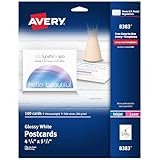
- Easily create elegant custom thank you cards, promotional advertising, product instructions, and other postcards for mailing using Avery Design & Print Online and available templates
- Enjoy a clean, professional finish from the micro-perforated design that allows for easy separation and a smooth border around each postcard
- Print beautiful, double-sided designs on postcard paper made from premium, glossy white 74 lbs / 201 gsm photo-quality cardstock that makes text and images pop
- Each sheet of printable cardstock is optimized for both laser and inkjet printers, resulting in crisp text, vivid images and smudge-free printing
- Item includes 25 printable 8.5" x 11" sheets with a total of 100 blank 4.25" x 5.5" rectangle cards (four per sheet)
Pexels’ license says all its photos and videos can be downloaded and used for free, including on websites, e-commerce shops, newsletters, e-books, presentations, blogs, and templates. Modification is allowed and attribution is not required. These permissions do not erase the listed restrictions: Pexels disallows selling an unmodified copy, implying endorsement by an identifiable person or brand, redistribution on another stock platform, and using an image as a trademark.
“Free” does not mean “use any way you like,” and a stock-site license is not a universal clearance for every legal issue connected to a particular image. Read the current license and the individual asset information, and consider the context in which a person, logo, or brand appears. If the image could suggest a person or company endorses your product, choose a different image or obtain appropriate permission rather than relying on a general stock-photo license.
Rank #2

- Custom Photo Prints & Posters: Turn your images into high-quality prints or posters. Ideal for photographs, digital artwork, illustrations, or AI-generated images
- Select desired size, then click “Customize now” to choose orientation, paper finish, quantity and to upload your image.
- Image Enhancement Included: Your images are processed using the latest commercial grade image enhancement technology to ensure the best possible reproduction (Image enhancement results may vary)
- Professional Grade High-Resolution Printing: Ultra-sharp detail and vibrant colors featuring genuine Canon Lucia Pro II inks, for the ultimate in print quality. Vivid color prints with more accurate color reproduction and improved black density
- Placed in protective plastic and shipped flat for easier handling
Where to find hero images by visual type
Photographic backgrounds and landscapes
Start with Unsplash or Pexels. Add orientation and composition terms such as “horizontal,” “wide landscape,” or “copy space” to surface images more likely to fit a full-width section. Inspect the actual crop and ensure text has enough contrast against the selected area.
Photos with room for a headline
Search for “copy space” or use a subject plus “website background.” Avoid assuming that empty-looking space will remain empty in your design: test the headline and call-to-action over the image at desktop and mobile sizes. The main focal point should not compete with the words or disappear beneath them.
Rank #3

- Premium Quality, Made Just for You – Your photo is custom printed and hand-stretched after you order. We focus on craftsmanship and quality, not mass production, to create canvas wall art you’ll be proud to display.
- Built on Solid Pine Frames – Each canvas is gallery wrapped over durable North American pine stretcher bars, providing a strong, straight frame that resists warping and sagging over time.
- Vibrant, Long-Lasting Prints – Printed on premium canvas using fade-resistant latex inks for sharp detail, rich color, and long-term durability without cracking or fading.
- Made to Order in the USA – Designed, printed, and carefully packed in our U.S. studio to ensure consistent quality control and safe delivery of your custom canvas artwork.
- Important Upload Tip – After uploading your photo, click “Adjust” to ensure your image covers the entire canvas for the best possible print result.
Illustrations and vectors
Include Pixabay in your search when a drawn or graphic style would communicate the idea more clearly than a photograph. Because the search mixes asset types, open the specific result and verify both its licensing terms and whether the file is available in a format and composition suitable for your design.
Free tools Windows power users keep installed
One-click scans. No signup required.
Video as a hero alternative
Pexels also offers video, and its license covers photos and videos. A video background is a different design and performance choice from a static hero: consider whether motion helps the page, how the design behaves for people who prefer reduced motion, and whether the experience remains usable when video does not play. Confirm that the particular clip fits the intended use under the current license.
Rank #4

- Brilliant Color & Clarity: Our advanced high-resolution printers and Epson original inks produce sharp, vivid prints with incredible detail for photos, artwork, and designs that deserve to stand out
- Easy Customization, Your Way: Upload your image in seconds, crop and position it just right, and choose gloss or matte finish in portrait or landscape format. Creating your own poster has never been simpler
- Premium Heavyweight Paper: Printed on thick, professional-grade 11mil / 280g photo paper that delivers true gallery quality. Smooth surface, rich blacks, and colors that pop
- Packed to Arrive in Pristine Condition: Every order ships in a reinforced, heavy-duty mailing tube to prevent bends, folds, or creases, so your print arrives safe and ready to frame
- Made in the USA with Quick Turnaround: Proudly printed in the USA with quick turnaround times and friendly local support
Keep the hero fast and usable
- Use a right-sized derivative. Avoid serving a very large original when a smaller file will look good at the component’s display size.
- Compress thoughtfully. Compare the result visually after compression; prominent faces, fine detail, or gradients can reveal artifacts.
- Preserve a mobile focal point. The most important content should remain visible after narrower crops, not just in the desktop preview.
- Keep text legible. Position text over a quiet area or use an appropriate contrast treatment in the page design. Do not rely on the image alone to carry text that must be read.
- Retain a rights record. Store the source and license details alongside the design or asset record so the team can identify the file and terms later.
Or skip the browser setup
If you need to capture how a candidate hero looks on a real webpage for a design review, a screenshot API can return the rendered page without you setting up a browser automation stack. ScreenshotNeo is a website screenshot API and MCP server for developers; its clean-shot workflow accepts cookie or consent banners like a visitor and removes more than 60 known consent platforms, newsletter popups, and chat widgets before capture. Each of those steps can be turned off. Bot checks and CAPTCHAs, blank pages, timeouts, failed loads, and cache hits cost nothing, and response headers identify the page verdict and whether it was billed. AI agents can use its MCP server tools, including take_screenshot, get_page_info, and capture_pdf. Every feature is available on every plan; the free plan includes 1,000 shots a month with no card, and paid plans start at $5 for 3,000 shots. See the ScreenshotNeo website for details.
For example, this cURL request captures the rendered Stripe homepage as a WebP file; replace the target URL with the page you want to inspect:
curl -G "https://api.screenshotneo.com/v1/shot" -d access_key=YOUR_API_KEY --data-urlencode url=https://stripe.com -o shot.webpSee the ScreenshotNeo API documentation for request options and response details. To try it, sign up for 1,000 free screenshots a month with no card.
Best Value

- Custom Framing Option: Upload your favorite image and we'll print and frame it for you, providing a personalized touch to your space
- High-Quality Material: Crafted with a durable metal frame and acrylic cover, ensuring a long-lasting and elegant display
- Sleek Modern Design: The wrapped canvas style and powder-coated finish offer a contemporary look, perfect for any room decor
- Versatile Occasions: Ideal for special occasions like Grandparents Day, New Year, or Retirement, or simply to add a touch of art to your home or office
Frequently Asked Questions
Do I have to credit the photographer when I use a free stock hero image?
Not under the Unsplash and Pexels licenses described here, although Unsplash encourages credit. Check the current license for the source and the specific asset you select.
Can I use a stock photo with a person in a commercial homepage hero?
A general stock license does not necessarily settle every concern about a recognizable person or an implied endorsement. Check the asset’s information and license, and avoid presenting someone as endorsing your product without appropriate permission.
Are search-page image counts guaranteed to stay the same?
No. Counts on discovery pages change over time and do not establish that every result is suitable or cleared for your particular use.
Quick Recap
Product prices and availability are accurate as of the date/time indicated and are subject to change. Any price and availability information displayed on Amazon at the time of purchase will apply.
Recommended Free Tools

