
iTechGuides is reader-supported. When you buy through links on our site, we may earn an affiliate commission. As an Amazon Associate I earn from qualifying purchases. Learn more
Satellite internet latency comes from two places: the unavoidable time radio signals spend traveling between your equipment, the satellite and ground stations, and delay added by the provider’s network, internet routing, Wi-Fi and household traffic. A lower orbit generally shortens the satellite portion of the trip, but no home setting can remove that physical distance.
You can reduce avoidable lag by testing over Ethernet, fixing Wi-Fi interference, controlling upload and download queues, checking provider diagnostics and comparing repeated tests to the same destination. If a wired connection still shows high or unstable latency, document the results and ask the provider to investigate the satellite link or its routing.
What latency means on a satellite connection
Latency is the delay between sending data and receiving a response. Internet providers commonly report it as a round-trip time (RTT), not merely the time for a signal to travel upward to a satellite. Starlink, for example, defines its measurement as the time for a packet to travel from its router to the internet and for the response to return. Its published number therefore includes a network path, not only the space segment. See the provider’s explanation at Starlink’s network update.
Why the destination changes the result
A ping to a nearby provider gateway and a ping to a distant game server, video service or work application are different tests. The second path may cross additional routers, long terrestrial links and congested interconnection points. Always record the destination when comparing results; otherwise two numbers can look contradictory while both are accurate.
Popular on Amazon
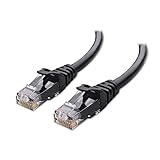
- High-Performance Connectivity: This Cat 6 ethernet cable is designed for superior performance, with a 24 AWG copper wire core. It provides universal connectivity as an ethernet cord for LAN network components such as PCs, servers, printers, routers, and more, ensuring reliable and fast network connections
- Advanced Cat6 Technology: Experience Cat6 performance with higher bandwidth at a Cat5e price. This network cable is future-proof, ready for 10-Gigabit Ethernet and backwards compatible with any existing Cat 5 cable network. It meets or exceeds Category 6 performance according to the TIA/EIA 568-C.2 standard
- Reliable Wired Network Solution: Known variously as a Cat6 network cable, ethernet cable Cat 6, or Cat 6 data/LAN cable, this RJ45 cable offers a more secure and reliable connection than wireless networks. It's ideal for internet connections that demand consistency and security
- Durable and Secure Design: The connectors of this ethernet cable feature gold-plated contacts and strain-relief boots for enhanced durability. Bare copper conductors not only improve cable performance but also comply with communication cable specifications
- High-Speed Data Transfer: With up to 550 MHz bandwidth, this ethernet cord is ideal for server applications, cloud computing, video surveillance, and streaming high-definition video. It also supports Power over Ethernet (PoE, PoE+, PoE++) for powering devices like IP cameras, VoIP phones, and wireless access points, ensuring fast and reliable network performance.
Latency, jitter and packet loss are different
- Latency is the delay for a response, usually expressed in milliseconds.
- Jitter is variation in that delay from one packet to the next. It can make voice, video and games feel uneven even when the average ping looks acceptable.
- Packet loss occurs when data has to be retransmitted or arrives missing. Loss can feel like freezes or timeouts rather than a consistently high ping.
Satellite service can have a higher baseline RTT than a comparable terrestrial connection, while Wi-Fi interference or a busy home upload can add bursts of jitter on top of it.
How orbit creates a baseline delay
The satellite’s orbit determines how far the signal must travel. Geostationary (GEO) satellites sit much farther from Earth than medium-Earth-orbit (MEO) or low-Earth-orbit (LEO) satellites. The U.S. Government Accountability Office states that “It can take a signal transmitted from a satellite in GEO approximately 20 times longer to reach the earth than from a satellite in LEO.” Read the full explanation in the GAO report.
GEO services
GEO satellites cover a large area from a small number of orbital positions, but the long path adds substantial propagation delay. That delay remains even when your dish, router and computer are working perfectly.
The Tool Desk
Outbyte Driver Updater FREEScan for outdated or missing drivers - takes under a minuteDriver Scan →Outbyte PC Repair FREEClear out junk files and repair common Windows errorsFree Scan →MEO and LEO services
MEO and LEO satellites are closer to Earth, so the satellite-to-ground portion of the trip is generally shorter. The trade-off is network complexity: lower-orbit systems need more satellites and handoffs to maintain broad or worldwide coverage. A shorter orbital path does not guarantee a particular end-to-end ping because provider routing, gateways, congestion and the destination still matter.
Also popular on Amazon

- Cat 6 performance at a Cat5e price but with higher bandwidth
- High Performance Cat6, 30 AWG, RJ45 Ethernet Patch Cable provides universal connectivity for LAN network components such as PCs,computer servers,printers,routers,switch boxes,network media players,NAS,VoIP phones
- Jadaol cat6 standard cable support Cat8 and Cat7 network and provides performance of up to 250 MHz 10Gbps and is suitable for 10BASE-T, 100BASE-TX (Fast Ethernet), 1000BASE-T/1000BASE-TX (Gigabit Ethernet) and 10GBASE-T (10-Gigabit Ethernet)
- UTP(Unshielded Twisted Pair) patch cable with RJ45 gold-plated Connectors and are made of 100% bare copper wire, ensure minimal noise and interference
- The unique flat cable shape allows for a cleaner and safer installation. You can easily and seamlessly make the cable run along walls, follow edges & corners or even make it completely invisible by sliding it under a carpet.
| Orbit class | Propagation-delay tendency | Coverage trade-off | What is established by the cited evidence |
|---|---|---|---|
| GEO | Highest among the three classes because the satellite is farthest away | Wide field of view; fewer satellites can cover a large area | GAO says a GEO-to-Earth signal can take approximately 20 times longer than one from LEO |
| MEO | Generally lower than GEO and higher than LEO, all else equal | Requires more satellites than GEO for broad coverage | No comparable latency figure is stated in the cited material |
| LEO | Generally the shortest satellite portion of the path | Requires many satellites and coordinated coverage | GAO establishes the GEO-versus-LEO distance contrast; no universal end-to-end ping is stated |
“All else equal” is important: an LEO system can still produce a poor result if its gateway, backhaul or internet route is congested, or if your local network is introducing delay.
Provider routing and network load add to the satellite delay
Your provider must route traffic from the satellite network to the wider internet. The route may change by location, time of day, destination and network load. A provider’s advertised latency is therefore a service statistic with a defined scope, not a promise that every application will show the same number.
How to read dated provider figures
| Figure | Scope and qualification | Source |
|---|---|---|
| 25.7 ms median peak-hour latency | Across U.S. customers, reported by Starlink in June 2025; this is a provider-reported median during peak hours | Starlink network update |
| 25–60 ms on land | Starlink specification; publication date is not stated on the retrieved page, and it is not an independent measurement of every location | Starlink specifications |
| 100+ ms in certain remote locations | Starlink specification for certain remote locations; publication date is not stated on the retrieved page | Starlink specifications |
These figures cannot be generalized to every satellite service, country or application. They also cannot be compared fairly with a single, undated ping from another provider unless the geography, endpoint, time window and statistic are equivalent.
Local Wi-Fi and bufferbloat can make satellite internet feel worse
Not every delay originates in space. The Federal Communications Commission identifies avoidable Wi-Fi interference and bufferbloat as sources of latency or jitter that home-network and router initiatives can address. See the discussion in the FCC document.
Also popular on Amazon

- 40 Gbps 2000 Mhz High Speed: The Cat 8 ethernet cable support max. 40 Gbps data transfer and 2000 MHz Brandwith, ideal for gaming and streaming, greatly improving upload and download speed, sound, image and resolution quality
- Excellent Anti-interference: The ethernet cable comes with 4 shielded foiled twisted pairs (F/FTP), pure copper core and gold-plated RJ45 connector, reducing interference, noise and crosstalk, making network speed faster and more stable
- Marvelous Durability: Internet cable wrapped with quality cotton braided cord, which makes the LAN cable stronger and more durable. The test proves that this internet cable can be bent at least 10000 times without broken, very suitable for long-term use
- PoE Supported: All lengths of ethernet cord can support the PoE power supply function except 65ft. You don't need additional power supply when installing a PoE camera, which is very convenient and safe
- Wide Compatibility: With the RJ45 Connector, network cable can be perfectly compatible with computers, laptops, modems, routers, PS5, X-Box and other networking devices. It can also be fully backward compatible with Cat7, Cat6e, Cat6, Cat5e, Cat5
Wi-Fi interference and signal conditions
Walls, distance, competing networks and radio interference can cause retries and variable delivery times. A wired test removes the Wi-Fi radio link from the comparison. If the same computer reaches the same destination faster and more consistently over Ethernet, investigate router placement, signal strength, channel conditions and the device’s Wi-Fi connection.
Bufferbloat during uploads or downloads
When a router holds a large queue of packets while a connection is busy, small interactive packets wait behind bulk traffic. The result is a large ping increase while someone is uploading photos, backing up files, streaming at a high bitrate or downloading a game. The satellite propagation delay remains, but queueing adds avoidable delay. Pause heavy traffic and repeat the test; if latency falls, use the router’s available queue-management or traffic-prioritization controls and keep background transfers from saturating the link.
How to measure your satellite latency accurately
A single ping is not enough to identify a pattern. Use the same device, destination, connection type and approximate time window for each comparison.
- Start with a baseline. Note the date, UTC or local time, application or hostname tested, whether the computer used Wi-Fi or Ethernet, and whether other household traffic was active.
- Run repeated tests. On Windows, use
ping -n 20 example.com. On macOS or Linux, useping -c 20 example.com. Replaceexample.comwith a destination you actually need to reach. Record the minimum, average, maximum and any timeouts rather than relying on one response. - Compare a nearby endpoint with the real application. A provider gateway or nearby test server helps show access-link behavior; the application’s server shows the complete route. Do not treat the two results as interchangeable.
- Repeat over Ethernet. Connect the computer directly to the router, or to the provider equipment if that is the supported arrangement. Use a Cat 6 Ethernet cable if your equipment has compatible ports; an adapter may be required on computers without Ethernet.
- Repeat while the network is idle and busy. Run one set with uploads and downloads paused, then another while a known transfer is active. A large increase only under load points toward local queueing or congestion rather than a change in orbital distance.
- Test at more than one time. Keep the endpoint constant and note whether results change during busy evening hours. Provider statistics described as “peak-hour” are not equivalent to an all-day average.
This procedure is a practical comparison method, not a universal provider test standard. Its purpose is to separate Wi-Fi and household traffic from the satellite and provider portions of the route.
Also popular on Amazon
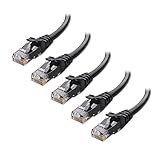
- High-Performance Connectivity: This Cat 6 ethernet cable is designed for superior performance, with a 24 AWG copper wire core. It provides universal connectivity as an ethernet cord for LAN network components such as PCs, servers, printers, routers, and more, ensuring reliable and fast network connections
- Advanced Cat6 Technology: Experience Cat6 performance with higher bandwidth at a Cat5e price. This network cable is future-proof, ready for 10-Gigabit Ethernet and backwards compatible with any existing Cat 5 cable network. It meets or exceeds Category 6 performance according to the TIA/EIA 568-C.2 standard
- Reliable Wired Network Solution: Known variously as a Cat6 network cable, ethernet cable Cat 6, or Cat 6 data/LAN cable, this RJ45 cable offers a more secure and reliable connection than wireless networks. It's ideal for internet connections that demand consistency and security
- Durable and Secure Design: The connectors of this ethernet cable feature gold-plated contacts and strain-relief boots for enhanced durability. Bare copper conductors not only improve cable performance but also comply with communication cable specifications
- High-Speed Data Transfer: With up to 550 MHz bandwidth, this ethernet cord is ideal for server applications, cloud computing, video surveillance, and streaming high-definition video. It also supports Power over Ethernet (PoE, PoE+, PoE++) for powering devices like IP cameras, VoIP phones, and wireless access points, ensuring fast and reliable network performance.
Ways to reduce avoidable latency
1. Use Ethernet to isolate the local wireless link
For troubleshooting, connect the test computer by Ethernet and disable its Wi-Fi temporarily so it cannot silently switch paths. If wired latency is lower or less variable, improve the wireless segment rather than replacing the satellite equipment first. Move the router into a more open, central position, reduce distance and obstacles, and check whether nearby devices or networks are creating interference. The wired result cannot reduce propagation delay; it only removes one possible source of extra delay.
2. Stop or schedule traffic that fills the connection
Pause cloud backups, large uploads, game downloads and other bulk transfers, then run the same repeated test. If the idle result is stable but the busy result spikes, configure the router’s traffic-management or queue-management feature if one is available. Set realistic upload and download limits rather than allowing one transfer to consume the entire connection. The appropriate setting depends on the router and service; no single value is established for all satellite plans.
3. Check the provider’s own diagnostics
When latency changes along with dropouts or unstable service, open the provider’s app or account diagnostics. Check for service alerts, link interruptions, obstruction warnings and weather-related notices where the provider exposes them. Weather, obstructions and outages can affect reliability, but the available evidence does not establish one universal millisecond penalty across providers, so do not apply a generic number.
Free tools Windows power users keep installed
One-click scans. No signup required.
4. Test VPN use rather than assuming it helps
A VPN can send traffic along a different route and may either improve or worsen a particular destination. Compare the same endpoint with the VPN off and on, using repeated measurements. Treat the result as route-specific; a VPN is not a universal satellite-latency fix.
Also popular on Amazon

- High Performance Cat6 Cable - The Cat6 ethernet cables 100ft supports frequencies of up to 500 MHz and high-speed 10GB internet connection for LAN network applications such as PCs,computer servers,printers,routers,switch boxes,network media players,NAS,VoIP phones and more, while remaining fully backward compatible with your existing network.
- Outdoor&Indoor Ethernet Cable - The cat 6 ethernet patch cable features 8 solid copper conductors 24 AWG. Each of the 4 unshielded twisted pairs (UTP) are separated by a PE cross insulation to isolates pairs and prevent crosstalk and covered by a 5.8mm PVC jacket with RJ45 connectors and gold-plated contacts. The molded strain relief boots help avoid snags that will damage your cables. They are molded for flexibility and resist common wear and tear.
- Lan Cable with RJ45 - UTP(Unshielded Twisted Pair) patch cable with RJ45 gold-plated Connectors, this cat6 cable support Cat8 and Cat7 network and provides performance of up to 500 MHz 10Gbps and is suitable for 10BASE-T, 100BASE-TX (Fast Ethernet), 1000BASE-T/1000BASE-TX (Gigabit Ethernet) and 10GBASE-T (10-Gigabit Ethernet)
- High Quality Control - are designed with extremely well-matched components for outstanding uniform impedance and very low return loss, providing lower crosstalk, and a higher signal-to-noise ratio. Each Cat 6 internet cable 6 ft goes through rigorous testing to ensure a secure wired internet connection with exceptional speed and reliability.
- Support – Cat6 Ethernet cable with CM grade PVC jacket complies with TIA/EIA 568-C.2, is ETL verified and RoHS compliant. If an item is defective or breaks within a year, we will issue a replacement. For questions or concerns please contact our friendly, USA-based customer Support team.
5. Escalate with evidence when wired results stay high
If Ethernet tests remain high or erratic while the local network is idle, save timestamped results, the destination tested, connection type, packet loss and any provider diagnostic messages. Give the provider several comparable samples instead of one screenshot. Ask whether the issue is local gateway capacity, an outage, a routing problem or a service-area condition. Replacing a dish or router without this comparison may spend money without addressing the actual bottleneck.
Why common “fixes” do not always work
- A faster Wi-Fi standard: It may improve local throughput, but it cannot shorten the satellite path. It helps only when Wi-Fi is the limiting segment.
- A gaming router: Features such as queue management can help under load, but hardware alone does not change provider routing or orbital propagation.
- A new dish: Replacement is appropriate when diagnostics identify hardware failure or obstruction, not as a general promise of lower ping.
- Changing DNS servers: DNS can affect how quickly a hostname resolves, but it does not generally reduce the RTT of the established data path to the application.
- Measuring one nearby server: A low result to a gateway does not prove that a distant game or work service will have the same latency.
Choosing between satellite options when latency matters
If more than one service is available at your exact address, compare the same decision factors rather than ranking providers from unlike numbers.
| Question | Why it matters | Evidence to request |
|---|---|---|
| What orbit does the service use? | Orbit sets the likely class of satellite propagation delay | GEO, MEO or LEO designation and an explanation of the service path |
| Is service available at your location? | Coverage, gateway placement and local capacity determine real performance | Address-specific availability and current capacity information |
| How was latency measured? | Median, average, peak-hour and maximum values describe different experiences | Date, geography, endpoint, time window and statistic type |
| How variable is service? | Jitter, outages and handoffs affect calls, games and remote work | Provider diagnostics and outage information for your area |
| What route is included? | A gateway ping is not the same as a distant application path | Destination or test server used for the quoted number |
| What are the practical requirements? | Equipment, data policies and installation constraints can affect usability | Current plan terms, equipment requirements and any data limits |
The cited material provides orbit trade-offs and dated provider figures, but not a complete, like-for-like dataset for every satellite operator. Treat undated or differently measured numbers as directional rather than a definitive ranking.
Recommended Free Tools
When satellite latency is acceptable—and when it is a problem
For browsing, email, software updates and most streaming, consistent delivery can matter more than the lowest possible ping. Interactive activities such as competitive gaming, remote desktop work, voice calls and live collaboration are more sensitive to RTT, jitter and packet loss. A stable wired result that matches the provider’s stated class may be normal for the service, while a sudden increase only during household uploads points to a fixable local queue.
The practical boundary is simple: you can remove local additions, but you cannot tune away the distance to the satellite. Measure the complete path, separate Wi-Fi from the satellite link, and judge any provider number by its date, geography, endpoint and statistic.

