
What’s actually slowing this PC down?
Pick the symptom - the matching free tool is one click away.
iTechGuides is reader-supported. When you buy through links on our site, we may earn an affiliate commission. As an Amazon Associate I earn from qualifying purchases. Learn more
We review One.com to see if it’s a good choice for you: one.com is best for beginners, small businesses, portfolios, email, and modest WordPress sites that want domain, hosting, SSL, and site tools together. It is less suitable when you need low renewal costs, included restore points, staging, SSH, US-based servers, or substantial room to scale.
That verdict depends heavily on which one.com product and plan you buy. one.com is not one single service: it sells classic shared hosting, Website Builder plans, WordPress services, domains, email, online-shop tools, and optional maintenance, backup, marketing, booking, and security products.
The most important buying mistake is comparing only the introductory price. one.com subscriptions generally renew annually, and add-ons or higher tiers may be necessary for WordPress migration, staging, restore functionality, or advanced builder features.
Key takeaways
- one.com combines domain registration, shared hosting, email, SSL, Website Builder tools, and WordPress services in one control panel.
- The current classic hosting plans are Beginner, Explorer, Enthusiast, and Guru, with storage ranging from 50 GB to 750 GB and RAM ranging from 1 GB to 8 GB.
- One-click WordPress installation and migration begin with Explorer, while staging, SSH, and included backup-and-restore begin with Enthusiast.
- Classic plans list unlimited email accounts, but Beginner, Explorer, and Enthusiast list 3 GB of storage per mailbox; Guru lists unlimited storage per mail account.
- one.com says its hosting services run exclusively on European servers, which may suit European audiences but deserves consideration for US-focused sites.
- The real value depends on renewal pricing, domain charges, and add-ons because exact current US prices were not established by the supplied research.
What is one.com?
one.com is a hosting and domain provider rather than merely a no-code website builder. Depending on the product path, a customer can register a domain, host files, create email accounts, install WordPress, build a site visually, add an online shop, or purchase services such as managed WordPress and security tools.
Popular on Amazon

- [INTEL POWERED CONTENT] - Built with a 8th Generation Hexa-Core Intel i5 and 32GB of DDR4 RAM; Modern, Windows 11 ready, with 4K support, Executive multitasking, media streaming and smooth, multi-tab web browsing; Perfect as an all-purpose multimedia computer; built for content creators; Plenty of RAM and Mass storage for photo and video editing powered by Intel HD 630
- [LATEST WIRELESS TECH] - This Dell Desktop Computer easily connects to the internet through the Built In WiFi / Bluetooth
- [SOLID STATE STORAGE] - This Dell Computer setup comes with an ultra-fast 1TB Solid State Drive (SSD); Setup as the primary boot device; Boot and load programs with lightning speed ; Additional expansion available
- [BUY & OWN WITH CONFIDENCE] - From the world's largest Microsoft Authorized Refurbisher; Quality Guarantee and Free Tech Support; Award-winning Customer Service; | Support Sustainable Business
- [MODERN HI-SPEED PORTS] - USB 3.0 (x4) | USB 2.0 (x4) | DisplayPort (x1) | HDMI Port (x1) | Audio Combo Jack (x1) | Audio Out (x1) | RJ-45 Ethernet (x1) | Internal SATA (x3)
A one.com hosting subscription can include web space, a domain, email accounts, SSL, and website functionality, but the exact bundle depends on the plan. The provider’s US terms and conditions and plan documentation should be read alongside the checkout summary because domains, hosting, and add-ons can have separate billing and renewal implications.
Which one.com product should you buy?
The right one.com purchase depends on whether you want conventional hosting, a visual builder, or a WordPress-focused setup.
| Need | one.com route | Best fit | Main qualification |
|---|---|---|---|
| Conventional website hosting and email | Classic hosting | Users who want more direct access to files, databases, and WordPress | Important tools vary significantly by tier |
| A no-code website | Website Builder hosting | Portfolios, service businesses, landing pages, and basic blogs | Storage, pages, shop features, and other capabilities depend on tier |
| A WordPress website | Classic hosting plus WordPress tools or paid WordPress services | Beginners through modest professional sites | One-click setup, migration, staging, and restore are not available on every plan |
| Several modest websites | Enthusiast or Guru with attached domains | Owners of multiple small sites | Attached domains share the same hosting resources and add-ons may be charged per domain |
Classic hosting customers also receive Website Builder Basic and can purchase higher Website Builder tiers as add-ons. A customer should therefore confirm whether a desired builder function is included in the hosting subscription or requires a separate Website Builder plan. The Website Builder feature documentation distinguishes dedicated Mini, Business, Pro, and Ecommerce plans from builder add-ons.
Recommended Free Tools
How do one.com’s classic hosting plans compare?
The classic plans differ most in resources and workflow features. The following figures come from one.com’s current plan specification table, not independent performance testing.
| Feature | Beginner | Explorer | Enthusiast | Guru |
|---|---|---|---|---|
| SSD storage | 50 GB | 100 GB | 200 GB | 750 GB |
| RAM | 1 GB | 2 GB | 4 GB | 8 GB |
| Databases | 1 | 5 | 10 | 20 |
| Attached domains | 1 | 1 | 5 | 10 |
| Email accounts | Unlimited | Unlimited | Unlimited | Unlimited |
| SSL | Included | Included | Included | Included |
| SSH | No | No | Yes | Yes |
| One-click WordPress installation | No | Yes | Yes | Yes |
| WordPress migration tool | No | Yes | Yes | Yes |
| Staging | No | No | Yes | Yes |
| Backup and restore | Backup only | Backup only | Included | Included |
These specifications are documented in one.com’s classic hosting plan comparison. The table is more useful than a generic star rating because the missing features can change the amount of technical work and risk you take on.
Beginner is appropriate for a small site with one database and a user who is comfortable with manual WordPress installation. Explorer is the more practical starting point for a new WordPress user because one-click installation and migration begin there. Enthusiast is easier to justify for a professional site because it adds staging, SSH, and included backup-and-restore functionality. Guru is mainly relevant when several modest sites or larger resource requirements justify the additional cost.
one.com lists PHP versions as “8.0 and up” and a 300-second maximum execution time across the classic hosting plans. Shared-hosting advanced settings cannot be changed individually for each domain, so attached domains should not be treated as fully independent hosting environments.
Is one.com good for WordPress?
one.com is a reasonable WordPress host for beginners and modest sites, but plan selection matters more than the brand name. Manual WordPress installation is possible on a plan with a database, including Beginner; one-click installation and migration begin at Explorer.
WordPress-related features listed by one.com include CDN availability, performance caching, health monitoring, vulnerability monitoring, analytics, and a one.com WordPress plugin, with availability varying by product or plan. The provider also sells Managed WordPress and Premium WP Care as paid services. Those services should not be confused with ordinary shared WordPress hosting.
| WordPress project | Most sensible starting point | Why | What to check first |
|---|---|---|---|
| Simple blog or brochure site | Beginner | One database and basic hosting may be enough | Manual installation, backup scope, and mailbox storage |
| First WordPress site | Explorer | One-click installation and migration are included | Whether the renewal cost justifies the convenience |
| Professional or frequently updated site | Enthusiast | Staging, SSH, and backup-and-restore are included | Resource needs, restore details, and add-on pricing |
| Several modest WordPress sites | Guru | Up to ten attached domains and 20 databases are listed | Shared resource limits and per-domain add-ons |
one.com is less compelling for agencies or developers who need staging on every site, entry-level SSH, highly configurable server settings, or a more specialized deployment workflow. High-traffic stores and applications should also compare a scalable managed or cloud architecture rather than assuming a shared plan will remain suitable.
What is one.com Website Builder like for nontechnical users?
one.com Website Builder is aimed at users who want to create a site without managing conventional hosting. Dedicated builder plans are Mini, Business, Pro, and Ecommerce. The documented features include AI website creation, AI writing assistance, mobile editing, free images, free SSL, mobile app access, and integrations such as YouTube, Google Maps, PayPal, Mailchimp, Eventbrite, and social platforms.
| Builder use case | Why one.com may fit | Where caution is needed |
|---|---|---|
| Portfolio or personal site | Visual editing, mobile editing, SSL, and templates reduce setup work | Confirm design flexibility and how the site can be moved later |
| Local service business | Forms, maps, social integrations, and a simple publishing workflow are useful | Check SEO controls, bookings, and any required paid add-ons |
| Basic blog | Builder plans include blog functionality depending on tier | Content-heavy publishers may need a more capable publishing platform |
| Small online shop | The Ecommerce tier is designed for shop functions and payment integrations | Check product, transaction, shipping, payment, and migration requirements before purchase |
| Highly customized site | Builder integrations cover common services | Advanced code, SEO, and layout requirements may exceed the builder’s model |
“Unlimited” should not be interpreted as unbounded storage. one.com’s Website Builder documentation applies fair-use qualifications and identifies a 200 GB web-storage limit per plan; the documentation also identifies 200 GB of total email storage despite some plans displaying unlimited features. Verify the current tier’s detailed limits before uploading large media libraries.
Also popular on Amazon

- Model: Dell OptiPlex 7050 Small Form Factor (SFF)
- Processor: Intel Core i7-7700 3.60 GHz
- Memory: 32GB DDR4 Ram
- Storage: 1TB Solid State Drive (SSD) Fast Boot + Storage
- Operating System: Windows 11 Pro (64-bit)
The builder is a good fit when convenience matters more than portability or deep customization. A conventional WordPress site may be a better long-term choice if the site is expected to become content-heavy, plugin-dependent, or difficult to recreate on another platform.
How many domains can one.com host?
Beginner and Explorer support one domain, Enthusiast supports up to five attached domains, and Guru supports up to ten attached domains. Attached domains share the host plan’s functionality and resources, while domain billing remains separate.
Multi-domain hosting can be attractive for a freelancer or owner of several modest sites, but five or ten domains do not create five or ten independent hosting accounts. Some add-ons must also be purchased separately for each domain. Review the attached-domain rules before consolidating sites.
Do these 3 things before closing this tab:
1Scan for outdated or missing drivers - takes under a minute2Repair Windows errors before they cause bigger problems3Fix the driver behind crashes, sound loss and screen glitchesDoes one.com include email?
Classic plans list unlimited email accounts, but mailbox storage is the important qualification. Beginner, Explorer, and Enthusiast list 3 GB per email account, while Guru lists unlimited storage per mail account according to one.com’s plan table.
Unlimited account creation can work well for a small business that needs addresses such as hello@, sales@, and support@. It does not mean that every mailbox can store unlimited messages. Check the current plan’s IMAP/POP3, spam filtering, attachment, and storage policies if email is central to the business.
Are one.com backups and restores adequate?
one.com distinguishes “Backup only” from “Backup & Restore.” Beginner and Explorer list backup only, while Enthusiast and Guru list backup-and-restore functionality. That distinction means a lower-tier customer should not assume that a stored backup can be restored through a complete self-service disaster-recovery workflow.
The exact schedule, retention period, restoration scope, and coverage for files, databases, and email should be confirmed in the purchase flow or current support documentation. one.com separately lists add-ons that can provide daily site backups stored for 14 days; confirm whether the add-on is included in the plan you are considering or billed separately using the add-ons overview.
Free tools Windows power users keep installed
One-click scans. No signup required.
Regardless of plan, maintain an independent copy of important website files, databases, email, and DNS records. A host backup is not automatically a complete business-continuity plan.
Is one.com secure?
one.com documents several useful security controls, including free SSL on relevant hosting and Website Builder plans, two-step verification, antivirus and spam filtering for email, and WordPress health and vulnerability monitoring. Optional products include SiteLock Find and Domain Protection.
Those controls reduce common risks but do not guarantee that a website cannot be compromised. Customers remain responsible for updating WordPress, themes, and plugins; using unique passwords; enabling two-step verification; limiting administrator access; and keeping independent backups. Treat “secure” as a description of available controls, not a promise of immunity.
Where are one.com’s servers?
one.com states that its hosting services run exclusively on European servers, as described in its plan update and support announcement. European infrastructure may suit European audiences, customers with European hosting preferences, or businesses evaluating regional data-location considerations.
The Tool Desk
Outbyte Driver Updater FREEFix the driver behind crashes, sound loss and screen glitchesFind Drivers →Outbyte PC Repair FREERepair Windows errors before they cause bigger problemsFix Now →European server location may deserve more scrutiny when most visitors are in the United States or when a project requires a specific country or data center. Server geography alone does not establish legal compliance, a particular data-protection arrangement, or a measured speed disadvantage. Review contractual terms, subprocessors, backup locations, and your own obligations separately.
Also popular on Amazon
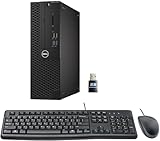
- This Certified Refurbished product is tested and certified to look and work like new. The refurbishing process includes functionality testing, basic cleaning, inspection, and repackaging. The product ships with all relevant accessories, a minimum 90-day warranty, and may arrive in a generic box. Only select sellers who maintain a high-performance bar may offer Certified Refurbished products on Amazon.com.
- Dell Optiplex 3050 SFF Desktop computer PC, Intel Quad Core i5-6500 up to 3.6GHz, 16GB DDR4, 256GB SSD
- Includes: USB Keyboard & Mouse, USB WiFi adapter, Microsoft office 30 days free trail.
- Port: Front: USB 3.0(2), USB 2.0(2); Rear: DP, HDMI, USB 3.0(2), USB 2.0(2), RJ-45.
- Support 4K (3840x2160) Dual display, makes it easy to connect two monitors at the same time, and you can expand working Windows, mirror content, or expand a single window across multiple monitors.
How easy is one.com to use?
one.com’s strongest editorial advantage is its bundled, guided approach: domain, hosting, email, Website Builder, and WordPress tools can be managed from one provider and control panel. One-click WordPress installation and migration make Explorer and higher more approachable than Beginner for a new WordPress customer.
That convenience comes with less server-level flexibility than a developer-oriented host. Shared-hosting advanced settings cannot be changed separately for each attached domain, and SSH begins only with Enthusiast. Buyers who expect cPanel-like customization or per-site deployment control should verify the control panel and available settings before committing.
The documented workflows support a straightforward setup, but the supplied research does not include hands-on timing, screenshots, independent navigation testing, or a tested restore. The article therefore treats ease of use as a reasoned judgment from the documented bundled tools rather than a measured test result.
Windows Errors? Fix Them Before They Spread
Repair common Windows errors and clear accumulated junk for a smoother, more stable PC - no reinstall needed.Free scan · no reinstallCrashes, No Sound, or Screen Glitches?
Random freezes, missing sound and display glitches usually trace back to one bad driver. Find and replace yours safely.Free scan · under a minuteWhat support does one.com provide?
one.com says it provides phone, 24/7 chat, and email support, and its US support documentation lists telephone support. Those are published support channels, not evidence that every issue receives an immediate or expert resolution.
Support quality, response time, escalation, and WordPress troubleshooting require independent testing or clearly attributed customer evidence. Before buying, check whether the support team handles the exact issue you care about—DNS, email migration, WordPress errors, builder design, or billing—and save the relevant documentation.
How much does one.com cost after renewal?
The supplied research confirms January 2026 pricing updates and advance notice of price changes, but it does not expose reliable current US-dollar prices for every plan. Do not treat an old review, a search snippet, or a third-party pricing table as the current US price.
For a US purchase, check the live one.com checkout immediately before publication or purchase and record the geography and date—for example, United States, August 18, 2026, if that is the date the cart is actually checked. Record all of the following:
Quick wins for a faster PC:
Repair Windows errors before they cause bigger problemsFix Now →Fix the driver behind crashes, sound loss and screen glitchesFind Drivers →- First-term hosting price.
- Renewal hosting price.
- Domain registration and renewal charge.
- Whether the displayed monthly figure requires annual billing.
- Taxes and currency.
- Website Builder, backup, domain-protection, WordPress-maintenance, or security add-ons.
- How many domains and sites the quoted plan really supports.
one.com subscriptions generally run for 12 months and automatically renew unless cancelled. The annual invoice is sent 60 days before renewal, and cancellation must be completed at least 30 days before the renewal date. The documented path is Control Panel → My account → My products. Set a calendar reminder when the invoice arrives rather than waiting until the renewal date. See the subscription-management instructions and the cancellation guidance.
one.com’s terms describe a 14-day withdrawal right for consumers, subject to exceptions involving domains and individually prepared web space. Read the applicable terms before relying on that right.
What happens if you downgrade one.com?
Downgrading can have irreversible consequences. one.com says that downgrading to Domain Only deletes domain files, websites, and emails immediately. Export website files, databases, email, and DNS records before changing plans, and verify that the exported copies can be used if recovery becomes necessary.
A downgrade may also not result in a refund. Review the upgrade and downgrade instructions before accepting a lower tier.
What are the main advantages and disadvantages?
| Advantages | Disadvantages and limits |
|---|---|
| Domain, hosting, email, builder, and WordPress services can be managed through one provider | Classic plan features are heavily tier-gated |
| Free SSL is included on relevant hosting plans | Restore and staging are not included on the cheapest classic plans |
| Explorer and higher include one-click WordPress installation and migration | SSH begins only with Enthusiast |
| Enthusiast and Guru support multiple attached domains | Attached domains share resources and some add-ons are per domain |
| European server footprint may suit European customers | European hosting may not be ideal for every US-focused project |
| Phone, chat, and email support are published channels | Published channels do not prove support quality or response speed |
| Website Builder offers AI tools, mobile editing, and common integrations | “Unlimited” builder and email features have storage qualifications |
Who should choose one.com?
Choose one.com if you are launching a first website, running a portfolio, operating a small business site, or hosting a modest WordPress project and you value a guided all-in-one account. one.com is also worth considering for several small sites if the total cost of an Enthusiast or Guru plan is competitive after domain and add-on charges.
Also popular on Amazon

- Connectivity: Includes WiFi, Bluetooth, and LAN for wireless and wired connections
- Memory: Features 16GB DDR4 RAM for smooth multitasking and performance
- Storage: Combines 500GB SSD and 1TB HDD for ample storage space
- Graphics: Integrated Intel UHD Graphics 630 for crisp visuals and video playback
- Design: Sleek desktop tower with black color and slim profile for modern look
Explorer is the practical minimum for a WordPress beginner who wants one-click installation and migration. Enthusiast is the more defensible choice when staging, SSH, and included restore matter. Beginner can work for a simple site, but the owner must accept manual WordPress installation and the weaker backup-and-recovery feature set.
Who should probably look elsewhere?
Look beyond one.com if you are a developer who needs SSH on an entry-level plan, a WordPress agency that requires staging for every site, a business that needs robust routinely tested backups on the cheapest tier, or an application likely to outgrow shared hosting. A US-only audience does not automatically rule out one.com, but European server location should be compared with alternatives when origin geography matters.
Choose another provider if transparent second-year pricing, per-domain server controls, advanced deployment workflows, or a clearly specified regional data center matter more than having domain, email, hosting, and builder tools under one roof.
How does one.com compare with alternatives?
No alternative is universally better; the useful comparison depends on the job and on current renewal pricing.
| Reader priority | Providers to compare | Decision criteria |
|---|---|---|
| Budget-focused beginner hosting | one.com, Hostinger, DreamHost | Renewal price, included domain, backups, email, migration, and data-center choices |
| US-oriented WordPress hosting | one.com, DreamHost, Hostinger | Server geography, WordPress support, backups, email, and total annual cost |
| More WordPress tooling and support | one.com Enthusiast/Guru, SiteGround | Staging, restore, caching, support, resource limits, and renewal pricing |
| Hosted WordPress publishing | one.com WordPress hosting, WordPress.com | Plugin and theme access, administration, e-commerce, domain handling, and portability |
| No-code design-first website | one.com Website Builder, Wix, Squarespace | Design flexibility, SEO, integrations, e-commerce, email, recurring price, and exportability |
Use official US checkout pages for current prices before making a price claim. Hostinger and DreamHost may deserve attention from budget or US-oriented buyers; SiteGround may suit readers willing to pay more for WordPress tooling; WordPress.com is a different hosted-publishing model; and Wix or Squarespace are stronger candidates for users who primarily want a polished no-code design workflow.
Our final recommendation
one.com is a reasonable beginner-friendly all-in-one host, not an automatic best choice. Choose one.com when bundled domain, hosting, email, SSL, Website Builder access, and straightforward WordPress tools outweigh the limits of shared hosting and the need to verify renewal costs.
Choose Explorer or higher for a new WordPress installation, and consider Enthusiast when staging, SSH, and restore functionality matter. Compare another provider when you need extensive server control, more predictable long-term pricing, US-oriented infrastructure, or a stronger scaling path. The correct decision is the plan whose second-year total cost and included recovery tools match your website—not the plan with the most attractive first checkout price.
What’s actually slowing this PC down?
Pick the symptom - the matching free tool is one click away.
Frequently Asked Questions
Is one.com good for beginners?
one.com is a good beginner option when a user wants domain registration, hosting, email, SSL, and a guided Website Builder or WordPress setup from one provider. Explorer is more suitable than Beginner for a new WordPress user because one-click installation and migration begin with Explorer.
Does one.com offer unlimited email storage?
No. one.com’s classic plans list unlimited email accounts, but Beginner, Explorer, and Enthusiast list 3 GB of storage per mailbox; Guru lists unlimited storage per mail account according to the plan table.
Does one.com include WordPress staging and restore?
Staging and included backup-and-restore functionality begin with the Enthusiast plan in one.com’s classic hosting table. Beginner and Explorer list backup only and do not include staging.
Does one.com automatically renew hosting?
Yes. one.com subscriptions generally run for 12 months and automatically renew unless cancelled. one.com says the annual invoice is sent 60 days before renewal and cancellation must be completed at least 30 days before the renewal date.
Recommended Free Tools
Are one.com servers located in the United States?
one.com states that its hosting services run exclusively on European servers. That may suit European audiences, but US-focused sites should compare server geography and latency requirements with alternatives.
The Bottom Line
Bottom line: one.com is worth considering for a simple personal site, portfolio, small business website, email setup, or modest WordPress project that benefits from an all-in-one control panel. Buy only after checking the renewal price, domain cost, add-ons, backup scope, and server geography. For staging, restore, SSH, advanced development, or substantial growth, compare a higher one.com tier or another host.

