
Do these 3 things before closing this tab:
1Scan for outdated or missing drivers - takes under a minute2Clear out junk files and repair common Windows errors3Fix the driver behind crashes, sound loss and screen glitchesiTechGuides is reader-supported. When you buy through links on our site, we may earn an affiliate commission. As an Amazon Associate I earn from qualifying purchases. Learn more
To turn on voice control, choose your device’s built-in accessibility feature, allow microphone access, select a supported language, and complete its setup tutorial. Android uses Voice Access, Windows 11 uses Voice access, and Apple devices use Voice Control. All three can open apps, navigate interfaces, dictate text, and select precise controls without touching the screen or keyboard. Windows downloads recognition files during setup and then works offline; Android can use downloaded language packs on supported versions; Apple processes Voice Control audio on the device.
This guide gives the exact activation paths, command examples, microphone requirements, offline and privacy implications, and practical fixes for unreliable recognition.
What voice control does
Voice control is a direct hands-free interface, not merely dictation. Spoken commands can activate buttons, move through menus, scroll pages, edit text, and launch applications. Dictation is one part of the system: it converts speech into words, while navigation commands tell the operating system what action to perform.
Quick wins for a faster PC:
Repair Windows errors before they cause bigger problemsFix Now →Fix the driver behind crashes, sound loss and screen glitchesFind Drivers →The three major platforms implement this differently. Android Voice Access is an accessibility service for controlling a phone or tablet. Windows 11 Voice access controls the desktop and authors text. Apple Voice Control operates device controls with commands such as click, swipe, and tap, and adds numbered targets, a screen grid, spelling mode, and custom multistep commands.
Popular on Amazon

- Your favorite music and content – Play music, audiobooks, and podcasts from Amazon Music, Apple Music, Spotify and others or via Bluetooth throughout your home.
- Alexa is happy to help – Ask Alexa for weather updates and to set hands-free timers, get answers to your questions and even hear jokes. Need a few extra minutes in the morning? Just tap your Echo Dot to snooze your alarm.
- Keep your home comfortable – Control compatible smart home devices with your voice and routines triggered by built-in motion or indoor temperature sensors.
- Do more with device pairing – Fill your home with music using compatible Echo devices in different rooms, or create a home theatre system with Fire TV.
- Say goodbye to drop-offs and buffering - With eero Built-in, Echo Dot doubles as a mesh wifi extender, adding up to 1,000 sq. ft. of wifi coverage to your existing eero network.
Siri and similar assistants are separate layers. An assistant answers questions or performs selected requests; Voice Control is designed to operate the interface itself, including controls that have no dedicated assistant command.
Platform comparison at a glance
| Platform | Minimum or stated requirement | Activation path | Languages documented | Offline behavior | Useful control features |
|---|---|---|---|---|---|
| Android Voice Access | Android 5.0 or later, Google app, matching device and Assistant language, microphone permission | Settings > Accessibility > Voice Access, or an activation button, notification control, app shortcut, or enabled voice trigger | English, Spanish, German, Italian, French, Portuguese, Japanese | Download language packs on supported Android versions; processing is primarily on-device, but configuration and language can determine whether audio is sent to Google servers | App launch, scrolling, taps, navigation, dictation, text editing |
| Windows 11 Voice access | Windows 11 version 22H2 or later; internet is needed for initial language-file download | Settings > Accessibility > Speech > Voice access | English variants, Spanish, German, French, Simplified Chinese, Traditional Chinese, Japanese, Italian, subject to version and region | After setup and language-file download, operation does not require an internet connection | Desktop control, text authoring, wake command, command lists, automatic startup |
| Apple Voice Control | Supported Apple device, microphone, and a language or region combination supported by Apple | Settings > Accessibility > Voice Control, then turn on Voice Control and follow the download prompt when shown | Availability varies by region and language | Apple’s technical description specifies on-device audio processing | Click, swipe, tap, numbers overlay, grid overlay, dictation, spelling mode, custom commands |
No official cross-platform accuracy benchmark is established for these implementations. Recognition quality depends on microphone placement, background noise, language configuration, speech patterns, and the individual app or website being controlled.
Prepare before you activate voice control
- Identify the operating system and version. Android users need Android 5.0 or later for Voice Access. Windows users need Windows 11 version 22H2 or later. Apple feature availability can vary by device, language, and region.
- Choose a microphone. Start with the built-in microphone if it is close to you and free from obstruction. A wired headset, Bluetooth headset, or USB microphone can be better when the device is across a desk, mounted on a stand, or in a noisy room.
- Check permissions. Permit microphone access when the operating system asks. On Windows, review Settings > Privacy & security > Microphone. Android also requires microphone permission for Voice Access to hear and execute commands.
- Match the language. Select a command language that matches your device configuration. Android specifically requires a matching device and Assistant language. Windows presents language choices during its setup flow, while Apple’s choices depend on region and language support.
- Plan an activation method. Decide whether you will use an on-screen button, a notification control, a keyboard shortcut, a voice wake phrase, or automatic startup. A visible manual control is safer on a shared computer or phone.
- Reserve a few minutes for the tutorial. Practice opening an app, scrolling, selecting an item, dictating a short sentence, correcting text, and stopping listening before relying on the feature for important work.
Turn on Voice Access on Android
Confirm the Android prerequisites
Voice Access requires Android 5.0 or later, the Google app, a device language that matches the Assistant language, and microphone permission. If any of these are missing, the service may appear unavailable or fail to understand commands even though the microphone works in other apps.
Enable the service
- Open Settings.
- Open Accessibility, then select Voice Access. The exact wording or location can vary by manufacturer.
- Turn on Voice Access and accept the accessibility and microphone permissions.
- Follow the introductory prompts. Android may offer an activation button, a notification control, or an app shortcut so you can start and stop listening without navigating through Settings.
- If your device supports it and you have enabled the feature, say
Hey Google, Voice Accessto start it. Treat this as an optional convenience rather than the only activation method.
Try basic Android commands
Use short, direct phrases first. Say Open Gmail to launch an app, Scroll down to move through a page, Tap compose to select a visible control, and Go home to return to the home screen. When several controls have similar labels, Android can display numbered targets; speak the number associated with the control you want.
For text entry, tap or focus a text field, dictate a sentence, and use spoken editing commands to place the cursor, delete words, or select text. The available command set depends on the language selected. Google documents English, Spanish, German, Italian, French, Portuguese, and Japanese command support.
Also popular on Amazon

- Your favorite music and content – Play music, audiobooks, and podcasts from Amazon Music, Apple Music, Spotify and others or via Bluetooth throughout your home.
- Alexa is happy to help – Ask Alexa for weather updates and to set hands-free timers, get answers to your questions and even hear jokes. Need a few extra minutes in the morning? Just tap your Echo Dot to snooze your alarm.
- Keep your home comfortable – Control compatible smart home devices with your voice and routines triggered by built-in motion or indoor temperature sensors.
- Do more with device pairing – Fill your home with music using compatible Echo devices in different rooms, or create a home theatre system with Fire TV.
- Say goodbye to drop-offs and buffering - With eero Built-in, Echo Dot doubles as a mesh wifi extender, adding up to 1,000 sq. ft. of wifi coverage to your existing eero network.
Use Android offline where supported
On supported Android versions, download the relevant language pack so recognition can continue without an internet connection. Android states that audio is primarily processed on the device, but audio can be sent to Google servers depending on the configuration and language. Audio and transcripts are not stored unless you enable the setting that allows them to be used for improvement.
Turn on Voice access in Windows 11
Complete the first-time setup
- Open Settings from the Start menu.
- Select Accessibility, then Speech, and choose Voice access.
- Turn on Voice access. Windows requires an internet connection at this stage to download language files and configure the microphone.
- Choose the language offered for your installation and download the on-device recognition files.
- Select the default microphone. Choose the built-in microphone, a USB microphone, or a headset input that you will actually use.
- Run the optional interactive guide. It demonstrates commands for opening applications, moving around windows, dictating, and correcting text.
After the files are installed, Windows states that Voice access can operate without an internet connection. A later language change may require another download, so complete that change while connected.
Free tools Windows power users keep installed
One-click scans. No signup required.
Start, wake, and stop Voice access
Voice access can be configured to start automatically before or after sign-in. Automatic startup is useful on a personally controlled workstation but can let anyone nearby issue commands as soon as the PC is awake. For manual control, start the feature from the Voice access bar or its Settings page. When it is sleeping, say Voice access wake up. To discover the available command set, say What can I say or Show all commands.
Windows language and microphone considerations
Microsoft lists English variants, Spanish, German, French, Simplified Chinese, Traditional Chinese, Japanese, and Italian, with availability dependent on Windows version and region. If a language is missing, check Windows Update and the region settings before changing the microphone. In Settings > Privacy & security > Microphone, confirm that microphone access for the device and applications is enabled.
Turn on Voice Control on Apple devices
Activate the feature
- Open Settings.
- Select Accessibility, then Voice Control.
- Turn on Voice Control and allow the device to download any required files when prompted.
- Choose the command language if the option is shown. Apple notes that feature availability varies by region and language.
- Keep the microphone close enough for clear speech, then follow the on-screen introduction.
Apple’s Voice Control system is intended to operate the interface directly. Siri remains a separate assistant; enabling Siri does not replace Voice Control for selecting arbitrary controls or editing text throughout the operating system.
Also popular on Amazon

- Your favorite music and content – Play music, audiobooks, and podcasts from Amazon Music, Apple Music, Spotify and others or via Bluetooth throughout your home.
- Alexa is happy to help – Ask Alexa for weather updates and to set hands-free timers, get answers to your questions and even hear jokes. Need a few extra minutes in the morning? Just tap your Echo Dot to snooze your alarm.
- Keep your home comfortable – Control compatible smart home devices with your voice and routines triggered by built-in motion or indoor temperature sensors.
- Do more with device pairing – Fill your home with music using compatible Echo devices in different rooms, or create a home theatre system with Fire TV.
- Say goodbye to drop-offs and buffering - With eero Built-in, Echo Dot doubles as a mesh wifi extender, adding up to 1,000 sq. ft. of wifi coverage to your existing eero network.
Select precise controls
Say commands such as Click, Swipe up, or Tap when the target is obvious. If several targets are present, turn on numbers so Apple places a number beside each selectable item, then speak the number. For controls that are difficult to identify, use the grid overlay to divide the screen into smaller regions and continue narrowing the target.
The Tool Desk
Outbyte PC Repair FREERepair Windows errors before they cause bigger problemsFix Now →Outbyte Driver Updater FREEScan for outdated or missing drivers - takes under a minuteDriver Scan →Dictate, spell, and automate
Voice Control includes dictation and a spelling mode for entering names, codes, or unusual words that ordinary dictation may misinterpret. Custom commands can combine several actions into a repeatable sequence. Build a custom command only after testing the individual actions; a multi-step command can fail if an app changes its layout or a required control is not visible.
Commands that work across platforms
Command wording differs by operating system, but the tasks are similar. Learn these task categories rather than memorizing one platform’s exact phrase.
- Launch: open an application by name.
- Navigation: go home, go back, scroll up, scroll down, or move between windows.
- Selection: click, tap, select, or activate a labeled control.
- Text entry: dictate into the focused field.
- Editing: delete, select, replace, move the cursor, or correct a word.
- Discovery: ask the system to show available commands when you do not know the exact syntax.
- Listening control: wake, pause, stop listening, or turn the service off.
Use the shortest phrase that expresses one action. If a command fails, first check whether the intended control is visible and has focus; repeating a longer sentence usually does not solve a focus problem.
Choosing and positioning a microphone
You do not need a special microphone to begin. The built-in microphone is suitable when the device is near you and the room is quiet. A headset microphone keeps the pickup point near your mouth and reduces the effect of keyboard noise. A USB microphone is useful when the computer is under a desk, across a room, or connected to a monitor whose built-in microphone is distant.
Also popular on Amazon
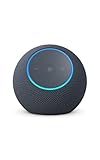
- Meet Echo Dot Max: Experience rich room-filling sound that automatically adapts to your space and fine-tunes playback. Features a built-in smart home hub and Omnisense technology for highly personalized experiences.
- Music to your ears: With nearly 2x the bass versus Echo Dot (2026 release), it fits beautifully in any space, delivering your personal sound stage with deep bass and enhanced clarity. Listen to streaming services, such as Amazon Music, Apple Music, Spotify, and SiriusXM. Encore!
- Do more with device pairing: Connect compatible Echo smart speakers and smart displays in different rooms, or pair with a second Echo Dot Max to enjoy even richer sound
- Simple smart home control: Set routines, pair and control lights, locks, and thousands of smart home devices that work with Alexa without needing a separate smart home hub. With Omnisense technology, you can activate routines via temperature or presence detection.
- Say goodbye to drop-offs and buffering - With eero Built-in, Echo Dot Max doubles as a mesh wifi extender, adding up to 1,000 sq. ft. of wifi coverage to your existing eero network.
Before buying or switching hardware, test the input in the operating system’s microphone settings. Speak at your normal volume, watch the input meter, and listen for clipping or intermittent dropouts. Avoid placing a microphone directly beside a fan, speaker, or vibrating surface. If your device has several inputs, explicitly select the one you tested instead of leaving the system on automatic selection.
Accessibility switches and other input devices can complement voice control when speaking continuously is tiring. Their exact compatibility depends on the operating system and hardware, so verify that the switch appears as an available input before planning a workflow around it.
Independent reader supportYour contribution helps us test, update, and keep practical guides available for everyone.Offline operation, cloud processing, and privacy
What offline means on each platform
Windows 11 needs the internet only for initial setup and language-file download; once those files are installed, Voice access is designed to work without an internet connection. Android offers offline recognition through downloadable language packs on supported versions, but behavior varies with language and configuration. Apple describes Voice Control audio processing as on-device.
Offline operation improves resilience during travel, outages, or restricted networks. It can also reduce the amount of audio that leaves the device, but it does not automatically make every surrounding feature offline. Apps may still require a connection, and a voice command that opens an online service will fail if that service is unavailable.
PC Slower Than It Used to Be?
A free scan shows the junk files, broken settings and background clutter dragging Windows down - then fixes them in one click.Free scan · Windows 10 & 11Crashes, No Sound, or Screen Glitches?
Random freezes, missing sound and display glitches usually trace back to one bad driver. Find and replace yours safely.Free scan · under a minuteAndroid data controls
Android states that Voice Access audio is primarily processed on-device. Depending on the selected language and configuration, audio may be sent to Google servers. Audio and transcripts are not stored unless you enable the improvement setting. Review that setting before using Voice Access in a workplace, healthcare setting, or shared home.
Also popular on Amazon

- An Alexa with screen - Echo Show 5 includes a 5.5” smart screen so you can see news and weather at a glance, make video calls, view compatible cameras, stream music and shows, and more.
- Small size, bigger sound – Stream your favorite music, shows, podcasts, and more from providers like Amazon Music, Spotify, and Prime Video with a speaker that delivers deep bass and clear vocals. Includes a 5.5" display so you can view shows, song titles, and more at a glance.
- Manage your Alexa smart home – Control compatible smart home devices like lights and thermostats, even while you're away.
- See more with the built-in camera – Check in on your family, pets, and more using the built-in camera. Drop in on your home when you're out or view the front door from your Echo Show 5 with compatible video doorbells.
- See your photos on display – When not in use, set the background to a rotating slideshow of your favorite photos. Invite family and friends to share photos to your Echo Show. Prime members also get unlimited cloud photo storage.
Shared-device precautions
An awake and unlocked Android device can be controlled by anyone who speaks commands. The same practical risk applies to any computer configured to start listening automatically at sign-in. Use a manual activation method, lock the device when unattended, and avoid leaving a microphone open in conversations that should not be captured.
Troubleshoot failed or inaccurate commands
The feature will not start
- Confirm the operating-system version and that the accessibility feature is enabled.
- Check microphone permission at the platform’s privacy settings.
- Reconnect the headset or USB microphone and select it as the default input.
- On Android, verify the Google app is installed and the device and Assistant languages match.
- On Windows, connect to the internet and repeat language-file setup if the download was interrupted.
- On Apple devices, check whether the selected language and region support Voice Control.
The system hears speech but performs the wrong action
- Move the microphone closer and reduce fans, music, or nearby conversation.
- Use one short command and wait for the visual response before speaking again.
- Make the target visible. Scroll to the control before asking the system to select it.
- Use numbered targets or a grid when labels are duplicated or controls are unlabeled.
- Switch to spelling mode for names, serial numbers, and mixed-case codes.
- Check that the recognition language matches the language you are speaking.
Text entry is inaccurate
Focus the text field before dictating. Speak punctuation or use the platform’s editing commands instead of trying to correct an entire paragraph verbally. For a single troublesome word, delete it, dictate it again, or spell it. A headset microphone often helps more than speaking louder because it increases the difference between your voice and room noise.
Commands stop working after an update
Operating-system updates can move settings, add languages, or change the labels exposed by an app. Reopen the accessibility page, confirm the service is still enabled, and ask the system to display its current command list. If a custom Apple command fails, test each step manually and recreate the sequence using the control names now shown on screen.
Make voice control safer and easier to live with
- Use deliberate wake and sleep controls. A manual button or visible bar prevents accidental commands in shared spaces.
- Lock the device when you leave it. Voice control is not a substitute for a lock screen.
- Keep a backup input method. A keyboard, touch screen, mouse, or accessibility switch lets you recover when the microphone is blocked or a command is unavailable.
- Practice in the apps you use most. Controls exposed by one app may have different labels or focus behavior in another.
- Review language downloads. Offline files consume storage, but removing them can force the system back to network-dependent recognition.
- Explain the listening state to other people. In a shared room, tell others when the microphone is active and stop listening before confidential discussions.
Which implementation should you use?
Choose Android Voice Access when you need hands-free control of an Android phone or tablet and want an activation button, notification control, or optional voice trigger. Choose Windows 11 Voice access when desktop control and offline operation after initial setup are priorities. Choose Apple Voice Control when numbered targets, a screen grid, spelling mode, or custom multistep commands fit your workflow.
Regardless of platform, the dependable sequence is the same: select a clear microphone, grant permission, match the language, download on-device files when available, complete the tutorial, and set a deliberate wake method. Those choices determine whether voice control remains a practical daily interface rather than a feature that works only in ideal conditions.
Quick Recap
Product prices and availability are accurate as of the date/time indicated and are subject to change. Any price and availability information displayed on Amazon at the time of purchase will apply.

