
What’s actually slowing this PC down?
Pick the symptom - the matching free tool is one click away.
Yes—you can connect a USB 2.0 Micro-B device to a USB-C host, but USB-C and Micro-B are different connectors. Use either a standards-defined USB-C-to-Micro-B cable or a USB-C-to-Micro-B adapter that lets you keep a compatible Micro-B cable. The connection does not upgrade the older device’s USB speed, charging rate, or other capabilities.
What you need to connect them
USB-IF’s USB Type-C Cable and Connector Specification Release 2.0 lists two relevant legacy assemblies: a complete USB 2.0 Type-C-to-Micro-B cable and an adapter with a Type-C plug and Micro-B receptacle. See the specification’s detailed table at USB Type-C Specification Release 2.0 (August 2019).
Choose a complete cable
Buy a cable with a USB-C plug on the host or charger end and a USB 2.0 Micro-B plug on the device end when you are replacing the whole lead. This is the simplest arrangement because it has no intermediate connector.
Choose an adapter
Buy a USB-C-to-Micro-B adapter with a Micro-B receptacle when you want to retain an existing Micro-B cable. Plug the adapter’s USB-C plug into the host, then plug your existing Micro-B cable into the adapter. Confirm that the adapter’s ends are exactly USB-C male and Micro-B female; product titles are not enough to establish compliance.
Do these 3 things before closing this tab:
1Scan for outdated or missing drivers - takes under a minute2Clear out junk files and repair common Windows errors3Fix the driver behind crashes, sound loss and screen glitches#1 Best Overall

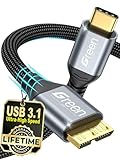
- All in one cable: The USB 3.1 Micro B to USB C cable connects a computer/PC/laptop/iPad with a USB Type C port to an External Hard Drive, Smartphone or Tablet for data & phone charging.
- 10 Gbps Fastest Data Transfer: This usb c to micro b Hard Drive Cable supports ultra-fast data transfer rate up to 10Gbps ( only taking 20 seconds to transfer a 10GB file) for transferring files from Solide State Drives (SSD) or sync data from your smartphone, which is 10X faster than USB 3.0 version, 20x faster than the USB 2.0 version.
- Awesome Quality: With a braided shield, 40,000+ times bending tests, and aluminum alloy connector, UGREEN USB extender is extremely durable and sturdy; Also constructed with multiple layers of shielding to minimize interference, and corrosion-resistant for optimal signal clarity, effectively prolonging the cable service life.
- USB C Compatibility List: USB-C port is compatible with MacBook Pro/Air, iMac, iPad Pro, Dell XPS 13/15, Google Chromebook Pixel, HP Pavilion X2, Yoga 910, OnePlus 6 6T 5 5T 3, Galaxy S22/ S20/ S10/ S9/ S8/ Note20/ Note10/ Note9/ Note8 and other Host based devices with USB Type C port
- Micro B Compatibility List: Micro USB B is compatible with Portable USB 3.1 External Hard Drives including Toshiba Canvio, Seagate FreeAgent, Western Digital (WD) My Passport, LaCie, Elements hard drives, and Samsung Galaxy S5, Galaxy Note 3, Galaxy Note Pro 12.2, Nikon D800/D800E, Canon EOS 5DS/5DSR/5D4 Camera.
What USB-C does—and does not—change
USB Type-C provides a reversible connector and supports a range of USB power and performance options, but those options are negotiated and limited by the host, device, cable and adapter. USB-IF describes Type-C’s purpose and ecosystem on its USB Type-C overview.
- Data speed: A Type-C plug on one end does not turn a USB 2.0 Micro-B device into a USB 3.x or USB4 device. The practical speed is limited by the slowest device, port, cable and adapter in the connection.
- Charging: A Type-C connector does not promise a particular wattage or current for the Micro-B device. Use the device maker’s charging requirements and the charger’s documented output.
- Function: The connection can support charging, data, or both only if the particular host, device and assembly support those functions.
Specifications for the legacy assemblies
The figures below are limits and ratings for the assemblies listed in USB-IF Release 2.0 (August 2019), not guarantees for every retail product or attached device.
Rank #2
- High Compatibility: Our USB C to Micro B cable is engineered for seamless connection with a wide range of devices, including external hard drives like Seagate Expansion, WD My Passport, and Canvio Basics, as well as smartphones and cameras such as Samsung Galaxy S5/Note3 and Nikon/Canon DSLR models
- Easy Storage Expansion: Enhance productivity effortlessly with our Portable external hard drive cord, which bridges your portable external hard drives with USB C-enabled devices. Enjoy swift editing and access to videos, photos, and documents without the need for additional software or hardware
- Fast Data Transfer: Experience lightning-fast data transfer speeds of up to 5Gbps with our USB 3.0 to Type C cable, significantly outpacing traditional USB 2.0 standards. Quickly move HD movies and large files, saving you valuable time and boosting your workflow efficiency
- Premium Material: Built to last, this external hard drive cable features high-quality nylon material woven together with an aluminum alloy shell, ensuring it withstands over 12,000 bending tests for exceptional longevity and reliability in everyday use
- Portable and Lightweight: Designed with portability in mind, this 0.25m USB C hard drive cable is compact and lightweight, allowing you to easily store it in bags or pockets. It’s the perfect companion for travelers and professionals who need reliable access to their data on-the-go
| Assembly | Connector ends | USB version stated | Maximum length | Rated current | Best use |
|---|---|---|---|---|---|
| Type-C-to-Micro-B cable | USB-C plug to USB 2.0 Micro-B plug | USB 2.0 | 2 m | 3 A cable rating | Replace the complete cable |
| Type-C-to-Micro-B adapter | USB-C plug to Micro-B receptacle | Legacy USB 2.0 Micro-B connection | 0.15 m | 3 A rating | Reuse an existing compatible Micro-B cable |
A 3 A cable or adapter rating does not mean that a Micro-B device will draw 3 A. Actual current depends on the device, charger, cable construction and applicable USB charging rules.
Check the older device before buying
- Inspect the receptacle. This guidance specifically covers USB 2.0 Micro-B, the small, asymmetrical port commonly found on older phones, cameras, controllers, hard drives and other peripherals.
- Distinguish USB 3.x Micro-B. USB 3.x Micro-B uses a wider, two-section receptacle and does not have the same fit as the standard USB 2.0 Micro-B plug. Do not assume a USB 2.0 cable or adapter is interchangeable.
- Identify the task. Decide whether you need charging, data transfer, or both, then check the device manual for supported USB modes and charging requirements.
- Match the host end. Verify whether your computer, charger or power bank has a USB-C receptacle or needs a different plug. A USB-C-to-Micro-B cable is not the same as a USB-A-to-Micro-B cable.
How to buy without relying on a misleading product title
- For a replacement lead, search for USB-C to USB 2.0 Micro-B cable and verify both plug ends in the manufacturer’s specification or photographs.
- For reuse of an existing lead, search for USB-C male to Micro-B female adapter; make sure it is an adapter rather than a short cable with two plugs.
- Check the stated USB version, maximum length and current rating for the exact model. Do not infer USB 3.x, USB4, fast charging or a particular wattage from the words “USB-C” or “fast.”
- Avoid adapters that reverse the intended gender or provide a Micro-B plug when your existing cable requires a Micro-B receptacle.
Certification dates and current USB-IF revisions
USB-IF says certification of USB 3.x Micro-B and Micro-AB connectors ended after February 28, 2021. That is a certification-policy change, not a ban on using existing products; functioning legacy devices can continue to operate.
Free tools Windows power users keep installed
One-click scans. No signup required.
Rank #3

- Versatile Connectivity: This Micro USB to USB C cable connects a USB-C computer to a smartphone, tablet, digital camera, or other legacy devices with a Micro USB 2.0 connector. The low-profile, robust design of the USBC to Micro USB cable ensures a snug and secure connection, while USB 2.0 support delivers data transfer speeds up to 480 Mbps.
- Legacy Device Integration: This USB Micro to USB C cable connects legacy devices with a 5-pin Micro-USB port to modern USB-C devices. Use it to connect a Micro USB smartphone to a Thunderbolt 4 laptop, a USB DAC to a USB-C phone, or a PS4 game controller to a computer. Also enables charging a Micro-USB power bank from a USB-C wall charger.
- Durable and Distinctive Design: The braided jacket of the USB Type C to Micro USB cable adds durability and a premium look, while the lightweight design makes it easy to handle. The reversible USB-C connector allows for effortless plugging without checking for orientation.
- High-Quality Construction: Built to last, this USB-C to Micro USB cable features a reinforced braided jacket, durable connectors, and molded strain relief for frequent use. Full shielding helps minimize EMI/RFI interference, ensuring stable, high-quality data transfer and charging performance.
- Wide Compatibility: This USB-C to Micro USB cable is compatible with iPhone 15/15 Pro/15 Plus/15 Pro Max, iPad Mini 6/Pro 2021, iPad Air 4, Galaxy S23/S22/S21/S20/S10/S9/S8, and Galaxy Note 20/10/9.
For revision context, USB-IF’s Document Library currently lists Type-C Cable and Connector Specification Release 2.5, dated April 8, 2026. The explicit Micro-B cable and adapter table cited above is in Release 2.0 from August 2019, so that version should be named when relying on those assembly details. USB-IF’s current compliance and testing information is available through its Type-C testing index.
Independent reader supportYour contribution helps us test, update, and keep practical guides available for everyone.Troubleshooting a connection that fails
The plug will not fit
Stop rather than forcing it. Recheck whether the device has USB 2.0 Micro-B, USB 3.x Micro-B, Mini-USB or another connector. The wrong shape cannot be corrected by changing the charging source.
Rank #4

- USB Type C to Micro USB 3.0 Cable for Fast File Transfer: This USB-C to Micro B 3.0 cable connects devices with a USB-C port to external hard drives, smartphones, or tablets with a USB 3.0 Micro B port. Effortlessly transfer files from portable USB 3.0 hard drives or sync data from your smartphone or tablet.
- Legacy Companion for Syncing & Charging Devices: Perfect for syncing data and charging devices with USB-C ports, such as the MacBook Pro, Google Chromebook, DELL XPS, and Lenovo laptops. This USB-C to Micro-B cable supports a high-speed data transfer rate of up to 10 Gbps, making file transfers fast and efficient with USB 3.0.
- Durable Construction for Long-Term Use: Designed for frequent unplugging, this flexible USB Micro B to USB C cable features sturdy construction with molded strain relief. Fully shielded to protect against EMI/RFI interference, the reversible USB Type-C connector ensures a secure and snug connection every time.
- Reliable Performance: The USB-C to Micro USB 3.0 cable supports fast data transfer and stable charging for compatible devices. Built with durable connectors and a reinforced jacket, it delivers consistent performance for everyday use.
- Wide Compatibility with External Hard Drives: This USBC to Micro USB 3.0 cable is compatible with popular external hard drives, such as Toshiba Canvio, Seagate FreeAgent, and Western Digital (WD) My Passport and Elements hard drives, providing reliable data transfer and charging support for your devices.
The device charges but does not transfer data
Confirm that the cable or adapter is specified for data, not charging only. Then test another USB port and check the device’s USB connection mode. The Type-C end alone does not establish data capability.
Charging is slower than expected
Check the device’s input limit, the charger’s output profile and the cable or adapter rating. A legacy Micro-B device may accept less power than the Type-C charger can provide, and the connector change cannot raise that limit.
Windows Errors? Fix Them Before They Spread
Repair common Windows errors and clear accumulated junk for a smoother, more stable PC - no reinstall needed.Free scan · no reinstallOutdated Drivers Are Slowing You Down
One free scan finds every outdated or missing driver and matches the right update for your exact hardware.Free scan · exact hardware matchBest Value

- The micro USB side is compatible with old Kindle, old phones / smartphone, Nokia, Samsung, LG, Motorola, HTC, Nokia, select Nikon / Sony / Canon cameras with micro USB port, headphones, earbuds, tablets, old game controllers, MP3, battery packs, speakers, keyboards, mixers, camcorders, old gaming devices, portable printers, and other older devices.
- The USB C side is compatible with Macbook, iPhone 15 16 17, new Android smartphones, PC / laptops, AC block with a USB C port.
- Warning: This cable can only be used to charge old phones or devices with a micro USB charging port. This cannot be used to charge new phones with a USB-C charging port. Please see product description below.
- This micro USB to USB C Type C cable has data transfer and charging capabilities.
The device is not detected at all
Try a known-good USB 2.0 Micro-B data cable, remove the adapter temporarily if possible, and test the device on another host. If the direct cable works but the adapter does not, the adapter may be charge-only, incorrectly wired or incompatible with the required USB mode.
Quick Recap
Product prices and availability are accurate as of the date/time indicated and are subject to change. Any price and availability information displayed on Amazon at the time of purchase will apply.

