
iTechGuides is reader-supported. When you buy through links on our site, we may earn an affiliate commission. As an Amazon Associate I earn from qualifying purchases. Learn more
The best tablets for Minecraft and Roblox are the Apple iPad (A16) for most buyers, the iPad Air with M4 for maximum performance headroom, the Samsung Galaxy Tab S10 FE for Android value, the Lenovo Legion Tab Gen 3 for compact gaming, and the Galaxy Tab S10 FE+ for a large screen. These recommendations target U.S. buyers choosing Bedrock/mobile games in August 2026.
A tablet that technically runs Roblox is not automatically a good gaming tablet. Roblox experiences vary widely, while Minecraft performance changes with render distance, add-ons, texture packs, world complexity, thermals, and network quality. The shortlist below therefore ranks tablets by use case rather than pretending that one model wins every game or benchmark.
Key takeaways
- The Apple iPad with the A16 chip is the easiest overall recommendation for ordinary Minecraft Bedrock, Roblox, schoolwork, streaming, and family use.
- The iPad Air M4 has the highest performance ceiling in this group, but its extra headroom is not necessary for basic Minecraft and Roblox.
- The Samsung Galaxy Tab S10 FE combines a 10.9-inch display, up to 90Hz refresh rate, IP68 protection, included S Pen, and microSD expansion up to 2TB.
- The Lenovo Legion Tab Gen 3 is the most gaming-focused compact option, with a Snapdragon 8 Gen 3 processor, 8.8-inch 2.5K display, and 165Hz refresh rate.
- Choose at least 128GB of internal storage; 256GB is safer for family sharing, screen recordings, multiple games, Minecraft add-ons, and long-term use.
Quick comparison: which tablet is best for Minecraft and Roblox?
The best tablet for Minecraft and Roblox depends on whether the priority is value, performance, Android features, handheld comfort, or screen size. The table uses U.S. specifications and price signals available August 16–18, 2026; prices and stock should be rechecked before publication.
| Tablet | OS and chip | Screen | Storage guidance | Refresh rate | Expansion | U.S. price signal | Best for |
|---|---|---|---|---|---|---|---|
| Apple iPad (A16, 11th generation) | iPadOS; Apple A16 | About 11 inches | 128GB minimum; 256GB for families | Verify exact specification; do not treat it as a high-refresh gaming panel | No microSD | Verify current Apple price | Best overall value and easiest recommendation |
| Apple iPad Air (M4) | iPadOS; Apple M4 | 11 or 13 inches | 256GB recommended for longevity | Check the exact configuration; fast chip does not by itself establish high refresh | No microSD | Verify current Apple price | Highest performance headroom |
| Samsung Galaxy Tab S10 FE | Android; Exynos 1580 | 10.9-inch LCD | 128GB or 256GB | Up to 90Hz adaptive | microSD up to 2TB | $499.99 for 8GB/128GB MSRP; $569.99 for 12GB/256GB MSRP | Best Android all-rounder |
| Lenovo Legion Tab Gen 3 | Android 14; Snapdragon 8 Gen 3 | 8.8-inch, 2560×1600 | Prefer the largest practical internal-storage option | 165Hz | Verify exact model | Verify live Lenovo price and stock | Best compact gaming tablet |
| Samsung Galaxy Tab S10 FE+ | Android; Exynos 1580 | 13.1-inch LCD, 2880×1800 | 128GB or 256GB | Up to 90Hz adaptive | microSD up to 2TB | $649.99 for 8GB/128GB MSRP; $749.99 for 12GB/256GB MSRP | Best large-screen option |
Samsung’s prices are U.S. manufacturer suggested retail prices from its March 2026 MSRP document, not guaranteed sale prices. Samsung’s March 2026 U.S. MSRP sheet lists the FE and FE+ configurations shown above. Apple and Lenovo prices can change by configuration, promotion, and availability, so use the official iPad buying page, official iPad Air buying page, and official Lenovo Legion Tab page to verify current pricing.
Popular on Amazon
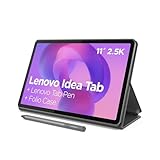
- POWER YOUR STUDY, FUEL YOUR PLAY – Discover smarter learning with the Lenovo Idea Tab. Stay campus-ready with all-day battery life, AI-powered apps to enhance your work, and sharp graphics for tv marathons with friends.
- SMOOTH, POWERFUL, IMMERSIVE – The MediaTek Dimensity 6300 processor is more powerful than ever, with the AI-enhanced multitasking you need to stay ahead.
- CIRCLE IT, SEARCH IT – Use your Lenovo Tab Pen or fingertip to circle items for instant search results or to translate other languages without switching apps. Circle to Search with Google ensures answers are only a circle away.
- SHARP VIEW, CLEAR SOUND – Experience sharp visuals and immersive sound for study sessions and streaming breaks. With 72% NTSC and quad Dolby Atmos-tuned speakers you can enjoy your study breaks with vivid videos and crystal-clear sound.
- LEVEL UP YOUR STUDY – Write, organize, sketch, and calculate with four learning apps built to match your flow. Lenovo AI Note, Squid, Nebo, and MyScript Calculator help you stay clear, focused, and ready for every study session.
What do Minecraft and Roblox actually require on a tablet?
Minecraft and Roblox require a current mobile operating system and capable graphics hardware, but official minimum compatibility is only a starting point. Smooth play depends on the game, settings, world or experience, thermal behavior, available storage, and network connection.
Which Minecraft edition works on iPad and Android tablets?
iPadOS and Android tablets use Minecraft Bedrock/mobile rather than native Minecraft Java Edition. Mojang identifies Bedrock as the edition with mobile cross-play and touch or controller support across mobile, Windows, Xbox, PlayStation, and Nintendo Switch platforms. Mojang’s Minecraft Java and Bedrock comparison explains the edition and platform distinction.
Do not buy any tablet in this list expecting native Java Edition support. Remote play, cloud gaming, and unofficial workarounds are separate use cases and do not make Java a native tablet app.
Free tools Windows power users keep installed
One-click scans. No signup required.
What does Roblox compatibility mean?
Roblox’s official mobile requirements list iPadOS 14 or later for Apple tablets, Android 8.0 or later for Android devices, and OpenGL ES 3.0 support for Android hardware. Roblox also cites an approximate 4–8 Mb/s internet connection range and notes that Android hardware varies widely. Roblox’s official mobile system requirements also list older iPads and Amazon Fire tablets as compatible, but compatibility does not guarantee smooth performance in demanding Roblox experiences.
A Roblox experience can lag because of poorly optimized game code, high in-game graphics settings, weak Wi-Fi, background activity, thermal throttling, or a lower-end GPU even when the tablet launches Roblox successfully. A current tablet with a modern CPU and GPU is a safer purchase than an older device that merely appears on a minimum-support list.
Why these five tablets make the shortlist
The shortlist prioritizes sustained capability, usable screens, storage, software ecosystems, and ownership practicality rather than peak chipset specifications alone. No exact frame-rate claim is made because credible FPS results require testing the exact tablet, game version, settings, world or Roblox experience, and thermal conditions.
1. Apple iPad with A16: best overall value
Best for: Families and general users who want the simplest strong recommendation for Minecraft Bedrock, Roblox, streaming, schoolwork, and light creative tasks.
The Apple iPad with the A16 chip has enough current performance for ordinary Minecraft Bedrock and Roblox without requiring an iPad Air-class purchase. The combination of Apple hardware and iPadOS also makes setup, app availability, account management, and long-term compatibility straightforward for households already using iPhones, iCloud, AirPods, or Apple controllers.
Apple’s technical specifications identify the tablet as an iPad with the A16 chip, iPadOS, USB-C, and a 28.93-watt-hour battery rated for up to 10 hours of web or video use under Apple’s test conditions. Apple’s official iPad technical specifications do not make that battery figure a Minecraft or Roblox runtime measurement.
What is good about the A16 iPad?
- Strong mainstream performance for ordinary Bedrock worlds and a broad range of Roblox experiences.
- Simple family setup and consistent iPadOS app support.
- Good fit for gaming, video, schoolwork, and casual creative work in one device.
- USB-C makes charging and accessory compatibility more convenient than older Lightning models.
What are the drawbacks?
- The iPad has no microSD slot, so storage cannot be expanded later.
- The standard display should not be described as a high-refresh gaming panel without confirming the exact specification.
- The smallest storage configuration may become restrictive when several people share the tablet or record gameplay.
- iPadOS runs Bedrock/mobile Minecraft, not native Java Edition.
Recommended configuration: 128GB is adequate for one user with moderate apps. Choose 256GB for a family device, frequent screen recording, many apps, or a longer ownership period. Wi-Fi is sufficient for most homes; cellular is an optional convenience that adds hardware and data-plan costs.
Who should skip it: Buyers who specifically need microSD expansion, more open file management, or the highest performance ceiling should consider an Android alternative or the iPad Air M4.
Do these 3 things before closing this tab:
1Repair Windows errors before they cause bigger problems2Fix the driver behind crashes, sound loss and screen glitches3Clear out junk files and repair common Windows errorsCheck the A16 iPad’s official specifications before ordering, then verify the current configuration and U.S. price on Apple’s iPad buying page.
2. Apple iPad Air M4: best performance and longevity
Best for: Buyers who want the strongest performance headroom for demanding Roblox experiences, screen recording, multitasking, creative apps, video editing, and future demanding software.
The iPad Air M4 is the performance leader in this shortlist. The M4 is considerably more capability than ordinary Minecraft and Roblox require, so the reason to buy this tablet is headroom for demanding apps and a longer period of comfortable use—not a claim that Minecraft needs an M4.
Apple lists the current iPad Air in 11-inch and 13-inch sizes with an M4 chip, an 8-core CPU, a 9-core GPU, hardware-accelerated ray tracing, 12GB of unified memory, 128GB–1TB storage options, and Apple Pencil Pro support. Apple’s iPad Air M4 specifications establish those hardware details, but they do not prove a particular Minecraft or Roblox frame rate.
Recommended Free Tools
Which iPad Air size should gamers choose?
The 11-inch iPad Air is the better balance for handheld gaming and portability. The 13-inch model gives Minecraft, split-screen schoolwork, streaming, and creative apps more physical space, but it is less comfortable to hold for long sessions. A fast M4 processor also does not automatically mean that the display is a high-refresh gaming panel, so buyers should check the display specification rather than infer it from the chip.
Recommended configuration: The 11-inch, 256GB model is the sensible target for most gaming buyers who want long-term headroom. Choose 13 inches when screen size matters more than handheld comfort. Do not choose 1TB solely for Minecraft or Roblox.
Also popular on Amazon

- 【Android 16.0 tablet】 CUPEISI tablet adopts the 2026 latest version of Android 16.0 system and has passed Google GMS certification, The android 16 tablets offer personalized security systems, lightning fast application launches, super smooth gaming, and stunning netflix multimedia experiences.
- 【20GB RAM+128GB ROM+2TB Expandable】 The CP31M android 16 tablet PC built-in a powerful storage combination of 20GB RAM (4GB + 16GB achieved through expansion technology) and 128GB ROM, comes with new generation ultra-high performance and low power consumption 2.0GHz CPU, achieve faster and more stable running and storage speeds. In addition, it can be expanded up to 2TB with a microSD card (card not included) for even more storage.
- 【Portable 2 in 1 Tablets with Keyboard】 This 10.1 inch android tablet equipped with a bluetooth keyboard, wireless mouse, and stylus as well as a foldable protective case, allowing you to seamlessly transform your 10'' tablet into a laptop-style device. This versatility makes it the ideal device for those who need to be productive on the go, whether it be for work, study, or play.
- 【10.1 inch Touchscreen & HD Camera】 The android 16.0 tablet has a 10.1in IPS display, 1280x800 resolution, a tablet with sensitive screen sensing, equipped with 8MP+2MP HD cameras, narrow edge screen design. The high-definition screen brings you more detailed natural colors and advanced visual effects. The "Reading Mode" can reduce harmful light to the eyes so you get to enjoy a comfortable night reading.
- 【2.4G/5G Wi-Fi 6.0+6000mAH Battery】 10 inch Wifi tablet support 5Ghz Wi-Fi 6 or 2.4Ghz, it has a more stable wireless signal, achieves faster transmission speed, and makes wireless devices more power-saving. In addition, it is equipped with a 6000mah battery, a single charge can last up to 6-8 hours, perfect for long-distance commuting and travel, reading, watching movies, dramas, listening to music and so on.
Who should skip it: A child who mainly plays standard Minecraft and Roblox may receive little practical benefit from the extra performance over the A16 iPad. The higher price is easier to justify for recording, creative work, multitasking, or other demanding apps.
Apple’s official iPad Air buying page should be checked immediately before publication or purchase because the supplied research did not provide a stable rendered U.S. price.
3. Samsung Galaxy Tab S10 FE: best Android all-rounder
Best for: Android households that want a durable, expandable tablet for gaming, school, streaming, and everyday family use.
The Galaxy Tab S10 FE is the strongest general Android recommendation here because it combines a 10.9-inch screen, up to 90Hz adaptive refresh rate, included S Pen, IP68 water and dust resistance, and microSD expansion. Samsung lists the Exynos 1580 chipset, up to 256GB internal storage, microSD support up to 2TB, and up to 20 hours of video playback under Samsung’s test conditions on the official Galaxy Tab S10 FE product page.
The FE’s Exynos 1580 platform should not be described as equivalent to the iPad Air’s M4 or the Legion Tab’s Snapdragon 8 Gen 3. The tablet is a balanced midrange Android choice, not the performance winner. Ordinary Bedrock play and many Roblox experiences should be a reasonable target, while unusually complex Roblox experiences, heavy graphics settings, and demanding Minecraft add-ons may expose more limits than on the top-performing models.
What does the Galaxy Tab S10 FE cost?
Samsung’s March 2026 U.S. MSRP lists the Wi-Fi Galaxy Tab S10 FE at $499.99 for 8GB/128GB and $569.99 for 12GB/256GB. Those figures are MSRP signals observed for the U.S. market, not guaranteed sale prices or bundle prices. Samsung’s U.S. MSRP document is the source for both configurations.
What are the FE’s strengths and weaknesses?
- Strengths: IP68 protection, included S Pen, microSD expansion, 90Hz display, and a practical 10.9-inch size.
- Weaknesses: The LCD panel is not as contrast-rich as Samsung AMOLED tablets, and the Exynos platform is not a flagship gaming solution.
- Storage choice: 8GB/128GB suits one player with modest needs; 12GB/256GB is safer for family sharing and longer use.
IP68 protection is useful around spills, travel, and children, but water resistance does not make the tablet drop-proof. Add a protective case. The S Pen is valuable for school, drawing, and notes, not necessary for Minecraft or Roblox.
4. Lenovo Legion Tab Gen 3: best compact gaming tablet
Best for: Players who prioritize handheld gaming comfort, compact size, and gaming-oriented Android hardware over a large workspace.
The Lenovo Legion Tab Gen 3 is the most purpose-built gaming tablet in this group. Lenovo lists a Snapdragon 8 Gen 3 Mobile Platform, Android 14, an 8.8-inch 2560×1600 display, 165Hz refresh rate, HDR10, up to 900 nits HBM brightness, 10-point touch support, Google Play support, and three OS upgrades. Lenovo’s Legion Tab Gen 3 specifications support those claims.
The compact 8.8-inch format keeps controls within easier thumb reach and is convenient for handheld sessions. The Snapdragon 8 Gen 3 gives the Legion Tab more performance headroom than a typical midrange tablet, making it an appealing Android choice for users who play other demanding mobile games as well as Minecraft and Roblox.
What’s actually slowing this PC down?
Pick the symptom - the matching free tool is one click away.
Does a 165Hz screen mean Minecraft and Roblox run at 165 FPS?
No. A 165Hz display can refresh the screen up to 165 times per second, but a game must render frames at the corresponding rate, and Minecraft or an individual Roblox experience may use a lower frame rate. The 165Hz specification is evidence of a smooth display capability, not a guarantee of 165 FPS.
What are the Legion Tab’s trade-offs?
- The 8.8-inch display is less suitable for split-screen homework, family viewing, and small-text reading than an 11-inch or 13.1-inch tablet.
- Gaming-focused design may provide fewer productivity conveniences than an iPad or Galaxy Tab.
- Pricing and configuration availability can fluctuate more than mainstream Apple and Samsung models.
- The supplied Lenovo page did not expose a stable price, so current U.S. price and stock require a live check.
Recommended configuration: Choose the highest-storage configuration available at a reasonable price. Use a case that does not obstruct cooling vents or the grip area, and consider a Bluetooth controller for extended play.
Who should skip it: Families wanting a large screen, included stylus, IP68 protection, or a conventional school-and-entertainment tablet should choose the Galaxy Tab S10 FE or FE+ instead.
5. Samsung Galaxy Tab S10 FE+: best large-screen option
Best for: Couch gaming, split-screen schoolwork, streaming, drawing, and users who value the largest display more than handheld portability.
Windows Errors? Fix Them Before They Spread
Repair common Windows errors and clear accumulated junk for a smoother, more stable PC - no reinstall needed.Free scan · no reinstallOutdated Drivers Are Slowing You Down
One free scan finds every outdated or missing driver and matches the right update for your exact hardware.Free scan · exact hardware matchThe Galaxy Tab S10 FE+ uses the same general Exynos 1580 platform as the smaller FE but expands the display to 13.1 inches. Samsung lists a 2880×1800 LCD panel with up to 90Hz refresh rate, IP68 water and dust resistance, an included S Pen, up to 256GB internal storage, microSD expansion up to 2TB, and up to 21 hours of video playback under Samsung’s test conditions. Samsung’s Galaxy Tab S10 FE series specifications are the source for those details.
The FE+ is a screen-size choice rather than a performance upgrade. Minecraft worlds and Roblox experiences are more immersive on the larger display, and the extra workspace helps with schoolwork and split-screen use. The larger chassis is less comfortable to hold for long gaming sessions, and a stand or folio case makes more sense than treating the FE+ as a small handheld.
Samsung’s March 2026 U.S. MSRP lists the Wi-Fi FE+ at $649.99 for 8GB/128GB and $749.99 for 12GB/256GB. The Samsung MSRP sheet supplies those dated price signals; sale pricing and bundles may differ.
Also popular on Amazon

- COMPACT SIZE, COMPACT FUN – The Lenovo Tab One is compact, efficient, and provides non-stop entertainment everywhere you go. It’s lightweight and has a long-lasting battery life so the fun never stops.
- SIMPLICITY IN HAND - Add a touch of style with a modern design that’s tailor-made to fit in your hand. It weighs less than a pound and has an 8.7” display that’s easy to tuck in a purse or backpack.
- NON-STOPPABLE FUN – Freedom never felt so sweet with all-day battery life and up to 12.5 hours of unplugged YouTube streaming. It’s designed to charge 15W faster than previous models so you can spend less time tethered to a power cable.
- PORTABLE MEDIA CENTER - Enjoy vibrant visuals, immersive sound, and endless entertainment anywhere you go. The HD display has 480 nits of brightness for realistic graphics and dual Dolby Atmos speakers that provide impressive sound depth.
- ELEVATED EFFICIENCY - Experience the MediaTek Helio G85 processor and 60Hz refresh rate that ensure fluid browsing, responsive gaming, and lag-free streaming.
Recommended configuration: 128GB is adequate for one user who stores media on microSD. Choose 256GB when the tablet is shared, used for screen recordings, or expected to remain in service for years. Add a stand or folio case, screen protector, and microSD card if those accessories fit the household’s use.
The Tool Desk
Outbyte Driver Updater FREEScan for outdated or missing drivers - takes under a minuteDriver Scan →Outbyte PC Repair FREEClear out junk files and repair common Windows errorsFree Scan →Which tablet should you choose?
| If your priority is… | Choose… | Why |
|---|---|---|
| The simplest recommendation for a child or family | Apple iPad A16 | Strong mainstream performance, broad app support, and straightforward setup. |
| Maximum headroom for demanding apps and long ownership | Apple iPad Air M4 | The highest performance ceiling in the shortlist, though unnecessary for basic play. |
| Android, durability, stylus, and expandable storage | Galaxy Tab S10 FE | IP68 protection, S Pen, microSD support, and a practical 10.9-inch size. |
| Compact handheld gaming | Lenovo Legion Tab Gen 3 | 8.8-inch size, Snapdragon 8 Gen 3, and gaming-oriented 165Hz display. |
| The largest screen | Galaxy Tab S10 FE+ | 13.1 inches for couch gaming, schoolwork, streaming, and split-screen use. |
Should you buy the iPad A16 or iPad Air M4?
Choose the iPad A16 when Minecraft, Roblox, video, and schoolwork are the main activities. Choose the iPad Air M4 when the tablet will also handle demanding creative apps, video editing, multitasking, frequent screen recording, or other games that benefit from more performance headroom.
Should you buy the Galaxy Tab S10 FE or FE+?
Choose the Galaxy Tab S10 FE for handheld comfort and portability. Choose the FE+ when a 13.1-inch screen, split-screen work, and couch use matter more than weight and one-handed or two-handed handheld gaming comfort.
Is the Legion Tab Gen 3 better than the iPad Air M4 for Minecraft and Roblox?
The Legion Tab Gen 3 is the better compact gaming design, while the iPad Air M4 has the higher performance ceiling and a broader productivity ecosystem. The Legion Tab’s 165Hz panel and small form factor favor handheld gaming; the iPad Air’s 11- or 13-inch formats favor general use, creative work, and long-term flexibility.
How much storage do Minecraft and Roblox need?
Choose at least 128GB of internal storage for a straightforward gaming tablet, and choose 256GB when a family shares the device, gameplay is recorded, several large games are installed, or the tablet will be kept for a long time.
Quick wins for a faster PC:
Clear out junk files and repair common Windows errorsFree Scan →Fix the driver behind crashes, sound loss and screen glitchesFind Drivers →Minecraft worlds, add-ons, Marketplace content, screenshots, and screen recordings can accumulate. Roblox may not be the largest app on the tablet, but other games, video apps, downloads, and operating-system data also consume space. A 64GB tablet is a poor long-term recommendation for a family gaming device.
microSD support gives the Galaxy Tab S10 FE and FE+ a meaningful advantage for media and some Android storage needs. A microSD card is not always as fast as internal storage and does not replace fast internal space for every app or game workload. iPads and the Lenovo Legion Tab listed here should be evaluated by their built-in storage because the models do not provide the same verified expansion path.
How should you set up a tablet for Minecraft and Roblox?
- Install the official apps: Download Minecraft and Roblox from the tablet’s official app store. Confirm that the game account, Microsoft account, and family permissions are correct before a child begins playing.
- Update everything: Install available operating-system and game updates. Updates can affect compatibility, graphics behavior, and account features.
- Use reliable Wi-Fi: A powerful tablet cannot repair high ping, server-side lag, weak household Wi-Fi, or unstable cellular service. Roblox cites an approximate 4–8 Mb/s connection range and suggests Wi-Fi when mobile data is unstable.
- Start with moderate graphics: If a Roblox experience stutters, lower the in-game graphics setting before assuming the tablet is defective. In Minecraft, reduce render distance or simulation distance and test without demanding texture packs or add-ons.
- Reduce background load: Close unnecessary apps, pause large downloads, restart the tablet, and keep adequate free storage.
- Protect the hardware: Use a rugged case and screen protector for a child’s tablet. Water resistance does not protect against drops.
- Add controls only if useful: Minecraft Bedrock supports touch and controller input. A Bluetooth controller can improve long sessions, but controller behavior varies by Roblox experience, so do not assume universal support.
- Configure family controls: Use Apple Screen Time and Family Sharing on iPad, Google Family Link or Samsung’s parental-control options on Android, and Microsoft account settings for Minecraft Bedrock. Settings and behavior are not identical across Apple, Samsung, Lenovo, and Amazon devices.
What should you do if Roblox runs but still lags?
If Roblox launches but stutters, first lower Roblox’s in-game graphics setting, close background apps, update Roblox and the operating system, restart the tablet, and test on strong Wi-Fi. If only one experience performs badly, the experience may be poorly optimized; if all experiences lag, investigate storage pressure, heat, network quality, and device capability.
Long sessions can also expose thermal throttling. Keep vents clear, avoid covering a gaming-focused tablet with a restrictive case, and do not interpret one short successful session as proof of sustained performance in every world or experience.
Do these 3 things before closing this tab:
1Scan for outdated or missing drivers - takes under a minute2Clear out junk files and repair common Windows errors3Fix the driver behind crashes, sound loss and screen glitchesWhat should you know about Minecraft texture packs and add-ons?
Ordinary Bedrock survival play is less demanding than a large world with high-resolution texture packs, numerous add-ons, complex redstone farms, or many active players. A recommendation for “smooth Minecraft” should therefore mean ordinary Bedrock play at sensible settings unless exact testing proves more.
Ray-tracing claims should not be used as a normal tablet buying criterion. Mojang’s cited ray-tracing requirements refer to compatible PC hardware, not ordinary iPad or Android tablet gameplay. Mojang’s official edition information is the relevant source for separating PC-specific features from mobile Bedrock play.
Which accessories are worth buying?
- Protective case: The highest-priority accessory for children, travel, and handheld use.
- Screen protector: A sensible protection upgrade, although not a gaming requirement.
- Bluetooth controller: Useful for Minecraft and selected Roblox experiences; verify support for the specific Roblox experience.
- microSD card: Relevant to the Galaxy Tab S10 FE and FE+ for compatible storage needs, but not to iPads.
- Stand or folio case: Particularly useful for the large Galaxy Tab S10 FE+.
- USB-C charger and cable: Check what the chosen configuration includes. Apple’s iPad Air specifications list a 20W USB-C power adapter in the box.
- Apple Pencil Pro or S Pen: Useful for school and creative work, but neither stylus is necessary for Minecraft or Roblox.
Final verdict
Buy the Apple iPad A16 for the most broadly sensible Minecraft and Roblox recommendation. Buy the iPad Air M4 when demanding apps, recording, multitasking, or extra performance headroom justify the higher cost. Choose the Galaxy Tab S10 FE for Android flexibility, IP68 protection, an included S Pen, and microSD support; choose the Lenovo Legion Tab Gen 3 for compact gaming; and choose the Galaxy Tab S10 FE+ when a large display matters more than handheld comfort.
No tablet can guarantee lag-free play across every Roblox experience or Minecraft world. The safest purchase combines a current platform, at least 128GB of internal storage, reliable Wi-Fi, sensible graphics settings, and a case suited to the user.
Frequently Asked Questions
Can an iPad or Android tablet run Minecraft Java Edition?
iPadOS and Android tablets are intended for Minecraft Bedrock/mobile, not native Minecraft Java Edition. Bedrock supports mobile touch and controller input and cross-play with several other platforms; remote play and cloud gaming are separate use cases.
Is 128GB enough for Minecraft and Roblox?
128GB is enough for one user with moderate apps, but 256GB is safer for families, screen recordings, multiple games, Minecraft add-ons, and longer ownership. Minecraft worlds, screenshots, video recordings, and other apps can consume storage over time.
Does a 165Hz tablet display make Roblox run at 165 FPS?
No. A 165Hz display can refresh up to 165 times per second, but the game and individual Roblox experience must render frames at that rate. Display refresh rate does not guarantee a matching game frame rate.
Why can Roblox lag on a tablet that officially supports Roblox?
Official compatibility means the Roblox app can run, not that every experience will perform smoothly. Poor optimization, high graphics settings, weak Wi-Fi, background activity, heat, low free storage, and lower-end graphics hardware can all cause stuttering.
The Bottom Line
Bottom line: The Apple iPad A16 is the best default choice for Minecraft Bedrock and Roblox. The iPad Air M4 is the performance upgrade, the Galaxy Tab S10 FE is the best Android all-rounder, the Legion Tab Gen 3 is the best compact gaming tablet, and the Galaxy Tab S10 FE+ is the best large-screen option.

