
Outdated Drivers Are Slowing You Down
One free scan finds every outdated or missing driver and matches the right update for your exact hardware.Free scan · exact hardware matchWindows Errors? Fix Them Before They Spread
Repair common Windows errors and clear accumulated junk for a smoother, more stable PC - no reinstall needed.Free scan · no reinstalliTechGuides is reader-supported. When you buy through links on our site, we may earn an affiliate commission. As an Amazon Associate I earn from qualifying purchases. Learn more
The Essential Tablet Accessories Guide (2025) has one central answer: buy a model-specific protective case, a reliable charger and cable, and a stable stand first. Add a stylus for handwriting or drawing, a keyboard for sustained typing, and a hub, power bank, or screen protector only when your tablet and workflow require them.
There is no universal accessory kit for an iPad, Galaxy Tab, or Surface. The correct choices depend on the tablet’s exact model and generation, its operating system and port capabilities, how you use it, and how much protection or portability you need.
Key takeaways
- A model-specific case is usually the first purchase because case fit affects keyboard compatibility, stylus charging, port access, camera clearance, and screen-protector fit.
- A stylus is essential for handwriting, PDF markup, drawing, and precise selection, but unnecessary for a tablet used mainly for reading, streaming, browsing, or casual games.
- A keyboard is worthwhile for sustained typing, office work, and DeX or Windows workflows; a separate Bluetooth keyboard and stand can be more comfortable at a desk than a keyboard case.
- USB-C describes a connector shape, not guaranteed support for fast charging, high-speed data, USB4, Thunderbolt, or external displays.
- Apple, Samsung, and Microsoft accessories are highly model-specific, and manufacturer compatibility pages should be checked before purchase.
What should every tablet owner buy first?
The sensible buying order for most tablet owners is a protective case or folio, a reliable charger and cable, and a stable stand or folio with a usable viewing angle. A stylus, keyboard, hub, screen protector, power bank, headphones, or external storage should follow only when a specific task justifies the added cost, weight, and complexity.
| Accessory | Buying priority | Who needs it | Main reason to skip it |
|---|---|---|---|
| Protective case or folio | Buy first | Almost every owner, especially travelers and children | A careful home user may prefer a sleeve-only setup |
| Charger and cable | Buy first if the included setup is missing or inconvenient | Anyone who needs a spare, longer, or multi-device charger | Your existing safe, compatible charger may be sufficient |
| Stand | Buy if the tablet is used hands-free | Readers, streamers, cooks, video-call users, and desk workers | A folio kickstand may already meet the need |
| Stylus | Buy if needed | Note-takers, artists, students, and PDF annotators | Little value for media consumption and casual browsing |
| Keyboard | Buy if needed | People who type long messages, essays, documents, or emails | Unnecessary for short messages and touch-first apps |
| USB-C hub or dock | Buy only for a known connection | Users of displays, drives, cameras, Ethernet, or USB peripherals | It may not work with the tablet’s port or operating system |
Why should compatibility come before price?
Compatibility should come before price because two tablets with the same advertised screen size can have different dimensions, camera layouts, speaker openings, ports, keyboard connectors, or stylus systems. Confirm the exact model number and generation rather than searching only for “11-inch iPad,” “Galaxy Tab S,” or “Surface.”
Popular on Amazon

- Compatibility : Specially designed for iPad (A16) 11th generation 11-inch 2025 (Model: A3354, A3355, A3356),iPad 10th generation 10.9-inch 2022 (Model: A2696, A2757, A2777). Note: It will not be compatible other model. Please check your iPad model before purchase
- Excellent Quality : Our iPad 11th/10th Gen 11/10.9 inch case 2025/2022 is made of premium PU leather exterior, Soft microfiber lining and coverage with translucent PC back shell, Providing total full protection for your precious tablet
- Adjustable Angles : Strong magnetic connection to create a stable viewing/typing stand for your iPad (A16) 11th generation tablet 2025 or iPad 10th generation tablet 2022. Two viewing angles are provided for watching, reading or typing. Satisfying your needs. Free your hands for other entertainments
- Support Apple 1st/USB-C Pencil Charging and Touch ID : With the precise cutouts, this new iPad 11/10.9 inch Case 2025/2022 supports 1st /USB-C apple pencil charging (Need Apple USB-C to Apple Pencil Adapter) and Touch ID functions. Also allows you to access to all features and controls, Such as speakers, earphones and volume buttons.(Pencil is Not included)
- Auto Wake/Sleep : With the built-in magnetic, This case for iPad 11th generation 2025 or iPad 10th generation 2022 can automatically wake up you device or put it into sleep with the lid open or closed. Protects and extends battery life
Check these details before checkout
- Exact model number, generation, and screen size.
- Camera position, speaker openings, microphone openings, and USB-C or Lightning port placement.
- Whether the tablet supports the desired stylus, including magnetic attachment and wireless charging.
- Whether the keyboard uses a connector, magnets, or Bluetooth.
- Whether the case leaves room for the tablet’s charger and hub.
- Whether a screen protector works with the case without lifting at the edges.
- Whether the tablet supports external displays, external storage, or the peripherals a hub advertises.
A case claiming compatibility with several generations is not automatically safe. A poor fit can cover microphones, make buttons difficult to press, prevent a charging connector from seating fully, obstruct a camera, trap heat, or hold a stylus too loosely.
Which type of tablet case is best?
The best tablet case depends on whether protection, portability, typing, hands-free viewing, or one-handed handling matters most.
| Case type | Best for | Advantages | Trade-offs |
|---|---|---|---|
| Folio case | General use, reading, and travel | Light protection, cover, and often a basic stand | Usually less drop protection and limited angles |
| Rugged case | Children, field work, and outdoor use | Raised bezels, impact protection, handles, or straps | Adds bulk and may make ports and buttons harder to access |
| Keyboard case | Typing and laptop-style work | Combines protection, keyboard, and sometimes trackpad | Heavier, more expensive, and less comfortable in tablet mode |
| Slim snap-on case | Careful home users | Low weight and minimal bulk | Limited impact protection and often no useful stand |
| Sleeve | Transport between locations | Good storage protection without staying attached | Does not protect the tablet while it is being used |
| Strap or shoulder-strap case | Commuters, children, and users with limited hand strength | Improves carrying and one-handed handling | Can add bulk and create snag points |
Select the case before buying a keyboard or screen protector. The case can determine whether a keyboard attaches, whether an Apple Pencil or S Pen charges while magnetically attached, whether the tablet fits a stand or sleeve, and whether the USB-C port remains accessible.
Do you need a separate tablet stand?
A stand is useful for video calls, recipes, streaming, reading, desk work, second-screen use, and drawing at a shallow angle. A folio kickstand is portable and usually adequate for travel; a separate desktop or metal stand is generally more stable and adjustable at a permanent workstation.
Check that a stand does not block speakers, cameras, cooling vents, or charging ports. A stand that supports only landscape orientation may be inconvenient for portrait reading or video calls. A thick case can also prevent a tablet from sitting securely in a narrow stand.
When is a tablet stylus worth buying?
A stylus is worth buying when handwriting, drawing, PDF markup, document annotation, precise selection, or classroom and fieldwork input is central to the tablet’s role. A stylus is usually unnecessary when the tablet is mainly used for streaming, web browsing, reading books, games, recipes, or short messages.
| Stylus feature | Why it matters |
|---|---|
| Pressure sensitivity | Controls line weight or brush intensity in supported drawing apps |
| Tilt support | Can change shading or stroke behavior in compatible apps |
| Palm rejection | Allows the hand to rest on the screen while writing |
| Hover preview | Shows the pointer or tool position before contact on supported devices and apps |
| Magnetic attachment | Keeps the stylus with the tablet, but does not always mean it charges |
| Wireless charging | Reduces cable clutter, provided the tablet and pen support the same charging method |
| Shortcut gestures | Speeds up tool changes in supported software |
| Replaceable nibs | Extends the useful life of a frequently used stylus |
Apple’s iPad accessory ecosystem includes Apple Pencil Pro and Apple Pencil USB-C products, but Apple Pencil support varies by iPad model. Use Apple’s current iPad accessories catalog as the compatibility starting point.
Recommended Free Tools
Samsung sells S Pen products for Galaxy tablets, but the correct pen and charging behavior vary by model. Surface buyers should also verify the exact device because Microsoft lists Surface Pen and Surface Slim Pen separately in its Surface accessories catalog.
Do not buy a stylus solely because the tablet supports one. Check latency, grip comfort, nib availability, charging, palm rejection, and whether the note-taking or drawing app supports the features you actually need.
When does a tablet keyboard make sense?
A keyboard makes sense when you write long emails, essays, notes, documents, or browser-based work. A keyboard is a poor purchase when the tablet is used mainly for video, reading, games, recipes, casual browsing, or short messages.
| Keyboard type | Advantages | Drawbacks | Best setting |
|---|---|---|---|
| Integrated keyboard case | Compact, protective, and normally requires no separate pairing | Heavy, expensive, and less comfortable as a handheld tablet | Travel and regular typing |
| Detachable keyboard cover | Can be removed when touch use is preferred | Still tied to a specific tablet and connector system | Mixed tablet and typing use |
| Bluetooth keyboard | Can work across multiple devices | Needs charging or batteries and may involve pairing issues or latency | Multi-device desk setups |
| Full-size desktop keyboard | Best typing comfort and layout | Requires a separate stand and is not portable | Permanent workstation |
| Keyboard case with trackpad | More laptop-like cursor control | Heavier and more expensive; trackpad quality varies | Office work and desktop-style multitasking |
Evaluate key travel, layout, backlighting, function-row controls, trackpad size, tablet-mode comfort, lap stability, weight, detachability, and operating-system shortcuts. A keyboard case can turn a lightweight tablet into a heavy and expensive laptop substitute. A separate Bluetooth keyboard and stand may be more comfortable at a desk, although the separate setup is less convenient while traveling.
Samsung’s support documentation distinguishes keyboard covers for Galaxy Tab families and describes Book Cover Keyboard and Book Cover Keyboard Slim variants for Galaxy Tab S10 and S9 series devices, including an AI shortcut key. Check Samsung’s keyboard-cover support documentation for the relevant family before ordering.
Also popular on Amazon
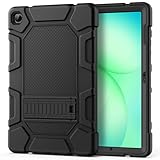
- [Compatible Models] Exclusively designed for Samsung Galaxy Tab A11+/A11 Plus 11” 2026 Release(SM-X230/SM-X236/SM-X238), Samsung Galaxy Tab A9+/A9 Plus 11” 2024 Release (SM-X210/X216/X218), [No Screen Protector] DO NOT fit other Tablet
- [High-Quality Material] The case is made from high-grade thermoplastic polycarbonate and anti-skidding silicone, to create a perfect protection for your tablet. Not only shockproof/durable but also comfortable hand feeling
- [Built-in Kickstand] Functional pop out kickstand allows easy access to your favorite shows, movies, and games while on the go
- [Precise Openings] Easy access to all the controls and features; Perfect cutouts for speakers, cameras, ports and buttons
- [3 Months Warranty] Free charge of Product Changing or Refunding after received products within 3 months. Please contact our service team via email if you have any question,we will reply within 24 hours
What charger and cable should you buy?
Buy a safe USB-C Power Delivery charger with enough output for the tablet and any other devices you want to charge, plus a durable cable of the required connector type. A higher-wattage charger does not automatically charge every tablet faster because the tablet negotiates and draws the power it supports.
For newer USB-C tablets, a USB-C-to-USB-C cable is the usual choice. Older Apple hardware may require USB-C-to-Lightning. Cable length, bend relief, and construction matter for bedside or desk use, while a short cable may be easier to pack for travel.
Do not assume that every USB-C cable supports the same charging speed, video output, or data rate. Some cables are effectively charging-focused, while others support higher-speed data or display functions. If you are buying a cable for a hub, external SSD, camera, or monitor, verify the cable’s data or video specification as well as its charging rating.
A single-port charger is compact and gives one device its available output. A multi-port charger reduces cable clutter for a tablet, phone, earbuds, and accessories, but power can be divided between ports. Check port-sharing behavior, heat, included cable, travel size, and warranty rather than selecting only by the largest wattage number.
When is a USB-C hub or dock necessary?
A USB-C hub or dock is necessary only when the tablet must connect to a display, USB-A accessory, SD or microSD card, wired Ethernet, external drive, camera, audio interface, keyboard, mouse, or charger passthrough. A hub is not automatically useful just because a tablet has a USB-C port.
Apple’s USB-C Digital AV Multiport Adapter is designed to connect a compatible USB-C iPad to an HDMI display while providing a USB port and USB-C charging connection; Apple lists it within the iPad accessories catalog. Microsoft lists the Surface USB-C Travel Hub at $119.99 and the Surface USB4 Dock at $199.99 on its US Surface accessories page accessed during the research pass; prices and availability can change.
Why might a hub fail?
- The tablet’s USB-C port supports charging but not video output.
- The tablet, hub, cable, or display does not support the required display mode.
- The hub or connected drive requires more power than the tablet can provide.
- The operating system does not support a peripheral or its proprietary driver.
- The case prevents the hub connector from seating completely.
- Another connected device consumes the hub’s available bandwidth or power.
Verify three things separately: the tablet’s port capabilities, the hub’s capabilities, and the cable and display requirements. USB-C is a connector shape, not a guarantee of USB4, Thunderbolt, high-speed storage, audio output, or external-display support.
Do tablets need a mouse or trackpad?
A mouse or trackpad improves spreadsheet work, text selection, browser applications, remote desktop sessions, accessibility, and precise cursor movement. A mouse or trackpad adds less value to touch-first apps, reading, drawing, and casual entertainment.
Bluetooth is convenient and avoids a receiver occupying a port, while a USB receiver can provide predictable connection behavior but may require a hub. Consider battery life, portability, ergonomics, pointer support in the operating system, and whether the tablet’s case provides a stable typing angle. Microsoft’s Surface accessory range includes desktop-style keyboards, mice, hubs, docks, and pens, reflecting Surface’s more PC-oriented workflow.
Is external storage useful with a tablet?
External storage is useful for video footage, photos, large creative projects, offline travel media, backups, and moving files between devices. External storage is not automatically useful if the tablet has sufficient internal capacity or the preferred apps cannot open and save files directly to an external drive.
| Storage type | Best use | Advantages | Limitations |
|---|---|---|---|
| USB-C flash drive | Small file transfers | Compact and convenient | May run hot and can have lower sustained performance |
| Portable SSD | Large video, photo, and creative projects | Usually faster and more durable for sustained transfers | Costs more and may consume more tablet power |
| Cloud storage | Cross-device access and backup | No physical accessory and easy sharing | Depends on connectivity, subscription terms, and app support |
Before buying a drive, check file-system support, encryption, app behavior, safe-eject support, hub limitations, transfer speed, and power requirements. Connect the tablet to external power when testing a power-hungry drive or hub.
Do these 3 things before closing this tab:
1Repair Windows errors before they cause bigger problems2Fix the driver behind crashes, sound loss and screen glitches3Clear out junk files and repair common Windows errorsWhen is a power bank necessary?
A power bank is worthwhile for travel, long classes, field work, flights, outdoor use, commuting, and emergency backup. A home user who normally works near an outlet may be better served by a longer cable or multi-port wall charger.
Also popular on Amazon

- Compatibility: Only designed exclusively for Samsung Galaxy Tab A11 Plus 11-Inch 2026 Release (Model: SM-X230/SM-X236/SM-X238), Samsung Galaxy Tab A9 Plus 11-Inch 2024 Release (Model: SM-X210/SM-X216/SM-X218). Access to all features and controls.Please check your size and model before purchase
- Adjustable Angles: The Samsung Galaxy Tab A11 Plus/A9 Plus Case provides two angles for satisfying your viewing and typing needs. Avoid any joint pain, and free your hands for other entertainments
- Excellent Quality: The Galaxy Tab A11+/A9+ 11 Inch Case (2026/2024) is Made of premium PU leather exterior, soft microfiber lining and hard PC, the case provides full protection against fingerprints, shocks, scratches and dust
- Auto Wake/Sleep: Built-in magnetic strip, automatically wakes or puts your tablet to sleep when the lid is opened and closed. This Galaxy Tab A11+/A9+ Case Protects and extends battery life
- Simple Fashion Design: Slim and lightweight hard back design adds minimal bulk while protecting your precious device. The Samsung A11/A9 Plus Tablet Case translucent frosted back cover allows you to see the icon through the back directly
Prioritize USB-C output, adequate wattage, capacity in watt-hours or milliamp-hours, number of ports, integrated-cable quality, weight, pass-through charging, and thermal behavior. Capacity alone is not enough because output wattage and conversion losses affect practical charging.
Apple’s accessory catalog features 10,000-mAh and 20,000-mAh-class power-bank products from accessory vendors including Nimble and Belkin. Samsung’s US MSRP document lists a 45W, 20,000-mAh battery pack at $54.99. The Samsung figure is a US price signal from a document effective September 2025, not a guaranteed current price.
Evaluate a power bank by watt-hours and the rules for the airline, carrier, and itinerary rather than relying on one universal milliamp-hour rule. Confirm current travel requirements before departure.
Free tools Windows power users keep installed
One-click scans. No signup required.
Which screen protector is right for a tablet?
Clear tempered glass favors scratch and impact resistance while preserving clarity; matte film favors glare control and writing friction; privacy film favors viewing privacy in public but can reduce brightness and viewing angles; no protector favors maximum optical clarity for careful home users.
| Type | Best for | Trade-off |
|---|---|---|
| Clear tempered glass | General scratch and impact protection | Can add reflections, thickness, and stylus friction |
| Matte or paper-like film | Handwriting and glare reduction | Can reduce sharpness and create a grainy appearance |
| Privacy film | Public transport, classrooms, and shared offices | Reduces brightness and viewing angles |
| No protector | Careful home use and maximum clarity | Screen remains more exposed to scratches |
Samsung’s current MSRP document lists model-specific anti-reflective and transparent protectors for Galaxy Tab S11, S10 FE, S9 FE, and other models. Use the model-specific listing rather than assuming a protector fits every tablet with the same diagonal screen measurement.
Which audio accessories make sense?
Bluetooth earbuds or over-ear headphones are the simplest choices for media and calls. USB-C headphones, a USB-C-to-3.5-mm adapter, a wired microphone, USB audio interface, or speakers are better choices when latency, microphone quality, wired reliability, or recording matters.
Compare codec support, microphone quality, multipoint pairing, latency, battery life, comfort, transparency mode, active noise cancellation, and compatibility with video-call apps. For video calls, a dedicated microphone may improve voice quality more than premium headphones. For media, comfort and battery life usually matter more than studio specifications.
The Tool Desk
Outbyte Driver Updater FREEScan for outdated or missing drivers - takes under a minuteDriver Scan →Outbyte PC Repair FREERepair Windows errors before they cause bigger problemsFix Now →Apple lists a USB-C-to-3.5-mm headphone adapter in its iPad accessory catalog for connecting conventional wired headphones to compatible USB-C devices.
Which tablet accessories fit different workflows?
| Reader type | Practical kit | Usually skip |
|---|---|---|
| Minimalist reader | Slim folio, existing compatible charger, spare cable if useful, optional stand | Keyboard, stylus, hub, and power bank without a specific need |
| Student note-taker | Protective folio, compatible stylus, optional matte protector, charger, spare cable, compact stand | Keyboard unless the student writes substantial work |
| Artist | Pressure-sensitive stylus, spare nibs, comfortable grip, adjustable stand, optional matte protector, storage or hub | Accessories that obstruct the drawing angle or magnetic charging |
| Remote worker | Keyboard, mouse or trackpad, desk stand, hub or dock, multi-port charger, display if supported, headset or microphone | A dock if the tablet cannot support the desired display or peripherals |
| Traveler | Slim protective case, compact multi-port charger, durable cable, power bank, sleeve, headphones, optional foldable stand | Large desktop docks and unnecessary full-size keyboards |
| Parent or child | Rugged case, screen protector, hand strap or handle, durable short cable, optional child-friendly headphones | Detachable small parts for very young children |
| Field worker | Rugged or outdoor case, strap, anti-reflective protector, power bank, offline storage, cleaning supplies | Cases that compromise gloves use, port access, or outdoor visibility |
What should iPad buyers know?
iPad buyers should begin with a model-specific folio or protective case and a USB-C or Lightning charging setup appropriate to the iPad generation. Add Apple Pencil only for handwriting or drawing, a keyboard for regular typing, and a hub or display adapter for a confirmed external-device workflow.
Apple’s current iPad catalog visibly includes Apple Pencil Pro, Apple Pencil USB-C, keyboard cases, folios, power banks, stands, and USB-C display adapters. First-party accessories can integrate well, but integration does not automatically make them the best value. Compare price, weight, protection, typing comfort, trackpad quality, detachability, warranty, repairability, and likely future usefulness.
Key iPad mistakes include buying an incompatible Apple Pencil, choosing a keyboard case for the wrong size or generation, assuming all USB-C iPads have the same external-display or data capabilities, and allowing a case to interfere with magnetic Pencil attachment or charging. Older iPads may use Lightning rather than USB-C.
What’s actually slowing this PC down?
Pick the symptom - the matching free tool is one click away.
What should Galaxy Tab buyers know?
Galaxy Tab buyers should consider a Smart Book Cover or rugged cover, a compatible S Pen when one is not included or a replacement is needed, a suitable Samsung charger and cable, and a keyboard cover when DeX or sustained typing is part of the plan.
Also popular on Amazon

- 🌟【Compatibility】Exclusively designed for Samsung Galaxy Tab A11+ Plus/A9+ 11-Inch 2025/2023 tablet(SM-X230/X236/X238/SM-X210/X216/X218). NOT fit for other Samsung tablet model.
- 🌟【Rotating Stand + Hand Strap】360° Rotating Kickstand provides multi-angle viewing, with soft handle strap, easier to hold and use your tablet in your outdoor travelling, working, gaming with kids.
- 🌟【Portable Shoulder Strap】The adjustable shoulder strap provides the secureest protection and more convenience when you play or work with Samsung Tab A11+ /A9+. Hang it anywhere for your better entertainment, make your hands free.
- 🌟【Multiple Protection】Hard PC front cover, PC back cover, TPU frame and Built-in screen protector provide the max full protection for your Samsung Tab Tab A11+ /A9+ and easy to install. Not only shockproof/durable but also comfortable hand feeling.
- 🌟【Perfect Fit】The precise cutouts and design easily access to all buttons(speakers, volume button, charging port, camera).
Samsung’s catalog centers on book covers, keyboard covers, S Pen products, screen protectors, chargers, cables, and rugged covers. Samsung’s support documentation lists separate keyboard-cover options for different Galaxy Tab families, so a visually similar cover is not sufficient proof of compatibility.
Samsung US price signals observed in the research pass included $89.99 for the Tab S11 Smart Book Cover, $144.99 for the Tab S11 Book Cover Keyboard Slim, $29.99 for a Tab S11 screen protector, $59.99 for an S9-series replacement S Pen, $49.99 for a 45W travel adapter with cable, and $59.99 for a 65W Trio adapter. These are US MSRP signals from a Samsung price document effective May 1, 2026, not universal regional prices or guaranteed current street prices.
The keyboard is more defensible for a DeX-oriented productivity user than for someone who mainly watches video. Large Ultra tablets can also become substantially heavier with a keyboard cover. Samsung’s official accessory store and model-specific product pages should be checked for current availability.
Quick wins for a faster PC:
Fix the driver behind crashes, sound loss and screen glitchesFind Drivers →Repair Windows errors before they cause bigger problemsFix Now →Scan for outdated or missing drivers - takes under a minuteDriver Scan →What should Surface buyers know?
Surface buyers should evaluate accessories more like laptop accessories: a compatible keyboard, Surface Pen or Surface Slim Pen, USB-C hub or dock, correct power supply, mouse, and protective sleeve or case.
Microsoft’s US store listed the Surface USB-C Travel Hub at $119.99, Surface USB4 Dock at $199.99, Surface 45W USB-C Wall Charger at $69.99, Surface Keyboard at $149.99, Surface Pen from $99.99, and Surface Slim Pen at $129.99 during the research pass. Microsoft’s page showed some products out of stock, so availability is not uniform.
Do not treat Surface Pro, Surface Go, and other Surface models as interchangeable. Keyboard, pen, power-supply, dock, and case compatibility can differ. Confirm monitor support, USB4 or Thunderbolt requirements, Power Delivery, Windows-driver support, and pen charging before buying. A Surface may already be a laptop replacement, while a media-focused owner may gain little from a dock, pen, or desktop keyboard.
What are the most common tablet-accessory buying mistakes?
- Buying by screen size alone. An 11-inch case can still be wrong for the tablet’s dimensions, cameras, speakers, or port layout.
- Calling every accessory essential. Keyboards, styluses, hubs, power banks, and screen protectors solve specific problems rather than universal ones.
- Ignoring weight. A keyboard case, rugged case, hub, power bank, charger, and stylus can turn a light tablet into an awkward travel kit.
- Mixing accessories without checking conflicts. A screen protector may lift under case pressure, a case may block a hub, and a holder may interfere with magnetic stylus charging.
- Confusing USB-C with capability. The connector does not guarantee fast charging, high-speed storage, external displays, USB4, Thunderbolt, or audio output.
- Assuming a keyboard creates a laptop. App availability, window management, file handling, display support, and peripheral compatibility still limit iPadOS and Android workflows.
- Choosing by wattage alone. A high-rated charger does not force a tablet to draw more power, and multi-port chargers can divide output.
- Using stale prices as permanent facts. Prices, inventory, colors, included accessories, and product names change by country, retailer, and date.
- Assuming first-party means best. First-party accessories often integrate well but may be expensive, heavy, or less protective than specialist alternatives.
How do you troubleshoot an accessory that does not work?
Start with the physical fit and isolate one variable at a time. Remove the case and test the accessory, then test a known-good cable and connect the tablet to external power if the accessory or drive may be power-hungry.
- Remove the case and test the accessory again.
- Test with a known-good, appropriately rated cable.
- Charge the accessory or replace its batteries.
- Unpair and re-pair a Bluetooth keyboard, mouse, or stylus.
- Confirm the tablet’s exact model number and generation.
- Check the manufacturer’s compatibility page.
- Update the tablet operating system and accessory firmware where applicable.
- Disconnect other hub peripherals and test one device at a time.
- Connect external power before testing a power-hungry drive or hub.
- Return the accessory if the manufacturer cannot confirm support.
What is the best tablet accessory kit by budget?
| Kit | Include | Buy next only if |
|---|---|---|
| Minimal kit | Model-specific case or folio, safe charger and cable, optional stand | You discover a need for writing, typing, connectivity, or extended travel |
| Student kit | Folio, compatible stylus, optional matte protector, spare cable, compact stand | Long-form typing justifies a keyboard |
| Work kit | Keyboard, mouse or trackpad, desk stand, hub or dock, multi-port charger, headset or microphone | The tablet and apps support the planned display and peripheral setup |
| Creative kit | Pressure-sensitive stylus, spare nibs, grip, adjustable stand, optional matte protector, storage or hub | Large files or color-critical work require external storage or a supported monitor |
| Travel kit | Slim case, durable cable, compact multi-port charger, power bank, sleeve, headphones, optional folding stand | Typing or field work requires a keyboard or rugged case |
Final tablet accessory checklist
- Identify the exact tablet model and generation.
- Confirm case, keyboard, stylus, screen-protector, and hub compatibility independently.
- Buy protection before adding accessories that must attach to the tablet.
- Use the charger and cable you already own if they are safe and compatible.
- Check cable data and video capability when buying for storage, hubs, or displays.
- Choose a stylus for handwriting or drawing, not simply because the tablet supports one.
- Choose a keyboard for sustained typing, not short messages.
- Account for the combined weight of the case, keyboard, charger, hub, power bank, and accessories.
- Separate a permanent desk setup from a lightweight travel setup.
- Check current manufacturer pages for price, stock, included items, and final compatibility before checkout.
Frequently Asked Questions
What is the most essential tablet accessory?
A model-specific protective case or folio is the most broadly useful tablet accessory because it protects the device and can provide a stand. Confirm the exact model before buying because screen size alone does not guarantee fit.
Do I need a keyboard for my tablet?
You need a tablet keyboard only if you regularly write long emails, essays, documents, or notes. A keyboard is usually unnecessary for reading, streaming, games, casual browsing, and short messages.
Do all USB-C tablet accessories work with every USB-C tablet?
No. USB-C is a connector shape, not a guarantee of fast charging, high-speed data, external-display support, USB4, Thunderbolt, or audio output. Check the tablet port, accessory specifications, cable, and operating-system support.
Is a stylus essential for a tablet?
A stylus is essential only for workflows such as handwriting, drawing, PDF markup, and precise selection. A stylus adds little value to a tablet used mainly for reading, streaming, browsing, or casual games.
PC Slower Than It Used to Be?
A free scan shows the junk files, broken settings and background clutter dragging Windows down - then fixes them in one click.Free scan · Windows 10 & 11Crashes, No Sound, or Screen Glitches?
Random freezes, missing sound and display glitches usually trace back to one bad driver. Find and replace yours safely.Free scan · under a minuteShould I buy a tablet power bank?
Buy a tablet power bank for travel, long classes, field work, commuting, outdoor use, or emergency backup. Home users near an outlet may not need one, and buyers should compare USB-C output, wattage, weight, watt-hours, and current airline rules.
The Bottom Line
Buy tablet accessories around a specific workflow, not around the tablet category. Start with a correctly fitted case, a safe charger and cable, and a stable stand. Add a compatible stylus for handwriting or art, a keyboard for sustained typing, and a hub, storage drive, screen protector, or power bank only when a clearly defined need outweighs the extra cost and weight.
Prices, inventory, colors, compatibility, and included accessories can change. Use the manufacturer’s current page for the final check, especially for Apple Pencil, Galaxy Tab keyboard and S Pen, Surface pen, case, hub, and display compatibility.

