
Recommended Free Tools
iTechGuides is reader-supported. When you buy through links on our site, we may earn an affiliate commission. As an Amazon Associate I earn from qualifying purchases. Learn more
The best Windows tablet for most people in 2026 is the Asus ProArt PZ13: its OLED display, included keyboard cover, SD card slot, and 17-hour-47-minute tested battery life make it a stronger complete package than the similarly premium Surface Pro. Microsoft’s Surface Pro remains the better choice for Copilot+, Microsoft integration, and some business workflows.
This guide covers detachable Windows 2-in-1 PCs—tablets whose keyboards separate from the screen—not conventional laptops with 360-degree hinges. The recommendations and battery figures below reflect the current editorial testing picture reported by PCMag coverage syndicated by Yahoo, supplemented by current Microsoft and Lenovo specifications. Prices and bundles are time-sensitive; the Microsoft prices cited here were checked August 18, 2026.
Key takeaways
- The Asus ProArt PZ13 is the best all-around Windows tablet in the current tested shortlist because the $1,100 reported configuration includes its keyboard cover, a 13.3-inch OLED screen, and a tested 17-hour-47-minute battery result.
- The 2024 Microsoft Surface Pro is the best Copilot+ Windows tablet, but the keyboard and pen can raise its real purchase cost beyond the tablet-only starting price.
- The Intel-based Surface Pro for Business is the safer choice for managed fleets and specialist software that depends on traditional x86 compatibility, Windows 11 Pro, optional 5G, and enterprise support.
- The 1.5-pound 12-inch Surface Pro is the portability specialist, while the 2.64-pound Asus ROG Flow Z13 and 2.89-pound Dell Pro Rugged 12 trade portability for graphics performance or field durability.
- Sixteen gigabytes of RAM and 512GB of storage are the sensible starting point for most buyers; 32GB and 1TB are better for creative work, development, virtual machines, gaming, or large local files.
What qualifies as a Windows tablet?
A Windows tablet is best treated as a detachable 2-in-1 PC: the keyboard separates from the tablet body, allowing the screen to be used independently. A convertible laptop has a touchscreen and a 360-degree hinge, but the keyboard remains permanently attached. Convertible laptops can be excellent touchscreen PCs, but they are outside the main scope of this roundup.
Quick wins for a faster PC:
Scan for outdated or missing drivers - takes under a minuteDriver Scan →Clear out junk files and repair common Windows errorsFree Scan →Fix the driver behind crashes, sound loss and screen glitchesFind Drivers →| Type | How it works | Best suited to | Main limitation |
|---|---|---|---|
| Detachable 2-in-1 | Keyboard removes from the tablet | Travel, notes, presentations, tablet use, flexible office work | Keyboard stability, ports, and lap use may be weaker than on a laptop |
| Convertible laptop | Screen rotates 360 degrees while remaining attached | Users who want laptop ergonomics with occasional tablet mode | Heavier and less convenient as a standalone tablet |
| Rugged Windows tablet | Detachable or fixed Windows tablet built for field conditions | Construction, logistics, public safety, industrial, and emergency work | Thicker, heavier, and usually poor value for ordinary home use |
| iPad or Android tablet | Runs iPadOS or Android rather than desktop Windows | Media, mobile apps, drawing, and light productivity | Not a direct substitute for Windows desktop applications |
Which Windows tablet is best for most people?
Asus ProArt PZ13: best Windows tablet for most users
Bottom line: The Asus ProArt PZ13 is the strongest general recommendation when the buyer wants a real Windows PC in a tablet-first design and values an included keyboard, OLED image quality, long battery life, and creator-friendly storage.
Popular on Amazon
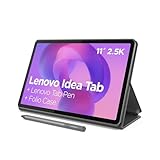
- POWER YOUR STUDY, FUEL YOUR PLAY – Discover smarter learning with the Lenovo Idea Tab. Stay campus-ready with all-day battery life, AI-powered apps to enhance your work, and sharp graphics for tv marathons with friends.
- SMOOTH, POWERFUL, IMMERSIVE – The MediaTek Dimensity 6300 processor is more powerful than ever, with the AI-enhanced multitasking you need to stay ahead.
- CIRCLE IT, SEARCH IT – Use your Lenovo Tab Pen or fingertip to circle items for instant search results or to translate other languages without switching apps. Circle to Search with Google ensures answers are only a circle away.
- SHARP VIEW, CLEAR SOUND – Experience sharp visuals and immersive sound for study sessions and streaming breaks. With 72% NTSC and quad Dolby Atmos-tuned speakers you can enjoy your study breaks with vivid videos and crystal-clear sound.
- LEVEL UP YOUR STUDY – Write, organize, sketch, and calculate with four learning apps built to match your flow. Lenovo AI Note, Squid, Nebo, and MyScript Calculator help you stay clear, focused, and ready for every study session.
| Tested configuration | Qualcomm Snapdragon X Plus X1P-42-100, 16GB RAM, 1TB SSD, Windows 11 Home |
|---|---|
| Display | 13.3-inch OLED touchscreen, 2,880×1,800, 60Hz |
| Connectivity | Wi-Fi 7, Bluetooth 5.4, and an SD card slot |
| Tablet weight | 1.87 pounds |
| Editorial battery result | 17 hours 47 minutes |
| Reported price and bundle | $1,100 list price for the cited configuration, with keyboard cover included; verify the exact retailer bundle |
The OLED panel is the PZ13’s most visible advantage for video, photos, drawing, and general image quality. The SD card slot is unusually useful on a thin detachable because photographers and creators can transfer files without immediately buying a hub. The included keyboard cover also makes the reported price more meaningful than a tablet-only price.
The Snapdragon platform brings the usual Windows-on-Arm qualification. Microsoft’s Prism emulation has made Arm Windows more practical, but compatibility is not universal. Before buying, check every specialist application, plug-in, VPN client, endpoint-security tool, printer, scanner, peripheral driver, virtual machine, and game anti-cheat system that matters to the workflow.
The PZ13’s 60Hz screen is less fluid than the 90Hz, 120Hz, or 180Hz panels elsewhere in this list, and Windows 11 Home may not meet an organization’s management requirements. Choose the Asus for a complete consumer or creator package; skip it if guaranteed legacy compatibility or Windows 11 Pro is more important than display quality and value.
The Tool Desk
Outbyte Driver Updater FREEScan for outdated or missing drivers - takes under a minuteDriver Scan →Outbyte PC Repair FREERepair Windows errors before they cause bigger problemsFix Now →Which Surface Pro should you buy?
Microsoft Surface Pro (2024): best Copilot+ Windows tablet
Bottom line: The 2024 Snapdragon Surface Pro is the premium Copilot+ choice for buyers who value Microsoft’s hardware and software integration, a polished kickstand, OLED and 120Hz options, and strong Windows-on-Arm efficiency.
| Tested configuration | Qualcomm Snapdragon X Elite X1E-80100, 16GB RAM, 512GB SSD, Windows 11 Home |
|---|---|
| Display | 13-inch OLED touchscreen, 2,880×1,920, dynamic refresh rate up to 120Hz |
| Connectivity | Wi-Fi 7 and Bluetooth 5.4 |
| Tablet weight | 1.97 pounds |
| Editorial battery result | 14 hours 23 minutes |
| Accessory warning | Keyboard and pen may be separate purchases |
The Surface Pro remains the obvious Microsoft-centric recommendation. Its kickstand and industrial design are highly refined, its OLED and high-refresh options are more premium than many rivals, and its Snapdragon X platform enables Copilot+ PC features. The product is still less compelling when the buyer calculates the cost of a keyboard and pen rather than comparing tablet-only prices.
Microsoft’s current consumer Surface page lists a 13-inch model from $1,499.99 and a 12-inch model from $1,049.99 as starting prices seen August 18, 2026. The displayed starting price is not necessarily the tested configuration or a ready-to-work package. Microsoft also states that the Slim Pen is sold separately on its consumer Surface page.
Buy the 2024 Surface Pro when Microsoft integration, premium design, or Copilot+ matters most. Choose an Intel Surface Pro for Business instead when legacy drivers, specialist x86 software, managed deployment, or Windows 11 Pro are non-negotiable.
Microsoft Surface Pro (2025, 12-inch): best Windows tablet for portability
Bottom line: The 12-inch Surface Pro is the best choice for frequent travelers who value a 1.5-pound tablet body, a compact 3:2 display, Wi-Fi 7, and a 90Hz screen more than maximum workspace.
| Tested configuration | Qualcomm Snapdragon X Plus X1P-42-100, 16GB RAM, 512GB UFS storage, Windows 11 Home |
|---|---|
| Display | 12-inch IPS touchscreen, 2,196×1,464, 90Hz |
| Connectivity | Wi-Fi 7 and Bluetooth 5.4; Microsoft lists two USB-C/USB 3.2 ports |
| Tablet weight | 1.5 pounds |
| Editorial battery result | 17 hours 35 minutes |
| Current starting price | $1,049.99 MSRP shown by Microsoft; keyboard and Slim Pen may be extra |
The smaller Surface is easier to carry than the 13-inch models and remains well suited to documents, note-taking, presentations, and commuting. The 3:2 aspect ratio gives office documents useful vertical space, while the 90Hz display makes scrolling and pen interaction feel smoother than a typical 60Hz panel.
The trade-off is working area. Split-screen multitasking is less comfortable on a 12-inch panel, and the complete travel weight rises once the keyboard, charger, pen, case, and dock are included. UFS storage also deserves attention: UFS and an SSD should not be assumed to have identical performance, upgradeability, or serviceability characteristics. See Microsoft’s current Surface Pro specifications and 12-inch configuration page before choosing a SKU.
Also popular on Amazon

- 【UPGRADED WINDOWS 11 HOME SYSTEM & HIGH PERFORMANCE】 This 10.1 inch Windows 11 tablet PC comes with activated Windows 11 Home system, pre-configured and ready to use out of the box, compatible with all mainstream Windows apps. Equipped with Intel Celeron 1.6GHz quad-core processor, 6GB RAM and 128GB built-in flash storage, this lightweight Windows tablet delivers smooth multitasking, allowing lag-free operation of office software, online courses, daily browsing and light video editing. It also supports 512GB TF card expansion to meet your long-term storage needs for files, videos and study materials.
- 【FULL HD TOUCHSCREEN & HDMI OUTPUT】 Featuring a 1280 x 800 Full HD capacitive touch screen, this Windows touch tablet provides precise and sensitive multi-touch control for note-taking, drawing and video watching. The high-definition display restores vivid colors and sharp details for immersive visual experience. Built with HDMI output function and OTG support, you can easily connect external monitors, projectors and other devices to expand the screen, perfect for home entertainment, office presentation and study display.
- 【LONG BATTERY LIFE & DUAL-BAND WIFI & BLUETOOTH】 Built-in 6000mAh large-capacity rechargeable battery supports up to 12 hours of long-lasting standby and video playback, fully meeting all-day outdoor office, online class and entertainment needs. Adopts advanced 2.4G+5G dual-band WiFi to ensure ultra-fast and stable network connection for smooth video calls and media streaming. Equipped with Bluetooth 4.2, this portable Windows tablet can wirelessly connect with mouse, keyboard, headphones and other Bluetooth peripherals to upgrade your operating experience.
- 【ULTRA-PORTABLE SLIM DESIGN & MULTI-SCENARIO USAGE】Boasting a slim, lightweight body, this 10.1 inch mini tablet is easy to slip into backpacks and handbags, realizing portable carrying and casual use anytime and anywhere. It perfectly combines the portability of tablets and the practicality of laptops, serving as an ideal replacement for bulky traditional laptops. Widely applicable for student online learning, business mobile office, family daily entertainment, travel and outdoor work, fully satisfying study, work and entertainment multi-scene demands.
- 【RIGOROUSLY TESTED & PREMIUM AFTER-SALES SERVICE】 All our Windows 11 tablet computers have passed strict full-functional testing, completely restored to factory default settings with stable hardware performance. It is an exquisite and practical holiday gift for Christmas, New Year, birthday and anniversaries. We provide professional 24-hour after-sales customer service, solving all product consultation and problem feedback for you efficiently, bringing you worry-free shopping and using experience.
Surface Pro for Business, 13-inch, 5G (2026): best business Windows tablet
Bottom line: The 2026 13-inch Surface Pro for Business is the strongest business recommendation for organizations that need Windows 11 Pro, Intel compatibility, optional 5G, enterprise support, and serviceable storage.
| Tested configuration | Intel Core Ultra 5 335, 32GB RAM, 256GB SSD, Windows 11 Pro |
|---|---|
| Display | 13-inch LCD touchscreen, 2,880×1,920, variable refresh up to 120Hz |
| Connectivity | Wi-Fi 7, Bluetooth 5.4, and optional 5G |
| Tablet weight | 2 pounds |
| Editorial battery result | 17 hours 57 minutes |
| Microsoft starting-price signals | $1,649.99 for 13-inch Snapdragon business model and $1,949.49 for 13-inch Intel model, as displayed August 18, 2026 |
Intel is the safer architecture for fleets that rely on legacy x86 applications, VPN clients, security agents, specialized peripherals, or custom drivers. Windows 11 Pro, removable user-accessible SSD storage, optional cellular connectivity, and Microsoft’s business support ecosystem can matter more to IT than consumer display features.
Microsoft’s Surface Pro for Business lineup also lists a 13-inch Snapdragon model from $1,649.99, a 12-inch Snapdragon model from $1,199.99, and a 13-inch consumer Snapdragon model from $1,449.99. These are manufacturer starting prices, not necessarily the tested configurations, and keyboard, pen, memory, storage, tax, and 5G can change the total. A business model is not automatically faster; compare the exact processor, RAM, storage, cooling, and service package.
Which Windows tablet gives the best complete value?
Lenovo ThinkPad X12 Detachable Gen 2: best overall value
Bottom line: The Lenovo ThinkPad X12 Detachable Gen 2 is the best value-oriented choice when the buyer wants Windows 11 Pro, Intel compatibility, ThinkPad ergonomics, and a keyboard-and-pen package rather than a bare tablet.
| Tested configuration | Intel Core Ultra 5 134U, 16GB RAM, 512GB SSD, Windows 11 Pro |
|---|---|
| Display | 12.3-inch IPS touchscreen, 1,920×1,280, 60Hz, 3:2 aspect ratio |
| Connectivity | Wi-Fi 6E and Bluetooth 5.3 |
| Tablet weight | 1.67 pounds |
| Editorial battery result | 11 hours 39 minutes |
| Accessories | Keyboard and stylus reported included; verify the exact regional SKU |
The X12’s value comes from what is included and what it avoids. Intel removes the Arm compatibility question for ordinary Windows software, Windows 11 Pro is more suitable for business use, and the ThinkPad keyboard and businesslike construction favor productivity. Lenovo’s official PSREF lists a 12.3-inch 1,920×1,280 IPS display, 400-nit brightness, a 3:2 ratio, and support for a Lenovo Digital Pen.
The display is less impressive than the OLED Surface and Asus panels, and the tested battery result is not class-leading. The X12 is the practical recommendation for students, contractors, value-conscious professionals, and fleets—not for buyers seeking the most cinematic screen or strongest graphics.
Which Windows tablet is best for gaming?
Asus ROG Flow Z13 (2025): best Windows tablet for gaming
Bottom line: The Asus ROG Flow Z13 is the gaming specialist because its AMD Ryzen AI Max+ 395 processor and Radeon 8060S integrated graphics offer substantially more graphics capability than ordinary thin Windows tablets.
| Tested configuration | AMD Ryzen AI Max+ 395, 32GB unified memory, 1TB SSD, Windows 11 Home |
|---|---|
| Display | 13.4-inch IPS touchscreen, 2,560×1,600, 180Hz |
| Graphics | AMD Radeon 8060S integrated graphics; optional USB-C external GPU support |
| Tablet weight | 2.64 pounds |
| Editorial battery result | 13 hours 17 minutes |
The Flow Z13 should be judged as a compact gaming PC with a detachable keyboard, not as an ordinary tablet with a fast screen. Its integrated GPU makes PC gaming viable without a conventional gaming laptop, while an optional external GPU can provide another performance tier.
A 180Hz panel does not mean every game will produce 180 frames per second. Resolution, graphics settings, power mode, thermals, charger requirements, and sustained cooling determine results. The Z13 is heavier and thicker than a Surface-style tablet, and a controller, stable stand, charger, and keyboard may make a better gaming setup than the tablet alone. Buyers considering Snapdragon alternatives should also test game anti-cheat compatibility.
Which Windows tablet is best for field work?
Dell Pro Rugged 12 Tablet: best rugged Windows tablet
Bottom line: The Dell Pro Rugged 12 is the best rugged Windows tablet in the cited shortlist for field workers who need a bright antiglare screen, glove-compatible touch, rugged construction, long tested battery life, and a broad accessory ecosystem.
Also popular on Amazon

- Proudly Assembled in Florida, USA: Each Fusion5 FWIN232 PRO N5 is meticulously assembled in Pasco County, Florida, ensuring American-level quality, faster logistics, and confidence in every unit. A premium Rugged Windows Tablet PC built with care.
- 2 Year Full Warranty + Accidental Damage Cover: Confidence comes standard. This Windows 11 tablet comes with a 24-month full warranty, including protection for up to 2 accidental damage incidents. Whether it’s a drop, spill, or bump, your rugged tablet Windows 11 PC is fully covered. Simply scan the QR code to register your device and activate your coverage.
- Rugged, Shockproof & Dustproof: Designed for extreme conditions, this work tablet resists drops, dust, and daily wear. A reliable tablet for work in industrial sites, outdoors, or classrooms, ready to perform where ordinary devices simply fail.
- 12GB RAM + 256GB SSD with Expandable Storage: Multitask with ease thanks to blazing 12GB RAM and a 256GB SSD. Add extra space with a 512GB MicroSD card, giving your tablet PC Windows 11 the speed and capacity of a full tablet PC for work or play.
- Windows 11 Professional with Intel 13th Gen Power: Run demanding apps without slowing down. Powered by Intel’s 13th Gen Alder Lake N100 CPU, this tablet Windows 11 delivers speed, security, and reliability. The ultimate rugged Windows tablet for serious professionals.
| Tested configuration | Intel Core Ultra 7 268V, 32GB RAM, 1TB SSD, Windows 11 Pro |
|---|---|
| Display | 12-inch IPS touchscreen, 1,920×1,200, 60Hz, high-brightness antiglare design |
| Connectivity | Wi-Fi 7 and Bluetooth 5.4 |
| Tablet weight | 2.89 pounds |
| Editorial battery result | 21 hours 23 minutes |
| Field features | Glove-compatible touch, carry handle, customizable buttons, rugged construction, and accessory support |
The Dell is designed for logistics, industrial work, construction, emergency operations, and other environments where readable outdoor screens and reliable handling matter more than thinness. The tested battery result is the longest in this shortlist, although editorial battery results are comparative measurements rather than guarantees of field endurance.
Nearly three pounds is heavy before adding a handle, case, spare battery, charger, or mounting hardware. Rugged construction is also not a blanket promise of waterproofing or indestructibility. Check the exact configuration’s IP rating, drop protection, temperature range, vibration claims, service terms, and accessory availability before deployment.
DT Research DT302RP: best extreme-duty rugged option
Bottom line: The DT Research DT302RP is for police, fire, defense, emergency response, and disaster-response workflows that specifically require hot-swappable batteries, sealed ports, and a specialized rugged design.
Free tools Windows power users keep installed
One-click scans. No signup required.
| Tested configuration | Intel Core i7-1355U, 32GB RAM, 1TB SSD, Windows 11 |
|---|---|
| Display | 10.1-inch IPS touchscreen, 1,920×1,200 |
| Connectivity | Wi-Fi 6 and Bluetooth 5.2 |
| Approximate tablet weight | About 3 pounds |
| Editorial battery result | 8 hours 7 minutes |
| Specialized features | Hot-swappable batteries, sealed ports, and MIL-STD 810H-oriented rugged design |
The DT302RP’s replaceable power strategy can matter more than its shorter tested battery result when a responder cannot stop to recharge. The smaller screen, specialized purchasing channels, limited mainstream accessory ecosystem, and higher total cost make it a poor choice for ordinary consumers. Buy it only when the deployment requirements justify specialized rugged hardware.
How should you choose between Snapdragon and Intel?
Choose Intel when application, driver, peripheral, or enterprise compatibility is the priority; choose Snapdragon when efficiency, quiet operation, long battery life, thin design, and Copilot+ features are more important and the buyer has verified the software stack.
| Decision factor | Intel | Qualcomm Snapdragon |
|---|---|---|
| Traditional Windows software | Broadest and most predictable x86 compatibility | Native Arm support is ideal; x86 emulation improves practicality but is not universal |
| Drivers and peripherals | Safer for legacy drivers, printers, scanners, VPNs, security tools, and specialist devices | Verify Arm drivers and emulation behavior for every important device |
| Battery and acoustics | Varies by processor and cooling design | Often strong efficiency and quiet thin designs |
| AI platform | Depends on the exact NPU and product qualification | Many Snapdragon X systems are Copilot+ PCs with qualifying NPUs |
| Best buyer | Business fleets, developers, specialists, and compatibility-sensitive users | Travelers, general productivity users, and buyers prioritizing endurance |
Windows on Arm is neither universally incompatible nor universally compatible. Before purchasing a Snapdragon tablet, record the exact application name and version, confirm native Arm support or acceptable x86 emulation, check plug-ins, test printer and scanner drivers, verify VPN and endpoint-security support, review virtualization requirements, and check game anti-cheat behavior.
How much RAM and storage do you need?
Sixteen gigabytes of RAM and 512GB of storage are the sensible baseline for most Windows tablet buyers. Eight gigabytes is suitable only for light use and low-cost configurations, while 32GB and 1TB make more sense for creative work, development, virtual machines, gaming, and large local media libraries.
What’s actually slowing this PC down?
Pick the symptom - the matching free tool is one click away.
| Specification | Recommended use | Buying judgment |
|---|---|---|
| 8GB RAM | Web, email, basic documents | Acceptable for light use, but not ideal as a long-term primary PC |
| 16GB RAM | Office work, study, browsing, video calls, light creative work | Best baseline for most buyers |
| 32GB RAM | Large spreadsheets, creative applications, development, virtual machines | Better for demanding work and longer useful life |
| 256GB storage | Office files and cloud-first use | Usable but restrictive for games and media |
| 512GB storage | General-purpose Windows PC use | Best starting point for most buyers |
| 1TB storage | Games, photos, video, design projects, large local files | Worth considering when local capacity matters |
Storage technology also matters. An SSD and UFS storage should not be treated as interchangeable: the exact technology can affect performance, serviceability, and upgrade options. Confirm whether storage is removable, soldered, or user-accessible before buying, especially for business deployments.
Are keyboard and pen costs included?
Keyboard and pen costs can change which Windows tablet is actually the best deal. Compare the tablet-only price with the ready-to-work price, including the keyboard, pen, charger, Windows edition, storage, memory, dock, and warranty.
| Model or family | Keyboard status in cited coverage | Pen status | Total-cost caution |
|---|---|---|---|
| Asus ProArt PZ13 | Included with the cited $1,100 configuration | Not established in the supplied research | Verify the exact retailer bundle and Windows edition |
| Lenovo ThinkPad X12 Gen 2 | Reported included | Reported included in the tested value package; verify SKU | Regional and seller bundles can vary |
| Surface Pro consumer models | May be separate | Microsoft says Slim Pen is sold separately | Tablet MSRP can understate the cost of a usable laptop setup |
| Surface Pro for Business | Configuration-dependent | Configuration-dependent | Business pricing can change with Windows edition, 5G, storage, support, and accessories |
A low tablet MSRP is not necessarily a low complete-system price. Microsoft’s consumer Surface Pro page should be checked for the current accessory and port details, while Lenovo buyers should confirm the exact X12 Gen 2 package rather than assuming every listing includes the same keyboard and pen.
Also popular on Amazon
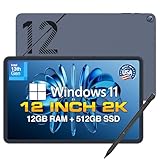
- Proudly Assembled in Florida, USA: Each Fusion5 Helios 12 windows tablet is meticulously assembled in Pasco County, Florida, ensuring American-level quality, faster logistics, and confidence in every unit. A premium windows tablet pc built with care.
- Stunning 12-Inch 2K Touchscreen Display: See more, do more. With a vibrant 2000x1200 resolution and a spacious 16:10 aspect ratio, this display delivers sharper details and extra screen real estate, perfect for everything from hands-on creative work to cinematic movie nights.
- Includes Fusion5 Stylus Pen with Pixel-Perfect Precision: Bring your ideas to life naturally. Whether you're annotating documents, diving into complex creative workflows, or sketching your next masterpiece, this Fusion5 interactive pen gives you flawless, fluid control.
- Active Cooling Fan for Heavy Workloads: An integrated built-in cooling fan maintains stable performance, prevents overheating, and avoids throttling—ideal for productivity, multitasking, and extended use of this high-performance pc tablet.
- 12GB DDR5 RAM + 512GB SSD Storage: Next-gen DDR5 memory ensures smooth multitasking while the high-speed SSD provides fast boot times and ample storage for apps, files, and media on this versatile computer tablet.
How should you compare battery-life claims?
“Tested battery life” means an editorial laboratory result under a publication’s test procedure; it is not a guarantee of mixed-use endurance. The battery figures in this article are the cited PCMag results, not tests conducted independently by this publication.
Do these 3 things before closing this tab:
1Fix the driver behind crashes, sound loss and screen glitches2Clear out junk files and repair common Windows errors3Scan for outdated or missing drivers - takes under a minute| Battery result | Model | How to interpret it |
|---|---|---|
| 21 hours 23 minutes | Dell Pro Rugged 12 | Longest cited result; field brightness, accessories, and workload can reduce endurance |
| 17 hours 57 minutes | Surface Pro for Business | Strong Intel result in the reported tested configuration |
| 17 hours 47 minutes | Asus ProArt PZ13 | Strong Snapdragon result with OLED display |
| 17 hours 35 minutes | Surface Pro 12-inch | Strong portability-oriented Snapdragon result |
| 14 hours 23 minutes | Surface Pro 2024 | Reported Snapdragon result; OLED, refresh rate, and workload affect use |
| 13 hours 17 minutes | ROG Flow Z13 | Good for a graphics-oriented tablet, but gaming draws more power |
| 11 hours 39 minutes | ThinkPad X12 Gen 2 | Usable workday-class result, but behind the longest-lasting rivals |
| 8 hours 7 minutes | DT Research DT302RP | Shorter result, offset in some deployments by hot-swappable batteries |
High refresh rate, cellular connectivity, high brightness, performance mode, gaming, external devices, and keyboard use can all change real-world endurance. Manufacturer video-playback estimates and editorial laboratory results should not be presented as the same kind of claim.
Do you need a Copilot+ Windows tablet?
Buy a Copilot+ tablet only when its supported on-device AI features solve a real problem; Copilot+ should not outweigh application compatibility, CPU performance, graphics, RAM, storage, screen quality, or keyboard ergonomics.
Copilot+ is a platform designation associated with qualifying NPUs and supported Windows AI features. Availability can depend on the Windows version, language, region, hardware, and Microsoft’s rollout status. Ask whether the buyer uses on-device AI tools, requires local processing for privacy, and can accept the application and peripheral compatibility of the chosen processor.
What ports and connectivity should a Windows tablet have?
A tablet with only two USB-C ports may need a dock for charging, a monitor, storage, wired networking, and peripherals. Port selection matters more on a detachable than on a conventional laptop because the tablet body often has less space for expansion.
Crashes, No Sound, or Screen Glitches?
Random freezes, missing sound and display glitches usually trace back to one bad driver. Find and replace yours safely.Free scan · under a minuteWindows Errors? Fix Them Before They Spread
Repair common Windows errors and clear accumulated junk for a smoother, more stable PC - no reinstall needed.Free scan · no reinstall| Connectivity feature | Why it matters | Shortlist example |
|---|---|---|
| USB-C and USB4 | Charging, displays, docks, storage, and peripherals; USB4 can provide higher capability than basic USB 3.2 | Microsoft lists two USB-C/USB4 ports plus Surface Connect for the 13-inch Surface Pro |
| USB-C/USB 3.2 | Useful for common accessories but may limit dock and display performance depending on the exact implementation | Microsoft lists two USB-C/USB 3.2 ports for the 12-inch Surface Pro |
| SD or microSD | Convenient removable storage and photo/video transfers | Asus ProArt PZ13 has an SD card slot in the cited coverage |
| Headphone jack | Useful for wired headsets, field equipment, and low-latency audio | Check the exact model specification; availability is not uniform |
| Wi-Fi 7 | Newer wireless standard for compatible networks | Reported on the Asus PZ13, Surface Pro models, business Surface Pro, and Dell Rugged 12 |
| Optional 5G | Always-connected work away from Wi-Fi | Meaningful on the Surface Pro for Business; carrier support and data terms vary |
Dock compatibility, external-display support, Thunderbolt support, headphone connectivity, and the exact USB-C generation should be verified for the SKU being purchased. A 5G tablet also requires compatible carrier coverage, a plan, and acceptable data limits.
Independent reader supportYour contribution helps us test, update, and keep practical guides available for everyone.What are the most important ergonomic trade-offs?
Detachable tablets work best on a desk, table, or other stable surface. A kickstand and thin keyboard can be excellent for travel but less stable on a lap than a conventional laptop’s hinged base.
Compare the complete travel weight rather than tablet-only weight. The tablet body is only part of the system: keyboard, pen, charger, dock, case, screen protector, and spare battery can materially change portability. Also check the kickstand range, keyboard rigidity, trackpad quality, typing angle, pen storage, portrait-mode comfort, and behavior with an external monitor.
Screen size creates a similar trade-off. The 12-inch Surface is easiest to carry, the Asus PZ13 and 13-inch Surface models offer a stronger work area, and the 13.4-inch ROG Flow Z13 favors gaming and graphics over lightness. A 3:2 screen is particularly useful for documents and vertical work, while OLED improves contrast and perceived image quality. A 90Hz, 120Hz, or 180Hz display makes scrolling smoother but can affect battery life and does not guarantee matching application or gaming frame rates.
How do the leading models compare head to head?
Asus ProArt PZ13 versus Surface Pro
Choose the Asus ProArt PZ13 for the stronger complete-package value, OLED screen, SD card slot, and included keyboard in the cited configuration. Choose the Surface Pro for Microsoft ecosystem integration, a more premium kickstand and design, high-refresh OLED options, and greater confidence in Microsoft’s own hardware support. Both Snapdragon choices require an Arm compatibility check.
Also popular on Amazon

- Compact 10-inch lightweight 2-in-1 design for on-the-go use. Easily slips into a bag, transitions seamlessly between tablet (for browsing, media) and laptop (with optional Type Cover for typing). Adjustable kickstand ensures comfortable viewing anywhere.
- 10-inch (1800x1200) PixelSense touchscreen for crisp, vibrant visuals. Ideal for streaming, photos, and creative work; compatible with Surface Pen (sold separately) for precise note-taking and drawing.
- Reliable daily performance with Intel Pentium 4415Y, 8GB RAM, and 128GB SSD. Smooth multitasking, fast boot/app launches, and ample storage for documents, media, and everyday tasks.
- Pre-installed Windows 11 Pro for secure, seamless work and play. Features BitLocker encryption, Windows Defender, and smooth integration with Microsoft 365, OneDrive, and other essential apps.
- Certified renewed device, rigorously tested and refurbished to meet quality standards. Offers like-new performance and reliability at a more affordable price, delivering great value for your money.
Surface Pro 12-inch versus 13-inch
Choose the 12-inch Surface Pro for minimum tablet weight and travel. Choose a 13-inch Surface Pro for more comfortable multitasking, a larger workspace, and, on the cited 2024 model, a more premium OLED and 120Hz option. The 12-inch model’s keyboard, pen, charger, and smaller screen still need to be included in the travel and cost calculation.
Surface Pro Snapdragon versus Surface Pro Intel
Choose Snapdragon for efficiency, thin designs, and Copilot+ features after verifying software and driver compatibility. Choose the Intel Surface Pro for Business when legacy x86 applications, peripherals, enterprise security tools, Windows 11 Pro, optional 5G, and managed deployment are more important.
Lenovo ThinkPad X12 versus Surface Pro
Choose the ThinkPad X12 when an included keyboard and pen, Windows 11 Pro, Intel compatibility, and lower complete-system cost matter most. Choose the Surface Pro for a higher-end display, newer wireless options on applicable models, Microsoft integration, or a more premium consumer design.
Dell Pro Rugged 12 versus DT Research DT302RP
Choose the Dell for the longer cited battery result, larger 12-inch display, outdoor readability, glove touch, and broad field accessories. Choose the DT Research when hot-swappable batteries, sealed ports, and a first-responder-oriented deployment justify its smaller screen, shorter tested battery life, and specialized cost.
ROG Flow Z13 versus a conventional gaming laptop
Choose the ROG Flow Z13 when detachable tablet flexibility and integrated graphics are worth its weight, heat, charger, and accessory trade-offs. Choose a conventional gaming laptop when sustained cooling, a larger display, more ports, easier upgrades, lap stability, or predictable high-performance gaming matters more than tablet mode.
Which Windows tablet should each type of buyer choose?
| Buyer | Best match | Why | Important caveat |
|---|---|---|---|
| Most people | Asus ProArt PZ13 | OLED, included keyboard cover, SD slot, strong tested endurance, and complete-package value | Snapdragon compatibility and Windows 11 Home |
| Microsoft loyalist | Surface Pro 2024 | Premium design, kickstand, Copilot+, and Microsoft integration | Keyboard and pen can cost extra |
| Business fleet | Surface Pro for Business 13-inch Intel | Windows 11 Pro, Intel compatibility, optional 5G, security, serviceability, and support | Higher starting price; exact enterprise terms vary |
| Value-conscious professional or student | Lenovo ThinkPad X12 Gen 2 | Reported keyboard and pen bundle, ThinkPad design, Intel, and Windows 11 Pro | 60Hz IPS display and less battery life |
| Frequent traveler | Surface Pro 12-inch | 1.5-pound tablet body and 17-hour-35-minute tested result | Smaller workspace and separate accessories |
| Artist or creator | Asus ProArt PZ13 | OLED display, SD card slot, 1TB SSD, and included keyboard cover | 60Hz refresh and Arm software checks |
| Mobile gamer | ROG Flow Z13 | Ryzen AI Max+ 395, Radeon 8060S graphics, and 180Hz display | Heavier, hotter, and not a 180-fps guarantee |
| Field worker | Dell Pro Rugged 12 | Antiglare high-brightness screen, glove touch, rugged design, and long tested endurance | Heavy and excessive for ordinary use |
| Emergency-response deployment | DT Research DT302RP | Hot-swappable batteries and sealed, specialized rugged construction | Shorter battery result and poor consumer value |
When should you buy a conventional laptop instead?
A conventional laptop is the better choice when the buyer needs more built-in ports, stable lap ergonomics, a larger display, sustained performance, stronger cooling, easier upgrades, or fewer accessory dependencies. A detachable can replace a laptop for web browsing, Microsoft 365, email, video calls, note-taking, presentations, light photo editing, remote desktop, and many standard office applications.
The fit becomes conditional for Adobe and other creative applications, development environments, virtualization, engineering tools, database clients, and business software on Arm. The fit is poor without testing for legacy peripherals, unusual drivers, specialist enterprise software, some anti-cheat games, and workflows that require several full-size ports. Buyers who do not need desktop Windows applications should also consider iPadOS or Android tablets rather than paying for Windows complexity.
Final buying checklist
- Decide whether a detachable tablet is genuinely preferable to a convertible or conventional laptop.
- Write down every important application, plug-in, driver, VPN, security agent, printer, scanner, peripheral, virtual machine, and game.
- Choose Intel for maximum compatibility or Snapdragon for efficiency only after checking the full software and hardware stack.
- Target 16GB RAM and 512GB storage for general use; choose 32GB or 1TB for demanding workloads.
- Calculate the ready-to-work cost, including keyboard, pen, charger, Windows edition, dock, case, warranty, and cellular service where applicable.
- Compare complete travel weight, not tablet-only weight.
- Check USB-C capability, display support, dock compatibility, storage-card access, headphone connectivity, and 5G bands or carrier support.
- For outdoor work, verify the exact IP, drop, temperature, vibration, glove-touch, brightness, battery, and service claims for the configuration.
- For gaming, evaluate GPU performance, resolution, settings, thermals, power mode, charger, controller use, and anti-cheat—not refresh rate alone.
- Verify current price, availability, warranty, and bundle contents immediately before ordering because manufacturer and retailer configurations change.
Frequently Asked Questions
Is the Asus ProArt PZ13 better than the Microsoft Surface Pro in 2026?
The Asus ProArt PZ13 is the better general recommendation when included accessories, OLED quality, an SD card slot, and value matter most. The Microsoft Surface Pro remains preferable for Microsoft ecosystem integration, premium design, Copilot+ features, and buyers who prefer Surface support; both Snapdragon models require application and driver compatibility checks.
Are Windows tablets good laptop replacements?
Windows tablets can replace laptops for Microsoft 365, browsing, email, video calls, presentations, note-taking, light photo editing, and remote desktop. Detachables are less suitable for long lap typing, sustained heavy workloads, legacy drivers, specialist software, multiple full-size ports, and some anti-cheat games unless the exact workflow has been tested.
Is Intel or Snapdragon better for a Windows tablet?
Intel is the safer choice for traditional Windows applications, legacy drivers, peripherals, VPN clients, security tools, and specialist business software. Snapdragon usually offers stronger efficiency and thin, quiet designs, but Windows-on-Arm compatibility varies by application, plug-in, driver, peripheral, virtualization requirement, and game anti-cheat system.
How much RAM and storage should a Windows tablet have?
Sixteen gigabytes of RAM and 512GB of storage are the best starting point for most Windows tablet buyers. Choose 32GB RAM or 1TB storage for creative applications, development, virtual machines, gaming, or large local files; 8GB RAM and 256GB storage are better reserved for light, low-cost use.
Quick wins for a faster PC:
Fix the driver behind crashes, sound loss and screen glitchesFind Drivers →Clear out junk files and repair common Windows errorsFree Scan →The Bottom Line
Bottom line: Buy the Asus ProArt PZ13 for the best mainstream combination of screen quality, battery life, SD-card flexibility, and included keyboard value. Choose the Surface Pro for Microsoft-centric premium hardware, the Intel Surface Pro for Business for managed and compatibility-sensitive deployments, the ThinkPad X12 for complete-package value, the 12-inch Surface Pro for travel, the ROG Flow Z13 for gaming, and the Dell or DT Research tablet only when the field environment genuinely requires rugged hardware.

