
iTechGuides is reader-supported. When you buy through links on our site, we may earn an affiliate commission. As an Amazon Associate I earn from qualifying purchases. Learn more
Short answer: The ExpressVPN Aircove is the easiest way to put a household behind a VPN. The GL.iNet Flint 3 GL-BE9300 is the most flexible Wi-Fi 7 choice, while the ASUS RT-BE96U is the stronger premium option for multi-gig internet and wired networking. The TP-Link Archer BE800 is a capable mainstream alternative, and the ASUS RT-AX86U Pro remains a sensible Wi-Fi 6 option.
A VPN router is not automatically faster or more private than a normal router with VPN software installed on individual devices. Its main advantage is convenience: a router can route selected household devices through a third-party VPN without requiring an app on every television, games console, smart-home device, or streaming stick. The right choice depends on whether you need VPN client mode, VPN server mode, device-by-device routing, high encrypted throughput, or simply a setup that works with minimal configuration.
This guide combines the published testing methods of independent review outlets with current manufacturer documentation. It does not claim that the writer personally tested these five routers. Manufacturer speed figures are identified as claims, not independent measurements.
Recommended Free Tools
The best VPN routers at a glance
| Router | Best for | VPN capability | Main limitation |
|---|---|---|---|
| ExpressVPN Aircove | Simple whole-home VPN setup | ExpressVPN integrated into the router; device groups and different VPN locations | VPN functionality requires an active ExpressVPN subscription |
| GL.iNet Flint 3 GL-BE9300 | Flexible Wi-Fi 7 VPN configuration | OpenVPN and WireGuard client and server modes | More configuration decisions; advertised VPN speeds are not independent test results |
| ASUS RT-BE96U | Premium hardware and multi-gig networks | WireGuard and other router VPN features, with VPN Fusion support | Expensive and more complex; Wi-Fi 7 benefits require compatible clients |
| TP-Link Archer BE800 | Mainstream Wi-Fi 7 and multi-gig networking | WireGuard, OpenVPN, PPTP, and L2TP client/server support | WireGuard details and configuration-file compatibility vary by model and firmware |
| ASUS RT-AX86U Pro | Wi-Fi 6, gaming, and lower-cost VPN routing | VPN Fusion, WireGuard, OpenVPN, and Instant Guard | Older Wi-Fi 6 platform with less wireless and wired headroom than the Wi-Fi 7 picks |
There is no universal winner. Aircove is the clearest choice for a nontechnical household, but it is also the least open-ended option. Flint 3 exposes the most flexibility without requiring a separate firewall appliance. ASUS and TP-Link make more sense when the router must also serve as a high-capacity Wi-Fi and multi-gig wired gateway.
Popular on Amazon

- DUAL-BAND WIFI 6 ROUTER: Wi-Fi 6(802.11ax) technology achieves faster speeds, greater capacity and reduced network congestion compared to the previous gen. All WiFi routers require a separate modem. Dual-Band WiFi routers do not support the 6 GHz band.
- AX1800: Enjoy smoother and more stable streaming and gaming with 1.8 Gbps total bandwidth (up to 1200 Mbps on 5 GHz and up to 574 Mbps on 2.4 GHz). Actual speeds cannot exceed your internet plan and vary based on conditions, distance, and obstacles.
- CONNECT MORE DEVICES: Wi-Fi 6 technology communicates more data to more devices simultaneously using revolutionary OFDMA technology
- EXTENSIVE COVERAGE: Achieve the strong, reliable WiFi coverage with Archer AX1800 as it focuses signal strength to your devices far away using Beamforming technology, 4 high-gain antennas and an advanced front-end module (FEM) chipset
- OUR CYBERSECURITY COMMITMENT: TP-Link is a signatory of the U.S. Cybersecurity and Infrastructure Security Agency’s (CISA) Secure-by-Design pledge. This device is designed, built, and maintained, with advanced security as a core requirement.
What a VPN router actually does
The phrase VPN router describes two different functions. Confusing them is one of the easiest ways to buy the wrong product.
VPN client mode: the router connects outward
In VPN client mode, the router connects to a third-party VPN provider and sends traffic from selected devices through that encrypted tunnel. A television, console, smart speaker, or IoT device can use the tunnel even if it cannot run a VPN app itself. TP-Link describes this arrangement as routing selected devices through a third-party VPN server without installing VPN software on every device; its exact device-selection and WireGuard options depend on the model and firmware. TP-Link’s VPN-client documentation explains the general arrangement.
Client mode is what most people mean when they want a household VPN. It can change the apparent public IP address for chosen devices and can simplify coverage of devices that do not support VPN applications. It does not, however, make those devices anonymous or secure them from every threat.
VPN server mode: the router accepts inbound connections
In VPN server mode, the router allows an authorized remote device to connect back to the home network. This is useful for accessing a home file server, NAS, printer, or other local resource while away. It is not the same as subscribing to a commercial privacy VPN: the connection terminates at your home network rather than at a provider’s exit server.
Flint 3, for example, supports both client and server modes for OpenVPN and WireGuard. ASUS and TP-Link also document combinations of VPN client and server functions, but the exact protocols and controls vary by model and firmware. Check the feature list for the specific hardware revision before assuming that a router’s general product family supports a particular mode.
How these recommendations were assessed
The available evidence comes from two different sources, and they should not be treated as interchangeable.
- Independent review methodology: TechRadar says its VPN-router process considers design, setup, connectivity, speed, range, coverage strength, parental controls, firmware, alternative software, provider support, pricing, Ookla results, file downloads, and ordinary day-to-day network use. Its VPN-router roundup is useful for understanding how general networking performance and VPN usability fit together.
- Longer comparative testing: Security.org says its process lasted six weeks and compared specifications, real-world speed and range, ease of use, and value. It reports 300 speed tests and selected only three recommendations in its 2026 roundup. See its VPN-router testing and recommendations.
- Manufacturer documentation: Official product pages establish supported protocols, ports, wireless standards, subscription requirements, and advertised performance. They do not establish independent VPN throughput.
A router’s headline wireless rating is especially easy to misread. For example, the RT-BE96U’s BE19000 label and theoretical radio rates do not tell you how quickly its CPU can encrypt traffic through a particular VPN server. Encrypted throughput depends on the protocol, router workload, provider endpoint, distance, ISP speed, firmware, and the number of simultaneous flows.
The Tool Desk
Outbyte PC Repair FREEClear out junk files and repair common Windows errorsFree Scan →Outbyte Driver Updater FREEFix the driver behind crashes, sound loss and screen glitchesFind Drivers →Detailed reviews
1. ExpressVPN Aircove: easiest whole-home VPN setup
Aircove is the best fit for someone who wants a VPN appliance rather than a networking project. ExpressVPN builds its service into the router, and says Aircove can protect connected devices such as smart-home equipment, streaming sticks, and game consoles. Its device-group system lets different groups use different VPN locations and settings, which is more practical than putting the entire home on one tunnel.
The standard Aircove is a Wi-Fi 6 router that ExpressVPN lists as covering up to 1,600 square feet. Coverage depends on the building, interference, placement, construction materials, and connected-device load, so that figure should be treated as a manufacturer coverage estimate rather than a guarantee.
Setup is the main attraction. Tom’s Guide describes Aircove as easy to configure and suitable for extending VPN protection across many home devices in its Aircove review. The integrated experience reduces the need to download configuration files, select protocols manually, or create rules for every device.
The important trade-off: Aircove’s VPN features require an active ExpressVPN subscription. It is therefore not a general-purpose router with an interchangeable VPN-provider ecosystem. Choose it when simplicity and managed integration matter more than protocol choice, advanced routing, or provider flexibility.
Do these 3 things before closing this tab:
1Repair Windows errors before they cause bigger problems2Scan for outdated or missing drivers - takes under a minute3Clear out junk files and repair common Windows errorsAlso popular on Amazon

- Dual band router upgrades to 1200 Mbps high speed internet (300mbps for 2.4GHz plus 900Mbps for 5GHz), reducing buffering and ideal for 4K stream
- Full Gigabit Ports - Gigabit Router with 4 Gigabit LAN ports, ideal for any internet plan and allow you to directly connect your wired devices
- Boosted Coverage - Four external antennas equipped with Beamforming technology extend and concentrate the Wi-Fi signals
- MU-MIMO technology - (5GHz band) allows high speeds for multiple devices simultaneously
- Access Point Mode - Supports AP Mode to transform your wired connection into wireless network, an ideal wireless router for home
Choose Aircove if: you want the shortest path to whole-home VPN coverage, have several devices that cannot run VPN apps, and are comfortable using ExpressVPN.
Look elsewhere if: you want to import profiles from different providers, tune advanced routing rules, maximize multi-gig wired capacity, or avoid an ongoing service requirement for the integrated VPN.
2. GL.iNet Flint 3 GL-BE9300: best flexible Wi-Fi 7 VPN router
Flint 3 is the strongest choice here for advanced users who want modern wireless hardware and broad VPN controls in one consumer router. GL.iNet lists it as a tri-band Wi-Fi 7 router with five 2.5Gbps network ports, 10Gbps aggregation across four LAN ports, OpenVPN and WireGuard client and server modes, support for more than 30 VPN service providers, AdGuard Home, and parental controls.
The router is unusually useful when different household devices need different treatment. You can use client mode for selected devices, retain a normal connection for others, and use server mode for remote access, subject to the provider profile and the firmware’s available controls. That makes Flint 3 a better fit than an appliance-style router for households with mixed requirements, such as a work laptop that needs an ordinary connection, a streaming device using a particular VPN location, and a home server that needs remote access.
GL.iNet advertises VPN throughput of up to 680Mbps for both WireGuard and OpenVPN-DCO. That is a manufacturer claim, not an independent result. Actual performance will vary with encryption protocol, VPN endpoint distance, provider congestion, firmware, router load, and the number of devices using the tunnel. It should not be read as a promise that every Flint 3 owner will achieve 680Mbps over a VPN.
The cost of that flexibility is a steeper learning curve than Aircove. Users may need to choose between client and server mode, import or adapt a provider configuration, decide which devices use the tunnel, and understand how local network services interact with VPN routing. The interface is more capable, but it gives you more ways to configure the router incorrectly.
Choose Flint 3 if: you want Wi-Fi 7, WireGuard and OpenVPN in both client and server roles, broad provider compatibility, multi-gig ports, and control over which devices use the VPN.
Look elsewhere if: you want a nearly automatic setup or if you expect the advertised VPN throughput to equal a guaranteed real-world speed.
What’s actually slowing this PC down?
Pick the symptom - the matching free tool is one click away.
3. ASUS RT-BE96U: premium performance and networking headroom
The RT-BE96U is the premium hardware pick for a large or demanding home network. It is a BE19000 tri-band Wi-Fi 7 router with 6GHz, 5GHz, and 2.4GHz radios, dual 10Gbps ports, AiMesh support, subscription-free AiProtection Pro, and WireGuard support.
ASUS lists theoretical maximum wireless rates of 11,529Mbps on 6GHz, 5,764Mbps on 5GHz, and 1,376Mbps on 2.4GHz on its RT-BE96U product page. These are physical-layer maximums under specified conditions. They are not VPN-throughput figures, typical internet speeds, or evidence that a home internet connection will become faster through a VPN.
Its dual 10Gbps ports and high-end wireless platform are valuable when the router is also connecting a multi-gig fiber service, NAS, workstation, switch, or local media server. Wired capacity may matter more than the Wi-Fi 7 headline if the router is acting as a VPN gateway for a fast internet connection.
Also popular on Amazon
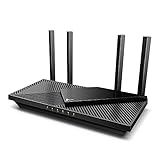
- Wi-Fi 6 Speeds: Up to 2402 Mbps on 5 GHz and 574 Mbps on 2.4 GHz bands ensure smoother streaming and faster downloads; support VPN server and VPN client¹. Actual speeds cannot exceed your internet plan and vary based on conditions, distance, & obstacles.
- A More Responsive Experience: Enjoy smooth gaming, video streaming, and live feeds simultaneously. OFDMA makes your Wi-Fi stronger by allowing multiple clients to share one band at the same time, cutting latency and jitter.²
- Expanded Wi-Fi Coverage: 4 high-gain external antennas and Beamforming technology combine to extend strong, reliable, Wi-Fi throughout your home.
- Improved Battery Life: Target Wake Time helps your devices to communicate efficiently while consuming less power.
- Improved Cooling Design: No heat ups, no throttles. A larger heat sink and redefined case design cools the WiFi 6 system and enables your network to stay at top speeds in more versatile environments.
ASUS’s review page records an Editor’s Choice award from Tom’s Hardware dated May 31, 2024, and a Recommended award from ThinkComputers dated August 12, 2024. Those awards support the router’s broader high-end hardware credentials, but they are not equivalent to a 2026 VPN-specific laboratory test. Buyers should still evaluate encrypted throughput and VPN-provider compatibility for their own use case.
Free tools Windows power users keep installed
One-click scans. No signup required.
Firmware maintenance matters with a router this feature-rich. ASUS’s support page lists a May 5, 2026 firmware release containing security fixes. Check the current RT-BE96U firmware page before setup and periodically afterward rather than relying on the firmware installed when the unit shipped.
Choose RT-BE96U if: you have multi-gig internet, several high-bandwidth wired devices, a large home, a NAS or server, or plans to expand with AiMesh.
Look elsewhere if: your internet plan is modest, your clients are mostly Wi-Fi 5 or Wi-Fi 6, or you want the least complicated route to a household VPN.
4. TP-Link Archer BE800: strong mainstream multi-gig alternative
The Archer BE800 combines Wi-Fi 7 with substantial wired capacity: one 10Gbps SFP+/RJ45 combo port, one 10Gbps WAN/LAN port, four 2.5Gbps LAN ports, and USB 3.0. TP-Link lists support for WireGuard, OpenVPN, PPTP, and L2TP in both VPN client and server contexts on its Archer BE800 product page.
Quick wins for a faster PC:
Repair Windows errors before they cause bigger problemsFix Now →Scan for outdated or missing drivers - takes under a minuteDriver Scan →Its VPN-client design can place selected devices behind the VPN while other devices continue to use the ordinary internet connection. That is useful when a household wants a streaming device or smart-TV group on a VPN but needs work services, banking, or latency-sensitive devices to use the normal route.
The major caution is model- and firmware-specific behavior. TP-Link’s documentation says WireGuard support varies by model and warns that configuration files can contain fields unsupported by a particular router. In practice, a provider’s statement that it supports desktop or mobile WireGuard does not prove that its profile will import unchanged into the BE800. Verify the exact model, hardware revision, region, firmware, and provider instructions before buying.
Choose BE800 if: you want a conventional mainstream router interface, Wi-Fi 7, several multi-gig wired ports, and both client and server VPN functions.
Look elsewhere if: your priority is maximum VPN configurability, or if you are unwilling to inspect and possibly edit a provider configuration file.
Outdated Drivers Are Slowing You Down
One free scan finds every outdated or missing driver and matches the right update for your exact hardware.Free scan · exact hardware matchPC Slower Than It Used to Be?
A free scan shows the junk files, broken settings and background clutter dragging Windows down - then fixes them in one click.Free scan · Windows 10 & 115. ASUS RT-AX86U Pro: value-oriented Wi-Fi 6 choice
The RT-AX86U Pro is a practical alternative when Wi-Fi 6 is sufficient and the household does not need the wireless or wired capacity of a Wi-Fi 7 flagship. ASUS documents VPN Fusion, which can run VPN and ordinary internet connections simultaneously, along with Instant Guard remote access and OpenVPN and WireGuard management through the router app or web interface.
It also offers the features that made the RT-AX86U family a capable general-purpose home platform: Wi-Fi 6, a 2.5Gbps port, USB 3.2 connectivity, gaming optimization, malware protection, and parental controls. TechRadar describes the RT-AX86U as a strong general-use router in its VPN-router roundup; that broader assessment should not be confused with a dedicated independent VPN benchmark for every Pro configuration.
Also popular on Amazon

- 𝐅𝐮𝐭𝐮𝐫𝐞-𝐏𝐫𝐨𝐨𝐟 𝐘𝐨𝐮𝐫 𝐇𝐨𝐦𝐞 𝐖𝐢𝐭𝐡 𝐖𝐢-𝐅𝐢 𝟕: Enjoy faster speeds with Multi-Link Operation, increased reliability with Multi-RUs, and more data capacity with 4K-QAM. Actual speeds cannot exceed your internet plan.
- 𝐁𝐄𝟑𝟔𝟎𝟎 𝐃𝐮𝐚𝐥-𝐁𝐚𝐧𝐝 𝐖𝐢-𝐅𝐢 𝟕 𝐑𝐨𝐮𝐭𝐞𝐫: Delivers up to 2882 Mbps (5 GHz), and 688 Mbps (2.4 GHz) speeds for 4K/8K streaming, AR/VR gaming & more. Dual-band routers do not support 6 GHz. Performance varies by conditions, distance, and obstacles like walls.
- 𝐔𝐧𝐥𝐞𝐚𝐬𝐡 𝐌𝐮𝐥𝐭𝐢-𝐆𝐢𝐠 𝐒𝐩𝐞𝐞𝐝𝐬 𝐰𝐢𝐭𝐡 𝐃𝐮𝐚𝐥 𝟐.𝟓 𝐆𝐛𝐩𝐬 𝐏𝐨𝐫𝐭𝐬 𝐚𝐧𝐝 𝟑×𝟏𝐆𝐛𝐩𝐬 𝐋𝐀𝐍 𝐏𝐨𝐫𝐭𝐬: Maximize Gigabitplus internet with one 2.5G WAN/LAN port, one 2.5 Gbps LAN port, plus three additional 1 Gbps LAN ports. Break the 1G barrier for seamless, high-speed connectivity from the internet to multiple LAN devices for enhanced performance.
- 𝐍𝐞𝐱𝐭-𝐆𝐞𝐧 𝟐.𝟎 𝐆𝐇𝐳 𝐐𝐮𝐚𝐝-𝐂𝐨𝐫𝐞 𝐏𝐫𝐨𝐜𝐞𝐬𝐬𝐨𝐫: Experience power and precision with a state-of-the-art processor that effortlessly manages high throughput. Eliminate lag and enjoy fast connections with minimal latency, even during heavy data transmissions.
- 𝐂𝐨𝐯𝐞𝐫𝐚𝐠𝐞 𝐟𝐨𝐫 𝐄𝐯𝐞𝐫𝐲 𝐂𝐨𝐫𝐧𝐞𝐫 - Covers up to 2,000 sq. ft. for up to 60 devices at a time. 4 internal antennas and beamforming technology focus Wi-Fi signals toward hard-to-reach areas. Seamlessly connect phones, TVs, and gaming consoles.
VPN Fusion is particularly useful for mixed routing. A user can send selected devices through a VPN while allowing other devices to connect normally. That avoids forcing every family member, work application, game, and smart-home service through one tunnel.
Choose RT-AX86U Pro if: you want mature Wi-Fi 6 hardware, gaming-oriented features, router-level WireGuard, a 2.5Gbps connection, and less need for Wi-Fi 7 than the flagship models provide.
Look elsewhere if: you have a multi-gig home lab, need several 10Gbps links, or want the latest Wi-Fi 7 features and 6GHz client support.
Which VPN router should you buy?
For the easiest setup: ExpressVPN Aircove
Aircove is the least intimidating recommendation. The integrated service and device groups remove much of the normal profile-import and routing-rule work. The subscription requirement is the deciding limitation, not a footnote: the router’s integrated VPN experience depends on remaining an ExpressVPN customer.
For the most flexibility: GL.iNet Flint 3
Flint 3 is the better fit for readers who know whether they need client mode, server mode, WireGuard, OpenVPN, split routing, or provider-specific profiles. It has the broadest documented combination of modern Wi-Fi, VPN roles, and provider support in this shortlist, but it rewards careful configuration rather than hiding it.
For premium multi-gig fiber: ASUS RT-BE96U
Choose RT-BE96U when the router must handle more than VPN connectivity. Dual 10Gbps ports, AiMesh, and the high-end radio system give it more room for a busy home network. Do not buy it solely because BE19000 sounds faster: the practical VPN bottleneck may be encryption processing or the remote VPN server rather than the Wi-Fi link.
For a mainstream Wi-Fi 7 network: TP-Link Archer BE800
BE800 makes sense for buyers who want Wi-Fi 7 and extensive multi-gig Ethernet without moving to a specialist firewall platform. Its principal buying check is WireGuard compatibility. Confirm that the router’s current firmware accepts the configuration format supplied by the chosen provider.
For Wi-Fi 6, gaming, and mixed routing: ASUS RT-AX86U Pro
The RT-AX86U Pro is the rational choice when the home does not need Wi-Fi 7. Its VPN Fusion and Instant Guard features cover common client and remote-access scenarios, while Wi-Fi 6 and a 2.5Gbps port provide useful headroom for many households.
For gaming: use selective routing, not necessarily an always-on VPN
A VPN can add latency because traffic takes an extra encrypted route to a remote endpoint. If only one game or console needs the VPN, route that device through the tunnel and leave other devices on the ordinary connection. Test the provider’s nearby endpoints rather than assuming that a distant location will improve gameplay. A router’s gaming features do not eliminate VPN latency.
For a high-speed fiber connection: prioritize ports and encrypted throughput
Look first at the router’s WAN and LAN ports, then at independent VPN-throughput evidence for the exact model. A 10Gbps port is useful if the rest of the network can use it, but it does not mean the router can encrypt 10Gbps through a commercial VPN. If possible, connect a test computer by Ethernet, measure the normal connection, enable the VPN, and compare the same endpoint and protocol at different times.
What’s actually slowing this PC down?
Pick the symptom - the matching free tool is one click away.
How to set up a VPN router safely
- Confirm the exact mode you need. For a commercial privacy service, you generally need VPN client mode. For remote access to home resources, you need VPN server mode. Some routers support both, but their interfaces and supported protocols differ.
- Check provider compatibility before purchase. Obtain the provider’s router instructions and confirm support for the exact router model, hardware revision, region, firmware, and protocol. A provider app working on Windows, Android, or iOS does not automatically mean that the provider supplies a profile compatible with your router.
- Choose WireGuard or OpenVPN deliberately. WireGuard is often attractive for performance and simpler modern cryptography, while OpenVPN may be available in more provider documentation. The faster choice depends on the router, firmware, provider, endpoint, and workload.
- Update the router firmware before configuring the tunnel. Record the installed version, apply the current vendor release, and save a configuration backup if the interface provides one. Security fixes and VPN features can change with firmware. For example, ASUS lists security fixes in a May 5, 2026 RT-BE96U release.
- Import or enter the provider profile. Use the router’s VPN client area and the provider’s current configuration instructions. Do not paste credentials or keys into third-party guides, screenshots, or support forums. On TP-Link models, an imported WireGuard file may require editing when it includes fields the router does not support.
- Start with one test device. Put a laptop or phone on the VPN policy first. Confirm that it can browse, resolve DNS, access required local devices, and reach the services you expect. Expand the policy only after the first device works.
- Create device or group rules. Keep work devices, banking devices, gaming systems, streaming hardware, and IoT equipment on the route that suits them. Aircove uses device groups; ASUS VPN Fusion and TP-Link’s client design also support mixed ordinary and VPN routing in documented configurations. Menu names and controls vary by firmware.
- Test for leaks and broken local access. Check the public IP, DNS behavior, and IPv6 behavior from a VPN-routed device. Also test printers, NAS shares, casting, smart-home control, and local web interfaces. A tunnel that changes the public IP but breaks all local services may need different routing or DNS rules.
- Harden the ordinary router settings. Use a unique Wi-Fi password and administrator password, enable the strongest compatible Wi-Fi security mode, disable remote administration unless you have a specific reason to use it, keep guest and IoT devices separated where practical, and turn on multi-factor authentication for the VPN provider account.
- Measure performance with a baseline. Test the same wired or wireless client without the VPN and then with the VPN, using the same endpoint where possible. Repeat at different times. Record latency, download speed, upload speed, and whether several simultaneous devices change the result.
Common problems and how to diagnose them
The VPN profile imports but there is no internet
First disable the profile and confirm that the ordinary connection works. Then check the provider’s endpoint, credentials, keys, allowed IP ranges, DNS settings, and protocol. If the file was edited, restore the provider’s original copy and remove only fields the router documentation identifies as unsupported. A successful tunnel handshake does not guarantee that the router is correctly routing or resolving traffic.
Also popular on Amazon

- 𝐅𝐮𝐭𝐮𝐫𝐞-𝐑𝐞𝐚𝐝𝐲 𝐖𝐢-𝐅𝐢 𝟕 - Designed with the latest Wi-Fi 7 technology, featuring Multi-Link Operation (MLO), Multi-RUs, and 4K-QAM. Achieve optimized performance on latest WiFi 7 laptops and devices, like the iPhone 16 Pro, and Samsung Galaxy S24 Ultra.
- 𝐁𝐄𝟔𝟓𝟎𝟎 𝟔-𝐒𝐭𝐫𝐞𝐚𝐦, 𝐃𝐮𝐚𝐥-𝐁𝐚𝐧𝐝 𝐖𝐢-𝐅𝐢 – Enjoy seamless 4K/8K streaming, AR/VR gaming, and more with speeds up to 5764 Mbps (5 GHz) and 688 Mbps (2.4 GHz). Actual speeds cannot exceed your internet plan and vary based on conditions, distance, and obstacles.
- 𝐖𝐢𝐝𝐞 𝐂𝐨𝐯𝐞𝐫𝐚𝐠𝐞 𝐰𝐢𝐭𝐡 𝐒𝐭𝐫𝐨𝐧𝐠 𝐂𝐨𝐧𝐧𝐞𝐜𝐭𝐢𝐨𝐧 - Get up to 2,400 sq. ft. max coverage for up to 90 devices at a time. 6x high performance antennas and Beamforming technology, ensures reliable connections for remote workers, gamers, students, and more.
- 𝐔𝐥𝐭𝐫𝐚-𝐅𝐚𝐬𝐭 𝟐.𝟓 𝐆𝐛𝐩𝐬 𝐖𝐢𝐫𝐞𝐝 𝐏𝐞𝐫𝐟𝐨𝐫𝐦𝐚𝐧𝐜𝐞 - 1x 2.5 Gbps WAN/LAN port, 1x 2.5 Gbps LAN port and 3x 1 Gbps LAN ports offer high-speed data transmissions.³ Integrate with a multi-gig modem for gigplus internet.
- 𝐎𝐮𝐫 𝐂𝐲𝐛𝐞𝐫𝐬𝐞𝐜𝐮𝐫𝐢𝐭𝐲 𝐂𝐨𝐦𝐦𝐢𝐭𝐦𝐞𝐧𝐭 - TP-Link is a signatory of the U.S. Cybersecurity and Infrastructure Security Agency’s (CISA) Secure-by-Design pledge. This device is designed, built, and maintained, with advanced security as a core requirement.
Only some devices use the VPN
This may be intentional. Review the device, group, or policy assignment and confirm that the test device is actually using the VPN rule. If the router uses separate ordinary and VPN policies, check whether a device is connected to a guest network, mesh node, wired segment, or VLAN that follows different rules.
VPN speed is much lower than the internet plan
That is normal in many installations. Compare the ordinary and encrypted connections using the same client and endpoint. Then try a nearer VPN server and a different supported protocol. The router’s CPU, provider congestion, endpoint distance, ISP speed, firmware, and number of encrypted flows can all become bottlenecks. Neither a Wi-Fi 7 label nor a manufacturer’s maximum VPN figure guarantees the speed of your subscription.
Streaming, banking, or work services behave strangely
Some services dislike shared VPN exit addresses, and some work systems require a predictable location or security policy. Put that device on the ordinary route if appropriate, try a different provider endpoint, or use per-device routing rather than forcing the whole home through the tunnel. Do not assume that changing a router setting will solve a service’s account or regional restrictions.
Local printers or NAS devices disappear
Check whether the VPN policy changes DNS, local-subnet routing, or access between wireless and wired networks. Test the device from the same local network without the VPN. If local access works normally but fails only through the tunnel, consult the router’s split-routing or local-network access controls rather than exposing the printer or NAS to the public internet.
Remote access to the home network does not work
Confirm that the router is configured as a VPN server rather than only as a VPN client, that the remote device has the correct profile, and that the server mode is supported by the installed firmware. Test access to one internal resource first. Remote-access behavior can also depend on the ISP connection and the router’s reachability, so follow the exact vendor documentation for the model.
VPN router limitations worth understanding
- It does not make every device anonymous. Devices still reveal information to the services they contact, and the router itself, the VPN provider, DNS configuration, browser, apps, and operating system all affect privacy.
- It does not replace normal security. Keep firmware, operating systems, applications, and endpoint security current. Use strong credentials, MFA, sensible network segmentation, and access controls.
- It does not guarantee full-device coverage. Traffic must pass through the router, and policy rules may intentionally exclude devices. A phone using cellular data is outside the home router’s protection.
- It does not make a slow VPN endpoint fast. Encryption and distance create overhead, and multiple simultaneous streams can overwhelm a consumer router or provider connection.
- It does not make all VPN providers interchangeable. Providers differ in supported protocols, profile fields, authentication, DNS behavior, server locations, and router instructions.
- It does not make Wi-Fi 7 mandatory. Wi-Fi 6 can be the better value when the client devices and internet plan do not need 6GHz or multi-gig wireless capacity.
What to check before buying
- Does the router support VPN client mode, VPN server mode, or both?
- Is WireGuard available in the stock firmware, and is it available as a client, a server, or both?
- Can you route individual devices or groups through the VPN while leaving others on the normal internet?
- Does the provider support the exact model and firmware, and does it provide a compatible WireGuard or OpenVPN profile?
- What independent VPN-throughput evidence exists for the exact model? Treat manufacturer figures as advertised maximums.
- Are the WAN and LAN ports fast enough for your internet service, NAS, switch, and wired clients?
- Do you need Wi-Fi 7 and 6GHz clients, or would a mature Wi-Fi 6 router meet the real requirement?
- Will a mesh system carry the VPN policy to every node, or does the vendor limit VPN routing to the main router or specific modes?
- Does the integrated experience require a particular VPN subscription?
- How often does the manufacturer release security and feature updates, and is the current firmware easy to find?
Frequently Asked Questions
Can a VPN router protect every device in my home?
It can route traffic from devices connected through it, including devices that cannot run VPN apps, but coverage depends on the router’s policy rules, network layout, firmware, and whether the device is using the home connection. A phone on cellular data is not protected by the home router. A VPN router also does not make every device anonymous or replace endpoint security.
Will a VPN router reduce my internet speed?
It can. VPN performance depends on the router’s encryption capability, protocol, VPN endpoint, distance, provider congestion, ISP speed, firmware, and simultaneous traffic. Compare the same client and endpoint with and without the VPN. Do not use a router’s aggregate Wi-Fi rating as a substitute for VPN-throughput testing.
The Tool Desk
Outbyte Driver Updater FREEScan for outdated or missing drivers - takes under a minuteDriver Scan →Outbyte PC Repair FREEClear out junk files and repair common Windows errorsFree Scan →Can some devices use the VPN while others use the normal internet?
Yes, on routers with device, group, or policy-based routing. ASUS documents this through VPN Fusion, TP-Link describes selected-device VPN client routing, and Aircove provides device groups with different VPN locations and settings. The exact controls depend on the model and firmware.
Do I still need a VPN app if I install a VPN router?
Often, yes. A router can cover devices at home, but it does not cover a phone or laptop when that device uses another network. An individual app can also provide device-specific location changes, settings, and easier troubleshooting away from home.
Does every VPN router include a VPN subscription?
No. Aircove’s integrated VPN functionality requires an active ExpressVPN subscription. Conventional VPN-capable routers generally require you to obtain a separate compatible third-party VPN service and configure its WireGuard or OpenVPN profile. Verify compatibility for the exact model before subscribing.
Is Wi-Fi 7 necessary for a VPN router?
No. Wi-Fi 7 is most useful when you have compatible 6GHz clients, a fast local network, or a multi-gig internet connection. A Wi-Fi 6 model such as the RT-AX86U Pro may be the more sensible choice when those conditions do not apply.
Quick wins for a faster PC:
Fix the driver behind crashes, sound loss and screen glitchesFind Drivers →Clear out junk files and repair common Windows errorsFree Scan →Scan for outdated or missing drivers - takes under a minuteDriver Scan →Can I use a VPN router with a mesh network?
Sometimes, but do not assume that a VPN policy automatically applies to every mesh node. Check whether the vendor supports VPN client or server behavior across the exact mesh mode, node model, and firmware. Test a device connected to the main router and another connected to a satellite.
Is a VPN router good for gaming?
It can be useful when only a console or gaming device needs a particular VPN route, but a VPN may increase latency. Selective routing is usually more practical than forcing the whole household through the tunnel. Test nearby provider endpoints and compare latency with the normal connection.
The Bottom Line
Buy the ExpressVPN Aircove for the simplest whole-home experience, the GL.iNet Flint 3 for the most flexible Wi-Fi 7 VPN controls, the ASUS RT-BE96U for premium multi-gig networking, the TP-Link Archer BE800 for a mainstream Wi-Fi 7 alternative, or the ASUS RT-AX86U Pro when Wi-Fi 6 is enough. Before ordering, verify the exact firmware, VPN protocol, provider profile, device-routing features, and wired speeds you actually need. A carefully configured, updated router is more important than a headline Wi-Fi rating.

